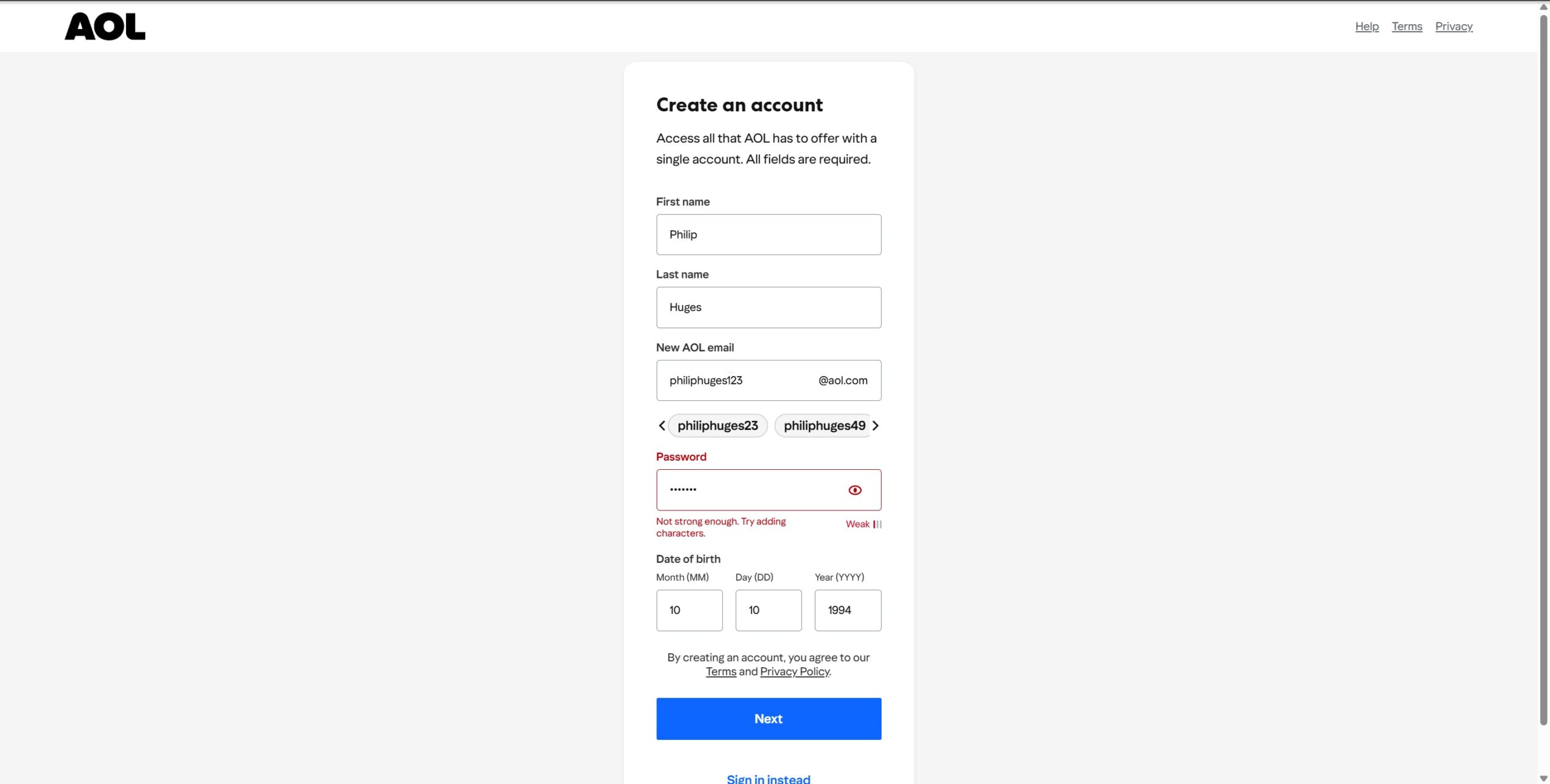
AOL Email Sign In: How to Access Your AOL Inbox from Any Device

To sign in to your AOL email account, open AOL Mail, enter your AOL email address, username, or linked phone number, and select Next. Enter your password, complete any identity verification request, and AOL will open your inbox.

You do not need to download anything to check AOL Mail on a Windows PC, Mac, Chromebook, or Linux computer. The browser version works through the official AOL website.

Official AOL email sign-in page: Open your AOL Mail inbox

Important: Before entering your password, check that the website address contains aol.com. Avoid links in unexpected emails claiming that your AOL account will be closed unless you sign in immediately.

How to Sign In to Your AOL Email Account (Step-by-Step)

You can access AOL Mail from Chrome, Microsoft Edge, Firefox, Safari, or another current browser.

  1. Go to mail.aol.com.
  2. Enter your full AOL email address, username, or linked mobile number.
  3. Select Next.
  4. Enter your AOL password.
  5. Select Next or Sign in.
  6. Enter the verification code if AOL asks you to confirm your identity.

AOL may ask for additional verification when you sign in from a browser, device, or location it does not recognize. The code is normally sent to a recovery phone number or alternate email address linked to the account.

If AOL opens the wrong inbox, select your profile icon, sign out, and then enter the correct email address. This commonly happens on shared computers or when the browser has saved more than one AOL account.

How to remain signed in to AOL Mail

The AOL sign-in page may include a Stay signed in option. Enable it only on a personal device that other people cannot access. Do not use it on a library, hotel, workplace, school, or other shared computer.

On a public device, use a private or Incognito browser window, do not save the password, and sign out when finished. Close every private browser window before leaving the computer.

How to add AOL Mail to Windows

You can use AOL Mail through a browser or add it to an email client such as the new Outlook for Windows.

  1. Open the Outlook app.
  2. Select Add account.
  3. Enter your AOL email address.
  4. Continue to the AOL sign-in page.
  5. Enter your password and approve access when requested.

The old Windows Mail and Calendar apps are no longer a working option. Microsoft ended support for them on December 31, 2024, and they can no longer send or receive email. Use Outlook, another supported email client, or the AOL Mail website instead.

How to Access Your AOL Inbox on Mobile

You can access AOL Mail on Android, iPhone, and iPad through the official AOL app, a mobile browser, or your device’s built-in email app.

Option 1: Use the official AOL app

The AOL app is the most direct option because it handles AOL sign-in, account verification, notifications, and mailbox settings without requiring you to enter mail server details manually.

  1. Install the official AOL: Email News Weather app from Google Play or Apple’s App Store.
  2. Open the app.
  3. Tap the profile icon.
  4. Select Manage Accounts.
  5. Tap Add Account.
  6. Enter your AOL email address and password.
  7. Complete verification if requested.

Once the account has been added, you can receive new-message notifications and switch between multiple AOL accounts from the profile menu.

Option 2: Use AOL Mail in a mobile browser

You do not have to install the app. Open Safari, Chrome, Edge, or Firefox on your phone and visit mail.aol.com.

The mobile website lets you read, send, search, delete, and organize messages. It is also useful when the AOL app is not loading or when you are temporarily using someone else’s device.

Option 3: Add AOL to Apple Mail or another email app

On an iPhone or iPad, open Settings > Apps > Mail > Mail Accounts > Add Account, and select AOL. Sign in through the AOL page that appears.

On Android, open your preferred email app, choose the option to add another account, and select AOL when it is offered. The exact steps vary between Gmail, Samsung Email, Outlook, and other mail apps.

If the app does not offer AOL as a provider, you can configure it manually with IMAP:

Setting Value
Incoming mail server imap.aol.com
IMAP port 993
IMAP security SSL
Outgoing mail server smtp.aol.com
SMTP port 465
SMTP security SSL
Username Your complete AOL email address

A third-party email app may not accept your normal AOL password. In that case, sign in to your AOL account security settings and create a separate app password. Enter that generated password into the email app instead of changing your normal account password.

IMAP is generally preferable to POP because it keeps messages and folders synchronized between the app and AOL Mail. When you delete or move a message in an IMAP app, the change also appears at mail.aol.com.

When You Might Need to Sign In from a Browser or Different Device

Even if you normally use the AOL app or another email client, signing in through mail.aol.com is useful when you need to determine whether the problem is with your account or the app.

Your email app has stopped synchronizing

If new messages no longer appear in Outlook, Apple Mail, Gmail, or another client, try signing in through a browser. When the browser inbox works normally, your AOL account is active and the problem is probably related to the email app, its saved password, or its IMAP settings.

Remove and add the account again, or re-enter the AOL password when the app asks you to authenticate. An older app may require a newly generated AOL app password.

You are using a new phone or computer

A browser sign-in is often the quickest way to access your messages while setting up a new device. AOL may send a verification code because it does not recognize the device or location.

Make sure you still have access to the recovery phone number or email address shown on the verification screen before replacing or wiping an old device.

You need to reset your password

AOL’s browser-based Sign-in Helper provides the complete password-reset and account-recovery process. This is more useful than repeatedly trying passwords inside an email app, which may continue using an old saved password.

You are travelling

AOL may treat a sign-in from another country, network, or unfamiliar device as unusual activity. You may be asked for a verification code even when the password is correct.

This does not necessarily mean the account has been compromised. However, do not approve a verification request that you did not initiate.

You suspect another person accessed the account

Sign in from a trusted browser and review the account’s recent activity. Remove devices, browsers, and connected apps you do not recognize, then change the password.

You should also inspect your AOL Mail filters, blocked-address list, forwarding settings, signature, and recovery information. Someone who gains access to an email account may change these settings to hide messages or keep receiving copies of your email.

Common AOL Sign-In Issues and How to Fix Them

The error message matters. Clearing the entire browser or reinstalling the AOL app should not be your first response to every login problem.

Problem What to do
Invalid password Check Caps Lock, remove an outdated password saved by the browser, and use AOL’s Sign-in Helper if the password is still rejected.
Forgotten username Use the Sign-in Helper with the recovery phone number or alternate email address linked to the account.
Verification code does not arrive Confirm the partially displayed phone number or email address, wait before requesting another code, and try another listed recovery method.
Recovery phone or email is no longer available Try another recovery option. If AOL cannot verify you through the details connected to the account, recovery may not be possible.
Sign-in page keeps reloading Select Not you?, enter the account again, and clear AOL cookies if the loop continues.
Blank AOL Mail page Disable extensions for a test, allow cookies and JavaScript, restart the browser, and try a private window or another supported browser.
AOL works in a browser but not an email app Reauthenticate the account, check the IMAP settings, or create an AOL app password.
Account has been deactivated Try signing in through AOL Mail. The address may be reclaimed in some cases, but the old contents of an inactive mailbox may not return.
Suspicious account activity Change the password, remove unknown app passwords and devices, and check whether mail settings were altered.

Reset a forgotten AOL password

  1. Open the AOL Sign-in Helper.
  2. Enter your AOL email address, recovery phone number, or recovery email.
  3. Select Continue.
  4. Choose where AOL should send the verification code.
  5. Enter the code.
  6. Create a new password.

After resetting the password, update it in every app that checks the AOL account. Otherwise, an old phone, tablet, or email client may continue submitting the previous password and create more login errors.

Recover a forgotten AOL username

Open the Sign-in Helper and enter a recovery phone number or email address you can access. After verifying the code, AOL displays the accounts connected to that recovery detail.

If the address you are looking for does not appear, the recovery phone number or email address may never have been connected to it.

Fix an AOL sign-in loop

If the login page returns after you enter the correct details, select Not you? on the sign-in screen and enter the username again.

When the loop continues:

  1. Clear cookies for AOL rather than deleting all browser data immediately.
  2. Close and reopen the browser.
  3. Disable ad blockers or privacy extensions for AOL temporarily.
  4. Try a private browsing window.
  5. Try another current browser.
  6. Open login.aol.com instead of using an old bookmark.

What if the recovery phone number is old?

Use another recovery method offered by AOL. If you are still signed in on another trusted device, update your recovery details from the AOL account security page before signing out.

AOL warns that when the recovery information is incorrect or inaccessible, it may not be able to verify ownership and restore access. Customer support cannot safely hand over an account simply because someone knows the address or remembers old messages.

Can an inactive AOL account be recovered?

AOL says an account may be deactivated or deleted when it has not been used for 24 months. Other reasons include requesting account deletion or violating AOL’s terms.

Try signing in normally. An inactive mailbox can sometimes be reclaimed by signing in, but this may restore only the email address and not the messages that were previously stored in it.

If AOL says the username does not exist or cannot be restored, creating a new account may be the only option. You may not be able to recreate the same address.

Why Would Someone Search for AOL Email Sign In in 2026?

AOL Mail remains active, and many addresses have been used for years as recovery accounts for banking, shopping, social media, and other online services. Losing access can therefore affect more than the messages stored in the inbox.

People may also need the AOL sign-in page because:

  • They normally use an email app and need to test the account in a browser.
  • They are setting up a new phone or computer.
  • They are helping a family member access an older address.
  • They need messages or contacts stored in a long-running account.
  • They use a Verizon.net address that was migrated to AOL Mail.
  • They need to update recovery information before replacing an old phone.
  • They want to move or download email through IMAP.

AOL Mail is not limited to old computers or AOL Desktop software. You can continue using it through the modern web interface, the AOL mobile app, or a supported third-party email client.

FAQs

What is the official AOL email sign-in page?

The official AOL Mail address is https://mail.aol.com/. The general AOL account sign-in page is https://login.aol.com/.

Can I still use my AOL email address?

Yes. AOL Mail remains active, and existing @aol.com addresses can continue sending and receiving email as long as the account remains available.

Do I need AOL Desktop Gold to check AOL Mail?

No. AOL Desktop Gold is a separate desktop product. You can access AOL Mail for free through a browser or the AOL mobile app.

Can I sign in with only my AOL username?

Yes. You can normally enter the username without @aol.com, the complete email address, or a phone number linked to the account.

What should I do if I forgot my AOL password?

Use the official AOL Sign-in Helper. It verifies your identity through a recovery phone number or alternate email address connected to the account.

Can I recover AOL Mail without my old phone number?

You may be able to use another recovery method connected to the account. If no accessible recovery option is available, AOL may be unable to confirm ownership and restore access.

Why does AOL ask me to verify my identity?

AOL may request a code when you sign in from a device, browser, program, network, or location it has not seen before. This is intended to prevent unauthorized access.

Why is my normal AOL password not working in Outlook or Apple Mail?

The app may require you to sign in again through AOL, or it may need an AOL-generated app password. Do not change the normal account password solely because an older email app rejects it before testing the browser login.

Can I access AOL Mail from a mobile browser?

Yes. Open mail.aol.com in Chrome, Safari, Firefox, or Edge. You can read, send, search, and organize messages without installing the AOL app.

Can I add AOL Mail to Gmail?

Yes. The Gmail app can manage non-Gmail accounts. Add your AOL address from Gmail’s account menu and complete the AOL sign-in process. Manual setup may require AOL’s IMAP settings and an app password.

Does AOL delete inactive accounts?

AOL says it may deactivate or delete an account when it has not been signed into for 24 months. Signing back in may reclaim an inactive address in some cases, but deleted mailbox contents may not be restored.

How can I tell whether an AOL sign-in page is real?

Check that the address contains aol.com and that the browser shows a secure connection. Do not enter your password into a page opened from a suspicious email, advertisement, pop-up, or unsolicited support message.

Can AOL customer support tell me my password?

No legitimate support agent should reveal or ask you to send your existing password. Use the Sign-in Helper to reset it through the recovery methods connected to the account.

Final Tips

Use mail.aol.com when you simply need to open your inbox. If an email app stops working, test the browser login before deleting the account or changing server settings.

Keep at least one recovery phone number and alternate email address current. This is particularly important before changing your mobile number, replacing a device, or abandoning another email account used for recovery.

Finally, sign in periodically if the AOL address remains important. AOL may deactivate accounts after long periods of inactivity, and recovering the address does not guarantee that the original mailbox contents will return.

Leave a Reply

Your email address will not be published. Required fields are marked *