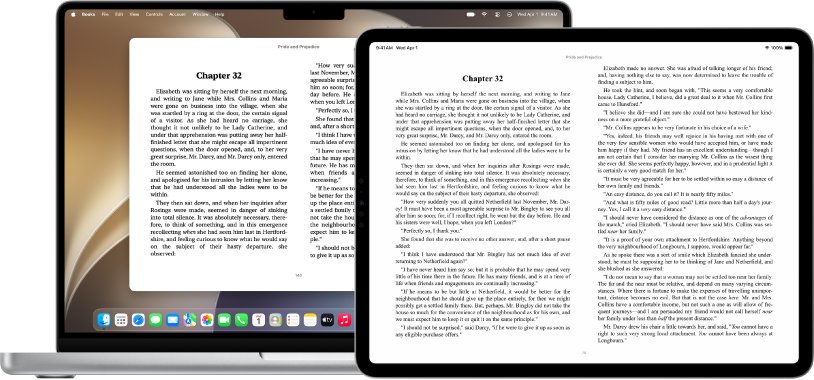
You cannot open Apple Books itself on a Windows PC: Apple lists Books for iPhone, iPad, Mac, Apple Watch, CarPlay and Apple Vision Pro, with no Windows app and no browser reader.
What does work on Windows is iTunes for audiobooks, copying your own DRM-free EPUB files across, and reading library or future purchases in apps that run on a PC.
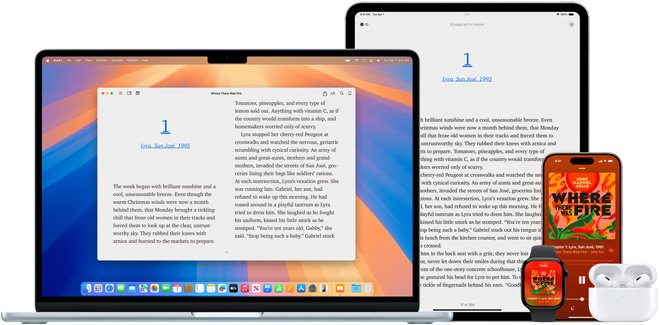
Fastest way to read Apple Books content on a Windows PC
The quickest route depends on what the item is. Match it below and use that route.
Store eBooks still need Apple Books on a Mac or iPhone, so keep one Apple device signed in.
| What you have | Does it open on Windows? | Route |
|---|---|---|
| Audiobook bought from Apple | Yes | Install iTunes for Windows and play it from your library |
| eBook bought in the Apple Books Store | No | Read it on an iPhone, iPad or Mac |
| EPUB or PDF you added yourself (DRM-free) | Yes | Copy the file to the PC and open it in an EPUB reader |
| Library loan | Yes | Borrow through the library's own app or website on Windows |
Background / overview
Apple Books replaced iBooks and lives only on Apple hardware. The audiobook side has a Windows path because iTunes for Windows still handles audiobooks.
| Platform | Apple Books app | Notes |
|---|---|---|
| iPhone and iPad | Yes | Books and audiobooks |
| Mac | Yes | Books and audiobooks |
| Apple Watch, CarPlay, Apple Vision Pro | Audiobooks | Listening only |
| Windows PC | No | Audiobooks through iTunes for Windows |
| Web browser | No | books.apple.com shows store listings, not a reader |
How Apple Books (iBooks) works — the crucial technical facts
| Fact | What it means on Windows |
|---|---|
| Store eBooks are tied to your Apple Account and the Books app | A purchased store book has no Windows reader |
| Books imports many EPUB books, MP3 and Audible audiobooks | Files you imported yourself still exist as normal files you can copy |
| PDFs open in Preview or the default PDF app on Mac | PDFs are ordinary files and open in any Windows PDF reader |
| ACSM, AZW and ODM files open only in their own third-party app | Use that store or library's Windows app instead |
| iCloud syncs books, PDFs, highlights, notes and bookmarks between Apple devices | Sync stops at Apple devices; highlights do not reach a PC |
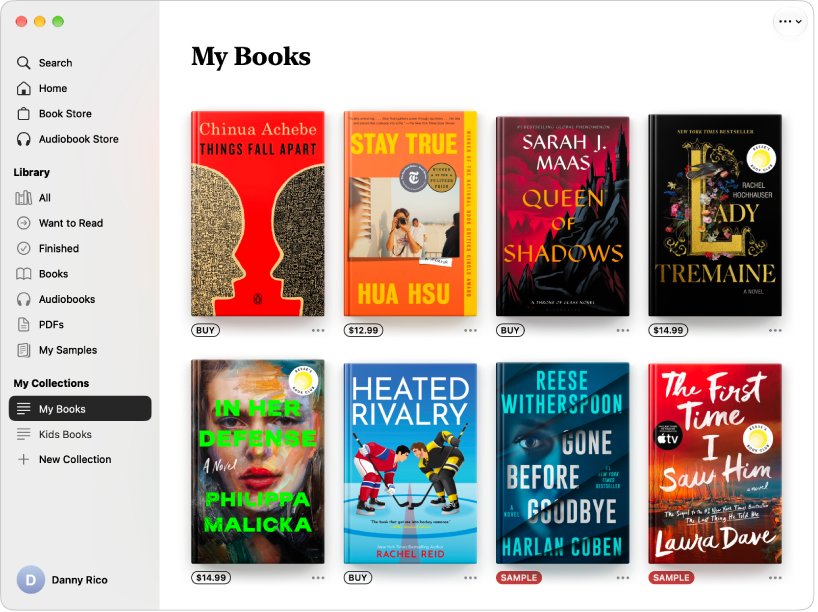
Method 1 — use iCloud.com and Apple’s web tools (what works, what doesn’t)
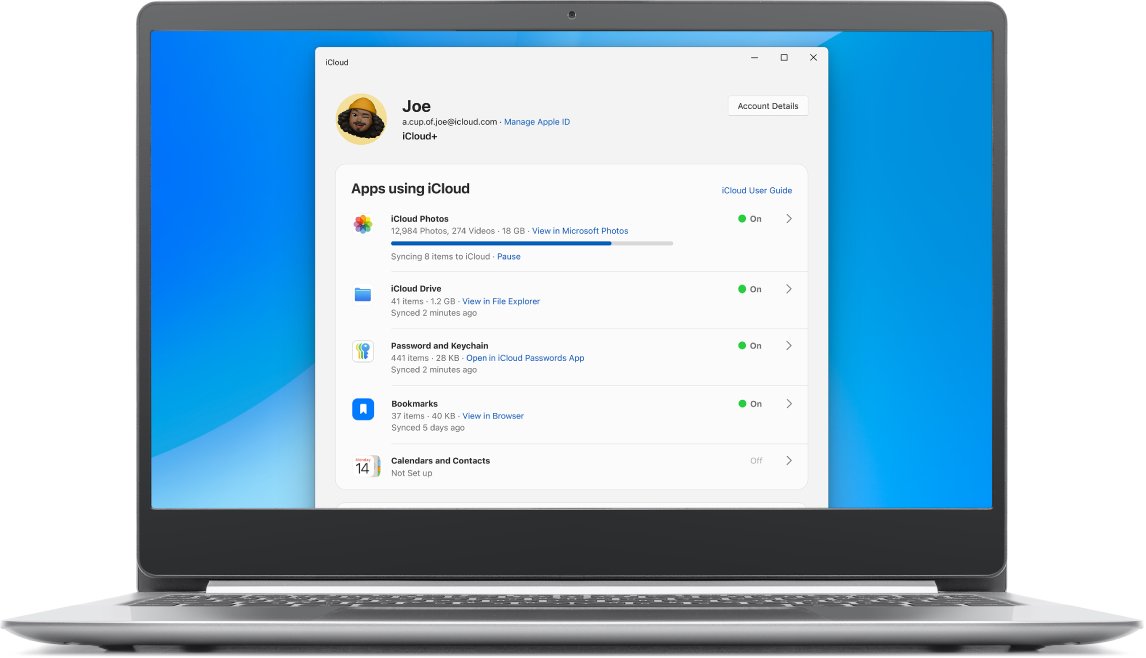
iCloud.com and iCloud for Windows do not open the Books app, but they do reach files you saved to iCloud Drive yourself.
- On your iPhone, iPad or Mac, save the DRM-free EPUB or PDF to iCloud Drive in the Files app or Finder.
- On the Windows PC, install iCloud for Windows from the Microsoft Store and sign in with the same Apple Account.
- Turn on iCloud Drive in iCloud for Windows.
- Open the iCloud Drive folder and find the file you saved.
- Open the file in an EPUB or PDF reader on Windows.
What does not work: store purchases, collections, highlights and reading position stay inside Books on Apple devices.
Method 2 — iTunes for Windows and buying audiobooks (limitations)
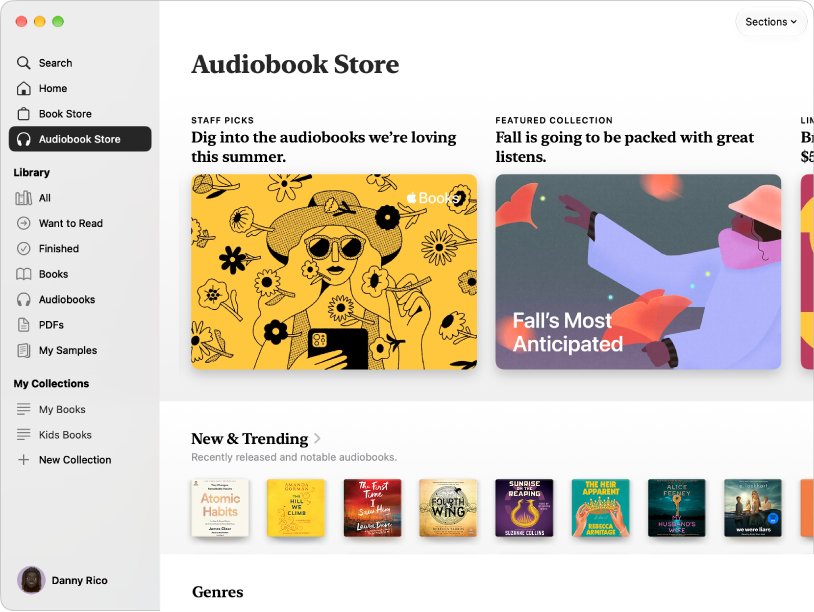
Apple states that iTunes remains the home for audiobooks on Windows, even after Apple Music and Apple TV are installed.
- Install iTunes for Windows from the Microsoft Store.
- Sign in with the Apple Account that bought the audiobooks.
- Open Account and download previous purchases.
- Switch the library to Audiobooks and play the title.
The limit: iTunes covers audiobooks only. eBooks from the Apple Books Store do not appear as readable books on Windows.
Method 3 — Export DRM‑free files from your Apple devices and read them on PC
This works for EPUB and PDF files you imported into Books, such as publisher freebies or DRM-free purchases from other shops.
- Find the original file in Finder or the Files app, where you saved it before importing.
- Copy it to iCloud Drive, a USB drive, or email it to yourself.
- Move the file onto the Windows PC.
- Open it in a Windows EPUB reader or PDF reader.
Method 4 — Third‑party EPUB readers and library apps on Windows
| Need | Windows option | Formats |
|---|---|---|
| DRM-free EPUB files | Any EPUB reader app from the Microsoft Store | EPUB |
| Library loans and Adobe-protected books | Adobe Digital Editions | EPUB, EPUB3, PDF |
| OverDrive library loans | Libby in Chrome, Edge, Firefox or Safari at libbyapp.com | Library eBooks and audiobooks |
| PDF files | Microsoft Edge or another PDF reader |
Method 5 — Emulation or virtualization (run iOS/Mac apps inside a VM)
Skip this route. Apple offers no supported way to run Books, iOS apps or macOS on a Windows PC, so a virtual machine is unsupported, fragile and may breach the software licence.
DRM, legal, and Terms of Service — what you must know
| Action | Status |
|---|---|
| Reading your own DRM-free files on any device | Fine |
| Listening to Apple audiobooks in iTunes for Windows | Supported by Apple |
| Stripping DRM from store purchases | Breaks Apple's terms and may break copyright law |
| Running macOS in a VM on non-Apple hardware | Outside the macOS licence |
Practical recommended workflows (pick one depending on your goals)
| Your goal | Workflow | Why |
|---|---|---|
| Occasional Windows access to an Apple library | Keep reading on iPhone or iPad | Purchases stay readable and synced |
| Borrowing library books | Libby or Adobe Digital Editions | Both run on a PC |
| Long-term reading on Windows | Buy future books from a store with a Windows app | No lock-in to Apple devices |
| Full control of files | Buy DRM-free EPUBs and keep them in a cloud folder | Files open anywhere |
Best for readers who already own mostly Apple Books purchases and want occasional Windows access
Read on an iPhone or iPad beside the PC, and use iTunes for audiobooks. Store eBooks have no Windows reader, while audiobooks play in iTunes for Windows.
Best for library borrowers
Use Libby in a browser, or Adobe Digital Editions for downloaded EPUB loans. Libby supports Windows computers in current Chrome, Edge, Firefox and Safari, and Adobe Digital Editions handles library EPUB and PDF loans on a PC.
Best for future purchases and long‑term Windows reading
Buy new eBooks from a store whose app runs on Windows, or as DRM-free EPUB. Apple has no Windows reader, so every new Apple Books purchase stays locked to Apple devices.
Best for advanced users who want full library control
Keep DRM-free EPUB and PDF files in one cloud folder and import copies into Books on Apple devices. The originals open on Windows, and Books still reads the imported copies on iPhone, iPad and Mac.
Step‑by‑step: How to read an Apple‑bought book on Windows (if it’s DRM‑free)
Some titles in the Books library are not protected, such as EPUBs you imported. Use these steps for them.
- On your Mac, open Books and confirm the title is one you imported with File > Import.
- Locate the original EPUB file in Finder.
- Drag the file into iCloud Drive.
- On Windows, open iCloud Drive through iCloud for Windows.
- Double-click the EPUB to open it in your EPUB reader.
Apple Books file won't open on Windows
Audiobooks missing from iTunes for Windows
iTunes is signed in with a different Apple Account, or purchases are not downloaded.
- Open Account in iTunes and check the signed-in Apple Account.
- Download previous purchases.
- Switch the library view to Audiobooks.
EPUB file shows an error in a Windows reader
The file is protected or is an ACSM, AZW or ODM file meant for another app.
- Check the file extension.
- Open ACSM files in Adobe Digital Editions.
- Open store files in that store's own Windows app.
Critical analysis — strengths, risks, and the practical reality
| Route | Strength | Risk or limit |
|---|---|---|
| iTunes for Windows | Official audiobook playback | No eBooks |
| iCloud Drive | Moves your own files | No store books, no highlights |
| EPUB readers | Open any DRM-free EPUB | No Books sync |
| Library apps | Free legal reading on a PC | Loans expire |
| Virtual machines | None worth having | Licence breach and instability |
Final recommendation for Windows users: audiobooks in iTunes, store eBooks on an Apple device, and DRM-free or library books on the PC.
Final recommendation — pragmatic, safe choices for Windows users
Use iTunes for Apple audiobooks, keep store eBooks on an iPhone, iPad or Mac, and move all other reading to DRM-free EPUB or library apps on the PC. Every one of these routes is supported by Apple or the app vendor, so nothing breaks after an update and no terms are breached.
Quick FAQ roundup (concise, verified)
Is there an Apple Books app for Windows?
No. Apple lists Apple Books for iPhone, iPad, Mac, Apple Watch, CarPlay and Apple Vision Pro. There is no Windows version and no Microsoft Store listing for it.
Can I read Apple Books on iCloud.com?
No. iCloud.com and iCloud for Windows give access to iCloud Drive files, not to the Books app or your store purchases. Only files you saved to iCloud Drive yourself open there.
Can I listen to Apple Books audiobooks on Windows?
Yes. Apple says iTunes remains the home for audiobooks on Windows. Sign in to iTunes with your Apple Account and download previous purchases to play them.
Can I read Apple Books in a web browser?
No. books.apple.com shows store pages and charts only. Reading a purchased book needs the Books app on an Apple device.
Can I convert Apple Books purchases to EPUB for Windows?
Not legally for protected store purchases. Removing DRM breaks Apple's terms. Books you imported as DRM-free EPUB files are ordinary files and copy to Windows as they are.
Which app opens EPUB files on Windows?
Any EPUB reader from the Microsoft Store opens DRM-free EPUB files. Adobe Digital Editions also opens EPUB, EPUB3 and PDF, including many library loans.
Can I read library books on Windows instead?
Yes. Libby runs on Windows computers at libbyapp.com in current Chrome, Edge, Firefox or Safari, and Adobe Digital Editions handles downloaded library EPUB loans.
Do Apple Books highlights sync to a Windows PC?
No. iCloud syncs highlights, notes, bookmarks and collections only between Apple devices running Books. No Windows app receives them.