You can get the GoPro Quik download free for a Mac from the Mac App Store, and for iPhone and Android from their app stores. On a Windows 11 or Windows 10 PC, GoPro’s free desktop app is GoPro Player from the Microsoft Store.
Quik is published by GoPro, Inc., and the Mac build is a 245 MB download. Sign in with a free GoPro account, and a Premium plan unlocks the cloud backup and premium editing tools.
Below are the official links, install steps for Mac and Windows, what the subscription adds, and fixes for the problems people hit most.
Which GoPro Quik download do you need?
Match the device in front of you to a row. Every app here is free to install and uses the same GoPro account.
| Your device | What to get | Size |
|---|---|---|
| Mac | GoPro Quik on the Mac App Store | 245 MB |
| iPhone or iPad on iOS 18 or later | GoPro Quik on the App Store | 305.6 MB |
| Android phone or tablet | GoPro Quik: Video Editor on Google Play | Varies by device |
| Windows 11 or Windows 10 PC | GoPro Player on the Microsoft Store | 9.3 MB |
| Any computer with a browser | GoPro Web App, sign in at gopro.com | Nothing to install |
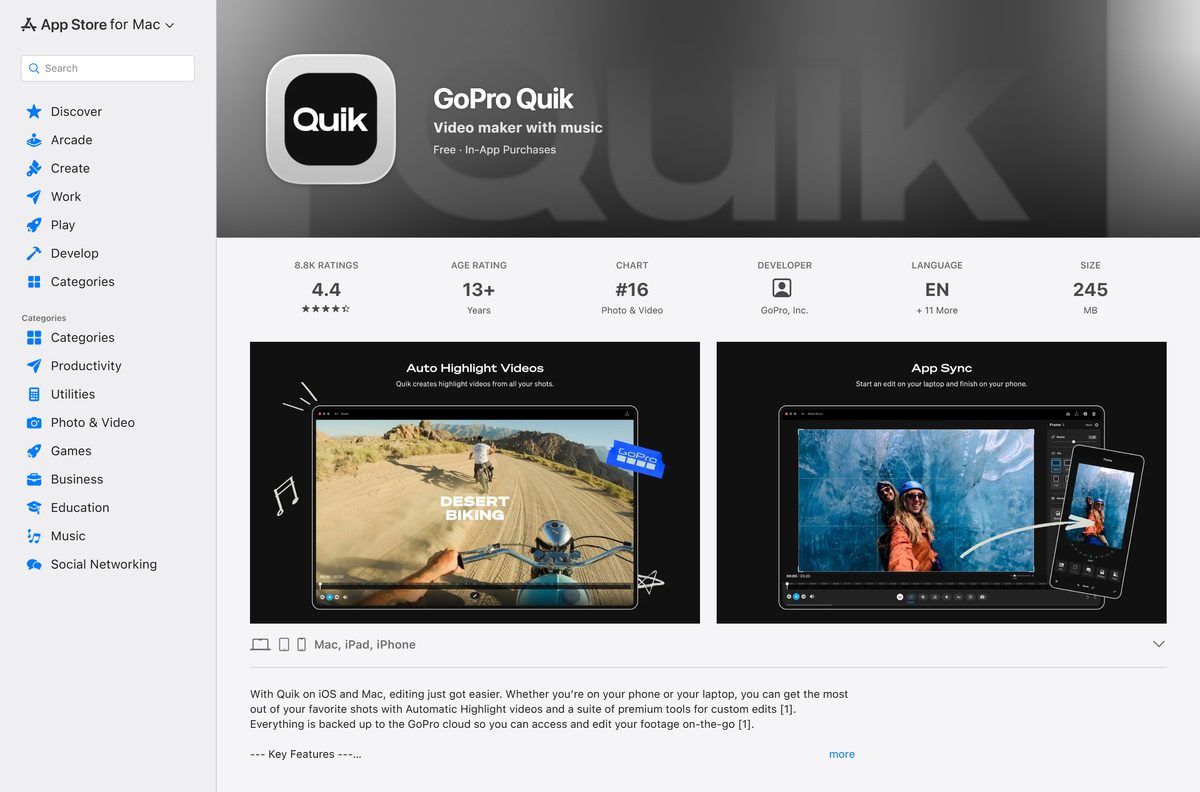
Quik on the Mac, iPad and iPhone shares one App Store listing, and edits sync through the GoPro cloud with a subscription.
Download GoPro Quik from the official store links
GoPro distributes its apps only through the Apple, Google and Microsoft stores. Use these links and nothing else.
- GoPro Quik for Mac, Mac App Store — 245 MB · seller GoPro, Inc., free with in-app purchases
- GoPro Quik for iPhone and iPad, App Store — 305.6 MB · version 13.41, needs iOS 18.0 or later
- GoPro Quik: Video Editor, Google Play — package com.gopro.smarty
- GoPro Player for Windows, Microsoft Store product 9MW2BVRCG0B2 — 9.3 MB · version 3.3.0.0, publisher GoPro
- GoPro Player for Mac, Mac App Store — 29.3 MB · version 3.3.4, needs macOS 10.15 or later
- Quik app page on gopro.com — GoPro’s own page with the store badges
A Quik setup file offered on any download portal is not from GoPro. Check that the store listing names GoPro, Inc. or GoPro as the seller before you install.
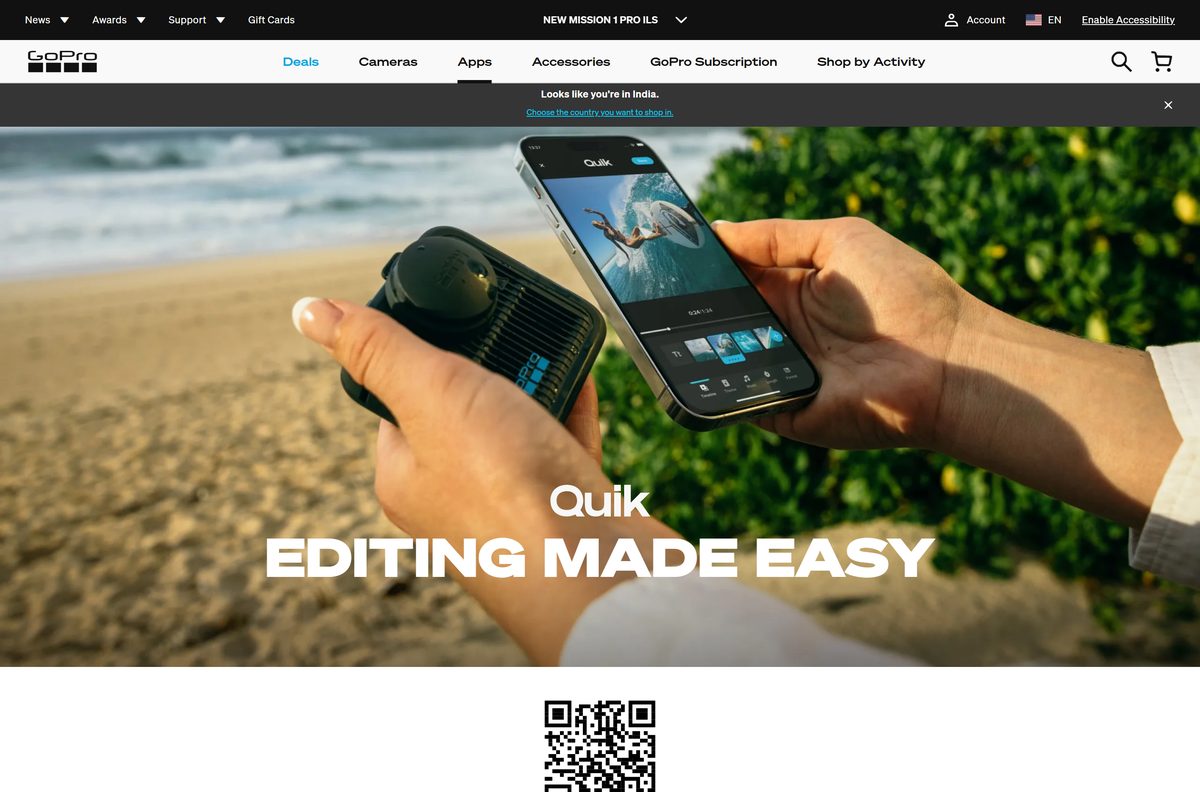
How to install GoPro Quik on a Mac
The Mac build lists automatic GoPro detection and transfer over a wired USB connection, plus previewing and deleting shots on the camera’s SD card.
| What you want on the Mac | What to do | Where to go |
|---|---|---|
| Edit, sync and back up footage | Open the listing, select Get, then Install, and sign in with your GoPro account | GoPro Quik on the Mac App Store |
| Play, trim and reframe 360 footage | Install GoPro Player, which needs macOS 10.15 or later | GoPro Player on the Mac App Store |
| Use the camera as a webcam | Install GoPro Webcam, which needs macOS 13.0 or later | GoPro Webcam on the Mac App Store |
Open App Store, search for GoPro Quik and check that the seller reads GoPro, Inc. before you select Get. Plug the camera in with a USB cable after you sign in, and Quik offers to transfer the new shots.
Install GoPro Player on Windows 11 and 10 from the Microsoft Store
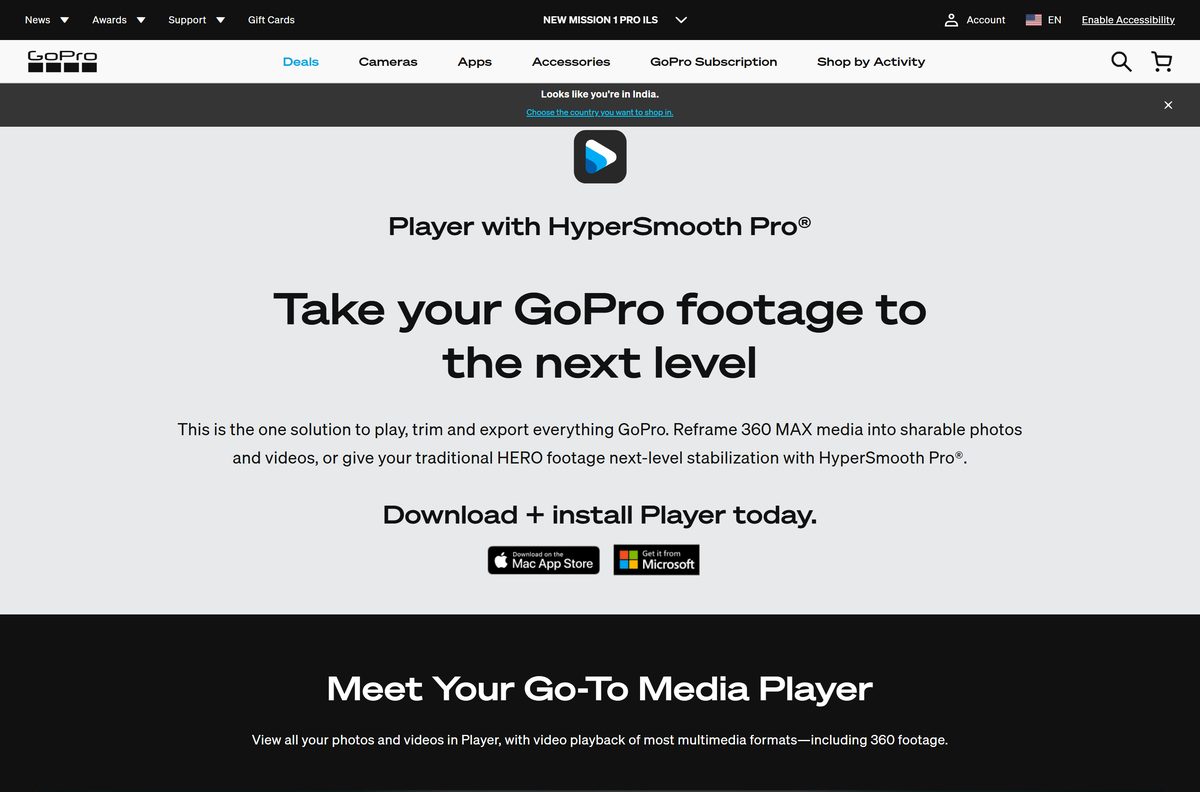
GoPro Player is the desktop app GoPro lists for Windows. It plays, trims and exports GoPro footage and turns 360 video into regular video.
- Open Microsoft Store from the Start menu.
- Search for GoPro Player, or open product 9MW2BVRCG0B2 directly.
- Confirm the publisher line reads GoPro.
- Select Get, or Install if the app was on this PC before.
- Select Open when the download finishes.
- Copy your clips from the camera’s SD card to the PC, then open them in GoPro Player.
- Sign in at gopro.com in your browser to reach the GoPro Web App and your cloud media.
The Store package is x64 only and needs Windows 10 build 17134 or later. HyperSmooth Pro stabilization inside the player is a separate in-app purchase.
Is GoPro Quik free, and what does the GoPro subscription add?
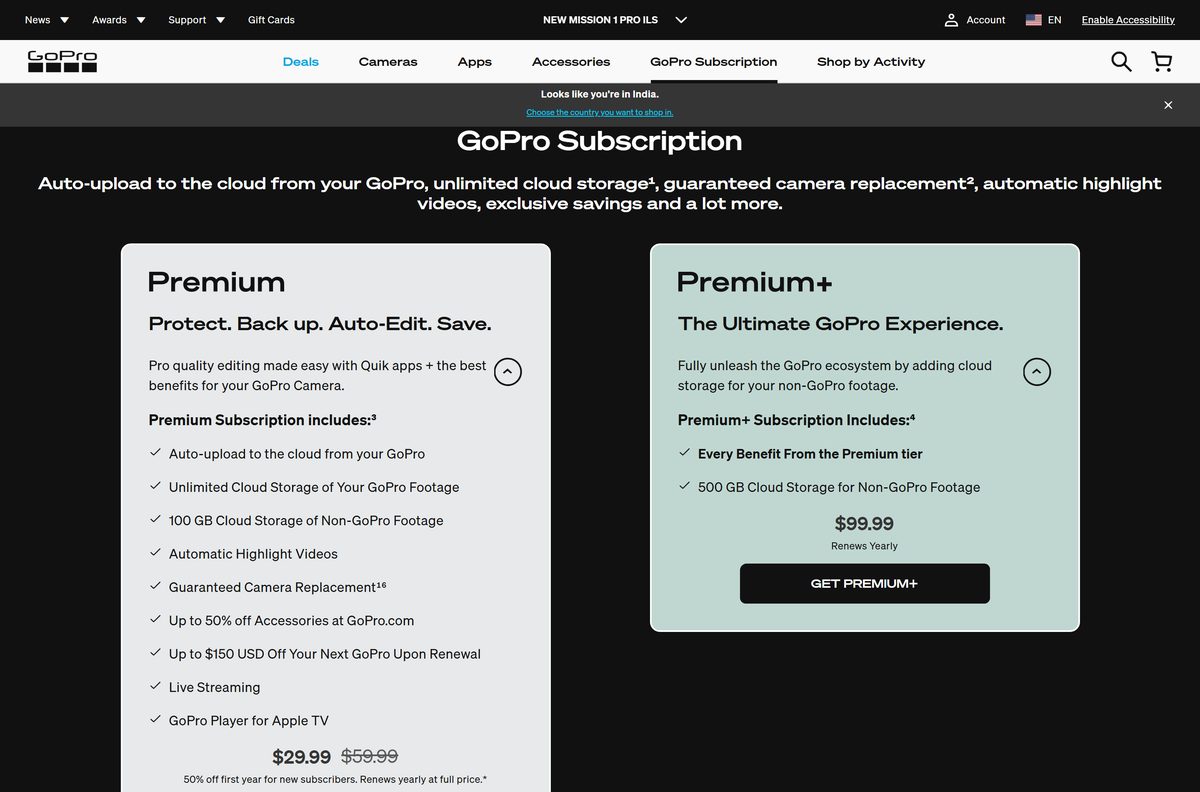
Yes. Quik and GoPro Player cost nothing to install, and the subscription decides what the apps unlock. The App Store lists Quik as free with in-app purchases, and the Microsoft Store lists GoPro Player at $0.00. GoPro Premium costs $59.99 a year and adds auto upload, highlight videos, unlimited cloud storage for GoPro footage and 100 GB for footage from other cameras. Premium+ costs $99.99 a year and raises the non-GoPro storage to 500 GB. HyperSmooth Pro in GoPro Player is a separate in-app purchase.
Check the GoPro Quik system requirements before you install
Quik itself needs a Mac, an iPhone or iPad on iOS 18.0 or later, or an Android device. GoPro Player covers Windows.
| Field | Value |
|---|---|
| Software | GoPro Quik |
| Developer | GoPro, Inc. |
| Latest version | 2.2 on Mac; 13.41 on iPhone and iPad |
| License | Free with in-app purchases; GoPro Premium from $59.99 a year |
| Supported OS | macOS (Mac App Store), iOS 18.0 or later, Android |
| Download size | 245 MB on Mac; 305.6 MB on iPhone and iPad |
| Windows app | GoPro Player 3.3.0.0, 9.3 MB, Windows 10 build 17134 or later, x64 |
| GoPro Player for Mac | 3.3.4, 29.3 MB, macOS 10.15 or later |
| Graphics | A graphics card that decodes HEVC, for GoPro Player |
| Official download source | Mac App Store, App Store, Google Play, Microsoft Store |
| Offline installer | No |
| Last verified | 2026-09-24 |
Press Windows + R, type winver and select OK to read your Windows build. On a Mac, open the Apple menu and select About This Mac.
How to check your GoPro Quik version and update it
Store apps update through their store, so the update route matches where you installed the app.
- On a Mac, open App Store and select Updates in the sidebar.
- Select Update next to GoPro Quik or GoPro Player if either is listed.
- On iPhone, open App Store, tap your profile picture and pull down to refresh the update list.
- On Android, open Google Play, tap your profile icon and select Manage apps & device.
- On Windows, open Microsoft Store, select Library, then Get updates.
Update Quik after you buy a new camera. The 13.41 release added support for the GoPro MISSION 1 PRO ILS.
Fix GoPro Quik not installing or not working on your computer
GoPro Quik does not appear in the Microsoft Store
GoPro offers no Quik app for Windows.
- Install GoPro Player for playback, trimming and export on the PC.
- Sign in at gopro.com to open the GoPro Web App for your cloud media.
- Keep Quik on your phone or Mac for automatic highlight videos.
The Microsoft Store will not download GoPro Player
A stale Store cache or a pending restart.
- Restart the PC if Windows installed updates since the last reboot.
- Press Windows + R, type wsreset.exe and select OK. The Store reopens after a blank window closes.
- Check that the date, time and region on the PC are correct, then select Get again.
Premium tools stay locked in Quik on the Mac
The app is signed in to a different GoPro account, or the App Store purchase is not restored.
- Sign out of Quik and sign in with the GoPro account that holds the subscription.
- Sign in to the App Store with the Apple ID used to subscribe on iPhone.
- Quit and reopen Quik after both sign-ins.
GoPro Player plays HEVC footage badly or not at all
The graphics card cannot decode HEVC, which GoPro lists as a requirement.
- Update the graphics driver from your PC or GPU maker.
- Open the clip in Quik on a phone if the PC cannot decode it.
How to uninstall GoPro Quik and GoPro Player
Removing an app does not delete footage already backed up to the GoPro cloud.
- On a Mac, quit GoPro Quik or GoPro Player.
- Open Finder, select Applications and drag the app to the Trash.
- Empty the Trash.
- On Windows, open Settings, select Apps, then Installed apps.
- Select the three dots beside GoPro Player, choose Uninstall, then confirm.
- Cancel a subscription separately, from App Store subscriptions or your GoPro account, since deleting the app does not stop billing.
Which GoPro app should you use on a computer?
Quik is one of several free GoPro apps. Each one covers a different task on a computer.
| App | Best for | Link |
|---|---|---|
| GoPro Quik | Highlight videos, beat-synced edits, cloud backup on Mac and phones | App Store listing |
| GoPro Player | Playing, trimming and reframing 360 footage on Windows and Mac | GoPro Player page |
| GoPro Webcam | Using a GoPro as a webcam on a Mac | Mac App Store listing |
| GoPro Web App | Reaching cloud media from any browser, including Windows PCs | Sign in at gopro.com |
For 360 footage in Adobe Premiere Pro, After Effects or DaVinci Resolve, GoPro offers the GoPro Reframe plugin from the Quik page.
Frequently asked questions
Is GoPro Quik free to download?
Yes. The App Store and Google Play list GoPro Quik as free with in-app purchases. Premium editing tools, auto upload and cloud backup need GoPro Premium at $59.99 a year or Premium+ at $99.99 a year.
Where is the official GoPro Quik download?
GoPro links to the App Store listing id 561350520 and to Google Play package com.gopro.smarty from its Quik page on gopro.com. The same App Store listing covers Mac, iPad and iPhone.
Can I download GoPro Quik for Windows 11 or 10?
GoPro publishes no Quik app for Windows. Its Windows desktop app is GoPro Player, a free 9.3 MB Microsoft Store download for Windows 10 build 17134 or later, and cloud media opens in the GoPro Web App.
Is there a GoPro Quik app for Mac?
Yes. GoPro Quik is on the Mac App Store as a 245 MB download from GoPro, Inc. It detects a connected GoPro and transfers footage over a wired USB connection.
How big is the GoPro Quik download?
The Mac build is 245 MB and the iPhone and iPad build is 305.6 MB. GoPro Player is 9.3 MB on Windows and 29.3 MB on a Mac.
Is there a GoPro Quik offline installer?
No. Quik installs only from the App Store and Google Play, and GoPro Player for Windows installs only from the Microsoft Store. Every route needs an internet connection.
Does GoPro Player run on ARM64 Windows PCs?
The Microsoft Store lists GoPro Player as an x64 package only, with no separate ARM64 package. Windows 11 on ARM runs x64 apps through emulation.
Is GoPro Quik safe to install?
Yes, when it comes from the Mac App Store, the App Store, Google Play or the Microsoft Store listing published by GoPro. Avoid Quik setup files offered on download portals.
What is the latest version of GoPro Quik?
The iPhone and iPad app is at version 13.41, released 15 September 2026 with support for the GoPro MISSION 1 PRO ILS. The Mac App Store build is version 2.2.
Why won’t GoPro Quik install on my iPhone?
The current version needs iOS 18.0 or later. Update the iPhone from Settings, then General, then Software Update, and check that the device has at least 305.6 MB free.