You can start Roblox from a web browser, but you cannot play it entirely inside one: the Play button on roblox.com launches the Roblox Player app, which installs itself the first time you click it.
This guide shows the official browser-to-app route on Windows and Mac, how Chromebooks and phones run Roblox, what cloud streaming sites really are, which browsers Roblox supports and how to fix launch problems.
Method 1: Play Roblox using the web browser and Roblox Player (official way)
Roblox does not offer an in-browser web player. The website is where you sign in, find experiences and press Play; the game itself runs in the Roblox Player app.
- Open roblox.com in Microsoft Edge, Chrome or Firefox on Windows, or in Chrome, Firefox or Safari on a Mac.
- Sign in to your Roblox account.
- Open any experience and select the green Play button.
- Wait for the pop-up that says Roblox Player is installing, and let it finish.
- Select Play again on the experience page.
- If the browser asks which program should open the link, select Roblox and confirm. Tick the option to remember your choice so it does not ask again.
From then on, every Play button on the website opens the installed app directly. On Windows, Roblox now also ships as the Roblox – Windows app in the Microsoft Store, and Roblox asks Windows players to move to it. If you prefer a manual installer, the Roblox download for PC and Mac works the same way.
What does “Play Roblox in browser” mean?
The phrase usually describes the browser-first workflow: everything except the game window happens on the website. The table shows which part does what.
| Task | Works in the browser? | What actually handles it |
|---|---|---|
| Sign in, change settings, manage friends | Yes | roblox.com |
| Customise your avatar and view your inventory | Yes | roblox.com |
| Search and browse experiences | Yes | roblox.com |
| Join and play an experience | No | Roblox Player app, launched by the Play button |
| Build your own experience | No | Roblox Studio app, launched from the Edit option |
Browser plugins once handled the launch step. Roblox notes that Chrome stopped supporting plugins in version 42 and Microsoft Edge does not support them, so the launch now relies on the installed app. Building games needs Roblox Studio, which also installs from the website.
Browser play vs desktop app
| Your situation | Use this | Why |
|---|---|---|
| Windows 10 or 11 PC (64-bit) | Website + Roblox Player, or Roblox – Windows from the Microsoft Store | Official, supported route with the full game |
| Mac on macOS 10.13 or later | Website in Chrome, Firefox or Safari + Roblox Player | The app installs from the first Play click |
| Chromebook with the Google Play Store | Roblox Android app from Google Play | Chromebooks run the mobile app, not a browser version |
| iPhone, iPad or Android phone | Roblox app from the App Store or Google Play | Mobile games run only in the app |
| Linux PC | No supported option | Roblox states it is not supported on Linux |
| Shared or managed PC that blocks installs | Ask the administrator to allow Roblox | Workarounds put the account and device at risk |
Roblox system requirements for PC, Mac and mobile
| Device | Minimum Roblox lists |
|---|---|
| Windows PC | 64-bit Windows 10 or Windows 11, DirectX 10 feature level graphics, 1.6 GHz or faster processor from 2005 or later, 1 GB RAM, 300 MB free storage |
| Mac | macOS 10.13 (High Sierra) or later, Apple silicon supported |
| Chromebook | Chrome OS version 53 or later with the Google Play Store turned on |
| iPhone and iPad | iOS 14 or iPadOS 14 or later |
| Android phone or tablet | Android 8.0 or later with OpenGL ES 3.0 support |
| Internet | 4-8 Mb/s minimum for one player; more in busy households |
Method 2: Play Roblox in browser via cloud gaming (no install, not supported)
Some third-party sites stream mobile games, including Roblox, into a browser tab so nothing installs on your device. These are not Roblox services, and Roblox states it is not supported on virtual machines or cloud-based computers.
| What you might want | What happens with a streaming site | Better option |
|---|---|---|
| Play with no install at all | The game runs on someone else's computer, which Roblox does not support | Install the free Roblox Player or mobile app |
| Join a private server | Unsupported devices can trigger join errors such as Error Code 524 | Play from the official app |
| Smooth gameplay | Stream quality depends on your connection and the site's servers, so input lag is common | Run Roblox locally on a supported device |
| Keep your account safe | Signing in means typing your Roblox password into a third-party page | Sign in only on roblox.com or in the official app |
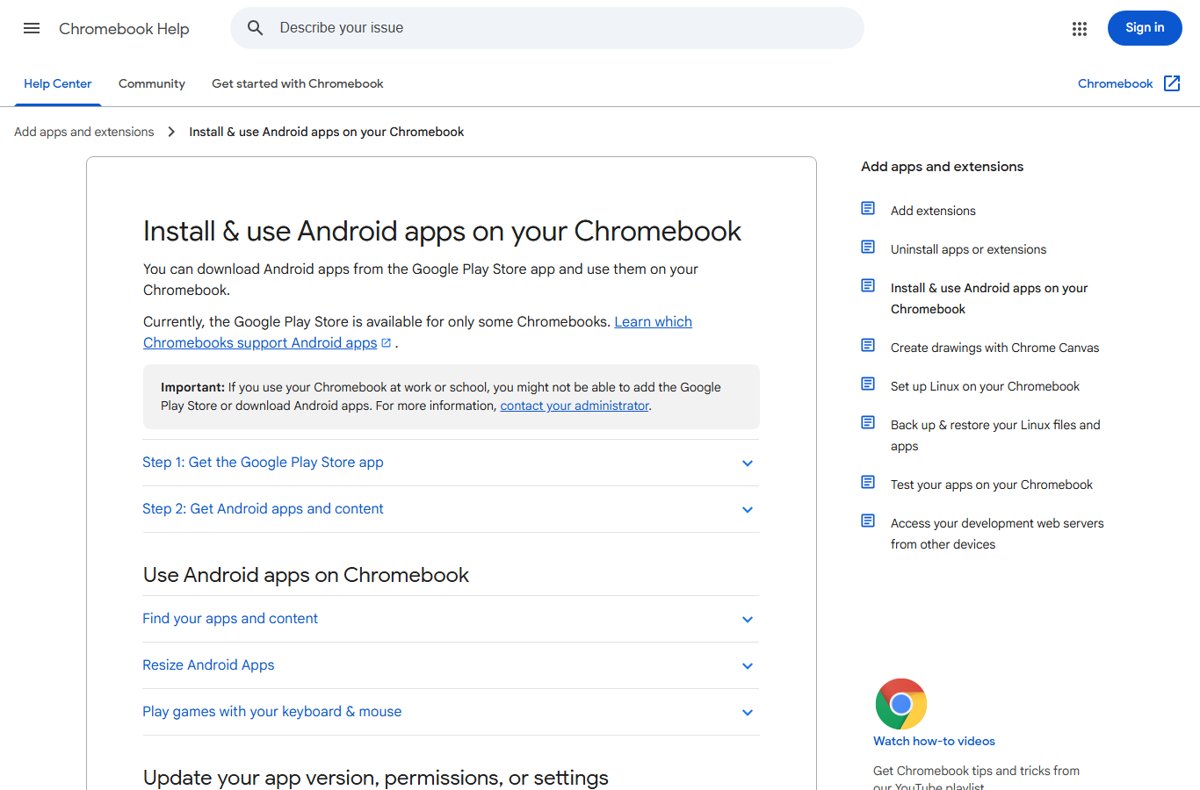
Method 3: Play Roblox online on Chromebook (Google Play app)
Chromebooks run the Android version of the Roblox app, so you need the Google Play Store rather than a browser tab. Work and school Chromebooks may block the Play Store; only the administrator can turn it on.
- Update Chrome OS so the device is on the latest version.
- Select the time in the bottom-right corner, then open Settings.
- Open Apps and turn on the Google Play Store, then accept the terms of service.
- Open the Play Store app, search for Roblox and select Install.
- Open Roblox from the Launcher and sign in with your Roblox account.
Roblox notes that its Chromebook app does not work with Bluetooth mice or other Bluetooth pointing devices, so use the touchpad, a touchscreen or a USB mouse.
Method 4: Play Roblox in browser without admin rights
The Windows Roblox Player installs into your own user profile, in the AppData\Local\Roblox folder, rather than in a system folder. On a typical home PC the install from the website runs in your own account.
- Sign in to Windows with your own user account, not a guest session.
- Open roblox.com in Edge, Chrome or Firefox and sign in.
- Select Play on an experience and let the Roblox Player installer finish.
- If Windows or the network blocks the install or the game will not connect, stop and ask the PC or network administrator for access.
- Ask the administrator to allow the Roblox domains listed in Roblox's education network article, including www.roblox.com, setup.roblox.com and setup.rbxcdn.com, and UDP ports 49152-65535.
Roblox also notes that the experience launch does not support proxies, so a filtered school or office network needs those exceptions. Do not use unofficial portable copies or proxy sites to get around a block.
Method 5: Play Roblox in browser on mobile (Android & iOS)
Phones and tablets play Roblox only in the official app. A mobile browser can still manage your account on roblox.com.
- Check your device version: iOS or iPadOS 14 or later, or Android 8.0 or later.
- Open the App Store on iPhone or iPad, or Google Play on Android.
- Search for Roblox and install the app published by Roblox Corporation.
- Open the app, sign in and select an experience.
- Switch to Wi-Fi if mobile data is slow, because Roblox needs at least 4-8 Mb/s.
Amazon Fire tablets are supported too, from the Fire 7 (9th generation), Fire HD 8 (8th generation) and Fire HD 10 (9th generation) onward.
Best browsers for playing Roblox online
Roblox lists the browsers it supports for its website by platform. Any of them can launch the Roblox Player; the choice affects only the website part.
| Platform | Supported browsers | Notes |
|---|---|---|
| Windows | Chrome, Firefox, Microsoft Edge | Internet Explorer is not supported |
| Mac | Chrome, Firefox, Safari | Firefox needs Roblox set as the app for roblox-player links |
| Chromebook | Chrome for the website | Games run in the Android app |
| Any | Keep the browser updated | Roblox's first fix for launch problems is an updated or different supported browser |
Other Chromium-based browsers often load the site, but Roblox does not list them. If one misbehaves, switch to a listed browser before troubleshooting further.
How to check Roblox launched from the browser correctly
- Select Play on an experience page at roblox.com.
- Confirm a separate Roblox window opens instead of a new download prompt.
- Wait for the loading screen to finish; the experience has fully loaded once your avatar appears.
- Open Settings > Apps > Installed apps in Windows 11 and confirm Roblox is listed if you want proof of the install.
Common problems & fixes for Roblox in a browser
Roblox not launching in browser, or it asks you to download again
The browser is not handing the Play link to the installed Roblox app, or the install is damaged.
- Select Play again and choose Roblox when the browser asks which program to use.
- Tick the option to remember the choice so the browser stops asking.
- On a Mac in Firefox, set Roblox as the app that handles roblox-player links when prompted.
- Restart the computer, then reinstall by selecting Play on any experience.
- If it still fails, uninstall Roblox from Settings > Apps, restart, and install again.
Black screen or lag
A slow or unstable connection, a blocking add-on, or graphics below DirectX 10 feature level.
- Test your connection speed and confirm at least 4-8 Mb/s.
- Switch from Wi-Fi to a wired connection if you can.
- Disable ad-blocker add-ons, which Roblox says can stop an experience from fully loading.
- Give large experiences time to finish downloading the map before judging performance.
- Check that the PC meets the graphics and memory requirements in the table above.
Cloud gaming lag or join errors
Roblox does not support cloud-based computers, and streaming adds delay.
- Close the streaming site.
- Install the official Roblox app on a supported device.
- Sign in on roblox.com or in the app and rejoin the experience.
Error Code 403: Access to www.roblox.com has been denied
The Roblox client launched from the website failed to initialise, often because of corrupted app data.
- Uninstall Roblox from Settings > Apps.
- Press Win + R, type
cmdand press Enter. - Type
cd AppData\Localand press Enter. - Type
rmdir /s Roblox, press Enter, then typeyto confirm. - Restart the computer and reinstall Roblox from the website.
The Roblox website shows errors or buttons do nothing
Stale cache and cookies or an incompatible browser add-on.
- Clear the browser's cache and cookies.
- Disable all add-ons, then re-enable them one at a time to find the one that breaks the site.
- Restart the computer and try roblox.com again.
If Roblox keeps failing after an update, update Roblox on Windows manually so the website and app versions match.
Is playing Roblox in browser safe?
Launching Roblox from roblox.com in a supported browser is safe; third-party sites that claim to run Roblox without a download are not Roblox services and are not supported. Those sites ask for your Roblox password on a page Roblox does not control, and Roblox staff will never ask for your password. Keep sign-ins to roblox.com and the official apps.
Roblox in browser FAQ
Can you play Roblox without downloading anything?
No. Roblox has no official in-browser player, so every supported device runs an app. On Windows and Mac the website installs Roblox Player the first time you select Play, and phones, tablets and Chromebooks use the app from their store.
Is there an official Roblox web player?
No. The roblox.com website handles sign-in, browsing, avatars and settings, but the Play button hands off to the installed Roblox Player. The old browser plugin approach ended because Chrome dropped plugin support in version 42 and Edge does not support plugins.
Why does Roblox ask me to download it again when it is already installed?
The browser is not passing the Play link to the installed app. Select Play, choose Roblox when the browser asks which program to use, and tick the option to remember it. If that fails, restart and reinstall Roblox from any experience page.
Does Roblox work on Linux?
No. Roblox states that it is not supported on Linux. Supported computers are 64-bit Windows 10 or 11 PCs, Macs on macOS 10.13 or later, and Chromebooks that can run the Android app through the Google Play Store.
Can I play Roblox on a school Chromebook?
Only if the school allows the Google Play Store on that Chromebook. Roblox runs there as the Android app, and Google notes that work or school Chromebooks may block the Play Store. Ask the school administrator rather than trying to get around the block.
How fast does my internet need to be for Roblox?
Roblox recommends a minimum of 4-8 Mb/s for a single player, with more bandwidth for busy households. On a phone, Roblox suggests switching from a 3G or 4G connection to Wi-Fi when games lag or fail to load.
Which browser is best for Roblox?
Use one Roblox supports for your platform: Chrome, Firefox or Microsoft Edge on Windows, and Chrome, Firefox or Safari on a Mac. Keep it updated. Internet Explorer is not supported, and other browsers are not on Roblox's list.
How much space does Roblox need on a PC?
Roblox recommends at least 300 MB of free storage to install the Windows app, along with at least 1 GB of RAM and graphics that support DirectX 10 feature level. Large experiences also download map data when you join them.
Do I need an Xbox account for the Microsoft Store version of Roblox?
Yes, the Roblox – Windows app from the Microsoft Store asks you to link an Xbox profile once, because Store games use your Microsoft account. Your Roblox progress, friends, Robux and inventory stay tied to your Roblox account.
Bottom line: can you play Roblox without a download?
Use roblox.com to pick a game and let the free Roblox Player install on the first Play click, or install the official app on a Chromebook, phone or tablet. There is no official browser-only Roblox, and the streaming sites that promise one are unsupported and ask for your password. If you only want something that runs entirely in a tab, Chrome's Dinosaur game in the browser needs no install.