It’s still surprising most don’t notice or that Micorsoft has not announced Edge background customization options and tools available in the Stable version. Let me brief you, Edge allows daily rotation for image and video backgrounds and even provides Energy Saver and Balanced mode controls if you run Video background to manage system performance or resources based on user device configuration and network connection speed.
Whether it’s an image or video background, you can set Edge to display a new one daily, here is how you can do that.

How to change new background daily in Microsoft Edge on New Tab Page
- Launch Edge
- Open a new tab and click on the Gear icon to open NTP Settings
- Scroll down to Background and click “Edit background”
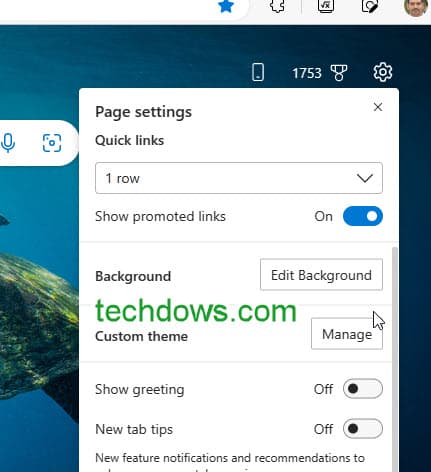
- In the customize background window that opens, turn on the “Background” switch
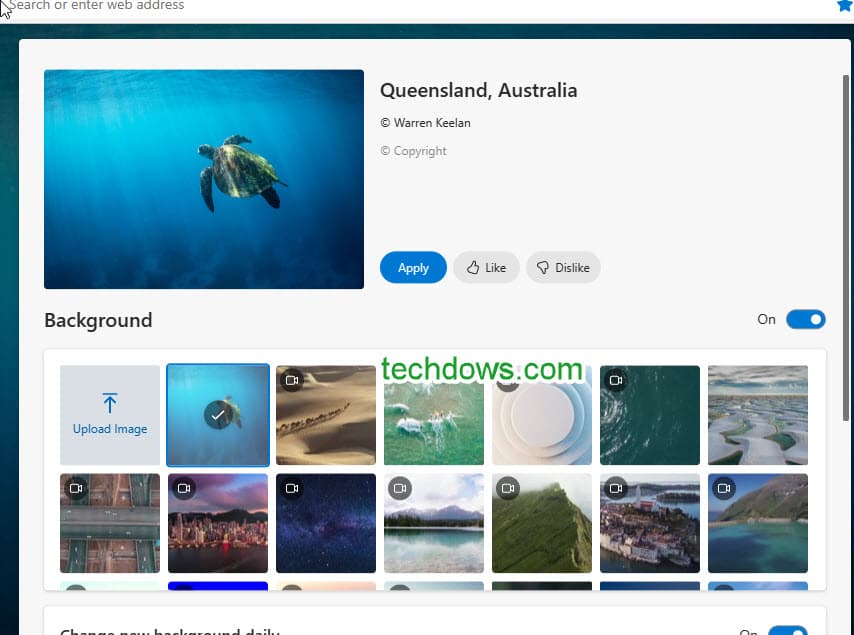
- As u can notice plenty of videos and backgrounds to select, toggle “change new background daily” on to enable

- Also, select “include video backgrounds in daily rotation” if you want.
In case you don’t know, Chrome also features a daily rotation of new tab background images.
Edge New Tab Page Video background’s Energy Saver and Balanced Settings
If you scroll further down below, you’ll notice Settings to control Edge New Tab Page Video background Settings, these offer Energy Saver and Balanced modes.
Depending on your device configuration and internet connection speed, you can choose either.
While “Energy Saver” ensures
- Autoplay works only when your device is plugged in
- Videos after one video playback
- Videos play at 720PHD
- Autoplay works only if your internet connection is fast.
where, when you select the “Balanced Video” setting, Edge makes sure
- Autoplay works only when your device is plugged in
- video loops continuously (this may lead to more system resources consumption)
- Videos Play HD or better high resolution.
These are hidden behind the “Edit background” option. We’re not sure why most don’t notice or Microsoft has not announced these Edge new Tab Page customized background tools.
Are you aware of these features and video background customization options, let us know in the comments below.
Final words: Microsoft Continues to improve Edge’s new Tab Page background customization options. To the latest, it includes daily rotation, provides Energy Saver, and Balanced Settings for Video background.
