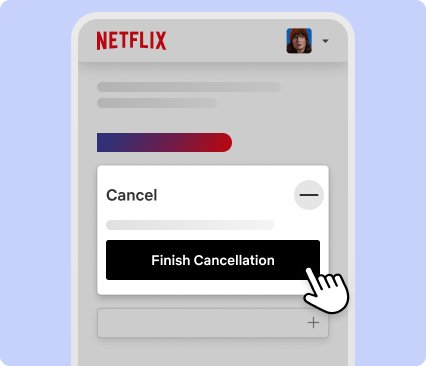
To cancel Netflix, open netflix.com/cancelplan in any web browser, sign in, select Cancel, then select Finish Cancellation.
This guide covers cancelling from a computer, a phone, a smart TV and through Apple, Google Play or a TV or mobile provider, plus what happens to your account afterwards.
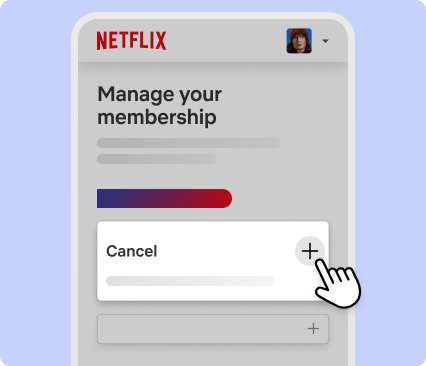
How to cancel Netflix subscription online in one minute
This route works on a phone, tablet or computer for any account Netflix bills directly. Signing out or deleting the Netflix app does not cancel your membership.
- Open a web browser and go to netflix.com/cancelplan (the Manage your membership page).
- Sign in with the email or phone number on the account if prompted.
- Select Cancel.
- Under Cancel, select Finish Cancellation.
- Look for the confirmation email Netflix sends to the account's email address.
Netflix cancellation options by device and billing
Who bills you decides where you cancel. The device you use only changes how you reach the same page, and the rule is identical for other services such as when you cancel or pause YouTube TV.
| Your situation | Cancel here | Why |
|---|---|---|
| Netflix charges your card, PayPal or gift card | netflix.com/cancelplan in any browser | The only page that ends a directly billed membership |
| You pay through iPhone, iPad or Mac (App Store) | Settings > your name > Subscriptions | Apple holds the billing |
| You pay through Google Play | play.google.com/store/account/subscriptions | Google holds the billing |
| Netflix comes with a TV, internet or mobile plan | Your provider's account or support | Netflix cannot cancel a partner bundle |
| You only have a smart TV | A phone browser pointed at netflix.com/cancelplan | Netflix's own help page uses the browser route |
What actually happens when you cancel Netflix
| Item | After you cancel |
|---|---|
| Charges | Stop. No further monthly payment is taken. |
| Access | Continues until the end of the current billing period, then the account closes automatically. |
| Account on hold | Closes immediately when you cancel. |
| Gift card or promotional balance | Keeps working for as many months as the balance covers. |
| Viewing Activity, ratings, recommendations, game saves | Kept for 24 months, so restarting within that window brings them back. |
| Closing date | Shown on the Payment History page at netflix.com/BillingActivity. |
Pause Netflix, check billing and downloads before you cancel: three things worth checking
| Check | What to look for |
|---|---|
| Pause instead of cancelling | Pausing stops charges for one month, extendable a month at a time up to 3 months. It is not offered on the Basic plan or with Direct Debit, gift cards and some partner payments. You can browse and add to My List while paused, but not stream or download. |
| Who actually bills you | If the Membership section of your Account page shows a partner link instead of a Cancel option, cancel with that partner. |
| Downloads and billing date | Downloaded Netflix movies stop playing once the membership ends. Your next billing date on the Account page shows how long access lasts. If the card is the only problem, you can change the Netflix payment method instead. |
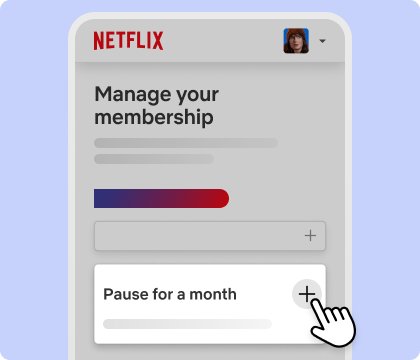
How to cancel Netflix on a desktop or laptop browser
- Open Chrome, Edge, Safari or Firefox and go to netflix.com/account.
- Sign in if asked.
- In the Membership section, select Cancel Membership, or go straight to netflix.com/cancelplan.
- Select Cancel.
- Select Finish Cancellation to confirm.
How to cancel Netflix on the mobile app
The Netflix app opens your account in a browser, so the quickest route on a phone is the browser itself. If you pay through the App Store or Google Play, use the store steps in the next section instead.
- Open Safari or Chrome on the phone.
- Go to netflix.com/cancelplan and sign in.
- Tap Cancel.
- Tap Finish Cancellation.
- Uninstall the app afterwards if you want; uninstalling alone cancels nothing.
How to cancel Netflix from a smart TV
Netflix's help center gives the browser page as the way to cancel, so a TV owner finishes the job on any phone or computer signed in to the same account. Removing the app from the TV or signing out of it leaves the membership active.
- On a phone or computer, open netflix.com/cancelplan.
- Sign in with the same account the TV uses.
- Select Cancel, then Finish Cancellation.
- Leave the TV app installed; it stops playing at the end of the billing period.
Cancelling when Netflix is billed by someone else
Billed through Apple (iPhone or iPad)
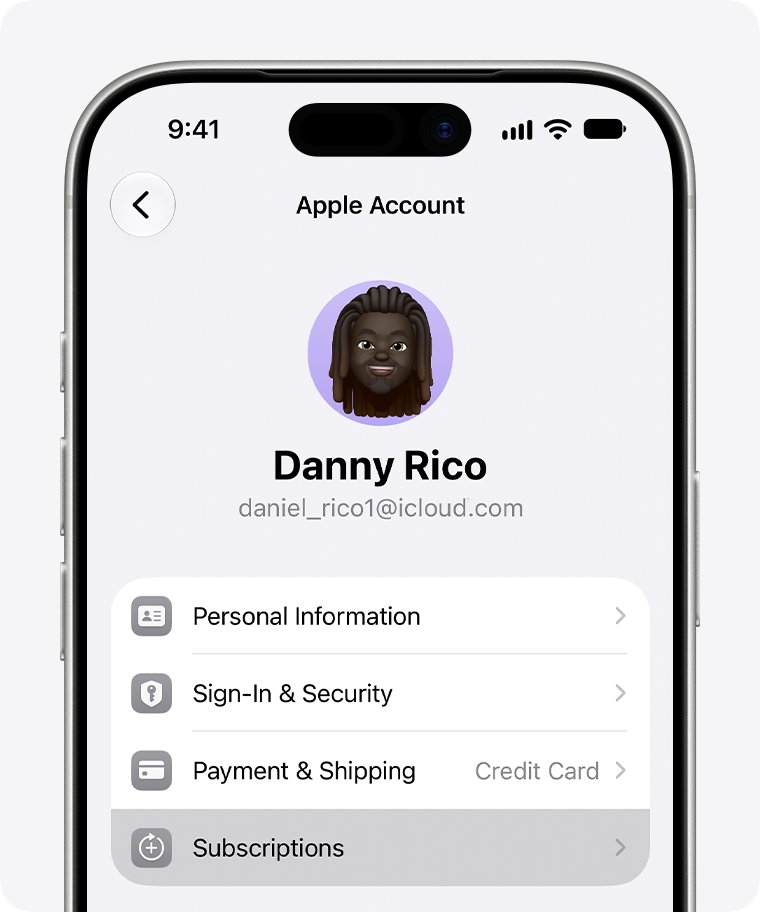
The subscription sits in your Apple Account.
- Open Settings and tap your name.
- Tap Subscriptions.
- Tap Netflix.
- Tap Cancel Subscription. A red expiration message means it is already cancelled.
Billed through Apple (Mac)
The subscription sits in your Apple Account.
- Open the App Store and click your name at the bottom of the sidebar.
- Click your name again on the next page.
- Click Subscriptions, then Netflix.
- Click Cancel Subscription.
Billed through Google Play
Google Play processes the payment.
- Open play.google.com/store/account/subscriptions on Android or in a browser.
- Select Netflix.
- Tap Cancel subscription and follow the prompts.
Billed by a cable, internet or mobile provider (including Sky or Roku/Amazon billing)
Netflix is part of the partner's bill.
- Open netflix.com/account and read the Membership section.
- Follow the partner link or instructions shown there.
- Remove Netflix through the partner's account page or support line.
Making sure the Netflix cancellation actually sticks
- Check your inbox for the Netflix cancellation confirmation email.
- Open netflix.com/account and confirm the membership shows an end date instead of a next billing date.
- Open netflix.com/BillingActivity to see the closing date.
- Go to netflix.com/password, change your password and select Sign out of all devices so nobody restarts the account.
Netflix cancel not working? Common cancellation problems
No Cancel Membership button on the account
A payment partner bills you, not Netflix.
- Read the Membership section at netflix.com/account.
- Cancel through Apple, Google Play or the provider named there.
Still charged after cancelling Netflix autopay
The charge belongs to an earlier period, or someone restarted the account.
- Compare the charge date with netflix.com/BillingActivity.
- Change your password and select Sign out of all devices.
- Contact Netflix through the Help Center if the dates do not match.
Cancelled the app store subscription but the account still works
Access runs until the paid period ends.
- Check the expiration date shown in the store's Subscriptions page.
- Wait for that date; no new charge follows.
Cancel Netflix subscription FAQ
Can I cancel Netflix at any time?
Yes. Netflix lets you cancel at any time with no cancellation fee, and you keep watching until the current billing period ends.
How do I cancel Netflix autopay?
Cancelling the membership stops autopay. Go to netflix.com/cancelplan, select Cancel and then Finish Cancellation; if Apple or Google bills you, cancel in their Subscriptions page.
How do I cancel my Netflix account online?
Open netflix.com/cancelplan in any browser, sign in, select Cancel and confirm with Finish Cancellation. A confirmation email arrives at the account address.
How do I cancel Netflix on TV?
Use a phone or computer browser at netflix.com/cancelplan with the same account. Deleting the TV app or signing out of it does not end the membership.
How do I cancel Netflix on Sky?
Netflix billed through Sky is cancelled with Sky, not Netflix. Your Netflix Account page shows the partner instructions in the Membership section.
How do I cancel Netflix in Canada or Australia?
The steps are the same in every country: netflix.com/cancelplan for direct billing, or the store or provider that bills you.
Will cancelling delete my profiles and watch history?
Not straight away. Netflix keeps Viewing Activity, ratings, recommendations and game saves for 24 months after the account closes.
Can I pause Netflix instead of cancelling?
Yes, on most plans. A pause lasts one month and can be extended up to 3 months, but it is not available on Basic or with Direct Debit, gift cards and some partner billing.
Cancel Netflix quick summary
Cancel at netflix.com/cancelplan if Netflix bills you, or in the Apple, Google Play or provider subscription page if they do. The device does not matter; the billing source decides where cancellation works, and access lasts until the paid period ends. The same rule applies when you cancel a Hulu subscription.