To reset an iPhone 4s to factory settings without the passcode, put it in recovery mode with the Home and top buttons, connect it to a computer and choose Restore.
This guide covers the recovery mode steps for Mac and Windows, the iCloud.com erase option, what Activation Lock asks for afterwards, and the difference between a hard reset and a factory reset.
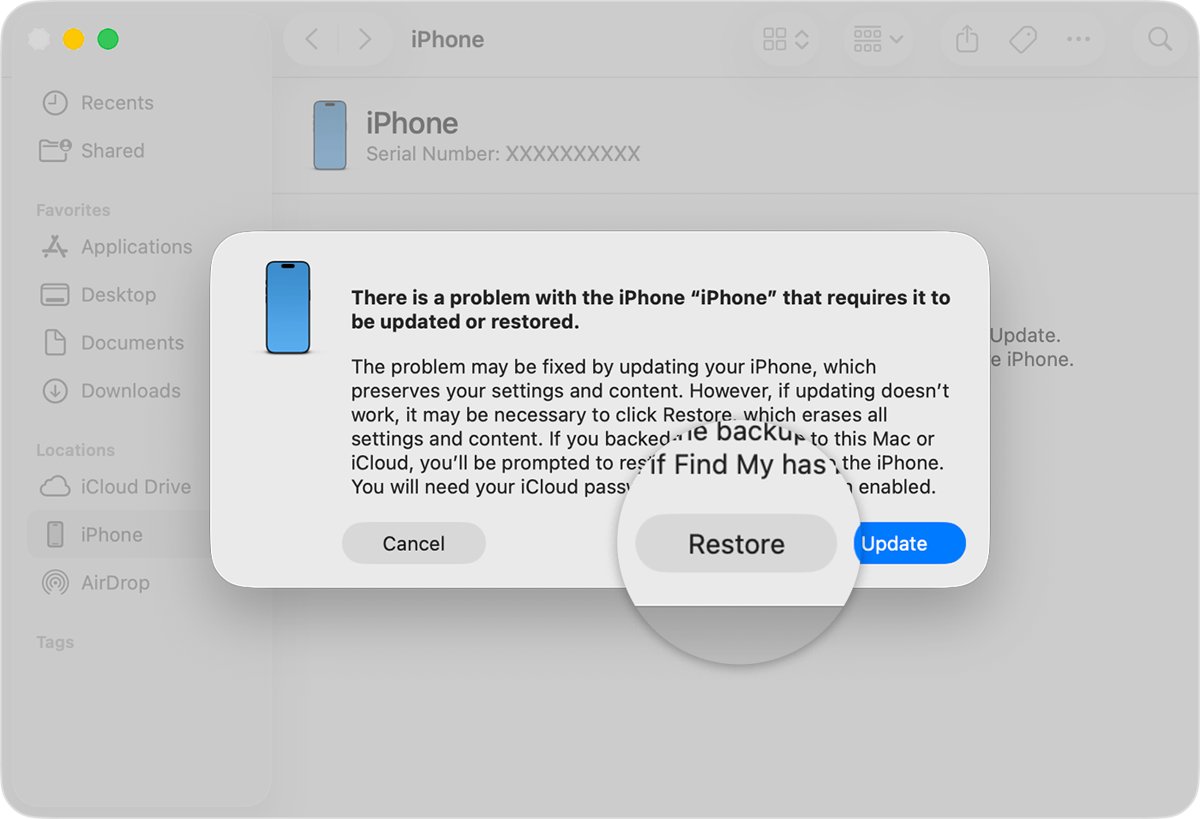
Factory reset iPhone 4s without passcode in recovery mode
You need a Mac or Windows PC, a USB cable that charges the phone, an internet connection and up to 60 minutes. The restore erases everything on the iPhone.
- Connect the cable to your computer, but not to the iPhone yet.
- On a Mac, open a Finder window. On a Windows PC, open Apple Devices or iTunes.
- Connect the iPhone 4s to the cable.
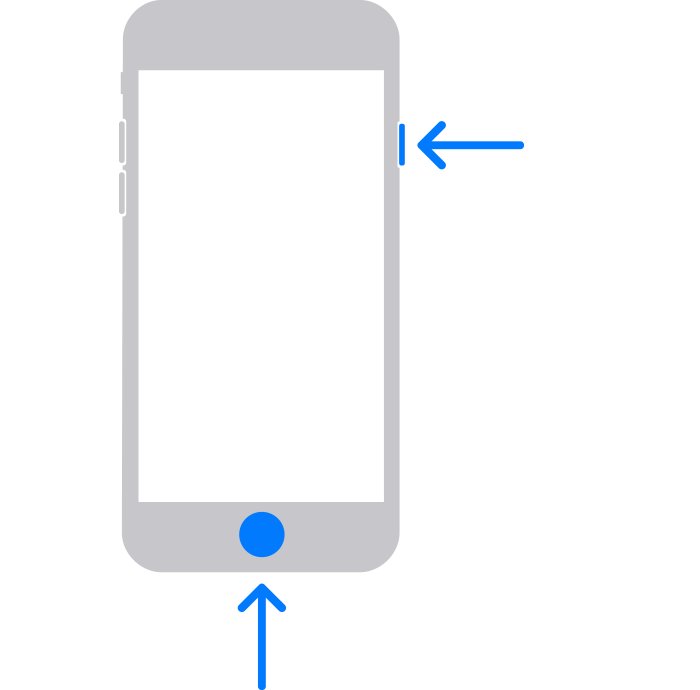
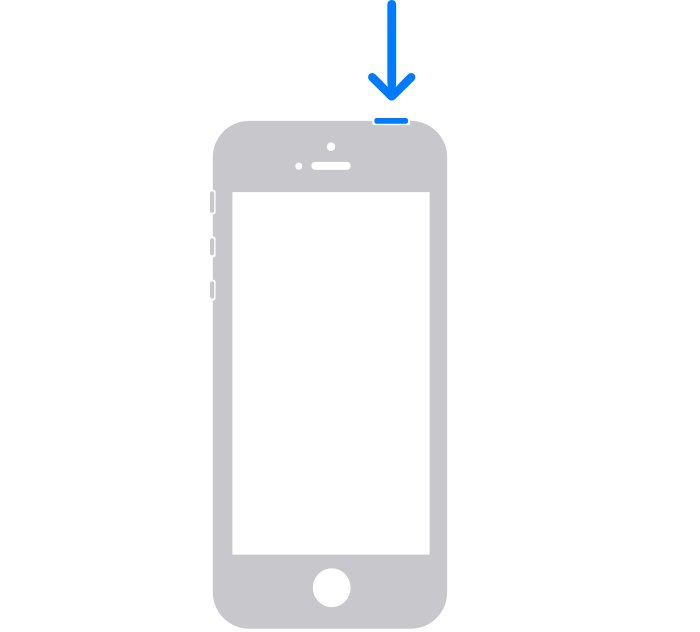
- Press and hold the Home button and the top button at the same time.
- Keep holding both buttons through the Apple logo until the Connect to computer screen appears.
- Select the iPhone on the computer, then choose Restore when Restore or Update appears.
- Wait while the computer downloads the software and restores the phone.
- Disconnect the iPhone when the Hello screen appears and set it up.
If the download takes more than 15 minutes, the iPhone leaves recovery mode. Let the download finish, then repeat the button steps.
Ways to reset an iPhone 4s you are locked out of
| Your situation | Use this | Result |
|---|---|---|
| You have a computer and the phone is with you | Recovery mode restore | Erases the iPhone and reinstalls iOS |
| Find My iPhone is on and the phone is online | Erase from icloud.com/find | Erases the iPhone remotely, no cable needed |
| The phone is frozen but you know the passcode | Hard reset with the Home and top buttons | Restarts the phone, nothing is erased |
| No computer and buttons do not respond | Apple Store or Apple Authorized Service Provider | Apple restores or services the device |
Reset iPhone 4 with iTunes or Apple Devices on Windows
On Windows, the Apple Devices app from the Microsoft Store does the restore. An older PC that cannot run it uses iTunes for Windows instead.
- Put the iPhone in recovery mode with the Home and top buttons while it is connected.
- In Apple Devices, select your iPhone in the sidebar. In iTunes, select the device icon.
- Select Trust if prompted, then select General in Apple Devices.
- Select Restore and follow the onscreen instructions.
- Wait for the restore to finish and the Hello screen to appear.
Erase iPhone 4s from iCloud.com without the passcode
This works only if Find My iPhone was turned on and the phone is online.
- Go to
icloud.com/findin any browser and sign in with your Apple Account. - Select the iPhone 4s in the device list.
- Choose Erase iPhone and confirm with your Apple Account password.
- Wait for the phone to erase and restart to the Hello screen.
Factory reset iPhone 4 without Apple ID and Activation Lock
Activation Lock turns on automatically with Find My. After a restore, the iPhone contacts Apple and asks for the Apple Account and password that were on it before setup can continue.
No official method skips that screen. If you forgot the password, reset it through your Apple Account first. If the phone belonged to someone else, ask them to remove it from their account in a browser.
Have the Apple Account email and password ready before you restore a locked iPhone 4s. Without them, a phone protected by Activation Lock cannot be reactivated after the reset.
How to hard reset iPhone 4s with buttons
A hard reset, also called a force restart, only restarts a frozen phone. It does not erase data or remove the passcode.
- Press and hold the Home button and the top button together.
- Keep holding until the Apple logo appears, then release both.
- Wait for the Lock Screen and enter your passcode.
To reboot normally instead, press and hold the top button until the power-off slider appears, drag it, wait 30 seconds, then hold the top button until the Apple logo appears. If a frozen phone needs a gentler fix, try to soft reset the iPhone first.
Check the iPhone 4s factory reset worked
- Look for the Hello setup screen on the iPhone after the restore.
- Start setup and confirm no passcode Lock Screen appears.
- Sign in with your Apple Account if the Activation Lock screen asks for it.
If the passcode Lock Screen or Home Screen appears instead, the phone was not erased. Repeat recovery mode and choose Restore, not Update.
iPhone 4s factory reset not working
The computer does not recognise the iPhone 4s
Outdated software on the computer or a faulty cable.
- Update macOS, or update Apple Devices or iTunes on Windows.
- Try another USB port and a cable that charges the phone.
- Put the phone in recovery mode again.
Recovery mode screen never appears
A button is broken or sticks.
- Hold both buttons longer, through the Apple logo.
- If the buttons do not respond, take the iPhone to an Apple Store or Apple Authorized Service Provider.
Why did my iPhone factory reset itself?
A restore was started remotely, or too many wrong passcodes triggered the Erase Data setting.
- Check icloud.com/find for an erase request on the device.
- Change your Apple Account password if you did not start the erase.
- Restore from your latest backup during setup.
iPhone 4s factory reset FAQ
How to reset iPhone 4s to factory settings?
If you know the passcode, go to Settings > General > Reset > Erase All Content and Settings. Without the passcode, put the phone in recovery mode with the Home and top buttons and choose Restore on a computer.
How to hard reset iPhone 4s?
Press and hold the Home button and the top button together until the Apple logo appears. This restarts the phone without erasing anything.
How to reboot iPhone 4s?
Hold the top button until the power-off slider appears, drag it, wait 30 seconds, then hold the top button again until the Apple logo appears.
How to factory reset an iPhone 4?
The iPhone 4 uses the same Home and top button recovery mode as the iPhone 4s. Connect it to a computer, enter recovery mode and choose Restore.
How to reset iPhone 4 with iTunes?
Connect the iPhone to the computer, open iTunes, put the phone in recovery mode and select Restore when iTunes offers Restore or Update.
What happens when you factory reset iPhone?
A factory reset erases all data and settings and reinstalls iOS. The phone starts at the Hello screen, and Activation Lock asks for the Apple Account if Find My was on.
Where to factory reset iPhone?
On a working iPhone, the option is in Settings > General > Reset. On a locked iPhone, use a Mac or Windows PC in recovery mode, or erase it from icloud.com/find.
Can I factory reset an old iPhone 4s without a computer?
Only if Find My iPhone is on and the phone is online, by erasing it from icloud.com/find on another device. Otherwise you need a computer or an Apple Store.