To enable Dolby Atmos on Windows 11, install the Dolby Access app from the Microsoft Store, then pick the Dolby Atmos format under Spatial sound in your output device's properties.
This guide covers the setup steps, the free Windows Sonic alternative, how to confirm spatial audio is on, and fixes for the errors that stop it.
Enable Dolby Atmos on Windows 11/10
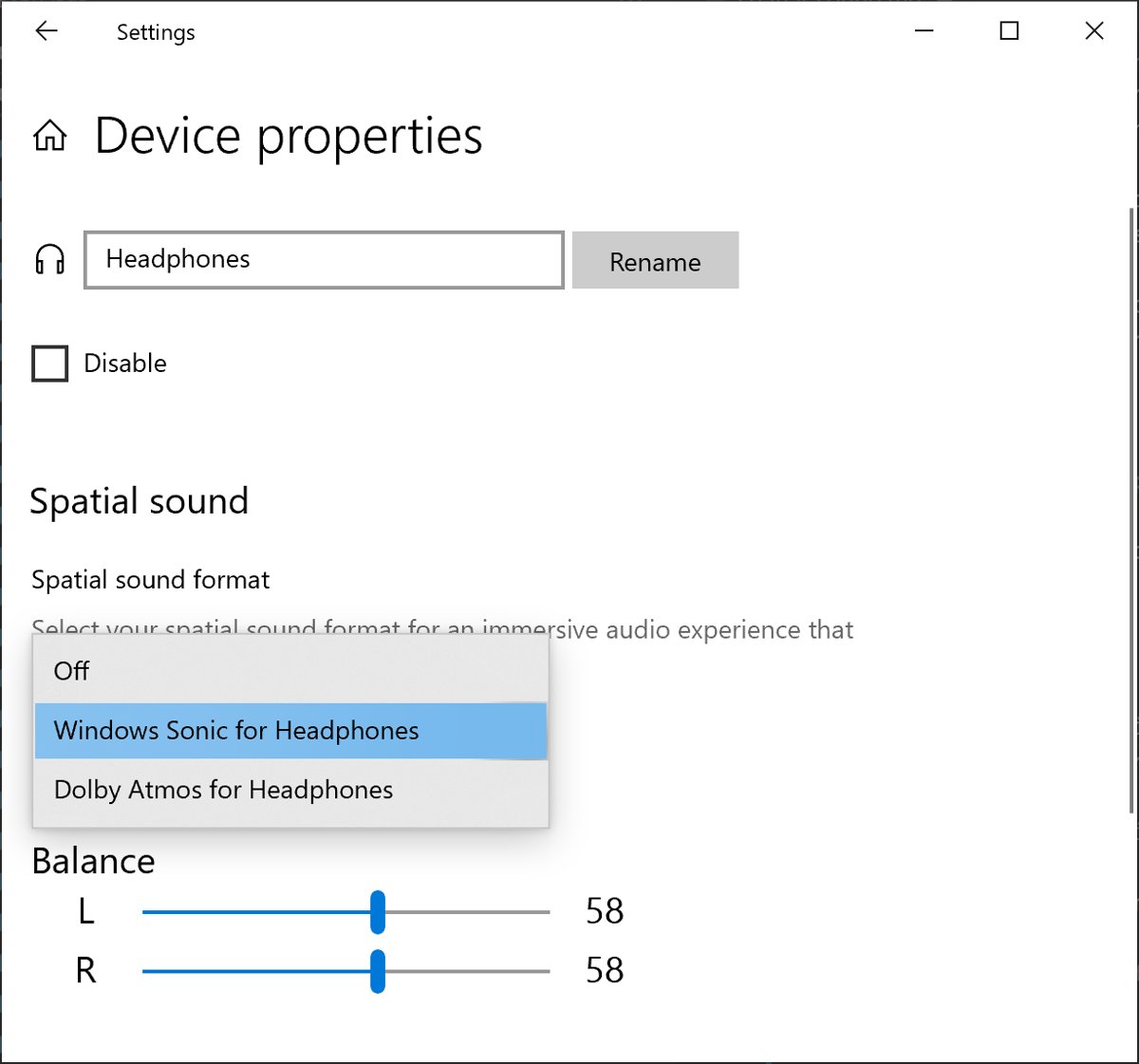
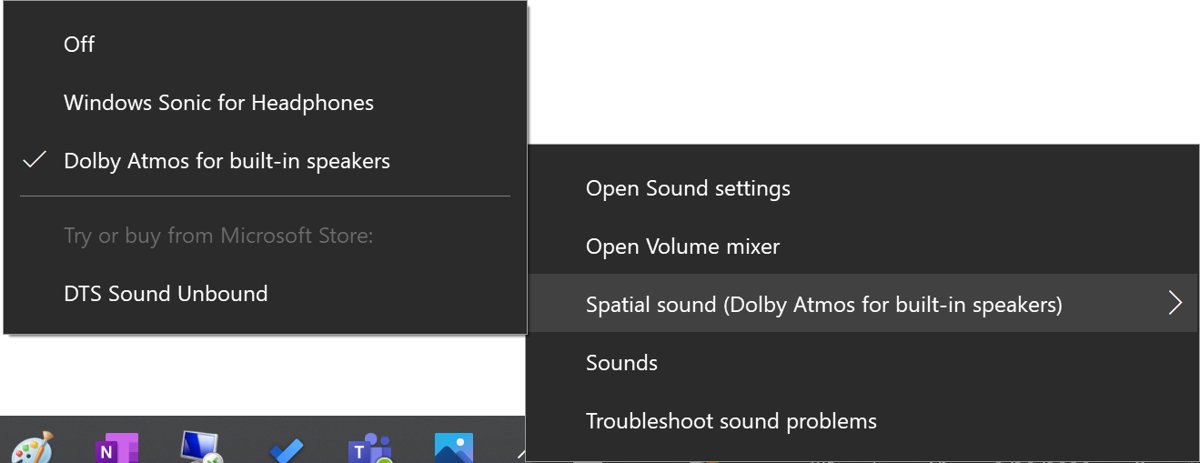
Windows itself ships only one spatial sound format, Windows Sonic for Headphones. Dolby Atmos is added by Dolby's own app, and the switch then lives in the same Spatial sound setting.
- Open the Microsoft Store, search for Dolby Access and install it.
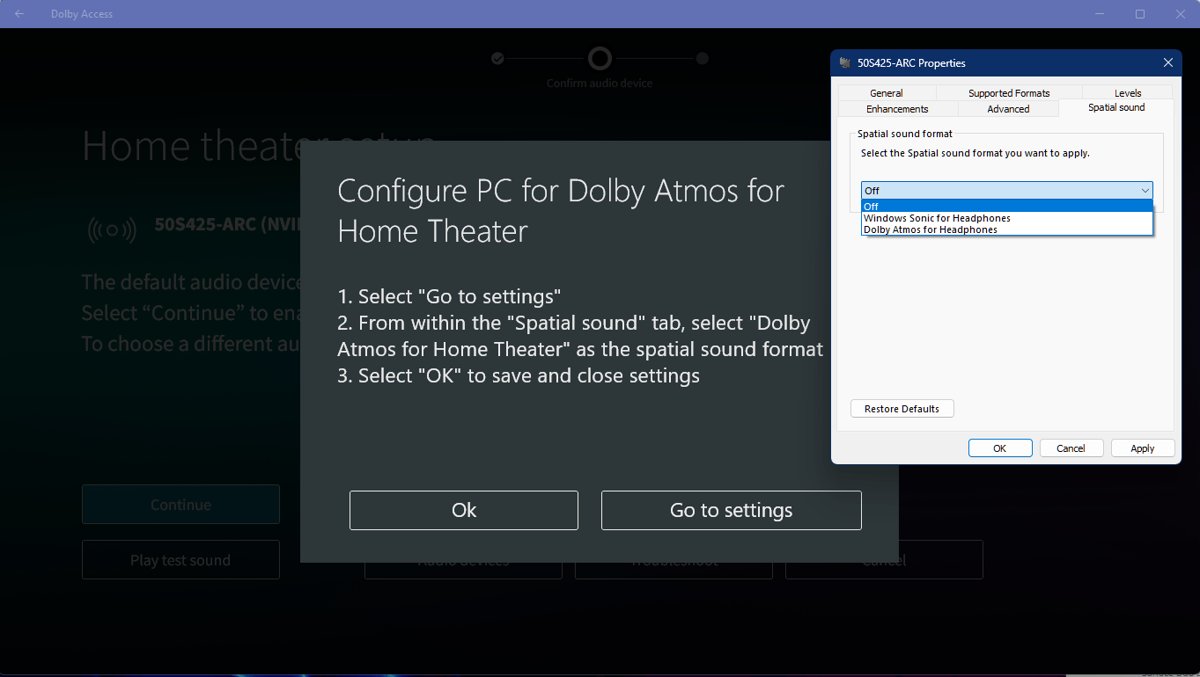
- Open Dolby Access and follow its setup prompts for your headphones or home theater device.
- Open Start > Settings > System > Sound.
- Under Output, select the speakers or headphones you want to use.
- Select Device properties.
- Under Spatial sound, choose the Dolby Atmos option from the list.
- Select Apply if the button appears.
The same steps apply on Windows 10, where Microsoft lists the identical Settings > System > Sound route.
What is Dolby Atmos
Dolby Atmos is an object-based audio format: mixers place each sound at a point around the listener instead of in a fixed speaker channel. On a PC it is used for games, films, series and music mixed in Atmos.
On headphones, the Dolby Atmos for Headphones format renders that 3D mix through any ordinary stereo headset, so no special hardware is required.
| Term | What it means on Windows 11 |
|---|---|
| Dolby Atmos | Dolby's immersive, object-based sound format |
| Dolby Atmos for Headphones | Atmos rendered for any stereo headset through the Dolby Access app |
| Dolby Access | Microsoft Store app that adds Dolby Atmos formats to Spatial sound |
| Spatial sound | The Windows setting where you pick Windows Sonic, Dolby Atmos or DTS |
| Dolby Vision | A separate HDR video format for displays, unrelated to audio |
Microsoft's alternative to Dolby Atmos for headphones
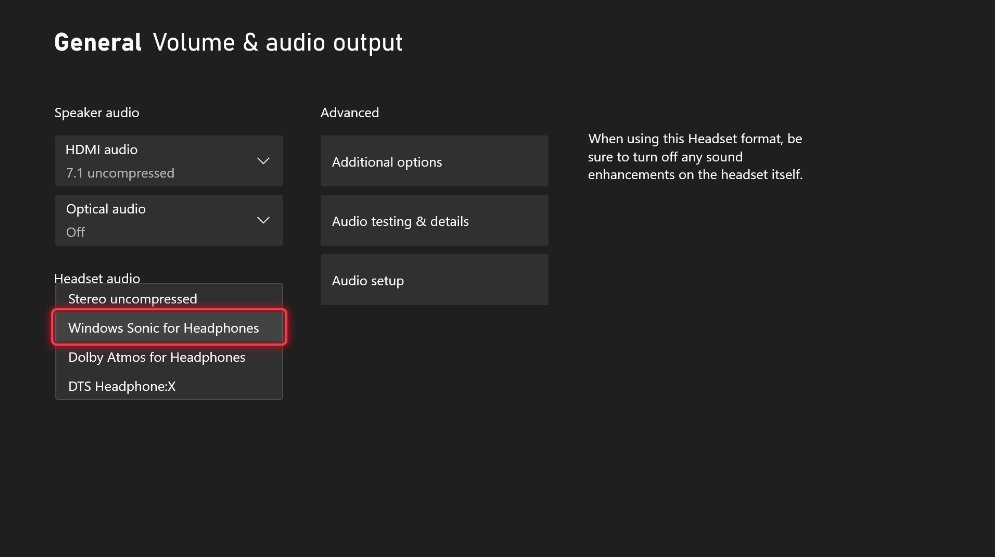
Windows Sonic for Headphones is Microsoft's built-in spatial sound format and needs no extra app. DTS Headphone:X is a third option, added by the DTS Sound Unbound app.
| Format | Where it comes from | Choose it when |
|---|---|---|
| Windows Sonic for Headphones | Built into Windows 11 and 10 | You want free spatial audio with no install |
| Dolby Atmos for Headphones | Dolby Access app, Microsoft Store | Your games or films are mixed in Dolby Atmos |
| DTS Headphone:X | DTS Sound Unbound app, Microsoft Store | You prefer DTS object-based sound |
To use Windows Sonic, follow the same Device properties steps and choose Windows Sonic for Headphones under Spatial sound.
How to use Dolby Atmos in games, films and music
Once the format is set on a device, Windows applies it to that output. Content mixed in Atmos gives the full effect; stereo content is still spatialised but sounds less dramatic.
- Connect the headphones or speakers that have Dolby Atmos set under Spatial sound.
- Make that device the default output in Settings > System > Sound.
- In a game, open its audio options and pick a headphone or spatial audio mode if one is offered.
- In a streaming or music app, play a title labelled Dolby Atmos.
- Open Dolby Access to adjust its settings for your device.
Spatial sound is set per device in your Windows 11 sound settings, so a second pair of headphones or a new USB headset needs the format chosen again.
How to tell if Dolby Atmos is working on Windows 11
- Open Settings > System > Sound and select your output device.
- Select Device properties and read the value under Spatial sound.
- Confirm it shows the Dolby Atmos option rather than Off or Windows Sonic for Headphones.
- Play a Dolby Atmos demo or title and listen for sound placed above and behind you.
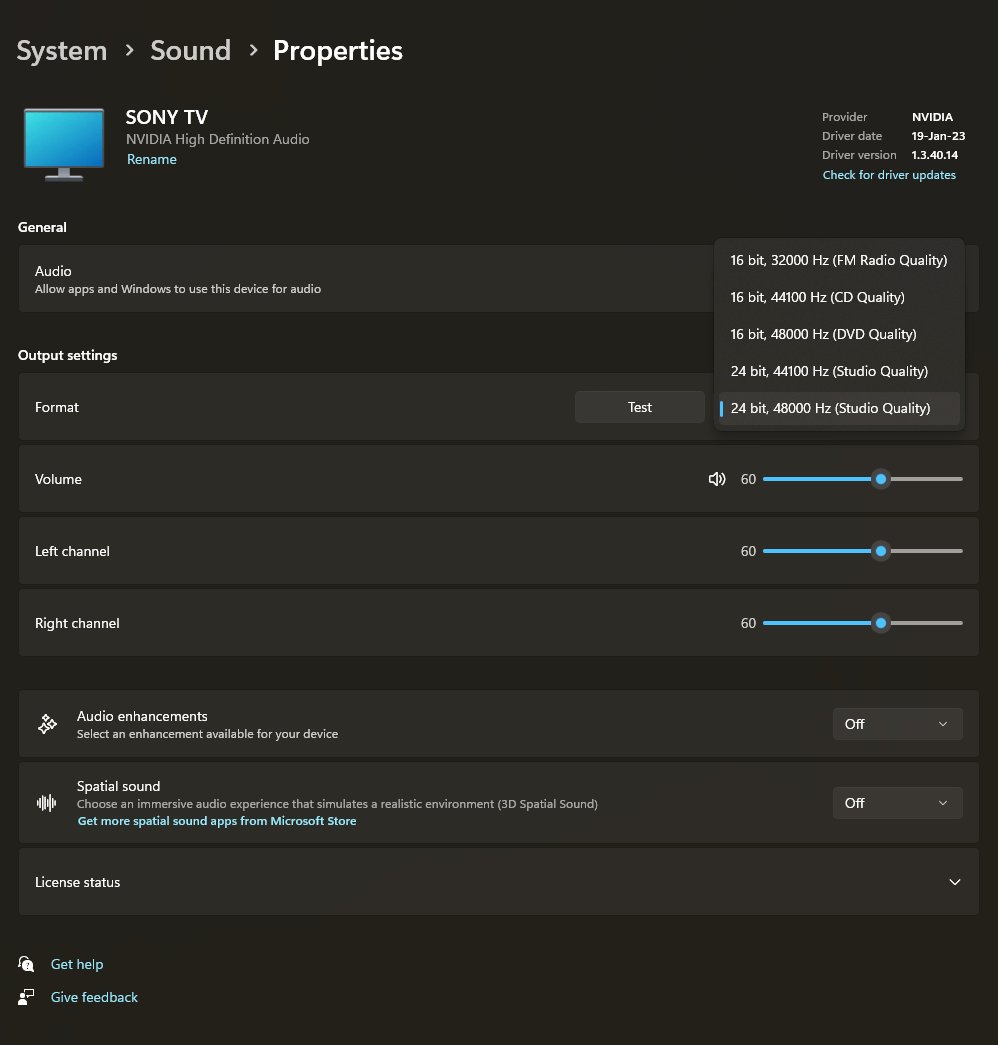
Dolby Atmos not working on Windows 11
No speakers or headphones are plugged in on Windows 11
Windows has no active output device, so there is nothing to apply spatial sound to.
- Reconnect the headphones or speakers, or re-pair a Bluetooth headset.
- Open Settings > System > Sound and check the device is listed under Output.
- Select it as the output device.
- Restart the PC if the device still does not appear, then set Spatial sound again.
Dolby Atmos is missing from the Spatial sound list
Dolby Access is not installed or its setup was not finished for this device.
- Open Dolby Access and complete its setup for your headphones or speakers.
- Close and reopen Settings, then return to Device properties.
- Check the correct output device is selected, since the list is per device.
Dolby Access not working or will not open
The app installation is damaged or out of date.
- Open the Microsoft Store and select Library.
- Install any update listed for Dolby Access.
- If it still fails, uninstall Dolby Access, restart the PC and install it again from the Store.
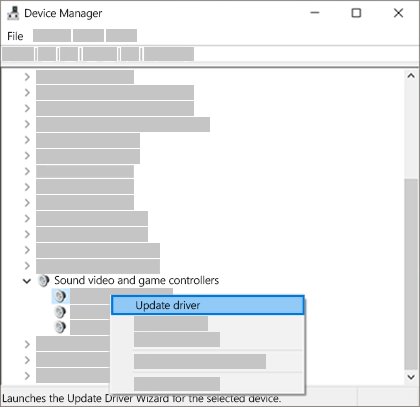
Dolby Atmos on Windows 11 FAQ
How do I enable Dolby Access on PC?
Install Dolby Access from the Microsoft Store and finish its setup. Then open Settings > System > Sound, select your output device, choose Device properties and pick the Dolby Atmos option under Spatial sound.
How do I use Dolby Access on PC?
Open Dolby Access to set up your headphones or home theater, then choose Dolby Atmos under Spatial sound for that device. Windows then applies Atmos to games, films and music played through it.
How do I enable Dolby on PC without an extra app?
You cannot. Windows 11 includes only Windows Sonic for Headphones as a built-in spatial format. Dolby Atmos appears in the Spatial sound list only after Dolby Access is installed.
How do I use Dolby Digital on Windows?
Dolby Digital is a surround format decoded by a receiver or soundbar. Connect that device to the PC, set it as the output in Settings > System > Sound, and play content encoded in Dolby Digital.
How do I enable Dolby Vision on PC?
Dolby Vision is an HDR video format for displays, not an audio setting. It does not appear under Spatial sound, and it needs a display and content that support Dolby Vision.
What does Dolby do?
Dolby Atmos places individual sounds around and above the listener for a more realistic mix. On Windows 11 it makes games, films and Atmos music sound three-dimensional on headphones or a compatible speaker system.
Does Dolby Atmos work with any headphones?
Yes. Dolby Atmos for Headphones works with ordinary stereo headsets, so no special Atmos headphones are needed. Set the format for that headset under Spatial sound.
Is Windows Sonic as good as Dolby Atmos?
Both are spatial headphone formats. Windows Sonic is built in and free, while Dolby Atmos needs the Dolby Access app and suits titles mixed in Atmos. Try Windows Sonic first if you only want basic virtual surround.
Should you turn on Dolby Atmos on Windows 11?
Install Dolby Access and set Dolby Atmos under Spatial sound if you play games or watch films mixed in Atmos. For basic virtual surround with no install, Windows Sonic for Headphones in the same menu does the job. Before you buy anything, the Dolby Atmos free trial lets you compare it on your own headphones.