The Sonic Mania download for PC comes from Steam, where SEGA sells the game for Windows 11 and Windows 10.
Christian Whitehead, Headcannon and PagodaWest Games built this 2D Sonic adventure, which runs at 60FPS with HD retro-style graphics. You play as Sonic, Tails or Knuckles, alone or with a friend in split-screen.
Below you will find the Steam links, install steps, the Encore DLC choice, PC requirements and fixes for launch problems.
Which Sonic Mania download do you need?
Every PC copy is the same Windows game from Steam. The only choice is whether you also add the Encore DLC.
| You want | Where to get it | Steam price | Install space |
|---|---|---|---|
| The base game | Sonic Mania on Steam | $19.99 | 400 MB |
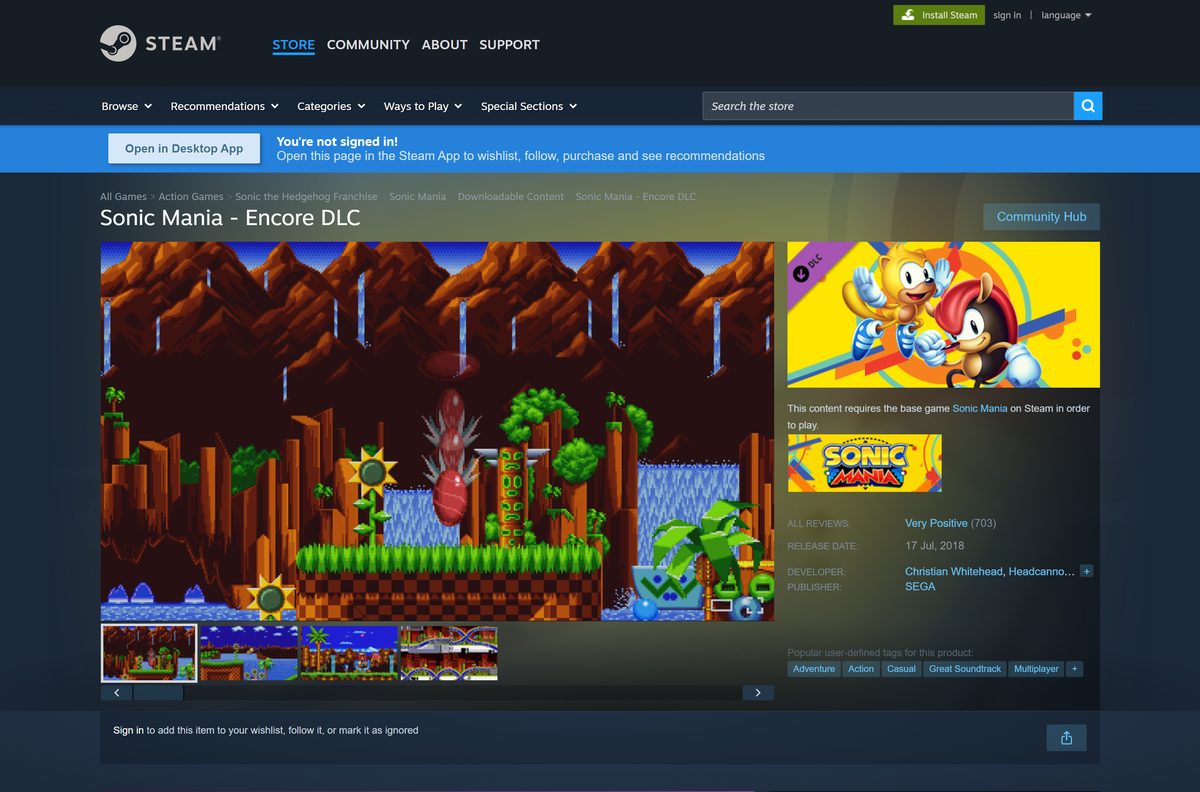
| Mighty, Ray, Encore Mode and four player Competition Mode | Sonic Mania – Encore DLC on Steam | $4.99 on top of the base game | Uses the base game install |
| To play on a Mac | Steam platform list (Windows only) | No macOS build | Not applicable |
Steam runs frequent sales, so check the current price on the listing before you pay.
Where to buy Sonic Mania from the official store
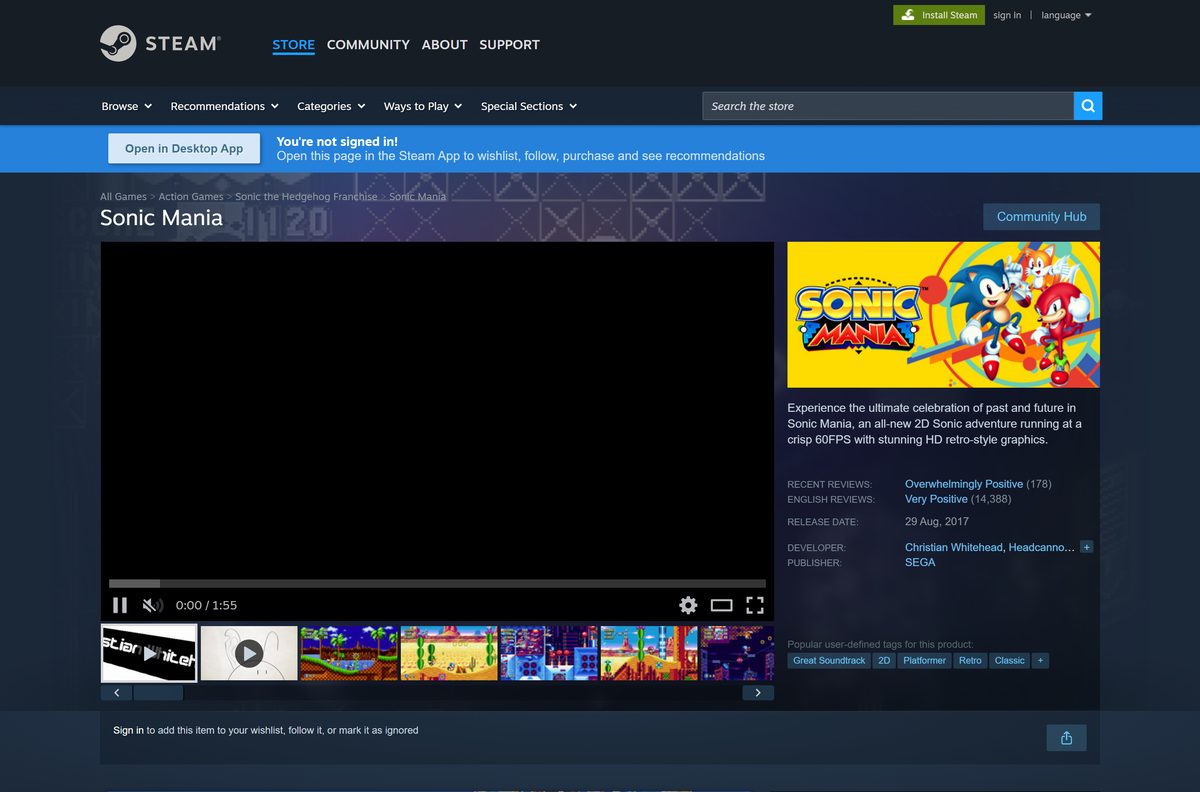
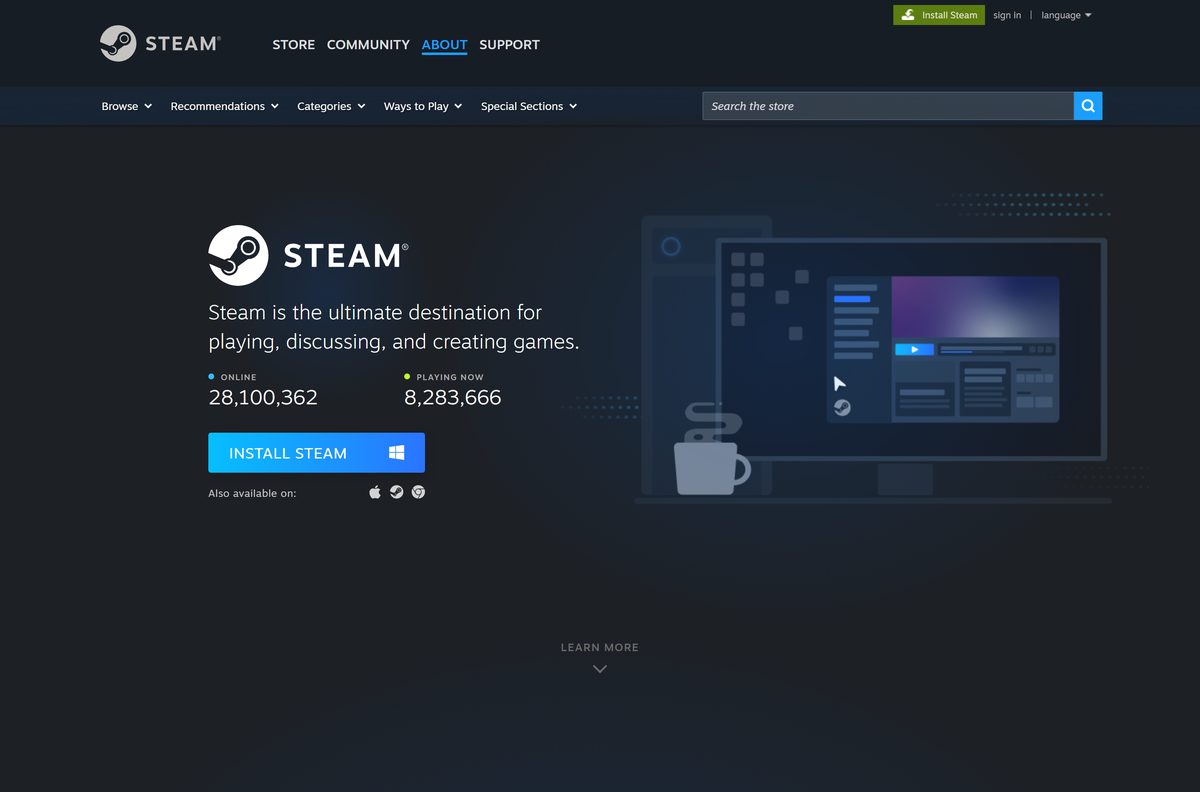
SEGA publishes the PC version on Steam. Install the Steam client first if your PC does not have it.
- Sonic Mania on Steam — Windows, $19.99, 400 MB
- Sonic Mania – Encore DLC on Steam — $4.99 add-on, requires the base game
- Steam client for Windows — Needed to download and play the game
The game installs only through Steam. SEGA offers no standalone setup file for PC.
How to install Sonic Mania on Windows 11 and 10 with Steam
Steam handles the purchase, the download and every later update.
- Download and install the Steam client, then sign in or create an account.
- Open the Sonic Mania store page in Steam.
- Select Add to Cart, then Purchase for myself, and complete the payment.
- Select Install when Steam offers it, or find the game in your Library.
- Pick a drive with at least 400 MB free.
- Accept the Sonic Mania EULA when Steam shows it.
- Wait for the download to finish, then select Play.
Connect a controller before you launch. Steam lists full controller support, including Xbox controllers.
Should you buy Sonic Mania with or without the Encore DLC?
The Encore DLC is an add-on, not a separate game. It plugs into the base game you already own.
Buy the base game and the Encore DLC together for $24.99 if you plan to play more than one run; skip the DLC if you only want the main story. The $4.99 Encore DLC adds Encore Mode, two new playable characters, Mighty and Ray, and a four player Competition Mode. The base game already includes Sonic, Tails and Knuckles, split-screen co-op and a Competition Mode.
You can add the DLC later from the same Steam page without reinstalling the game.
Is Sonic Mania free to download?
Sonic Mania is a paid game on PC. Steam marks it as not free.
Buy Sonic Mania on Steam for $19.99; a free full-game PC download from any other site is not legitimate. SEGA sells the PC version only as a paid Steam game. Sites that promise a free Sonic Mania PC download or an APK for Windows offer repacks that can carry malware and never receive updates.
Steam Family Sharing lets someone in your Steam family play your copy, which is the official way to share it at home.
How can you play Sonic Mania if you use a Mac?
The Steam listing names Windows as the only platform and gives no Mac requirements.
| Your situation | What to do | Link |
|---|---|---|
| Mac, plus a Windows 10 or 11 PC | Buy the game on Steam and install it on the PC | Sonic Mania on Steam |
| Mac only | There is no official macOS version to install | Not available |
Purchases stay on your Steam account, so a later Windows PC can install the same copy.
How to verify and repair the Sonic Mania game files
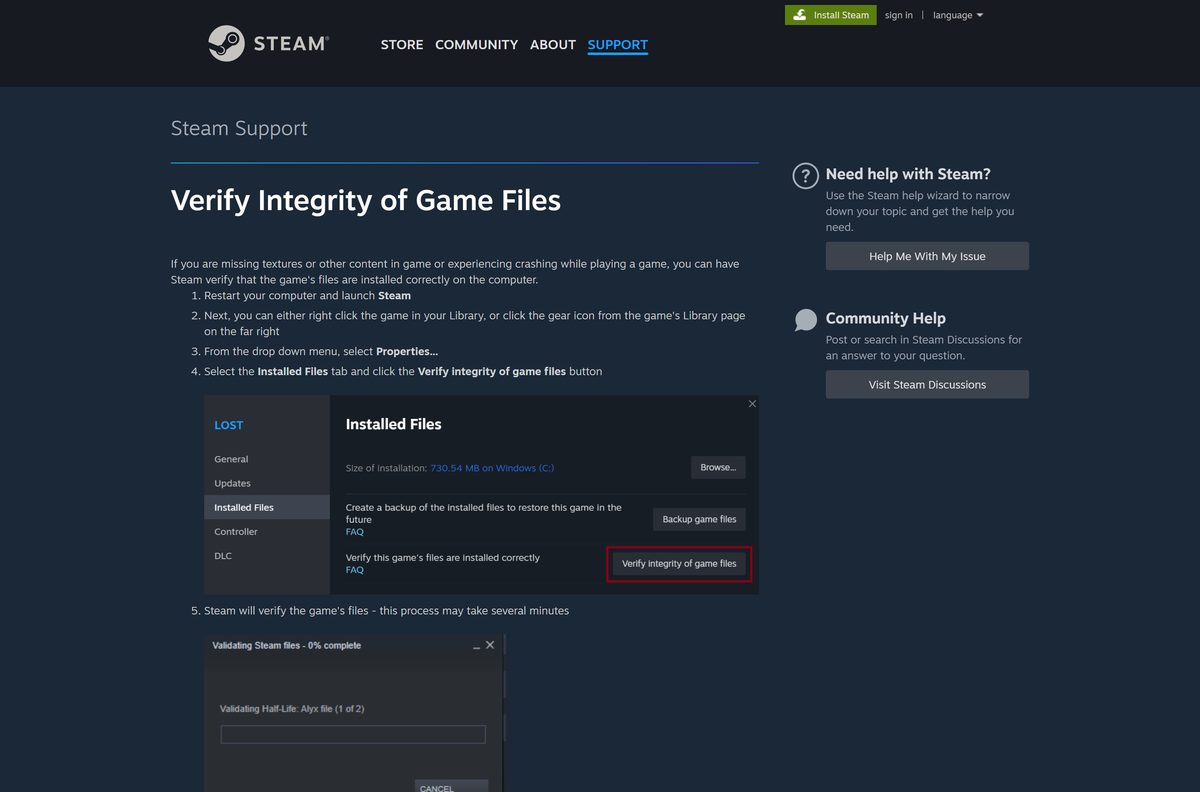
Steam checks every installed file against the official build and replaces any that are missing or damaged.
- Close the game and restart your PC, then open Steam.
- Right-click Sonic Mania in your Library.
- Select Properties.
- Open the Installed Files tab and select Verify integrity of game files.
- Wait for the check to finish, then launch the game again.
A message that one or more files failed to verify is normal. Those are local configuration files that Steam leaves alone.
How to keep Sonic Mania up to date
Steam downloads game updates for you, and SEGA publishes no version number on the listing.
- Quit the game completely.
- Restart Steam so it checks for new files.
- Open your Library and select Sonic Mania.
- Let any pending update finish before you select Play.
- Open the Encore DLC page to confirm whether you own the add-on.
The Encore DLC from July 17, 2018 is the newest content release.
Check the Sonic Mania PC system requirements before you buy
Steam lists one minimum tier, and the game runs on almost any Windows 10 or 11 PC.
| Field | Value |
|---|---|
| Game | Sonic Mania |
| Developer | Christian Whitehead, Headcannon, PagodaWest Games |
| Publisher | SEGA |
| Latest version | Encore DLC update (July 17, 2018) |
| Price | $19.99; Encore DLC $4.99 |
| Supported OS | Windows 11 and Windows 10; Steam lists Windows 7 / 8 / 10, but the Steam client needs Windows 10 or later |
| Processor | Core 2 Duo |
| Memory | 2 GB RAM |
| Graphics | DirectX 9.0c compliant video card, 256 MB |
| Storage | 400 MB available space |
| Controller | Full controller support, including Xbox controllers |
| Mac or Linux | Not available |
| Last verified | 2026-09-25 |
To check your PC, open Settings, System, About and compare the processor and installed RAM.
Fix Sonic Mania not installing or launching on Windows 11 or 10
Steam says there is not enough disk space
The target drive has less than 400 MB free.
- Open Settings, select System, then Storage, and check the free space on each drive.
- Free up space, or choose another drive in the install dialog.
- Select Install again.
The game crashes or shows a black screen at launch
A damaged game file or an outdated graphics driver.
- Verify the game files from Properties > Installed Files in Steam.
- Install the latest driver from your graphics card maker.
- Restart the PC and launch the game from Steam.
The controller does nothing in the game
Steam is not picking the controller up.
- Connect the controller before you start the game.
- Open Steam Settings and select Controller to confirm Steam detects it.
- Restart the game after the controller shows as connected.
How to uninstall Sonic Mania on PC
Uninstalling removes the game files but keeps the purchase on your Steam account.
- Open Steam and go to your Library.
- Right-click Sonic Mania.
- Select Manage, then Uninstall.
- Select Uninstall again to confirm.
Steam Cloud keeps your saves, so a later reinstall picks up where you stopped.
Which other Sonic games on Steam should you consider?
These SEGA games are also Windows-only on Steam.
| Game | What it is | Steam price | Link |
|---|---|---|---|
| Sonic Mania | New 2D Sonic adventure with classic-style zones | $19.99 | Sonic Mania on Steam |
| Sonic Origins | Collection of classic Sonic games | $29.99 | Sonic Origins on Steam |
| SONIC SUPERSTARS | Newer 2D Sonic game | $39.99 | SONIC SUPERSTARS on Steam |
| Sonic the Hedgehog 4 – Episode I | Earlier 2D Sonic episode | $9.99 | Episode I on Steam |
Pick Sonic Mania for the lowest price of the newer 2D games and the smallest install.
Frequently asked questions
Is Sonic Mania free to download?
No. Sonic Mania costs $19.99 on Steam, and the Encore DLC costs $4.99 more. A site offering the full PC game for free is not an official source and is not safe to use.
Where is the official Sonic Mania download for PC?
The official PC version is the SEGA listing on Steam. You buy it there, and the Steam client downloads and installs the game on Windows.
Does Sonic Mania work on Windows 11?
Yes. Sonic Mania runs on Windows 11 and Windows 10 through Steam. The Steam client supports only Windows 10 and later, so those are the two versions you can use today.
How big is the Sonic Mania download?
Steam lists 400 MB of free disk space for Sonic Mania. That makes it one of the smallest Sonic games on PC, and it installs in a few minutes on most connections.
Is there a Sonic Mania offline installer?
No. The Steam copy downloads only through the Steam client, and SEGA offers no standalone setup file. After the install, the game is designed to be played offline.
Can you play Sonic Mania on a Mac?
No. The Steam listing names Windows as the only platform and has no Mac requirements. You need a Windows 10 or Windows 11 PC to play the PC version.
Does Sonic Mania need a 64-bit PC?
Steam sets no 64-bit-only requirement for Sonic Mania. The minimum processor is a Core 2 Duo with 2 GB of RAM, so almost any Windows 10 or 11 PC runs it.
What does the Sonic Mania Encore DLC add?
The Encore DLC adds Encore Mode, two new playable characters, Mighty and Ray, and a four player Competition Mode. It costs $4.99 on Steam and needs the base game.
What is the latest version of Sonic Mania?
SEGA publishes no version number on Steam. The newest content release is the Encore DLC from July 17, 2018, and Steam applies any game update automatically.
Is Sonic Mania safe to download?
Yes, when you buy it from Steam. Free PC copies, APK files and repacks from other sites carry malware risk and do not get updates, achievements or cloud saves.
Does Sonic Mania support a controller on PC?
Yes. Steam lists full controller support, including Xbox controllers. Plug the controller in or pair it over Bluetooth before you start the game.
Why won’t Sonic Mania launch on my PC?
A damaged game file or an outdated graphics driver is the usual cause. Verify the game files in Steam, update your graphics driver, then restart the PC and try again.