A Shopify download for your PC takes about a minute. On Windows 11, Windows 10 or a Mac, you install the Shopify admin as a desktop app from Chrome, Edge or Safari. On a phone or tablet, you get the free Shopify app or Shopify POS from the App Store or Google Play.
The desktop app opens admin.shopify.com in its own window, with its own taskbar or Dock icon. Orders, products and payouts stay in sync with the phone apps.
This guide covers which download fits each device, the official links, install steps for Windows and Mac, the plan you need, and fixes for Shopify not installing.
Which Shopify download do you need?
Match your device and your job to a row. Desktop rows install from the browser, phone rows install from the store.
| Your device | What to install | Size |
|---|---|---|
| Windows 11 or Windows 10 PC | Shopify admin, installed as an app in Chrome or Edge | Nothing to download |
| Mac on macOS Sonoma 14 or later | Shopify admin, added to the Dock from Safari | Nothing to download |
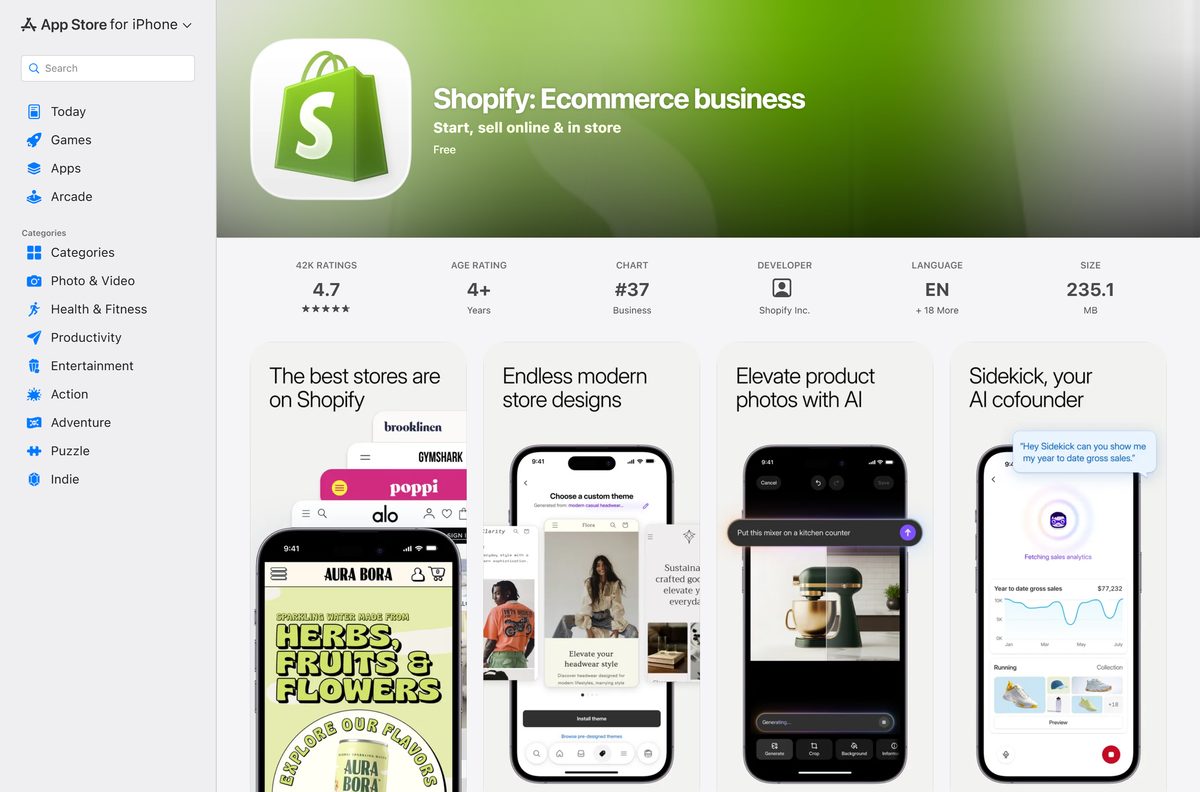
| iPhone or iPad, running your store | Shopify on the App Store | 235.1 MB |
| Android phone, running your store | Shopify on Google Play | Play states no size |
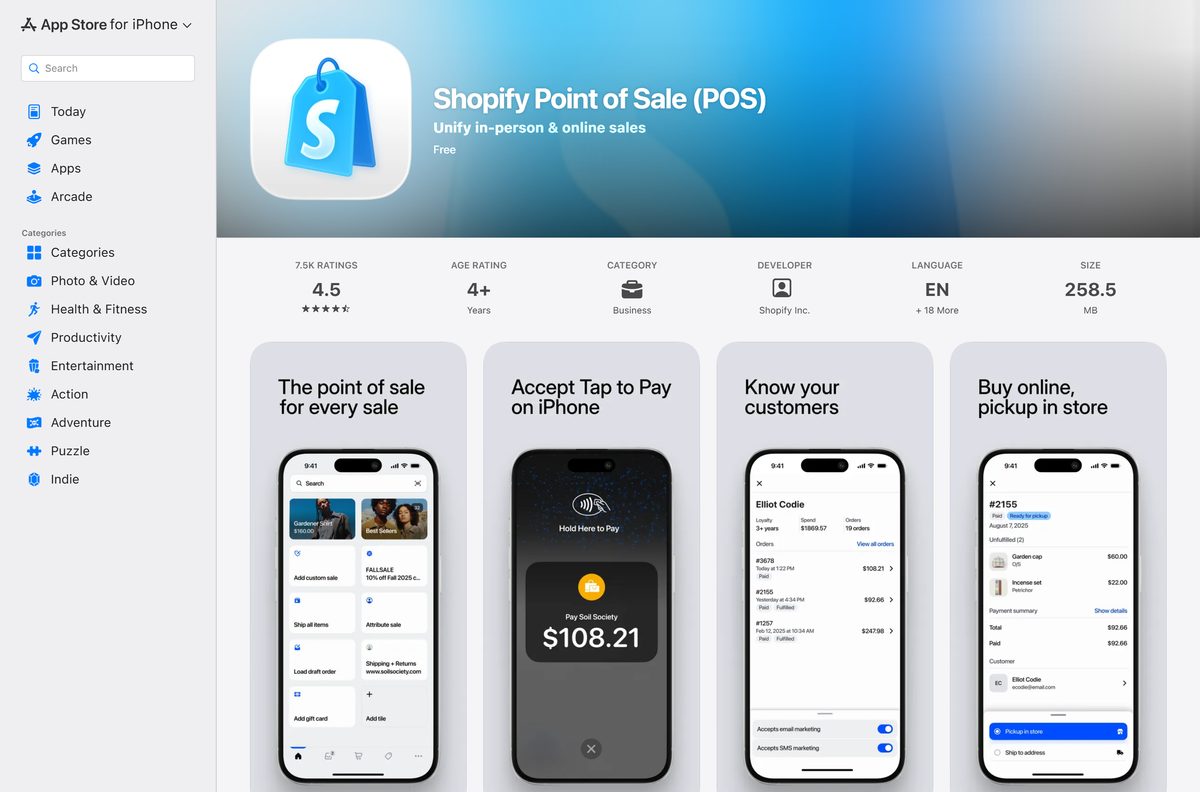
| iPhone or iPad at a store counter | Shopify POS on the App Store | 258.5 MB |
| Android device at a store counter | Shopify POS on Google Play | Play states no size |
All of these sign in to the same Shopify account, so a sale on POS shows up in the desktop admin at once.
Download Shopify from the official sources
Shopify Inc. publishes its merchant apps in three places. Use these links and nothing else.
- Shopify admin — sign in on a PC or Mac, then install it as an app
- Shopify on the App Store — 235.1 MB · Shopify Inc., iOS 16 or later
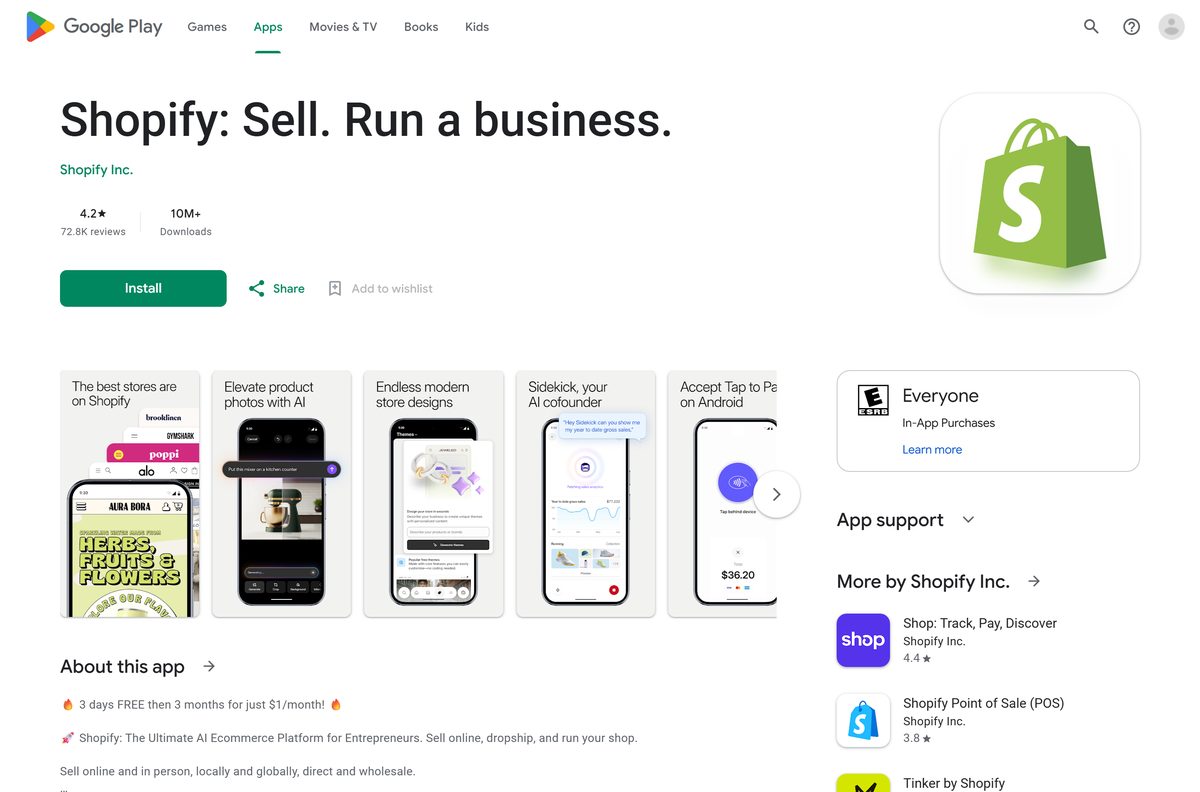
- Shopify on Google Play — Shopify Inc., 10M+ downloads, Android 11 or later
- Shopify POS on the App Store — 258.5 MB · iPhone and iPad, iOS 15.1 or later
- Shopify POS on Google Play — Shopify Inc., 1M+ downloads
- Shopify pricing — plans and the current trial offer for your country
New to Shopify? Create the store at shopify.com first, then sign in to any of the apps above.
Check the Shopify system requirements
The desktop admin has no hardware floor of its own. A supported browser sets the minimum.
| Field | Value |
|---|---|
| App | Shopify admin, Shopify app and Shopify POS |
| Developer | Shopify Inc. |
| Latest version | Browser admin is always current; Shopify 10.2638.0 and POS 11.15.0 on iPhone and iPad |
| Price | Apps are free; a store needs a paid plan after the free trial |
| Windows and Mac | Latest two versions of Chrome, Firefox, Safari, Edge or Opera |
| Shopify app | iOS 16 or later, Android 11 or later, watchOS 10 or later |
| Shopify POS | iOS 15.1 or later on iPhone and iPad; Android through Google Play |
| iPhone download size | 235.1 MB (Shopify), 258.5 MB (POS) |
| Architecture | Uses the browser’s build on x64 or ARM |
| Offline installer | None |
| Official source | admin.shopify.com, the App Store and Google Play |
| Last verified | 2026-09-25 |
How to install Shopify on Windows 11 and 10 with Chrome
Chrome turns the Shopify admin into a windowed app without tabs or an address bar.
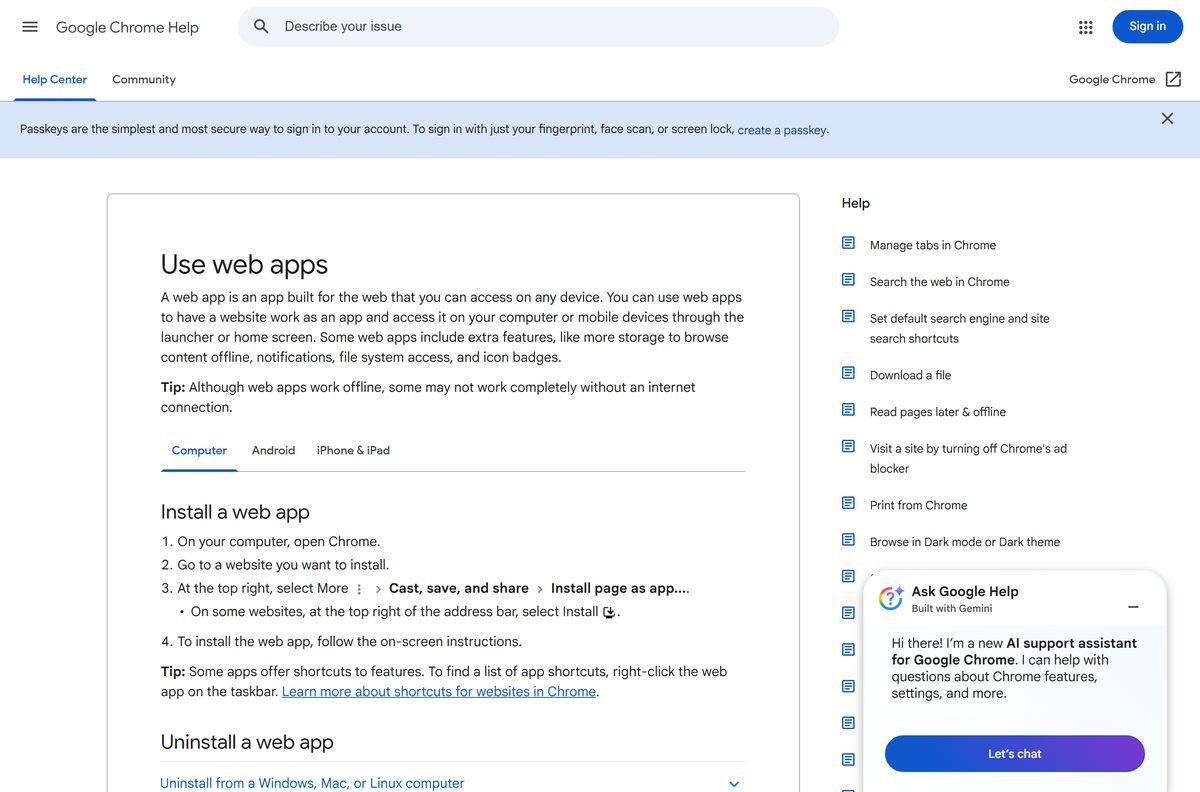
- Open Chrome and go to admin.shopify.com.
- Sign in with your Shopify email and password, a passkey, or Google, Apple or Facebook.
- Select More, the three-dot button at the top right.
- Select Cast, save, and share, then Install page as app.
- Rename the app to Shopify if you want, then select Install.
- Right-click the new window’s taskbar icon and select Pin to taskbar.
- Open the app from the Start menu and confirm your store name shows in the admin.
Chrome lists every installed web app at chrome://apps, which is the quickest place to reopen it.
Install Shopify on Windows with Microsoft Edge instead of the Store
Edge builds the same windowed app with nothing extra to download. It suits a PC where Chrome is not installed.
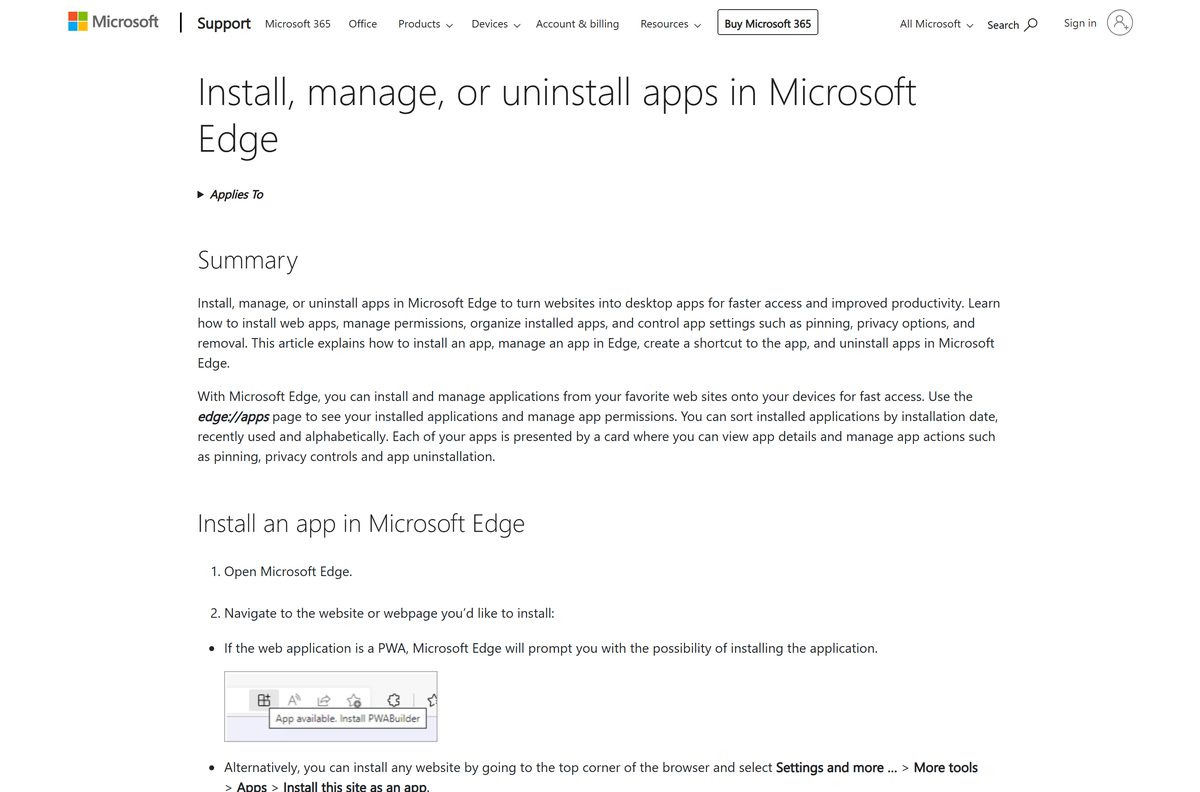
- Open Microsoft Edge and go to admin.shopify.com.
- Sign in to your store.
- Select Settings and more, the three-dot button at the top right.
- Select More tools, then Apps, then Install this site as an app.
- Name the app Shopify and select Install.
- Go to edge://apps, select Details on the Shopify card, then Pin to taskbar or Pin to Start.
A Microsoft Store search for Shopify returns no app from Shopify Inc. Store results that use the Shopify name, such as dropshipping guides, come from other publishers.
Which Shopify download do you need for your Mac?
Safari builds a Dock app from any webpage on macOS Sonoma 14 or later. On older macOS, use Chrome.
| Your Mac | What to do | Source |
|---|---|---|
| macOS Sonoma 14 or later | Safari: File > Add to Dock on admin.shopify.com | Apple |
| Older macOS with a current Chrome | Chrome: More > Cast, save, and share > Install page as app | |
| Browser too old to update | Update macOS, then update the browser | Shopify |
| You also sell from an iPhone | Shopify on the App Store, 235.1 MB | Apple App Store |
To add the Safari app, open admin.shopify.com, sign in, choose File > Add to Dock, type a name and click Add. The web app keeps its own cookies, so you sign in to Shopify once inside it.
Is Shopify free?
The apps are free to install, but selling on Shopify needs a paid plan after a free trial. The App Store and Google Play list the Shopify app and Shopify POS as free. The store behind them runs on a subscription: the plans are Basic, Grow, Advanced and Plus, and POS Pro is a paid add-on. The US Google Play listing offers 3 days free, then 3 months for $1 a month. Trial length varies by location, and a store with no plan at the end of the trial is paused until you pick one.
Check shopify.com/pricing for the prices in your currency before the trial ends.
How to choose between the Shopify app, Shopify POS and the Shop app
Install the Shopify app to run your store, add Shopify POS only if you sell in person, and skip the Shop app unless you are a shopper. The Shopify app manages products, orders, inventory, marketing and payouts, and sends a notification for every online sale. Shopify POS takes in-person payments by card, Apple Pay, Google Pay and cash, with staff PINs and barcode scanning through the camera. Shop: Track, Pay, Discover is the Shopify Inc. app for buyers who track orders, not for merchants.
The Shopify app also has a Quick Sale feature for tap to pay and cash, which covers the odd in-person sale without POS.
How to check a Shopify download is genuine
Store search results mix Shopify’s own apps with guides and tools that borrow the name. Check the publisher before you install.
- On Google Play, confirm the name under the title reads Shopify Inc.
- On the App Store, confirm Developer reads Shopify Inc.
- On a PC or Mac, confirm the address bar shows admin.shopify.com or accounts.shopify.com before you sign in.
- Delete any .exe, .msi or .dmg that claims to be Shopify, because Shopify publishes none.
Shopify’s sign-in page offers email, passkey, Google, Apple, Facebook and WhatsApp. A page asking for your Shopify password on any other domain is not Shopify.
How to check your Shopify app version and update it
The desktop admin has no version number. It loads the current Shopify admin each time it opens.
- On an iPhone or iPad, open the App Store, tap your profile picture and scroll to pending updates.
- Tap Update next to Shopify or Shopify Point of Sale (POS).
- On Android, open Google Play, tap your profile picture, then Manage apps & device.
- Tap Updates available and update Shopify or Shopify Point of Sale (POS).
- On a PC or Mac, keep Chrome, Edge or Safari updated, since Shopify supports only the latest two browser versions.
The App Store lists Shopify 10.2638.0, released on 21 September 2026, and Shopify POS 11.15.0, released on 14 September 2026.
Fix Shopify not installing on Windows 11, Windows 10 or Mac
The Microsoft Store has no Shopify app
Shopify Inc. publishes no Microsoft Store package.
- Open admin.shopify.com in Edge or Chrome.
- Install the page as an app with the steps above.
- Ignore Store results from other publishers that use the Shopify name.
Install page as app is missing in Chrome
The menu path differs in older Chrome builds.
- Update Chrome from More > Help > About Google Chrome.
- Reload admin.shopify.com and sign in.
- Look for the Install icon at the right of the address bar.
Add to Dock is missing in Safari
Safari web apps need macOS Sonoma 14 or later.
- Open the Apple menu and select About This Mac to check the macOS version.
- Update to macOS Sonoma 14 or later if the Mac supports it.
- Otherwise install the admin as an app from Chrome.
The Shopify app will not install on a phone
The app needs iOS 16 or later, or Android 11 or later.
- Check the version in the phone’s Settings.
- Update the operating system if the device allows it.
- Use admin.shopify.com in the phone’s browser on an older device.
The store is paused after sign-in
The free trial ended without a paid plan.
- Sign in to the admin on a PC.
- Pick a plan when Shopify prompts you.
- Reopen the desktop or phone app.
How to uninstall Shopify from a PC, Mac or phone
Removing the app removes a window and a shortcut. Your store, products and orders stay untouched.
- In Chrome, open the Shopify app window, select More, then Uninstall, and select Remove.
- In Edge, go to edge://apps, select Details on the Shopify card, then Uninstall, and confirm.
- On a Mac, open Go > Home in Finder, open the Applications folder and drag the Shopify web app to the Trash.
- On an iPhone or Android phone, press and hold the Shopify or Shopify POS icon and choose the remove or uninstall option.
Uninstalling never closes the store. Pausing or deactivating the store is a separate step in the admin settings.
Frequently asked questions
Is there a Shopify download for PC?
Yes, as a desktop app built from the Shopify admin. Open admin.shopify.com in Chrome or Edge, sign in, and install the page as an app. It then opens from the Start menu and the taskbar like any other program.
Is the Shopify app free to download?
Yes. The Shopify app and Shopify POS are free on the App Store and Google Play. Running a store needs a paid Shopify plan, and the US Google Play listing offers 3 days free, then 3 months for $1 a month.
Is there a Shopify app for Mac?
Yes, as a web app. On macOS Sonoma 14 or later, open admin.shopify.com in Safari and choose File, then Add to Dock. Chrome installs it the same way on older macOS versions.
Is there a Shopify .exe or offline installer?
No. Shopify publishes no .exe, .msi or .dmg, and the Microsoft Store has no app from Shopify Inc. The admin runs in the browser and needs an internet connection.
How big is the Shopify app download?
The Shopify app for iPhone and iPad is 235.1 MB, and Shopify POS is 258.5 MB on the App Store. Google Play shows no size. The desktop app downloads nothing, because it runs in your browser.
What devices does the Shopify app support?
The Shopify app needs iOS 16 or later, Android 11 or later, or watchOS 10 or later. Shopify POS on the App Store needs iOS 15.1 or later on iPhone or iPad.
Can I run Shopify POS on a Windows PC or Mac?
No. Shopify POS is a point of sale app for iOS and Android only. On a computer, manage POS locations, staff and in-store sales from the Shopify admin in your browser.
What is the difference between the Shopify app and the Shop app?
The Shopify app is for merchants who run a store. The Shop app, also from Shopify Inc., is for shoppers who track orders and pay with Shop Pay. Install the Shopify app to manage your business.
What happens when the Shopify free trial ends?
Shopify asks you to pick a plan. If you do not choose one, your store is paused until you select a paid plan. The trial length varies by location.
Which browsers does the Shopify admin support?
Shopify supports the latest two versions of Chrome, Firefox, Safari for macOS, Edge and Opera. Update your browser first if the admin loads slowly or shows errors.