The WebStorm download for Windows 11, Windows 10 and Mac comes straight from JetBrains, and the IDE is free for non-commercial use. Install it, open a JavaScript or TypeScript project, and pick the free licence or a 30-day trial on first launch.
This guide covers the right file for your machine, the standalone and Toolbox App installs, silent deployment, checksums, the zip build, licensing, updates, system requirements and fixes when WebStorm will not install.
Which WebStorm download do you need?
Match your machine to a row and grab that file.
| Your machine | Download | Size |
|---|---|---|
| Windows 11 or 10 PC with an Intel or AMD processor | Windows x64 installer (.exe) | 844 MB |
| Windows 11 PC with a Snapdragon (ARM64) processor | Windows ARM64 installer (.exe) | 835 MB |
| Windows PC where you cannot run installers | Windows zip archive | 1.08 GB |
| Mac with Apple silicon (M-series chip) | Apple silicon disk image (.dmg) | 1.00 GB |
| Mac with an Intel processor | Intel Mac disk image (.dmg) | 1.05 GB |
| Linux x64 | Linux x64 archive (.tar.gz) | 1.07 GB |
| Linux ARM64 | Linux ARM64 archive (.tar.gz) | 1.09 GB |
Check your processor under Settings > System > About > System type: x64-based takes the first file, ARM-based the second.
Download WebStorm from the official JetBrains links
Every link below points to jetbrains.com or its download server.
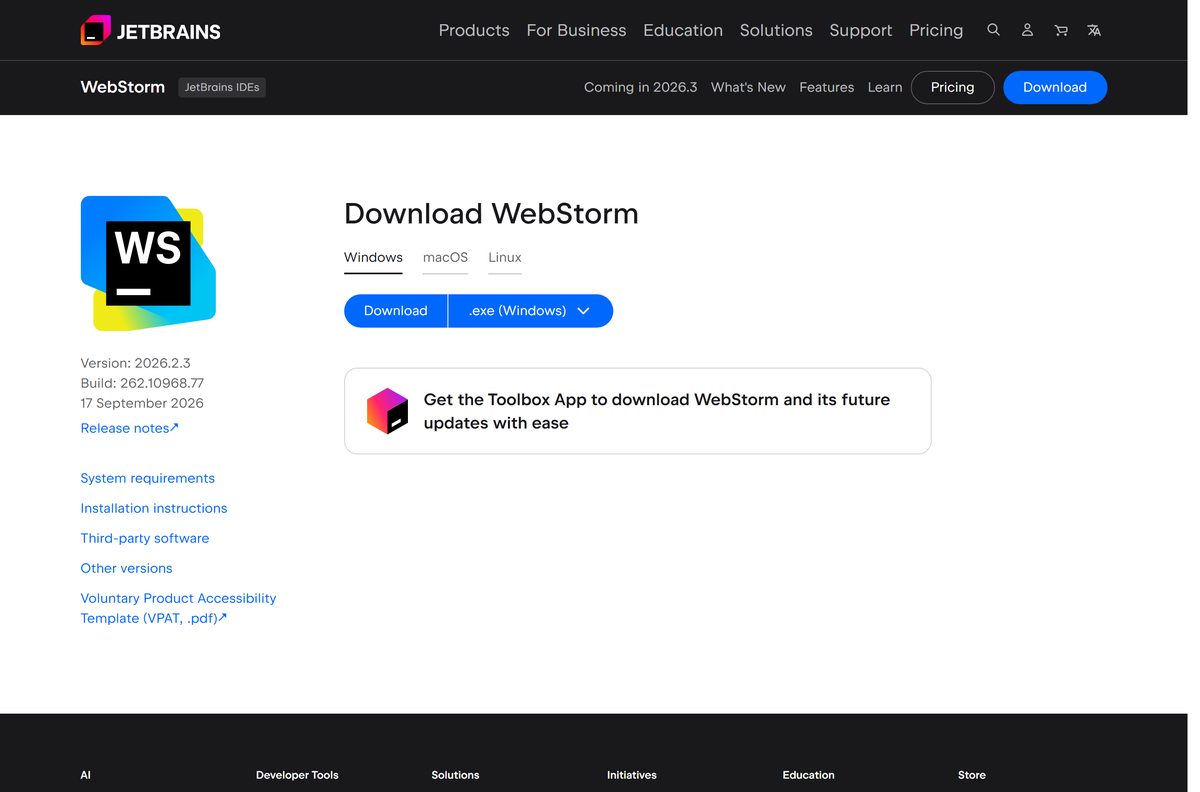
- WebStorm download page — detects your system and offers Windows, macOS and Linux files
- WebStorm for Windows x64 — 844 MB · full offline installer
- JetBrains Toolbox App — free manager that installs and updates JetBrains IDEs
- Previous WebStorm versions — older releases for projects pinned to an earlier IDE
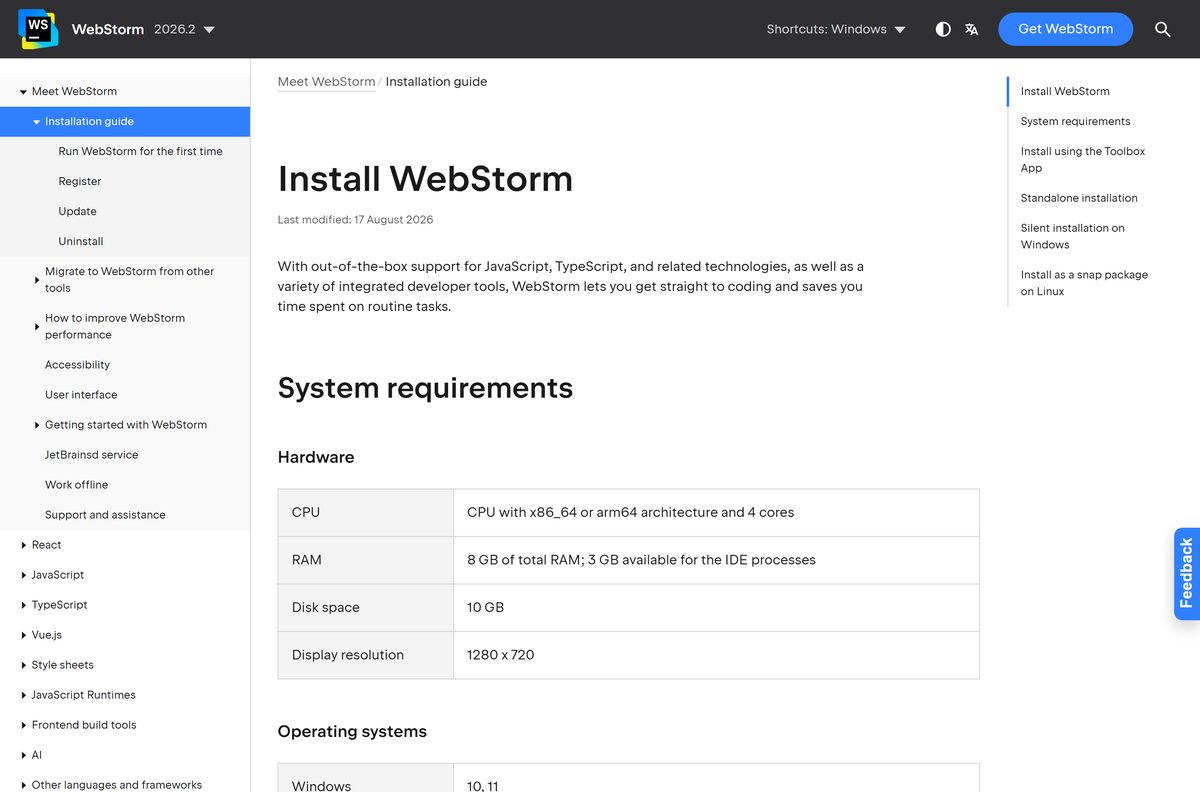
The standalone installer holds the whole IDE, so setup runs offline once the file is on your PC.
How to install WebStorm on Windows 11 and 10
The standalone installer lets you pick the install folder and the shell integrations yourself.
- Download the Windows installer from the WebStorm download page, or the ARM64 file on an ARM PC.
- Double-click the installer and select Yes at the User Account Control prompt.
- Keep the default install folder or choose another one, then select Next.
- On the Installation Options step, choose whether to create a desktop shortcut.
- Tick the PATH option to start WebStorm from Command Prompt.
- Tick Open Folder as Project to add WebStorm to the right-click menu, and pick any file associations.
- Continue through the wizard and wait for the files to copy.
- Close the wizard, then open WebStorm from the Start menu.
- In the licence dialog, choose Non-commercial use for the free licence, or start the 30-day trial.
JetBrains Runtime ships inside the IDE, so WebStorm starts without a separate Java install.
Install WebStorm with the JetBrains Toolbox App
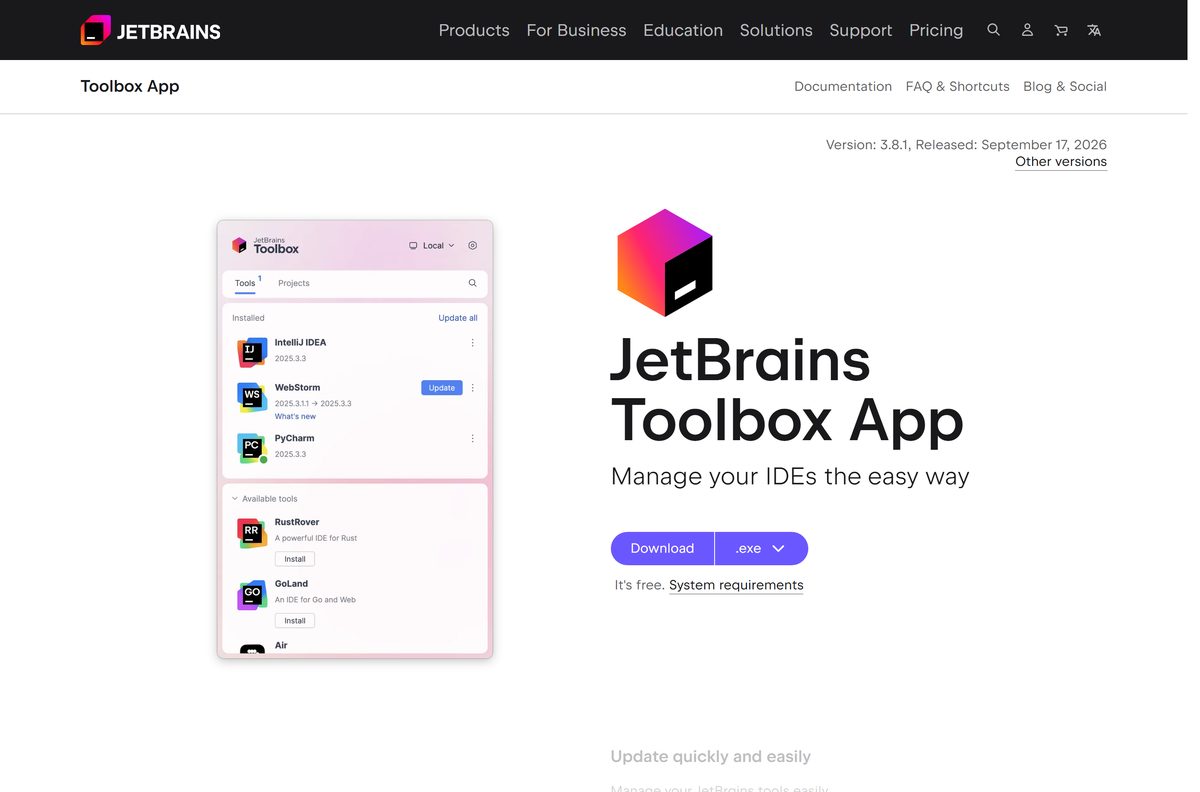
JetBrains recommends the free Toolbox App, which keeps WebStorm updated and can roll back a bad update. WebStorm is not in the Microsoft Store.
- Open the Toolbox App page and download the installer for your system.
- Run the installer and follow the wizard, then click the Toolbox icon in the notification area to open it.
- Select WebStorm in the product list to install it.
- Log in to your JetBrains Account in the Toolbox App so your licence activates automatically.
- Launch WebStorm from its entry in the Toolbox App.
On Linux, sudo snap install webstorm –classic installs the stable release as a snap.
Install WebStorm silently on many PCs
JetBrains ships no MSI for WebStorm. The regular .exe installer accepts silent switches, which is how admins roll it out. Put both files below in one folder.
| File | Size | Purpose |
|---|---|---|
| Windows x64 installer (.exe) | 844 MB | Installer for Intel and AMD PCs |
| Windows ARM64 installer (.exe) | 835 MB | Installer for Windows on Arm |
| silent.config | Text file | Default options for a silent install |
Run: WebStorm.exe /S /CONFIG=d:\temp\silent.config /D=d:\IDE\WebStorm (use your installer’s file name).
/S hides the interface, /CONFIG loads the options and /D sets the install folder. Test the command on one machine before a wide rollout.
How to verify the WebStorm installer
JetBrains publishes a SHA-256 file next to every download. Compare it with the hash of your copy before you run setup.
- Open the checksum file for the Windows x64 installer. Other builds add .sha256 to their download link.
- Note the hash: 0410d741ade75e4723c27ec25c0d19300ce63443abcffd9d0330544300f14333 for the x64 installer.
- Open PowerShell in your Downloads folder.
- Run Get-FileHash .\WebStorm-*.exe -Algorithm SHA256 .
- Compare the Hash value with the published one. PowerShell prints it in capitals, which does not matter.
- Delete the file and download it again if the two values differ.
Run WebStorm from the zip without installing it
The zip build suits PCs where you lack admin rights or want two versions side by side. It adds no Start menu entries and no file associations.
- Download the Windows zip archive (1.08 GB).
- Right-click the zip and select Extract All.
- Choose a folder you can write to, such as C:\Tools\WebStorm , and select Extract.
- Open the extracted folder, then the bin folder.
- Double-click the WebStorm launcher executable to start the IDE.
Which WebStorm download do you need for your Mac?
Open the Apple menu and select About This Mac to see your chip.
| Your Mac says | Download | Size |
|---|---|---|
| Chip: Apple M1 or any later M-series chip | Apple silicon disk image (.dmg) | 1.00 GB |
| Processor: Intel Core | Intel Mac disk image (.dmg) | 1.05 GB |
| You want automatic updates | Toolbox App for Mac | Manages WebStorm for you |
Double-click the .dmg and drag WebStorm into Applications. Version 2026.2 supports macOS 15 and macOS 26.
Is WebStorm free?
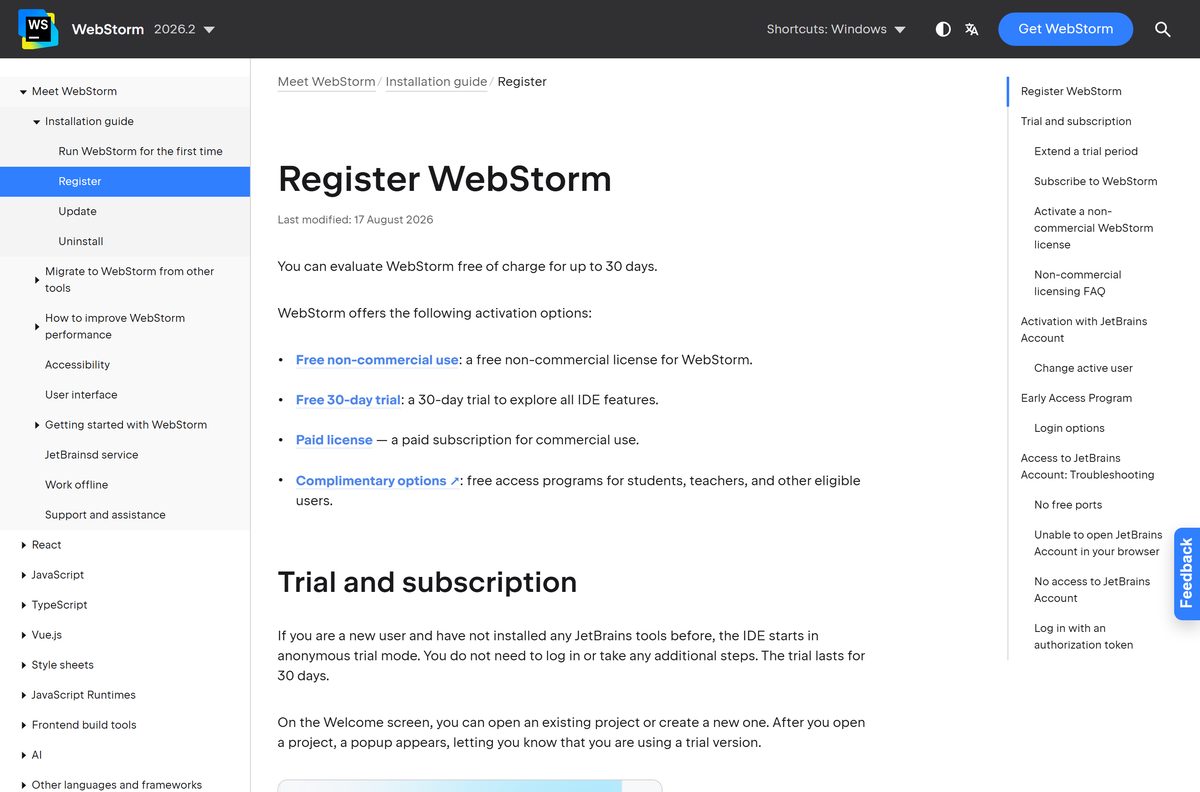
Yes for non-commercial use. Commercial work needs a paid WebStorm subscription after the 30-day trial. JetBrains counts use as commercial when you build products that are sold or used in a business, or when you provide paid services. Anything else, such as learning or unpaid side projects, qualifies for the free licence. Creating educational videos about WebStorm stays non-commercial even if the videos earn money. The free licence lasts one year and renews automatically if you used WebStorm in the last six months. With it, JetBrains collects usage data, and you can switch off the code-related part in settings.
Activate it under Help > Register: choose Non-commercial use, accept the terms, log in with a JetBrains Account and click Start Non-Commercial Use. Paid users log in or enter an activation code in the same dialog. Current prices are on the WebStorm pricing page.
How to check your WebStorm version and update it
Updates are usually small patches applied to your existing install. Only a restart is needed.
- Open WebStorm and select Help > About on Windows, or WebStorm > About WebStorm on a Mac.
- Read the version and build number, and compare them with the spec table below.
- Select Help > Check for Updates on Windows and Linux, or WebStorm > Check for Updates on a Mac.
- Accept the offered update, then restart the IDE.
- To change the update channel, press Ctrl+Alt+S and open Appearance & Behavior > System Settings > Updates.
- In the Toolbox App, turn on Update all tools automatically to skip manual checks.
Check the WebStorm system requirements before you download
JetBrains’ figures for WebStorm 2026.2 on Windows, macOS and Linux.
| Field | Value |
|---|---|
| Software | WebStorm, the JavaScript and TypeScript IDE |
| Developer | JetBrains |
| Latest version | 2026.2.3 (build 262.10968.77), September 17, 2026 |
| Licence | Free for non-commercial use; paid subscription for commercial use, with a 30-day trial |
| Windows | Windows 10 and Windows 11, 64-bit |
| macOS | macOS 15 and macOS 26 |
| Linux | Ubuntu 24.04 and 26.04 LTS, Fedora 43 and 44, Debian 13, Amazon Linux 2023 (glibc 2.28 or later) |
| Architecture | x64 and ARM64 on Windows and Linux; Intel and Apple silicon on Mac |
| Processor | x86_64 or arm64 CPU with 4 cores |
| Memory | 8 GB total RAM, with 3 GB free for the IDE |
| Disk space | 10 GB |
| Display | 1280 x 720 minimum |
| Java | Not needed; JetBrains Runtime is bundled |
| File size | 844 MB (Windows x64 installer) |
| Offline installer | Yes, the standalone .exe, .dmg and .tar.gz files |
| Official source | jetbrains.com |
| Last verified | 2026-09-24 |
There is no 32-bit build, and BSD systems are not supported.
Fix WebStorm not installing or not opening on Windows 11 or 10
Setup says the installer is corrupted or stops partway
The download was cut short or damaged.
- Check the file size in Downloads: the Windows x64 installer is 844 MB.
- Compare its SHA-256 hash with the published .sha256 file.
- Download it again from jetbrains.com if either check fails.
The installer will not run on a Windows ARM laptop, or runs slowly
The x64 installer was used on an ARM64 PC.
- Open Settings > System > About and check System type.
- Uninstall the x64 copy if it installed.
- Download and run the Windows ARM64 installer instead.
WebStorm asks for a licence after 30 days
The trial ended and no licence is active.
- Select Help > Register, or Manage Subscriptions on the Welcome screen.
- Choose Non-commercial use if your work qualifies, and log in with a JetBrains Account.
- For commercial work, log in with the account that holds your subscription or enter an activation code.
WebStorm installs but does not open
Broken settings from an older version or a damaged install.
- End any running WebStorm process in Task Manager.
- Rename %APPDATA%\JetBrains\WebStorm2026.2 to keep a backup of your settings.
- Start WebStorm again to launch it with fresh settings.
How to uninstall WebStorm completely
Uninstalling keeps your settings folders. Delete them too for a clean removal.
- Close WebStorm.
- Press Windows + I and open Apps > Installed apps.
- Find WebStorm, select the three dots next to it and select Uninstall.
- Confirm, and follow the uninstaller’s prompts.
- Press Windows + R, type %APPDATA%\JetBrains and delete the WebStorm2026.2 folder.
- Do the same in %LOCALAPPDATA%\JetBrains .
Toolbox App users click the settings icon next to WebStorm and choose Uninstall. Admins can run bin\uninstall.exe /S as administrator for a silent removal, and snap users run sudo snap remove webstorm .
On a Mac, delete WebStorm from Applications, then its folders under ~/Library/Application Support/JetBrains and ~/Library/Caches/JetBrains .
Which WebStorm alternative should you pick?
WebStorm targets JavaScript, TypeScript, HTML and CSS work with React, Angular, Vue.js and Node.js. Pick another tool when your project leans on other languages.
| Option | Cost | Pick it when |
|---|---|---|
| IntelliJ IDEA | Free core, paid Ultimate | Your web front end sits next to a Java or Kotlin back end |
| Visual Studio Code | Free | You want a lighter editor and add JavaScript tooling through extensions |
| JetBrains Toolbox App | Free | You use several JetBrains IDEs and want one place to install and update them |
Frequently asked questions
Is WebStorm free to download?
Yes. WebStorm is a free download from jetbrains.com and is free to use for non-commercial work under a licence you activate with a JetBrains Account. Commercial use needs a paid subscription after a 30-day trial.
Where is the official WebStorm download page?
The official page is jetbrains.com/webstorm/download. It offers Windows, macOS and Linux files, and older releases are on the previous versions page. The free JetBrains Toolbox App is the other official way to install it.
Does WebStorm work on Windows 11?
Yes. WebStorm 2026.2 supports 64-bit Windows 11 and Windows 10, on x64 and ARM64 processors. It needs a 4-core CPU, 8 GB of RAM and 10 GB of disk space.
How big is the WebStorm download?
The Windows x64 installer is 844 MB and the ARM64 installer is 835 MB. The Windows zip is 1.08 GB, and the Mac disk images are 1.00 GB for Apple silicon and 1.05 GB for Intel.
Is there a WebStorm offline installer?
Yes. The standalone .exe from jetbrains.com contains the whole IDE, so setup runs without an internet connection once the file is downloaded. Admins can also run it silently with the /S switch.
Is there a WebStorm download for Mac?
Yes. JetBrains offers separate disk images for Apple silicon and Intel Macs. Open the .dmg, drag WebStorm to Applications and launch it. Version 2026.2 supports macOS 15 and macOS 26.
Is there a 32-bit or ARM64 version of WebStorm?
There is no 32-bit version. JetBrains ships 64-bit builds only, with separate ARM64 files for Windows on Arm and Linux, and an Apple silicon disk image for Macs.
Can I use the free WebStorm licence for work?
No. The free licence covers non-commercial use only. Building products that are sold or used in a business, or providing paid services, counts as commercial and needs a paid subscription.
Is WebStorm safe to download?
Yes, when it comes from jetbrains.com or the JetBrains Toolbox App. Each download has a published SHA-256 checksum to compare against your file. Avoid cracked or pre-activated builds from other sites.
What is the latest version of WebStorm?
The latest release is WebStorm 2026.2.3, build 262.10968.77, released on September 17, 2026. Existing installs update to it through Help, then Check for Updates, or through the Toolbox App.
Why won’t WebStorm install on my PC?
The usual causes are a damaged download, the x64 installer on an ARM64 PC, or a folder that needs admin rights. Check the file size and checksum, match the installer to your processor, and run setup as administrator.