Run winget download --id <StoreID> --source msstore in Terminal to save a Microsoft Store app's APPX or MSIX package, plus its dependencies, to your Downloads folder.
This guide covers the WinGet route, the older Fiddler capture route, installing the saved package without the Store, and fixes for the errors people hit.
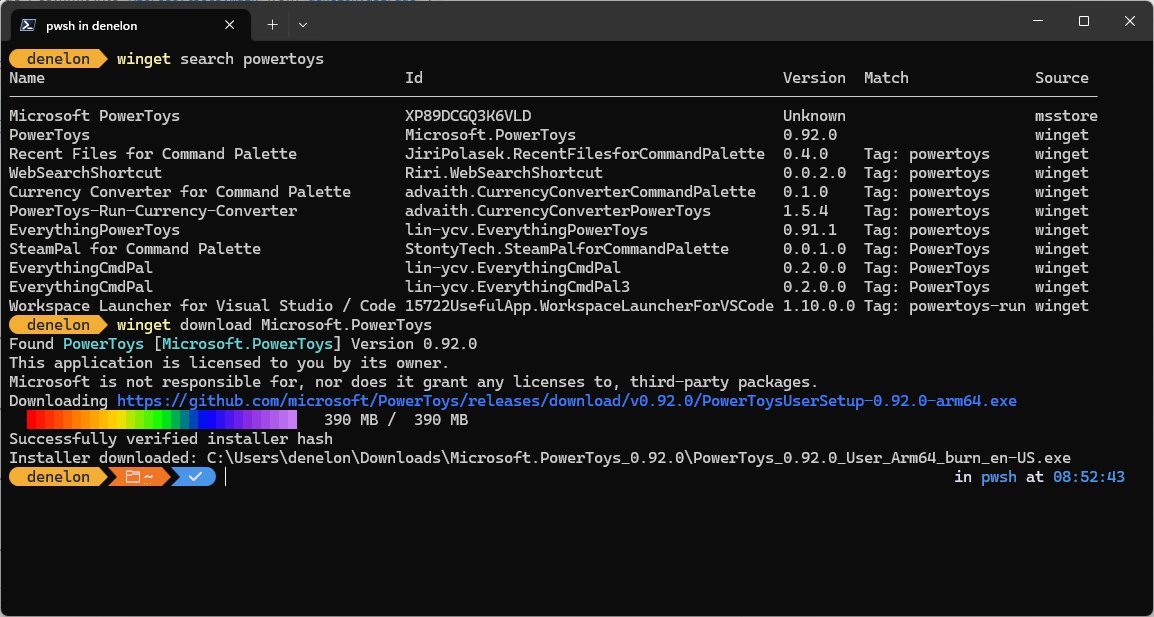
Download APPX/MSIX app packages without the Microsoft Store
WinGet ships with App Installer on Windows 11 and current Windows 10 builds. The msstore source lists apps published in the Microsoft Store.
- Right-click Start and select Terminal.
- Run
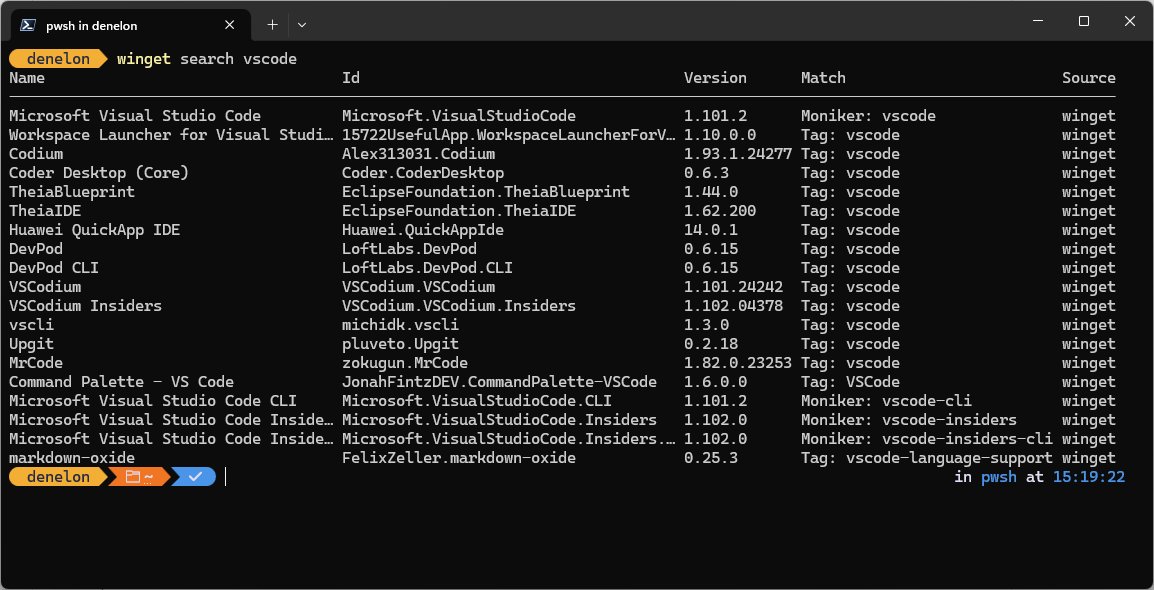
winget search "app name" --source msstoreand note the value in the Id column (Store IDs look like9NBLGGH4NNS1). - Run
winget download --id <Id> --source msstore --skip-licenseto fetch the package without the offline license file. - Accept the source and package agreements if WinGet asks.
- Open your Downloads folder and find the new folder holding the
.msix,.appx,.msixbundleor.appxbundlefile and its dependency packages.
Add --download-directory D:\Packages to save somewhere other than Downloads.
WinGet or Fiddler for Microsoft Store offline installers
| Situation | Use this | Why |
|---|---|---|
| Personal PC, app is free | winget download with –skip-license | No sign-in or admin role needed |
| Company deploying Store apps offline | winget download with an Entra ID admin account | Also fetches the offline license file |
| Specific CPU (ARM64 tablet, x64 desktop) | winget download with –architecture | Filters out packages for other chips |
| WinGet cannot reach the package | Fiddler capture | Reads the package URL from the Store's own download traffic |
Using WinGet to download Microsoft Store apps
The download command saves the installer, its dependencies and, for Store packaged apps, a license file. These options control what you get.
| Option | What it does | Example |
|---|---|---|
| –id | Targets one exact package ID | winget download –id 9NBLGGH4NNS1 –source msstore |
| –skip-license | Skips the offline license, so no Entra ID sign-in is needed | winget download –id <Id> –skip-license |
| –architecture | Picks x86, x64, arm or arm64 packages only | winget download –id <Id> –architecture arm64 |
| –platform | Picks Windows.Desktop, Windows.Universal or Windows.Holographic | winget download –id <Id> –platform Windows.Desktop |
| –download-directory | Saves to a folder you choose | winget download –id <Id> -d D:\Packages |
| –version | Downloads a specific version instead of the latest | winget download –id <Id> –version 1.2.3 |
Downloading the license file needs a Microsoft Entra ID account holding the Global Administrator, User Administrator or License Administrator role. Home users should always add --skip-license.
How to download APPX/MSIX files from Microsoft Store with Fiddler
Fiddler, a web debugging proxy from Telerik, records the URLs the Store app requests while it downloads. It predates winget download and needs HTTPS decryption, which adds a Fiddler root certificate to your PC.
- Install Fiddler from telerik.com and turn on HTTPS traffic decryption in its options.
- Start capturing, then open the Microsoft Store and select Get or Install on the app.
- Filter the captured sessions for
.appx,.msixorbundlein the URL. - Copy the full package URL and open it in your browser to save the file.
- Remove the Fiddler root certificate when you finish.
Treat this as a fallback. The WinGet route gets the same packages and the dependencies, with no proxy and no extra certificate.
Installing APPX/MSIX apps on Windows without Store
App Installer is built into Windows 11 and Windows 10 version 1803 and later, so a double-click usually works. Install dependency packages first if the main package asks for them.
- Double-click each dependency package (for example a VCLibs or .NET runtime file) and select Install.
- Double-click the main
.msixbundleor.appxbundlefile and select Install. - For a silent install, open PowerShell in the download folder.
- Run
Add-AppxPackage -Path .\App.msixbundle -DependencyPath .\Dependency.appxwith your real file names. - Open Start and launch the app from All apps.
Turn on Developer Mode to sideload apps in Windows 11
Store packages are signed with a certificate Windows already trusts. If Windows blocks a sideloaded package anyway, the device setting or a policy is the cause.
- Open Settings and go to System > For developers.
- Turn on Developer Mode.
- Select Yes on the notice.
- On Windows 10, go to Update & Security > For developers and turn on Sideload apps instead.
On a work PC, an administrator controls this under Computer Configuration\Administrative Templates\Windows Components\App Package Deployment. If that policy blocks sideloading, the Settings switch cannot override it.
Confirm the MSIX app installed correctly
Get-AppxPackage -Name *AppName*Lists installed packages whose name matches, with version, architecture and install location.
You should see: A block showing Name, Version and PackageFamilyName means the package is registered for your account.
Fix winget download and APPX install errors
WinGet asks for a Microsoft Entra ID sign-in
The command is trying to fetch the Store license file.
- Press Ctrl + C to stop.
- Run the command again with
--skip-license.
Install fails with a missing dependency message
The framework packages saved next to the app were not installed first.
- Install every package in the download folder except the main bundle.
- Install the main bundle again.
- With PowerShell, list each dependency after
-DependencyPath, separated by commas.
Package is for the wrong processor
The download included packages for several architectures.
- Download again with
--architecture x64or--architecture arm64. - Install the package whose name matches your PC.
Sideloading is blocked by policy
An organisation policy turns off app sideloading.
- Ask your IT administrator to enable Allow all trusted apps to install.
- Retry the install after the policy applies.
Double-clicking the package does nothing
App Installer is missing or broken.
- Install the App Installer app from the Microsoft Store.
- Or use
Add-AppxPackagein PowerShell, which does not need App Installer.
If the Store itself fails before you ever get here, reset the Microsoft Store cache and try once more.
Microsoft Store APPX/MSIX offline installer FAQ
These questions come up most often around offline Store packages.
Can I download a Microsoft Store app without the Store?
Yes. Run winget download --id <Id> --source msstore --skip-license in Terminal. WinGet saves the app package and its dependencies to your Downloads folder, and you install them later by double-clicking or with Add-AppxPackage.
Where does winget download save files?
WinGet saves packages to your Downloads folder by default. Add --download-directory followed by a path, or the short form -d, to save them to another folder or a USB drive instead.
What is the difference between APPX and MSIX?
MSIX is the newer Windows app package format and APPX is the older one. Both install the same way, and a bundle file (.msixbundle or .appxbundle) holds packages for several architectures in one file.
How do I find a Microsoft Store app ID?
Run winget search "app name" --source msstore. The Id column shows the Store product ID, a 12-character code such as 9NBLGGH4NNS1. Copy it into the download command.
How do I install an MSIX file with PowerShell?
Open PowerShell in the folder and run Add-AppxPackage -Path .\App.msix. Add -DependencyPath with the dependency file names if the app needs framework packages installed alongside it.
Do I need Developer Mode to install an APPX file?
Usually not. Packages from the Microsoft Store are signed with a trusted certificate. Turn on Developer Mode in Settings > System > For developers only if Windows refuses to sideload the package.
Can I install the offline package on another PC?
Yes, if that PC runs a supported Windows version and matches the package architecture. Copy the whole download folder, install the dependencies first, then the main package.