Press the listening mode button on the right headphone of your AirPods Max to switch to Active Noise Cancellation; a chime confirms each change.
This guide covers the button, Control Center on iPhone and iPad, the Mac menu bar, how to choose which modes the button cycles through, how to turn noise cancellation off, and what to do when it stops working.
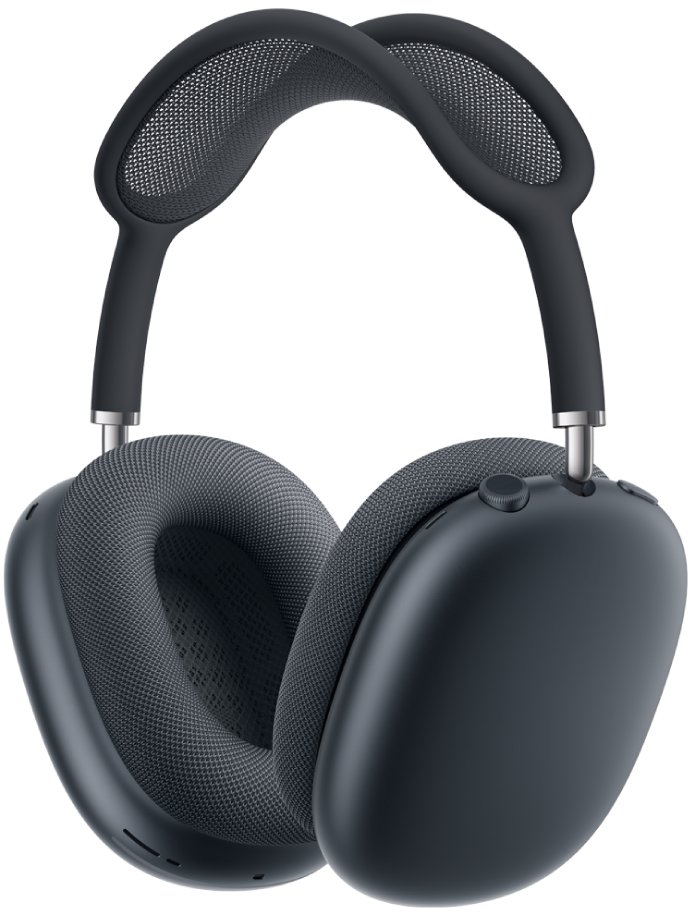
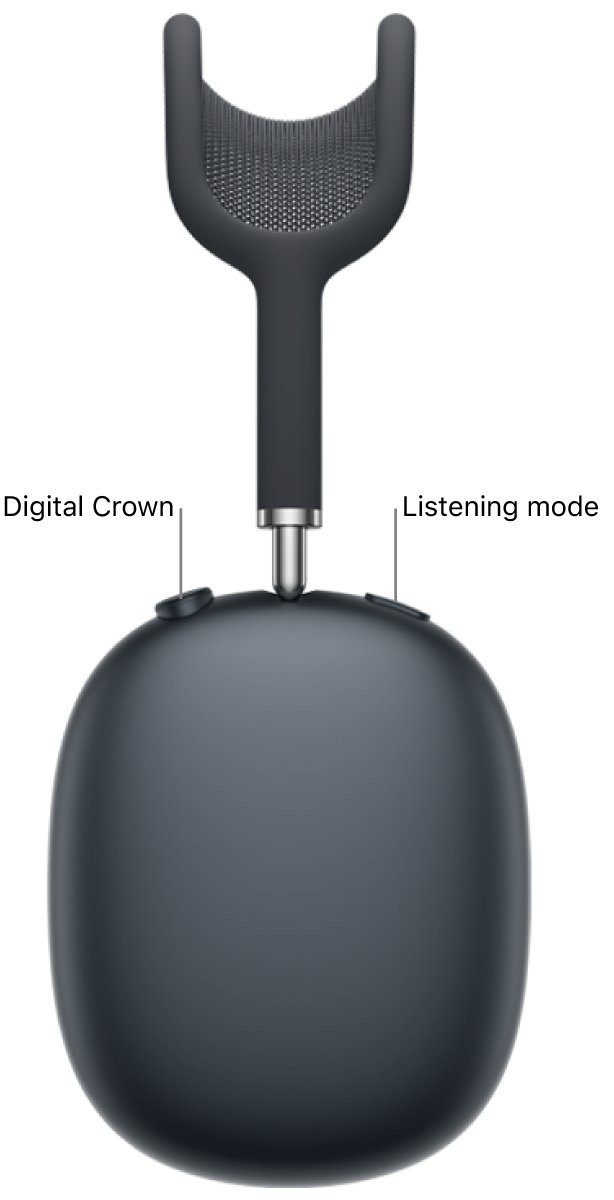
AirPods Max noise cancelling button
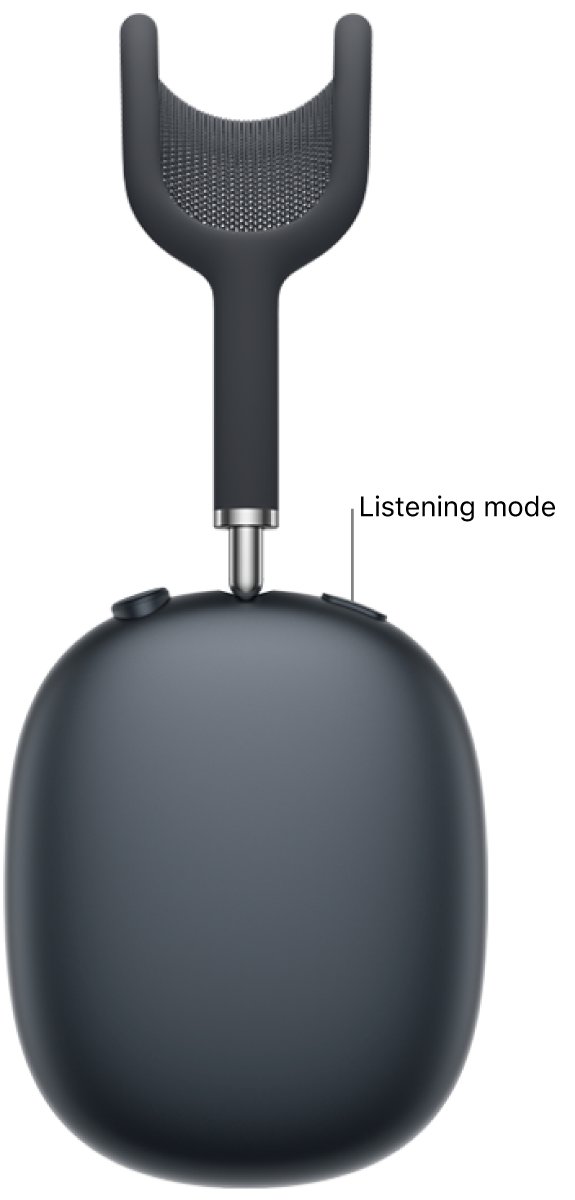
The listening mode button is the long button on the right ear cup, next to the Digital Crown.
- Put on your AirPods Max and make sure they are connected to your device.
- Press the listening mode button on the right headphone.
- Listen for the chime that confirms the new mode.
- Press it again to move to the next mode until you reach Noise Cancellation.
On AirPods Max 1 the button switches between Active Noise Cancellation and Transparency mode. On AirPods Max 2 it also includes Adaptive Audio.
Do AirPods Max have active noise cancellation?
Yes. Every AirPods Max model has Active Noise Cancellation, and the models differ in the extra listening modes.
| Listening mode | What it does | AirPods Max 1 | AirPods Max 2 |
|---|---|---|---|
| Noise Cancellation | Blocks out external noise to help you focus | Yes | Yes |
| Transparency | Lets you hear the sounds around you | Yes | Yes |
| Adaptive | Blends noise cancellation and Transparency and adjusts the level to the noise around you | No | Yes |
| Off | Turns off all listening modes | Yes | Yes |
AirPods Max 2 also supports Conversation Awareness, which lowers media volume and reduces background noise when you start speaking.
Turn on noise cancellation on AirPods Max from iPhone or iPad
- Wear your AirPods Max and connect them to your iPhone or iPad.
- Open Control Center.
- Touch and hold the volume control.
- Tap the Listening Mode button at the bottom left.
- Choose Noise Cancellation.
On AirPods Max 2, choose Adaptive instead and drag the slider toward Noise Cancellation for stronger blocking.
Turn on AirPods Max noise cancelling on Mac
- Wear your AirPods Max and connect them to your Mac.
- Click the AirPods Max icon in the menu bar.
- Choose Noise Cancellation as the listening mode.
- If the icon is not in the menu bar, open System Settings, click the name of your AirPods in the sidebar, then choose the listening mode.
Turn on AirPods Max noise cancellation on Apple Watch or Apple TV
- On Apple Watch, open Control Center, tap the AirPods icon on the left, then choose a listening mode. Scroll down if you do not see it.
- On Apple TV 4K or Apple TV HD, open Control Center and go to the AirPods icon at the top of the screen, next to the time.
- Select Noise Cancellation.
On a Windows PC or Android phone, use the listening mode button on the headphones, because those devices have no AirPods controls. Once you connect AirPods to a Windows PC, the button works the same way.
Change what the AirPods Max listening mode button cycles through
You choose which modes the button steps through. Leaving out Transparency means one press always lands on noise cancellation or off.
- Wear your AirPods Max and make sure they are connected.
- On iPhone or iPad, open Settings and tap the name of your AirPods near the top of the screen.
- If you do not see the listening mode options, tap Controls & Gestures first.
- Select the modes you want the listening mode button to cycle through.
- On a Mac, open System Settings, click your AirPods in the sidebar, then choose options next to Press and Hold to Cycle Between.
Turn off noise cancelling on AirPods Max
- Press the listening mode button until the chime for Transparency or Off plays.
- Or open Control Center on iPhone, touch and hold the volume control, tap Listening Mode and choose Transparency or Off.
- On Mac, click the AirPods Max icon in the menu bar and choose Off or Transparency.
If Off is missing from the button's cycle, add it in the listening mode button options under Controls & Gestures.
Check AirPods Max noise cancellation is on
- Open Control Center on your iPhone and touch and hold the volume control.
- Look at the Listening Mode button: it shows the active mode.
- Play audio and press the listening mode button once. A chime and a change in outside sound confirm the switch.
- On Mac, click the AirPods Max icon in the menu bar and confirm Noise Cancellation is selected.
AirPods Max noise cancelling not working
Pressing the button does not switch to noise cancellation
Noise Cancellation is not one of the modes selected for the button.
- Open Settings on iPhone and tap your AirPods name near the top.
- Tap Controls & Gestures if needed.
- Make sure Noise Cancellation is selected for the listening mode button.
Noise cancellation sounds weak or switches by itself
Adaptive Audio on AirPods Max 2 is changing the level to match the noise around you.
- Open Settings and tap your AirPods name.
- Tap Adaptive below Listening Mode.
- Drag the slider toward Noise Cancellation, or choose plain Noise Cancellation in Control Center.
Media gets quieter when you talk
Conversation Awareness on AirPods Max 2 lowers volume and enhances voices when you speak.
- Open Settings and tap your AirPods name.
- Tap Audio & Routing if needed.
- Turn off Conversation Awareness.
Noise cancellation and controls stop responding
A firmware or connection glitch, or an outdated paired device.
- Update the iPhone, iPad or Mac the headphones are paired with.
- Restart AirPods Max: press and hold the Digital Crown and the listening mode button together until the status light flashes amber, about 10 seconds, then release right away.
- If that fails, unpair them: in Settings, tap your AirPods name, then Forget This Device.
- To reset to factory settings, hold both buttons until the light changes from flashing amber to flashing white, about 15 seconds, then pair again.
Holding both buttons longer than about 10 seconds resets AirPods Max, so release them as soon as the light flashes amber if you only want a restart.
AirPods Max noise cancellation FAQ
Are AirPods Max noise cancelling?
Yes. AirPods Max have Active Noise Cancellation, which blocks out external noise. They also have Transparency mode, and AirPods Max 2 adds Adaptive Audio, which adjusts the level of noise control automatically.
How do I enable noise cancellation on AirPods?
On AirPods Max, press the listening mode button on the right headphone. On AirPods Pro or AirPods 4 with ANC, press and hold the stem until you hear a chime. On iPhone, use the Listening Mode button in Control Center's volume control.
How do I stop noise cancellation on AirPods Max?
Press the listening mode button until it switches to Transparency or Off, or choose Transparency or Off from Listening Mode in Control Center. On Mac, choose it from the AirPods Max icon in the menu bar.
What does noise cancellation do on AirPods?
Active Noise Cancellation blocks out the noise around you so you can focus on audio or calls. Transparency does the opposite and lets outside sound in so you can hear your surroundings.
How do I increase noise cancellation in AirPods Max?
Choose Noise Cancellation rather than Adaptive. On AirPods Max 2 with Adaptive selected, open Settings, tap your AirPods, tap Adaptive below Listening Mode and drag the slider toward Noise Cancellation.
Why is noise cancelling not working on my AirPods Max?
Usually Noise Cancellation is not selected for the listening mode button, or Adaptive Audio is lowering the level. Check the button options in Settings. If controls stop responding, update the paired device and restart the headphones.
Where is the AirPods Max noise cancelling button?
It is the listening mode button on the right headphone, next to the Digital Crown. Press it once to change modes. Pressing it with the Digital Crown restarts or resets the headphones.
Do AirPods Max noise cancellation work with Android or Windows?
Yes. The listening mode button on the headphones switches modes on any connected device. Android phones and Windows PCs have no AirPods settings, so you cannot pick modes from the screen.