To unblock an email address on iCloud Mail, open Settings on your iPhone, tap Privacy & Security, tap Blocked Contacts, swipe left on the address and tap Unblock.
This guide covers the iPhone, iPad and Mac routes, the iCloud.com rules that can still hide a sender's mail, and fixes when unblocked email still does not arrive.
Unblock an email address on iPhone from Blocked Contacts
Blocked Contacts is one list shared by Mail, Messages, Phone, FaceTime and Calendar on your iPhone. Removing an address here unblocks it in all of those apps at once.
- Open the Settings app on your iPhone.
- Tap Privacy & Security.
- Tap Blocked Contacts to see every blocked person, number and email address.
- Swipe left on the email address you want to allow again.
- Tap Unblock. You can also tap Edit, then tap the remove button next to the entry.
New messages from that sender now reach Mail normally again. Ask the sender to resend anything important from the blocked period.
Unblock iCloud email on iPhone, Mac or iCloud.com
| Where the block was set | Where to remove it | What to click |
|---|---|---|
| Mail, Messages or Phone on iPhone or iPad | Settings app | Privacy & Security > Blocked Contacts > swipe left > Unblock |
| Mail on Mac (Block Sender) | The sender's message in Mail | Arrow next to the sender's name > Unblock Sender |
| Mail on Mac, many senders at once | Blocked Contacts pane | Privacy & Security > Blocked Contacts |
| A rule on iCloud.com that trashes or moves the sender's mail | icloud.com/mail | Settings > Rules > select the rule > Delete |
Unblock a sender in Mail on Mac
Mail on Mac lets you unblock a sender straight from one of their messages. Mail can block up to 3,000 senders, and blocked messages show a blocked icon and a banner in the message list.
- Open the Mail app on your Mac.
- Select a message from the sender you want to unblock. Blocked messages carry the blocked icon next to the sender's name.
- Move the pointer next to the sender's name in the message header and click the arrow.
- Choose Unblock Sender.
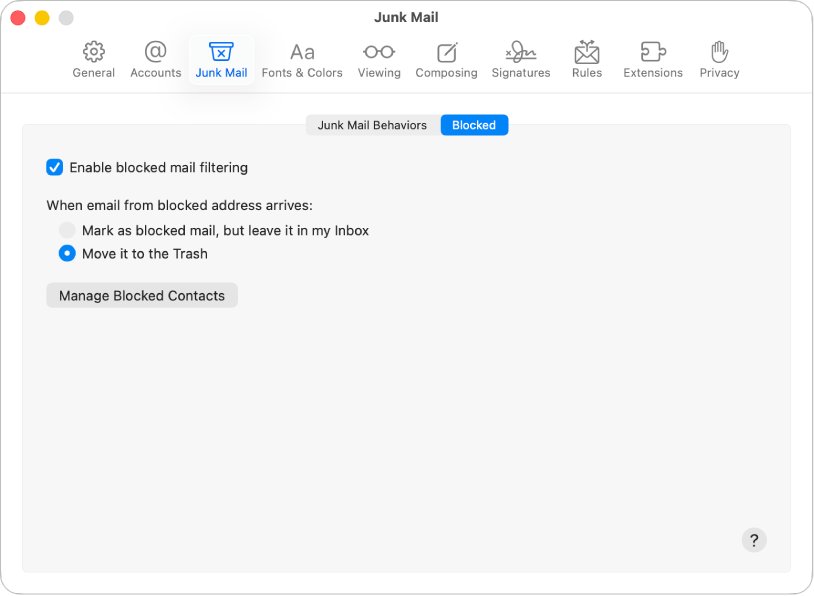
To clear several addresses at once, go to Privacy & Security > Blocked Contacts and remove each entry from the list.
Delete an iCloud Mail rule that blocks a sender on iCloud.com
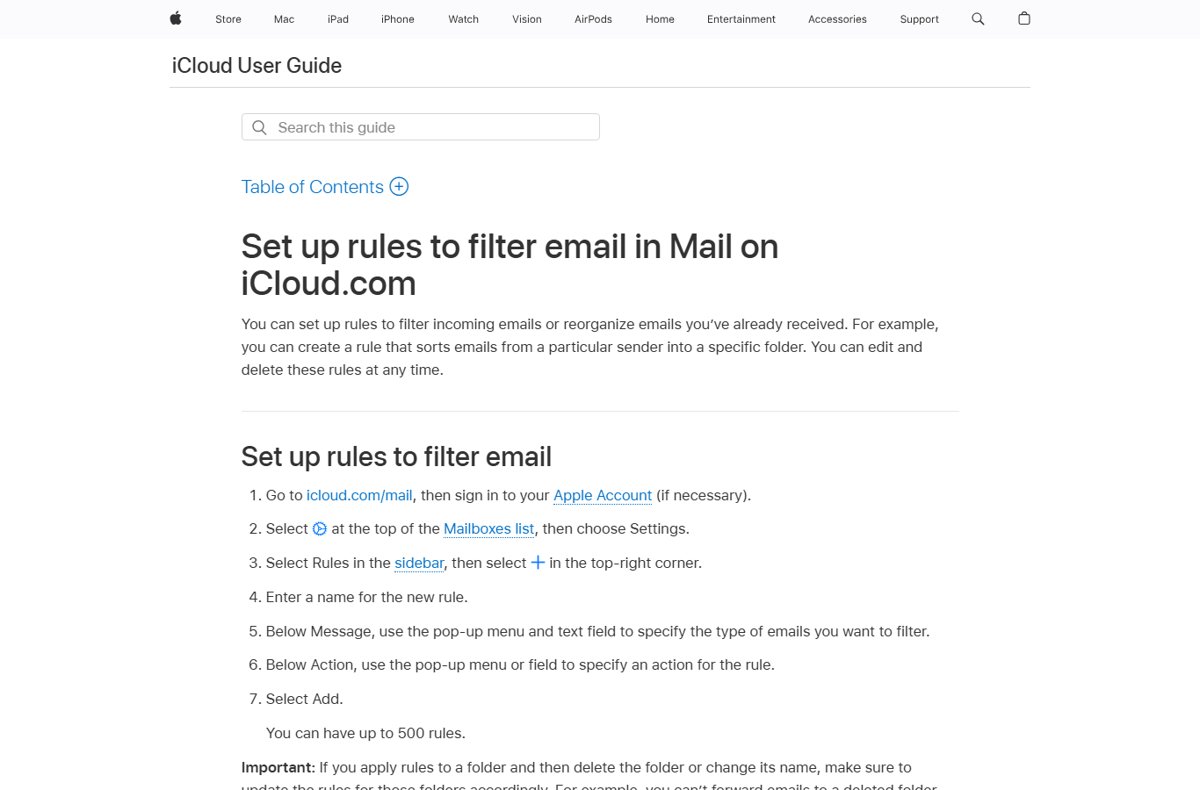
A rule you created on iCloud.com keeps acting on a sender's mail even after you remove them from Blocked Contacts. If their messages go straight to Trash or another folder, a rule is the usual cause.
- Go to icloud.com/mail and sign in to your Apple Account if asked.
- Select the Settings button at the top of the Mailboxes list, then choose Settings.
- Select Rules in the sidebar.
- Choose the rule that names the sender's address or domain.
- Select Delete to remove the rule, or change its action and select Save Changes.
Unblock an email address on iPad
iPad uses the same Blocked Contacts list as iPhone, so the steps match.
- Open the Settings app on your iPad.
- Tap Privacy & Security, then tap Blocked Contacts.
- Swipe left on the email address.
- Tap Unblock.
What happens when you block an email address in iCloud Mail
| Question | Answer |
|---|---|
| Does the sender know they are blocked? | No. A sender cannot find out that you blocked them. |
| Is the block limited to Mail? | No. Blocking a contact on iPhone also blocks them in Messages, Phone, FaceTime and Calendar. |
| How many senders can Mail on Mac block? | Up to 3,000 senders. |
| Does unblocking change older messages? | Unblocking affects new mail. On a Mac, older blocked messages stay in the list with the blocked banner until the sender is unblocked. |
| Is junk filtering the same as blocking? | No. Junk filtering moves suspected spam to the Junk folder; mail from your contacts and recent conversations is not sent there. |
Check if an email address is still blocked in iCloud Mail
- Open Settings > Privacy & Security > Blocked Contacts and confirm the address is gone from the list.
- On a Mac, open an older message from the sender and confirm the blocked icon and banner no longer appear.
- Ask the sender to send a new test message.
- Confirm it arrives in your Inbox, not in Junk or Trash.
Unblocked iCloud email still not arriving
Mail from the unblocked address goes to Trash or another folder
An iCloud.com rule still matches the sender's address or domain.
- Go to icloud.com/mail and open Settings.
- Select Rules and look for any rule that names the sender.
- Select the rule, then select Delete.
Mail from the unblocked address lands in Junk
Junk filtering, not the block, is catching the messages.
- Open the Junk folder and find the sender's message.
- Move the message to your Inbox to mark it as not junk.
- Add the sender to your contacts, because mail from your saved iCloud contacts does not go to Junk.
The sender is still blocked on one device
Mail on Mac holds its own Block Sender setting, separate from the iPhone list.
- Open Mail on the Mac and select a message from the sender.
- Click the arrow next to their name and choose Unblock Sender.
- Repeat the Blocked Contacts check on every iPhone and iPad you use.
Unblock iCloud email address FAQ
How do I unblock an email address on iCloud Mail?
On iPhone or iPad, open Settings, tap Privacy & Security, tap Blocked Contacts, swipe left on the address and tap Unblock. On a Mac, select one of the sender's messages in Mail, click the arrow by their name and choose Unblock Sender.
How can I unblock an email address I blocked by mistake?
Remove it from Blocked Contacts in Settings on your iPhone or iPad, or choose Unblock Sender in Mail on Mac. The change applies to new mail straight away, so ask the sender to resend anything important.
How do I unblock a blocked email address on iCloud.com?
Blocking itself is managed in Blocked Contacts on your Apple devices, but iCloud.com rules can still move or delete a sender's mail. Open Settings at icloud.com/mail, select Rules, choose the rule that names the sender and select Delete.
Can I block email addresses in iCloud Mail?
Yes. On iPhone, open a message, tap the sender's address, tap View Contact Card and tap Block this Contact. On a Mac, click the arrow next to the sender's name in Mail and choose Block Sender.
Will I get the emails sent while the address was blocked?
Do not count on it. Unblocking lets new messages through, so ask the sender to resend anything important. On a Mac, blocked messages appear in the message list with a blocked banner, so check there first.
Does unblocking an email address also unblock calls and messages?
Yes, on iPhone and iPad. Blocked Contacts is one list for Mail, Messages, Phone, FaceTime and Calendar, so removing the entry unblocks the person in all of those apps.
Does the sender know I blocked or unblocked them?
No. Apple states that a sender cannot find out they are blocked. After you unblock them, their new messages are simply delivered to you as normal.