The Star Citizen download is the RSI Launcher from Roberts Space Industries, and it installs the game on Windows 11 and Windows 10. Create an RSI account, add a game package, and the launcher downloads the current alpha build.
Cloud Imperium develops the space game and sells access through game packages that each include a ship. Free Fly events open the game to everyone for about a week at a time.
Below: the official links, install steps, package prices, PC requirements, update and repair steps, error fixes and full removal.
Which Star Citizen download do you need for your situation?
Every route ends at the same RSI Launcher. What changes is whether your account can play once you sign in.
| Your situation | What to open | Cost |
|---|---|---|
| No RSI account yet | Enlist page | Free account |
| Account but no game package | Game packages in the Pledge Store | From $60 |
| Account with a game package | RSI Launcher download page | Included |
| A Free Fly event is running | RSI Launcher download page | Free during the event |
| Mac or Linux computer | No official version | Not available |
You must be 13 or older to create an RSI account.
Download the Star Citizen RSI Launcher for Windows 11 and 10
Get the launcher only from the Roberts Space Industries site. Old direct links shared in forums or chats install an outdated launcher that refuses to sign in.
- RSI Launcher download page — Select DOWNLOAD THE LAUNCHER
- Star Citizen game packages — Required to play outside Free Fly
- Install the RSI Launcher guide — Official setup walkthrough
- Minimum system requirements — Check before you buy
The launcher downloads the game after you sign in, and the game needs more than 150 GB of SSD space.
How to install Star Citizen on Windows 11 and 10
Confirm that your account has a game package first. Open My Hangar on the RSI site and filter by Game Packages.
- Sign in on the Roberts Space Industries site.
- Open the download page and select DOWNLOAD THE LAUNCHER.
- Run the setup file and follow the prompts to install the RSI Launcher.
- Open the launcher and sign in with your RSI email or Login ID and password.
- Enter your authenticator code if prompted, and choose how long to stay signed in.
- Select Install to download Star Citizen.
- Select Launch Game when the download finishes.
The game installs to C:\Program Files\Roberts Space Industries\StarCitizen\LIVE by default. Change the Install Location under Settings > Games if drive C is short on space.
Is Star Citizen free?
Creating an RSI account and installing the launcher cost nothing. Playing needs a game package, except during a Free Fly event.
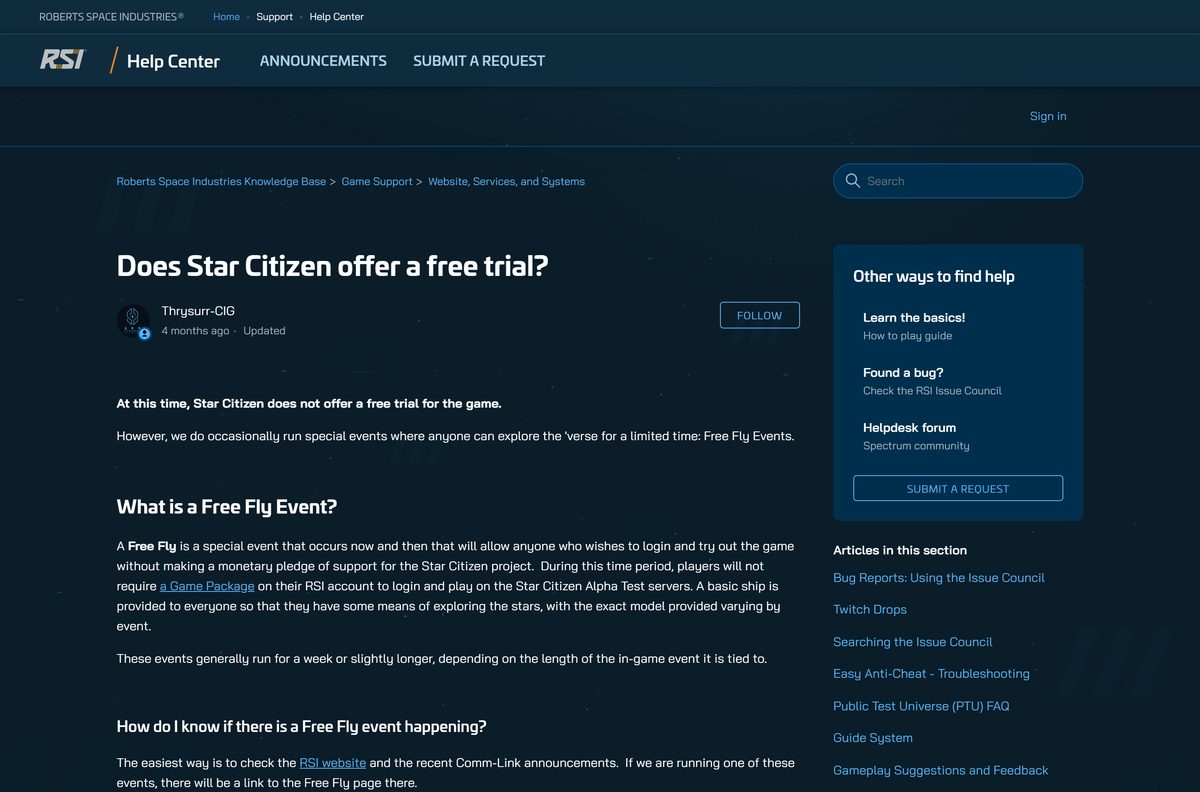
Try Star Citizen during a Free Fly event first, then buy a $60 starter pack if it runs well on your PC. There is no free trial. Free Fly events drop the game package requirement for about a week and lend every player a basic ship. After the event ends, the launcher asks for a package again.
Watch the Comm-Link news on the RSI site for Free Fly dates. Each event also gets its own Knowledge Base article.
A referral code entered at sign-up adds 50,000 UEC in-game currency once you buy a game package.
Which Star Citizen game package should you buy?
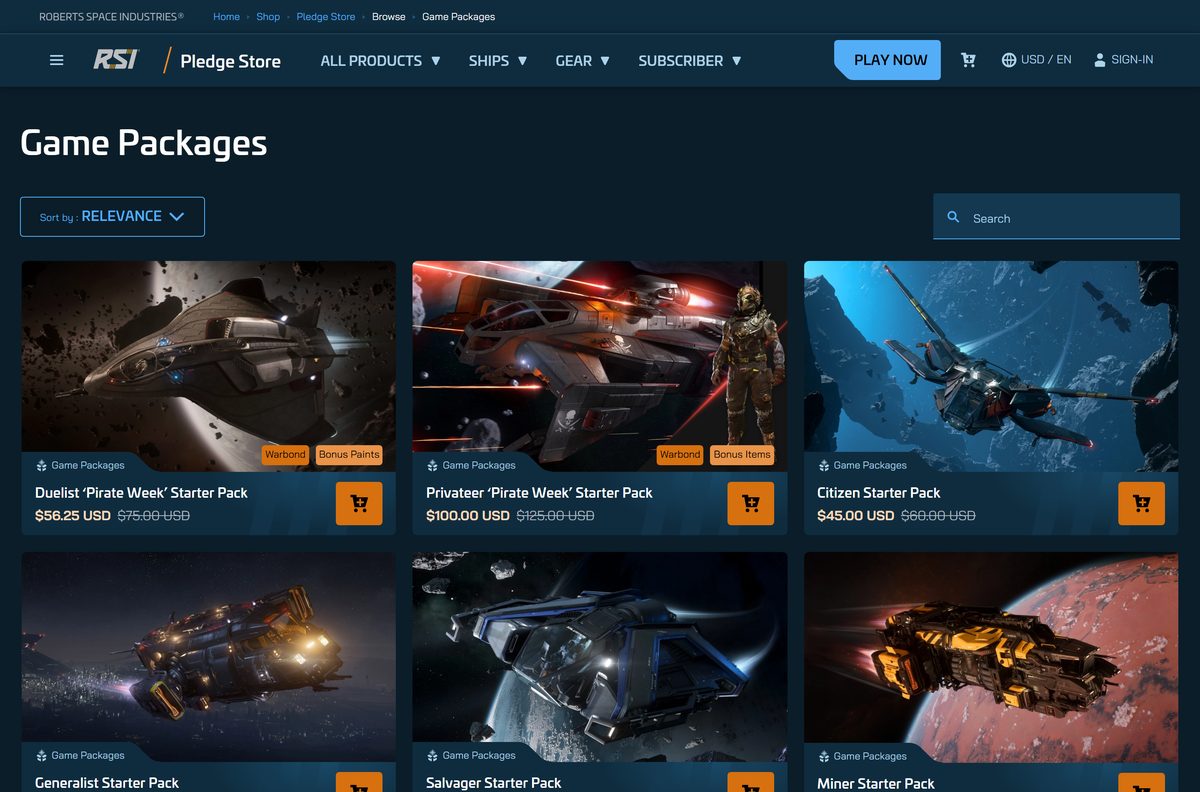
Every package below includes Star Citizen and at least one ship. Pick the ship role you want to start with. Prices are Pledge Store list prices in USD before any sale.
| Game package | List price | Best for |
|---|---|---|
| Citizen Starter Pack | $60 | Lowest-cost entry |
| Generalist Starter Pack | $60 | Trying every career |
| Salvager Starter Pack | $75 | Salvage work |
| Miner Starter Pack | $75 | Mining |
| Hauler Starter Pack | $80 | Cargo hauling |
| Ultimate Explorer Pack | $1,150 | A large fleet from day one |
Standalone ships and gear in the store do not include the game. The Squadron 42 standalone pledge does not include Star Citizen either.
Should you install Star Citizen LIVE or the PTU?
The launcher offers each game environment your account can reach. LIVE is the public alpha, and the PTU hosts release candidates for testing.
Install LIVE. Add the PTU only if you receive an invitation and want to test upcoming patches. The PTU opens only during test phases, admits players in invitation waves, and can wipe accounts between builds. LIVE runs Alpha 4.10.1 and stays online.
Each environment installs to its own folder, so the PTU needs its own large block of free SSD space.
Which Star Citizen download do you need for your Mac?
Star Citizen is not available for macOS or Linux, and the RSI Launcher has no Mac build.
| Your computer | What to do | Result |
|---|---|---|
| Mac with Apple silicon or Intel | Play on a Windows 10 or 11 PC instead | No Mac version |
| Linux PC | Play on a Windows 10 or 11 PC instead | No Linux version |
| Windows 10 or 11 PC, 64-bit | Download the RSI Launcher | Supported |
Your RSI account and game package work on any Windows PC you sign in from.
Check the Star Citizen PC requirements before you buy
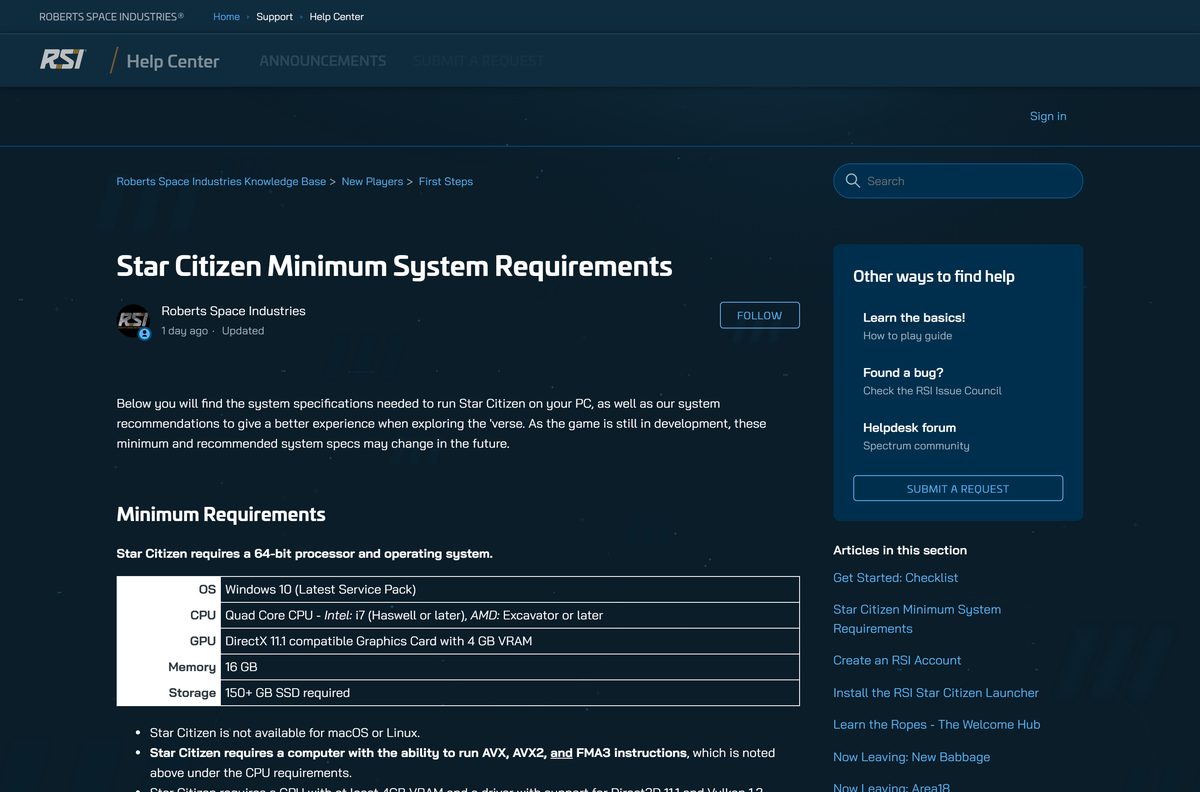
The game needs a 64-bit CPU with AVX, AVX2 and FMA3 support. Update your graphics driver before the first launch.
| Field | Minimum | Recommended |
|---|---|---|
| Developer | Cloud Imperium (Roberts Space Industries) | – |
| Latest version | Alpha 4.10.1 (LIVE) | – |
| Price | Game package required, from $60 | – |
| Operating system | Windows 10, latest updates, 64-bit | Windows 10 or Windows 11 |
| Processor | Quad-core Intel i7 Haswell or later, AMD Excavator or later | Quad or eight-core Intel i7 Haswell or later, AMD Ryzen 5 or later |
| Graphics | DirectX 11.1 card, 4 GB VRAM, Vulkan 1.2 driver | DirectX 12 card, 8 GB VRAM |
| Example cards | Nvidia 1060, AMD RX 5700, RX Vega 56, RX 460, Intel A380 | – |
| Memory | 16 GB | 32 GB DDR4 |
| Storage | 150+ GB on an SSD | 150+ GB on an SSD |
| Mac and Linux | Not available | Not available |
| Last verified | 2026-09-25 | – |
How to check your Star Citizen version and update it
The launcher checks for launcher and game updates each time you open it and sign in.
- Open the RSI Launcher and sign in.
- Select Update in place of Launch Game when a new patch is waiting.
- Open the RSI menu in the upper-left corner and select Settings.
- Select About to see the launcher version.
- Download a fresh launcher from the RSI download page if it never offers an update.
Verify and repair the Star Citizen game files
There is no separate installer to checksum. The launcher compares the installed game with the server copy and replaces broken files.
- Open the RSI Launcher and sign in.
- Open the RSI menu and select Settings.
- Select Games and confirm the Install Location matches your game folder.
- Select Verify and wait for the check to finish.
- Launch the game again.
If the install location is wrong, the launcher treats the game as not installed and offers a fresh download.
Fix Star Citizen not installing or launching on Windows
Match the message on your screen to a symptom and follow the fix under it.
You do not have permission to sign in
An outdated launcher from an old direct link.
- Uninstall the RSI Launcher from Settings > Apps.
- Download the current launcher from the RSI download page.
- Install it and sign in again.
Missing a Game Package message
The signed-in account has no package, or a Free Fly ended.
- Check My Hangar on the RSI site and filter by Game Packages.
- Sign in with the email that owns your package.
- Buy a package from the Pledge Store if none is listed.
The launcher hangs or Error 4000 appears
Stale launcher cache files.
- Open the RSI menu and select Settings.
- Under Application, select CLEAR LAUNCHER CACHE.
- Restart the launcher and let it fetch the manifest again.
Star Citizen has Stopped Running Unexpectedly
Out-of-date drivers, memory or hardware problems.
- Open the LIVE folder and read the end of game.log for the error code.
- Update your graphics driver from Nvidia, AMD or Intel.
- Disable XMP in the BIOS if the log shows EXCEPTION_ACCESS_VIOLATION.
- Verify the game files in the launcher.
The install stops partway
The drive ran out of space.
- Free up more than 150 GB on the target SSD.
- Change the Install Location in Settings > Games if needed.
- Select Install again.
For any error not listed here, the RSI Launcher troubleshooting guide covers each error code.
How to uninstall Star Citizen and the RSI Launcher
Uninstall one game environment to reinstall it, or delete every folder to remove everything.
Remove only the game, such as LIVE or PTU
- Open the RSI Launcher and sign in.
- Pick the environment from the menu above Launch Game.
- Select the gear icon next to it.
- Select Uninstall.
Remove the launcher and every game file
- Select GET LOGS in launcher settings and save the logs if you need support later.
- Press Win + R, run %appdata% and delete the rsilauncher folder.
- Press Win + R, run %localappdata% and delete the StarCitizen folder.
- Open Program Files on the install drive and delete the Roberts Space Industries folder.
- Empty the Recycle Bin to reclaim the space.
Your game package stays on your RSI account, so a reinstall needs no new purchase.
Frequently asked questions
Is Star Citizen free to play?
No. You need a Game Package on your RSI account to play, and starter packs list from $60. The only free access comes during Free Fly events, which open the game to everyone for about a week.
Where is the official Star Citizen download?
The official download is the RSI Launcher on the Roberts Space Industries download page. Install the launcher, sign in with your RSI account, and select Install to download the game.
Does Star Citizen have a free trial?
No. Cloud Imperium runs no standing free trial. Free Fly events replace it: anyone can sign in and play with a basic loaner ship while the event lasts, usually a week or slightly longer.
Does Star Citizen work on Windows 11?
Yes. The recommended specification lists Windows 10 or Windows 11, and the minimum is Windows 10 with the latest updates. Both must be 64-bit, since the game needs a 64-bit processor and operating system.
How much space does Star Citizen need?
The game needs more than 150 GB of free space on an SSD. A hard disk does not meet the requirement, and the launcher does not fully check free space before it starts downloading.
Can you play Star Citizen on a Mac?
No. Star Citizen is not available for macOS or Linux, and there is no Mac version of the RSI Launcher. You need a Windows 10 or Windows 11 PC that meets the requirements.
Is there a Star Citizen offline installer?
No. The RSI Launcher is the only installer. It signs you in, downloads the game files and applies every patch, so you need an internet connection and an RSI account.
What is the latest version of Star Citizen?
The LIVE servers run Star Citizen Alpha 4.10.1. The game is still in alpha, and the RSI Launcher updates the installed build automatically when a new patch reaches LIVE.
Why does the launcher say I am missing a game package?
The account you signed in with has no Game Package. You may have reclaimed or gifted it, used a second account, or played during a Free Fly that has since ended.
Does Squadron 42 include Star Citizen?
No. The Squadron 42 standalone pledge is the one package that does not include Star Citizen. Squadron 42 is the single-player campaign and is still in development.
Which graphics card do I need for Star Citizen?
The minimum is a DirectX 11.1 card with 4 GB of VRAM and Vulkan 1.2 driver support, such as an Nvidia 1060 or AMD RX 460. The recommended card has 8 GB of VRAM.