You can install Apple Podcasts on a Windows 11 or Windows 10 PC for free as a web app from podcasts.apple.com, and every Mac already has the Podcasts app. Sign in with your Apple Account and your followed shows and play position come with you.
This guide covers the official links, installing the web app with Microsoft Edge, the iTunes route for free podcasts, the Mac setup, subscriptions, and fixes when shows do not sync.
Which Apple Podcasts download do you need?
Match your computer to a row. Every route uses the same Apple Account.
| Your computer | What to get | What it costs you in disk space |
|---|---|---|
| Windows 11 or Windows 10, any processor | Apple Podcasts web app at podcasts.apple.com | Nothing to download; install it from Edge |
| Windows PC where you want episodes saved offline | iTunes on the Microsoft Store | Full iTunes install |
| Mac | Podcasts app, part of macOS | Nothing to download |
| iPhone, iPad or Apple Watch | Apple Podcasts on the App Store | Free app from Apple Inc. |
Use the web app for day-to-day listening on a PC. Pick iTunes only when you want free shows saved to the disk.
Download Apple Podcasts from the official Apple links
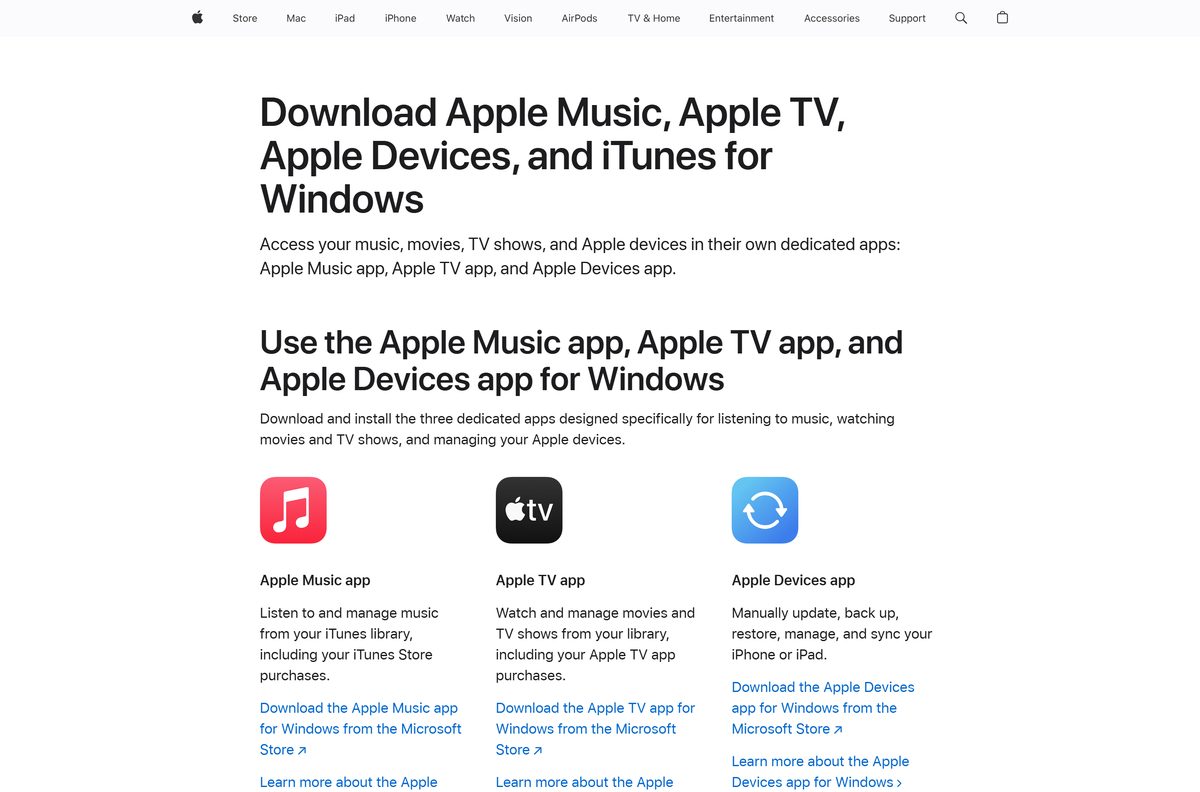
Apple publishes these routes. Its page of Apple apps for Windows lists Apple Music, Apple TV, Apple Devices and iTunes, and sends podcast listeners to iTunes.
- Apple Podcasts on the web — listen, follow shows and install it as an app from Edge
- Apple apps for Windows — Apple’s list of its Windows apps, with iTunes for podcasts
- iTunes on the Microsoft Store, product 9PB2MZ1ZMB1S — publisher Apple Inc., free podcasts and audiobooks
- Apple Podcasts on apple.com — device list and premium subscriptions
A Windows setup file named Apple Podcasts on any other site is not from Apple. Sign in only at podcasts.apple.com.
How to install Apple Podcasts on Windows 11 and 10
Microsoft Edge installs the podcasts.apple.com site as a standalone app with its own window and Start menu entry.
- Open Microsoft Edge and go to podcasts.apple.com.
- Select Settings and more (the three dots) in the top corner.
- Choose More tools, then Apps, then Install this site as an app.
- Confirm the name Apple Podcasts and select Install.
- Open Apple Podcasts from the Start menu or the new app window.
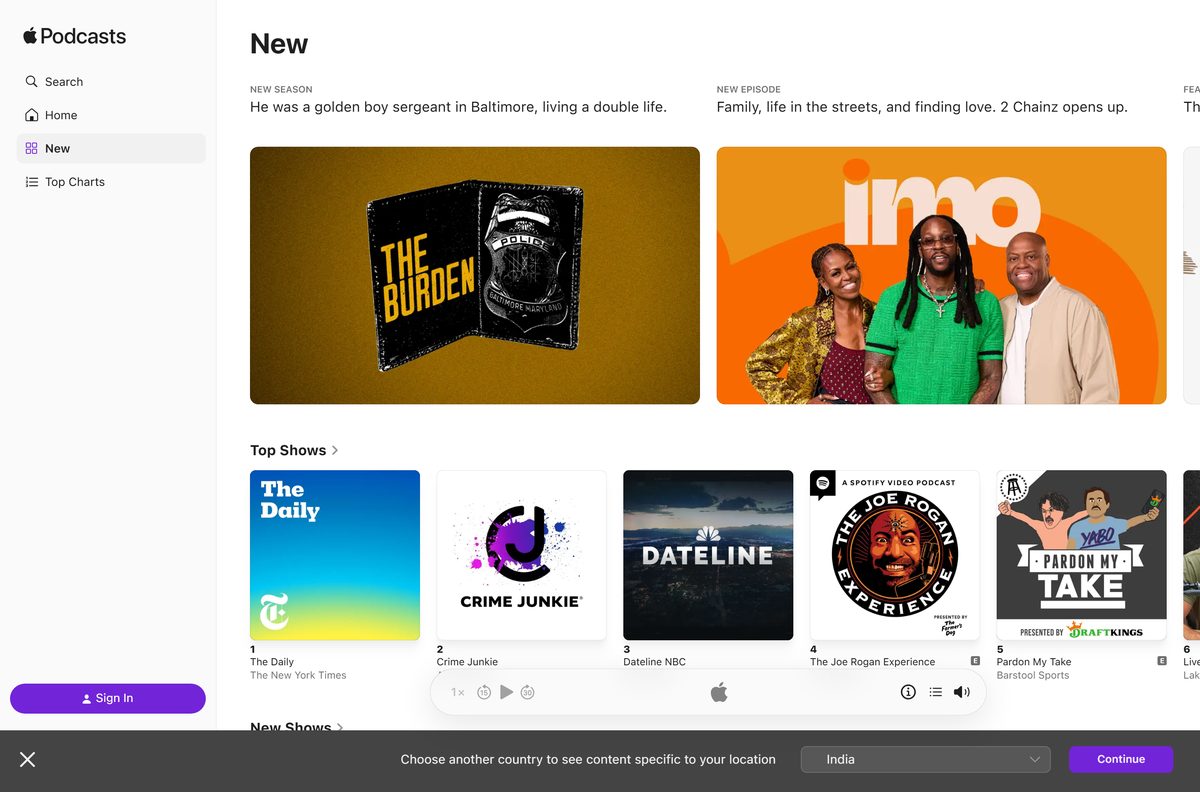
- Select Sign In in the sidebar and enter your Apple Account.
- Use Search, Home, New and Top Charts in the sidebar to find shows and follow them.
Edge lists every installed site app at edge://apps , which is also where you remove it.
Install iTunes from the Microsoft Store to download podcasts
Apple states that iTunes remains the home for audiobooks and free podcasts on a Windows PC. Use it when you want episodes downloaded to the disk. The iTunes download guide covers the installer in full.
- Open Microsoft Store, search for iTunes and check the publisher reads Apple Inc.
- Select Get, then Open when the install finishes.
- In iTunes, choose Podcasts from the pop-up menu at the top left, then click Store.
- Click the search field in the top-right corner, type a show name and press Enter.
- Select the show, then click Subscribe to download new episodes automatically.
- To grab one episode only, click Get next to it.
- Click Refresh near the bottom left of the window to check for new episodes.
Select a podcast and click the Settings button near the top right of the episode list to limit how many episodes iTunes keeps.
Which Apple Podcasts download do you need for your Mac?
None. Podcasts ships with macOS, so setup is a sign-in and one setting.
| You want to | Do this | Apple guide |
|---|---|---|
| Open the app | Launch Podcasts from the Applications folder | Get started with Podcasts on Mac |
| Sign in | Choose Account > Sign In, enter your Apple Account, then click Sign In | Sign in to the Podcasts app |
| Keep shows in step with iPhone | Choose Podcasts > Settings, click General, select Sync Library | Sync podcasts across devices |
| Save an episode for offline | Select the episode, click More, choose Download | Save, download or remove episodes |
Saved episodes download automatically by default. Find them under Downloaded in the sidebar.
Is Apple Podcasts free?
Yes. The app and the web player are free, and millions of shows cost nothing. Premium shows and channels are optional paid subscriptions. Apple lists the app as free on the App Store and on apple.com. Some publishers sell premium shows, episodes and channels through monthly or annual subscriptions, with prices set by the podcast creators. A subscription can add subscriber-only audio and ad-free listening. Subscriptions are not available in every country or region.
To cancel on a Mac, choose Account > View Apple Account, click Manage next to Subscriptions, then select the subscription.
Should you use the web app or iTunes for podcasts on Windows?
Use the Apple Podcasts web app. Install iTunes only if you need free episodes saved for offline listening. The web app signs in with your Apple Account and syncs followed shows, channel subscriptions and play position with your iPhone and Mac. Apple describes iTunes as the home for free podcasts on a PC, so paid channel content belongs in the web app. Installing the Apple Music or Apple TV app does not remove podcasts from iTunes.
For music and video, use the separate Apple Music for Windows and Apple TV for Windows apps.
Check Apple Podcasts system requirements before you install
The web app has no hardware floor of its own. It needs a current Microsoft Edge on Windows 10 or Windows 11.
| Field | Value |
|---|---|
| Software | Apple Podcasts |
| Developer | Apple Inc. |
| Latest version | Web-based, auto-updating; built into macOS on Mac |
| License | Free; optional paid show and channel subscriptions |
| Windows route | podcasts.apple.com web app installed from Edge, or iTunes for free podcasts |
| Supported OS | Windows 11 and Windows 10 (browser), macOS (built in), iOS 10.0 or later |
| Architecture | Any x64 or ARM64 PC through the browser; no native Windows build |
| Download size | No installer on Windows or Mac |
| Offline installer | No |
| Official source | podcasts.apple.com and apple.com |
| Last verified | 2026-09-24 |
What syncs between Apple Podcasts on your PC, Mac and iPhone
Sync runs through your Apple Account. Sign in with the same account everywhere.
| Device | What syncs | Where to turn it on |
|---|---|---|
| Windows PC (web app) | Followed shows, channel subscriptions, current play position | Automatic after Sign In |
| Mac | Followed shows, channel subscriptions, stations, play position | Podcasts > Settings > General > Sync Library |
| iPhone or iPad on iOS 18 or later | Followed shows, channel subscriptions, stations, play position | Settings > Apps > Podcasts > Sync Library |
| iPhone or iPad on iOS 17 or earlier | Same as above | Settings > Podcasts > Sync Library |
How to keep Apple Podcasts up to date
- On Windows, close and reopen the Apple Podcasts web app. Apple updates it on its servers, so the next launch loads the current version.
- For iTunes, open Microsoft Store, select Library, then Get updates.
- On a Mac, open System Settings > General > Software Update. Podcasts updates with macOS.
Fix Apple Podcasts not installing or not syncing on Windows
Install this site as an app is missing in Edge
The current tab is not podcasts.apple.com.
- Open a new Edge tab and go to podcasts.apple.com.
- Wait for the page to finish loading.
- Open Settings and more > More tools > Apps again and choose Install this site as an app.
Followed shows are missing on the PC
You signed in with a different Apple Account, or Sync Library is off on your other devices.
- Select Sign In in the web app and use the account from your iPhone or Mac.
- On the Mac, choose Podcasts > Settings > General and select Sync Library.
- On the iPhone, open Settings > Apps > Podcasts and turn on Sync Library.
A paid channel does not play in iTunes
Apple describes iTunes on Windows as the home for free podcasts.
- Open the Apple Podcasts web app.
- Sign in with the account that holds the subscription.
- Open the channel from your library and play it there.
iTunes shows no new episodes
The feed has not refreshed, or automatic downloads are off for that show.
- Select the podcast in your library and click Refresh near the bottom left.
- Click the Settings button near the top right of the episode list.
- Turn on automatic downloads for the show.
How to uninstall Apple Podcasts from Windows
- Open Microsoft Edge and go to edge://apps .
- Find the Apple Podcasts card and select Details.
- Select Uninstall.
- Choose whether to clear app history and data, then select Uninstall again.
- To remove iTunes as well, open Settings > Apps > Installed apps, find iTunes and select Uninstall.
Your followed shows stay in your Apple Account and return when you sign in again.
Which Apple app to install on Windows for music, video and podcasts
| You want | Install this | Guide |
|---|---|---|
| Podcasts, synced with iPhone | Apple Podcasts on the web | This page |
| Free podcasts and audiobooks saved offline | iTunes on the Microsoft Store | Download iTunes for PC |
| Music and your Apple Music library | Apple apps for Windows | Download Apple Music for PC |
| Movies, shows and Apple Originals | Apple apps for Windows | Download Apple TV for PC |
Frequently asked questions
Is Apple Podcasts free to download?
Yes. The Podcasts app is free on Mac, iPhone and iPad, and the web app at podcasts.apple.com costs nothing on Windows. Some creators sell premium shows and channels through monthly or annual subscriptions, with prices they set.
Where is the official Apple Podcasts download for PC?
Apple’s official route on a PC is the web player at podcasts.apple.com, which Microsoft Edge can install as an app. Apple’s Windows apps page also points podcast listeners to iTunes from the Microsoft Store.
Is there an Apple Podcasts app for Windows 11?
Apple publishes no separate Podcasts app in the Microsoft Store. On Windows 11 and Windows 10, install the podcasts.apple.com web app from Edge, or use iTunes, which Apple calls the home for free podcasts on a PC.
How big is the Apple Podcasts download?
On Windows and Mac there is no installer to download. The web app installs from Edge with no setup file, and the Mac app is already part of macOS. Only iTunes, the alternative Windows route, needs a full installer.
Is there an Apple Podcasts offline installer?
No. Apple ships no standalone Apple Podcasts installer for Windows or Mac. For offline listening on a PC, subscribe in iTunes, which downloads new episodes of free shows automatically.
How do I get Apple Podcasts on a Mac?
Open Podcasts from the Applications folder, then choose Account > Sign In and enter your Apple Account. Followed shows, channel subscriptions and play position sync when Sync Library is on.
Does Apple Podcasts work on ARM64 and 64-bit PCs?
Yes. The web app runs inside the browser, so it works on any x64 or ARM64 Windows PC that runs Microsoft Edge. iTunes for Windows ships x64 and 32-bit installers but no ARM64 build.
Is Apple Podcasts on the web safe to use?
Yes, when you use podcasts.apple.com, Apple’s own site. Sign in only on that address. Any .exe sold or offered as an Apple Podcasts installer for Windows does not come from Apple.
What is the latest version of Apple Podcasts?
The web app has no version number to track because Apple updates it on its servers. On a Mac, Podcasts updates together with macOS through Software Update.
Why won’t Apple Podcasts install on my PC?
Check that Edge has podcasts.apple.com open before you choose Install this site as an app. If your shows are missing after you install, sign in with the same Apple Account you use on your iPhone or Mac.
Can I listen to paid podcast subscriptions on Windows?
Yes, on the web. Channel subscriptions sync to Apple Podcasts on the web when you sign in. iTunes on Windows covers free podcasts only, according to Apple.