When The Weather Channel app crashes immediately after opening, quit it from the App Switcher, update it in the App Store, restart your iPhone, and then delete and reinstall it if it still closes.
This guide covers each fix on iPhone, the matching steps on Android, how to confirm the app is stable again, and what to do when it still will not open.
How to fix Weather Channel app crashing on iPhone
Run these fixes in order and open the app after each one. Most crashes on launch clear by the update or reinstall step.
- Open the App Switcher, swipe right to find The Weather Channel, then swipe up on it to quit it.
- Open the App Store, tap your picture, tap App Updates, then tap Update next to The Weather Channel if it appears.
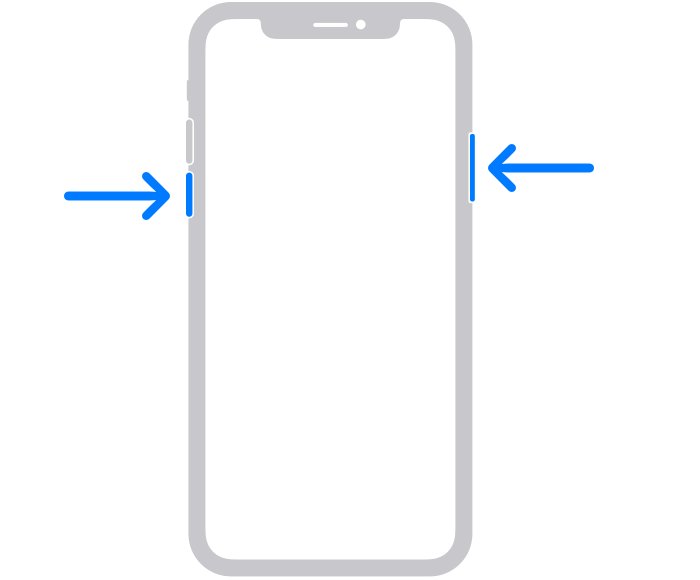
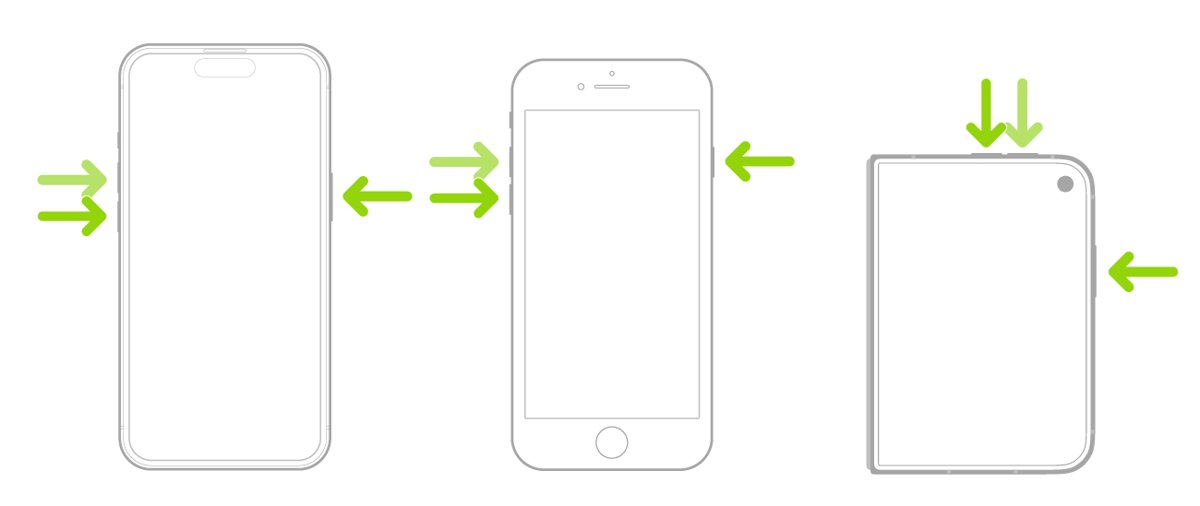
- Restart the iPhone: press and hold either volume button and the side button, drag the slider, wait 30 seconds, then hold the side button until the Apple logo appears.
- Open the app again from the Home Screen or App Library.
- If it still closes, touch and hold the app icon, tap Remove App, tap Delete App, then tap Delete.
- Reinstall The Weather Channel from the App Store and sign in again if you use an account.
Deleting the app removes its settings and saved locations from the iPhone, so add your locations again after the reinstall.
Weather Channel app not opening: which fix to try first
| What you see | Try this | Why |
|---|---|---|
| The app flashes open and closes once | Quit and reopen the app | Clears a stuck app state in seconds |
| It started crashing after an iOS update | Update The Weather Channel in the App Store | A newer app build may be needed for the new iOS version |
| Other apps also freeze or misbehave | Restart or force restart the iPhone | The problem is the phone, not one app |
| It crashes every time, even after an update | Delete and reinstall the app | Removes the app's local data, which a crash can corrupt |
| An iOS update is waiting in Settings | Install it from Software Update | Your data and settings stay unchanged |
| Nothing above helps | Contact The Weather Company support | Only the developer can fix a fault in the app itself |
How to update the Weather Channel app on iPhone
App Store apps update automatically by default, but an update can sit in the queue for a while. Update by hand to rule out an old build.
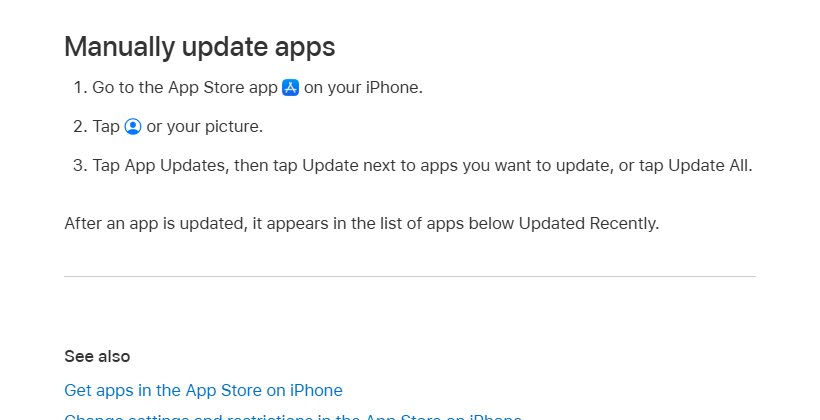
- Open the App Store app on your iPhone.
- Tap your picture in the top-right corner.
- Tap App Updates.
- Tap Update next to The Weather Channel, or tap Update All.
- Check that the app now appears under Updated Recently, then open it.
To keep updates coming automatically, open Settings > Apps > App Store and make sure App Updates is on.
How to delete and reinstall the Weather Channel app on iPhone
A reinstall replaces the app and its local data, which fixes most crashes that survive an update. Removing the app from the Home Screen only hides it in App Library, so choose Delete App.
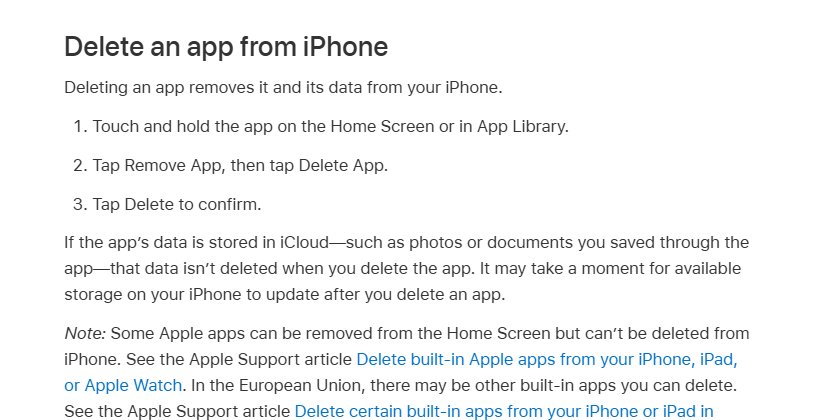
- Touch and hold The Weather Channel icon on the Home Screen or in App Library.
- Tap Remove App, then tap Delete App.
- Tap Delete to confirm.
- Open the App Store, tap your picture, tap Apps & Purchase History, then tap Your Apps.
- Find The Weather Channel and tap the download button next to it.
- Open the app and allow location access when it asks, or add your locations by hand.
A subscription bought through the App Store is managed in Settings > your name > Subscriptions, not inside the app, so a reinstall does not change it.
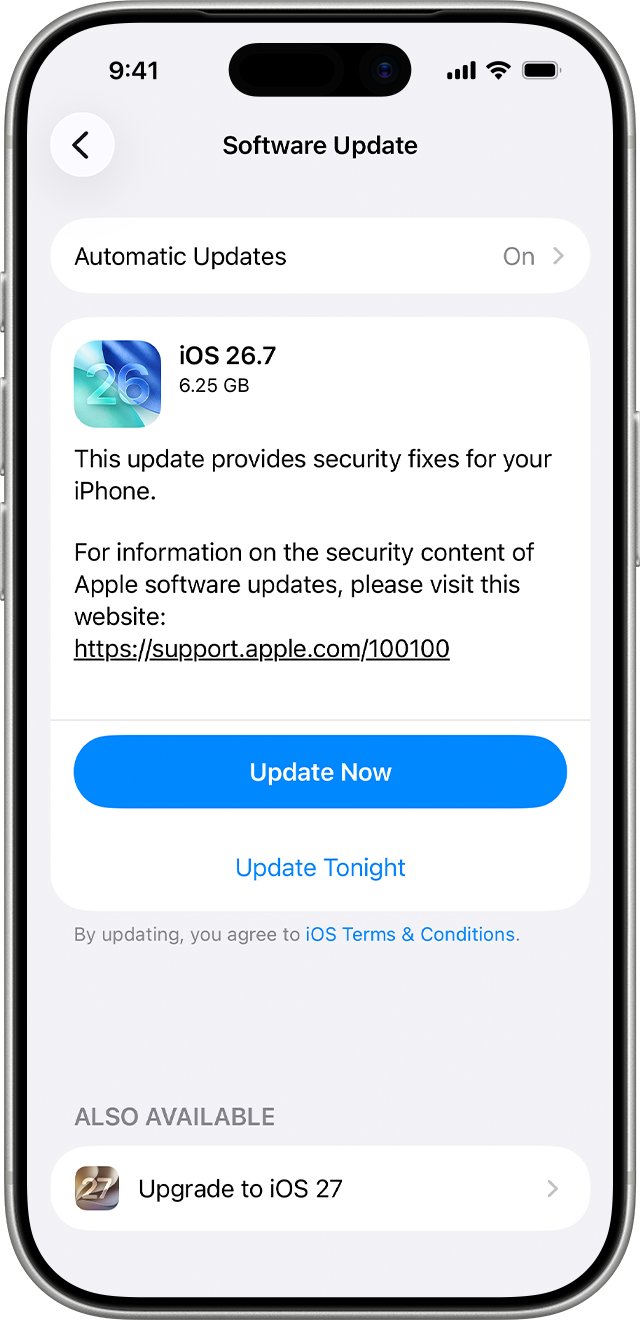
How to update iOS when apps keep crashing
Updating iOS keeps your data and settings, and it brings fixes that newer app versions may rely on.
- Back up your iPhone to iCloud or a computer.
- Open Settings, then tap General.
- Tap Software Update to see the installed version and any update.
- Tap Download and Install and follow the onscreen instructions.
- Open The Weather Channel once the iPhone restarts.
Weather Channel app not working on Android
The same order works on an Android phone: close the app, check the basics, restart, then reinstall from Google Play.
- Swipe up from the bottom of the screen, hold, then let go to show recent apps.
- Swipe up on The Weather Channel to close it, then tap its icon to reopen it.
- Open Settings > Storage and free space if less than 1 GB is available.
- Open Settings > System > Software update > System update and install any update.
- Press and hold the Power button, then tap Restart.
- If it still crashes, uninstall The Weather Channel and install it again from the Google Play Store.
Check the Weather Channel app is working again
- Open The Weather Channel and wait for the current conditions to load for your location.
- Switch to another location or the radar map and back.
- Quit the app from the App Switcher, then open it again.
- Restart the phone once and open the app a final time; if it stays open each time, the fix held.
Weather Channel app problems and fixes
Weather Channel app not opening at all
The app or the phone is stuck and does not respond to a normal quit.
- Force restart the iPhone: press and quickly release volume up, press and quickly release volume down, then hold the side button.
- Release the side button when the Apple logo appears.
- Open The Weather Channel again.
Weather Channel app download problems
The reinstall or update cannot finish because of storage or connection.
- Open Settings > General > iPhone Storage and check the available space at the top.
- Delete apps or files you no longer need to free space.
- Connect to Wi-Fi and start the download again from the App Store.
Weather Channel app down or showing no forecast
The app opens but cannot load data, which points to the connection or the service rather than a crash.
- Open weather.com in Safari to see whether forecasts load there.
- Switch between Wi-Fi and cellular data, then reload the app.
- Check the What's New section on support.weather.com for current service notes.
Forecast shows the wrong place after a reinstall
Location access was denied or set to approximate.
- Open Settings > Privacy & Security > Location Services.
- Tap The Weather Channel and choose the access level you want.
- Turn on Precise Location for street-level forecasts.
If the app still crashes on a fully updated phone, use Email Us on support.weather.com and include your device model and iOS or Android version.
Weather Channel app crashing FAQ
What happened to the Weather Channel app?
The Weather Channel app is still available on the App Store and Google Play, with a desktop version for PC and Mac, and The Weather Company runs its support site at support.weather.com. If it disappeared from your Home Screen, check App Library or reinstall it from the App Store.
What is wrong with the Weather Channel app?
When it crashes on launch, the usual causes are an outdated app build, a stuck app state or damaged local data. Update the app, restart the phone, and delete and reinstall it if it still closes.
What's wrong with the Weather Channel app after an iOS update?
An older app build can fail on a new iOS version. Open the App Store, tap your picture, tap App Updates and update The Weather Channel, then restart the iPhone before opening the app again.
Why does the Weather Channel app not work?
If it opens but shows no forecast, the connection or service is the problem; if it closes immediately, the app itself is failing. Test weather.com in a browser to tell the two apart, then follow the matching fix.
Is the Weather Channel app down?
Open weather.com in a browser; if forecasts load there, the service is up and the problem is on your phone. The What's New section on support.weather.com lists current changes and known issues.
Why won't the Weather Channel app download?
Low storage or a weak connection usually stops an app download. Check Settings > General > iPhone Storage on iPhone or Settings > Storage on Android, free space, connect to Wi-Fi and try again.
Does deleting the Weather Channel app cancel my subscription?
An App Store subscription is managed in Settings > your name > Subscriptions, not in the app. To stop paying, tap the subscription there and tap Cancel Subscription.
What happened to the weather app on my iPhone?
Apple's own Weather app is separate from The Weather Channel. If its icon is missing, search for it in App Library or reinstall it from the App Store; removing an app from the Home Screen only moves it to App Library.