When iCloud keeps asking for a very old email, that address is usually still signed in under Media & Purchases, still listed on your Apple Account, or still owns apps and content on the device.
This guide shows where an old email address hides on iPhone, iPad and Mac, how to sign it out or move its purchases, and what to do if you forgot its password.
Stop iCloud asking for an old email on iPhone
Your iPhone can use one Apple Account for iCloud and a different one for the App Store, Apple Music, Apple TV and Books. A forgotten second account under Media & Purchases is the most common source of the old email prompt.
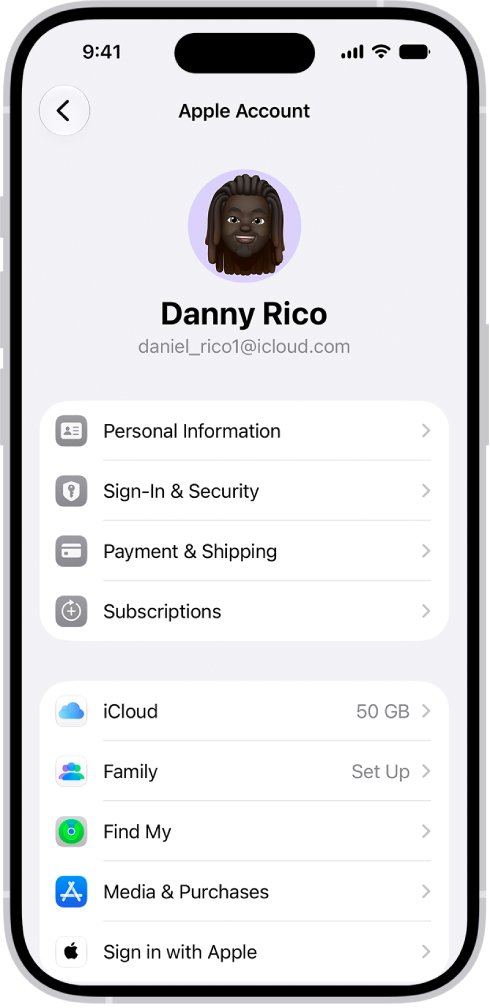
- Open the Settings app and tap your name at the top.
- Look at the account shown under Media & Purchases. If it shows the old email, that is the account asking for a password.
- Tap Media & Purchases, then tap Sign Out.
- Tap Media & Purchases again and choose Not [your name]? if the old account is offered.
- Sign in with your current Apple Account email and password.
- Restart the iPhone and open the App Store to confirm the prompt is gone.
If the old address is the account you are signed in to for iCloud itself, change its primary email instead of signing out, so you keep your data.
Where an old Apple Account email can still be used
Match the place where the prompt appears to the setting that still holds the old address.
| Where you see the prompt | Likely cause | Fix |
|---|---|---|
| App Store, app updates, Apple Music, Apple TV | Old account signed in under Media & Purchases, or it bought the content | Sign out of Media & Purchases, or migrate purchases |
| Settings banner or iCloud sign-in | Old address is still the primary email of your Apple Account | Change the primary email in Sign-In & Security |
| Messages or FaceTime | Old address still selected to send and receive | Change Send & Receive to your phone number |
| Find My, AirPods or AirTag setup | Device or item still paired to the old account | Remove it from the old account in Find My |
| Any prompt you cannot answer | Password for the old account is forgotten | Reset it with Forgot password? or account recovery |
Sign out of an old Apple Account in Media & Purchases
Use this when the old email appears under Media & Purchases but your current account runs iCloud.
- Open Settings and tap your name.
- Tap Media & Purchases.
- Tap Sign Out and confirm.
- Tap Media & Purchases again, then tap Not [your name]? to sign in with a different account.
- Enter your current Apple Account email or phone number and password.
- On a Mac, open System Settings, click your name and check Media & Purchases the same way.
Migrate purchases from an old Apple Account to your current one
If the old account bought apps, music or subscriptions you still use, migrate those purchases to your primary account. You need the email or phone number and password for both accounts.
- Update your iPhone or iPad to the latest version of iOS or iPadOS.
- Make sure the old account is signed in under Media & Purchases and your current account is signed in for iCloud.
- Open Settings, tap your name, then tap Media & Purchases.
- Tap View Account and sign in if asked.
- Scroll down and tap Migrate Purchases.
- Review both accounts and follow the tasks until you see Purchases Have Been Migrated.
- Sign out of the old account in Media & Purchases and sign in with your current account.
Both accounts need two-factor authentication on, the same country or region, and no remaining balance, rentals or pre-orders. iCloud data does not migrate, and child accounts created through Family Sharing cannot migrate purchases.
Change your Apple Account primary email address
If the very old email is the primary address of the account you use every day, replace it. You keep your contacts, purchases and other account information.
- Open Settings on iPhone or iPad, or System Settings on Mac, and choose your name.
- Tap or click Sign-In & Security.
- Tap or click your primary email address.
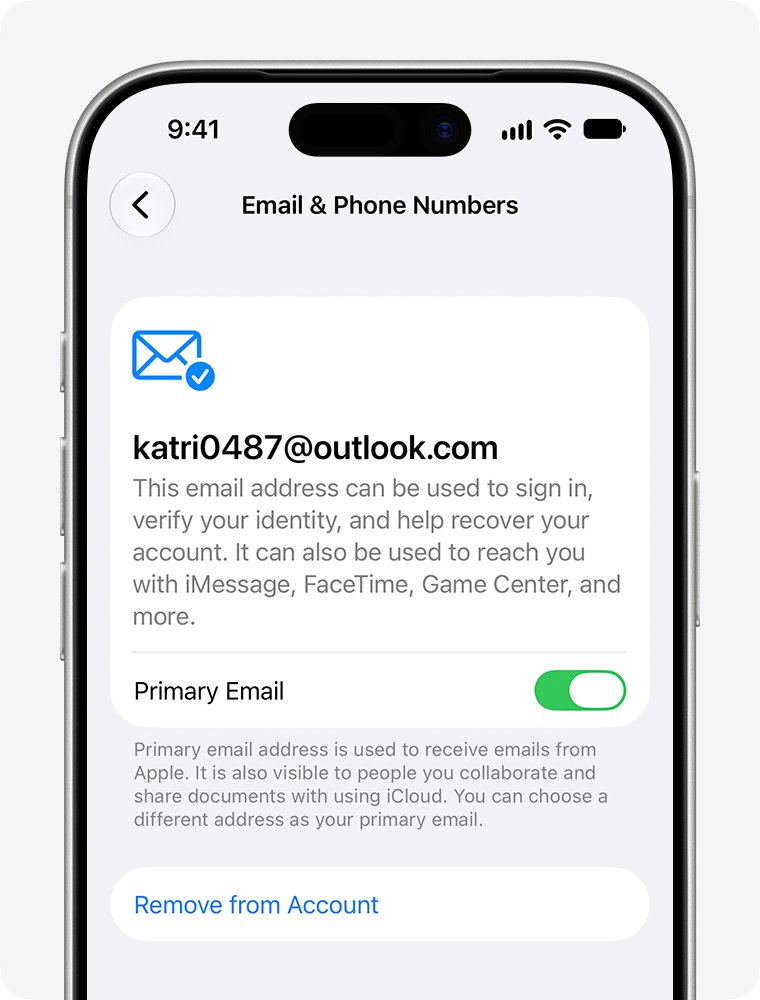
- Select Remove from Account, or turn off Primary Email if you want to keep the old address as an extra one.
- Choose another email on the account as primary, or add a new primary email address.
- Enter the verification code sent to the new address to finish.
Without a trusted device, sign in at account.apple.com, open Sign-In and Security and choose Email & Phone Numbers. A removed address that is not an iCloud address cannot join another Apple Account for 30 days.
Remove an old email from Messages and FaceTime on iPhone
Messages can start conversations from an email address on your account. Move it to your phone number so the old address stops being used.
- Open Settings and tap Apps.
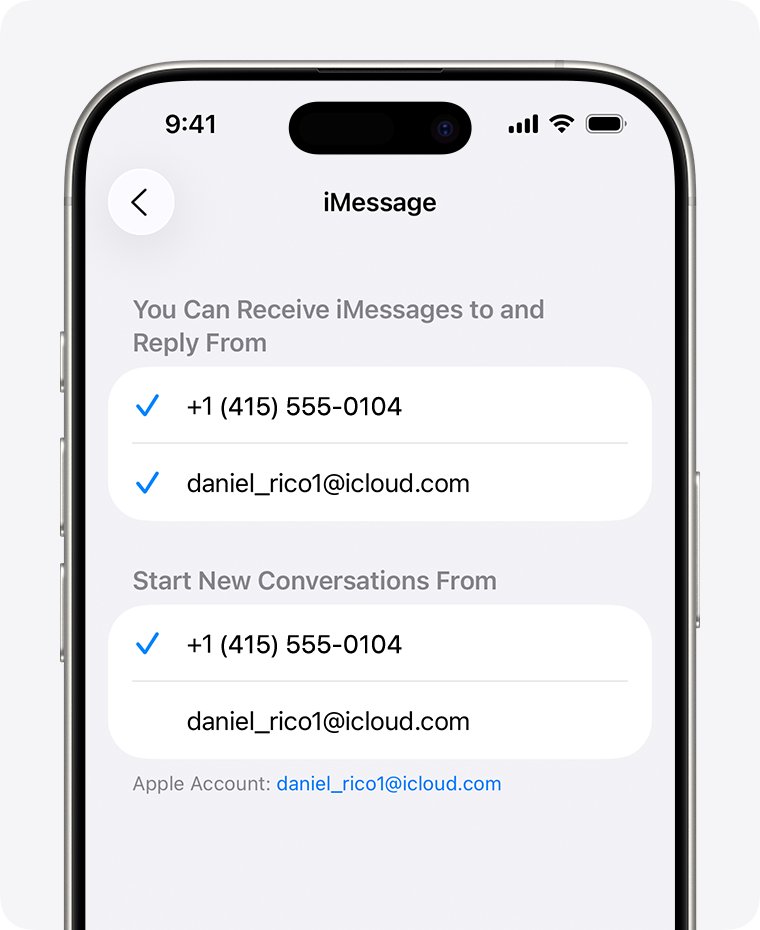
- Tap Messages, then tap Send & Receive.
- Under Start New Conversations From, tap your phone number.
- Start a new conversation for any thread that was started from the old email address.
To stop the address being reachable at all, delete it as an additional email at account.apple.com under Sign-In and Security > Email & Phone Numbers.
How to access an old iCloud account when you forgot the password
If you need the old account for its purchases, photos or email, reset its password first. Any email address or phone number on that account works as the user name.
- On the password prompt, tap Forgot password? or Forgot password or don't have an Apple Account?.
- Follow the onscreen steps. You may be sent to a trusted device or asked for a code sent to your trusted phone number.
- Have recovery factors ready: the account email, a recovery contact code, or the card on file.
- If none of those work, start account recovery at iforgot.apple.com in Safari on iOS 17 or later.
- Or open the Support app on a borrowed device, go to Support Tools, select Reset Password, then Help Someone Else.
- Wait for account recovery to finish. Sign-in activity from another device signed in to the account cancels the request.
Once you can sign in, view old iCloud email, photos and files at iCloud.com on a computer. iCloud data stays with the old account even after purchases are migrated.
Remove a device or AirTag paired to an old Apple Account
AirPods, an AirTag or another Find My item stays locked to the account that paired it. Remove it from that account before you pair it with the new one.
- Sign in to the old account on an iPhone or iPad, or at icloud.com/find.
- Open the Find My app and tap Devices or Items.
- Tap the device or item, then tap the Details button.
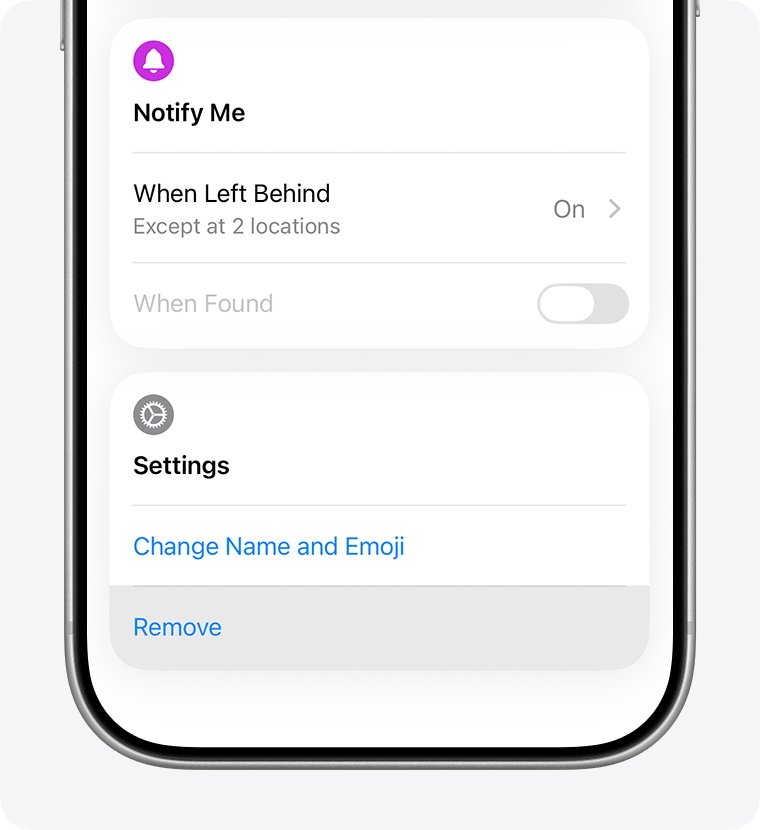
- Tap Remove, Remove Item or Remove This Device, then tap Remove to confirm.
- Pair the device or item again while signed in to your current account.
An AirTag or other Find My network accessory cannot be removed from a Mac. Apple cannot remove Find My Lock for you.
Confirm the old email is gone from your iPhone
- Open Settings and tap your name. The current email should appear under Media & Purchases and iCloud.
- Tap Sign-In & Security and confirm the old address is no longer listed, or is no longer primary.
- Open the App Store, tap your profile picture, and update an app. No old email prompt should appear.
- In Settings > Apps > Messages > Send & Receive, check that your phone number is selected.
iCloud keeps asking to sign in with an old email: fixes
iCloud keeps popping up and asking me to sign in
A second Apple Account is still signed in under Media & Purchases.
- Open Settings, tap your name, then Media & Purchases.
- Tap Sign Out, then sign in with your current account.
- Restart the device.
Migrate Purchases does not appear
One of the accounts is not eligible.
- Turn on two-factor authentication for both accounts.
- Set both accounts to the same country or region.
- Remove the old account from Family Sharing and spend any balance left on it.
- Stop any TestFlight testing on the old account.
Can't remove the old email from my Apple Account
It is the only iCloud address, or a verification email did not arrive.
- If it is your only iCloud address, choose Change Email Address instead. That needs iOS 18.1, iPadOS 18.1 or macOS 26.4 or later.
- If the new address is already in use, check that a family member is not using it on another Apple Account.
Why is my iCloud locked
A locked or disabled account blocks sign-in and purchase migration.
- Tap Forgot password? on the sign-in screen.
- Follow the prompts on a trusted device or with your trusted phone number.
- If that fails, request account recovery at iforgot.apple.com.
iCloud old email FAQ
Why does my iCloud keep asking for an old email?
The old address is still signed in somewhere on the device, most often under Media & Purchases in Settings. It can also be the primary email of your Apple Account or the account that bought some of your apps. Sign it out or migrate its purchases.
How do I log into an old iCloud account?
Sign in at iCloud.com or in Settings with any email address or phone number on that account and its password. If you forgot the password, choose Forgot password? and follow the steps, or request account recovery at iforgot.apple.com.
How do I access old iCloud email?
Sign in to iCloud.com on a computer with the old Apple Account. iCloud Mail and other iCloud data stay with that account, even if you migrate its app and music purchases to a newer account.
How do I get my old iCloud account back?
Reset the password with Forgot password? on any Apple sign-in screen. If you have no trusted device or trusted phone number, start account recovery at iforgot.apple.com or in the Support app. Recovery can take several days or more.
Why does iCloud keep logging me out?
Signing in to the same account elsewhere, a changed password, or a second account under Media & Purchases can all trigger new sign-in prompts. Check Settings, then your name, and confirm one current account is shown for iCloud and Media & Purchases.
Can I change the email on my Apple Account instead of making a new one?
Yes. Go to Settings, tap your name, then Sign-In & Security, and tap your primary email. You keep your contacts, purchases and account information, and the old address cannot join another account for 30 days.
Will I lose my apps if I sign out of the old Apple Account?
Apps stay on the device, but content bought with the old account belongs to it. To keep updating that content with one account, migrate the purchases to your primary Apple Account before you stop using the old one.
Does migrating purchases move my iCloud photos?
No. iCloud data does not migrate out of the secondary Apple Account. Apps, music, movies, TV shows, books, subscriptions and payment methods move, while iCloud content stays available at iCloud.com with the old sign-in.