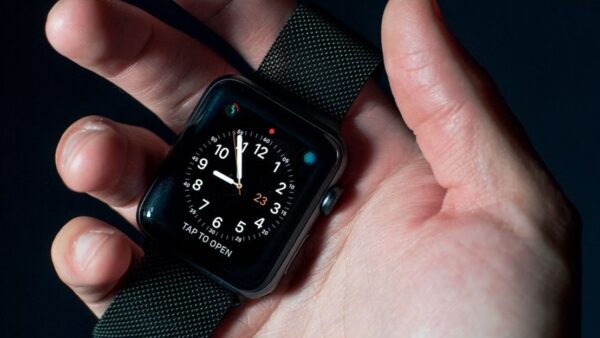
Supported Beats headphones and earbuds work with Find My: open the Find My app on your iPhone, iPad or Mac, tap Devices, then tap your Beats to see their current or last connected location.
This guide covers Find My on Apple devices and iCloud.com, playing a sound, the Beats 360 Find My network, Locate My Beats on Android, and fixes when your Beats do not show up.
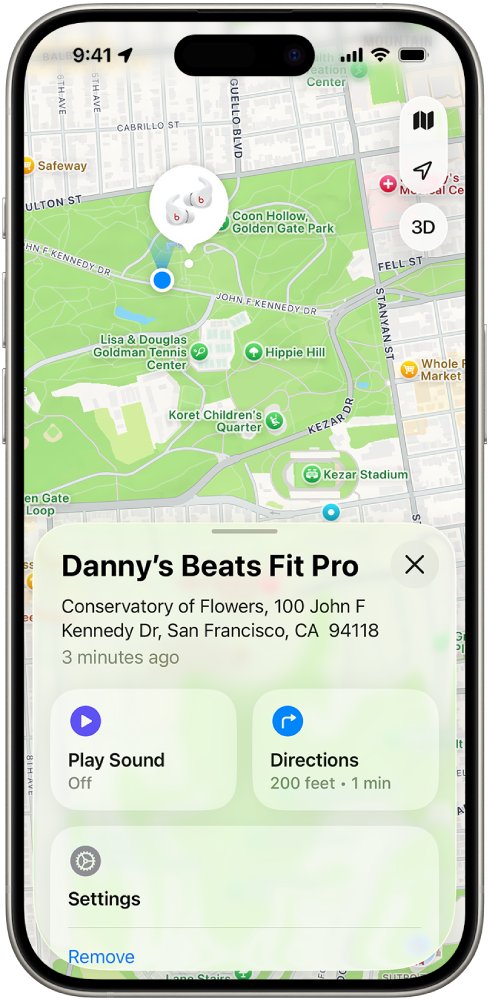
Find my Beats headphones on iPhone or iPad
Find My only works if your Beats were paired with an iPhone or iPad signed in to your Apple Account, and Find My was on before they went missing.
- Open the Find My app on your iPhone or iPad.
- Tap Devices.
- Tap your Beats to see their current or last known location on the map.
- Tap Play Sound if they are nearby; for earbuds, tap Left or Right to sound one side.
- For Beats 360 close by, tap Find and follow the prompts as your iPhone tells you whether you are getting closer.
Locate Beats headphones on Mac, Apple Watch or iCloud.com
| Device | Where to look | Play a sound |
|---|---|---|
| Mac | Find My app > Devices > your Beats | Click Play |
| Apple Watch | Find Devices app > your Beats (needs Wi-Fi or cellular) | Tap Play Sound |
| Any browser | iCloud.com/find > sign in > Find My > All Devices > your Beats | Select Play Sound |
| Android phone | Beats app > Locate My Beats | Not offered in the Beats app |
The sound plays for a few minutes or until you stop it. Earbuds must be out of their charging case to make a sound.
Do Beats headphones have Find My?
Yes. Apple's Beats guide covers Find My for Beats Fit Pro, Beats Flex, Beats Pill, Beats Solo 4, Beats Solo Buds, Beats Studio Buds +, Beats Studio Pro, Beats 360, Powerbeats Fit and Powerbeats Pro 2. Set it up before the headphones go missing.
- Update your iPhone or iPad to the latest iOS or iPadOS.
- Make sure the iPhone is on Wi-Fi or cellular while pairing, or Find My features may not be available.
- Open Settings > Bluetooth and turn Bluetooth on.
- Open the earbuds' case or turn on the headphones, hold them next to the iPhone and follow the setup animation.
- Turn on Find My on the paired iPhone or Mac, which is set in your Apple Account's iCloud settings.
Find my Beats earbuds when they are separated
Find My shows only one Beats earbud on the map at a time when they are apart.
- Open Find My > Devices and tap your Beats earbuds.
- Go to the earbud shown on the map and put it back in its case.
- Refresh the map to see the location of the other earbud.
- Tap Play Sound, then Left or Right, to hear the missing one.
Turn on Find My network for Beats 360
With the Find My network on, Beats 360 show in Find My for up to 48 hours after they are turned off, even when they are not near you. They can also play a sound while disconnected.
- Turn on your Beats 360 and connect them to your iPhone or iPad.
- Open Settings and tap the name of your Beats near the top.
- Tap Find My, then turn on Find My Network.
- To get left-behind alerts, open Find My > Devices > your Beats 360, tap When Left Behind and turn on Notify When Left Behind.
- If they go missing, open the same screen and tap Show Contact Info so a finder can reach you.
Only the person who turned on the Find My network sees the headphones, even when they are shared.
Locate Beats headphones on Android
Android has no Find My app. The Beats app instead records your phone's location every time your Beats connect or disconnect, so it can show where they were last connected. Location permission must be set before they go missing.
- Open the Beats app, tap the menu and select Locate My Beats.
- Set location permission to Allow all the time and turn on Use precise location if offered.
- When your Beats are lost, open Locate My Beats again to see the last connected location on a map.
- If you own several Beats, tap the one you want to find.
Supported Beats also show their last connected location in Google's Find Hub app. Reinstalling the Beats app or clearing its data means adding your Beats and granting location again.
How to make my Beats headphones discoverable
Discovery (pairing) mode lets a phone or Windows PC find your Beats in its Bluetooth pairing list. The lights flash, or a tone sounds on Beats Solo Buds, when they are ready.
| Model | How to enter pairing mode |
|---|---|
| Beats 360 | Press and hold the Power button on the back of the left earcup |
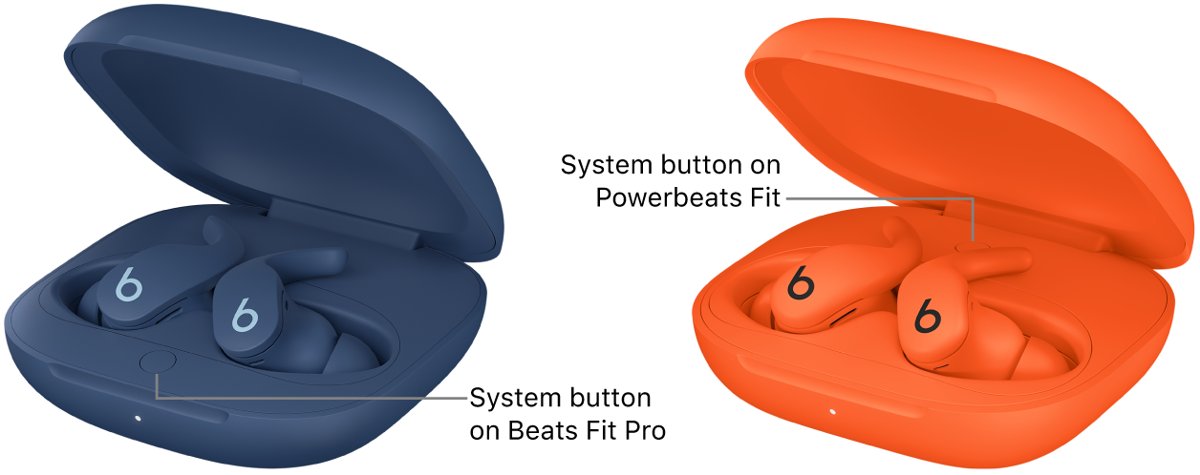
| Beats Fit Pro, Studio Buds +, Powerbeats Fit, Powerbeats Pro 2 | Earbuds in the open case, press and hold the system button |
| Beats Flex | Press and hold the power button on the right control module |
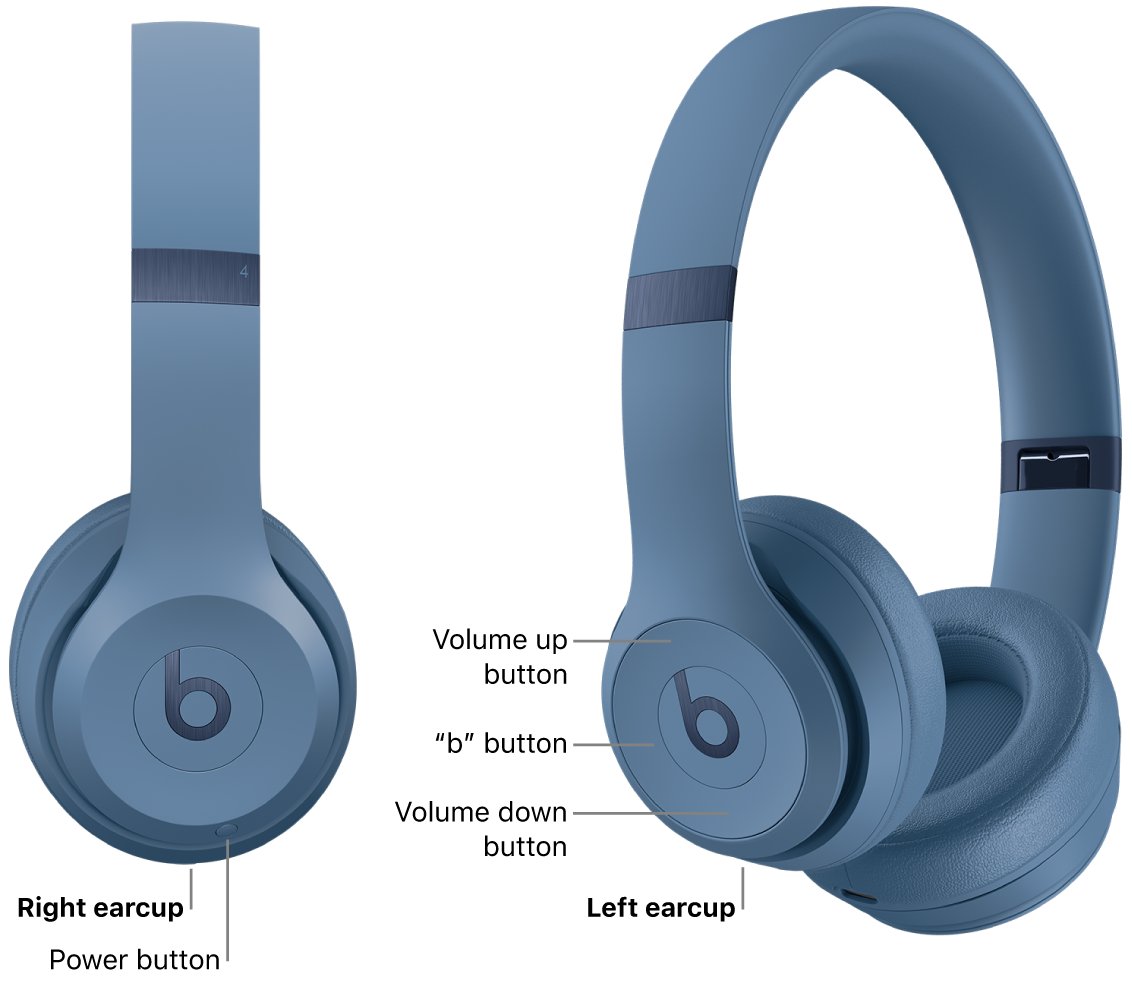
| Beats Solo 4 | Press and hold the power button on the right earcup |
| Beats Solo Buds | Earbuds in the open case, press and hold the button above the b logo until a tone repeats |
| Beats Studio Pro | Press and hold the system button on the right earcup |
How to check Beats headphones battery
A battery reading also confirms your Beats are connected, which Find My needs to log a fresh location.
- iPhone or iPad: open Settings and tap the name of your Beats, or hold open earbud cases near the phone.
- Mac: choose Apple menu > System Settings > Bluetooth and read the level at the top of My Devices.
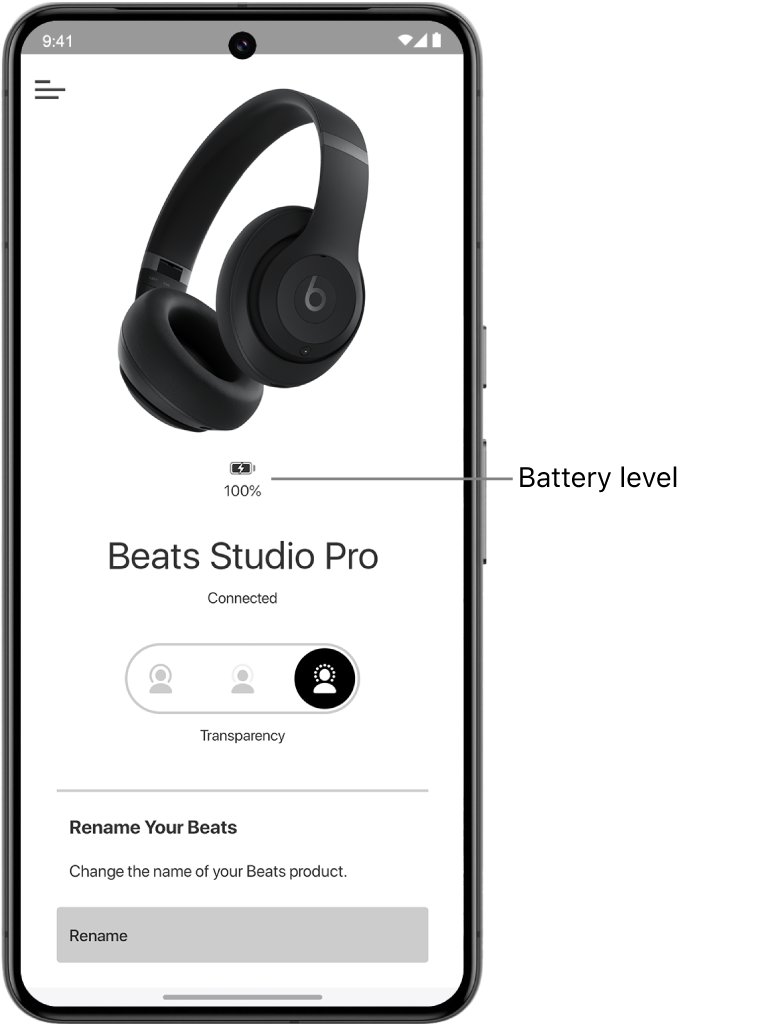
- Android: in the Beats app, tap the menu, then My Beats; the level shows below the image of your Beats.
Why aren't my Beats headphones showing in Find My?
Beats are missing from Find My Devices
They were never paired with an iPhone or iPad on your Apple Account, or Find My was off.
- Pair the Beats with an iPhone or iPad signed in to your Apple Account.
- Turn on Find My on that device.
- Update iOS, iPadOS or macOS to the latest version.
Play Sound does nothing
Earbuds are in the case, or the Beats are offline.
- Take the earbuds out of the case and try again.
- If they are disconnected and not on the Find My network, the sound plays the next time they connect.
Locate My Beats on Android shows no location
Location permission was not set to Allow all the time, or the app's data was cleared.
- Open Locate My Beats and set location to Allow all the time.
- Add your Beats to the app again after a reinstall.
Beats headphones not connecting or stopped working
A pairing, sound or charging fault that a reset often clears.
- Update the phone or computer the Beats are paired with.
- Reset them: for Beats Solo 4, hold volume down and power for 10 seconds until the light flashes red and white; for Studio Pro, hold the system button for 10 seconds.
- For earbuds with a case, place both in the open case and hold the system button for 15 seconds until the light flashes red and white.
- Pair the Beats again.
Find My for Beats headphones FAQ
Do Beats headphones have Find My?
Yes. Supported Beats headphones, earphones and speakers appear in the Find My app on iPhone, iPad, Mac and Apple Watch, and at iCloud.com/find, once paired with an iPhone or iPad on your Apple Account.
Can Beats headphones be tracked?
Yes, but most models only show their last connected location. Beats 360 with the Find My network on can be seen for up to 48 hours after they are turned off, even when not nearby.
How do I find my Beats earbuds?
Open Find My, tap Devices, then tap your earbuds. If they are separated, find the one on the map, put it in its case, refresh, and the other earbud appears. Play Sound helps once you are close.
Can you locate Beats headphones on Android?
Yes. Open the Beats app and tap Locate My Beats to see where they last connected, provided location was set to Allow all the time beforehand. Supported models also appear in Google's Find Hub app.
How do I find Beats headphones on Bluetooth?
Put the Beats in pairing mode, usually by holding the power or system button until the light flashes, then open Bluetooth settings on your phone or PC and tap them in the list.
Can I find my Beats if they are dead?
You see the last known location in Find My. Only Beats 360 with the Find My network on remain visible after switching off, and only for up to 48 hours.
How do I check Beats headphones battery?
On iPhone, open Settings and tap your Beats. On Mac, open System Settings > Bluetooth. On Android, open My Beats in the Beats app; the level sits under the headphone image.
Can someone else see my Beats in Find My?
Only the Apple Account that set them up sees them. For Beats 360 shared between accounts, only the person who turned on the Find My network can locate them.