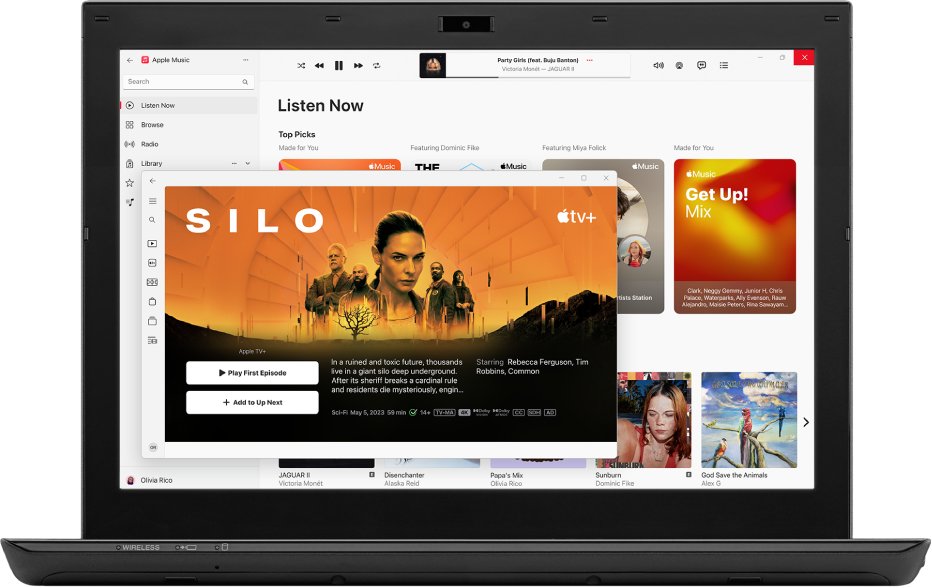
No, iTunes and the Apple Devices app are not the same: Apple Devices manages your iPhone, iPad or iPod on a Windows PC, while iTunes is now the place for podcasts and audiobooks.
This guide explains which Apple app on Windows does which job, how to install and use Apple Devices, and how to fix it when your iPhone does not show up.
iTunes vs Apple Devices app: the short answer
Apple split the old all-in-one iTunes into separate Windows apps. Each one now owns part of what iTunes used to do.
| Job you want done | Apple app on Windows | What it handles |
|---|---|---|
| Back up, update, restore or sync an iPhone or iPad | Apple Devices | Device management, backups, software updates, factory restore, syncing |
| Play and manage your music library | Apple Music | Your iTunes music library, including iTunes Store music purchases |
| Watch movies and TV shows | Apple TV | Your movie and TV library, including purchases |
| Listen to podcasts and audiobooks | iTunes for Windows | Podcasts and audiobooks |
All four apps come from the Microsoft Store app, and Apple notes that Apple Music, Apple TV and store features vary by country or region.
What does the Apple Devices app do?
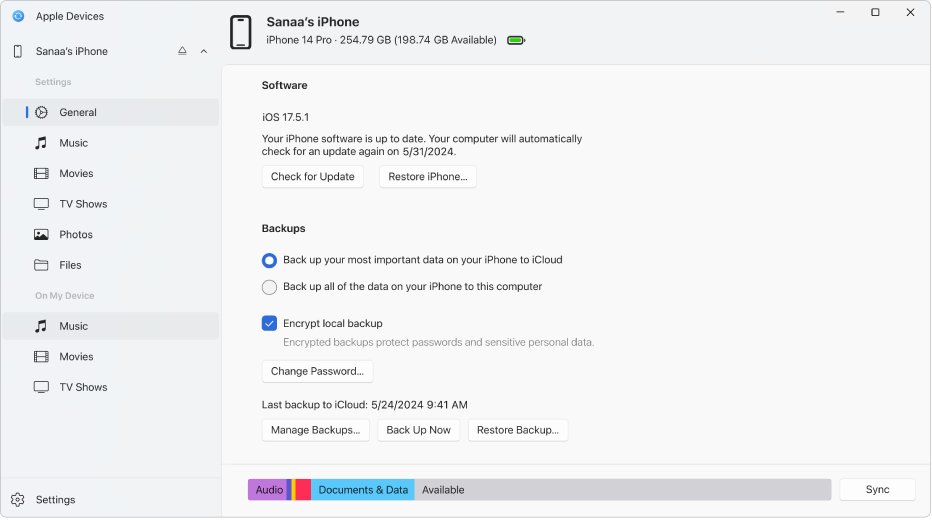
Apple Devices is the Windows app for managing an iPhone, iPad or iPod from your PC. It takes over the device tab that iTunes used to show when you plugged in a phone.
| Feature | What you can do |
|---|---|
| Transfer | Move photos, music, movies and files between the PC and the device |
| Sync | Sync music, movies, TV shows and photos, over a cable or over Wi-Fi |
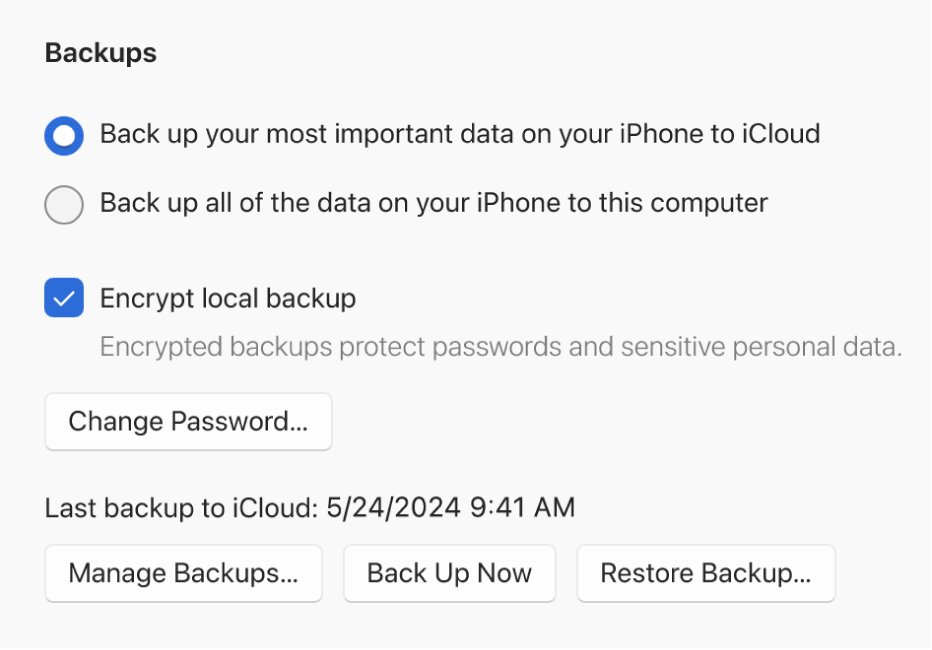
| Back up and restore | Make a backup of the device on the PC and restore from it |
| Update | Install the latest iOS or iPadOS on the connected device |
| Factory restore | Erase the device and return it to factory settings |
| Accessibility | Turn on the device's accessibility features from the PC |
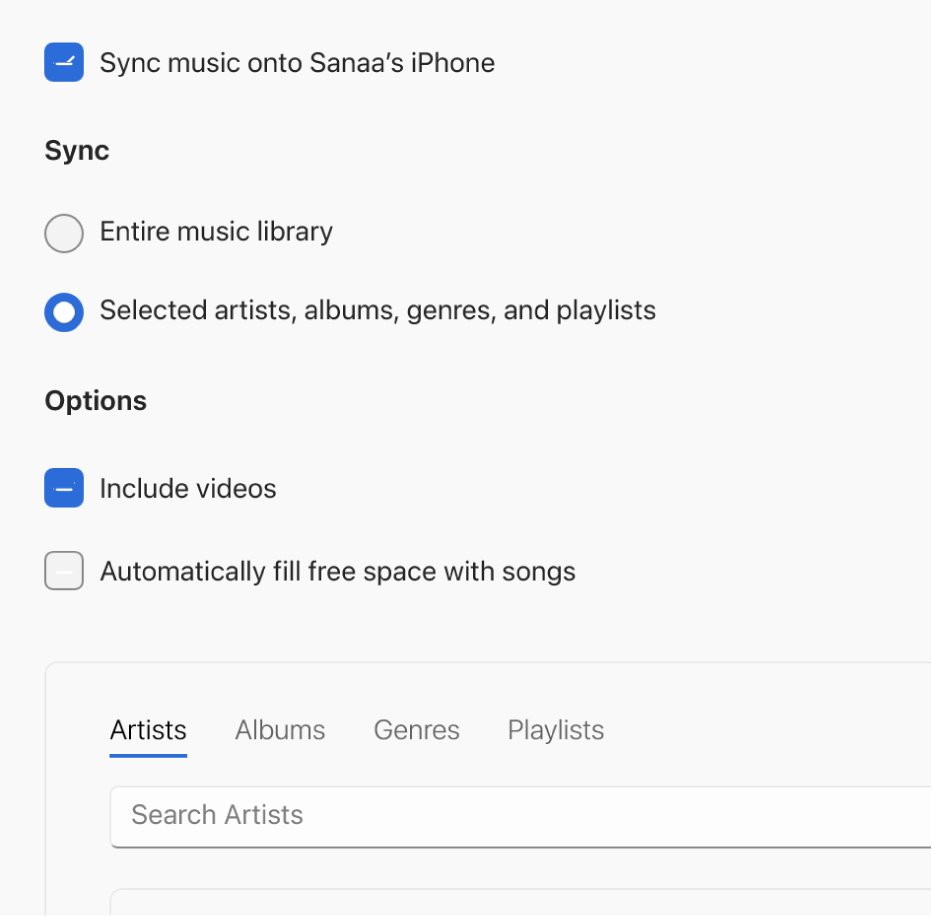
Apple Devices does not play music or video itself. To sync music, movies and TV shows, Apple requires the Apple Music app and Apple TV apps to be installed first.
What is the iTunes app used for now?
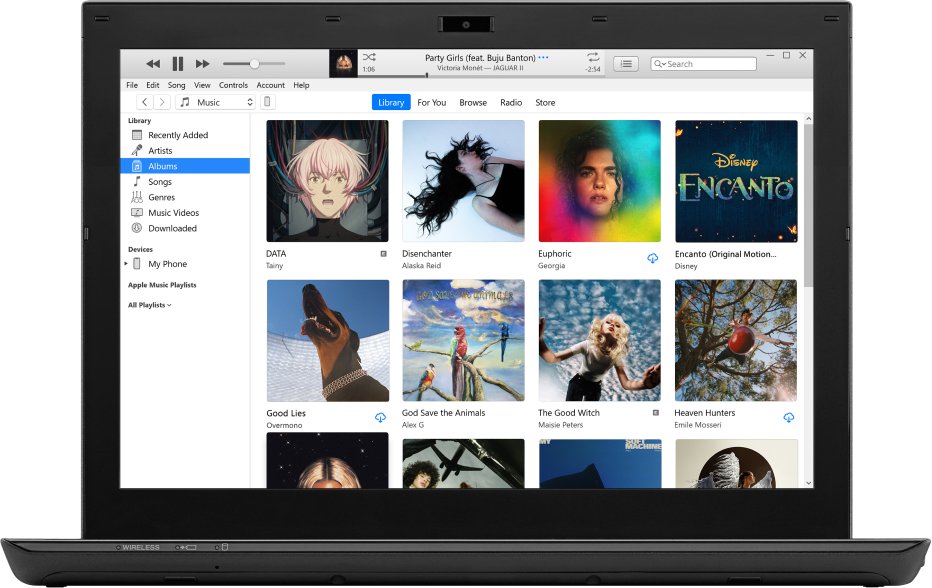
On Windows, Apple now says you manage your podcasts and audiobooks in iTunes for Windows. Music, video and device jobs have moved to the three dedicated apps.
| Your situation | Use this | Why |
|---|---|---|
| You only want to back up or update an iPhone | Apple Devices | It is the dedicated device manager |
| You have a large iTunes music library | Apple Music | It reads your iTunes music library and purchases |
| You bought movies on the iTunes Store | Apple TV | It holds your movie and TV purchases |
| You listen to podcasts or audiobooks on the PC | iTunes | Apple still points Windows users to iTunes for these |
| You are on a Mac | None of the above Windows apps | Apple Devices is a Windows app; a Mac manages iPhones from the Finder |
How to install the Apple Devices app on Windows
- Open the Microsoft Store from the Start menu.
- Type Apple Devices into the search box.
- Select the Apple Devices app published by Apple.
- Click Get and wait for the install to finish.
- Install Apple Music and Apple TV the same way if you want to sync music or video.
- Open Apple Devices from the Start menu.
How to use the Apple Devices app with your iPhone
- Connect the iPhone or iPad to the PC with a USB cable.
- Unlock the device and tap Trust if it asks whether to trust this computer.
- Open Apple Devices and select your device in the sidebar.
- Use the device summary page to back up, restore or check for a software update.
- Choose a content type such as Music, Movies or Photos in the sidebar to set what syncs.
- Click Sync to copy the selected content to the device.
Once the first cable sync works, you can turn on syncing over Wi-Fi so the PC and device sync on the same network without the cable.
Where is the Apple Devices app on Windows?
- Click Start and type Apple Devices.
- If it appears, open it; it is installed like any other Microsoft Store app.
- If nothing appears, open the Microsoft Store, search for Apple Devices and check whether the button reads Get or Open.
- Connect your iPhone and confirm that it shows in the Apple Devices sidebar.
Fix Apple Devices app not showing your iPhone
The iPhone does not appear in the Apple Devices sidebar
The device is locked, the PC is not trusted, or the cable connection failed.
- Unlock the iPhone and keep it on the Home Screen.
- Tap Trust when the device asks about the computer.
- Unplug the cable and plug it into a different USB port.
- Restart the PC and the iPhone, then open Apple Devices again.
Music or video will not sync
Apple Devices relies on the Apple Music and Apple TV apps for that content.
- Install Apple Music and Apple TV from the Microsoft Store.
- Open each app once so your library loads.
- Return to Apple Devices, select the content type and click Sync.
You cannot find devices in iTunes
Device management now lives in the Apple Devices app.
- Install Apple Devices from the Microsoft Store.
- Connect the iPhone and manage it from the Apple Devices sidebar instead of iTunes.
iTunes and Apple Devices app FAQ
What does the Apple Devices app do?
The Apple Devices app manages an iPhone, iPad or iPod from a Windows PC. It backs up, updates and restores the device, resets it to factory settings, and syncs music, movies, TV shows and photos to it, over a cable or over Wi-Fi.
Is iTunes only for Apple devices?
No. iTunes for Windows runs on any Windows PC and plays podcasts and audiobooks without an iPhone. Apple has moved iPhone and iPad management to the separate Apple Devices app, so iTunes is no longer the device manager on Windows.
Is iTunes an Apple product?
Yes. iTunes is made by Apple and is still offered for Windows in the Microsoft Store. On Windows, Apple now positions it for podcasts and audiobooks, with Apple Music, Apple TV and Apple Devices covering music, video and device management.
Is there an iTunes app for iPhone?
There is an iTunes Store app on iPhone for buying music, movies and ringtones, but there is no iTunes library app. Music plays in the Music app, and movies and TV shows play in the Apple TV app.
Does Apple still use iTunes?
Yes, but in a smaller role. On Windows, iTunes still handles podcasts and audiobooks. Music, movies and TV, and device management each have their own Apple app: Apple Music, Apple TV and Apple Devices.
Where is the Apple Devices app on PC?
After you install it from the Microsoft Store, Apple Devices sits in the Start menu like any other app. Click Start and type Apple Devices to find it. If it does not show, install it from the Microsoft Store first.
Where do I find devices in iTunes?
If Apple Devices is installed, manage your iPhone there instead of iTunes. Connect the phone with a cable, unlock it, tap Trust, and select it in the Apple Devices sidebar to back up, update or sync.
Can iTunes be used on Android devices?
No. There is no iTunes app for Android, and iTunes cannot sync to Android phones. Apple offers the Apple Music app for Android to stream and play your Apple Music library.
Do I need iTunes to back up my iPhone on Windows?
Not if you use the Apple Devices app. Apple Devices backs up and restores an iPhone or iPad on Windows, so you can install it from the Microsoft Store and make the backup from the device summary page.
Should you use iTunes or Apple Devices on Windows?
Use Apple Devices for your iPhone or iPad, Apple Music and Apple TV for your media, and keep iTunes only if you listen to podcasts or audiobooks on the PC. Apple has split iTunes into dedicated apps on Windows, and device backups, updates and syncing now belong to Apple Devices.