Yes, a lost iPhone that is online sends its location to Apple over whatever connection it has, Wi-Fi or cellular data, so locating it can use a little of its data plan.
When the iPhone has no connection at all, the Find My network locates it through nearby Apple devices over Bluetooth, which uses none of its cellular data. This guide covers both cases, the settings that control them, and how to check the data used.
Does Find My iPhone use data on the lost iPhone?
| State of the lost iPhone | How Find My gets the location | Uses the lost iPhone's cellular data? |
|---|---|---|
| On Wi-Fi | The iPhone reports its location over Wi-Fi | No |
| On cellular data, no Wi-Fi | The iPhone reports its location over the cellular network | Yes, carrier charges may apply |
| No network connection, or powered off | Nearby Apple devices detect it over Bluetooth and report through the Find My network | No |
| Battery about to run out | Send Last Location uploads one final location | Only if cellular is its active connection |
| Marked as lost or erased while offline | The command waits as Pending and runs when the iPhone next connects | Yes, when it reconnects over cellular |
Apple does not publish how much data a location report uses. Use the per-app list in Settings > Cellular to see the actual amount on your own iPhone.
How does Find My iPhone work?
Find My shows a device's location on a map in the Find My app or at icloud.com/find. It works in two ways, depending on whether the lost device is online.
| Part of Find My | What it does | Needs a network on the lost iPhone? |
|---|---|---|
| Find My iPhone | Shows the location, plays a sound, enables Lost Mode and remote erase | Yes, for live location and sounds |
| Find My network | A crowdsourced network of over a billion Apple devices that detect it over Bluetooth and report its approximate location, anonymously and encrypted | No |
| Send Last Location | Uploads the location just before the battery runs out | Yes, at that moment |
| Last known location | Shown in the Find My app for up to seven days after the last report | No |
| icloud.com/find | Shows the location if the device is powered on and connected, for up to 24 hours | Yes |
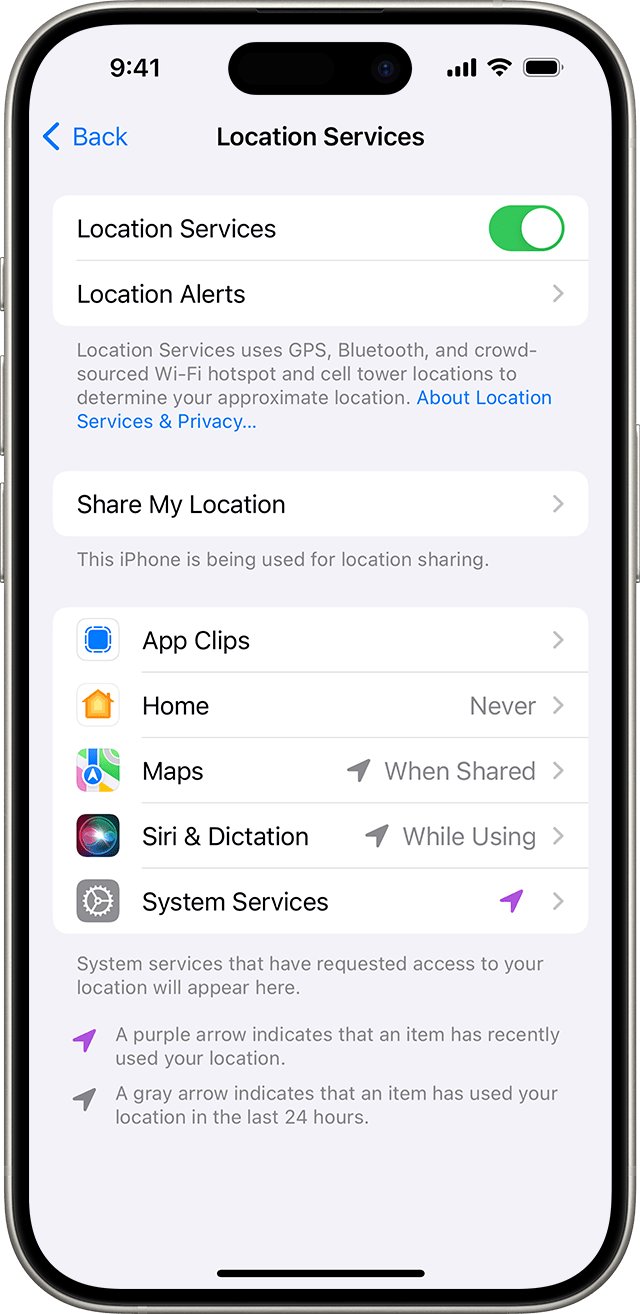
How to turn on Find My iPhone
Find My must be on before the iPhone goes missing. You cannot switch it on remotely afterwards.
- Open Settings on the iPhone.
- Tap your name, then tap Find My.
- Tap Find My iPhone, then turn on Find My iPhone.
- Turn on Find My network so the iPhone can be found while offline or powered off.
- Turn on Send Last Location so the iPhone reports where it was when the battery runs low.
How to use Find My iPhone to locate a lost iPhone
- Open the Find My app on another Apple device, or go to icloud.com/find in a browser.
- Choose Devices.
- Select the missing iPhone to see it on the map.
- Tap Directions to open its location in Maps.
- Tap Play Sound if you are close. The sound plays only when the iPhone is online.
- If you see No location found, turn on Notify When Found to get an alert when it is located.
Mark a lost iPhone as lost in Find My
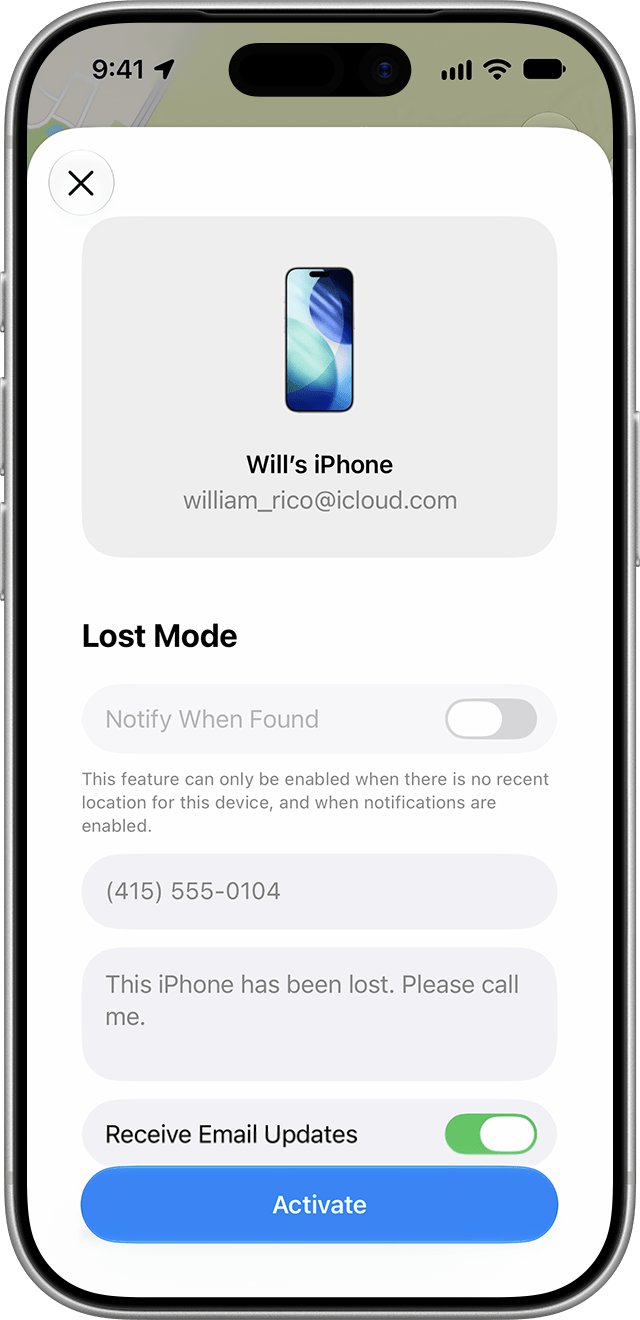
Lost Mode locks the iPhone with its passcode, suspends Apple Pay cards and shows your contact details on the Lock Screen.
- In the Find My app, tap Devices, then tap the name of the missing iPhone.
- Tap the More button, then tap Lost Mode.
- Follow the onscreen steps to add a phone number and message.
- Check the status: Activated means it is applied; Pending means the iPhone is offline and the lock applies when it next connects.
How much data does Find My iPhone use?
The iPhone keeps its own per-app and per-service data counters, so you can see the real figure instead of an estimate.
- Open Settings and tap Cellular.
- Scroll to the list of apps and tap Show All to see the data used below each app.
- Scroll to System Services, above the app list, to see data used by iOS services.
- Tap Reset Statistics at the bottom to start a fresh count for the next period.
- Contact your carrier for the most accurate usage for a billing period.
Stop Find My from using cellular data on iPhone
Cellular data can be turned off per app, but not for individual system services. Turning it off also stops live location over cellular, so weigh the trade-off before you do it.
| Goal | Setting | Effect on Find My |
|---|---|---|
| Save data while abroad | Settings > Cellular > Cellular Data Options > turn off Data Roaming | Location reports only over Wi-Fi when roaming; Find My network still works |
| Cut background data use | Cellular Data Options > Data Mode > Low Data Mode | Pauses automatic updates and background tasks off Wi-Fi |
| Keep apps you do not need off cellular | Settings > Cellular > turn off individual apps in the list | Those apps use Wi-Fi only; System Services cannot be switched off one by one |
| Use no cellular data at all | Settings > Cellular > turn off Cellular Data | No live location over cellular; Find My network and last known location still work |
Find My iPhone not working: offline or no location found
Find My shows "No location found"
More than seven days have passed since the iPhone last sent its location through the Find My network.
- Turn on Notify When Found under the device in the Find My app.
- Mark the iPhone as lost so it locks the moment it reconnects.
- Erase it if you believe it is permanently lost or stolen.
Find My shows "Not sharing location • Online"
The iPhone is online but cannot send its location, for example because of a Location Services issue.
- Play a sound, which works while the iPhone is online.
- Mark the iPhone as lost to show your contact details on its Lock Screen.
The iPhone shows as offline
It has no Wi-Fi or cellular connection, or its battery is flat.
- Check the last known location, kept for up to seven days.
- Rely on the Find My network if it was turned on before the loss.
- Mark it as lost; the command stays Pending until it connects.
The iPhone is not listed in Find My
Find My iPhone was not turned on, or the device runs old software.
- Sign in to icloud.com/find with the same Apple Account to check.
- On a recovered iPhone, update iOS and turn on Find My iPhone in Settings > your name > Find My.
Find My iPhone cellular data FAQ
Does Find My iPhone use data?
Yes, when the lost iPhone is online it reports its location over Wi-Fi or cellular data. When it is offline, the Find My network locates it through nearby Apple devices over Bluetooth, which uses none of its own data.
How does Find My iPhone work?
An online iPhone sends its location to Apple, which shows it in the Find My app and at icloud.com/find. An offline iPhone is detected over Bluetooth by nearby Apple devices that report its approximate location, anonymously and encrypted.
Should I turn on Find My iPhone?
Yes. It must be on before the iPhone is lost, and it also enables Lost Mode and remote erase. Turn on Find My network and Send Last Location too, so the phone can be found while offline or after the battery runs out.
Where is Find My on my iPhone?
Open Settings, tap your name, then tap Find My to change its settings. To locate devices, open the Find My app, which comes with iOS, and tap Devices.
Can Apple support find my iPhone for me?
No, Apple locates devices only through Find My, which you use yourself in the Find My app or at icloud.com/find. Find My must have been turned on before the iPhone went missing.
Can I locate my iPhone if cellular data is off?
Yes, if it is on Wi-Fi it still reports its location. With no connection at all, the Find My network can still find it if that setting was on, and Find My shows its last known location for up to seven days.
Does Lost Mode work if the lost iPhone has no data?
Lost Mode shows as Pending until the iPhone goes online again, then it applies over Wi-Fi or cellular. A remote erase works the same way and begins the next time the iPhone connects.