If someone calls claiming to be Apple Support, or a pop-up tells you to ring an Apple number, treat it as a scam: hang up and dial Apple's real US number, 1-800-275-2273, yourself.
This guide shows how to recognise a fake Apple Support call or number, what to do if you already shared a code or password, and where to report it.
Real Apple Support phone number in the US
Apple lists 1-800-275-2273 as its US support number on its own Contact Apple Support page. Scammers can make their calls show that same number on caller ID, so a matching number proves nothing when the call comes to you.
- Hang up on any unexpected call from "Apple" or "Apple Support", whatever the caller ID shows.
- Do not call back a number from a voicemail, text, email or browser pop-up.
- Dial 1-800-275-2273 yourself, or open the Apple Support app, or go to support.apple.com and select Contact us.
- Ask Apple whether there is a real problem with your account or device.
Apple also publishes separate US lines: 1-800-800-2775 for education customers, 1-866-902-7144 for Apple Business and Apple School Manager, and 1-877-233-8552 for Apple Cash. For sales, Apple lists 1-800-MY-APPLE (1-800-692-7753).
Signs of a fake Apple Support call
Fake Apple Support callers follow a familiar script. Any one of these signs is enough to hang up.
| What the caller does | Why it gives the scam away |
|---|---|
| Calls you first, often from a number that looks like Apple's | Caller ID can be spoofed, and Apple tells customers to hang up on unsolicited calls |
| Says your iCloud account was hacked or Apple Pay was misused | An urgent problem is invented so you act before thinking |
| Mentions your address, employer or Social Security number | Personal details are used to look legitimate, not to help you |
| Warns that hanging up will make you liable | Apple says this is false and meant to keep you on the line |
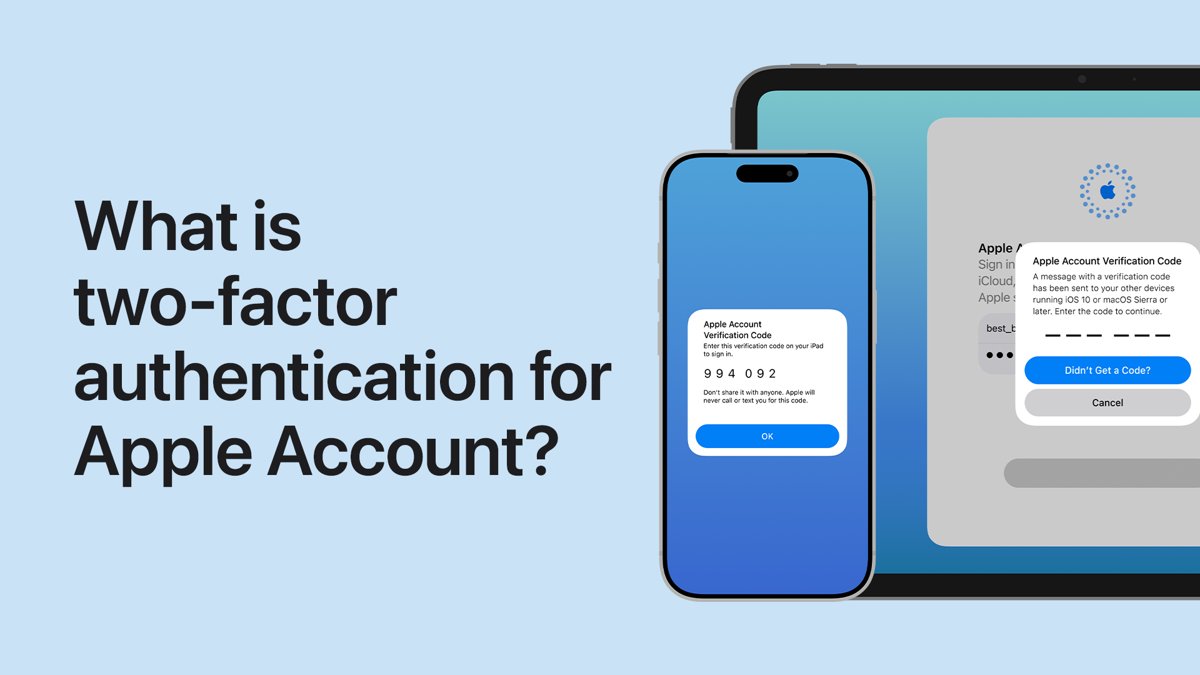
| Asks for your password, device passcode or two-factor code | Apple never asks for these to provide support |
| Asks you to tap Accept in a two-factor authentication dialog, or to sign in on a website they name | Apple never asks you to do either |
| Asks you to turn off two-factor authentication or Stolen Device Protection | Apple never asks you to disable a security feature |
| Asks for payment in Apple Gift Cards | Apple Gift Cards should never be used to pay other people |
What to do if you get a scam Apple Support call
- End the call without sharing any code, password or card number.
- Do not install anything or open any website the caller named.
- Report the call to the Federal Trade Commission at reportfraud.ftc.gov, or to local police.
- If you are still worried about your account, contact Apple directly through the Apple Support app or 1-800-275-2273.
Gave a scammer your Apple Account password or code? Secure it now
If you shared a password or verification code, or typed them into a site the caller sent, change the Apple Account password straight away.
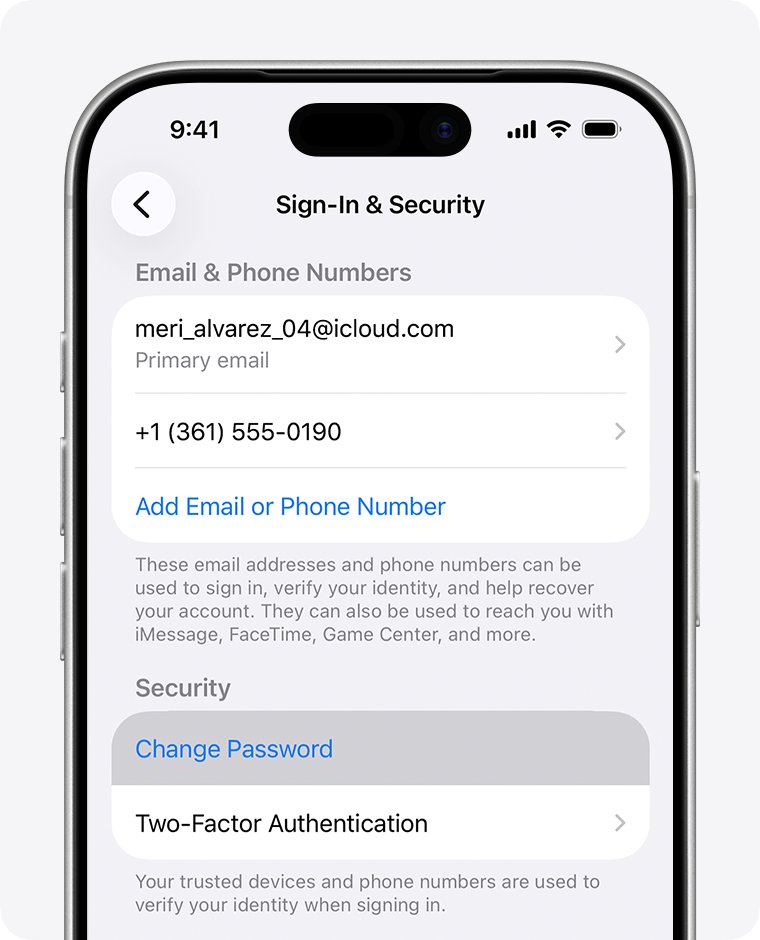
- Open Settings on your iPhone or iPad and tap [your name].
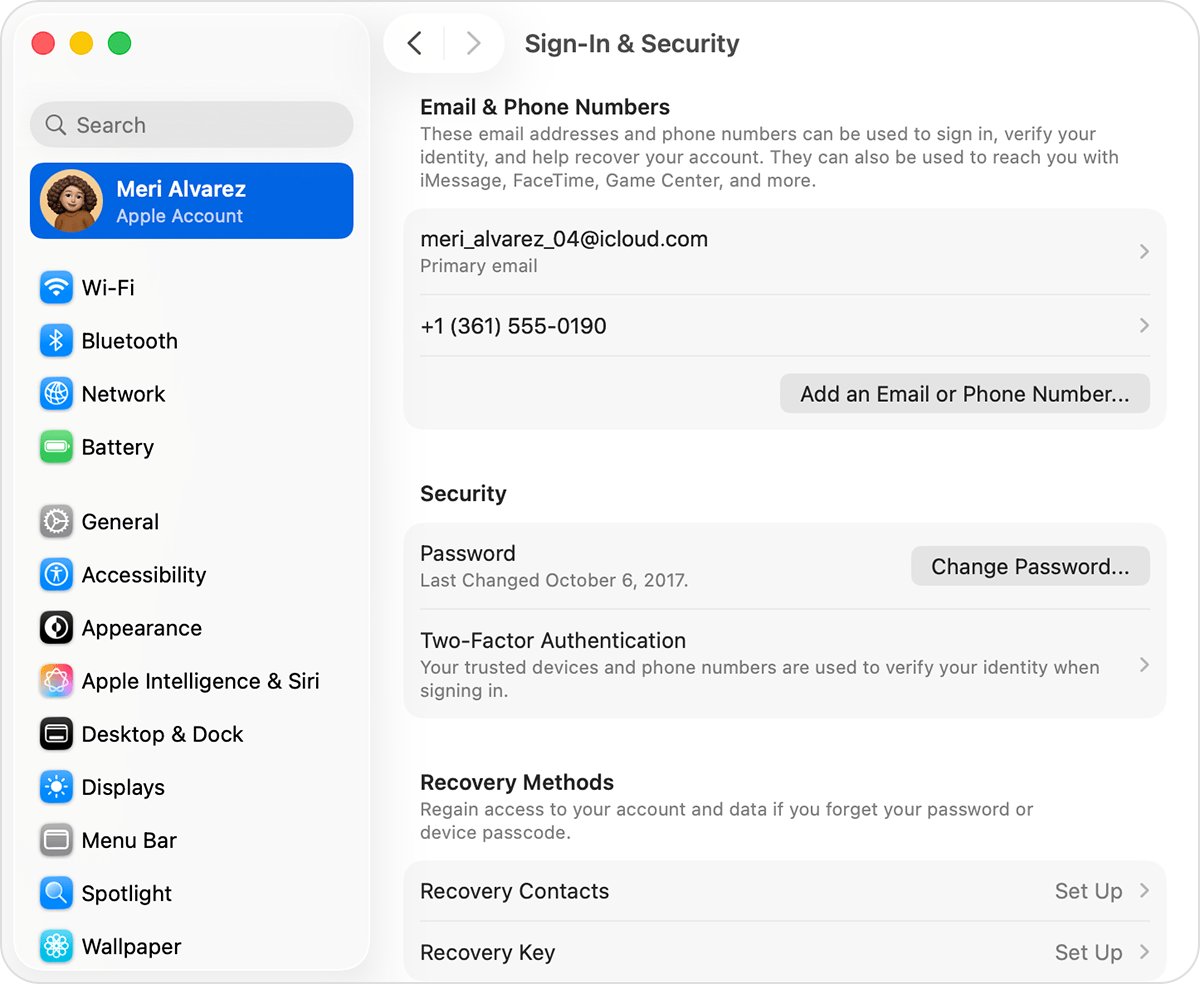
- Tap Sign-In & Security.
- Tap Change Password and follow the onscreen instructions.
- When asked about other devices, tap Remove Other Devices so any device the scammer signed in on must sign in again.
- Confirm two-factor authentication is on in Sign-In & Security.
- If you paid by card, call your bank using the number on the back of the card.
On a Mac, choose Apple menu > System Settings, click [your name] > Sign-In & Security > Change Password. Without a trusted device, sign in at account.apple.com and choose Password under Sign-In and Security. You might have to wait one hour if Stolen Device Protection applies.
How to report a fake Apple Support call, text or email
Apple runs separate report addresses for each kind of scam. You can also report a problem to Apple Support through the normal channels.
| What you received | Where to report it |
|---|---|
| Scam phone call or voicemail (US) | reportfraud.ftc.gov or local law enforcement |
| Email pretending to be from Apple | Forward it to [email protected] |
| Text message pretending to be from Apple | Screenshot it and email the screenshot to [email protected] |
| Suspicious FaceTime call | Screenshot the call info and email it to [email protected] |
| Spam in Messages | Tap Report Junk under the message |
| Harassment or impersonation in an iCloud.com, me.com or mac.com inbox | Send it to [email protected] |
Apple virus warning pop-up with a phone number
Do not call the number on a browser pop-up that says your iPhone or Mac has a virus; close the tab or window instead. Apple says pop-ups that warn of viruses or offer prizes are usually fraudulent ads built to get money, personal details or a malicious download from you.
Fake Apple Support phone number FAQ
Does Apple Support call you?
Treat an unexpected call from Apple Support as a scam. Apple's guidance is to hang up on unsolicited calls claiming to be from Apple and contact Apple yourself through its official support channels, such as the Apple Support app or 1-800-275-2273.
What is the real Apple Support phone number?
In the United States, Apple lists 1-800-275-2273 on its Contact Apple Support page. Other countries have their own numbers on that page. Always dial it yourself rather than trusting a number given in a call, text or pop-up.
Can scammers spoof Apple's phone number?
Yes. Scammers use fake caller ID so a call can display Apple's real number. Apple calls this spoofing. A familiar number on screen is not proof, so hang up and call Apple back on the number you look up yourself.
Will Apple ask for my verification code?
No. Apple never asks for your Apple Account password, device passcode or two-factor authentication code, and never asks you to enter them on a website. Anyone requesting one is trying to take over your account.
What should I do if I gave a scammer my Apple Account code?
Change your Apple Account password right away in Settings, then Sign-In & Security, then Change Password. Choose Remove Other Devices so unknown devices are signed out, and check that two-factor authentication stays on.
Why would someone ask me to pay Apple with gift cards?
Because it is a scam. Apple says never to use Apple Gift Cards to make payments to other people. Real Apple Support does not take gift cards as payment for repairs, fees or account fixes.
Where do I report an Apple scam call?
In the US, report scam calls to the Federal Trade Commission at reportfraud.ftc.gov or to your local law enforcement agency. Forward phishing emails to [email protected] and send FaceTime scam screenshots to [email protected].