To get into iCloud without your phone, select Didn't Get a Code? or Can't get to your devices? on the verification screen and have the code texted or called to your trusted phone number; if that number is gone too, start account recovery at iforgot.apple.com.
This guide covers every route Apple offers when your iPhone is lost, broken or out of reach: Find Devices without a code, recovery contacts, recovery keys, the account recovery wait, and how to avoid being locked out again.
How to log into iCloud without your iPhone using a text or call code
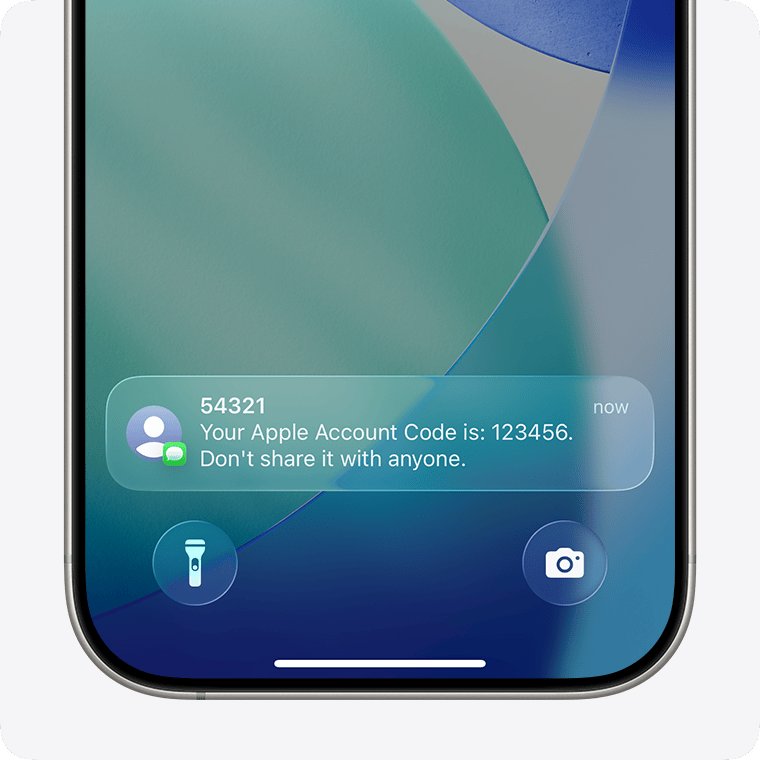
Your trusted phone number still works when the iPhone itself is gone. Any phone that receives texts or calls on that number, such as a new phone with the same number, can get the code.
- Go to iCloud.com in a browser and enter your Apple Account email address or phone number and password.
- On the verification code screen, select Didn't Get a Code? or Can't get to your devices?
- Choose to have the code sent to your trusted phone number by text message or phone call.
- Enter the six-digit code from the text or call to finish signing in.
If you screen Unknown Senders in Messages, check that folder for Apple's code.
Ways to access iCloud without a phone: which one fits you
Your options depend on which recovery factors you still have. Find your row, then go to that section.
| What you still have | Use this | How long it takes |
|---|---|---|
| Your trusted phone number on another phone | Text or call code | Minutes |
| Another Apple device signed in to your account (iPad, Mac, Apple Watch) | Code shown on that device, or change your Apple Account password on it | Minutes |
| Nothing except your password, and you need to locate a lost iPhone | Find Devices button on iCloud.com | Minutes, but only Find Devices opens |
| A recovery contact | Six-digit recovery code from that person | Minutes once account recovery starts |
| A 28-character recovery key and your trusted number | Recovery key reset | Minutes |
| Access back within a few days | Wait, then sign in normally | Fastest overall, per Apple |
| No trusted device, no trusted number, no recovery key | Account recovery at iforgot.apple.com | Several days or longer |
Use Find Devices on iCloud.com without a verification code
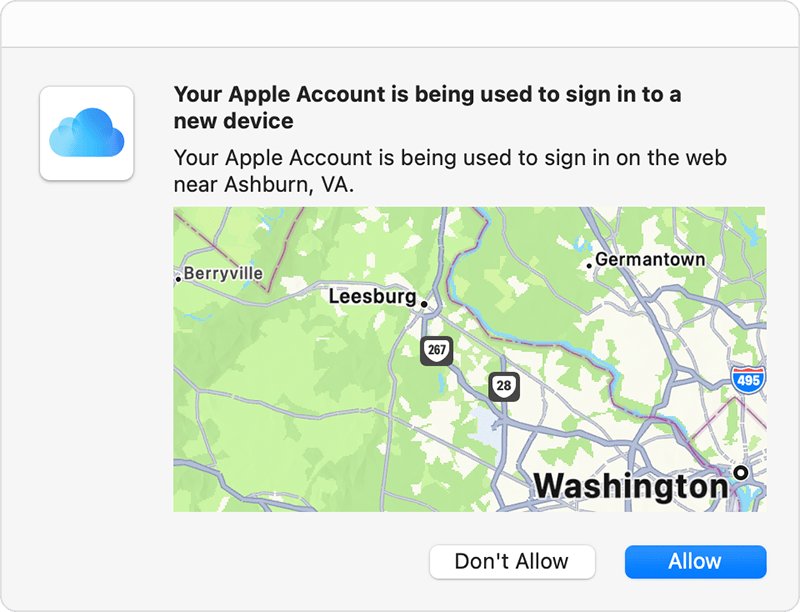
Apple lets you skip the code to locate a missing device, even when the trusted device is the thing you lost. This opens Find Devices only, not Mail, Photos or iCloud Drive.
- Go to icloud.com/find in any browser.
- Sign in with the Apple Account you used to set up the device for Find My.
- When asked for a code from a trusted device, select the Find Devices button at the bottom of the window.
- Pick the missing iPhone from the device list to see its location and options.
Reset your Apple Account password without a trusted device
If you lost the phone and forgot the password as well, Apple asks for recovery factors. Have them ready before you start.
- On a sign-in screen, select Forgot password? or Forgot password or don't have an Apple Account?
- Enter your Apple Account email address or phone number.
- Provide the recovery factors you are asked for: a code sent to your trusted phone number, your Apple Account email address, or the CVV of the card on your account.
- If you set up a recovery contact, call them or meet in person and ask for the six-digit recovery code their device shows.
- Enter the code and set a new password.
- Sign in to iCloud.com with the new password.
If your card issuer declines the CVV check, Apple shows an error even for a correct CVV. Select Don't have access to this card and continue.
Get back into iCloud with a recovery key
A recovery key replaces Apple's standard account recovery. You need the 28-character key plus a code sent to your trusted phone number, so the key alone is not enough.
- Start signing in or resetting your password and choose the option for a forgotten password.
- Enter your 28-character recovery key when asked.
- Enter the verification code sent to your trusted phone number.
- Set a new password and sign in.
If you set up a recovery key and cannot provide it, Apple says you are locked out permanently. Apple cannot look the key up for you.
Start Apple account recovery when there is no other way to get on
This is the route for the hardest case: no trusted device, no trusted number and no recovery key. Apple warns it can take several days or more.
- Try to sign in, select Didn't Get a Code? or Can't get to your devices?, then choose Can't use [phone number].
- Or go to iforgot.apple.com in Safari on a device with iOS 17 or later.
- Or, on a borrowed Apple device, open the Support app, go to Support Tools, select Reset Password, then Help Someone Else.
- Enter your account details and a phone number you can use now, then follow the onscreen steps.
- Watch for the confirmation email with your expected access date, which arrives within 72 hours.
- When the wait ends, follow the text, call or email from Apple, or go to apple.com/recover.
Information you enter in the Support app on a borrowed device is not stored on that device.
What to expect while Apple account recovery is pending
| Do or avoid | What Apple says |
|---|---|
| Do not call Apple Support to speed it up | Support cannot shorten the wait; the period is fixed |
| Do not submit a second request | It will not speed things up and can extend the wait |
| Turn off your other Apple devices if you started on the web | Activity from a device signed in to your account cancels the request |
| Keep using the device you started on (iOS 17, iPadOS 17 or later) | Recovery started on that device is not cancelled by using it |
| Check status at iforgot.apple.com | Use the same email and phone number you started with, or the wait can grow |
| Signing in with a remembered password | Cancels recovery and gives you access straight away |
| Finding an old signed-in device | Change the password on it; recovery is cancelled and you are in |
How to access iCloud without an Apple device on Windows or Android
You do not need an iPhone to reach iCloud data. Any supported browser opens iCloud.com, and Windows also has an app.
| Device | How to reach iCloud | What you get |
|---|---|---|
| Any computer browser | Sign in at iCloud.com | Mail, Photos, Drive, Notes, Contacts, Calendar, Find Devices and more |
| Phone or tablet browser | Sign in at iCloud.com | A smaller set of apps than on a computer |
| Windows PC | iCloud for Windows app, or iCloud.com | Photos, iCloud Drive, Outlook calendars and contacts, Passwords, Bookmarks |
| Never signed in on an Apple device | Web-only account at iCloud.com | Contacts, iCloud Drive, Notes, Pages, Numbers, Keynote, Photos and 1 GB free storage |
On a PC, you can install iCloud for Windows after the account is set up on an iPhone, iPad or Mac. The browser still needs a verification code the first time unless you use the Find Devices button.
How to confirm you are back into iCloud
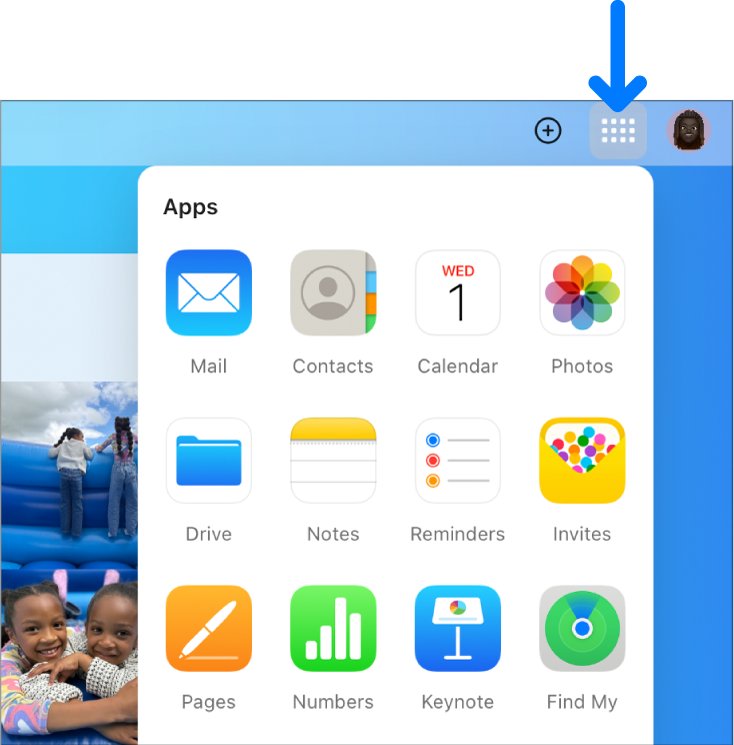
- Sign in at iCloud.com and check that the homepage tiles for Mail, Photos and iCloud Drive appear.
- Open Photos or iCloud Drive and confirm your own files load, not an empty library.
- If the data is missing, check you signed in with the same Apple Account your iPhone used.
- Open iCloud Settings and select Sign Out Of All Browsers if you signed in on a borrowed computer.
Once your data loads, it is a good moment to export your iCloud contacts as an offline backup.
Set up iCloud recovery options so you never get locked out again
Once you are back in, add a second way in. Apple recommends more than one verification method in case a device is lost or stolen.
- On iPhone or iPad, open Settings and tap your name.
- Tap Sign-In & Security and add another trusted phone number, such as a partner's or a landline.
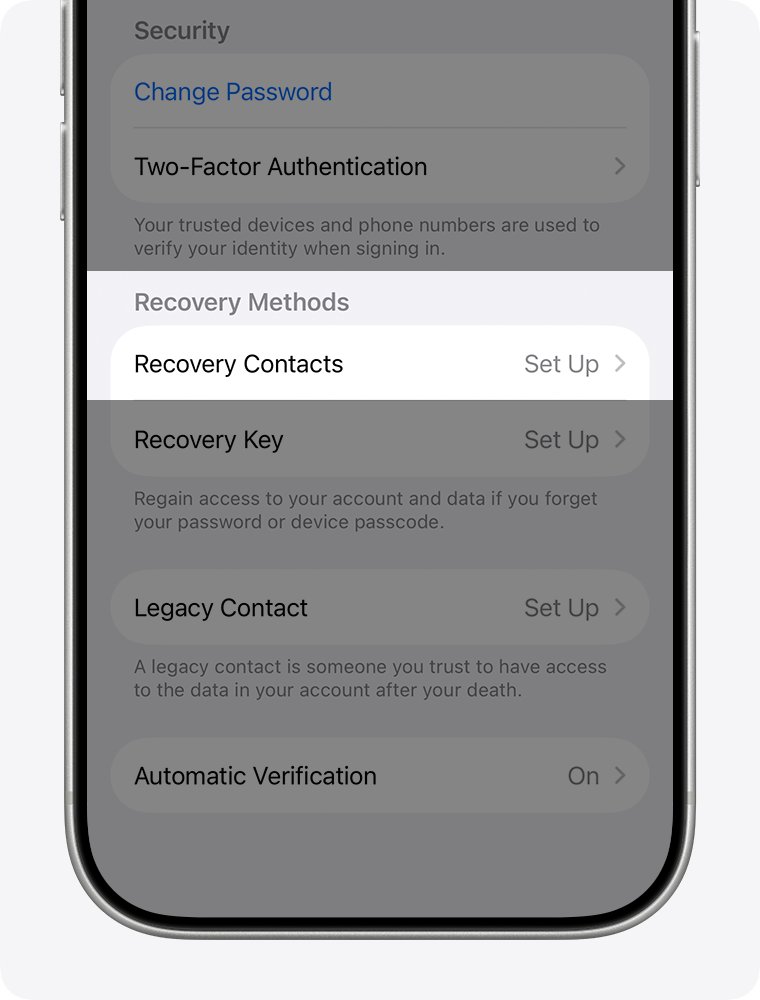
- Tap Recovery Contacts, then Add Recovery Contact, and pick someone you trust.
- Ask them to accept the invitation in Messages if they are not in your Family Sharing group.
- Optionally, tap Recovery Key and follow the steps, then store the printed key somewhere other than your Apple apps.
Recovery contacts need an Apple device on iOS 15, iPadOS 15 or macOS Monterey 12 or later, and both of you need iMessage turned on. You can add up to five.
Why can't I get into my iCloud? Fixes by symptom
Can't get into iCloud without phone: the code never arrives
The code goes to a trusted device or number you cannot reach, or a filter hides the text.
- Select Didn't Get a Code? and choose a phone call instead of a text.
- Check the Unknown Senders folder in Messages on the phone that holds your number.
- If you will have the number back within days, wait; Apple calls that the fastest route.
No account recovery confirmation email
The email can take up to 72 hours, or the request was cancelled by a signed-in device.
- Wait the full 72 hours, then check your spam or junk folder.
- Go to iforgot.apple.com with the same email and phone number to check whether the request is active.
- If it is not active, turn off your other Apple devices and submit a new request.
Signed in to iCloud.com but only Find My and Settings show
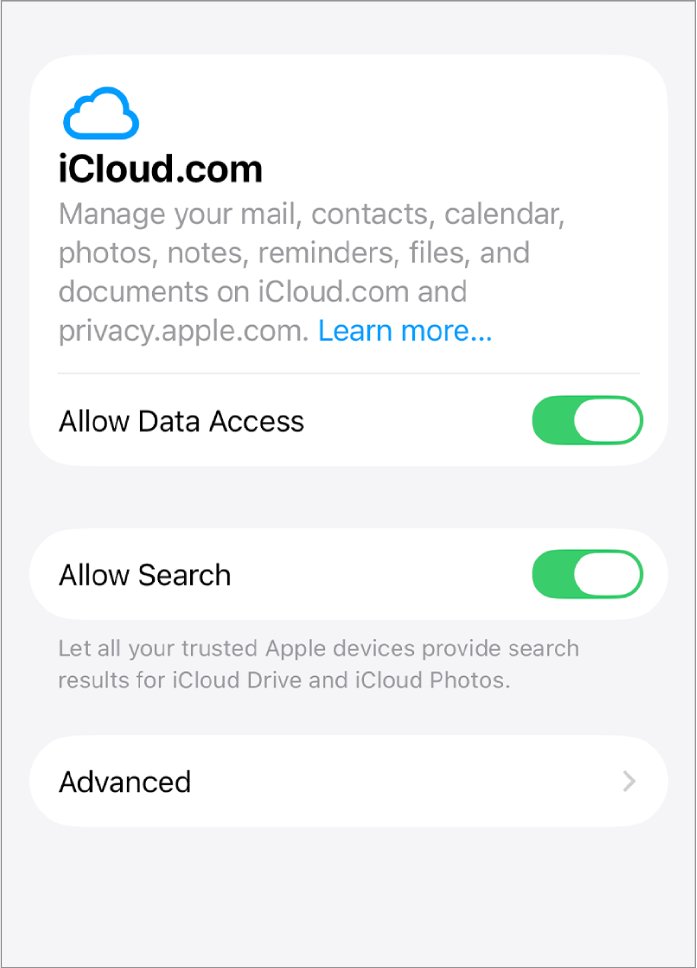
Advanced Data Protection turns off web access to iCloud data.
- On a trusted iPhone or iPad, open Settings, tap your name, tap iCloud, then iCloud.com.
- Turn on Allow Data Access.
- Reload iCloud.com in the browser.
Signed in, but photos or files are missing
You used a different Apple Account, signed in on a phone browser, or have a web-only account.
- Sign out and sign back in with the Apple Account your iPhone used.
- Switch to a computer browser for the full set of iCloud.com apps.
iCloud without a phone FAQ
Can I access iCloud without my phone?
Yes. Sign in at iCloud.com in any browser and get the verification code by text or phone call to your trusted number. If you only need to locate a lost device, the Find Devices button skips the code.
How do I log into iCloud without a phone?
Enter your Apple Account and password at iCloud.com, then select Didn't Get a Code? or Can't get to your devices? and choose a text or call. With no trusted number left, select Can't use [phone number] to start account recovery.
How do I access iCloud without an Apple device?
Use iCloud.com in a supported browser on Windows, Android or any computer. Windows users can also use iCloud for Windows. If you have never signed in on an Apple device, you get web-only access with 1 GB of free storage.
How do I sign into iCloud without my iPhone if I lost it?
Go to icloud.com/find, sign in, and select the Find Devices button instead of entering a code. That shows the lost iPhone. For Mail, Photos and Drive, you still need a code from your trusted number or account recovery.
Why can't I get into my iCloud?
Usually the verification code goes to a device or number you cannot reach. Other causes are a forgotten password, a cancelled recovery request, or Advanced Data Protection blocking web access. The fix depends on which recovery factors you still have.
How long does Apple account recovery take?
Several days or longer, depending on the account information you can provide. A confirmation email with the expected date arrives within 72 hours. Apple Support cannot shorten the wait, and a second request can make it longer.
Can Apple Support unlock my iCloud over the phone?
No. Apple says contacting Support cannot speed up account recovery, and the waiting period is fixed. Support can guide you to start recovery, but it cannot skip the wait or bypass two-factor authentication.
How do I get into iCloud if I changed my phone number?
Choose Can't use [phone number] on the verification screen and follow the steps for account recovery. After you are back in, add the new number as a trusted phone number in Sign-In & Security.
Best way to get into iCloud with no phone and no trusted device
Use a text or call to your trusted number if you can reach it, the Find Devices button if you only need to find the phone, and account recovery at iforgot.apple.com only when nothing else is left. The first two take minutes, while account recovery is deliberately slow, cannot be sped up by Apple Support, and is cancelled by any signed-in device you forget to turn off.