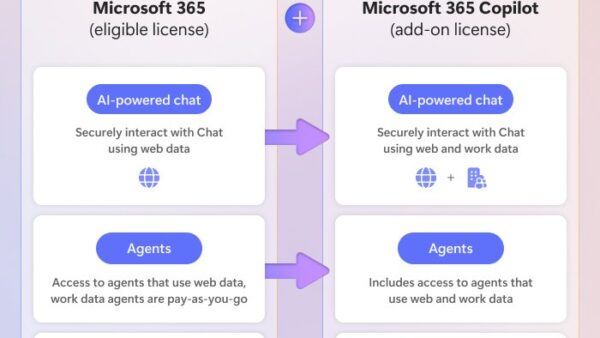
Microsoft Copilot wins for everyday Windows, Edge and Microsoft 365 work, while Grok wins only if you specifically want SpaceXAI's models, which you can already use inside GitHub Copilot, Copilot Studio and Microsoft Foundry.
This comparison covers who makes each tool, whether Copilot uses Grok, the models and plans behind Copilot, how to pick Grok inside Microsoft's developer tools, and the safety caveats Microsoft publishes.
Grok vs Copilot: which one should you use?
The two names overlap less than the search suggests. Grok is a family of AI models and a chatbot from SpaceXAI (xAI), and Microsoft Copilot is Microsoft's assistant built into Windows, Edge and Microsoft 365.
| Your situation | Pick | Why |
|---|---|---|
| You write documents, email and spreadsheets in Microsoft 365 | Microsoft Copilot | Subscription owners get Copilot inside Word, Excel, PowerPoint, Outlook and OneNote |
| You want a free assistant on Windows or in Edge | Microsoft Copilot (free) | Free at copilot.cloud.microsoft, in the Windows and Mac app, on mobile and in the Edge header |
| You code in Visual Studio Code or Visual Studio and like Grok's answers | Grok inside GitHub Copilot | GitHub lists Grok 4.5, 4.6 and 4.7 from xAI as generally available models |
| You build an app that calls a Grok model through an API | Grok in Microsoft Foundry | grok-4.7 is sold by Azure with a context window of up to 500,000 tokens |
| You build agents for your organisation | Copilot Studio, with Grok as an external model if allowed | Admins can permit xAI models alongside the default OpenAI and Anthropic options |
| Your organisation needs enterprise data protection | Microsoft Copilot with a work or school account | Copilot Chat for eligible business licenses includes enterprise data protection |
Is Grok the same as Copilot?
No. Both are AI chatbots, assistants that answer questions and write content in plain language using large language models, but they come from different companies, run on different default models and are sold in different ways.
| Question | Grok | Microsoft Copilot |
|---|---|---|
| Who makes it | SpaceXAI (xAI) | Microsoft |
| Earlier name | Grok | Bing Chat, which Microsoft renamed Copilot in November 2023 |
| What it is | A family of large language models and the chatbot built on them | An AI assistant integrated into Windows, Edge and Microsoft 365 apps |
| Default models | Grok models such as grok-4.7 | OpenAI models: Smart mode uses GPT-5 and Think Deeper uses OpenAI reasoning models |
| Where Microsoft offers it | GitHub Copilot, Copilot Studio (external model) and Microsoft Foundry | Copilot app on Windows, Mac, iOS and Android, the web, Edge and Microsoft 365 apps |
| Main audience in Microsoft's tools | Developers and agent builders | Consumers, Microsoft 365 subscribers and businesses |
Grok vs Microsoft Copilot comparison table
The rows below compare what each side offers inside Microsoft's ecosystem, which is where the two products actually meet.
| Feature | Grok (grok-4.7 on Azure) | Microsoft Copilot (consumer) |
|---|---|---|
| Input types | Text and image | Text, voice, screen or camera vision, file uploads |
| Context window | Up to 500,000 tokens | Not published by Microsoft |
| Reasoning control | Configurable effort: low, medium, high, xhigh | Modes: Quick response, Think Deeper, Smart, Study and learn, Search |
| Web answers with citations | Not listed for grok-4.7 | Search mode returns web answers with citations |
| Image creation | Not listed for grok-4.7 | Yes, with more creation after you sign in |
| Office integration | None | Word, Excel, PowerPoint, Outlook and OneNote for Microsoft 365 subscription owners |
| Tool calling for apps | Function calling through Chat Completions and Responses APIs | Agents such as Researcher and Analyst on Microsoft 365 Premium |
| Cost to start | Azure subscription with a payment method | Free; Microsoft 365 Personal starts at $9.99 a month |
The technical capabilities show different strengths. Grok on Azure stands out for its long context window and configurable reasoning effort, while Copilot adds voice, vision, web citations and image creation for everyday users.
The integration differences reflect where each product lives. Copilot is built into Windows, Edge and the Office apps, while Grok reaches Microsoft customers through developer and agent tools rather than a consumer app.
Does Copilot use Grok?
The consumer Microsoft Copilot app runs on OpenAI models, not Grok. Several of Microsoft's developer and business Copilot products do let you choose a Grok model.
| Microsoft product | Grok available? | Details |
|---|---|---|
| Microsoft Copilot app (personal account) | No | Smart mode uses GPT-5; Think Deeper uses OpenAI reasoning models |
| GitHub Copilot | Yes | Grok 4.5, Grok 4.6 and Grok 4.7 from xAI, generally available |
| Copilot Studio | Yes, as an external model | Admins must turn on external models and allow the xAI provider; Grok 4.2 is experimental in early access environments |
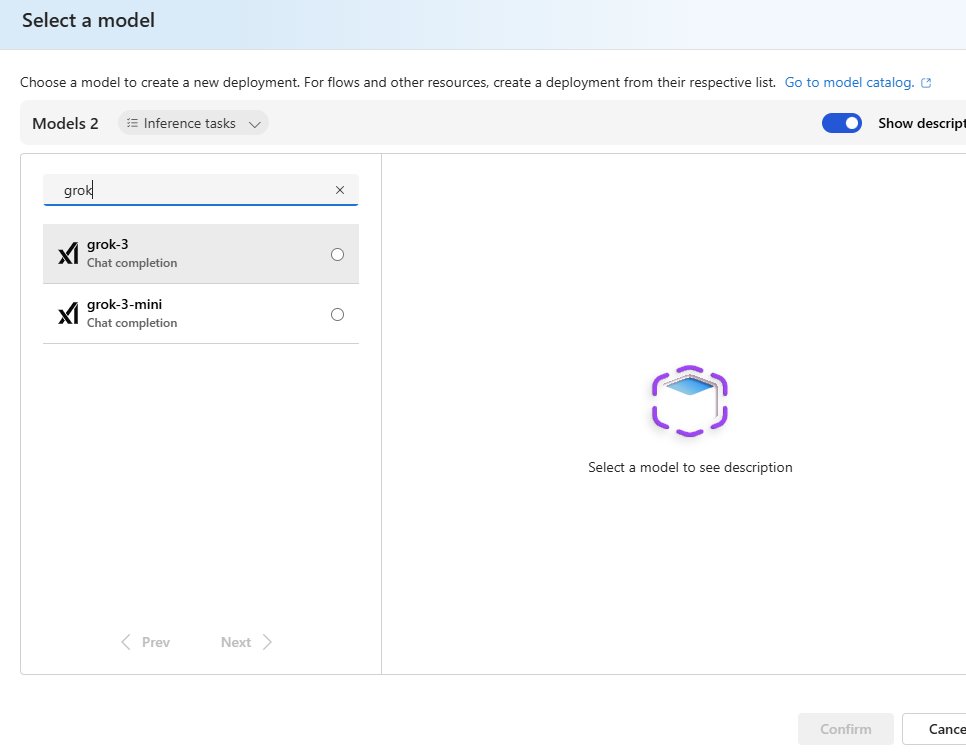
| Microsoft Foundry | Yes | grok-4.7 is generally available; grok-4.6, grok-4.3 and grok-4-20 variants are in preview |
How to use Grok inside GitHub Copilot
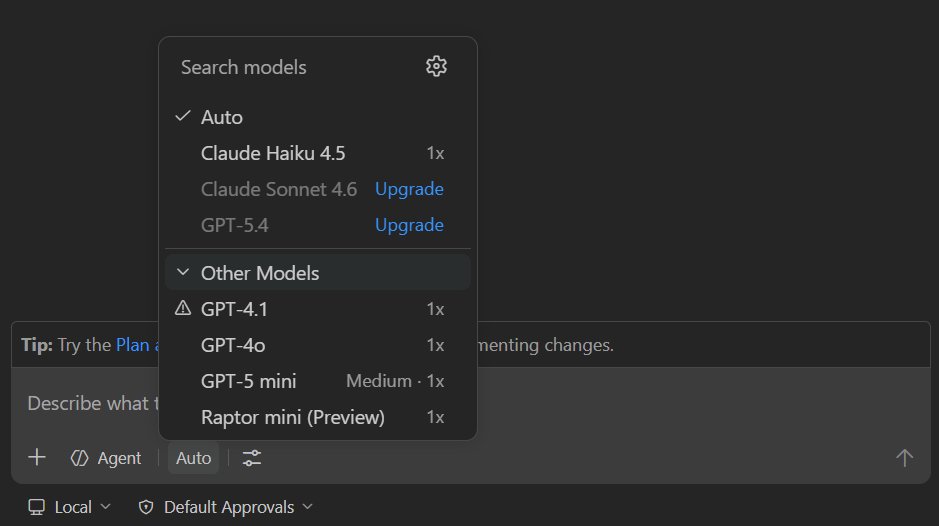
Copilot Free and Copilot Student plans reach models through auto model selection only, so you need a paid plan such as Copilot Pro to pick Grok yourself. On Copilot Business, your organisation must allow model switching.
- Open Visual Studio Code and sign in to GitHub Copilot.
- Select the chat icon in the title bar to open Copilot Chat.
- At the bottom of the chat view, select the current model drop-down menu.
- Select Grok 4.7, Grok 4.6 or Grok 4.5 from the list.
- If you were using Auto, select New chat at the top right of the chat view, then choose the Grok model again.
- Type your prompt; the selected model answers until you switch it.
Changing the chat model does not change the model used for inline code suggestions, and Copilot Extensions can override your choice.
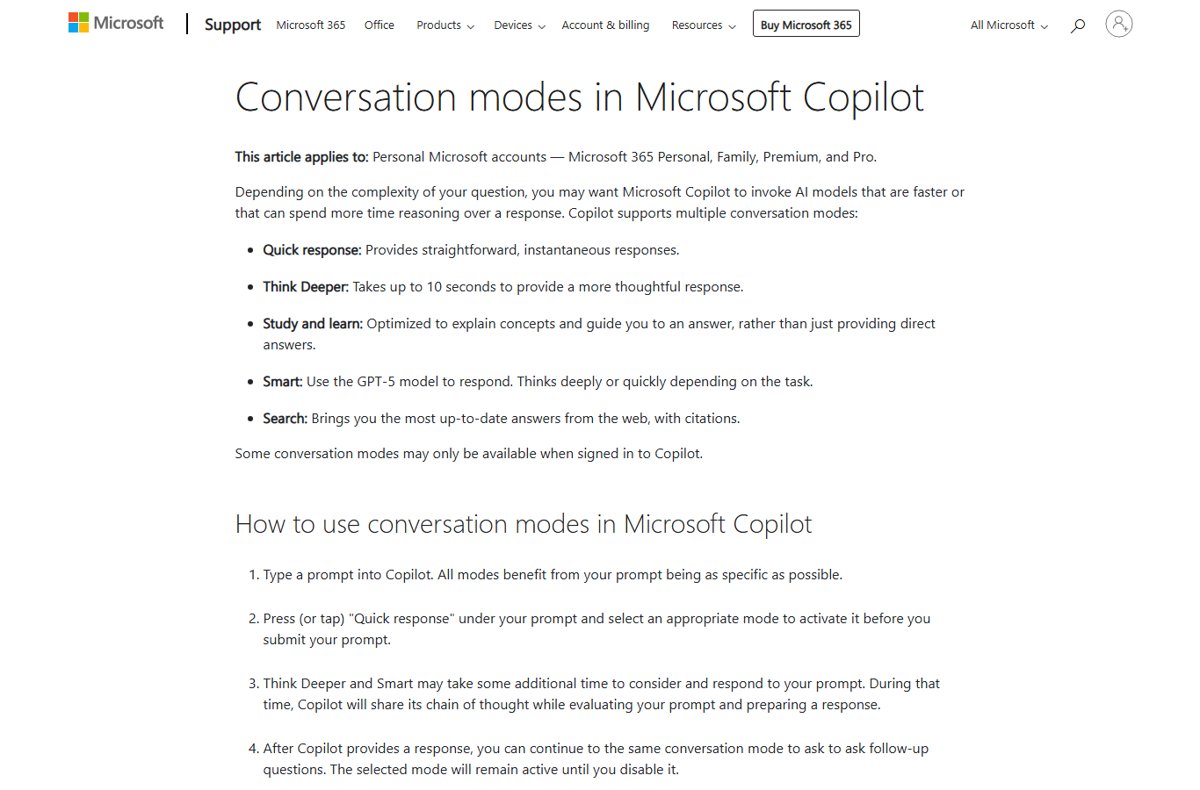
How to switch Microsoft Copilot conversation modes
Copilot's modes are how you trade speed for depth, much like choosing a faster or reasoning model elsewhere. Some modes need you to sign in.
- Open the Microsoft Copilot app or copilot.cloud.microsoft and sign in with your Microsoft account.
- Type your prompt, as specifically as you can.
- Select Quick response under the prompt box before you submit.
- Choose Think Deeper, Smart, Study and learn or Search from the list.
- Submit the prompt; Think Deeper and Smart show their chain of thought while they work.
- Ask follow-up questions; the mode stays active until you turn it off.
Deploy Grok in Microsoft Foundry with Azure CLI
You need an Azure subscription with a payment method, a Foundry project in a supported region and the Cognitive Services Contributor role on the Foundry resource. Replace the values in angle brackets with your own.
az cognitiveservices account deployment create --name <ACCOUNT_NAME> --resource-group <RESOURCE_GROUP> --deployment-name <DEPLOYMENT_NAME> --model-name "grok-4.7" --model-format "xAI" --model-version "1" --sku-name "<DEPLOYMENT_SKU>" --sku-capacity 1Creates a grok-4.7 deployment on your Foundry resource. Set <DEPLOYMENT_SKU> to a deployment type available in your region.
You should see: The deployment appears in your Foundry project, and you call it by its deployment name, not the model name, through the Chat Completions or Responses API.
Access to grok-code-fast-1 and grok-4 requires registration. Generally available Grok models from grok-4.7 onward stay available for at least six months.
Microsoft Copilot plans and prices
Grok is not part of these plans; they buy more Copilot usage and Copilot inside the Office desktop apps.
| Plan | Price (US) | Copilot benefit |
|---|---|---|
| Microsoft Copilot (free) | $0 | Chat, web answers, image creation and voice after sign-in |
| Microsoft 365 Personal | $9.99 a month or $99.99 a year | Copilot in desktop apps for one person, 1 TB storage |
| Microsoft 365 Family | $12.99 a month or $129.99 a year | Up to six people; AI features for the subscription owner only |
| Microsoft 365 Premium | $19.99 a month or $199.99 a year | Extended AI usage plus Researcher, Analyst and Tasks agents |
| Microsoft 365 Pro | $99.99 a month, monthly billing only | Highest usage limits and 5 TB storage |
Copilot in the Office apps also arrives through Copilot in Microsoft Excel and the other desktop apps once your subscription is active.
Grok vs Copilot pricing models: current costs and market strategy
The two sides use distinct pricing models. Microsoft sells Copilot to people as a free tier plus flat subscriptions, while Grok reaches Microsoft customers only as a metered model inside developer and business tools.
| Product | How it is priced | What you pay for |
|---|---|---|
| Microsoft Copilot (personal) | Free tier, or a flat Microsoft 365 subscription | $0 for the free app; Microsoft 365 Personal at $9.99 a month and Premium at $19.99 a month add Copilot in the Office apps and more usage |
| Copilot Chat for business | Included with eligible business licenses | Web-grounded chat with enterprise data protection |
| Grok in GitHub Copilot | Your Copilot plan plus AI credits | Each model consumes AI credits at a different rate based on its token pricing; Free and Student plans get models only through auto selection |
| Grok in Microsoft Foundry | Pay as you go on your Azure subscription | Usage of your Grok deployment, at the rates on Microsoft's Grok model pricing page for your deployment type |
| Grok in Copilot Studio | Copilot Studio agent billing | Agent use is billed at the established rates, including use of experimental and preview models |
That split shows where each one is aimed: Copilot at consumers and Office users who want a predictable bill, Grok at developers and agent builders who pay for what they run.
Grok vs Copilot geographic availability by region
Where you are decides which of the two you can actually use, and Grok inside Microsoft's tools has the narrower footprint.
| Product | Where it is available | Data and region notes |
|---|---|---|
| Microsoft Copilot (all experiences) | Over 170 markets worldwide | Not available or not supported in China (excluding Hong Kong SAR) and embargoed markets; new features may reach some regions and languages later |
| Grok 4.2 in Copilot Studio | United States early access environments only, as an experimental model | Experimental model data might be processed and stored outside your organisation's geographical boundaries, so the Move data across regions setting must be on |
| Grok in Microsoft Foundry | Azure regions listed for Foundry Models sold by Azure | You need a Foundry project in a region supported for Grok 4.7 deployment |
| Grok in GitHub Copilot | Depends on your Copilot plan and where you use Copilot, such as GitHub.com or an IDE | Free and Student plans reach models through auto selection only |
These limits affect adoption outside the US: an organisation in Europe or Asia can roll out Microsoft Copilot today, but Grok 4.2 appears in Copilot Studio's model table only for US early access environments.
Grok and Copilot roadmap: future model releases and retirements
Neither product's documentation publishes a long-term roadmap, but the lifecycle rules Microsoft does publish show the direction: models are replaced often, so plan for change rather than a fixed version.
| Product | What changes | Published timeline |
|---|---|---|
| Grok in Microsoft Foundry | Generally available Grok models starting with Grok 4.7 | Available for a minimum of six months; exact dates are on the Foundry model retirement schedule |
| Grok in Microsoft Foundry (preview) | grok-4.6, grok-4.3 and grok-4-20 variants | Preview models can change before general availability |
| Grok in GitHub Copilot | Grok Code Fast 1 | Retired on May 15, 2026, with the latest GPT mini model as the suggested alternative |
| Copilot Studio default model | Upgraded as more capable models become generally available | A retired default model stays usable for up to one month after retirement |
| Microsoft Copilot (consumer) | New features | May not be immediately available in all regions or languages |
Grok safety rating in Microsoft Copilot Studio
Microsoft publishes a specific warning about one Grok model in Copilot Studio. Read it before you build an agent on Grok.
Do not use Grok-4.1 Fast (Non-Reasoning) for production agents, and run your own evaluations before choosing any experimental Grok model. Microsoft's safety and responsible AI evaluations found that model less aligned than others, with higher risk of harmful or explicit content and lower jailbreak scores, and some harm categories may fall outside Microsoft's content safety systems. Customers must also follow xAI's Enterprise Terms of Service.
Grok vs Copilot for business: recommendations for technology leaders
For technology leaders, the strategic question is which use case each platform fits, not which chatbot sounds smarter. These business applications follow the admin controls and enterprise features Microsoft documents.
| Use case scenario | Recommendation | Why |
|---|---|---|
| Documents, email and meetings in a Microsoft 365 tenant | Microsoft Copilot Chat with work or school accounts | Copilot Chat for eligible business licenses includes enterprise data protection |
| Developer teams on GitHub Copilot Business | Allow model switching so developers can pick Grok 4.5, 4.6 or 4.7 | On Copilot Business, the organisation must allow model switching before anyone can choose Grok |
| Custom agents in Copilot Studio | Keep the default model for production and test Grok as an external model | Admins must turn on external models and allow the xAI provider; experimental models are not recommended for production |
| Applications that call a model through an API | Grok in Microsoft Foundry | grok-4.7 is generally available with a context window of up to 500,000 tokens and at least six months of availability |
| Data that must stay inside your region | Avoid experimental Grok models | Experimental model data might be processed and stored outside your organisation's geographical boundaries |
Using a Grok model through Microsoft also means following both Microsoft's Enterprise AI Services Code of Conduct and xAI's Enterprise Terms of Service.
Grok vs Copilot FAQ
Is Grok the same as Copilot?
No. Grok is a family of AI models and a chatbot from SpaceXAI (xAI), while Microsoft Copilot is Microsoft's assistant for Windows, Edge and Microsoft 365. Microsoft does offer Grok models inside GitHub Copilot, Copilot Studio and Microsoft Foundry.
Does Copilot use Grok?
The consumer Microsoft Copilot app does not use Grok. Its Smart mode runs on GPT-5 and Think Deeper uses OpenAI reasoning models. GitHub Copilot, however, lets paid users pick Grok 4.5, 4.6 or 4.7 in Copilot Chat.
Can you use Grok in GitHub Copilot?
Yes. GitHub lists Grok 4.5, Grok 4.6 and Grok 4.7 from xAI as generally available. Copilot Free and Student users get models only through auto selection, so manual Grok selection needs a paid plan such as Copilot Pro.
How are Grok, Copilot and ChatGPT related?
ChatGPT and Microsoft Copilot both run on OpenAI models; Copilot's Smart mode uses GPT-5. Grok comes from SpaceXAI (xAI) and is a separate model family that competes with both, though Microsoft hosts it in its developer tools.
Can you use Claude, Gemini and Grok in one Copilot?
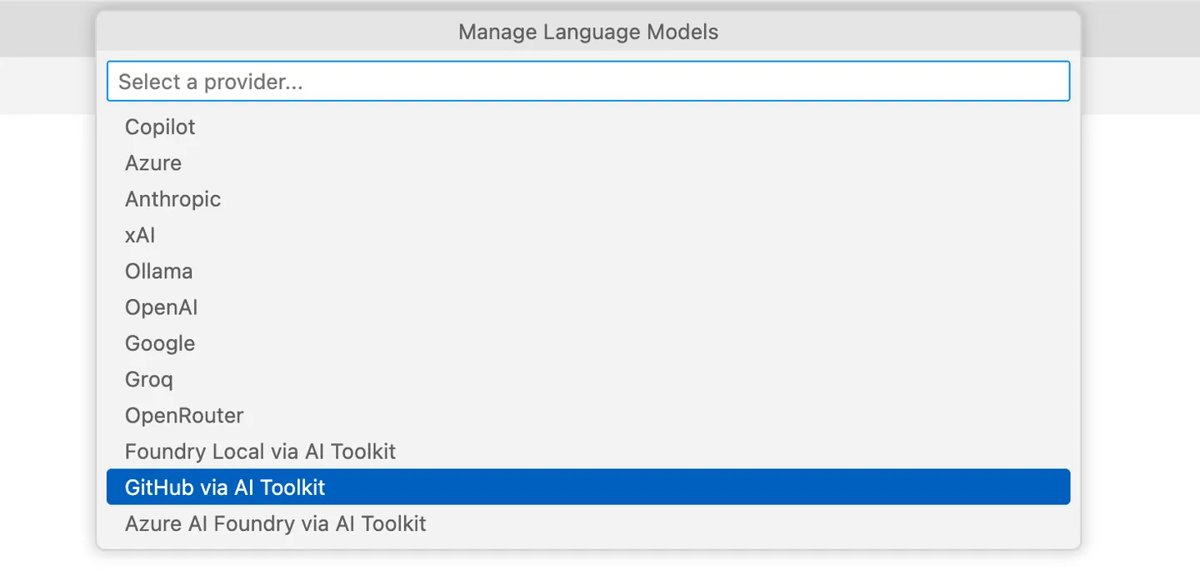
Yes, in GitHub Copilot. Its model picker includes Anthropic Claude, Google Gemini, OpenAI GPT and xAI Grok models, depending on your plan and editor. Copilot Studio also accepts external models from Anthropic, xAI and Mistral when an admin allows them.
Is Grok available in Microsoft Copilot Studio?
Yes, as an external model. An admin must turn on external models in the Power Platform admin center and allow the xAI provider in the Microsoft 365 admin center. Grok 4.2 is listed as experimental in early access environments.
Is Microsoft Copilot free?
Yes. Microsoft Copilot is free at copilot.cloud.microsoft, in the Windows, Mac and mobile apps and in Edge. Signing in adds chat history, more image creation, longer conversations and voice, and Microsoft 365 plans add Copilot inside the Office desktop apps.
How do you access Grok on Azure?
Deploy a Grok model such as grok-4.7 in Microsoft Foundry. You need an Azure subscription with a payment method, a Foundry project in a supported region and the Cognitive Services Contributor role, then you call the deployment through the Chat Completions or Responses API.
Which generative AI tool wins: Grok or Microsoft Copilot?
Choose Microsoft Copilot for everyday Windows and Office work, and use Grok through GitHub Copilot or Microsoft Foundry only when you specifically want its models for coding or apps. Copilot is free, built into Windows, Edge and Microsoft 365, and runs on OpenAI models, while Microsoft already exposes Grok where it is strongest, in developer tools with a 500,000-token context window, but with a published safety caveat for at least one model.