To change your Steam region, complete a Steam purchase with a payment method from the country you now live in and pick that country on the cart page; your store country then updates.
This guide covers the exact checkout steps, the once-every-3-months limit, what happens when you travel, and why a VPN is not an option.
Updating your Steam store region
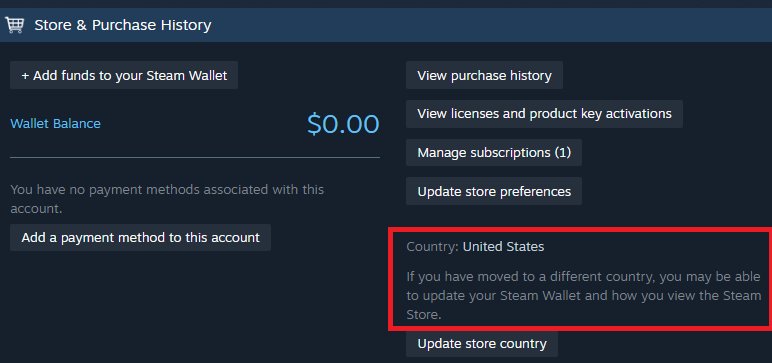
Steam calls your region the store country. It is set by your first purchase and changes only through checkout, not from a settings switch.
- Sign in to Steam in the Steam desktop client or at store.steampowered.com from the country you now live in.
- Add any game, DLC or other product you want to buy to your cart.
- Open your cart and look for the option to change your store country, which appears when your location differs from your current setting.
- Select the country you now live in so the cart updates its pricing and payment options.
- Choose a payment method issued in that country and complete the purchase.
- Wait for the purchase to finish; your account's store country is now updated to the new country.
In Valve's own example, a user who moved from Germany to the United States selects the United States on the cart page and pays with a US payment method, and the account country switches to the United States.
Steam store country change requirements
Every condition below has to be true at checkout, or the change option will not appear or will not stick.
The most important thing to know: the store country follows where you live, not where you connect from.
| Requirement | What Steam expects |
|---|---|
| Where you live | You have moved to the new country or are living there for an extended period |
| Where you are | Your current location differs from the store country on your account |
| Payment method | A payment method from the new country, such as a local card |
| Timing | At least 3 months since your last store country change |
| What does not count | CD keys and Steam Wallet Codes cannot change your store country |
Change Steam region when moving, traveling or living abroad
Your situation decides whether a change is possible at all. Match your case to a row.
| Your situation | What to do | Why |
|---|---|---|
| You moved permanently to a new country | Buy something with a local payment method and select the new country in the cart | This is the only route Steam offers to update the store country |
| You are on a short trip abroad | Change nothing and buy as usual | The store keeps showing your home country's prices while you travel |
| You are a new user who created the account while traveling | Wait until you return home, or pay with a local method or Steam Wallet Code from the country you are visiting | New users cannot temporarily set their home country from abroad |
| You split time between several countries | Set the country of your primary residence | The store country can change only once every 3 months |
| You serve abroad with an APO address | Pay with any payment method from the United States at checkout | Steam lets APO users set the United States as their store country |
| You want another country's lower prices | Do not change it | The Steam Subscriber Agreement forbids buying at pricing not applicable to where you live |
How to check your current Steam store country
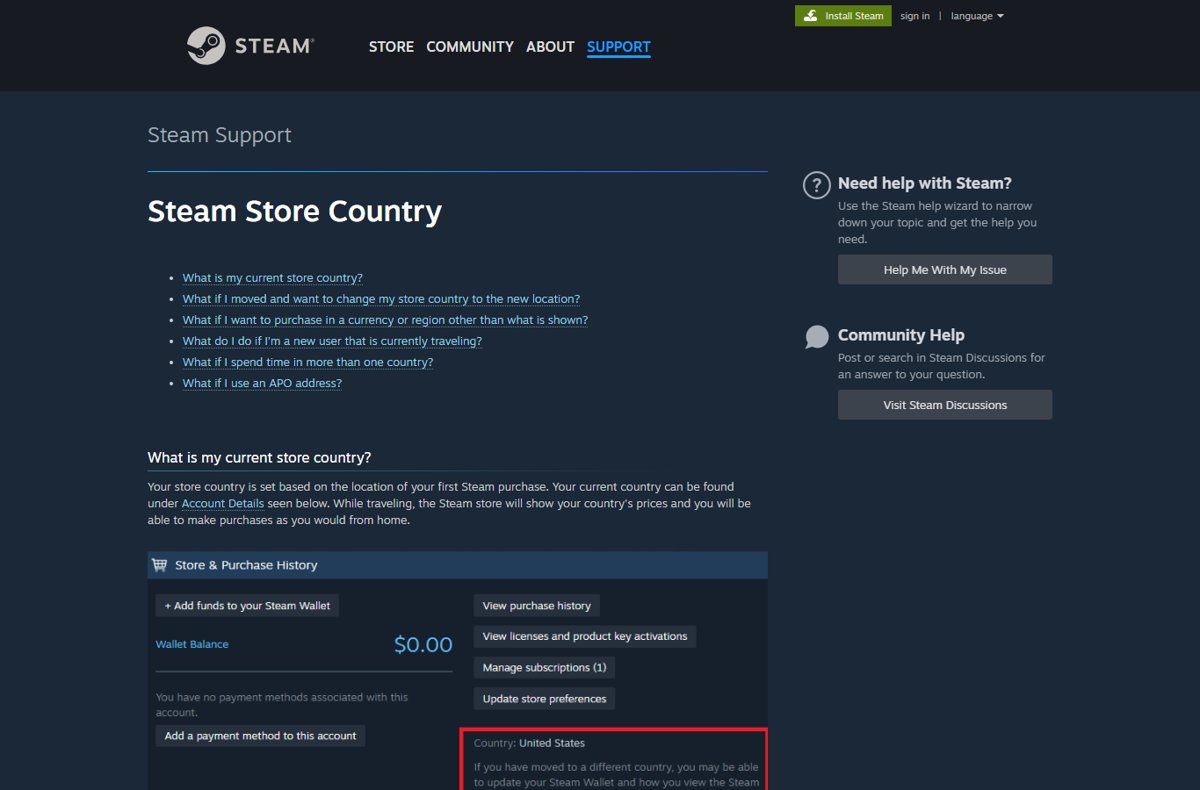
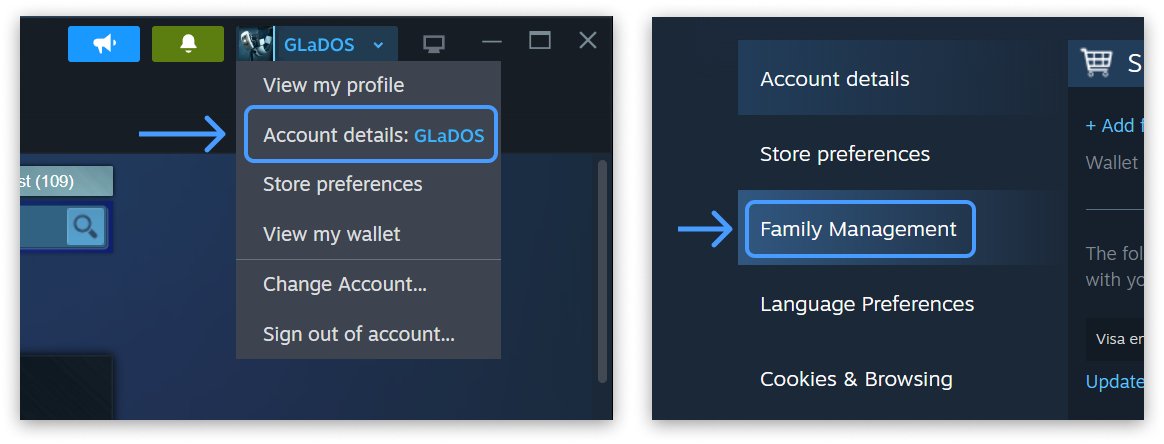
Your store country is listed on the Account Details page in both the Steam client and the web store.
- Sign in to your Steam account.
- Click your profile name in the upper-right corner.
- Select Account Details.
- Find the country shown on the page and confirm it matches the country you just set.
After a successful change, the store also shows prices and payment methods for the new country at checkout.
Steam regional pricing: which Steam countries are the cheapest?
Valve does not publish a list of the cheapest Steam countries, because each developer or publisher sets its own price in every currency. The table shows how those regional prices are built.
| Pricing factor | How it works on Steam |
|---|---|
| Who sets the price | The developer or publisher sets and manages the price; Valve reviews new prices, usually within one or two business days |
| Currencies and regions | Each product is priced in 37 currencies and 4 region groups |
| Conversion methods offered to developers | Exchange rate only, purchasing power only, or a multi-variable method that weighs local purchasing power, the cost of comparable entertainment and the exchange rate |
| A currency with no price entered | The game cannot be bought by customers who rely on that currency |
| Taxes | Shown by local norms: included in the price in some countries, added on top in others |
| Lowest possible price | The minimum transaction price is roughly $0.49 USD, half of the $0.99 base tier |
Because every game is priced separately, the cheapest country differs from one title to the next. Comparing prices is fine, but buying at another country's pricing while you live elsewhere breaks the Steam Subscriber Agreement.
Can you change Steam region with a VPN for cheaper games?
No. Do not use a VPN, proxy or foreign payment method to move your Steam account to a cheaper region. The Steam Subscriber Agreement says you will not use IP proxying or other methods to disguise where you live, including to buy at pricing not applicable to your geography, and that Valve may terminate access to your account if you do. Steam Support also states that using a proxy or VPN to disguise your location may result in restrictions on your account.
A VPN alone also cannot change the store country, because the change needs a completed purchase with a payment method from that country.
Steam region restrictions on games, gifts and CD keys
Changing your store country does not lift region locks. Steam Support states that it is unable to modify or remove any region restrictions.
| Product type | Region rule |
|---|---|
| Games bought for yourself on the Steam store | Usually no region restriction; any restriction is noted on the store page |
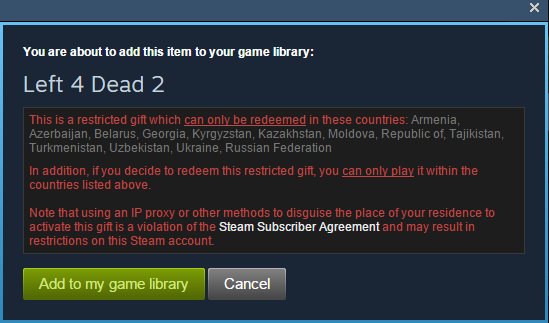
| Steam gifts | Gifts bought in some regions can be redeemed only in those regions, and the allowed countries appear at checkout and in the gift's description |
| CD keys from other retailers | Restrictions vary by publisher and should be noted on the retail packaging |
| Steam Wallet Codes | Redemption is limited to the currency of your Steam Wallet |
| Steam Families library sharing | Games or DLC restricted in your or another member's region cannot be shared |
How to change region on Steam: download region
The download region is a separate setting in the Steam desktop client. It decides which content server sends you game files, and it has no effect on your store country, prices or payment methods.
- Open the Steam desktop client and go to Settings.
- Select Downloads.
- Set the download region to match your location.
- If a download keeps failing or installs damaged files, set the download region to a location far away and retry; this can help when a content server near you is serving bad data.
- Switch the download region back to your location once the download completes.
Changing the download region never moves your account to another store; only a purchase with a local payment method does that.
In-game matchmaking regions are separate too. Multiplayer games that let you pick a server region keep that choice in their own settings, and it changes neither your download region nor your store country.
Fix Steam store country change problems
No option to change the store country in the cart
Steam only offers the change when your location differs from your account country and the 3-month window has passed.
- Check the date of your last store country change; it must be at least 3 months ago.
- Make sure you are signed in from the country you now live in.
- Open Account Details and confirm the current country is not already the one you want.
- Add a product to the cart again and look for the country option on the cart page.
The store country did not change after paying
The purchase was paid with a method from the old country, or with a CD key or Steam Wallet Code.
- Make another purchase with a payment method issued in the new country.
- Select the new country on the cart page before you pay.
- Avoid paying only with Wallet funds or a CD key, because neither can change the store country.
"Game not available in your territory" when adding a CD key
The key is a regionally restricted copy registered from a different region.
- Check the retail packaging or listing for the regions the key supports.
- If you do not live in that region, contact the seller for a refund.
- Buy a copy sold in your country of residence instead.
A region-restricted gift will not redeem or play
The gift was bought for a region that does not include the country you live in.
- Open the gift's description in your Steam inventory and read the list of allowed countries.
- Buy the product from your current location without a VPN or proxy.
- Contact Steam Support if you cannot complete a purchase on the Steam store.
Steam region change expert Q&A
Can I change my Steam region?
Yes, if you have moved to a new country or live there for an extended period. Complete a purchase with a payment method from that country and select it on the cart page. You can change the store country only once every 3 months.
How do I change my Steam region without a purchase?
You cannot. Steam updates the store country only when you complete a purchase with a payment method from the new country. CD keys and Steam Wallet Codes cannot be used to change your store country setting.
How do I change my Steam region without a VPN?
The legitimate method never uses a VPN. Live in the new country, add a product to your cart, select that country at checkout and pay with a local payment method. Using a VPN to disguise your location breaks the Steam Subscriber Agreement.
Can I change my Steam region to buy games cheaper?
No. Your store country must be the country where you currently reside. The Steam Subscriber Agreement bans disguising your residence to buy at pricing not applicable to your geography, and Valve may terminate access to an account that does.
How often can I change my Steam region?
Once every 3 months. If you move between countries often, Steam suggests choosing the country that is your primary residence and using a local payment method that matches it.
Is the Steam account region the same as the store region?
Yes. Steam uses one store country per account, set by your first purchase and shown under Account Details. Changing it updates the pricing and payment methods shown at checkout.
How do I change my Steam region to China?
Only if you live in China, using the same checkout process with a Chinese payment method. Steam China (蒸汽平台) is a separate onshore version of Steam run with Perfect World, with its own approved game catalog.
Does Steam Family Sharing need the same region?
Steam Families does not share games or DLC that are restricted in your region or another family member's region. Other games in the family library remain shareable, subject to the publisher's sharing settings.
Can I change my Steam region while traveling?
No, and you do not need to. While traveling, the Steam store shows your home country's prices and you can buy as you would at home. New users who create an account abroad must return home before setting their home country.
Can Steam Support change my region for me?
Steam Support states that it is unable to modify or remove any region restrictions. The store country itself changes through checkout with a local payment method, not through a support request.
Bottom line: when to change your Steam region
Change your Steam region only after a real move, by buying something with a payment method from your new country and selecting that country on the cart page. That is the only route Steam supports, it works once every 3 months, and any shortcut through a VPN or foreign payment method puts the whole account and its library at risk.