The official PsTools download for Windows 11 and Windows 10 is a free 4.9 MB ZIP from Microsoft Sysinternals. It holds PsExec, PsKill, PsList, PsPing and nine more command-line tools that manage the local PC and remote Windows machines.
PsTools has no setup program and needs nothing installed on the remote computers you target. Extract the ZIP, open a command prompt in that folder and type a tool’s name. Every tool also ships inside the free Sysinternals Suite on the Microsoft Store.
This guide covers the right file for your PC, the Store and winget routes, running PsExec on a remote machine, checking the ZIP hash, antivirus warnings, the options for Mac users and fixes for common errors.
Check the PsTools system requirements before you download
Microsoft lists Windows 11 and Windows Server 2019 or later as the supported systems for the suite. Confirm the release, the source and the size in this table before you download.
| Field | Details |
|---|---|
| Software | PsTools (Sysinternals command-line suite) |
| Developer | Microsoft Sysinternals (Mark Russinovich) |
| Latest version | Package of 10 September 2026, with PsExec v2.43 |
| License / Price | Free (Sysinternals licence terms) |
| File size | 4.9 MB ZIP, as listed by Microsoft |
| Supported OS | Windows 11 and later; Windows Server 2019 and later; Nano Server 2019 and later |
| Architecture | 32-bit and 64-bit programs for every tool, in one ZIP |
| Installation | None. Extract the ZIP and run the tools by name |
| Offline installer | Yes. The ZIP is the complete toolset |
| Official download source | Microsoft Learn (Sysinternals) |
| Also available from | Sysinternals Suite in the Microsoft Store |
| Last verified | 2026-09-25 |
The PsExec page still lists Windows 8.1 and Windows Server 2012 as its minimum. The Sysinternals Suite package in the Store installs on Windows 10 version 1903 or later, so Windows 10 PCs can run the same tools.
Which PsTools download do you need?
Every route below delivers the same tools. Match your situation to a row and follow that link.
| Your situation | Get this | Size |
|---|---|---|
| Windows 11 or 10 on a 64-bit PC (most PCs) | PSTools.zip, then run PsExec64.exe and the other 64 files | 4.9 MB ZIP |
| 32-bit Windows | PSTools.zip, then run PsExec.exe and the files without 64 | 4.9 MB ZIP |
| You only need PsExec | PsExec page on Microsoft Learn | Same PsTools ZIP |
| You want automatic updates for every Sysinternals tool | Sysinternals Suite in the Microsoft Store | Free |
| You want PsTools plus every other Sysinternals tool offline | Sysinternals Suite ZIP | 192.2 MB (21.3 MB for ARM64) |
To read your Windows type, open Settings > System > About and check System type. A 64-bit operating system takes the files ending in 64 , such as PsExec64.exe and pslist64.exe .
Download PsTools from Microsoft official pages
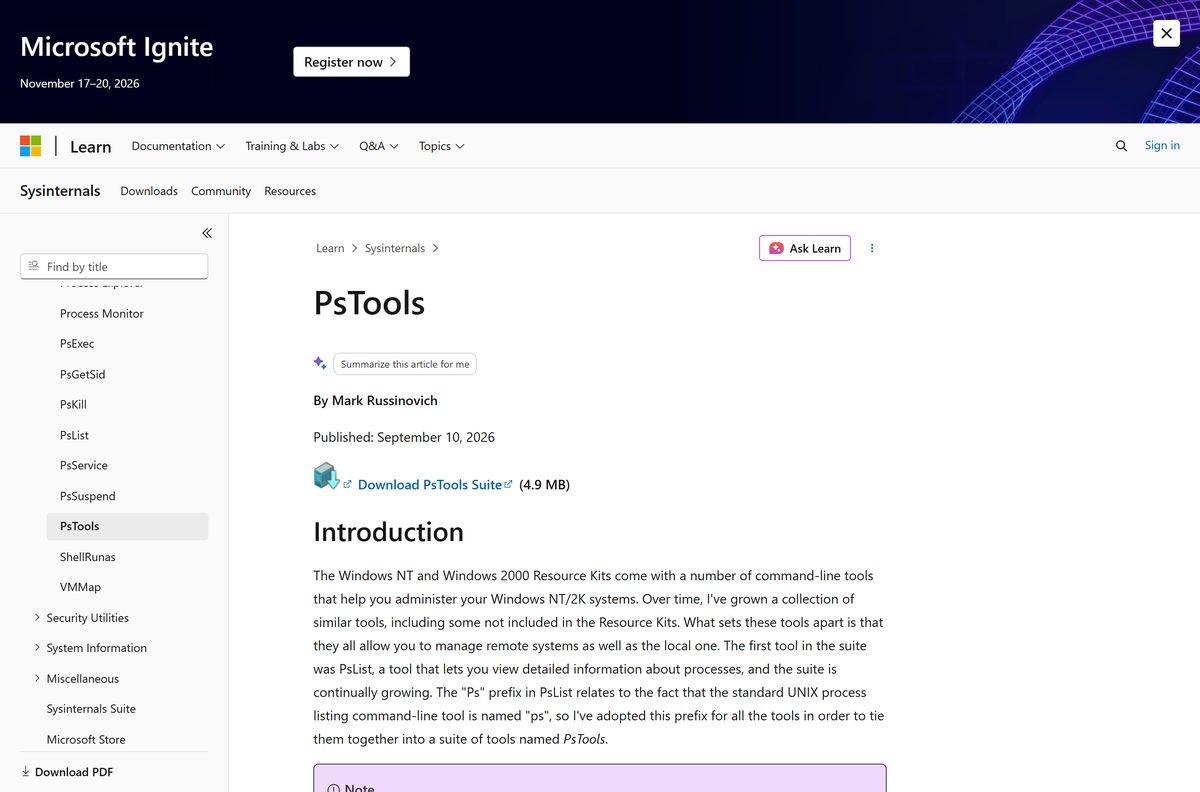
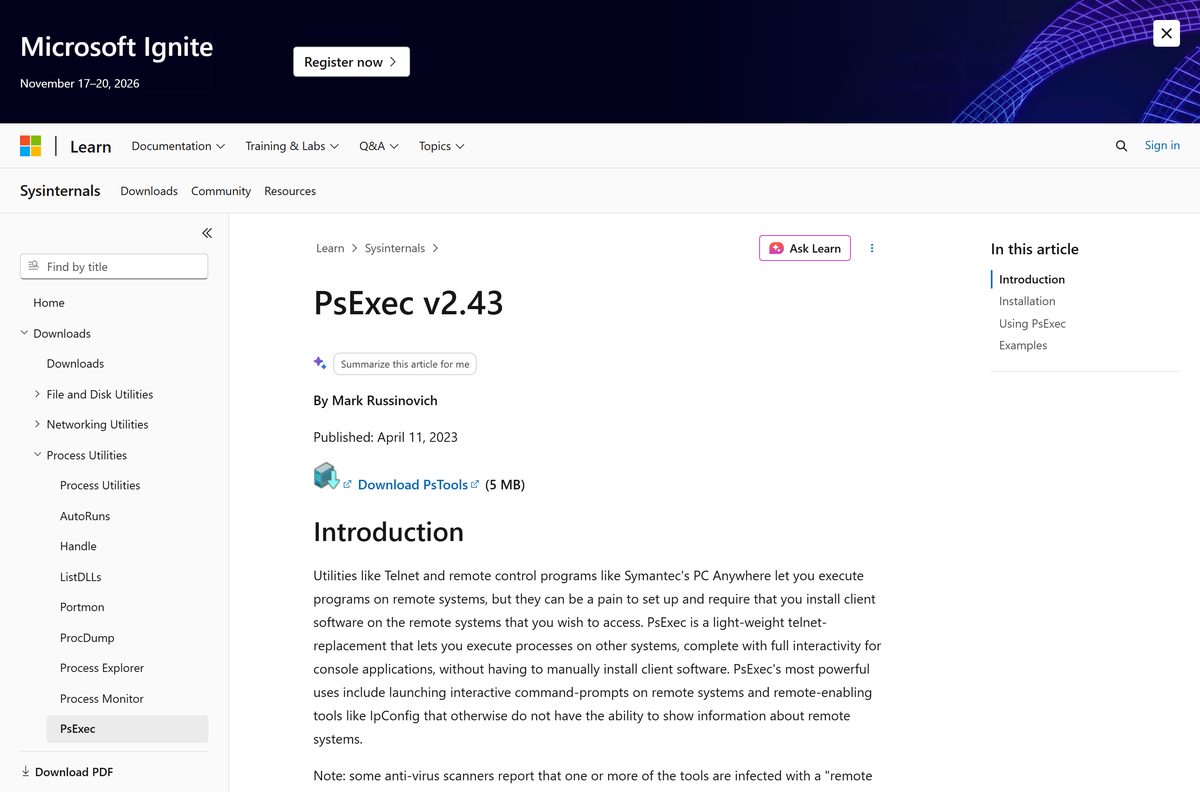
Microsoft publishes PsTools on its Sysinternals pages at learn.microsoft.com. The download link there serves PSTools.zip , and the Store listing is published by Microsoft Corporation.
- PsTools on Microsoft Learn — 4.9 MB · The Download PsTools Suite link, the tool list and the supported systems
- PsExec on Microsoft Learn — Full PsExec switches and examples, with a link to the same ZIP
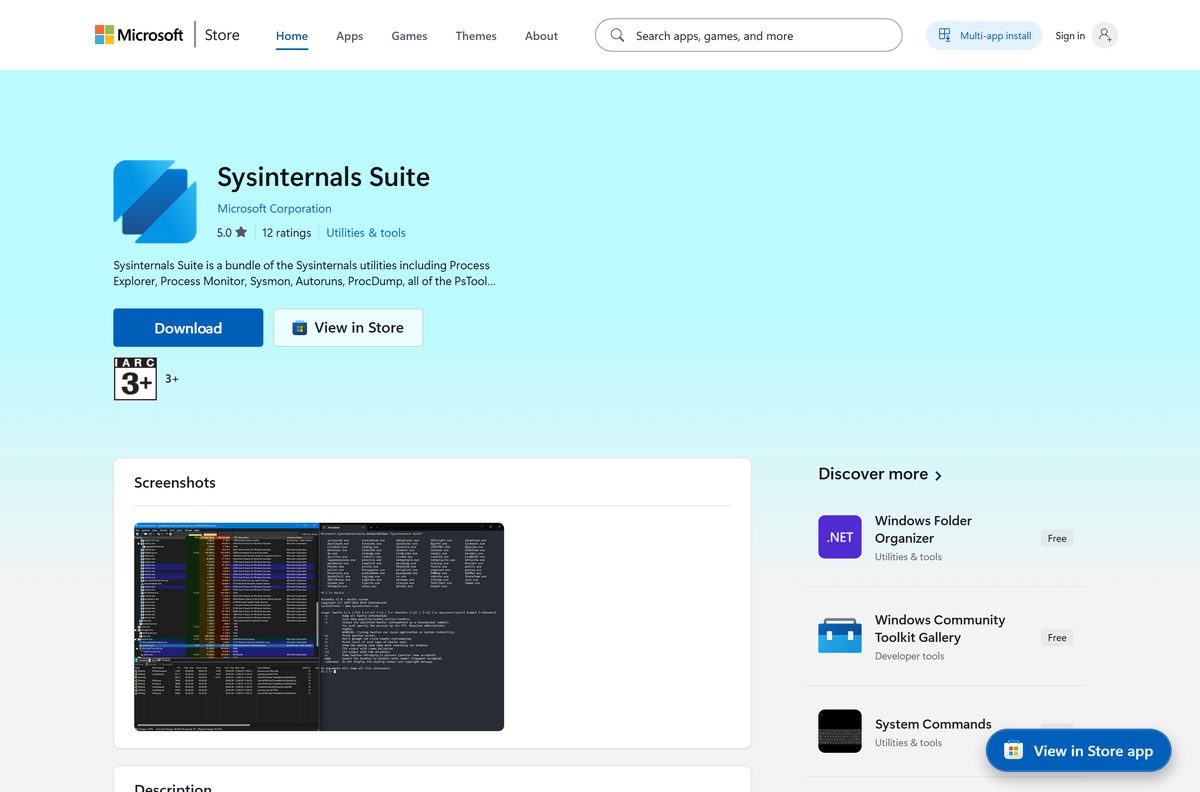
- Sysinternals Suite in the Microsoft Store — Free, published by Microsoft Corporation, covers x86, x64 and ARM64
- Sysinternals Suite download page — 192.2 MB · Every Sysinternals troubleshooting tool, PsTools included
Sites that repackage PsTools add nothing to a 4.9 MB ZIP. PsExec runs commands with administrator or System rights, so a tampered copy from a mirror is a real risk.
How to download and set up PsTools on Windows 11 and 10
PsTools never installs. Extract the ZIP to a folder on your path, and every tool runs from any command prompt by name.
- Open the PsTools page on Microsoft Learn.
- Select Download PsTools Suite and save PSTools.zip .
- Open your Downloads folder, right-click the ZIP and select Extract All.
- Choose a permanent folder, such as C:\PSTools , and select Extract.
- Search Start for Edit the system environment variables, select Environment Variables, and add C:\PSTools to Path.
- Right-click Start and select Terminal (Admin).
- Type psexec64 -accepteula and press Enter to accept the licence and see the usage text.
- Type any tool name followed by -? , such as pslist64 -? , to see its full usage.
The ZIP also carries an HTML help file with complete usage for every tool. Keep it in the same folder for offline reference.
Install PsTools from the Microsoft Store or with winget
The Microsoft Store carries PsTools inside the free Sysinternals Suite app. Winget installs PsTools on its own and registers a short command for each tool.
- Open Sysinternals Suite in the Microsoft Store and select Get.
- Wait for the download to finish, then open Start and search for PsExec or another tool.
- For winget, right-click Start and select Terminal (Admin).
- Run winget install Microsoft.Sysinternals.PsTools and accept the source agreement if asked.
- Close and reopen Terminal, then type psexec , pslist or psping to run a tool.
Winget picks the 32-bit or 64-bit files for your PC and adds aliases such as psexec , pskill and psshutdown . The Store package needs Windows 10 version 1903 or later and updates itself.
Run PsTools without downloading it from Sysinternals Live
Sysinternals Live serves every tool over the network, so a single PsTools command can run on a machine where you would rather leave no files behind.
- Open Command Prompt or Terminal as administrator.
- Type \\live.sysinternals.com\tools\
, replacing with the file name from the table below. - Add the switches you need, such as -accepteula , and press Enter.
- Or paste live.sysinternals.com/
into the File Explorer address bar. - Use the ZIP from the Microsoft Learn page instead on a PC with no internet access.
Sysinternals Live always serves the current release, so a tool started this way never needs an update step.
How to run a command on a remote PC with PsExec
PsExec is the tool most people download PsTools for. It runs a program on another Windows machine without installing client software there, and shows console output on your screen.
psexec -i \\marklap ipconfig /all Replace marklap with the remote computer name. -i runs the program interactively, and the output of ipconfig /all appears in your window. Use psexec -i \\marklap cmd for a remote command prompt, add -c to copy a local program across first, and add -s to run it in the System account. The PsExec page lists every switch.
Without -u , the remote process runs under your account but cannot reach network resources. Give -u Domain\User when it needs them; PsExec encrypts the password and command in transit.
Error codes returned by PsExec come from the program you ran, not from PsExec itself.
What each PsTools command does
Every tool below works against the local PC or a remote one. Type the name with -? for its full switches.
| Tool | What it does | 64-bit file |
|---|---|---|
| PsExec | Runs processes on remote systems | PsExec64.exe |
| PsFile | Shows files opened remotely | psfile64.exe |
| PsGetSid | Displays the SID of a computer or a user | PsGetsid64.exe |
| PsInfo | Lists system information, including uptime since the last reboot | PsInfo64.exe |
| PsPing | Measures network performance | psping64.exe |
| PsKill | Ends processes by name or process ID | pskill64.exe |
| PsList | Lists detailed information about processes | pslist64.exe |
| PsLoggedOn | Shows who is logged on locally and through resource sharing | PsLoggedon64.exe |
| PsLogList | Dumps event log records | psloglist64.exe |
| PsPasswd | Changes account passwords | pspasswd64.exe |
| PsService | Views and controls services | PsService64.exe |
| PsShutdown | Shuts down and optionally restarts a computer | psshutdown64.exe |
| PsSuspend | Suspends processes | pssuspend64.exe |
PsUptime is no longer a separate tool. Its uptime report now lives inside PsInfo.
How to check that your PsTools download is genuine
Microsoft’s winget-pkgs repository records the SHA256 hash of the current ZIP. Compare it with your file before you extract anything.
- Open Terminal in your Downloads folder.
- Run Get-FileHash .\PSTools.zip -Algorithm SHA256 .
- Compare the result with 2B10B3D9DAE0403B06D90B13BFB53E723A8B14A788F78CDFD43A445D8991415E .
- Delete the file and download it again from Microsoft Learn if the two strings differ.
- Right-click PsExec64.exe , select Properties and check Digital Signatures for Microsoft Corporation.
That hash matches the 10 September 2026 package only. Each new release carries a new hash, published in the winget manifest folder.
How to check your PsTools version and update it
The ZIP copy never updates itself. Read the version on a tool, then replace the folder with the current release.
- Right-click PsExec64.exe in its folder and select Properties.
- Open the Details tab and read File version.
- Compare it with the version on the PsExec page.
- Download the new ZIP and extract it over the old folder.
- For a winget copy, run winget upgrade Microsoft.Sysinternals.PsTools .
- For the Store copy, open Microsoft Store > Library and select Get updates.
Is there a PsTools download for Mac?
PsTools runs on Windows only and manages Windows machines. Sysinternals publishes ZoomIt and listent for macOS, not PsTools, so Mac users take one of these routes instead.
| You want to | Use this | Where |
|---|---|---|
| See and quit processes on the Mac itself | Activity Monitor | Built into macOS |
| Run PsExec against Windows servers from a Mac | PsTools on a Windows PC or VM | Run the commands from Windows |
| Get every Sysinternals tool on a Windows machine you manage | Sysinternals Suite in the Microsoft Store | Free, Windows 10 1903 or later |
Is PsTools free?
Yes. PsTools is free from Microsoft, with no paid edition, trial or licence key. The Sysinternals licence lets you install and use any number of copies on your devices, and the Sysinternals Suite Store app is free as well. The licence also forbids publishing the software for others to copy, so any site selling a “PsExec Pro” is not Microsoft.
Fix PsTools not running or PsExec failing
Antivirus flags PsExec or another tool as a remote admin virus
Malware has used PsTools, so some scanners flag the genuine files too.
- Check the ZIP hash against the winget manifest, as shown above.
- Confirm Digital Signatures on the file lists Microsoft Corporation.
- Add an exclusion only for the verified folder, and only if your organisation allows it.
‘psexec’ is not recognized as an internal or external command
The folder with the tools is not on your path.
- Add the extracted folder to Path under Environment Variables.
- Close and reopen Terminal so it reads the new path.
- Or open Terminal in the extracted folder and run .\PsExec64.exe .
A script hangs the first time it runs a PsTools command
The licence window is waiting for someone to select Agree.
- Add -accepteula to the command, for example psexec -accepteula \\marklap ipconfig .
- Add -nobanner as well to keep the copyright banner out of your logs.
The remote program runs but cannot open network shares
Without a user name, PsExec impersonates your account, which has no network access on the remote side.
- Add -u Domain\User to the command.
- Enter the password when prompted, or add -p with it.
- Run the command again and confirm the share now opens.
Windows says this app cannot run on your PC
A 64-bit file was started on 32-bit Windows.
- Open Settings > System > About and read System type.
- Run the file without 64 in its name, such as PsExec.exe , on 32-bit Windows.
How to uninstall PsTools
The ZIP copy has no uninstaller because it never installs. One delete removes it.
- Close any Terminal window running a PsTools command.
- Open File Explorer, go to the folder you extracted it to and delete that folder.
- Remove the folder from Path under Environment Variables if you added it.
- For the winget copy, run winget uninstall Microsoft.Sysinternals.PsTools .
- For the Store copy, open Settings > Apps > Installed apps, find Sysinternals Suite and select Uninstall.
Choose a PsTools alternative for your task
Reach for another Sysinternals tool when a graphical view or a wider toolset suits the job better.
| Tool | Best for | Limits |
|---|---|---|
| Sysinternals Suite | Getting PsTools plus every other Sysinternals tool in one download | 192.2 MB for tools you may never open |
| Process Explorer | A graphical process tree with handles and loaded DLLs | Local PC only, no remote commands |
| Process Monitor | Recording file, Registry and process activity over time | A tracer, not a remote admin tool |
| Task Manager | Ending a frozen app on the PC in front of you | No remote machines and no scripting |
Keep PsTools for scripted and remote jobs: running a command on a server, ending a process on another PC or listing who is logged on.
Frequently asked questions
Is PsTools free?
Yes. PsTools is free from Microsoft Sysinternals. The licence lets you install and use any number of copies on your devices, and the Sysinternals Suite in the Microsoft Store, which includes PsTools, is free too.
Where do I download PsTools?
Download it from the PsTools page on Microsoft Learn, under learn.microsoft.com/sysinternals. The Download PsTools Suite link there serves PSTools.zip. The same tools are in the free Sysinternals Suite.
Does PsTools work on Windows 11?
Yes. Microsoft lists Windows 11 and later, Windows Server 2019 and later, and Nano Server 2019 and later as supported. The ZIP includes 32-bit and 64-bit files for every tool.
Does PsTools work on Windows 10?
Windows 10 is not on the PsTools page’s supported list, although the PsExec page lists Windows 8.1 and later. The Sysinternals Suite package in the Microsoft Store installs on Windows 10 version 1903 or later.
How big is the PsTools download?
Microsoft lists the PsTools ZIP at 4.9 MB. The full Sysinternals Suite ZIP is 192.2 MB, and the ARM64 edition of the suite is 21.3 MB.
Is there an offline installer for PsTools?
Yes. The ZIP from Microsoft Learn is the complete toolset, so it works on a PC with no internet connection. Extract it and run the tools by name. There is no separate setup program.
What is the difference between PsExec and PsExec64?
PsExec64.exe is the build for 64-bit Windows, and PsExec.exe is the 32-bit build. Every other tool in the ZIP follows the same pattern, such as pslist.exe and pslist64.exe.
Is PsTools safe?
Yes, when it comes from Microsoft. Some antivirus scanners flag the tools because malware has used them, but Microsoft states none contain viruses. Download only from learn.microsoft.com or the Microsoft Store and check the ZIP hash.
Is there a PsTools for Mac?
No. PsTools is a Windows toolset for managing Windows machines. On a Mac, use Activity Monitor for local processes, and run PsTools from a Windows PC or virtual machine to manage Windows servers.
What is the latest version of PsTools?
The latest PsTools package was published on 10 September 2026 and includes PsExec v2.43. Winget installs the same package under the ID Microsoft.Sysinternals.PsTools.
How do I install PsTools with winget?
Open Terminal and run winget install Microsoft.Sysinternals.PsTools. Winget downloads the ZIP, picks the 32-bit or 64-bit files and adds commands such as psexec, pslist and pskill.
Do I need to install anything on the remote computer?
No. Microsoft states that no client software is needed on the remote computers PsTools targets. Run the tool on your own PC with the remote computer name, such as psexec \\server cmd.
Why won’t PsTools run?
The usual causes are an antivirus block, a folder missing from Path or a 64-bit file on 32-bit Windows. Check the file hash, add the folder to Path and run the matching build.