Nothing happened to it: a @me.com address is an iCloud Mail address that Apple carried over from MobileMe, and it still sends and receives mail on the same Apple Account.
This guide shows how to confirm the address is still on your account, send from it again on iCloud.com, iPhone and Mac, set it up in other apps, and fix the usual reasons me.com mail stops arriving.
Is my me.com email address still active?
The quickest proof is the address list in iCloud Mail settings on the web, which shows every address your account can send from.
- Go to icloud.com/mail in a web browser.
- Sign in with your Apple Account. Your @me.com address works as the sign-in name if it is on the account.
- Select the settings icon at the top of the Mailboxes list, then choose Settings.
- Select the email address shown below Send From.
- Look for your @me.com address in the list. If it is there, the address is active on this account.
If you see an inbox at icloud.com/mail rather than a Create Email Address button, your account already has a primary iCloud Mail address and mail sent to its @me.com form lands in that inbox.
What happened to me.com email addresses
Apple's me.com domain began as the MobileMe mail service. When Apple launched iCloud in 2011, it rebuilt MobileMe Mail, Contacts and Calendar for iCloud, and the ad-free push Mail account stayed hosted at me.com.
| Address type | Who has it | Status today |
|---|---|---|
| @mac.com | Older Apple accounts from before MobileMe | An iCloud Mail address; Apple's setup pages treat it like @icloud.com |
| @me.com | Accounts created in the MobileMe era | An iCloud Mail address; mail goes to the same iCloud inbox |
| @icloud.com | Every primary address Apple creates now | The address new iCloud Mail accounts receive |
| MobileMe email aliases | Accounts that moved from MobileMe to iCloud | Kept; an account that had five MobileMe aliases still has five |
The me.com name is still part of the service itself. iCloud Mail's own servers are imap.mail.me.com and smtp.mail.me.com.
Send email from a me.com address on iCloud.com
If replies go out from @icloud.com when you want @me.com, change the default send address.
- Go to icloud.com/mail and sign in.
- Select the settings icon at the top of the Mailboxes list, then choose Settings.
- Select the email address below Send From.
- Select every address you want to send from, including your @me.com address.
- Open the Default Send Address pop-up menu and choose your @me.com address.
- Select Save.
Selected addresses also appear in the From pop-up menu when you write a new message, so you can switch per email.
Set up me.com email on iPhone or iPad
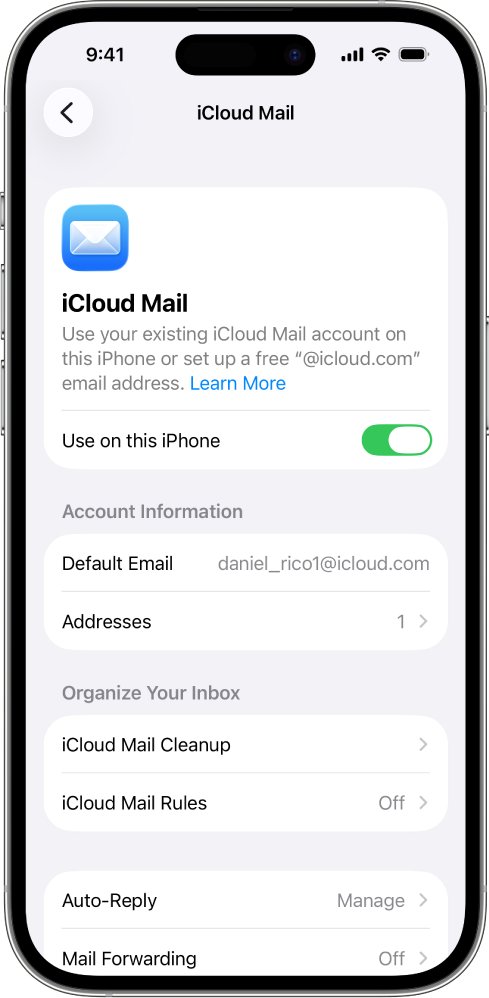
A me.com address does not need a separate account on iPhone. It arrives through iCloud Mail once Mail is turned on for your Apple Account.
- Open Settings, then tap your name.
- Tap iCloud.
- Tap Mail under Saved to iCloud or Apps Using iCloud.
- Turn on Use on this iPhone.
- Open the Mail app and tap a mailbox in the iCloud section.
If no setup screen appears after turning on Mail, the account already has a primary iCloud email address, which is the case for every working me.com account.
Set up me.com email on a Mac
- Choose Apple menu > System Settings, then click your name at the top of the sidebar.
- Click iCloud, then click Mail (or iCloud Mail).
- On macOS 13.3 or later, turn on Sync this Mac. On macOS 13 to 13.2, click Turn On.
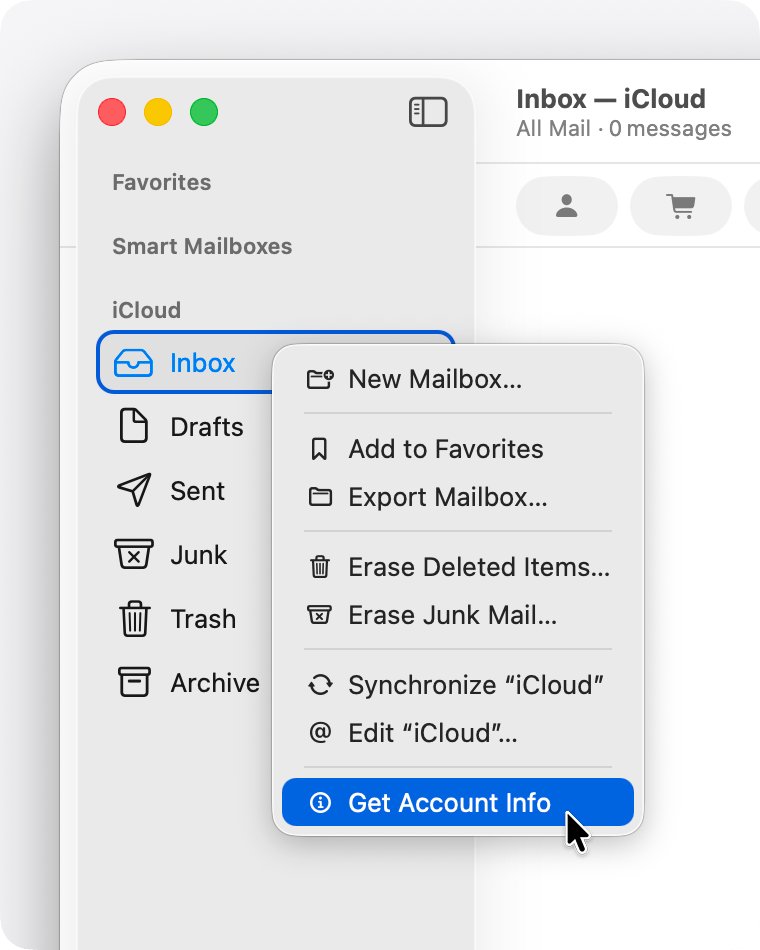
- Open the Mail app and click a mailbox in the iCloud section.
me.com IMAP and SMTP server settings
Use these only when you add the email account to an app that cannot sign in to iCloud directly. iPhone, iPad, Mac and Outlook 2021 or later on Windows set up the account automatically. iCloud Mail does not support POP.
| Setting | Incoming (IMAP) | Outgoing (SMTP) |
|---|---|---|
| Server name | imap.mail.me.com | smtp.mail.me.com |
| Port | 993 | 587 |
| SSL | Required (try TLS if SSL fails) | Required (try TLS or STARTTLS if SSL fails) |
| Username | The name part of the address, e.g. johnappleseed; try the full address if that fails | The full address, e.g. [email protected] |
| Password | An app-specific password | The same app-specific password |
| Authentication | Yes | SMTP authentication required |
Can you still get a me.com email address?
No. When you turn on iCloud Mail today, Apple creates a primary @icloud.com address, and the aliases you add on iCloud.com are also @icloud.com addresses.
| What you want | What Apple offers | Limit |
|---|---|---|
| A new Apple email address | A primary @icloud.com address | More than three characters and not already taken; it cannot be renamed later |
| A second address on the same inbox | An @icloud.com email alias | 3 to 20 characters; a deleted alias slot reopens after 7 days |
| A throwaway address for sign-ups | Hide My Email with iCloud+ | Random addresses that forward to your inbox |
| Your own domain name | Custom Email Domain with iCloud+ | Requires a domain you own or buy |
An alias cannot be changed, transferred or turned into a separate primary account, so a me.com address you already own is worth keeping.
Change your Apple Account email from me.com
Changing the primary email does not cost you contacts, purchases or account data, and any address on the account can still be used to sign in.
- On iPhone, iPad or Mac, open Settings or System Settings and choose your name.
- Tap or click Sign-In & Security.
- Tap or click your primary email address.
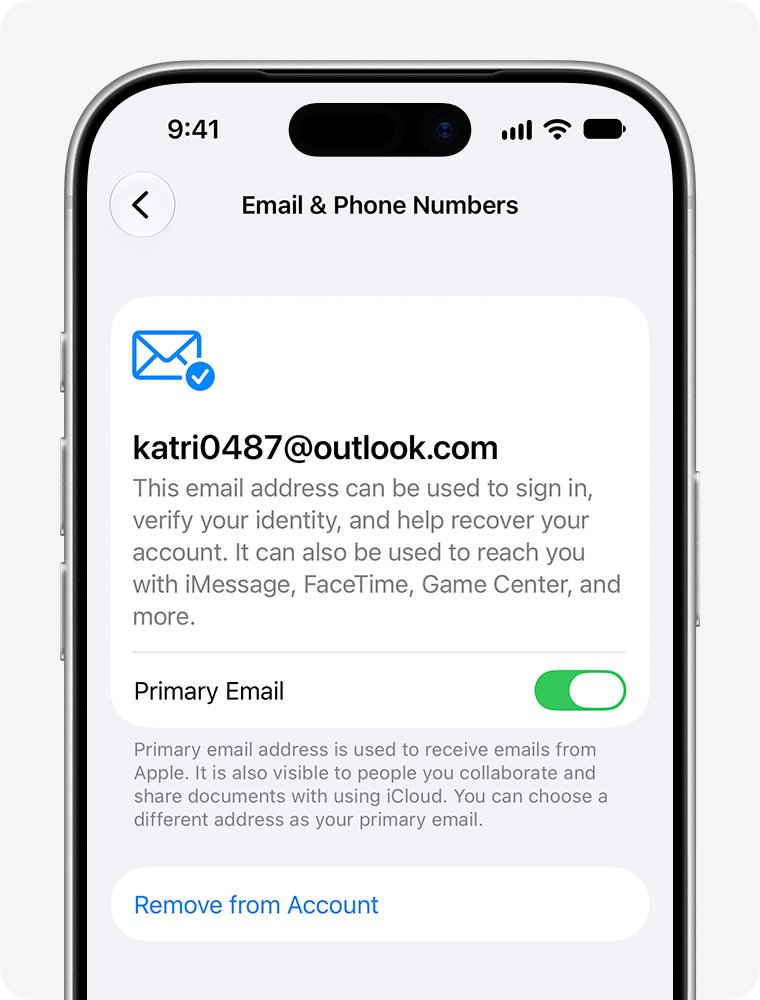
- Turn off Primary Email to keep the me.com address on the account but use another one as primary.
- Choose another address already on the account, or add a new one.
- Follow the onscreen steps to verify the new primary email address.
If an iCloud address is the only email on the account, you see Change Email Address instead of Remove from Account. That option, available on iOS 18.1, iPadOS 18.1 or macOS 26.4 and later, replaces the old address with a new one while keeping your iCloud Mail.
me.com email not working
Mail sent to the me.com address stopped arriving
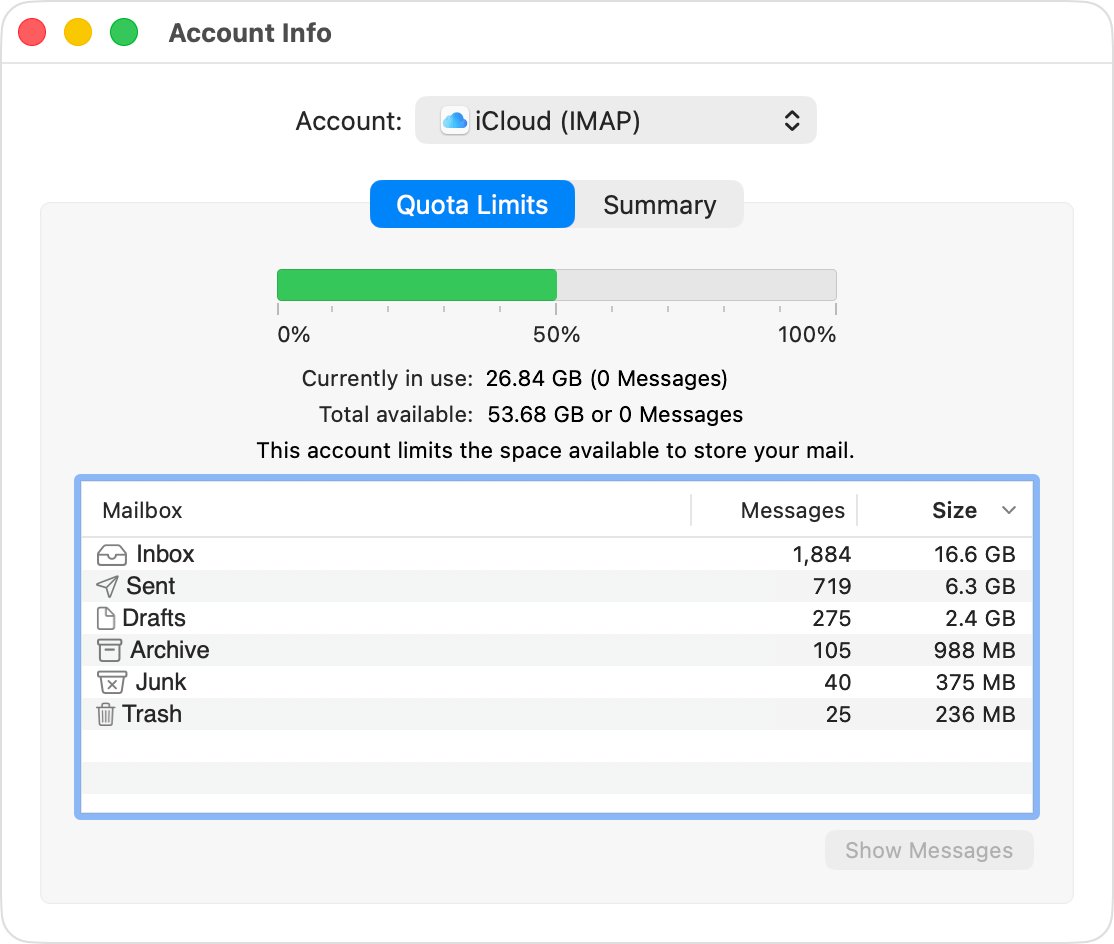
iCloud storage is full; iCloud Mail stops accepting new mail until space is freed.
- Open Settings, tap your name, then tap iCloud to see how much storage is used.
- Delete large items or upgrade your storage plan.
- Go to icloud.com/mail and send a test message to the me.com address.
me.com mail is not showing up on iPhone
Mail is turned off for iCloud, or push is off.
- Open Settings, tap your name, tap iCloud, then tap Mail and turn on Use on this iPhone.
- Open Settings > Apps > Mail > Mail Accounts.
- Tap Fetch New Data, turn on Push, and make sure Automatically is selected under Fetch.
- Turn off any VPN, then restart the iPhone.
"This message could not be sent" from me.com on a Mac
iCloud is not set as the outgoing mail account.
- Open Mail and choose Mail > Settings.
- Click the Accounts tab and select your iCloud account.
- Click the Server Settings tab.
- Select iCloud as the Outgoing Mail Account.
"Unknown address" or "undelivered mail returned" after sending
A mistyped recipient, or the message was filtered on the way.
- Open the Sent mailbox and check the recipient's address.
- Check Drafts and Outbox for an unsent copy and send it again.
- Ask the recipient to check their junk folder.
Outlook or another email app rejects the me.com password
Third-party apps need an app-specific password, not your Apple Account password.
- Generate an app-specific password for the app from your Apple Account.
- Enter imap.mail.me.com on port 993 and smtp.mail.me.com on port 587.
- Use the full address as the SMTP username.
me.com email address FAQ
What happened to my me.com email address?
It became part of iCloud Mail when Apple replaced MobileMe with iCloud. The address still works on the same Apple Account, and mail sent to it arrives in your iCloud Mail inbox on iCloud.com, iPhone, iPad and Mac.
Is me.com a real email address?
Yes. @me.com is an Apple email domain used by iCloud Mail, alongside @mac.com and @icloud.com. iCloud Mail's own servers still run on mail.me.com, so a message to a me.com address goes to a real Apple inbox.
What email address is me.com?
A me.com address is an Apple iCloud Mail address that dates from the MobileMe service. It belongs to an Apple Account and shares the iCloud Mail inbox with any @icloud.com address on that same account.
Who owns me.com email?
Apple owns the me.com email domain. It launched as part of MobileMe and now runs as part of iCloud Mail, using Apple's imap.mail.me.com and smtp.mail.me.com servers.
How do I get a me.com email address?
You cannot create a new one. Turning on iCloud Mail today gives you a primary @icloud.com address, and aliases you add on iCloud.com also end in @icloud.com. Only accounts from the MobileMe era have me.com addresses.
What happened to my email address if mail stopped arriving?
Check your iCloud storage first. When iCloud storage is full, iCloud Mail stops receiving new email until you free up space. Then confirm Mail is turned on for iCloud on your device and test the address at icloud.com/mail.
Can I sign in to my Apple Account with my me.com address?
Yes, if the address is on your account. Any email address associated with your Apple Account can be used to sign in, including an iCloud address such as @me.com.