To block No Caller ID calls on iPhone, open Settings > Apps > Phone, tap Screen Unknown Callers and choose Silence, which sends every call from a number not in your contacts straight to voicemail.
This guide covers that setting, call screening, call filtering, Focus, and what to do when hidden-number calls still ring.
How to block No Caller ID on iPhone (step-by-step)
- Open the Settings app.
- Tap Apps, then tap Phone.
- Scroll to Screen Unknown Callers.
- Select Silence.
- Go back, then tap Apps > FaceTime and turn on Silence Unknown Callers to cover FaceTime calls too.
Silenced calls go to voicemail and still appear in your call history. People in your contacts keep ringing as normal, so save the numbers that matter first.
Comparison: 3 ways to block No Caller ID on iPhone
| Option | What happens to hidden callers | Best for |
|---|---|---|
| Screen Unknown Callers > Silence | Phone never rings; call goes to voicemail | Stopping all unknown and hidden calls |
| Screen Unknown Callers > Ask Reason for Calling | Caller is asked why they are calling before your phone rings | Keeping deliveries and appointments while screening spam |
| Focus with Allow Calls From | Only chosen people ring while the Focus is on | Nights, work hours or meetings |
Why is blocking No Caller ID so tricky?
A No Caller ID call arrives with no number attached. The Block Caller button works on a specific number, so there is nothing for it to block.
| Tool | Works on No Caller ID? | Reason |
|---|---|---|
| Block Caller in Recents | No | Needs a phone number to block |
| Blocked Contacts in Settings | No | Needs a contact or number to add |
| Screen Unknown Callers | Yes | Acts on any number not saved in Contacts |
| Call Filtering > Unknown Callers | Partly | Moves missed calls and voicemails to a separate list |
That is why No Caller ID calls feel so annoying: the obvious block option is missing, and the fix lives in Phone settings instead.
Screen No Caller ID calls with Ask Reason for Calling
Screening lets an unknown caller explain themselves before your iPhone rings. On iOS versions before iOS 17, Live Voicemail must also be on.
- Open Settings > Apps > Phone.
- Tap Screen Unknown Callers.
- Select Ask Reason for Calling.
- When a screened call arrives, read the caller's reason and choose whether to answer.
Calls are not screened while you are roaming, and screening turns off for 24 hours after you call emergency services.
Alternative solutions
These work alongside the Silence option or instead of it.
| Alternative | Where to set it | Effect |
|---|---|---|
| Filter unknown callers | Settings > Apps > Phone > Call Filtering > Unknown Callers | Missed calls and voicemails from unknown numbers move to the Unknown Callers list |
| Silence spam callers | Settings > Apps > Phone > Call Filtering, spam filter on | Spam calls go to a separate Spam list |
| Do Not Disturb Focus | Settings > Focus > Do Not Disturb > People | Only people you allow can ring; turn on repeated calls for urgent callers |
| Carrier blocking | Your mobile carrier's app or account | Some carriers offer anonymous-call blocking on their network |
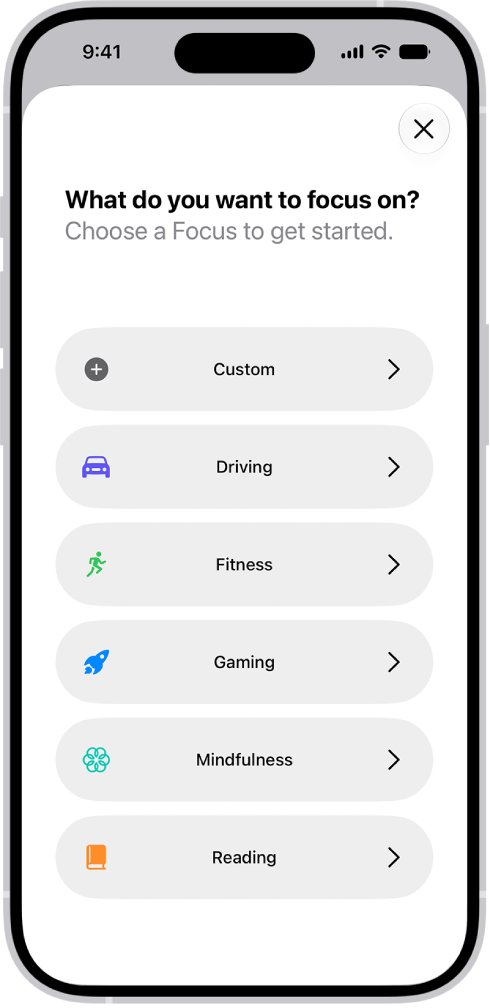
Set up a Focus to stop No Caller ID calls at night
- Open Settings and tap Focus.
- Choose a Focus, such as Do Not Disturb or Sleep.
- Tap People, then Allow Notifications From, and add the contacts who may reach you.
- Turn on the option to allow repeated calls if you want a second call within 3 minutes to come through.
- Turn the Focus on from Control Center or set it on a schedule.
Tips & best practices
| Tip | Why it matters |
|---|---|
| Save doctors, schools and family to Contacts | Saved numbers always ring through Silence and screening |
| Check voicemail daily | Silenced calls can still leave a message |
| Review the Unknown Callers list | Spots a real call that was filtered |
| Never call back a number from a suspicious voicemail | Returning spam calls confirms your number is active |
Check that No Caller ID calls are silenced
- Open the Phone app after a hidden call arrives.
- Look for the call in Recents (Classic view) or Calls (Unified view) with no ring having sounded.
- Tap the Filter button and select Unknown Callers to see filtered calls if you turned on call filtering.
Still getting No Caller ID calls?
Hidden calls still ring after turning on Silence
The setting was changed for FaceTime only, or Screen Unknown Callers is set to Never.
- Open Settings > Apps > Phone.
- Confirm Screen Unknown Callers shows Silence.
- Restart the iPhone and test again.
Calls are not screened while travelling
Call screening does not run while roaming.
- Switch to a Focus that only allows your contacts while abroad.
- Set Screen Unknown Callers back as you like when you return home.
Screening stopped working for a day
Calling emergency services turns screening off for 24 hours.
- Wait 24 hours for screening to resume on its own.
Important callers are being silenced
Their number is not saved in Contacts.
- Open the call in Recents.
- Tap the number and add it to Contacts.
If calls keep coming from one hidden caller and feel like harassment, contact your carrier, which can trace calls on its network.
Frequently asked questions
Can I block No Caller ID on iPhone?
Yes, indirectly. There is no Block Caller button for hidden numbers, but setting Settings > Apps > Phone > Screen Unknown Callers to Silence stops them ringing and sends them to voicemail.
How do I block No Caller ID calls on iPhone 15 or iPhone 17?
The steps are the same on every iPhone running current iOS. Open Settings, tap Apps, tap Phone, then set Screen Unknown Callers to Silence or Ask Reason for Calling.
Is No Caller ID a blocked number?
No Caller ID means the caller hid their number before calling, not that you blocked them. Numbers you block yourself appear under Settings > Privacy & Security > Blocked Contacts.
Can a blocked or silenced caller leave a voicemail?
Yes. Silenced unknown callers go straight to voicemail, and blocked numbers can also leave a voicemail, though you get no notification for it.
Will Silence Unknown Callers block my contacts?
No. Only numbers not saved in Contacts are silenced. Calls from people in your contacts ring normally, so add important numbers before turning the setting on.
How do I block a specific number on iPhone?
Open the Phone app, tap Recents, tap the number or the Info button, scroll down and tap Block Caller. You can also add it under Settings > Privacy & Security > Blocked Contacts.
Can I block No Caller ID calls on Android?
Android phones use their own settings, which differ by maker. The iPhone steps in this guide do not apply; check your phone maker's Phone app settings or your carrier.
Quick summary
Set Screen Unknown Callers to Silence in Settings > Apps > Phone, and save every important number to Contacts first. Hidden numbers cannot be blocked one by one, but silencing all unsaved callers stops them ringing while voicemail still catches real calls.