An Apple Account is the single sign-in Apple uses for iCloud, the App Store, Messages, FaceTime and every other Apple service, and it replaced the Apple ID name.
This guide covers creating an account, finding its settings on iPhone, resetting a forgotten password, unlocking a locked account and deleting it permanently.
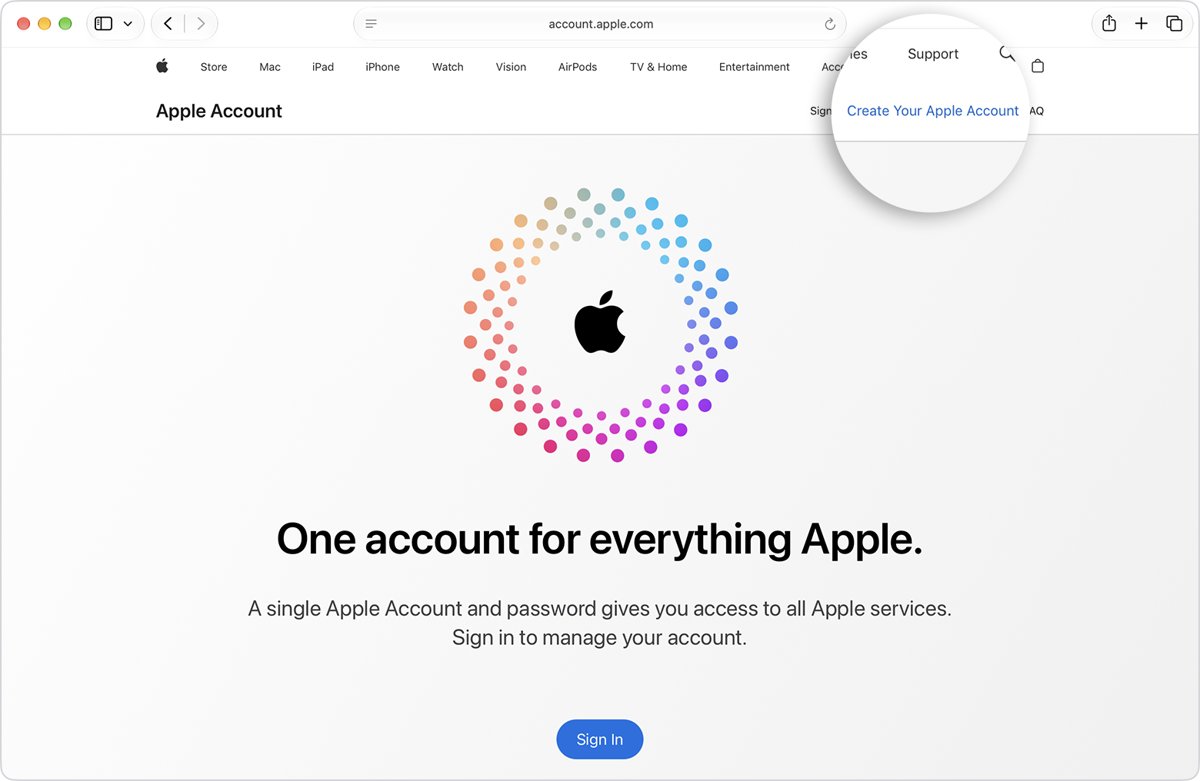
How to create an Apple Account on iPhone or iPad
The App Store route works on a device that is already set up. Sign out of iCloud first, or the create option does not appear.
- Open the App Store and tap the My Account button.
- Tap Create New Apple Account.
- Enter an email address, create a strong password and set your country or region.
- Enter a payment method or choose None, then tap Next. You are not charged until you buy something.
- Confirm your phone number and tap Next.
- Open the verification email from Apple and verify your email address.
On a new device, tap Forgot password or don't have an account? during setup, then tap Create a Free Apple Account. No email address? Tap Don't have an email address? to get a free iCloud address.
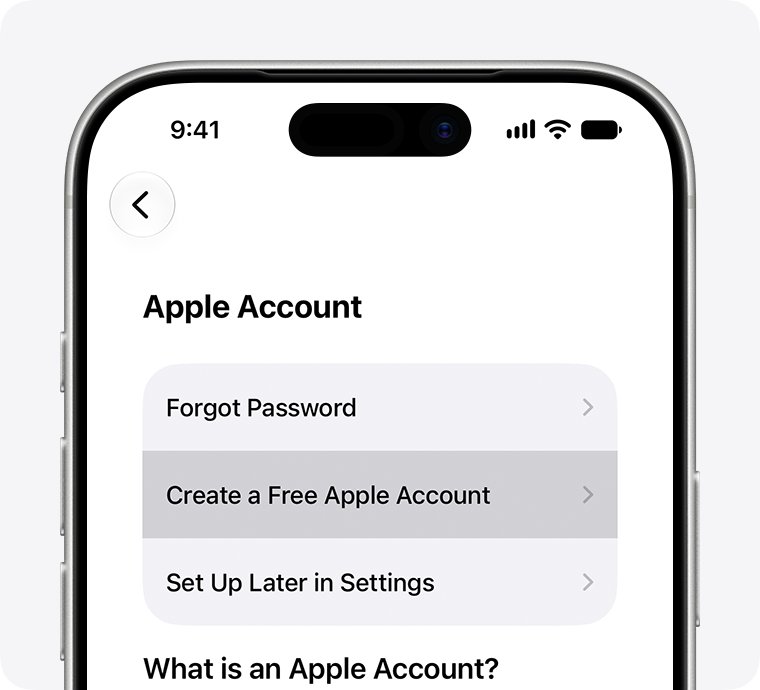
What is Apple Account?
Apple ID is now called Apple Account. You still sign in with the same email address or phone number and password.
| What the account does | Where you use it |
|---|---|
| Sets up Apple services on a new device | Device setup |
| Keeps photos, files and messages in sync | iCloud |
| Makes purchases and restores past ones | App Store and other Apple media services |
| Lets you talk and text | Messages and FaceTime |
| Signs you in to third-party apps and websites | Sign in with Apple |
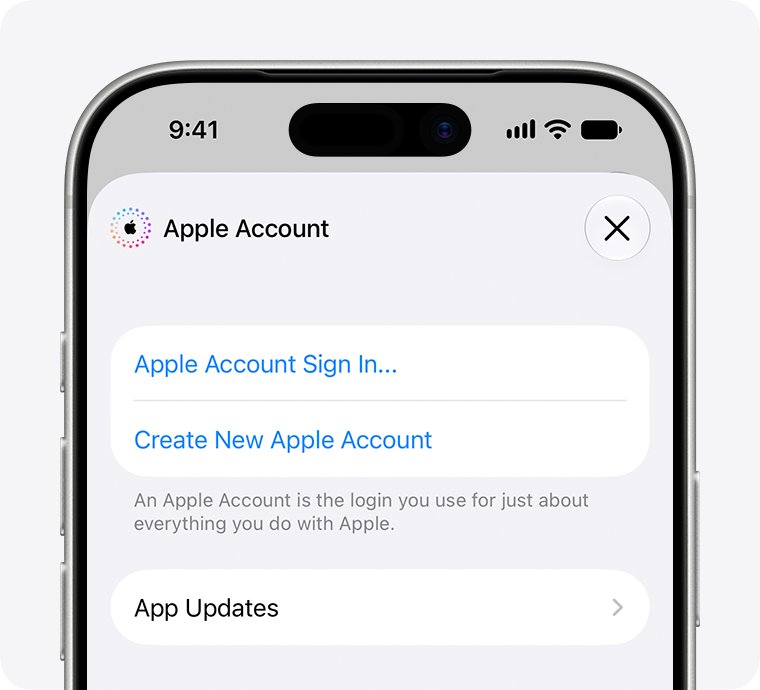
Where is Apple Account settings on iPhone?
- Open Settings on your iPhone (or System Settings on a Mac).
- Tap your name at the top.
- Tap Sign-In & Security to see the email addresses and phone numbers you can sign in with.
- Use the same screen to update trusted phone numbers and change your password.
Any email address or phone number on file works to sign in, so try each one if the first is rejected.
How to reset Apple Account password
The fastest reset uses a trusted device, meaning an iPhone, iPad, Apple Watch, Apple Vision Pro or Mac already signed in with two-factor authentication.
If you still know the password and just want a new one, you can change the Apple Account password on a Mac from System Settings.
- On the sign-in screen, tap Forgot password? or Forgot password or don't have an Apple Account?
- Follow the onscreen instructions to approve the reset on a trusted device.
- If asked, enter the verification code sent to your trusted phone number.
- Provide any other recovery factor requested, such as your recovery contact's 6-digit code or your card's CVV.
- Create a new password and sign in again.
Without a trusted device or recovery factors, start account recovery at iforgot.apple.com in Safari, or open the Support app on a borrowed device, scroll to Support Tools, select Reset Password, then Help Someone Else. Account recovery can take several days or more.
How to unlock Apple Account
An Apple Account locks itself when a password or other account details are entered wrongly too many times.
| Message you see | What to do |
|---|---|
| This Apple Account has been disabled for security reasons | Reset your Apple Account password |
| This Apple Account has been locked for security reasons | Reset your Apple Account password |
| Your Apple Account is locked or not active | Tap Request Access in the alert |
| Your Media & Purchases account has been disabled | Tap Continue in the alert to request reactivation |
| This Apple Account is locked and can't be used | Create a new Apple Account |
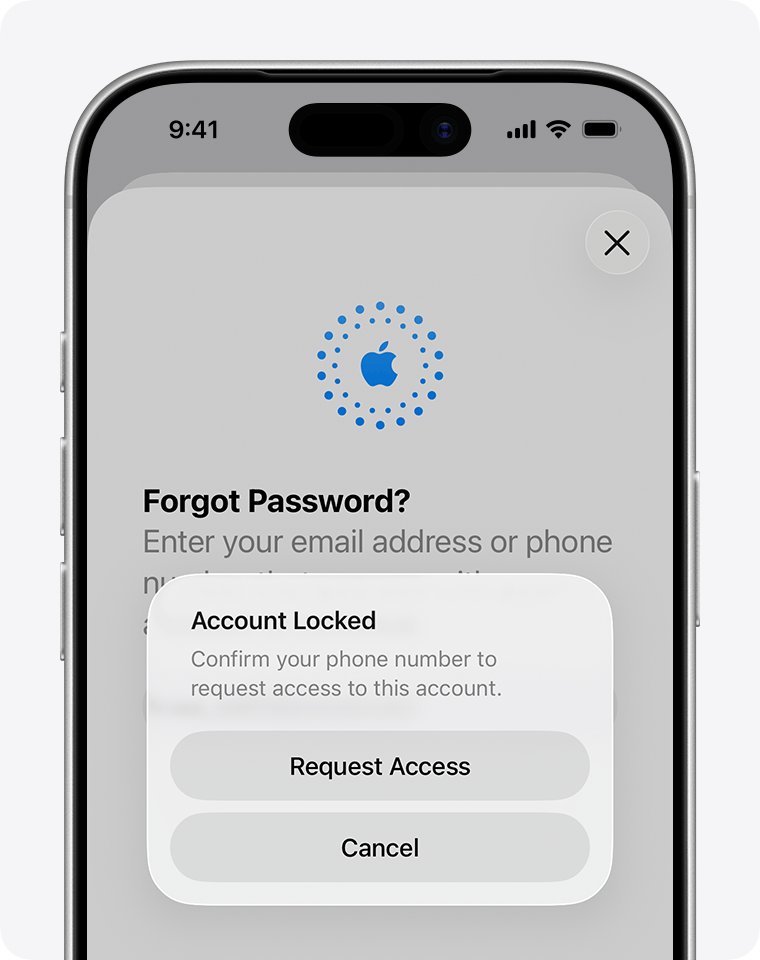
How to delete Apple Account
Deletion is permanent. Apple cannot restore the account or its data, and you cannot reuse its email address or phone number for a new account for several years.
- Back up iCloud data to a place that does not need your Apple Account.
- Download any apps, music, movies, books and audiobooks you want to keep.
- Cancel any active AppleCare plan, because deletion is blocked while one is active.
- Sign out of the account on every device so Activation Lock does not lock you out.
- Sign in on Apple's Data and Privacy page and select Request to delete your account.
- Store the alphanumeric access code Apple gives you somewhere safe.
While the request is processing, contact Apple Support with that access code to cancel it.
Apple Account sign-in problems and fixes
Why can't I create an Apple Account?
The App Store hides the create option while you are signed in to iCloud.
- Sign out of iCloud on the device.
- Open the App Store, tap My Account and look for Create New Apple Account again.
Why is my Apple Account locked?
Someone entered the password or account details incorrectly too many times.
- Tap Forgot password? on the sign-in screen.
- Reset the password from a trusted device or your trusted phone number.
Why does Apple Account recovery take so long?
Account recovery is a security wait used when no trusted device or recovery factor is available.
- Wait for the trusted device or trusted phone number if you will have it back soon, because that route is faster.
- If you started recovery on the web, turn off all your Apple devices during the wait.
- Do not sign in with the old password unless you want to cancel the recovery request.
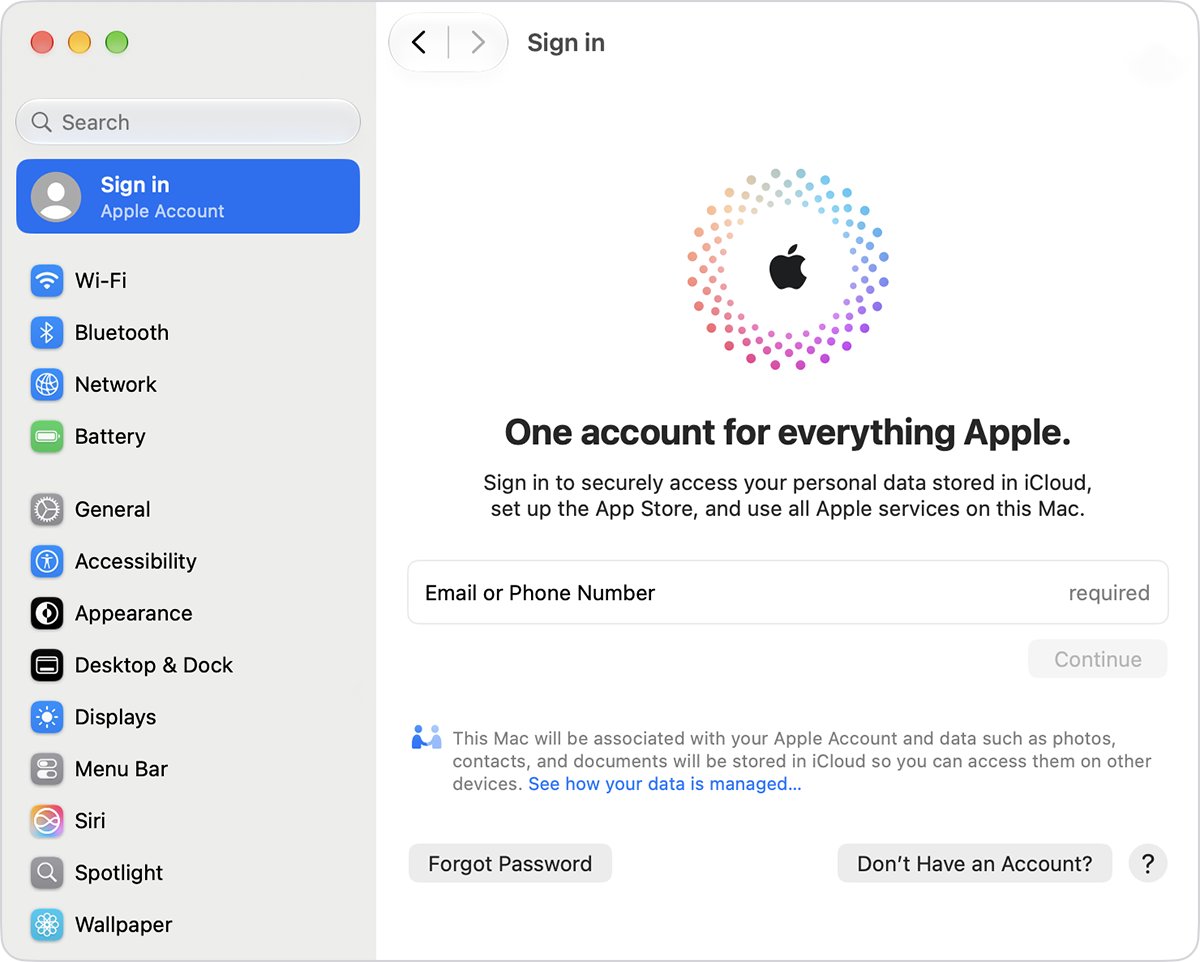
Apple Account FAQ
What is Apple Account?
Apple Account is the new name for Apple ID. It is the one sign-in for iCloud, the App Store, Messages, FaceTime, Apple Pay and Sign in with Apple, and it uses the same email or phone number and password.
How to create Apple Account?
Open the App Store, tap My Account, then tap Create New Apple Account and follow the prompts. On a new device, tap Forgot password or don't have an account? during setup, then Create a Free Apple Account.
How to reset Apple Account password?
Tap Forgot password? on any Apple sign-in screen and follow the instructions. A trusted device or your trusted phone number gives the quickest reset; otherwise start account recovery at iforgot.apple.com.
How to unlock Apple Account?
If the message says the account was disabled or locked for security reasons, reset your password. If it says locked or not active, tap Request Access in the alert.
How to delete Apple Account?
Sign in on Apple's Data and Privacy page and select Request to delete your account. Back up your data, cancel AppleCare and sign out of every device first, because deletion cannot be undone.
Where is Apple Account on iPhone?
Open Settings and tap your name at the top. Sign-In & Security there lists your sign-in emails and phone numbers and lets you change the password.
How to verify Apple Account?
Apple sends a verification email when you create the account. Open it and verify the address, then sign in to use iCloud, the App Store and other services.