To uninstall Norton completely, start in the installed programs list, then run the Norton 360 Remover tool on anything that list leaves behind. The tool is Norton’s own, costs nothing, downloads from norton.com with no sign-in, and either removes the app on its own or removes it and reinstalls the latest version.
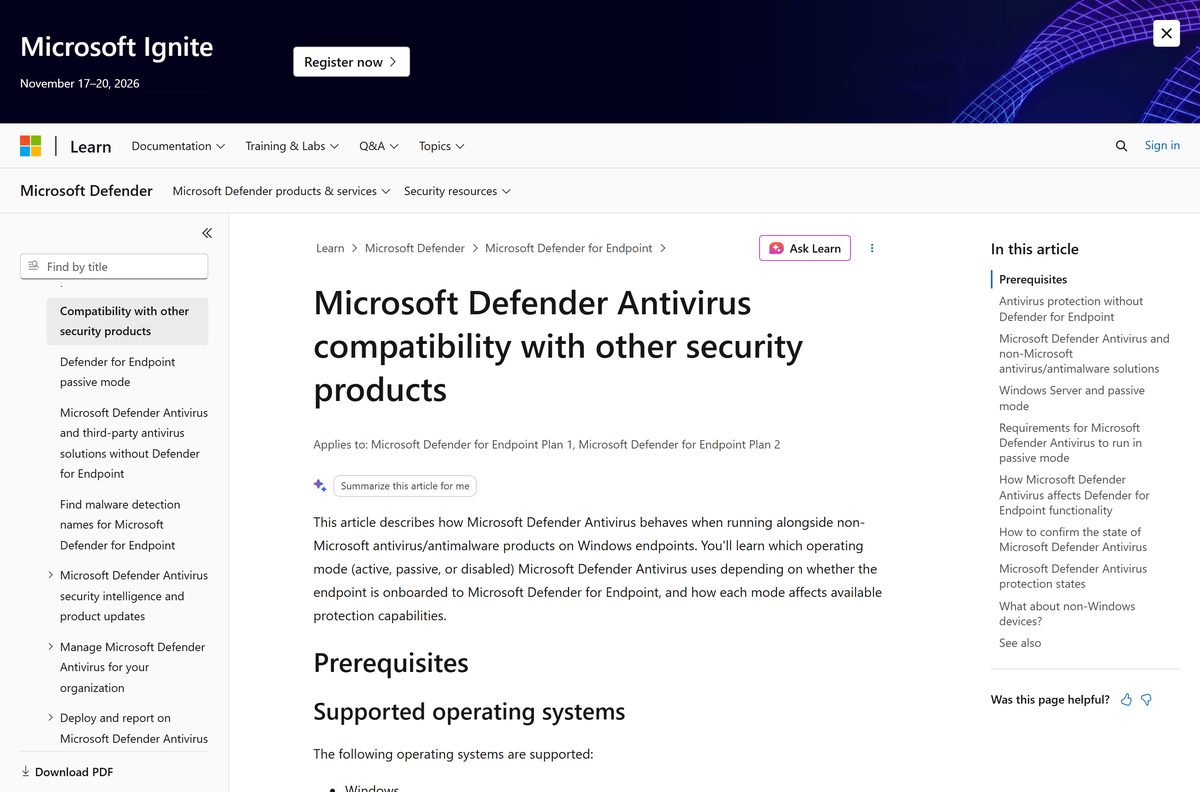
Removing an antivirus hands the job back to Windows. Microsoft Defender Antivirus switches itself off while Norton is the primary scanner, and it can switch itself back on once Norton stops providing real-time protection.
Below: the installed programs route, the remover tool and its two options, the Mac uninstaller, the Norton apps the tool does not touch, the account side, and the fixes for a removal that stalls or comes back.
Which Norton removal route fits your situation?
Norton ships as several separate apps, and no single route clears all of them. Match the row, then follow the section it points to.
| Your situation | What removes it | Norton’s own page |
|---|---|---|
| Norton 360 on Windows 11 or 10, app still opens | The installed programs list | Windows uninstall steps |
| The uninstall errors, stalls or leaves the app behind | Norton 360 Remover tool, Remove option | Norton 360 Remover tool |
| You want a clean copy afterwards | Norton 360 Remover tool, Reinstall option | Remover tool page |
| Norton on a Mac | Norton Uninstaller, already in Applications | Mac uninstall steps |
| Another Norton app is still installed | Its own uninstaller, not this tool | Private Browser steps |
| The card is still being charged | The Norton account, not the uninstaller | Cancellation article |
Every row above removes software. None of them stops a renewal, which Norton handles only in the account.
Download the Norton 360 Remover tool from the official Norton links
Norton serves the tool from norton.com, with no account, key or purchase in the way.
- Norton 360 Remover tool — Saves as Norton_360_remover
- Norton 360 Remover tool page — Reinstall, Remove and Reboot options
- Uninstall Norton device security on Windows — The installed programs route
- Uninstall Norton device security on Mac — Uses the bundled Norton Uninstaller
- Norton account sign-in — Needed for a reinstall or a device removal
- Norton downloads page — Installers, if you reinstall later
Norton states neither a version number nor a download size, so the file behind that link is always the current build.
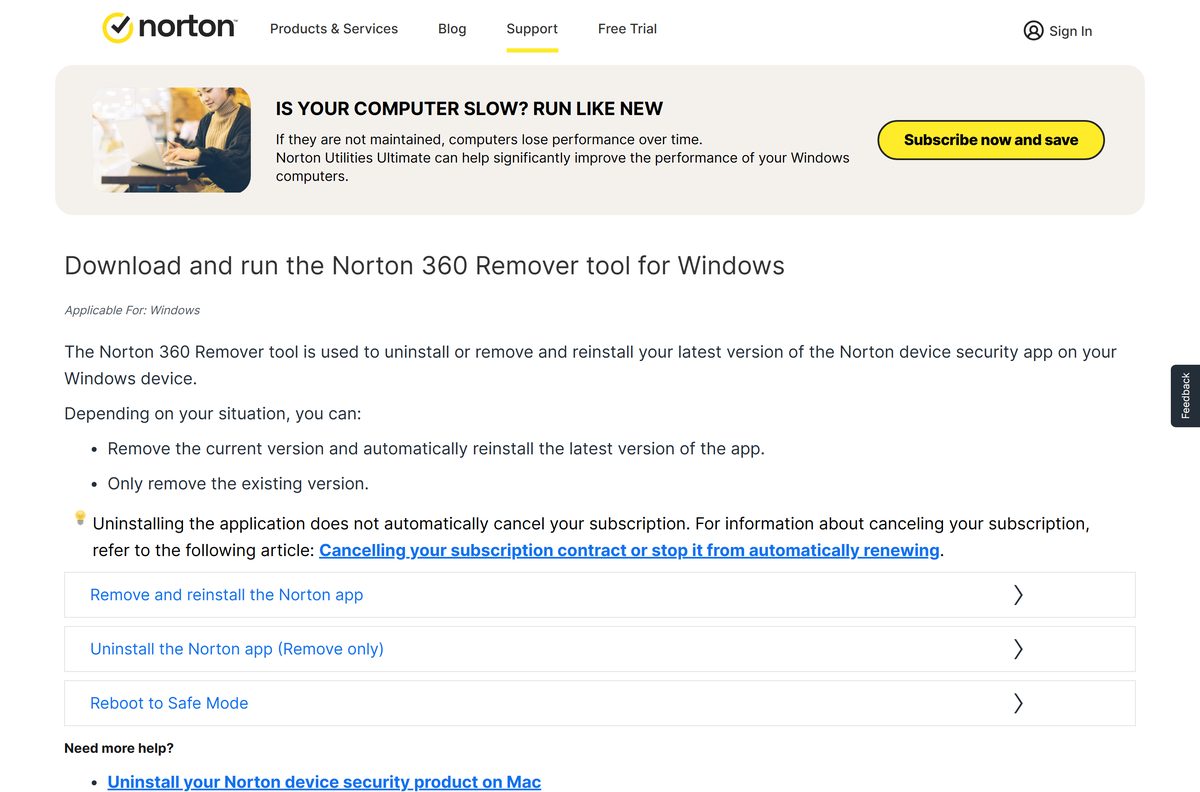
How to uninstall Norton from the installed programs list on Windows 11 and 10
This is Norton’s own route, and it works whenever the app still opens normally.
- Close the Norton app, including any window of it sitting in the notification area.
- Press Windows + R to open the Run dialog box.
- Type appwiz.cpl and press Enter.
- Select Norton 360 in the list of installed programs, then click Remove or Uninstall.
- Click Yes to confirm, then click Next.
- Use Start > Settings > Apps > Installed apps instead, then More and Uninstall, or Control Panel for an entry Settings will not remove.
- Exit all programs and restart the PC when the uninstall finishes.
- Check that Windows Security names an active antivirus before you go back to browsing.
The entry may read Norton AntiVirus Plus or another plan name, because Norton labels it after the subscription.
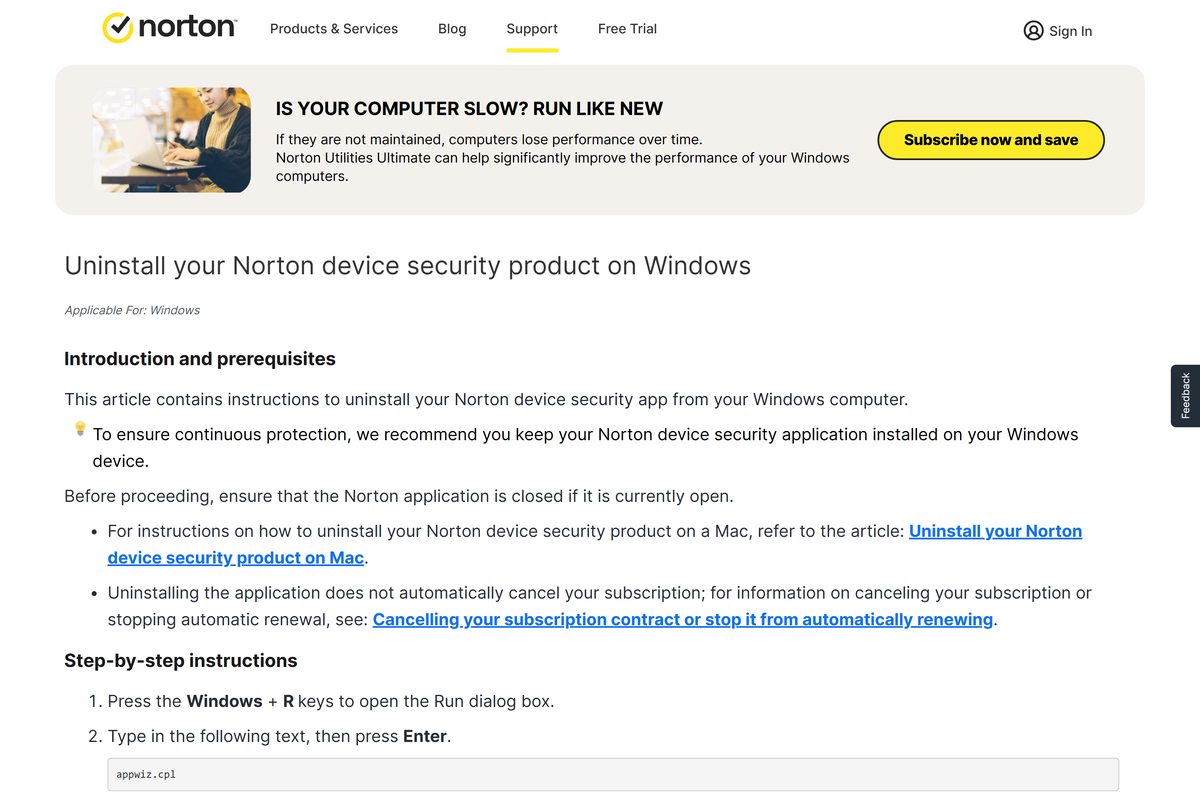
How to run the Norton 360 Remover tool and clear Norton for good
The tool finishes what the installed programs list could not. Decide first whether you want Norton back, because that is the only difference between the two buttons.
- Uninstall Norton Family first if it is on the PC, because it blocks the tool.
- Open the Norton 360 Remover tool page and select the download link.
- Save the file to the Windows desktop, or press Ctrl + J to find it in the browser’s Downloads window.
- Double-click the Norton_360_remover icon.
- Click Remove to uninstall without reinstalling, or Reinstall to remove and install the latest version.
- Click Uninstall to confirm.
- Click Restart Now when the removal finishes.
- Click Install Norton 360 after the restart if you chose Reinstall, then click Sign in to activate the subscription.
- Open Windows Security and confirm an antivirus is active if you chose Remove.
Norton also prints a Reboot button, which restarts the PC in Safe mode for the same two options.
Remove or Reinstall: which option should you pick?
Pick Remove when Norton is going for good, and Reinstall only when a broken Norton install is the problem you are fixing. Both options uninstall the same way and both end in a restart. Reinstall then offers Install Norton 360 and asks you to sign in, so it needs an active subscription to be worth anything. Remove stops after the restart and leaves the PC on Microsoft Defender Antivirus.
Remove cancels nothing. The subscription keeps its remaining days, and the installer stays in the Norton account.
How to check that Norton is really gone from the PC
A removal that reports success can still leave an entry or a second Norton app in place.
- Restart the PC first, because the tool defers part of the removal to the restart.
- Right-click the Start icon and select Installed apps on Windows 11, or Apps and Features on Windows 10.
- Type norton in the search box above the list.
- Remove every entry it finds, such as Norton Private Browser, Norton Utilities or Norton Family.
- Confirm in Windows Security that an antivirus is active before you treat the PC as clean.
How to make Microsoft Defender your antivirus again on Windows 11
Microsoft Defender Antivirus does not sit idle beside Norton. On Windows 10 and Windows 11 it drops into Disabled mode automatically while a non-Microsoft antivirus is the primary scanner.
- Restart the PC after the Norton removal, so Windows re-reads which security providers are registered.
- Open the Windows Security app from the Start menu.
- Select Virus & threat protection.
- Select Manage providers under Who’s protecting me?.
- Confirm the Security providers page reads Microsoft Defender Antivirus is turned on under Antivirus.
- Check that real-time protection is on, then run a full scan before you treat the PC as protected.
- Run Get-MpComputerStatus | select AMRunningMode in Windows PowerShell if the page is unclear.
Microsoft states that Defender Antivirus can be re-enabled automatically once the other product expires, is uninstalled or stops providing real-time protection. Keep Norton installed until the Security providers page clears, if it still names Norton after two restarts.
What the Norton 360 Remover tool leaves behind
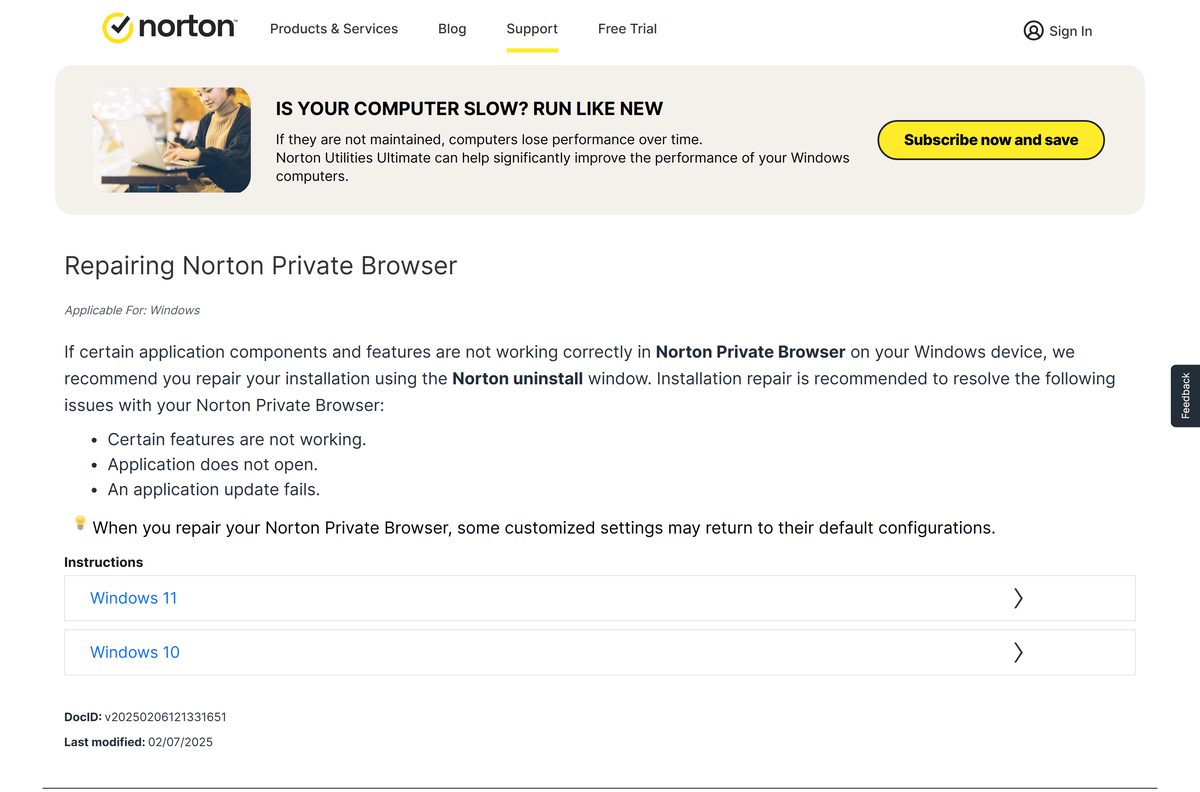
The tool covers the device security app. Norton’s other products, the account record and the billing are separate jobs.
| What stays | Why | How to clear it |
|---|---|---|
| Norton Private Browser | Norton states the remover tool does not uninstall it | Uninstall it on its own |
| Norton Family | It blocks the tool, which reports that it could not uninstall Family | Remove Family first |
| Norton Utilities Ultimate | It ships its own uninstaller on Windows and on Mac | Utilities uninstall steps |
| The device entry in your account | Removing it there deactivates services only and uninstalls nothing | Remove the device |
| The subscription and its renewal | Norton states that uninstalling does not cancel a subscription | Cancel or stop the renewal |
| Files you created with the app | Apple states that removing an app leaves the documents it made | Apple’s guidance for Mac |
The Norton Private Browser uninstall window carries an Also delete your browsing data tick box. Leave it ticked when the browser is going for good.
Which Norton removal route do you need on a Mac?
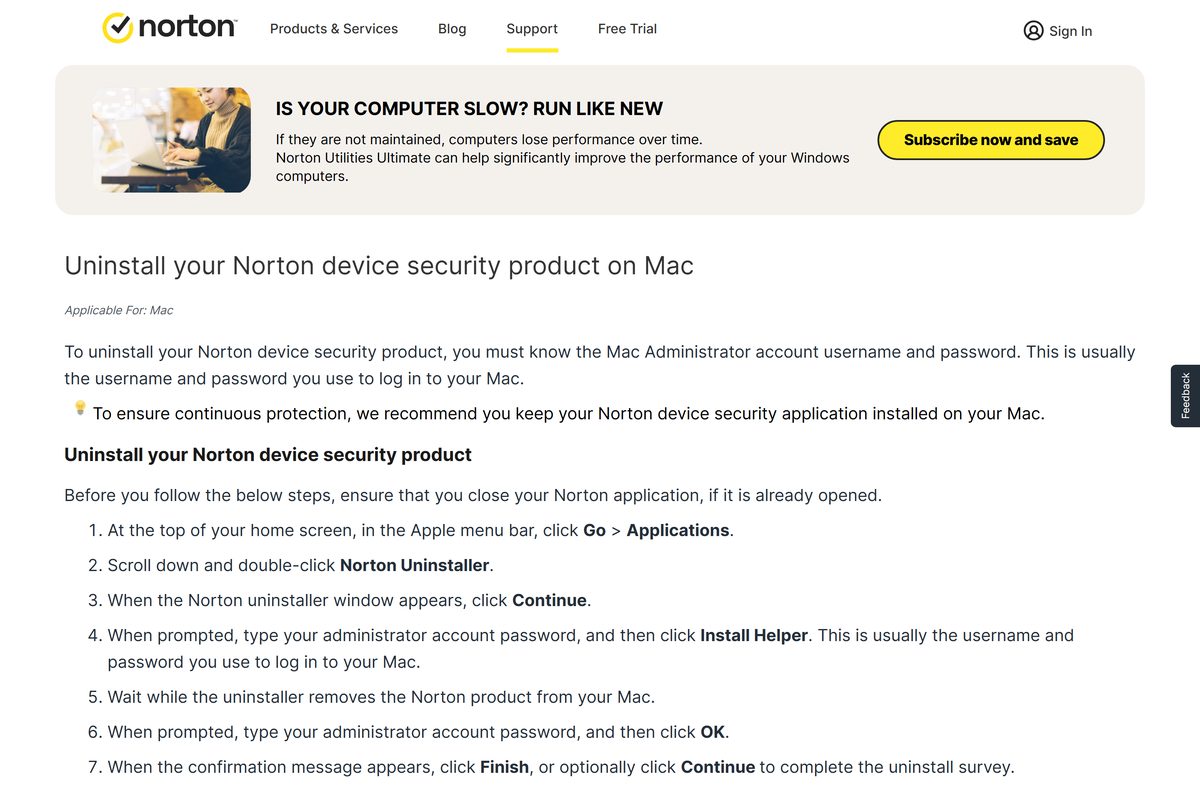
There is nothing to download on macOS. Norton installs its own uninstaller into the Applications folder, and Apple names a non-Apple app’s own uninstaller as the most thorough way to remove it.
| What is on the Mac | What to use | Where |
|---|---|---|
| Norton 360 or Norton AntiVirus Plus | Go > Applications, then Norton Uninstaller | Norton’s Mac steps |
| Norton Utilities Ultimate | Go > Applications, then Norton Utilities Uninstaller | Utilities uninstall steps |
| An app with no uninstaller of its own | Drag it to the Trash, then empty the Trash | Apple’s instructions |
| Something Norton still starts at login | Apple menu > System Settings > General > Login Items & Extensions | Apple’s login items guide |
Norton’s old RemoveNortonMacFiles article no longer resolves, and its DocID now redirects to the Mac install page in every English locale.
Is the Norton 360 Remover tool free?
Yes. The tool is free, with no purchase, no licence key and no account sign-in before the download. Norton publishes it on support.norton.com as a plain download link, and the sign-in only appears afterwards, if you choose Reinstall and have to activate a subscription. Any site charging for a Norton removal tool is not Norton.
Free removal is not free cancellation. Norton states plainly that uninstalling the app does not automatically cancel the subscription.
Check the Norton 360 Remover tool system requirements
| Field | Value |
|---|---|
| Software | Norton 360 Remover tool |
| Developer | Gen Digital Inc. |
| Latest version | Not published; norton.com/nortonremover always serves the current build |
| License | Free |
| File size | Not published by Norton |
| Supported OS | Windows, as listed on Norton’s page |
| Architecture | One Windows build; no separate 32-bit, 64-bit or ARM64 download |
| Mac equivalent | Norton Uninstaller, installed with the Mac app |
| Offline installer | No separate offline package is published |
| Official download source | norton.com/nortonremover |
| Last verified | 2026-10-25 |
Norton’s device security app runs on x86, x64 and Snapdragon X (Plus and Elite) ARM devices, and the same single download removes it from all of them.
How to free the licence and stop the renewal in your Norton account
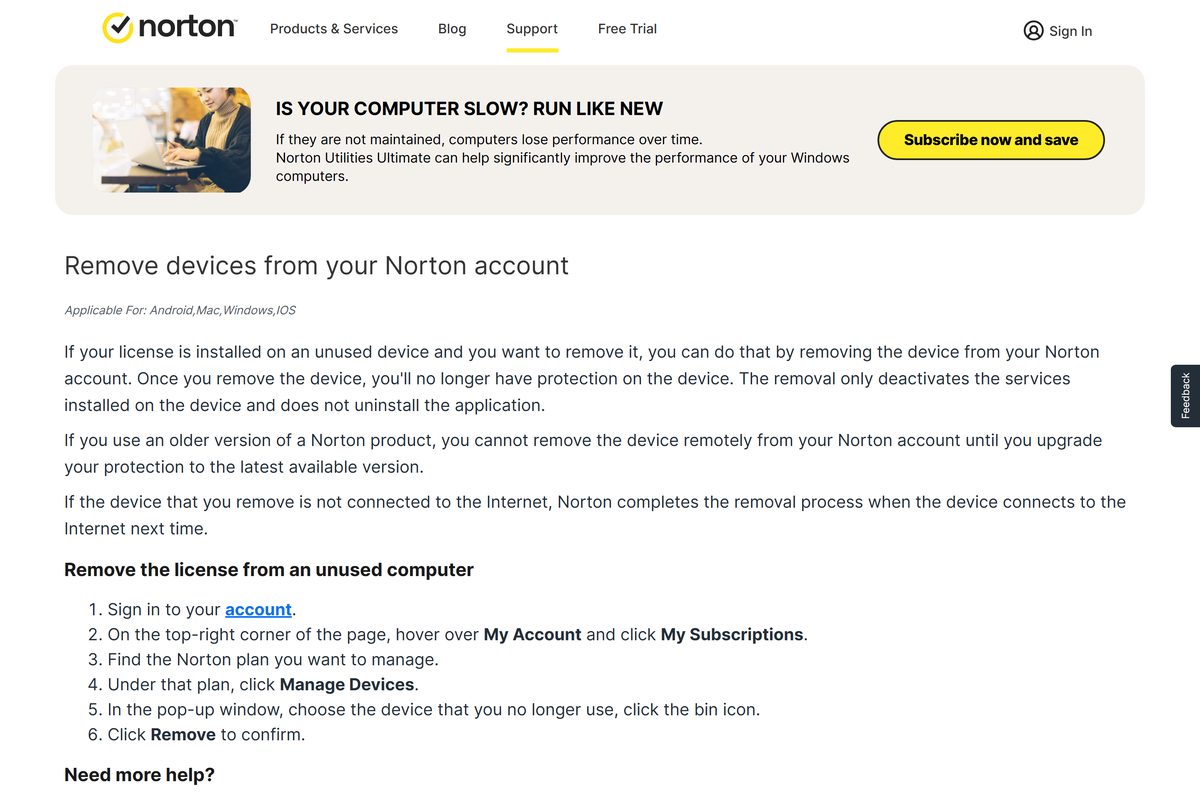
An uninstalled PC keeps its seat on the plan until the account says otherwise, and the renewal keeps its date.
- Sign in at your Norton account.
- Hover over My Account in the top-right corner and click My Subscriptions.
- Find the plan that covered the PC or Mac.
- Click Manage Devices under that plan.
- Choose the device you no longer use and click the bin icon.
- Click Remove to confirm.
- Open Norton’s cancellation article and stop the automatic renewal from the same account page.
- Cancel in the Apple App Store, Google Play Store or Microsoft Store instead if the plan was an in-app purchase.
An older Norton version has to be updated before the device can be removed remotely, and a device that is offline is removed the next time it connects.
Choose what protects the PC after Norton is removed
The machine should not sit unprotected while you decide. One of these is already on the PC.
| Option | What it covers | Cost | Where |
|---|---|---|---|
| Microsoft Defender Antivirus | Real-time protection, cloud-delivered protection and threat remediation in active mode | Included with Windows | Microsoft’s documentation |
| The Windows Security app | The dashboard that names the active provider and starts a scan | Included with Windows | Microsoft’s guide |
| A clean Norton reinstall | The same plan, reinstalled by the tool’s Reinstall option | Covered by the subscription | Remover tool page |
| A fresh Norton installer | A download from the account for another device | Covered by the subscription | Norton downloads |
| macOS on its own | Apple’s built-in protections, with Norton’s Mac features gone | Included with macOS | Apple’s uninstall guidance |
Fix Norton not uninstalling on Windows 11 or 10
The uninstall stops with “An error has occurred”
Norton treats this as a failed install or uninstall, and gives the restart as the first fix.
- Restart the computer and try the uninstall again from appwiz.cpl .
- Download the Norton 360 Remover tool if the error returns, and run it with Remove.
- Confirm an active antivirus in Windows Security after the restart.
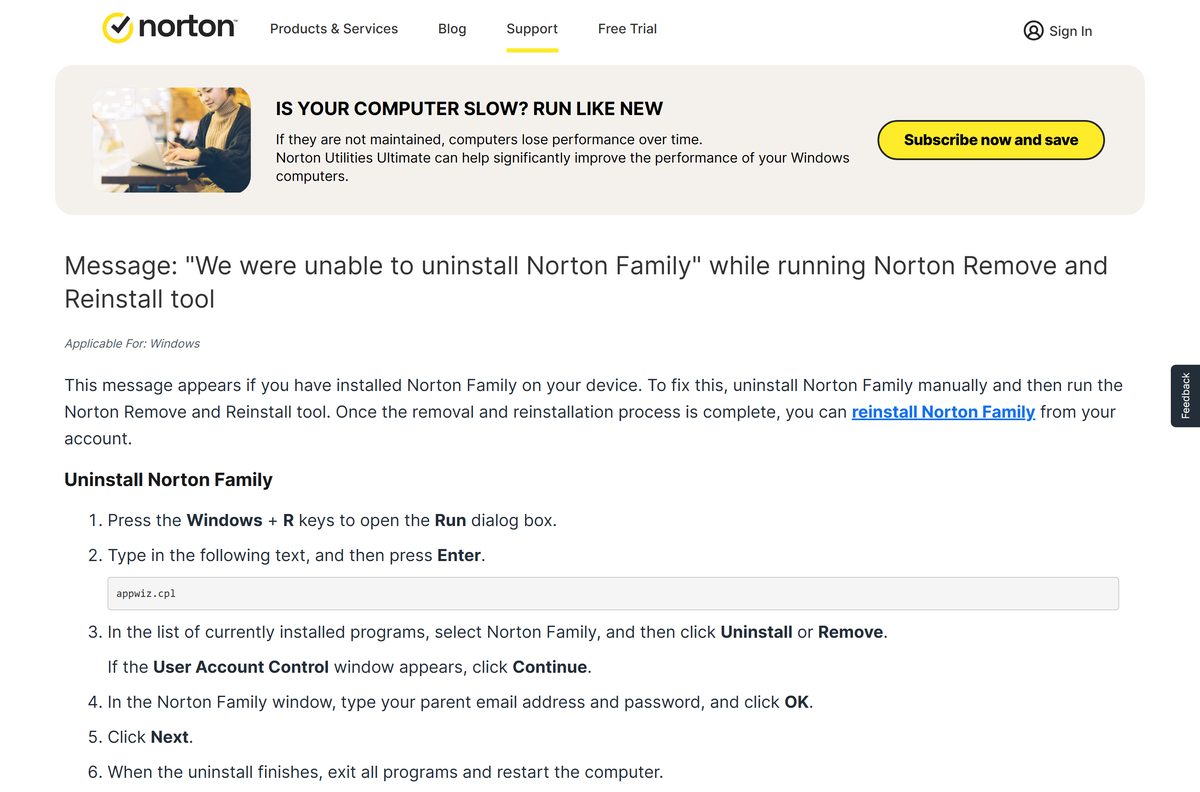
The tool reports that Norton Family could not be uninstalled
Norton Family has to come off first, and its removal asks for the parent credentials.
- Press Windows + R, type appwiz.cpl and press Enter.
- Select Norton Family and click Uninstall or Remove.
- Click Continue at the User Account Control window.
- Type the parent email address and password in the Norton Family window, then click OK.
- Click Next, exit all programs and restart the computer.
- Run the remover tool again after the restart.
The remover tool itself throws errors
Norton’s own answer is Safe mode, which the tool can start for you.
- Click Reboot in the tool to restart the PC in Safe mode.
- Run the tool again from Safe mode.
- Choose Remove for a removal, or Reinstall to install the latest version afterwards.
- Restart into normal Windows and check the installed programs list again.
Norton is back after the restart
Either Reinstall was chosen, or a second Norton app is still installed.
- Re-run the tool and click Remove rather than Reinstall.
- Search the installed programs list for norton and remove every remaining entry.
- Uninstall Norton Private Browser separately, because the tool does not touch it.
- Remove the device from your Norton account so the licence stops reactivating it.
The Mac uninstaller will not finish
The uninstaller needs an administrator account with a real password, and asks for it twice.
- Quit the Norton app from the menu bar, then run Norton Uninstaller from Applications again.
- Sign in to an administrator account with a real password, because a blank one cannot complete it.
- Open Apple menu > System Settings > General > Login Items & Extensions and remove anything Norton left there.
Frequently asked questions
Is the Norton 360 Remover tool free?
Yes. Norton publishes it on support.norton.com with no purchase, no licence key and no account sign-in before the download. A sign-in appears only if you pick Reinstall.
Where is the official Norton removal tool download page?
The page is the Norton 360 Remover article on support.norton.com, and its download link resolves to norton.com/nortonremover. The same link sits in Norton’s uninstall-error article.
Does the Norton removal tool work on Windows 11?
Yes. Norton lists the tool as Applicable For: Windows and publishes one build for all of it. The manual route on Windows 11 is Start, Settings, Apps, then Installed apps.
How big is the Norton 360 Remover tool download?
Norton publishes no size for it, and the file is served from Gen Digital’s content delivery host rather than a norton.com address. It saves as Norton_360_remover.
Is there an offline installer for the Norton removal tool?
No separate offline package is published. The single download runs without the browser once saved, but the Reinstall option needs a connection to fetch the app and activate the subscription.
How do you remove Norton from a MacBook?
Close the app, click Go then Applications in the Apple menu bar, and double-click Norton Uninstaller. Click Continue, type the administrator password at Install Helper, type it again, then click Finish.
Is there a 64-bit or ARM64 version of the Norton removal tool?
No. Norton publishes one Windows download with no separate 32-bit, 64-bit or ARM64 file. It covers the x86, x64 and Snapdragon X ARM devices its security app supports.
Is it safe to uninstall Norton?
It is safe as long as protection comes back. Microsoft states that Defender Antivirus can re-enable itself once the other product is uninstalled, so restart and confirm the provider first.
What is the latest version of the Norton 360 Remover tool?
Norton states no version number for it. The link on the support page always serves the current build, so there is no older or newer file to pick between.
Why won’t Norton uninstall from my PC?
Norton Family blocks the remover tool and has to come off first. For an error during the uninstall, Norton’s fix is a restart, then the tool, then its Reboot button for Safe mode.
Does uninstalling Norton cancel the subscription?
No. Norton states that uninstalling does not automatically cancel a subscription, and that a plan bought in the Apple App Store, Google Play Store or Microsoft Store is cancelled only there.
Is Norton Remove and Reinstall the same as the Norton 360 Remover tool?
They are the same download. Norton’s uninstall-error article still carries the Remove and Reinstall name, while its steps tell you to download the Norton 360 Remover tool.