Mozilla has redesigned Firefox’s Reader Mode according to guidelines of the Photon Design System and is landed in Firefox 78. A significant change you’ll notice with the updated Reader Mode is the horizontal toolbar.
Five years back, Mozilla launched Reader mode for Firefox browser with version 38.0.5, since then till now the feature has got a slew of improvements and features such as Narrate, Dark theme, and dedicated Keyboard shortcut F9 to launch Reader View. And now the feature has been revamped.
Firefox’s Reader Mode new UI highlights
- The vertical toolbar has been replaced with a horizontal toolbar
- The toolbar design follows Photon UI guidelines
- Reader mode accessibility has been improved to make it more keyboard friendly.

Here is the rundown about the changes:
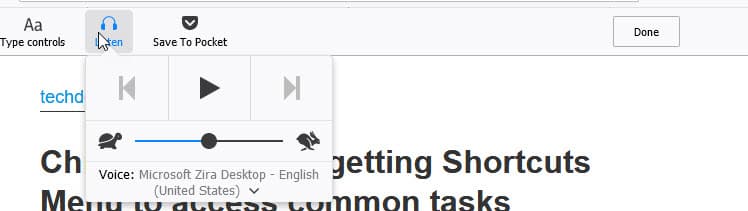
Narrate label has been changed to Listen.
While Narrate means reading out aloud, the Listen button on the toolbar allows users to listen to the Firefox browser reading the text.
When you compare vertical and horizontal reader mode toolbar designs, you’ll notice “close Reader View” has been labeled as “Done”. button.
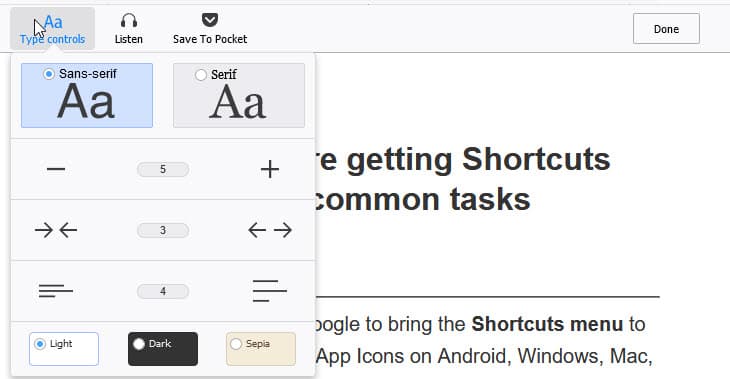
The order of reader View controls is as follows:
AA Type Controls, Listen, Save to Pocket, and Done.
When you scroll through the content to the bottom of the page in Reader View, the toolbar size gets reduced and sticks to the top, it becomes normal when you scroll to top of the page again.
For the uninitiated, here is how the Reader Mode works in Firefox:
When you enter a webpage that supports Reader View, Firefox shows an icon in the address bar, which when clicked, Firefox strips of ads, menus, and other distracting content and presents a clutter-free layout with controls on sidebar to read the text.

With the new design, to enter and leave/Exit the Reder mode, you need to click on the icon in the address bar and the “Done” button respectively or you can also use F9 to toggle the feature.
Related articles:
And the Firefox Reader View keyboard Shortcut is
Firefox 53 shows reading time in Reader Mode
Firefox 49: Enable Night Mode for Reader View
Firefox adds ‘Narrate’ feature to Reader View
Firefox 38.0.5 Beta now available with Reader View and Pocket Features
