Microsoft has shared a workaround for the bug that makes some PCs on Windows 10 Insider Preview build 18999 (20H1) get stuck when shutting down or restarting. The issue was added to the build’s known issues shortly after the October 8, 2019 release, and the workaround lets affected Insiders turn off or restart their PCs while a fix is prepared.
The issue
On affected devices, choosing Shut down or Restart from the Start menu leaves the PC on the shutdown screen. Microsoft listed it in the build 18999 announcement as: “We’re investigating reports that some devices are getting stuck during shutdown or restart.” It is one of the bugs we reported when Microsoft began investigating the build 18999 hang.
Workaround: shut down from the command line
Microsoft pointed affected Insiders to a forum post with workaround options. The simplest way around the Start menu shutdown is the built-in shutdown command, which turns the PC off directly:
- Press Win + R, type cmd and press Enter to open Command Prompt.
- To turn the PC off, type
shutdown /s /t 1and press Enter. - To restart instead, type
shutdown /r /t 1and press Enter.
In these commands, /s shuts the computer down, /r restarts it, and /t 1 sets a one-second delay before it happens. Save your work first, because open apps are closed.
Two cautions while the bug is open:
- Don’t follow random fixes that remove or reinstall Windows components. They don’t address a bug in a pre-release build and can leave the system in a worse state.
- If the PC is already stuck, holding the power button is the only option. Use it as a last resort.
The fix: build 19002.1002
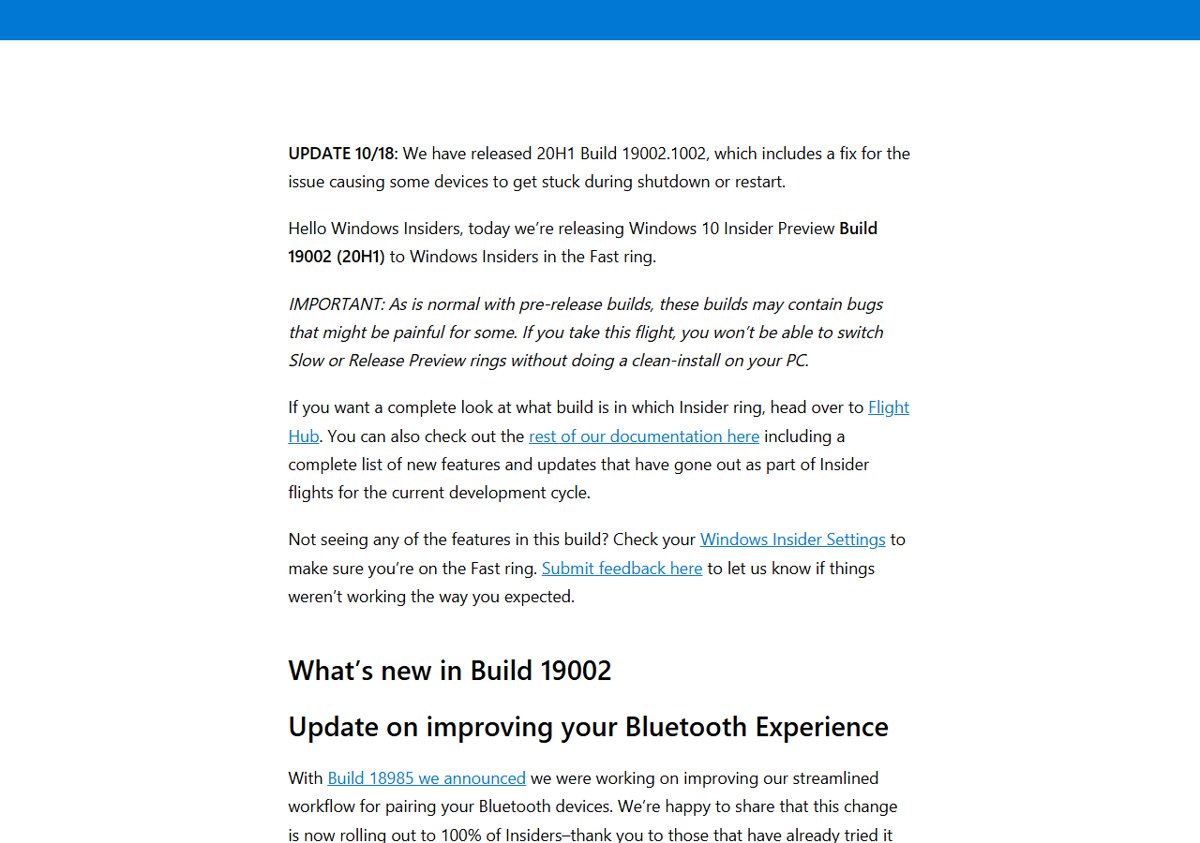
When Microsoft released build 19002 on October 17, 2019, the shutdown hang was still listed: “We’re working on a fix for an issue that started with the previous flight where some devices are getting stuck during shutdown or restart.” A day later it updated the post: “We have released 20H1 Build 19002.1002, which includes a fix for the issue causing some devices to get stuck during shutdown or restart.”
To get it, open Settings > Update & Security > Windows Update and select Check for updates. Once you are on 19002.1002 or later, the normal Start menu shutdown works again.
Today
The 20H1 builds became Windows 10 version 2004, and this bug no longer exists. The shutdown command still works on Windows 10 and Windows 11, and it’s handy when the Start menu misbehaves. More command-line basics are in our guide to Windows Tools in Windows 11.