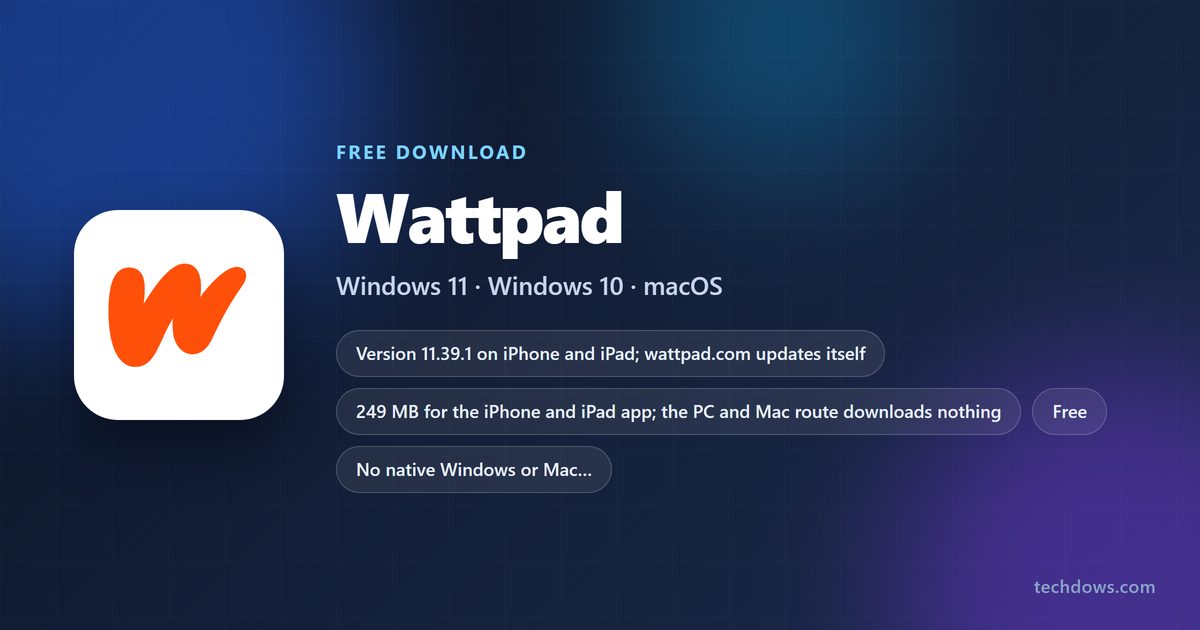
A Wattpad download for a Windows 11 or Windows 10 PC or a Mac is the www.wattpad.com web app, which installs from Edge, Chrome or Safari into its own window. iPhone, iPad and Android users get the free app from the App Store and Google Play, both published by Wattpad Corp.
One Wattpad account works everywhere, so your library, reading lists and drafts sync between the phone and the computer.
This guide covers the right route for each device, install steps for Windows and Mac, what Premium adds, and fixes when Wattpad will not load.
Which Wattpad download do you need?
Match your device to a row. Computers use the website; phones and tablets get a native app.
| Your device | What to install | Size |
|---|---|---|
| Windows 11 or Windows 10 PC | www.wattpad.com, installed as an app in Edge or Chrome | Nothing to download |
| Mac on macOS Sonoma 14 or later | www.wattpad.com, added to the Dock from Safari | Nothing to download |
| Chromebook or Linux PC | www.wattpad.com in Chrome | Nothing to download |
| iPhone or iPad on iOS 15.0 or later | Wattpad – Read & Write Stories on the App Store | 249 MB |
| Android phone or tablet | Wattpad – Read & Write Stories on Google Play | Play states no size |
Wattpad’s device list names iOS, Android, mobile web and desktop web as the supported ways in.
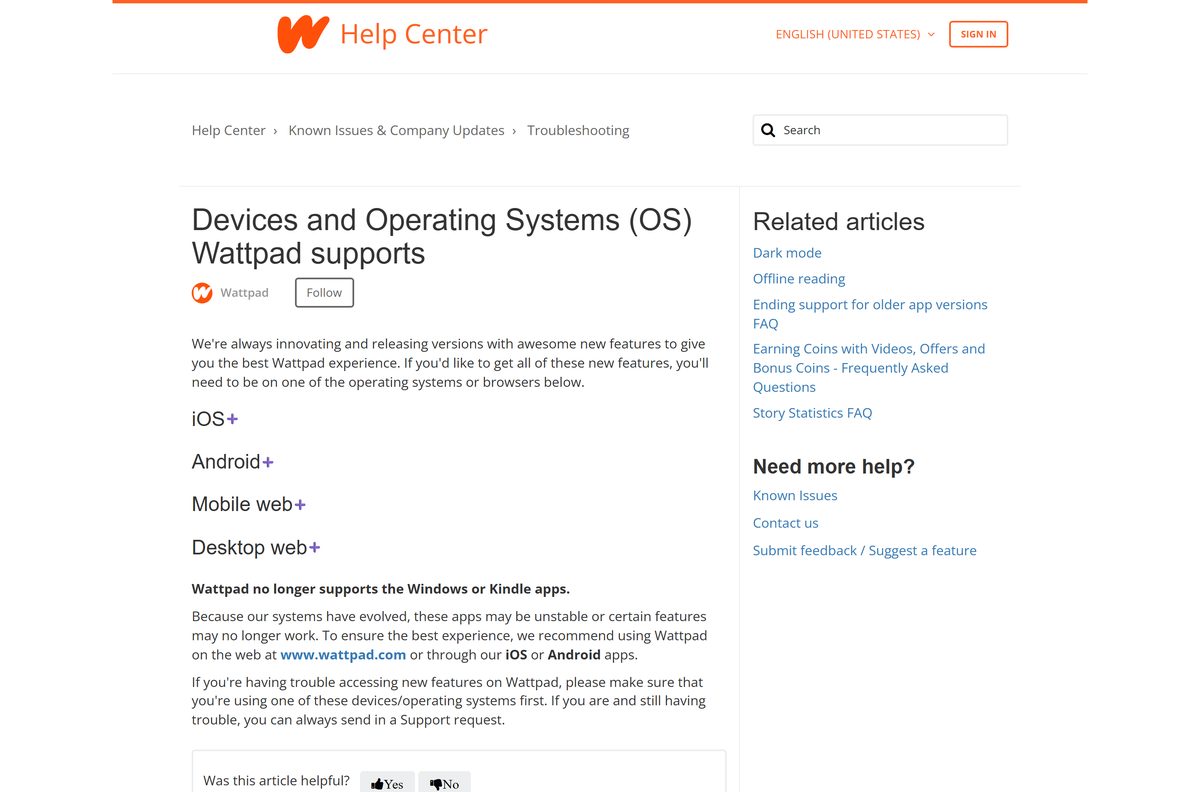
Download Wattpad from the official sources
Three addresses cover every device. Wattpad Corp runs all of them.
- www.wattpad.com — the Windows, Mac and Chromebook version; read and write in any current browser
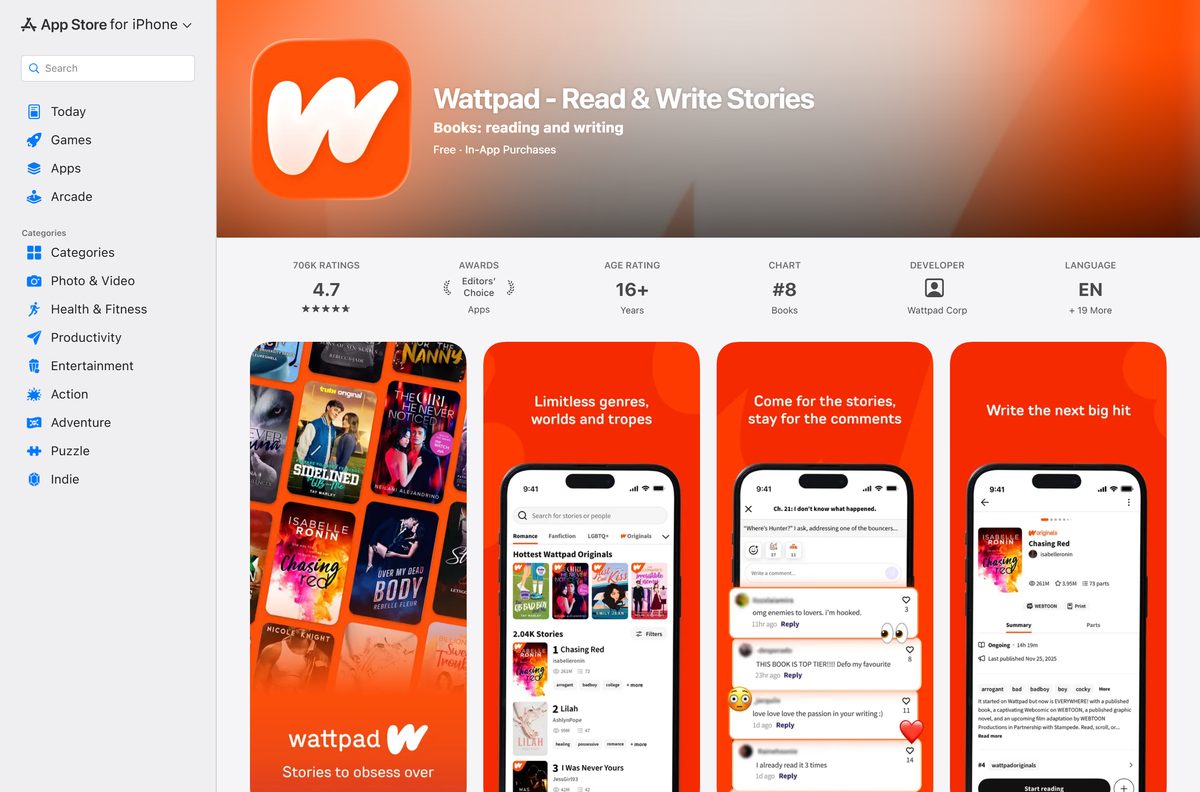
- Wattpad – Read & Write Stories on the App Store — 249 MB · seller Wattpad Corp, version 11.39.1, Free with in-app purchases, 4.7 from 706K ratings, Editors’ Choice
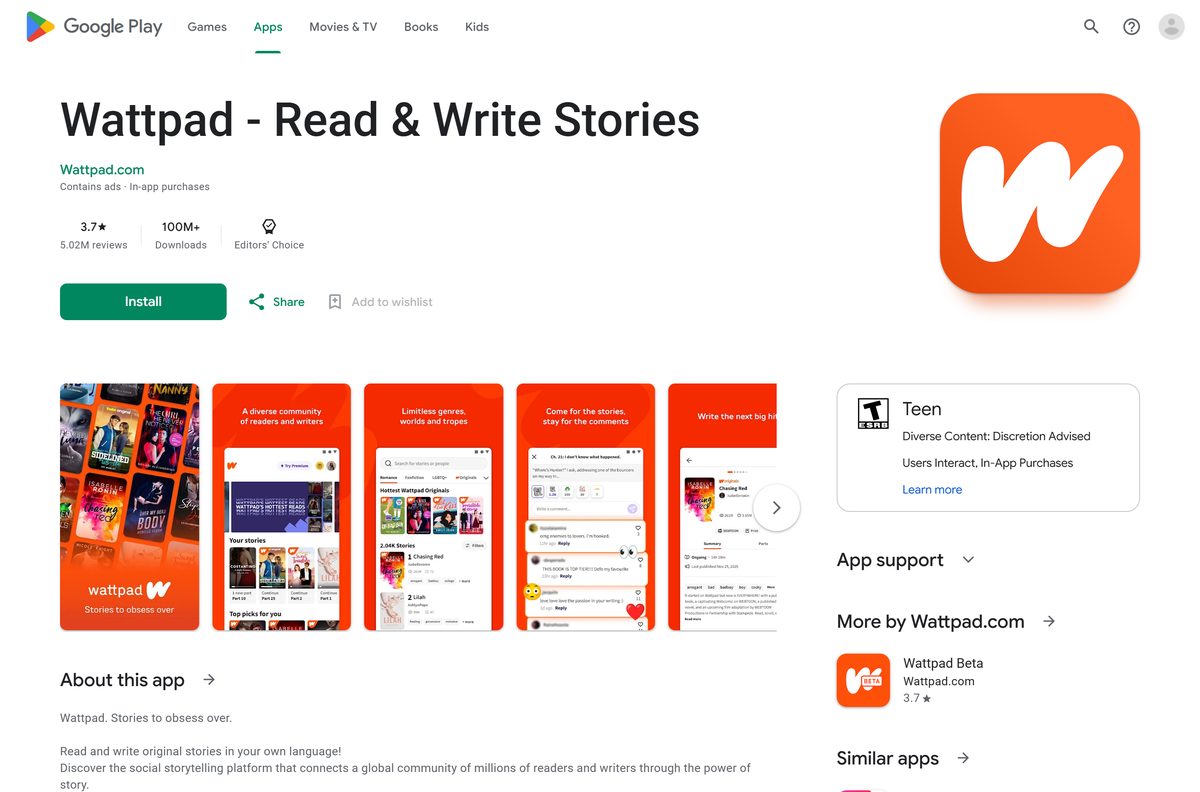
- Wattpad – Read & Write Stories on Google Play — 100M+ downloads, Editors’ Choice, 3.7 stars from 5.02M reviews, contains ads
Skip any Wattpad .exe or .apk offered by a download portal. Wattpad publishes neither.
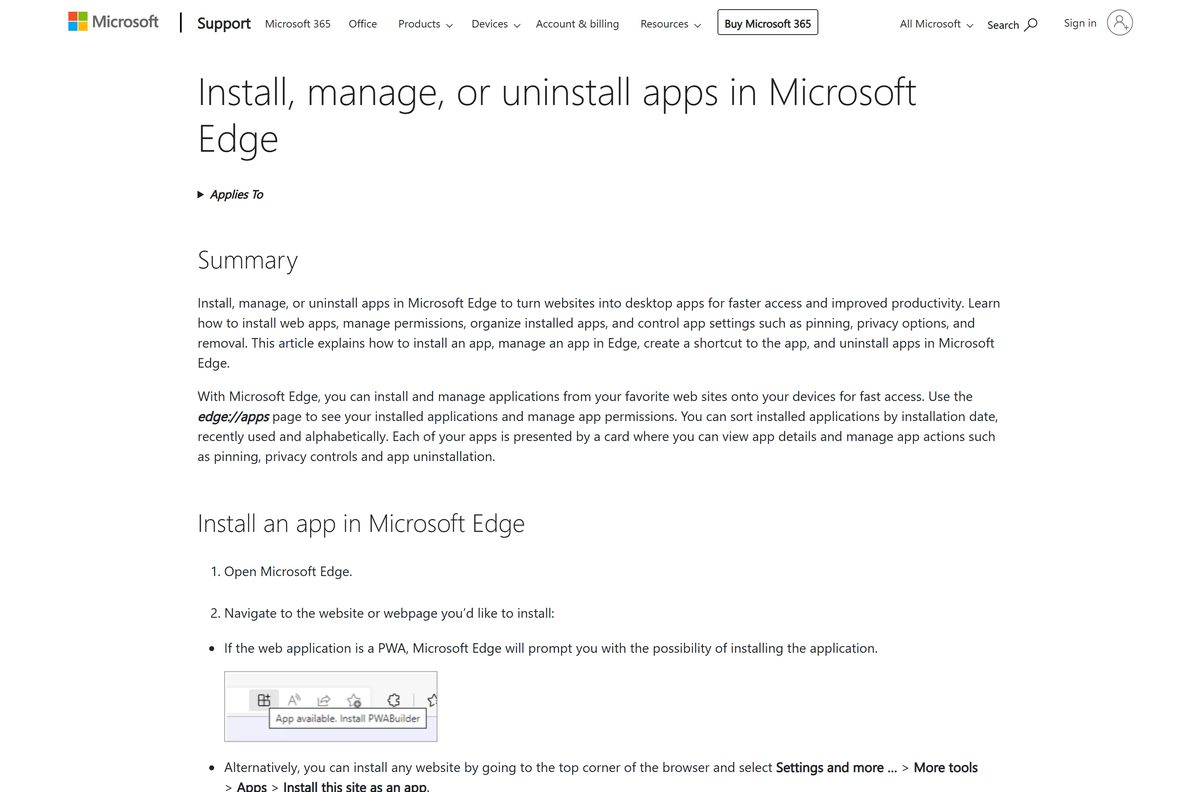
How to install Wattpad on Windows 11 and 10
Edge turns the website into a desktop app with its own window, taskbar button and Start menu entry.
- Open Microsoft Edge and go to www.wattpad.com.
- Sign in with your Wattpad account, or create one; you must be 13 or older.
- Select Settings and more, the three-dot button at the top right.
- Select More tools > Apps > Install this site as an app.
- Keep the name Wattpad and select Install.
- Right-click the Wattpad taskbar button and select Pin to taskbar.
- Open the app from the Start menu whenever you want to read or write.
In Chrome, the same install is More > Cast, save, and share > Install page as app.
How to install Wattpad on iPhone, iPad and Android
Install the phone app if you want offline reading, Premium or Coin purchases. Sign in with the same account as on the PC.
- Open the App Store listing or the Google Play listing.
- Select Get on iPhone or Install on Android.
- Open Wattpad and sign in with the account you use on the computer.
- Open your Library to see the stories you saved on the website.
- Tap Add to offline list on a story to read it without internet.
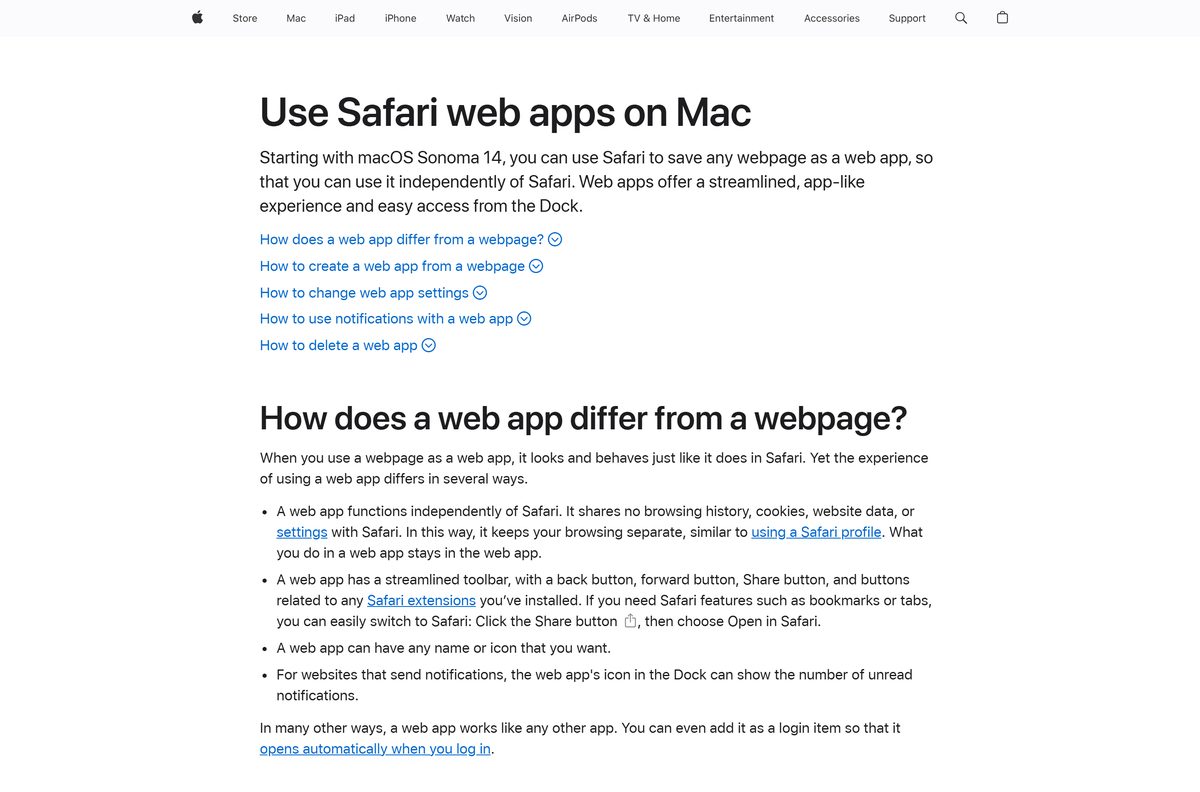
Which Wattpad download do you need for your Mac?
The App Store listing covers iPhone and iPad only. On a Mac, the browser supplies the app.
| Your Mac | What to do | Menu path |
|---|---|---|
| macOS Sonoma 14 or later | Add www.wattpad.com to the Dock from Safari | File > Add to Dock, then Add |
| Chrome installed | Install www.wattpad.com as a Chrome app | More > Cast, save, and share > Install page as app |
| No install wanted | Open www.wattpad.com in a tab | None |
A Safari web app is saved in the Applications folder of your home folder and opens from the Dock or Spotlight.
Is Wattpad free, and what does Premium add?
Reading and writing cost nothing. Payments cover ads, offline limits and paid stories.
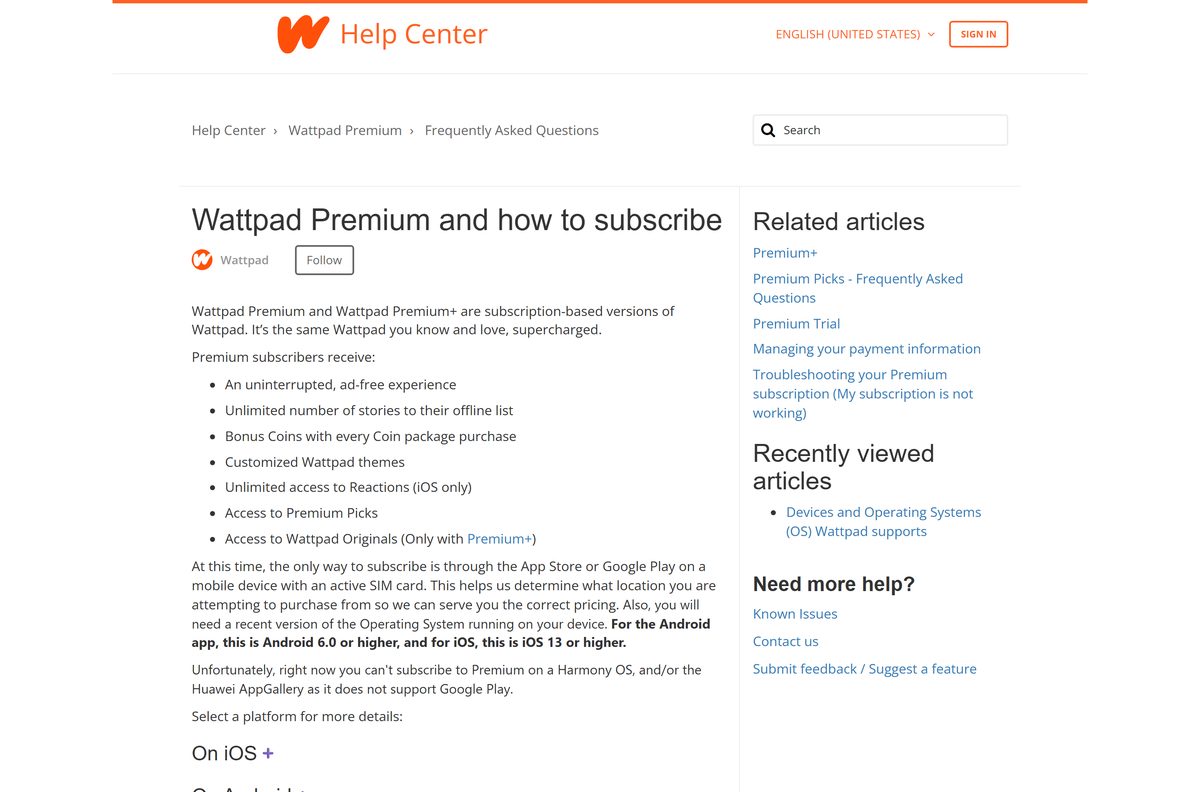
Yes. Wattpad is free to read and write, and both stores list it as a free app; Premium is optional. The free plan shows ads and caps your offline list in the apps. Premium adds ad-free reading, unlimited offline stories, Bonus Coins on Coin packs, custom themes and Premium Picks. Premium+ adds 200 Bonus Coins a month for Wattpad Originals, and Coins unlock paid Originals part by part.
Some Premium plans include a 7-day trial. Cancel at least 24 hours before it ends to avoid a charge.
Subscribing needs a mobile device with an active SIM card, so a PC-only reader cannot buy Premium.
Should you read Wattpad on the computer or the phone?
Both show the same account. The differences are offline reading and purchases.
Use the phone or tablet app for offline reading, Premium and Coin purchases, and www.wattpad.com for writing and long reading sessions at a desk. Wattpad’s help centre says offline reading is not available on the web and that Premium and Coin packs are sold only through the App Store and Google Play. The website still reads Coins bought in the app, and the old Windows app is no longer supported, so the browser is the desktop route.
What works on each version of Wattpad
Check this before you pick a device for a feature.
| Feature | Website on PC or Mac | iOS and Android apps |
|---|---|---|
| Read and comment on stories | Yes | Yes |
| Write and publish stories | Yes | Yes |
| Offline reading | No | Yes, with a limit on free accounts |
| Buy Premium or Premium+ | No | Yes |
| Buy Coins | No | Yes, on Android 8.0+ or iOS 14+ |
| Spend Coins on Wattpad Originals | Yes | Yes |
| Old Windows app | No longer supported | Not applicable |
How to check your Wattpad version and update it
The website updates itself; the phone apps update through their stores.
- On a PC or Mac, close the Wattpad window and open it again to load the current site.
- On iPhone or iPad, open the App Store listing and select Update if it appears.
- Confirm the listing shows version 11.39.1 or later.
- On Android, open the Google Play listing and select Update if it appears.
Check the Wattpad system requirements before you install
The only computer requirement is a current browser.
| Field | Value |
|---|---|
| App | Wattpad – Read & Write Stories |
| Developer | Wattpad Corp |
| Latest version | 11.39.1 on iPhone and iPad; wattpad.com updates itself |
| Price | Free with ads; optional Premium, Premium+ and Coins |
| Windows, Mac and Chromebook | Desktop website at www.wattpad.com |
| iPhone and iPad | iOS 15.0 or later, 249 MB |
| Android | Google Play; Coin purchases need Android 8.0 or higher |
| Age | 13 or older; App Store rating 16+ |
| Architecture | No native desktop build; the browser supplies it |
| Offline installer | None |
| Official source | Wattpad supported devices |
| Last verified | 25 September 2026 |
Fix Wattpad not loading or installing
Match the symptom to the fix. Most problems trace back to a stale cache.
The website will not load or behaves oddly
Cached files or cookies for wattpad.com are out of date.
- Turn your connection off and on, or join another network.
- Log out of Wattpad and clear the browser’s cache and cookies for the site.
- Log back in, or try another browser such as Chrome or Firefox.
- Check Wattpad’s Known Issues and Status pages for an outage.
The phone app crashes or will not open
A corrupt cache or an old app version.
- Toggle Wi-Fi or mobile data off and on.
- Close the app completely, then log out and back in.
- Uninstall the app and reinstall it from the App Store or Google Play.
Edge or Chrome shows no install option
The browser is out of date or the page has not finished loading.
- Update the browser and restart it.
- In Edge, select Settings and more > More tools > Apps > Install this site as an app.
- In Chrome, select More > Cast, save, and share > Install page as app.
Premium or Coins will not buy
Purchases need the App Store or Google Play on a device with an active SIM card.
- Open the phone app, not the website.
- Update iOS or Android; Coin packs need iOS 14 or Android 8.0 or higher.
- Check that your country allows in-app purchases in that store.
If none of these work, open the app troubleshooting article or the website troubleshooting article and send a support request from the email linked to your account.
How to uninstall Wattpad from Windows, Mac and your phone
Removing the app leaves your account, library and stories in place.
- In Edge, open edge://apps , select Details on the Wattpad card, then Uninstall.
- In Chrome, open the Wattpad window and select More > Uninstall Wattpad > Remove.
- On a Mac, choose Go > Home in Finder, open Applications, and drag Wattpad to the Trash.
- On a phone, cancel Premium in the App Store or Google Play first, then delete the app.
To delete the account itself, follow Wattpad’s account closing steps. Your username is released permanently, and logging back in reopens the account.
Which Wattpad alternatives are worth a look?
Each of these is free to install from the App Store.
| App | Publisher | Best for |
|---|---|---|
| Inkitt: Books, Novels, Stories | Free Novels Inc | Reader-voted fiction from new writers |
| Tapas – Comics and Novels | Radish Media, Inc. | Serialized novels and comics |
| WEBTOON: Manga, Comics, Manhwa | NAVER WEBTOON Ltd. | Vertical comics |
| Amazon Kindle: Reading App | AMZN Mobile LLC | Published ebooks |
Stay with Wattpad if you write and want readers commenting paragraph by paragraph.
Frequently asked questions
Is the Wattpad download free?
Yes. The App Store lists Wattpad as Free with in-app purchases, and Google Play lists it with ads and in-app purchases. Millions of stories cost nothing to read. Premium removes ads, and Coins unlock paid Wattpad Originals.
Where is the official Wattpad download page?
Wattpad’s help centre names three routes: the website at www.wattpad.com for computers, the App Store for iPhone and iPad, and Google Play for Android. Wattpad Corp publishes all three. Any other download site is unofficial.
Does Wattpad work on Windows 11?
Yes, through the desktop website. Open www.wattpad.com in Edge or Chrome and install it as an app, which adds a Start menu entry and its own window. Wattpad no longer supports its old Windows app, so skip any copy of it.
How big is the Wattpad download?
The iPhone and iPad app is 249 MB. Google Play states no size. On a Windows PC or Mac nothing is downloaded, because the desktop version runs from www.wattpad.com and stories load from Wattpad’s servers.
Is there a Wattpad offline installer for PC?
No. Wattpad publishes no .exe, .msi or .dmg file. The computer version is the website, which you can install as a browser app. Offline reading is not available on the web at all; it works only in the iOS and Android apps.
Is there a Wattpad app for Mac?
The App Store lists Wattpad for iPhone and iPad only. On a Mac with macOS Sonoma 14 or later, open www.wattpad.com in Safari and choose File, then Add to Dock. Chrome on a Mac can install it as an app too.
Does Wattpad support 64-bit or ARM64 PCs?
There is no native desktop build, so there is no 32-bit, 64-bit or ARM64 choice to make. The website runs in your browser, and the browser handles the processor type on Intel, AMD, Snapdragon and Apple silicon machines alike.
Is Wattpad safe to download?
The App Store and Google Play listings from Wattpad Corp are safe; both stores list Wattpad as an Editors’ Choice. Wattpad is for people 13 or older, and the App Store rates the app 16+. Avoid third-party APK and EXE files.
What is the latest Wattpad version?
The iPhone and iPad app is version 11.39.1, released on 17 September 2026. Google Play shows an update dated 24 September 2026 without a version number. The website updates itself each time it loads.
Why won’t Wattpad install or open?
On a phone, toggle Wi-Fi or mobile data, fully close the app, log out and back in, then reinstall it. On a computer, clear the browser cache and cookies for Wattpad, or try another browser such as Chrome or Firefox.
Can I buy Wattpad Premium on a PC?
No. Wattpad’s help centre says the only way to subscribe is through the App Store or Google Play on a mobile device with an active SIM card. The website sells neither Premium nor Coin packs.
Can I read Wattpad stories offline on my computer?
No. Wattpad states that offline reading is not available on the web. Add stories to your offline list in the iOS or Android app while connected, then read them without internet. Free accounts have an offline limit; Premium removes it.
Can I use Coins on the Wattpad website?
Yes, but you cannot buy them there. Coin packs are sold only in the apps, which need Android 8.0 or higher or iOS 14 or higher. Coins you buy in an app unlock stories on the website too.