Error code -42110 appears when iTunes for Windows fails to download an iTunes Store purchase, most often a movie, and the quickest fix is to download that purchase again from the Apple TV app for Windows on an authorized PC.
This guide covers why iTunes may no longer handle movies, how to authorize the PC, the date, network and security checks Apple lists for store errors, and how to confirm the purchase is safe.
Fastest fix for iTunes error -42110: download the movie in the Apple TV app
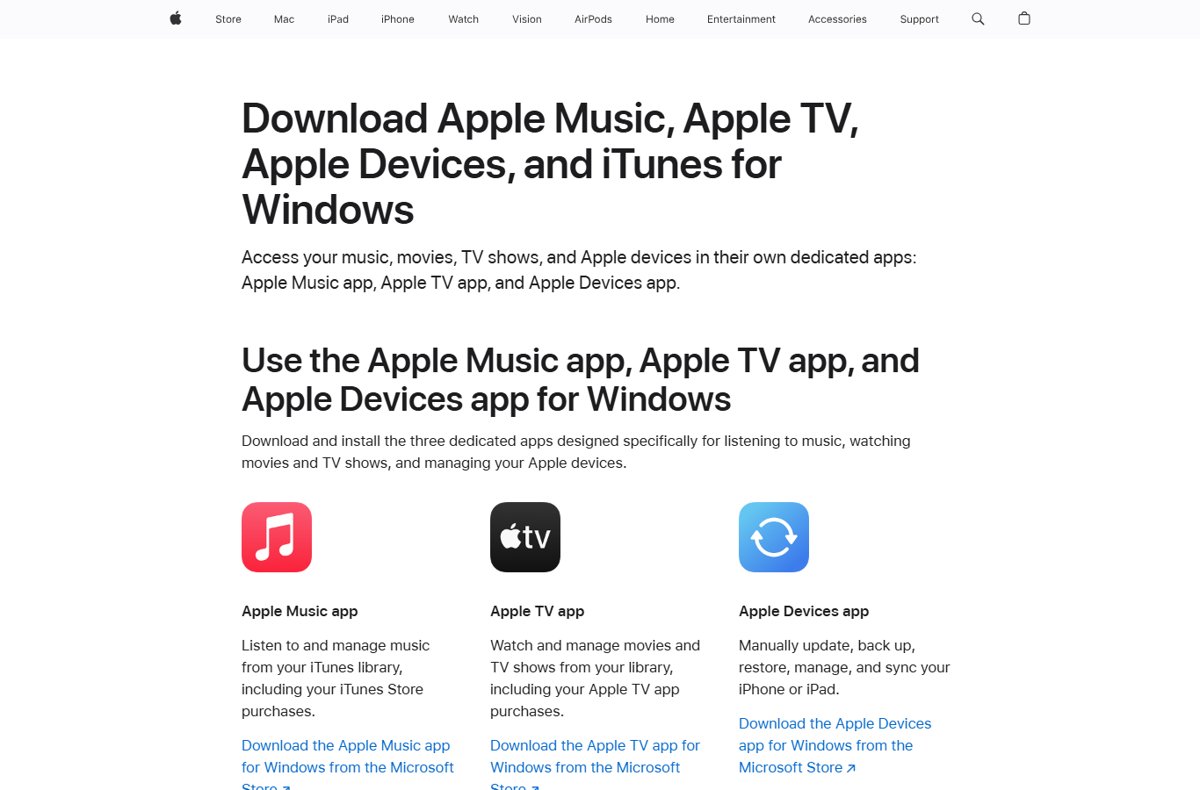
Apple now splits media on Windows into dedicated apps. Movies and TV shows you bought, including old iTunes Store purchases, live in the Apple TV app library.
- Open the Microsoft Store, search for Apple TV, and install it if it is not already on the PC.
- Open the Apple TV app and sign in with the same Apple Account you used to buy the movie.
- Go to your library and find the movie or TV show.
- Select the More (three dots) button or the download button on the item, then choose Download.
- Wait for the download to finish, then play the item from the library to confirm it works.
If the download starts and finishes, the purchase was never lost. Only the iTunes download attempt failed.
What is iTunes error code -42110?
Apple does not publish a description for error -42110 on any of its support pages. It shows up in iTunes for Windows when a purchase download from the iTunes Store fails, so treat it as a store download problem and work through the fixes Apple lists for those.
| Question | Answer |
|---|---|
| Where does -42110 appear? | In iTunes for Windows, while downloading a purchased movie or other iTunes Store item |
| Does Apple document the code? | No. Apple has no support article that names -42110 |
| Is the purchase lost? | No. Past purchases stay in your Apple Account and can be downloaded again while they remain in the store |
| Which app should handle movies on Windows now? | The Apple TV app for Windows, from the Microsoft Store |
| Which app still handles podcasts and audiobooks? | iTunes for Windows |
Error -42110 fixes: match your situation to the right step
| Your situation | Do this | Why |
|---|---|---|
| iTunes has no Movies or TV Shows option in the pop-up menu | Use the Apple TV app for Windows | Once the Apple TV app is installed, video purchases move there |
| The movie downloads in the Apple TV app but not in iTunes | Keep using the Apple TV app | It is the app Apple supports for movies on Windows |
| The download stopped partway | Run Check for Available Downloads | iTunes resumes purchases that did not finish |
| You recently reinstalled Windows or changed PCs | Authorize the computer again | A computer must be authorized to play or download purchases |
| Every Apple service fails on this PC | Check date, time, network and security software | These block the connection to Apple servers |
| Apple services fail on every device | Check Apple System Status | There may be an outage in your country or region |
Before you fix error -42110: check Apple System Status and your account
- Open Apple System Status in a browser and check iTunes Store and Apple TV for an outage.
- Open any website to confirm the PC is online.
- In iTunes, choose Account > View My Account and sign in if asked.
- Next to Payment Information, select Manage Payments and confirm there is no unpaid purchase or expired card.
- Make sure you are signed in to a Windows administrator account, not a guest account.
An account with a billing problem cannot download new or past purchases until the payment issue is fixed.
Authorize your Windows PC for Apple Account purchases
A PC must be authorized with your Apple Account before it can play or download iTunes Store purchases. You can authorize up to five computers at a time.
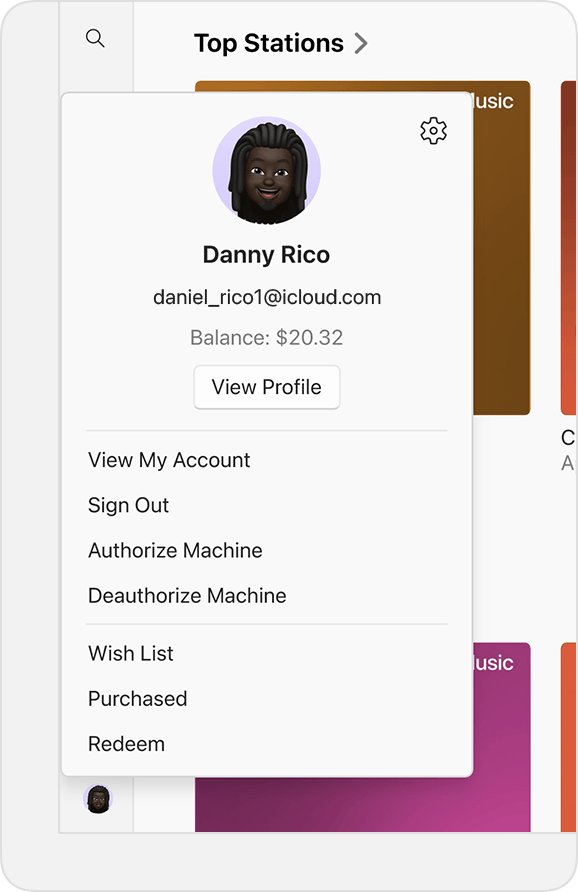
- Open the Apple TV app or the Apple Music app.
- Click your name at the bottom of the sidebar, or click Sign In and sign in.
- Click Authorize Machine.
- Enter your Apple Account password and click Authorize.
- In iTunes instead, choose Account > Authorizations > Authorize This Computer, then enter your password.
Authorizing the same PC twice still counts as one authorization, so repeating this step does no harm.
Deauthorize all computers when you hit the five-computer limit
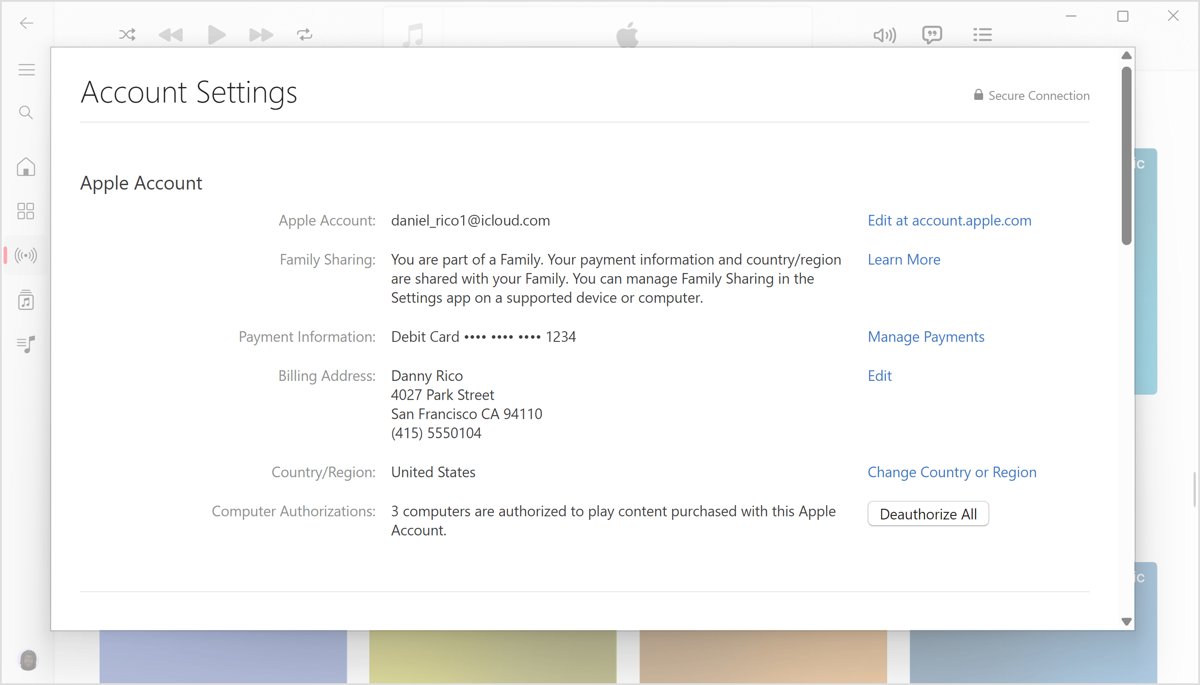
If five computers are already authorized, the sixth cannot play your purchases. Deauthorize All is limited to once a year, so use it only when an old PC you no longer have is still counted.
- Open the Apple TV app or Apple Music app and click your name at the bottom of the sidebar.
- Click View My Account and sign in if asked.
- On the Account Settings page, look next to Computer Authorizations.
- Click Deauthorize All. If you do not see it, this PC is your only authorized computer.
- Authorize each computer you still use again.
Check for available downloads in iTunes for Windows
iTunes can find purchases that never finished downloading, for example after an interrupted download.
- Open iTunes on your PC and make sure you are online.
- Choose Account > Check for Available Downloads.
- Click Check.
- Enter your Apple Account password if asked. Unfinished purchases start downloading.
- To make this automatic, choose Edit > Preferences, click Downloads, then select Always check for available downloads.
Fix the Windows date, time and time zone for iTunes Store errors
Apple lists a wrong date, time or time zone as a cause of iTunes Store connection and download failures.
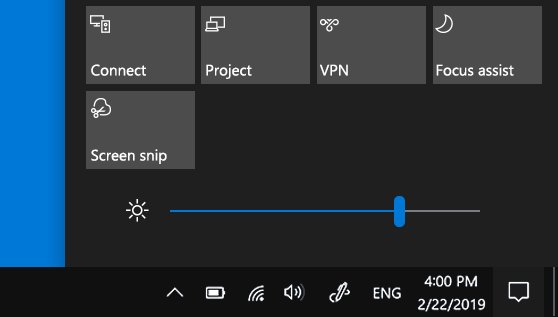
- Select Start > Settings > Time & language > Date & time.
- Turn on Set time automatically.
- Turn on Set time zone automatically, or pick the correct zone from the Time zone list.
- Close iTunes and the Apple TV app, open them again, and retry the download.
Update or repair iTunes and the Apple TV app on Windows
iTunes, Apple TV and Apple Music for Windows all update through the Microsoft Store. Windows can also repair or reset a Store app without a full reinstall.
- Open the Microsoft Store and select Check for Updates.
- Install any update for iTunes, Apple TV or Apple Music.
- If the error returns, select Start > Settings > Apps > Installed apps.
- Select the More icon next to iTunes (or Apple TV), then select Advanced options.
- Select Repair. If that does not help, select Reset and sign in again.
Reset clears the app's local data. Your purchases stay in your Apple Account and download again.
How to check the -42110 download problem is fixed
- Open the Apple TV app and go to your library.
- Confirm the movie no longer shows a download button, which means a local copy exists.
- Play the first minute of the movie with the PC offline to prove the download is complete.
- In iTunes, run Account > Check for Available Downloads again and confirm nothing is left to download.
iTunes Store download errors on Windows: fixes by symptom
iTunes says it cannot connect to the iTunes Store
No internet connection, a store outage, or the selected media type is stuck.
- Choose another item from the pop-up menu, such as Podcasts, then click Store again.
- Open a website in a browser to confirm the connection works.
- Check Apple System Status, then try again later if the store shows an issue.
Downloads fail on this PC but work on your phone
A VPN, firewall or third-party security app is blocking Apple servers.
- Disconnect from any VPN and retry the download.
- Restart the PC and the router.
- Ask your security software vendor to allow the ports and services Apple lists for its products.
- Try a different network, such as a phone hotspot, to rule out the router or a managed network.
Every Apple app on the PC fails to reach Apple servers
An edited hosts file can block Apple domains.
- Reset the Windows hosts file to its default using Microsoft's instructions.
- Restart the PC.
- If it is a work computer, confirm your other apps still work after the reset.
iTunes shows no Movies or TV Shows section
The Apple TV app is installed, so video purchases now belong to that app.
- Open the Apple TV app instead.
- Download the movie from your library there.
A past purchase is missing from the Purchased list
The item was hidden, or it is no longer offered in your country or region.
- In the Apple TV app, click your name, select View My Account, and open Hidden Purchases.
- Unhide the item, then download it from the library.
- If the item was removed from the store, contact Apple through the Billing and Subscriptions website.
iTunes error code -42110 FAQ
What is error code -42110 in iTunes?
Error -42110 is an iTunes for Windows error that appears when an iTunes Store purchase, usually a movie, fails to download. Apple does not document the code, so fix it with the store download steps: use the Apple TV app, authorize the PC and check date, time and network.
Did I lose the movie I bought?
No. iTunes Store purchases stay attached to your Apple Account. You can download them again on an authorized computer as long as the item is still offered in the store in your country or region.
Why can't I find Movies in iTunes on Windows?
Once the Apple TV app for Windows is installed, iTunes no longer shows the Movies and TV Shows options. Your video purchases appear in the Apple TV app library, where you can stream or download them.
How many computers can play my iTunes purchases?
You can authorize up to five computers, Mac or PC, at a time. iPhone, iPad and Apple TV do not count. To add a sixth computer, deauthorize one, or use Deauthorize All, which works once a year.
Can antivirus software cause iTunes download errors?
Yes. Apple says third-party security software can stop iTunes from connecting to Apple servers or downloading content. Ask the vendor to allow the ports and services Apple lists instead of leaving the PC unprotected.
Does the wrong time on my PC break the iTunes Store?
It can. Apple lists an incorrect date, time or time zone as a cause of store connection failures. In Windows, open Settings > Time & language > Date & time and turn on Set time automatically.
How do I resume an interrupted iTunes download?
In iTunes, choose Account > Check for Available Downloads and click Check. Any purchase that did not finish downloads again. You can also turn on Always check for available downloads in Edit > Preferences > Downloads.
Who do I contact if -42110 keeps coming back?
Contact Apple through the Billing and Subscriptions website or Apple Support with the movie name and the error code. If the problem is with installing iTunes itself from the Microsoft Store, Apple directs you to Microsoft.
Bottom line: the best fix for iTunes error -42110
Download the movie from the Apple TV app for Windows on an authorized PC, and keep iTunes only for podcasts and audiobooks. Apple now routes video purchases through the Apple TV app, and authorization plus a correct clock and an open connection clear the remaining causes of failed store downloads.