Xcode downloads free from the Mac App Store. The current release is 3.1 GB, and it runs on a Mac with an Apple M1 chip or later running macOS Tahoe 26.6 or newer.
Apple builds the app for macOS alone, so a Windows 11 or Windows 10 PC handles the editing side of an iOS project and a Mac handles the build and the signing.
Below are the official Apple links, the App Store install steps, the command line tools route, the system requirements, the Windows options, and fixes for a download that stalls.
Which Xcode download do you need?
Match the machine in front of you to a row. Every route below is an Apple page, and every one of them is free.
| Your situation | What to get | What it costs |
|---|---|---|
| Mac with an Apple M1 chip or later on macOS Tahoe 26.6 or newer | Xcode on the Mac App Store | Free, 3.1 GB |
| Mac still on macOS Tahoe 26.2 to 26.5 | Xcode 26.6 on the More Downloads page | Free, Apple Account sign-in |
| You only need compilers, git and the macOS SDK | Command Line Tools for Xcode | Free, no full install |
| You want the next SDKs before they ship | Xcode betas on the More Downloads page | Free with an Apple Account |
| Windows 11 or Windows 10 PC | Apple’s minimum requirements table | No Apple build exists |
Betas and older releases need a sign-in, not a paid membership. Apple states that the additional tools list requires an Apple Account but not Apple Developer Program membership.
Download Xcode from Apple’s official pages
Apple publishes the app through the Mac App Store and the Apple Developer site. No installer file is hosted anywhere else.
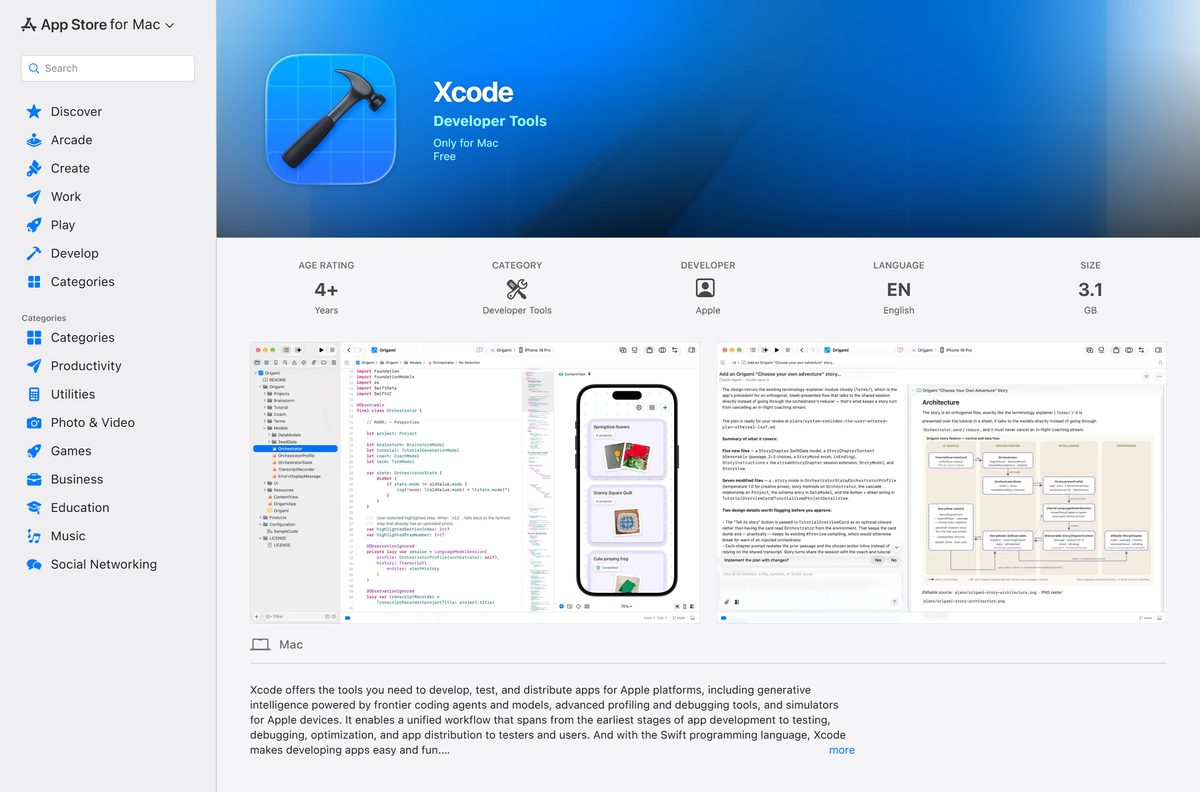
- Xcode on the Mac App Store, product 497799835 — 3.1 GB · free, version 27.0, developer Apple
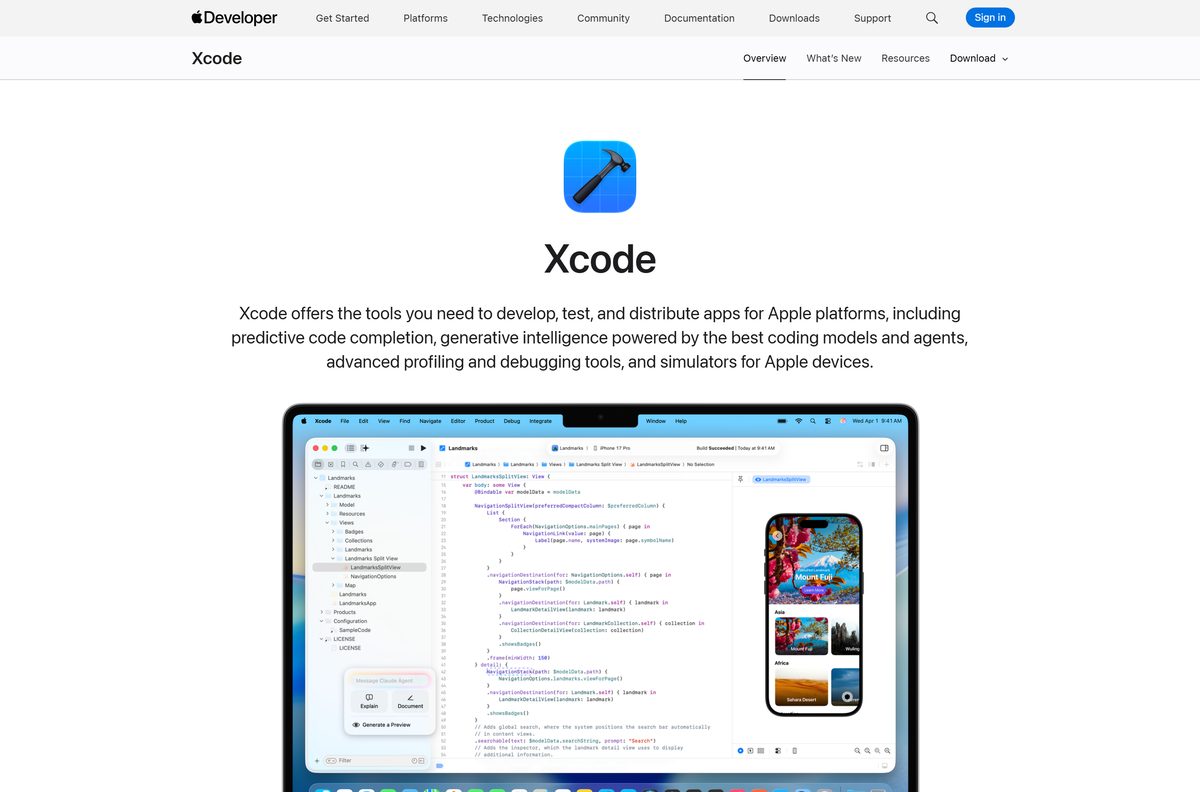
- Xcode product page on the Apple Developer site — feature list and the button Apple itself points at
- More Downloads: betas, older releases and command line tools — redirects to an Apple Account sign-in before the list appears
- Xcode resources page — release notes, SDK support and the additional tools list
- Minimum requirements by release — which release your macOS version will accept
Check that the store listing names Apple on the developer line before you click Get. A setup file offered elsewhere as a Windows edition of this app is not Apple software.
How to install Xcode on your Mac from the App Store
The download runs through the App Store app, and the first launch decides which simulator runtimes land on the disk.
- Choose About This Mac from the Apple menu and confirm the chip reads Apple M1 or later.
- Open the App Store app from the Dock, or choose App Store from the Apple menu.
- Sign in with your Apple Account.
- Search for Xcode, then open the result whose developer line reads Apple.
- Click Get, then click Install. An Open or Update button means the app is already on the Mac.
- Wait for the 3.1 GB download, then open the app so it can complete its first launch.
- Click Continue in the dialog that lists the built-in simulator runtimes and the ones you can download.
- Choose Xcode > Settings, click Components, and click Get next to each platform you build for.
Platform support and simulator runtimes arrive after the install, so the disk keeps filling for a while after the App Store says the download is done.
Check the Xcode system requirements before you install
The chip is the hard limit, and the macOS version decides which release you are allowed to run.
| Field | Value |
|---|---|
| Software | Xcode |
| Developer | Apple Inc. |
| Latest version | 27.0, released 14 September 2026 |
| License | Free |
| Supported OS | macOS Tahoe 26.6 or later |
| Architecture | Apple silicon; a Mac with an Apple M1 chip or later |
| Download size | 3.1 GB from the Mac App Store |
| Toolchain | Swift 6.4, with the iOS 27, iPadOS 27, tvOS 27, watchOS 27, macOS 27 and visionOS 27 SDKs |
| Deployment targets | iOS 15-27, iPadOS 15-27, tvOS 15-27, watchOS 9-27, visionOS 1-27, macOS 12-27 |
| On-device debugging | iOS 17 and later, tvOS 17 and later, watchOS 10 and later, visionOS |
| Official download source | Mac App Store, product 497799835 |
| Offline installer | No |
| Last verified | 2026-09-22 |
Extra simulator runtimes and platform support are separate downloads, so treat the 3.1 GB figure as the floor rather than the total.
Is Xcode free?
Yes. The Mac App Store lists the app at no charge, and Apple’s developer documentation calls it free in the Mac App Store. A free Apple Account adds beta Xcode and operating system releases, on-device testing, the Developer Forums and Feedback Assistant. The Personal Team that comes with it allows 10 App IDs, 3 devices and 3 apps per device, with provisioning profiles that expire 7 days from issuance. Paying starts only when you distribute: the Apple Developer Program is $99 a year for TestFlight, App Store distribution, analytics, code-level support and Xcode Cloud, and the Apple Developer Enterprise Program is $299 a year.
Nothing about the IDE is paywalled. Any page selling a licence key for it is selling something Apple gives away.
Which Mac can run Xcode?
Apple silicon is the dividing line, and the macOS version picks the release. Choose About This Mac from the Apple menu to read both.
| About This Mac says | What you can install | Where to get it |
|---|---|---|
| Apple M1, M2, M3, M4 or later, on macOS Tahoe 26.6 or newer | Version 27, the current release | Mac App Store listing |
| macOS Tahoe 26.2 to 26.5 | Version 26.6, with the iOS 26.5 and macOS 26.5 SDKs | More Downloads page |
| An older macOS release | An earlier build, matched to your system in Apple’s table | Minimum requirements by release |
| A Mac that cannot run any current release | Swift Playground 4.7, a free 609 MB app for macOS 15.0 or later | Swift Playground on the Mac App Store |
Building for visionOS narrows it further. Apple states that visionOS development requires a Mac with Apple silicon, whatever else the machine can run.
Should you install version 27 or stay on version 26.6?
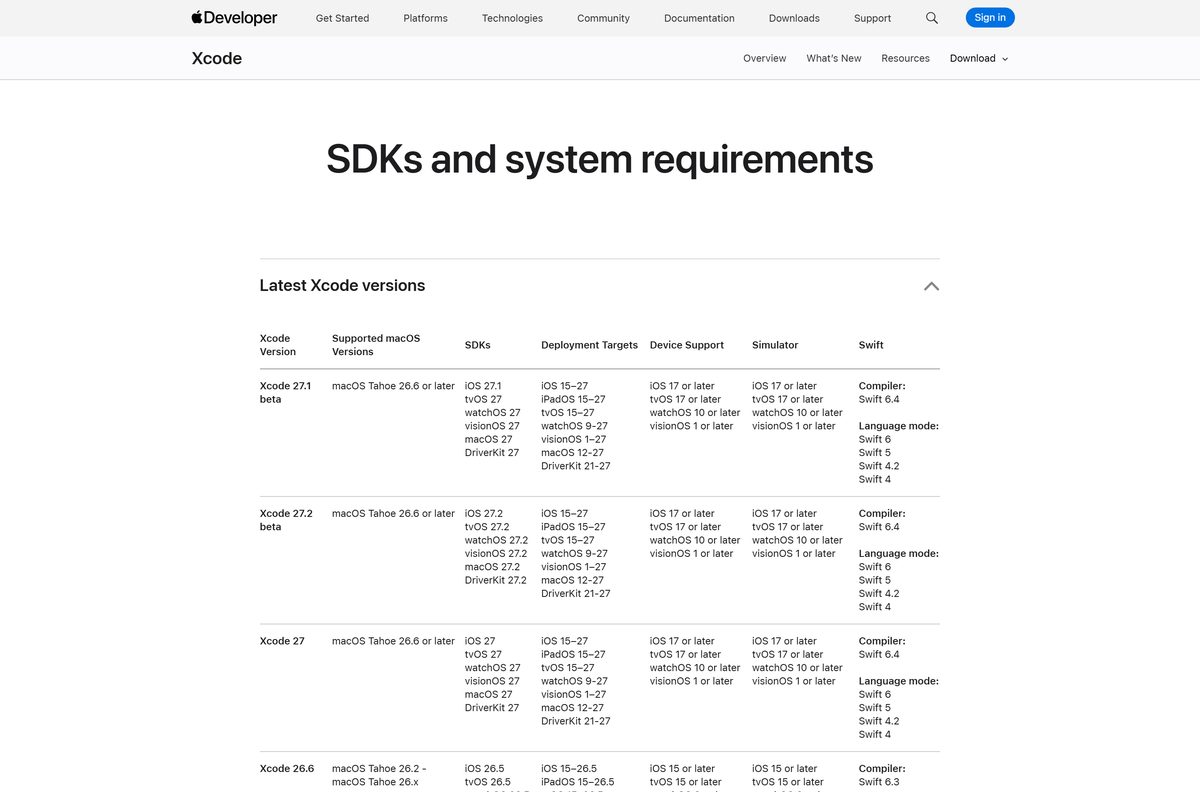
Install version 27 if your Mac is on macOS Tahoe 26.6 or later, and stay on 26.6 only while your Mac sits on macOS Tahoe 26.2 to 26.5. The newer release carries Swift 6.4 and the iOS 27, tvOS 27, watchOS 27, visionOS 27 and macOS 27 SDKs, which are what the App Store expects for current submissions. The 26.6 line tops out at the iOS 26.5 and macOS 26.5 SDKs. Both betas in Apple’s table, 27.1 and 27.2, also require macOS Tahoe 26.6, so upgrading macOS is the step that unlocks everything above the 26.x line.
Only one Command Line Tools package can sit on a Mac at a time, so match it to the release you settle on.
What Xcode can build and how far back it deploys
One install covers every Apple platform. The SDK sets the ceiling and the deployment target sets the floor.
| Platform | SDK in the current release | Oldest system you can target |
|---|---|---|
| iOS | iOS 27 | iOS 15 |
| iPadOS | iPadOS 27 | iPadOS 15 |
| macOS | macOS 27 | macOS 12 |
| tvOS | tvOS 27 | tvOS 15 |
| watchOS | watchOS 27 | watchOS 9 |
| visionOS | visionOS 27 | visionOS 1 |
| DriverKit | DriverKit 27 | DriverKit 21 |
On-device debugging reaches back to iOS 17, tvOS 17 and watchOS 10, so an older test device still installs your build but will not attach to the debugger.
How to check your Xcode version and update it
The App Store handles updates for a store install. A build pulled from the developer site does not update itself.
- Open the app and choose Xcode > About Xcode to read the version number.
- Open the App Store app and click Updates in the sidebar.
- Click Update next to the entry whose developer line reads Apple.
- Check the release against Apple’s minimum requirements table if the update does not appear.
- Update macOS first when the table shows the new release needs a newer system.
- Run pkgutil –pkg-info=com.apple.pkg.CLTools_Executables in Terminal to read the command line tools version.
- Run xcode-select –install to pull the matching command line tools package after a major upgrade.
- Choose Xcode > Settings > Components and click Get on any platform that now shows an update.
A build downloaded from the developer site sits outside the App Store update list. Replace it from the same page when a newer release lands.
How to work on an iOS app from a Windows 11 or Windows 10 PC
The PC can carry the writing, the version control and the assets. Compiling and signing an App Store build still happen on a Mac.
- Write and edit the shared code on the PC in the editor you already use, and push it to your git host.
- Register a free Apple Account at developer.apple.com so you can sign builds and test on your own device.
- Get access to a Mac with an Apple M1 chip or later on macOS Tahoe 26.6, whether that is a desk machine, a shared build box or a rented one.
- Install the IDE on that Mac from the Mac App Store listing.
- Pull the repository on the Mac, open the project, and let Components fetch the platform support it asks for.
- Enrol in the Apple Developer Program at $99 a year when you are ready to distribute.
- Turn on Xcode Cloud to run builds and automated tests off your own machine, using the 25 compute hours a month the membership includes.
- Send builds to testers with TestFlight, which the same membership covers.
Nothing in this list replaces the Mac. Apple’s requirements table states that the current release runs on macOS Tahoe 26.6 or later, and there is no Windows equivalent to fall back on.
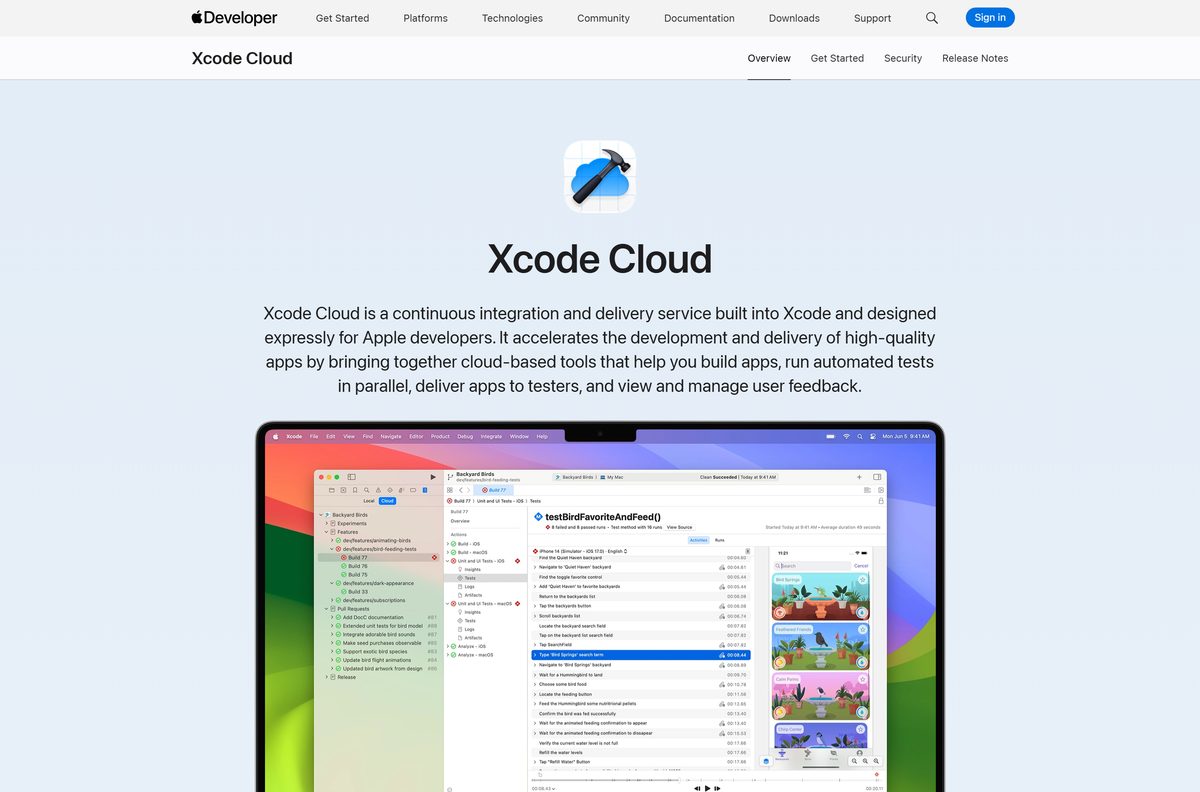
Fix Xcode not downloading or not installing on your Mac
Four failures cover almost every stalled install. Work down the list in order.
The Get button does nothing, or the download never starts
An App Store account or service problem, rather than the app itself.
- Check Apple’s System Status page to see whether the App Store is available.
- Open the App Store app, click your name, and look for an unpaid order.
- Change the payment method on the account, or redeem a gift card to clear the balance.
- Sign out and back in, then click Get again.
- Restart the Mac and retry the download.
The App Store says the app is not compatible with this Mac
The chip or the system version falls below the floor Apple sets for the release.
- Choose About This Mac from the Apple menu and read the chip name and the macOS version.
- Install any pending macOS update from System Settings > General > Software Update.
- Open Apple’s minimum requirements table and find the newest release your system accepts.
- Download that release from the More Downloads page after signing in with your Apple Account.
- Fall back to Swift Playground on a Mac that cannot reach the current release.
The download stops partway through
A 3.1 GB transfer is long enough for a flaky link or a sleeping Mac to break it.
- Switch to a different network and try again.
- Open System Settings > Displays > Advanced and stop the Mac sleeping while the display is off.
- Pause and resume the download from the App Store sidebar.
- Free up disk space, because the installer needs room well beyond the download itself.
- Redownload from your purchase history if the entry is stuck.
Terminal commands fail after the install
The command line tools are missing or point at the wrong copy.
- Run xcode-select –install in Terminal.
- Click Install in the dialog, then agree to the Command Line Tools License Agreement.
- Run pkgutil –pkg-info=com.apple.pkg.CLTools_Executables to confirm the version that landed.
- Remember that xcodebuild and xctrace ship only with the full app, not with the tools package.
- Open the app once after a major upgrade so it can finish its own setup.
How to uninstall Xcode and reclaim the disk space
The app itself goes to the Trash. The components and the tools package come off separately, which is where most of the space sits.
- Quit the app.
- Choose Xcode > Settings and click Components to see how much storage each item is holding.
- Click the information button next to a component, then click Delete or Turn Off.
- Click the Finder icon in the Dock, then click Applications in the Finder sidebar.
- Drag Xcode to the Trash at the end of the Dock.
- Empty the Trash to remove it permanently.
- Delete the /Library/Developer/CommandLineTools folder to remove the command line tools package.
- Reinstall the tools later with xcode-select –install if you still build from Terminal.
Removing components first is worth the extra minute. Simulator runtimes and platform support are far larger than the app bundle.
Which Xcode alternatives work on a Windows PC?
None of these submit an iOS app on their own. They cover the editing, the Android side and the lighter Apple workflows.
| Tool | What it is | Runs on | Price |
|---|---|---|---|
| Swift Playground | Apple’s lighter app-building environment, version 4.7 at 609 MB | macOS 15.0 or later | Free |
| Command Line Tools for Xcode | The same macOS SDK, man pages and toolchain binaries without the IDE | macOS | Free |
| Xcode Cloud | Cloud builds and automated tests, 25 compute hours a month | Built into the IDE on a Mac | Included with the $99 program |
| Visual Studio Code | Microsoft’s open source code editor for the writing side of a project | Windows, macOS and Linux | Free |
| Android Studio | Google’s IDE for the Android half of a cross-platform app | Windows, macOS, Linux and ChromeOS | Free |
Pair the PC editor with a Mac for the build step. That is the only combination that ends in an App Store submission.
Frequently asked questions about Xcode
Is Xcode free?
Yes. The Mac App Store lists it at no charge, and Apple’s own developer documentation calls it free in the Mac App Store. A free Apple Account covers betas, older releases and testing on your own device.
Where is the official Xcode download page?
The Mac App Store listing, product 497799835, published by Apple. The product page at developer.apple.com links straight to it, and the More Downloads page carries betas and older releases behind an Apple Account sign-in.
Can you download Xcode for Windows 11 or Windows 10?
No. Apple’s requirements table states that version 27 needs a Mac running macOS Tahoe 26.6 or later, and the store listing reads Only for Mac. No Apple build exists for a PC.
How big is the Xcode download?
The store listing shows 3.1 GB, and the App Store lookup service reports 3,076,164,369 bytes. Simulator runtimes and extra platform support download separately afterwards, so plan for considerably more disk space.
Is there an Xcode offline installer?
No. The current release ships only through the Mac App Store, and the More Downloads page that holds betas and older builds redirects to an Apple Account sign-in. Both routes need an internet connection.
Does Xcode run on an Intel Mac?
Not version 27. The store listing requires a Mac with an Apple M1 chip or later. Developing for visionOS also requires Apple silicon, and simulator runtimes download a universal variant only for Intel-based Macs.
What is the latest Xcode version?
Version 27.0, released on 14 September 2026. It carries Swift 6.4 and the SDKs for iOS 27, iPadOS 27, tvOS 27, watchOS 27, macOS 27 and visionOS 27. Choose Xcode then About Xcode to read yours.
How do you download Xcode without the App Store?
Use the More Downloads page on the Apple Developer site. It redirects to an Apple Account sign-in, then lists Xcode releases, betas and the Command Line Tools package. Developer Program membership is not required.
Can you download an older Xcode version?
Yes, from the More Downloads page after signing in with a free Apple Account. Check the requirements table first: version 26.6 runs on macOS Tahoe 26.2 through 26.x, while version 27 needs 26.6 or later.
How do you install the Xcode command line tools?
Run xcode-select –install in Terminal, click Install in the dialog, then agree to the Command Line Tools License Agreement. The package lands at /Library/Developer/CommandLineTools and carries the same macOS SDK and toolchain binaries.
Is it safe to download Xcode?
Yes, from the Mac App Store or the Apple Developer site, where the developer line reads Apple. Any site offering a setup file for Windows is distributing something Apple never built.
Why will Xcode not install on my Mac?
Usually the chip, the system version or the account. The app needs Apple silicon and macOS Tahoe 26.6, and an unpaid App Store order blocks downloads until you change the payment method.