To fix PHP2Shell on Windows Server, replace the PHP folder that IIS runs through FastCGI with the PHP 8.4.27 or 8.5.12 Non Thread Safe build from php.net, then restart IIS so every php-cgi.exe worker loads the new files.
The steps below are specific to IIS: picking the right build, swapping the folder without breaking php.ini, checking the FastCGI handler mapping and restarting workers. The PHP security hub collects the wider PHP2Shell coverage, including downloads and mitigations.
Is PHP on IIS affected by PHP2Shell?
Yes. PHP.net says all PHP installations serving web requests are at risk, and it lists php-cgi among them, which is the binary IIS runs through its FastCGI module. PHP2Shell is the name used for CVE-2026-109618 (RCE via OOM corruption) and CVE-2026-109619 (RCE via stale global state).
| Branch on your IIS server | Fixed release | What to do |
|---|---|---|
| PHP 8.5.x below 8.5.12 | 8.5.12 | Swap in the 8.5.12 NTS build |
| PHP 8.4.x below 8.4.27 | 8.4.27 | Swap in the 8.4.27 NTS build |
| PHP 8.3.x or 8.2.x | 8.3.36 or 8.2.35 | Swap in the fixed NTS build for that branch, or move to 8.4.27 |
| PHP 8.1, 8.0 or 7.4 | No official Windows release | Upgrade to a supported branch after testing your application |
The flaw details are in the PHP2Shell patch overview. Older branches have no php.net Windows build, which the end-of-life PHP options post explains.
Which PHP build to download for IIS: Non Thread Safe
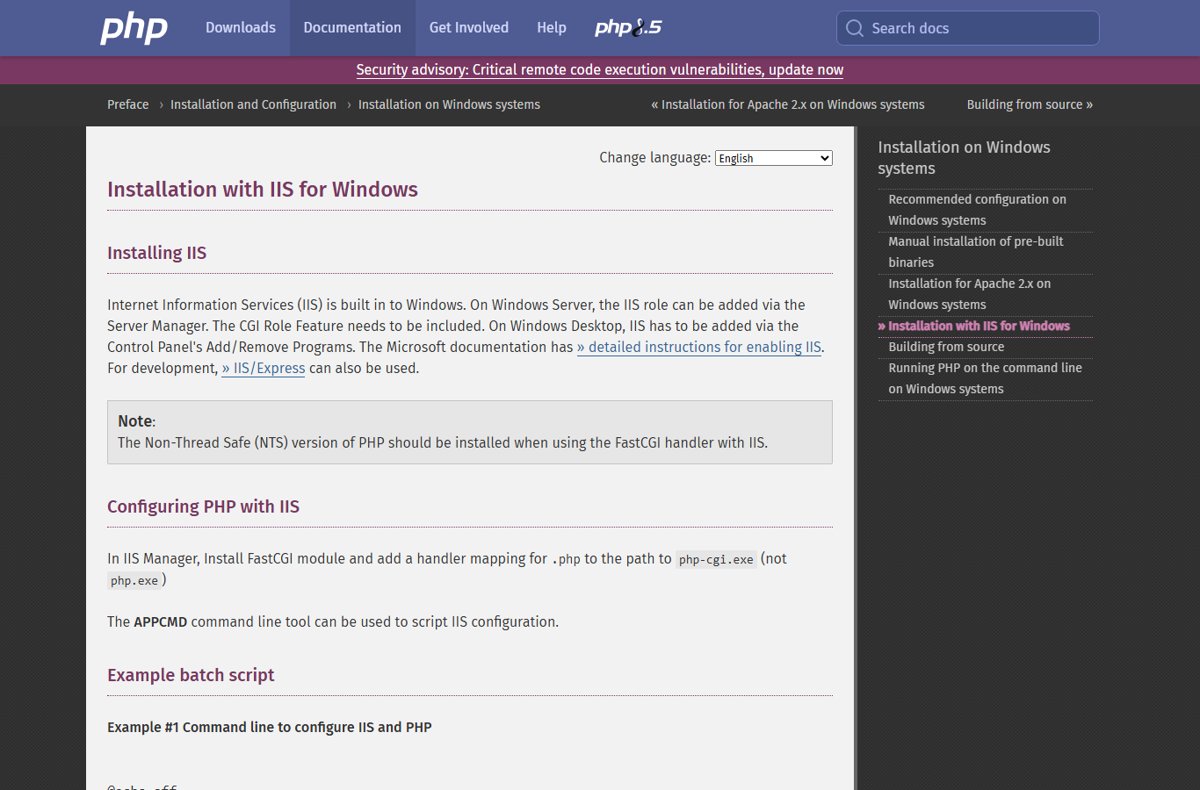
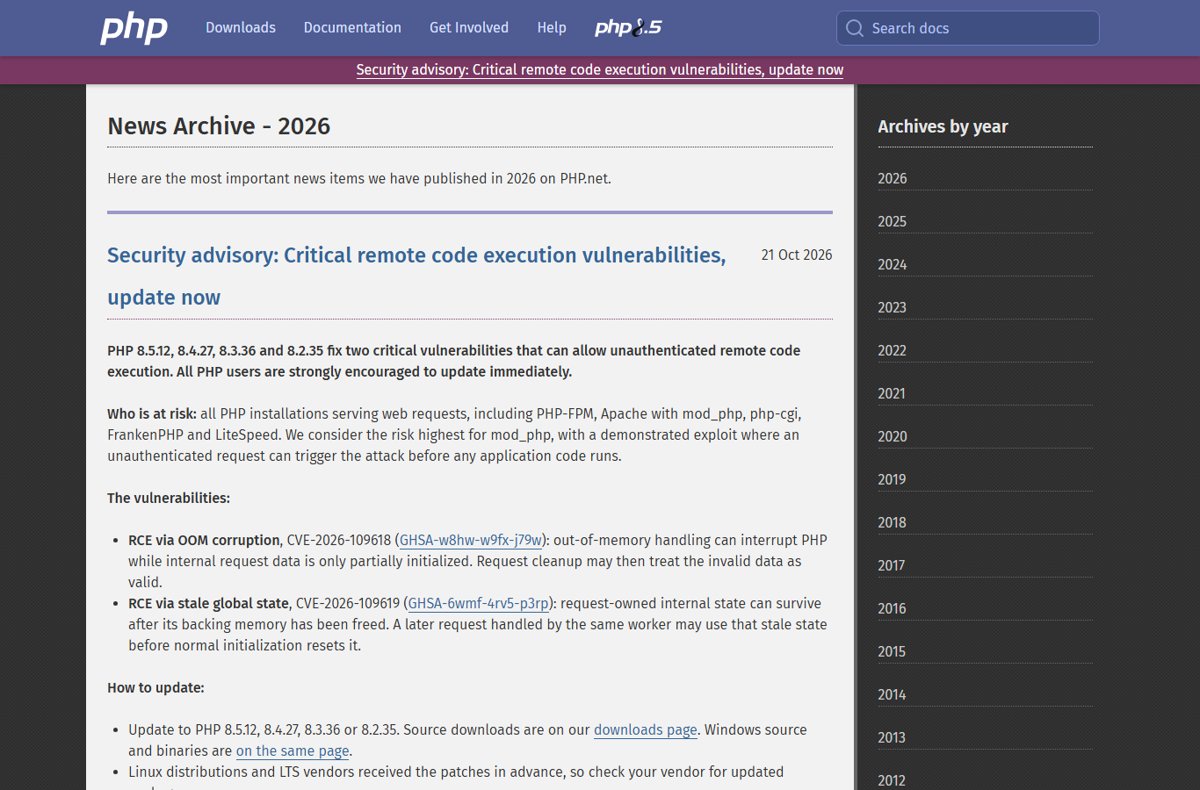
The PHP manual says the Non-Thread Safe (NTS) version should be installed when IIS uses the FastCGI handler. The Thread Safe (TS) build is for PHP loaded as a web server module, such as Apache with mod_php.
| Choice | Pick for IIS | Why |
|---|---|---|
| Thread safety | Non Thread Safe (NTS) | IIS runs php-cgi.exe through FastCGI, a single-threaded use case |
| Architecture | x64 | php.net recommends x64; x86 only if you already run 32-bit PHP |
| Package | Zip | Not the Debug Pack or Development package |
| Runtime | Visual C++ Redistributable for Visual Studio 2015-2022 | The VS16 and VS17 builds need it, matching the build's architecture |
| Windows version | Windows Server 2012 or later | PHP 8.3.0 and newer require Windows 8 or Windows Server 2012 |
On 21 October 2026 windows.php.net listed PHP 8.5 (8.5.12) with a VS17 x64 Non Thread Safe Zip of 34.62MB. Release notes for each branch are in the PHP 8.5.12 for Windows and PHP 8.4.27 for Windows posts.
How to update PHP on Windows Server IIS
Keep the same folder path IIS already uses, for example C:\PHP. The FastCGI application and handler mapping point at php-cgi.exe by full path, so an unchanged path means no IIS configuration edits.
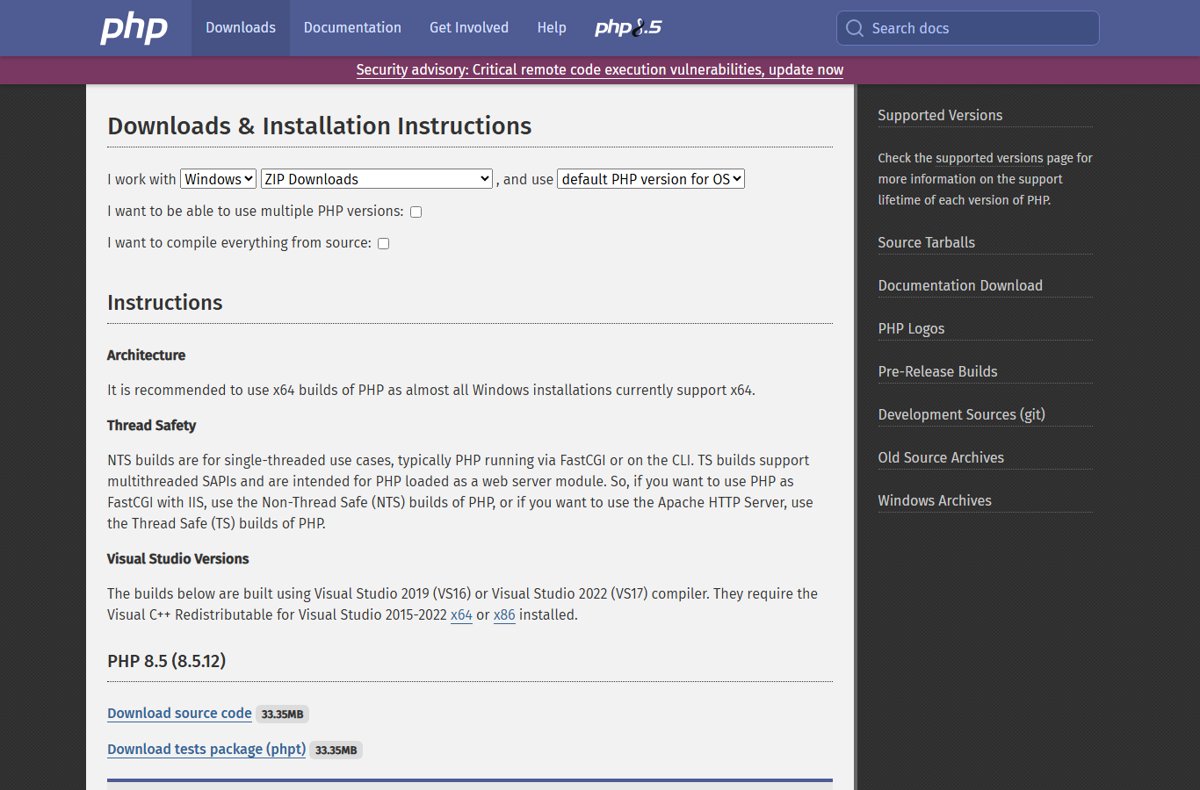
- Open https://windows.php.net/download/ and download the Zip under the Non Thread Safe heading for 8.4.27 or 8.5.12, matching x64 or x86.
- Open an elevated Command Prompt and run
net stop w3svcto stop the World Wide Web Publishing Service. - Rename the current PHP folder, for example
C:\PHPtoC:\PHP-old, so you keep a working backup. - Extract the new ZIP to the original path,
C:\PHP. - Copy
php.inifromC:\PHP-oldintoC:\PHP. - Copy any third-party extension DLLs from the old
extfolder, using builds made for the new PHP branch and NTS. - Run
net start w3svcto start the web service again.
Moving from 8.4 to 8.5 is a branch upgrade, not a patch, so test the site on staging first. Desktop setups and other web servers are covered by the general PHP update steps, and the PHP download for Windows page explains the build list.
Update the FastCGI handler mapping in IIS Manager
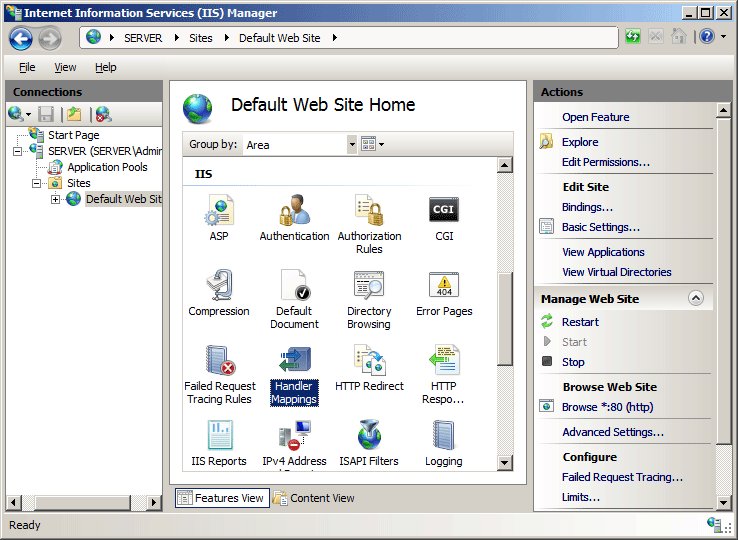
Do this only when the new PHP sits in a different folder, or when no mapping exists yet. The PHP manual says the handler mapping for .php must point to php-cgi.exe, not php.exe. The CGI role service must be installed for FastCGI to work.
- In Server Manager, click Tools, and then click Internet Information Services (IIS) Manager.
- In the Connections pane, click the server name.
- In the Home pane, double-click Handler Mappings.
- In the Actions pane, click Add Module Mapping.
- Enter
*.phpin Request path, select FastCgiModule in Module, and enter the new path, such asC:\PHP\php-cgi.exe, in Executable. - Enter a unique Name, such as
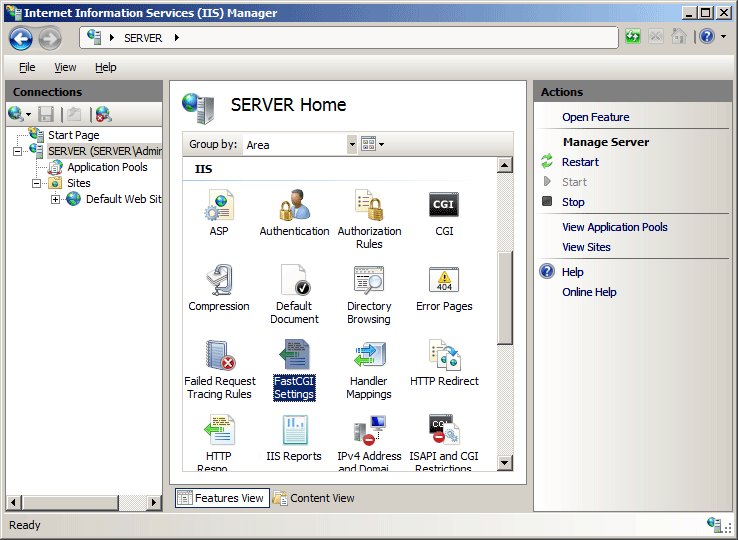
PHP-FastCGI, click OK, and click Yes when asked to create a FastCGI application. - Back on the Home pane, double-click FastCGI Settings, select the PHP application, click Edit, and confirm Full Path points to the new
php-cgi.exe.
Remove the old mapping that points at the previous folder so only one PHP handler serves .php files. If you added PHP_FCGI_MAX_REQUESTS as an environment variable, Microsoft says its value must be less than or equal to the FastCGI application's maximum requests.
Update the PHP handler for IIS with AppCmd
The PHP manual gives an AppCmd script that clears the FastCGI section and re-adds the handler. Set phppath to your PHP folder, and run it from an elevated Command Prompt. Note that the first command clears every FastCGI application on the server.
%windir%\system32\inetsrv\appcmd set config /section:system.webServer/fastCGI /+[fullPath='C:\PHP\php-cgi.exe']
%windir%\system32\inetsrv\appcmd set config /section:system.webServer/handlers /+[name='PHP_via_FastCGI',path='*.php',verb='*',modules='FastCgiModule',scriptProcessor='C:\PHP\php-cgi.exe',resourceType='Unspecified']
The first line registers php-cgi.exe as a FastCGI application; the second adds the *.php handler mapping that sends requests to it through FastCgiModule.
You should see: AppCmd reports that it applied the configuration changes to the server section.
The manual's full script also sets instanceMaxRequests and PHP_FCGI_MAX_REQUESTS to 10000 and points PHPRC at your php.ini.
Restart IIS and recycle the application pool
PHP.net's mitigation advice for CVE-2026-109619 tells admins to restart every worker, and the same applies after a patch: a php-cgi.exe process still running the old binary stays vulnerable. Microsoft recommends NET STOP and NET START over IISReset.exe /NOFORCE, which can fail with error 80070425.
- Open Command Prompt as administrator.
- Run
net stop w3svcand wait for The World Wide Web Publishing Service service was stopped successfully. - Run
net start w3svcand wait for the started message. - To restart a single site's workers instead, use the AppCmd RECYCLE command on that application pool object.
- Run
%systemroot%\system32\inetsrv\APPCMD list wpsto see which worker processes are running again.
To make IIS restart PHP automatically after future php.ini edits, set the FastCGI application's monitorChangesTo attribute to the full path of php.ini.
How to confirm the PHP version on IIS
Check the version that IIS serves, not only the command line, because the handler may point at a different folder.
- Run
C:\PHP\php-cgi.exe -vand confirm it shows 8.4.27 or 8.5.12. - Create a temporary
info.phpfile in the site root containing<?php phpinfo(); ?>. - Open the page in a browser and check the version at the top, plus Server API showing CGI/FastCGI.
- Check that Loaded Configuration File shows the
php.iniyou copied. - Delete
info.phpstraight after checking.
More ways to read the version are in the PHP version check post.
Fix PHP on IIS after the PHP2Shell update
phpinfo() still shows the old PHP version on IIS
The FastCGI application or handler mapping still points at the old folder, or old workers are still running.
- Open FastCGI Settings and check Full Path.
- Open Handler Mappings and check the .php entry's executable.
- Run
net stop w3svcandnet start w3svcagain.
IIS returns an error for every .php page after the swap
A missing runtime, wrong build type or an extension built for another branch stops php-cgi.exe from starting.
- Run
C:\PHP\php-cgi.exe -vin Command Prompt and read any error it prints. - Confirm you extracted the Non Thread Safe build with the same architecture as the Visual C++ Redistributable.
- Comment out third-party
extension=lines inphp.iniuntil php-cgi.exe starts.
IISReset fails with 80070425
IISReset.exe with /NOFORCE could not stop the services in time.
- Run
net stop w3svc. - Run
net start w3svc.
If the new build fails and the site must stay up, apply the PHP2Shell mitigations while you fix it, since rolling back to the old folder restores the vulnerable version.
PHP2Shell on IIS FAQ
Does IIS need the Thread Safe or Non Thread Safe PHP build?
IIS needs the Non Thread Safe (NTS) build. The PHP manual says NTS should be installed when IIS uses the FastCGI handler, and TS builds are for PHP loaded as a web server module such as Apache mod_php.
Is php-cgi on IIS affected by PHP2Shell?
Yes. PHP.net lists php-cgi among the at-risk setups, along with PHP-FPM, Apache mod_php, FrankenPHP and LiteSpeed. Any IIS server running PHP below 8.5.12, 8.4.27, 8.3.36 or 8.2.35 on those branches needs the update.
Do I have to change IIS settings after updating PHP?
No, if you extract the new build to the same folder. The FastCGI application and handler mapping point at php-cgi.exe by full path, so only a restart is needed. A new folder needs both entries updated.
Does Windows Update patch PHP on Windows Server?
No. Windows Update services Windows and IIS, but PHP comes from php.net as a ZIP you extract yourself. Download the fixed NTS build from windows.php.net and replace the folder manually.
Can I use iisreset after updating PHP?
You can, but Microsoft recommends NET STOP w3svc and NET START w3svc because IISReset.exe with /NOFORCE can fail with error 80070425 when services do not stop in time. Either way, every php-cgi.exe worker must restart.
Which Visual C++ runtime does PHP 8.5.12 need on IIS?
The php.net Windows builds need the Visual C++ Redistributable for Visual Studio 2015-2022. Install the x64 runtime for x64 PHP and the x86 runtime for x86 PHP.
Does PHP 8.5.12 run on Windows Server 2012?
Yes. The PHP manual says PHP 8.3.0 and later require Windows 8 or Windows Server 2012, so 8.4.27 and 8.5.12 run on Windows Server 2012 and newer x64 or x86 systems.
Bottom line: patching PHP2Shell on IIS
Swap in the 8.4.27 or 8.5.12 Non Thread Safe build at the same path, restart W3SVC, and confirm the version with phpinfo(). IIS keeps running whatever php-cgi.exe its FastCGI handler points to, so the fix only takes effect once the new binary sits at that path and every old worker has stopped.

![HDMI port not working in Windows 11 [Easy fixing]](https://techdows.com/wp-content/uploads/2026/10/HDMI-Port-Not-Working-in-Windows-11-Easy-Fixing-600x338.jpg)