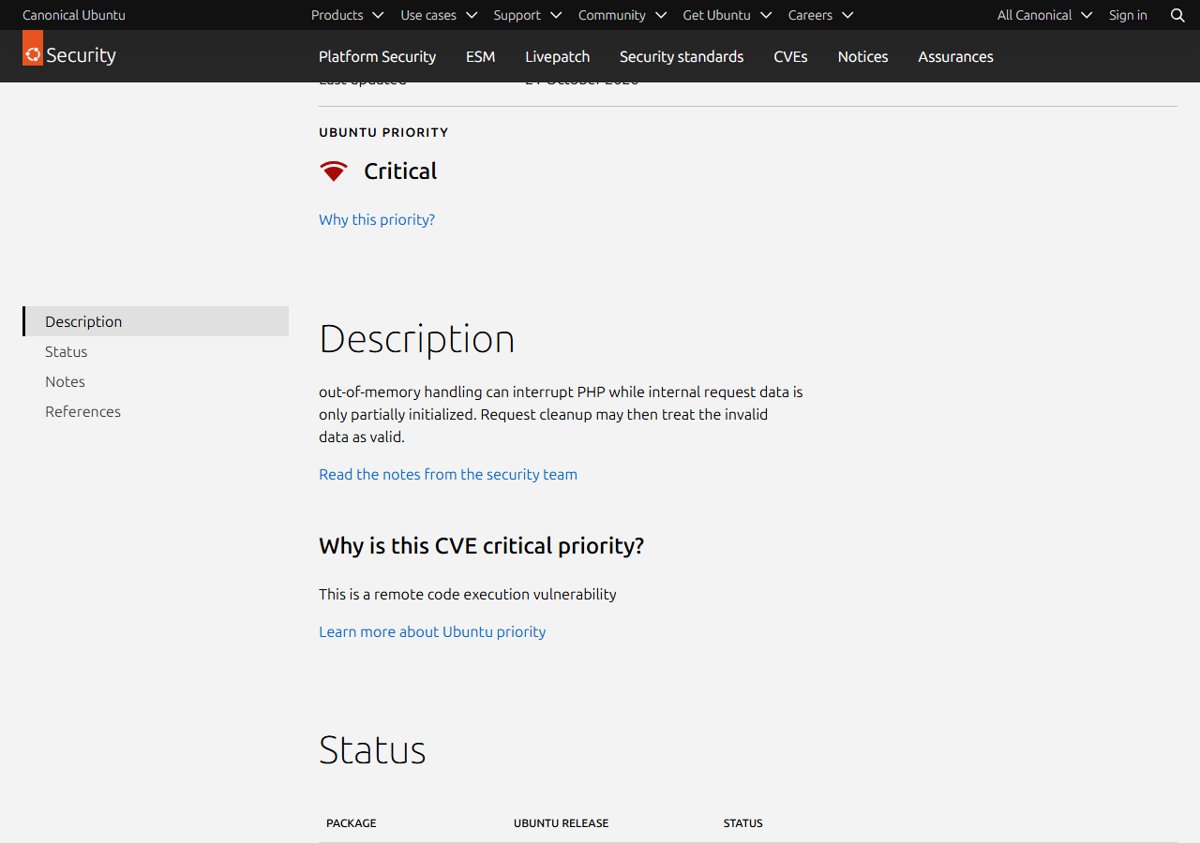
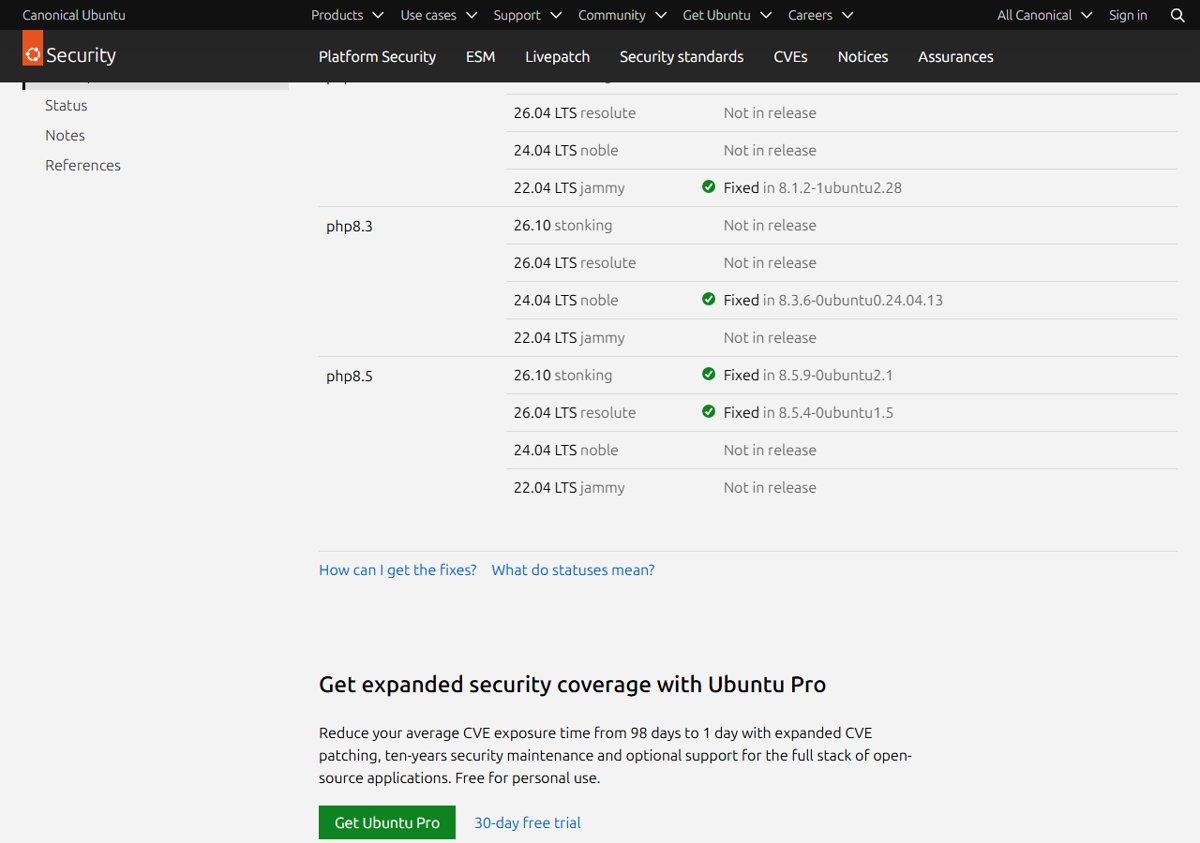
To fix PHP2Shell on Ubuntu 22.04 LTS, install the php8.1 packages at version 8.1.2-1ubuntu2.28, which Canonical released in USN-8948-1 on 21 October 2026 for CVE-2026-109618 and CVE-2026-109619.
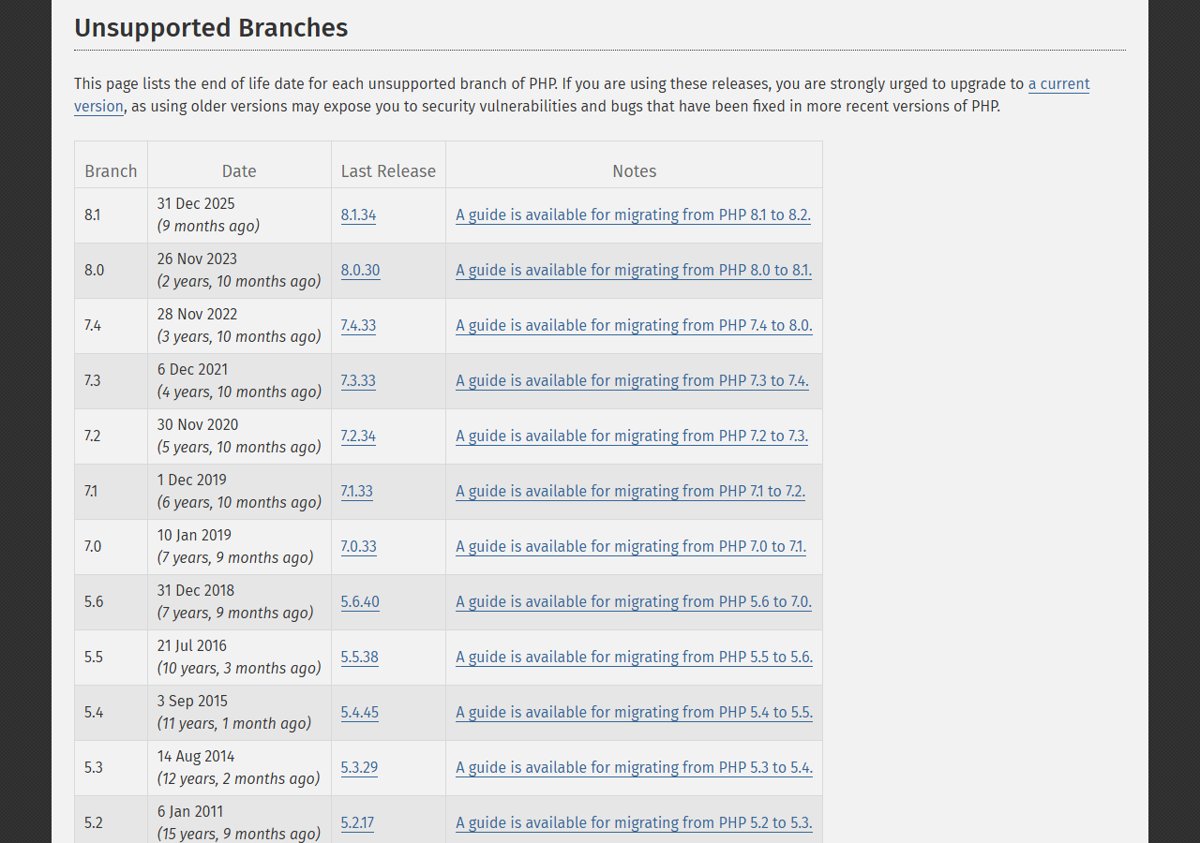
Ubuntu 22.04 (jammy) ships PHP 8.1, a branch the PHP project no longer updates, so the fix comes from Ubuntu rather than php.net. The PHP guide hub gathers every PHP2Shell update, download and mitigation post, and this page covers only the jammy package route.
Is Ubuntu 22.04 affected by PHP2Shell?
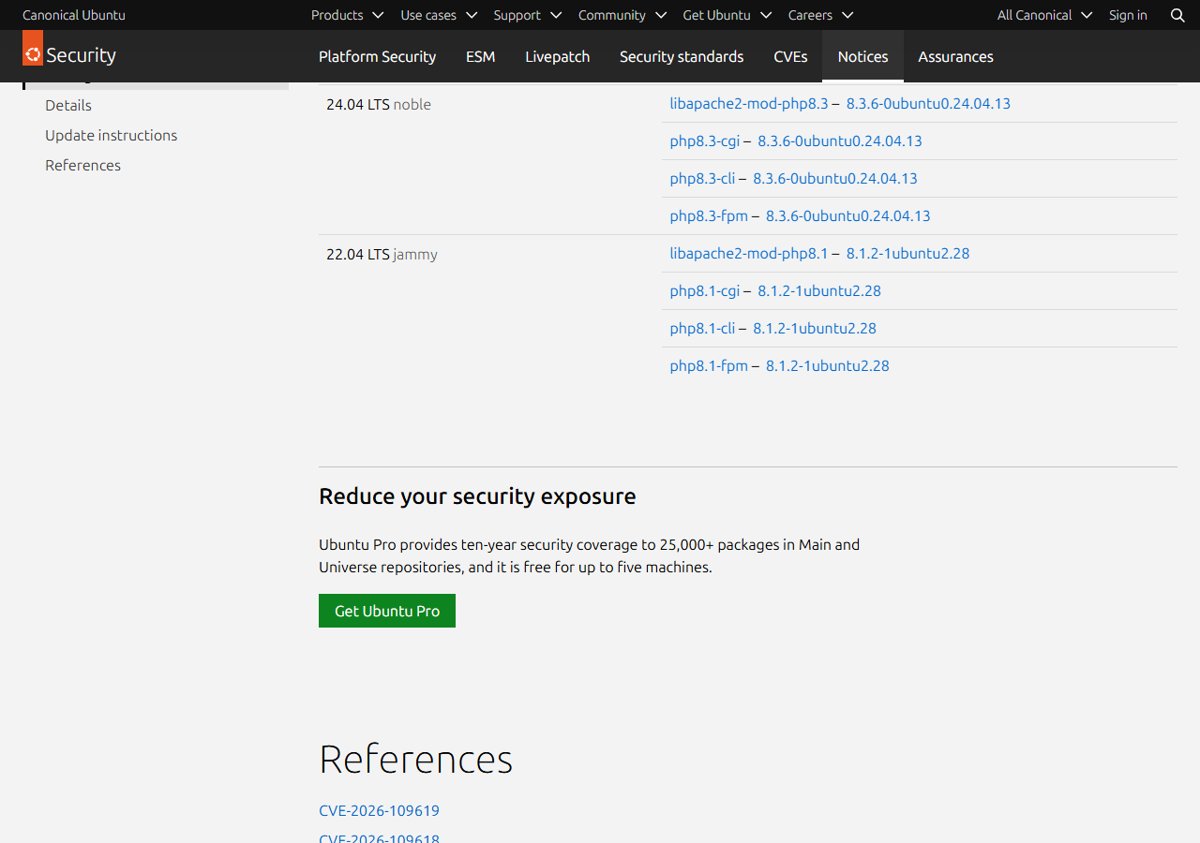
Yes. USN-8948-1 lists Ubuntu 22.04 LTS among the affected releases, and the php8.1 source package is the one that carries the fix there. Canonical rates CVE-2026-109618 as Critical priority because it is a remote code execution flaw.
| CVE | What Ubuntu says goes wrong | Ubuntu 22.04 status |
|---|---|---|
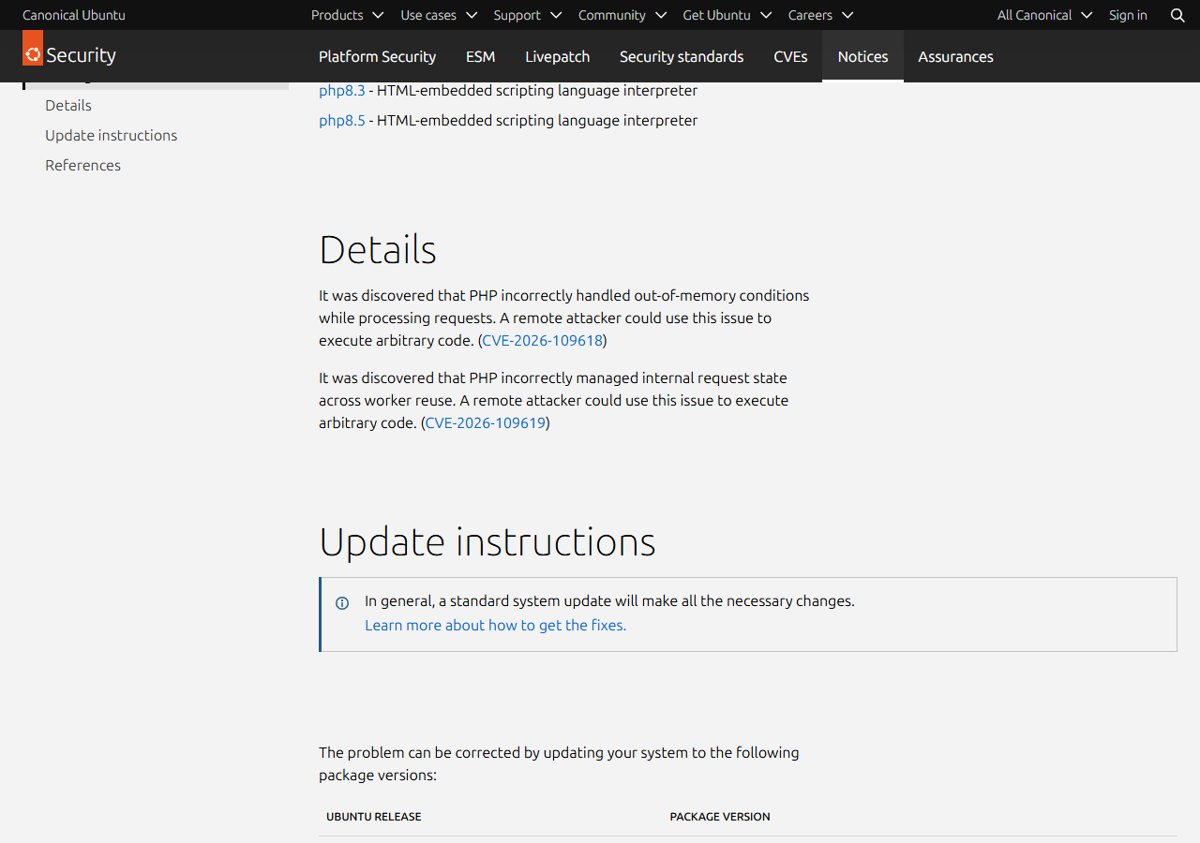
| CVE-2026-109618 | PHP mishandles out-of-memory conditions while processing requests, and a remote attacker can execute arbitrary code | Fixed in php8.1 8.1.2-1ubuntu2.28 |
| CVE-2026-109619 | PHP mismanages internal request state across worker reuse, and a remote attacker can execute arbitrary code | Fixed in php8.1 8.1.2-1ubuntu2.28 |
Any jammy server that runs PHP 8.1 behind Apache, PHP-FPM or CGI is exposed until the update is installed and the PHP processes restart. Both flaws share the same PHP2Shell patch and background across every platform.
PHP2Shell fixed package version for Ubuntu 22.04 (USN-8948-1)
USN-8948-1 names four binary packages for 22.04 LTS jammy. All four must reach the same fixed version.
| Ubuntu 22.04 package | What it provides | Fixed version |
|---|---|---|
| libapache2-mod-php8.1 | PHP 8.1 as an Apache module (mod_php) | 8.1.2-1ubuntu2.28 |
| php8.1-fpm | PHP-FPM worker pool for Nginx or Apache | 8.1.2-1ubuntu2.28 |
| php8.1-cgi | PHP 8.1 CGI binary | 8.1.2-1ubuntu2.28 |
| php8.1-cli | Command-line PHP 8.1 | 8.1.2-1ubuntu2.28 |
The version string keeps the upstream number 8.1.2 because Ubuntu backports security fixes into its own build. It will never read 8.5.12, 8.4.27 or another php.net release, so judge it only by the ubuntu2.28 suffix.
Does Ubuntu 22.04 patch PHP 8.1 after end of life?
Yes. PHP.net says PHP 8.1 and older no longer receive updates from the PHP project and that some distributions provide backported fixes. Ubuntu 22.04 is one of them: its CVE tracker shows php8.1 on jammy as fixed in 8.1.2-1ubuntu2.28 through the normal security archive.
| Source | PHP 8.1 status for PHP2Shell |
|---|---|
| PHP project (php.net) | No PHP 8.1 release; only minimal source backports for people building from source |
| Ubuntu 22.04 LTS jammy | Patched php8.1 packages in the standard archive (USN-8948-1) |
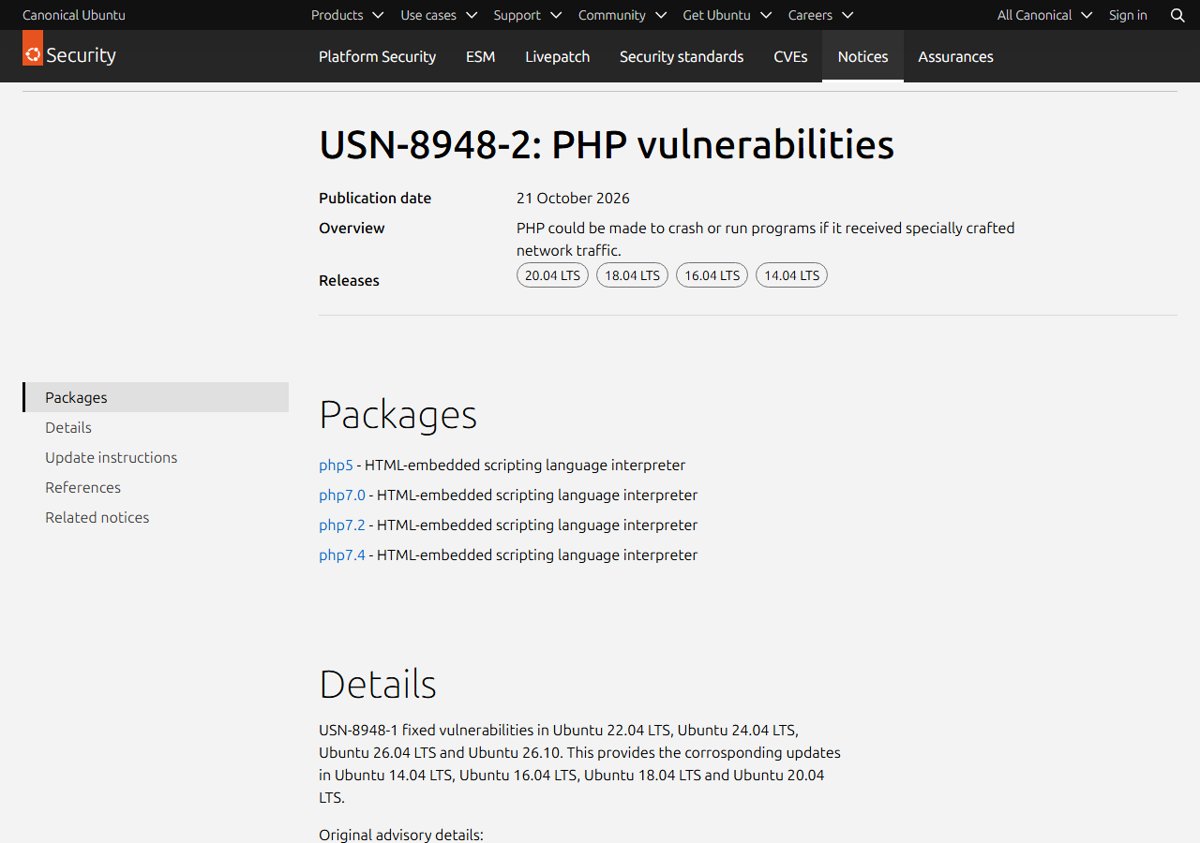
| Ubuntu 20.04, 18.04, 16.04 and 14.04 | Older PHP packages fixed through Ubuntu Pro (USN-8948-2) |
Staying on the jammy package is fine for this fix. If you planned to move off PHP 8.1 anyway, the PHP 8.1 end-of-life options compare upgrading with vendor backports.
How to install the PHP2Shell fix on Ubuntu 22.04 with apt
USN-8948-1 states that a standard system update makes all the necessary changes. Run these commands as a user with sudo rights.
- Run
sudo apt updateto refresh the jammy package lists. - Run
apt list --upgradableand confirm the php8.1 packages are offered at 8.1.2-1ubuntu2.28. - Run
sudo apt upgradeto install every pending update, including the php8.1 packages. - If you want to update only PHP, run
sudo apt install --only-upgrade libapache2-mod-php8.1 php8.1-fpm php8.1-cgi php8.1-cliinstead; apt skips any of them that are not installed. - Answer Y when apt asks to continue, and keep your existing configuration files if it asks about
php.ini.
The same apt route works on Debian and other Ubuntu releases with different package names; the Ubuntu and Debian PHP update post covers those.
Restart services on Ubuntu 22.04 after the PHP update
Running PHP processes keep the old code in memory until they restart, so restart whichever of these your server uses.
| Ubuntu 22.04 setup | Command |
|---|---|
| Apache with mod_php (libapache2-mod-php8.1) | sudo systemctl restart apache2 |
| Nginx or Apache with PHP-FPM | sudo systemctl restart php8.1-fpm |
| Queue workers or daemons started with php8.1-cli | Restart each worker through its own supervisor or service |
Long-running CLI workers are easy to miss. If a pool will not come back cleanly, restart PHP-FPM safely with a config test first.
How to check the PHP 8.1 package version on Ubuntu 22.04
- Run
dpkg -l 'php8.1*' libapache2-mod-php8.1and read the Version column. - Confirm every installed php8.1 package shows
8.1.2-1ubuntu2.28or later. - Run
apt policy php8.1-cliand check that the Installed line matches the Candidate line. - Run
php -v; it still prints PHP 8.1.2 followed by the Ubuntu build suffix, which is expected. - Run
systemctl status php8.1-fpmorsystemctl status apache2and confirm the start time is after the update.
The web server can load a different PHP than the command line, so also check your PHP version from a temporary phpinfo() page, then delete it.
PHP2Shell update not showing on Ubuntu 22.04
apt shows no php8.1 upgrade
Package lists are stale or the security pocket is disabled
- Run
sudo apt updateagain and read any errors it prints. - Confirm your APT sources still include the jammy-security pocket.
php -v shows PHP 8.2, 8.3 or another branch
PHP comes from a third-party repository or a source build, not the Ubuntu php8.1 package
- USN-8948-1 does not cover that build; update it from its own vendor to the fixed release for its branch.
- Until then, apply the partial PHP2Shell mitigations, which reduce exposure but do not fix the flaws.
Package is updated but the site still runs old code
PHP-FPM, Apache or a worker was not restarted
- Restart
php8.1-fpmorapache2withsystemctl. - Restart any long-running PHP CLI workers.
PHP2Shell on Ubuntu 22.04 FAQ
Is there an Ubuntu 22.04 PHP 8.1 security update for PHP2Shell?
Yes. Canonical published USN-8948-1 on 21 October 2026. It updates libapache2-mod-php8.1, php8.1-cgi, php8.1-cli and php8.1-fpm to 8.1.2-1ubuntu2.28 on jammy, and a standard system update installs them.
Is php8.1 on jammy fixed for CVE-2026-109618?
Yes. Ubuntu's CVE tracker lists php8.1 on 22.04 LTS jammy as fixed in 8.1.2-1ubuntu2.28 and rates the flaw Critical priority. The same notice also fixes CVE-2026-109619, so one update covers both PHP2Shell flaws.
Is PHP 8.1 end of life on Ubuntu?
The PHP project has ended PHP 8.1 support and publishes no new 8.1 releases. Ubuntu 22.04 still ships security updates for its php8.1 packages through the standard archive, and the PHP2Shell fix is one of them.
Do I need Ubuntu Pro to get the PHP2Shell fix on 22.04?
No. The jammy fix is part of USN-8948-1 and arrives through a standard system update with no subscription. Ubuntu Pro is only needed for the older-release fixes in USN-8948-2, which cover 20.04, 18.04, 16.04 and 14.04.
Why does php -v still show 8.1.2 after the update?
Ubuntu keeps the upstream base version and adds its own build number for each backported fix. The patched build is the one with the 1ubuntu2.28 suffix, so check the package version with dpkg rather than the upstream number.
Do I have to upgrade to Ubuntu 24.04 to fix PHP2Shell?
No. Installing 8.1.2-1ubuntu2.28 fixes both CVEs on 22.04, and Ubuntu continues to patch the jammy php8.1 packages. Moving to a newer Ubuntu release is a separate decision you can plan on its own schedule.
Should you install the Ubuntu 22.04 PHP2Shell update now?
Yes. Run sudo apt update and sudo apt upgrade, confirm the php8.1 packages read 8.1.2-1ubuntu2.28, and restart Apache or php8.1-fpm today. Canonical rates PHP2Shell Critical, both flaws allow remote code execution, and the fix arrives through the normal jammy update with no release upgrade or Ubuntu Pro subscription.

![HDMI port not working in Windows 11 [Easy fixing]](https://techdows.com/wp-content/uploads/2026/10/HDMI-Port-Not-Working-in-Windows-11-Easy-Fixing-600x338.jpg)