To fix PHP2Shell on Ubuntu 24.04 LTS, upgrade the php8.3 packages to version 8.3.6-0ubuntu0.24.04.13, published in Ubuntu security notice USN-8948-1 on 21 October 2026, then restart Apache or PHP-FPM.
This guide covers only Ubuntu 24.04 (noble) and its stock PHP 8.3: the exact packages, the apt commands, the restart and the version check. The PHP guide hub lists every other PHP2Shell post, including other releases and Windows.
Install the PHP2Shell fix on Ubuntu 24.04 in four commands
Ubuntu's notice says a standard system update makes all the necessary changes. On a server that runs the stock php8.3 packages, this is the whole fix.
- Refresh the package lists with
sudo apt update. - Install the pending updates with
sudo apt upgradeand answer Y when asked. - Restart PHP-FPM with
sudo systemctl restart php8.3-fpm, or Apache withsudo systemctl restart apache2if you use mod_php. - Run
apt policy php8.3-cliand confirm the Installed line reads8.3.6-0ubuntu0.24.04.13.
Skip only the restart and the server keeps running the old, vulnerable code in memory.
Is Ubuntu 24.04 affected by PHP2Shell?
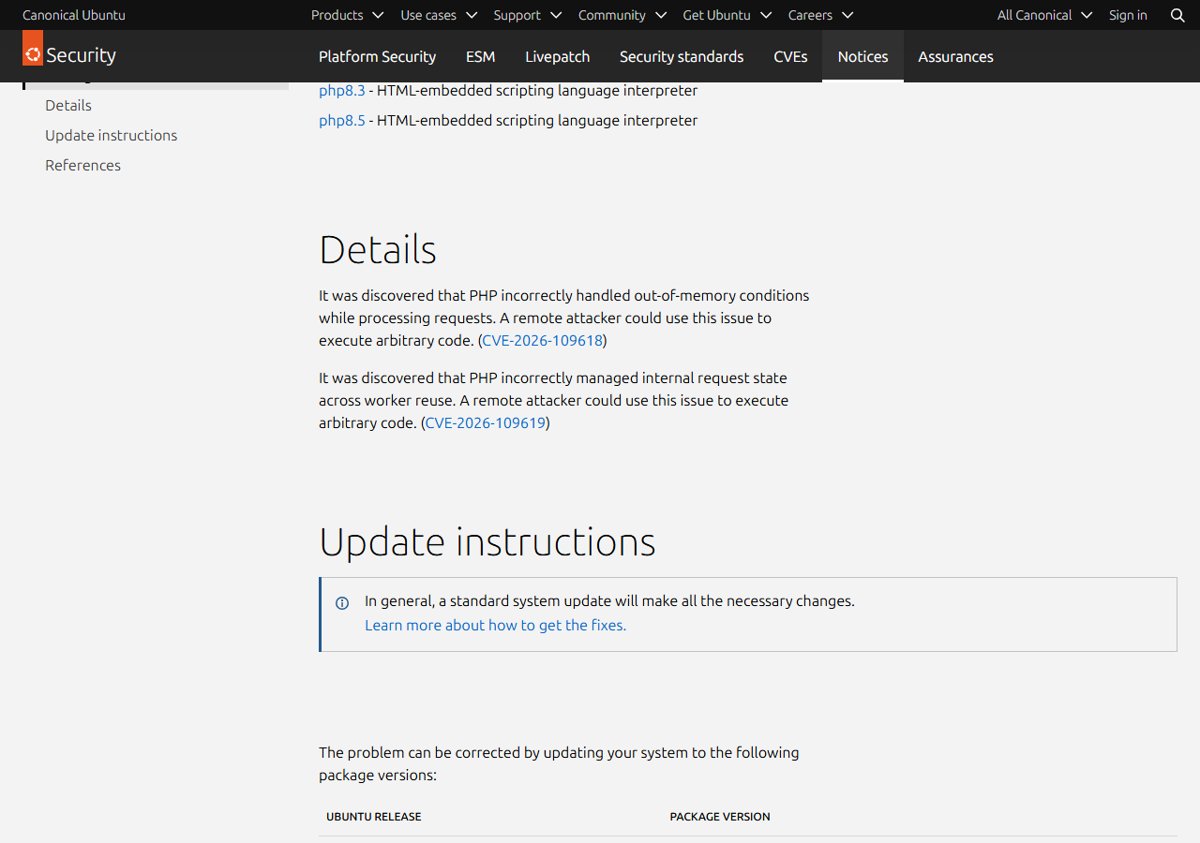
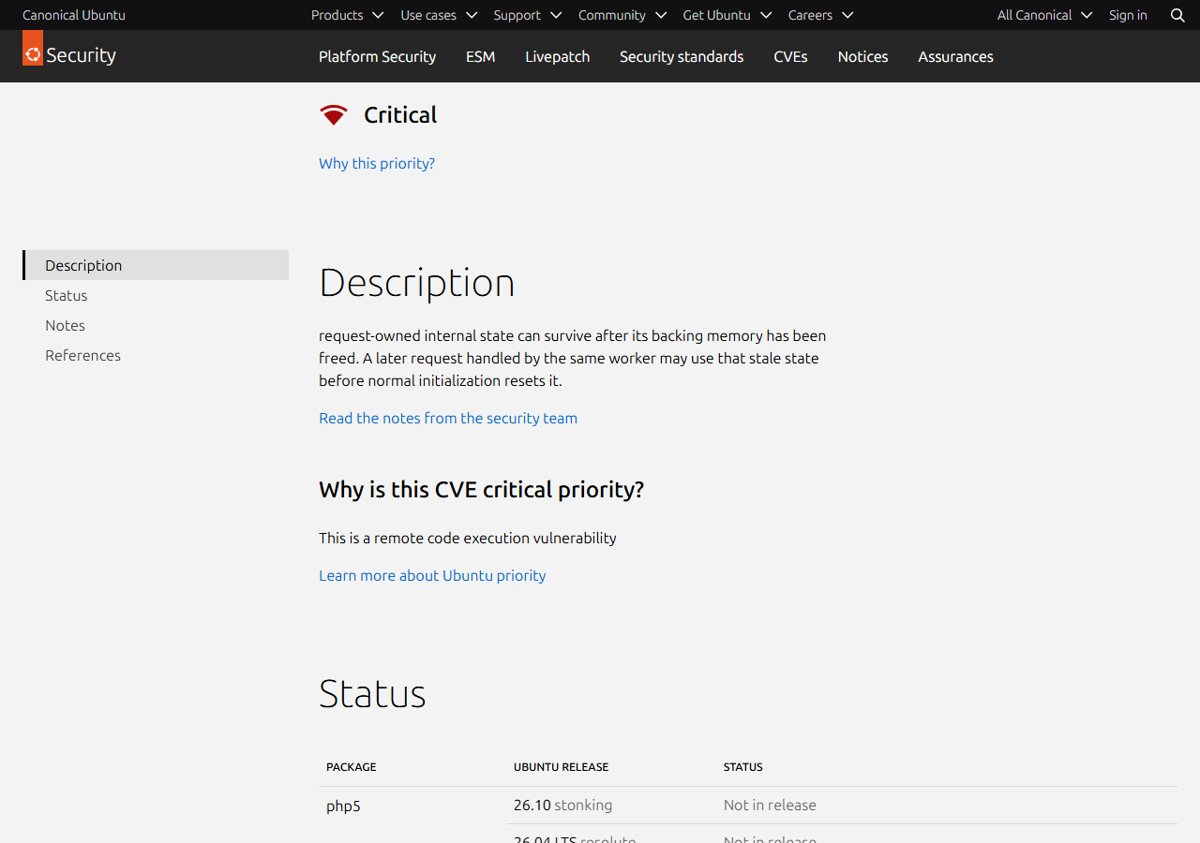
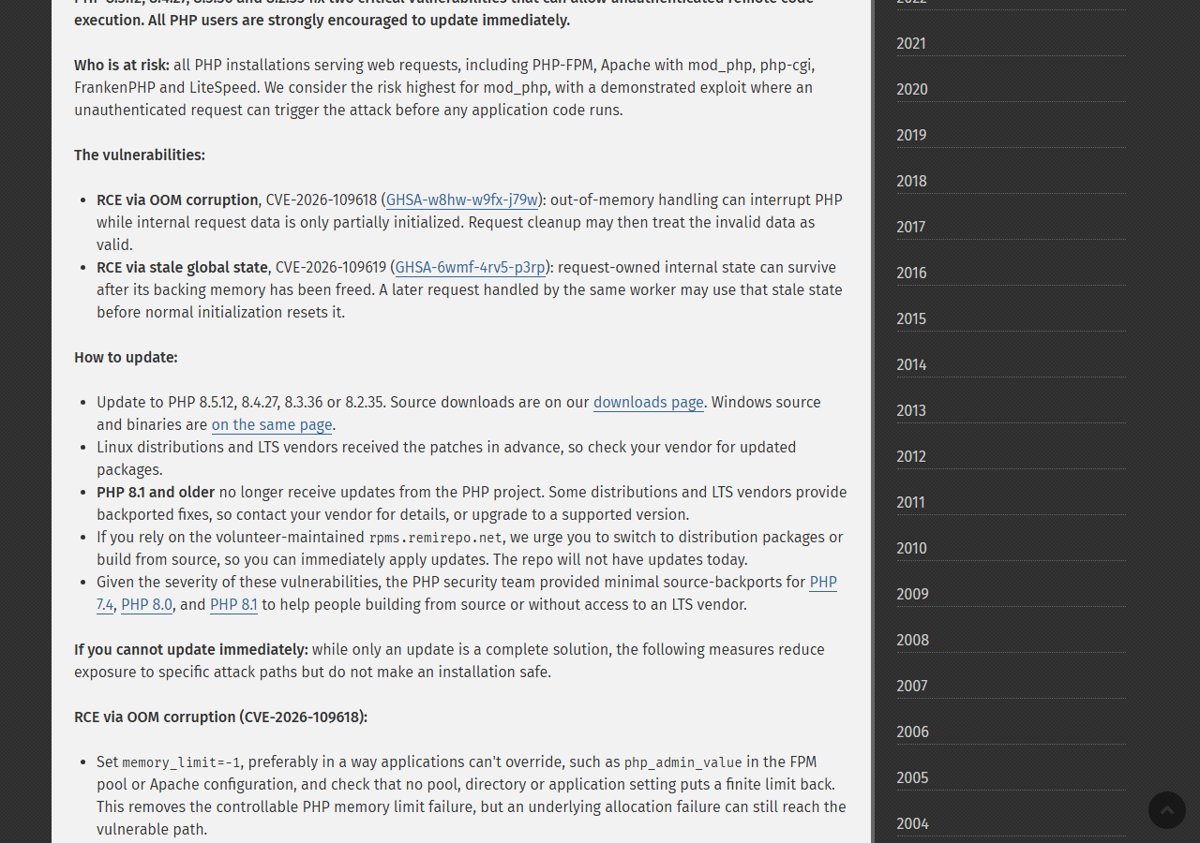
Yes. Ubuntu lists the php8.3 source package in 24.04 LTS noble as affected by both PHP2Shell flaws and rates CVE-2026-109618 as Critical priority because it is a remote code execution vulnerability.
PHP.net says every PHP installation serving web requests is at risk. On Ubuntu 24.04 that maps to these packages.
| Ubuntu 24.04 setup | Package involved | Exposure |
|---|---|---|
| Apache with mod_php | libapache2-mod-php8.3 | Highest: php.net reports a demonstrated exploit that runs before any application code |
| Nginx or Apache with PHP-FPM | php8.3-fpm | At risk while serving web requests |
| CGI setups | php8.3-cgi | At risk while serving web requests |
| Command line, cron jobs, Composer | php8.3-cli | Patched by the same notice; update it too |
Ubuntu describes CVE-2026-109618 as out-of-memory handling that leaves request data partly initialized, and CVE-2026-109619 as internal request state mismanaged across worker reuse. Both let a remote attacker execute arbitrary code.
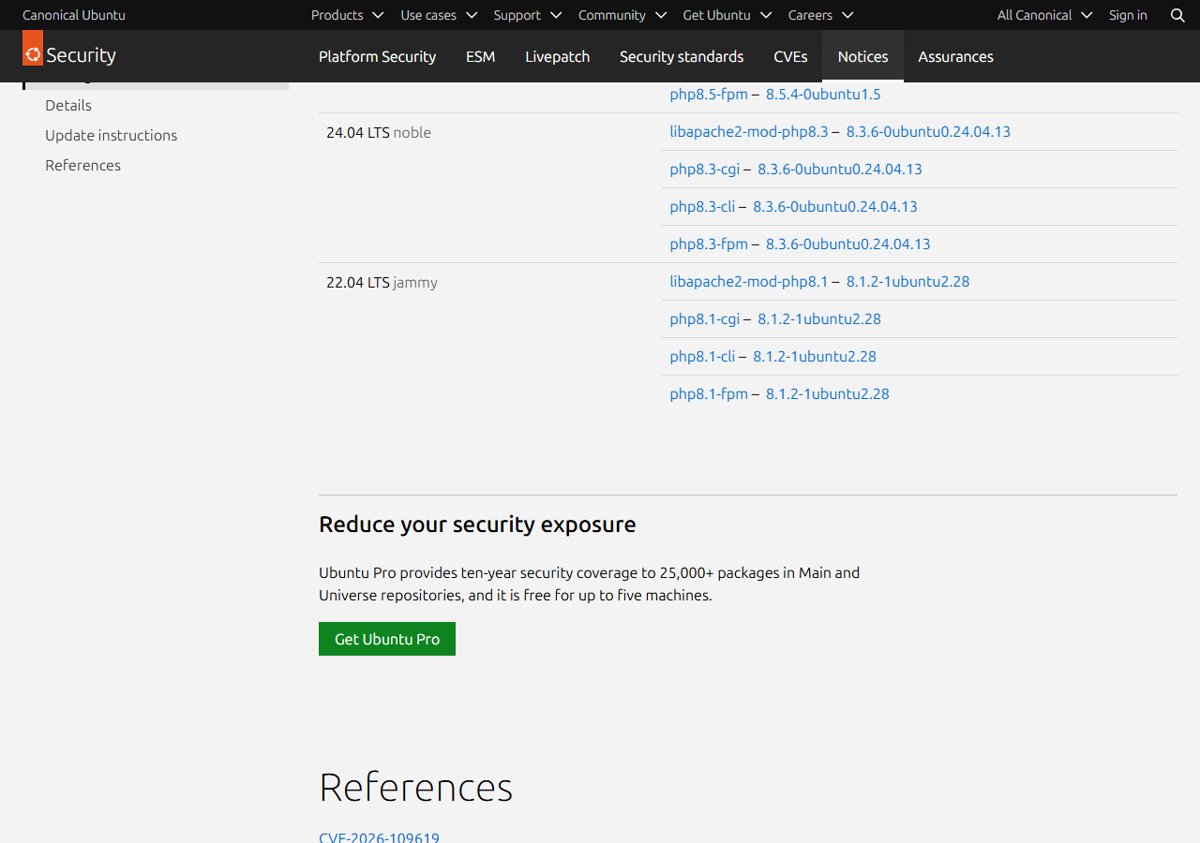
PHP2Shell fixed package version for Ubuntu 24.04 (USN-8948-1)
Ubuntu keeps PHP 8.3.6 as the upstream base on noble and backports security fixes into it. A patched Ubuntu 24.04 server therefore still reports PHP 8.3.6, not the upstream 8.3.36 release; the package suffix is what proves the fix.
| Binary package | Fixed version on Ubuntu 24.04 LTS |
|---|---|
| libapache2-mod-php8.3 | 8.3.6-0ubuntu0.24.04.13 |
| php8.3-cgi | 8.3.6-0ubuntu0.24.04.13 |
| php8.3-cli | 8.3.6-0ubuntu0.24.04.13 |
| php8.3-fpm | 8.3.6-0ubuntu0.24.04.13 |
Any version lower than 0ubuntu0.24.04.13 on these packages is still vulnerable. Ubuntu's CVE pages for both flaws show the php8.3 package on 24.04 LTS noble as fixed in this same version.
How to check the installed PHP 8.3 package version on Ubuntu 24.04
Check before and after the upgrade, because php -v only shows 8.3.6 in both cases.
| Command | What to look for on Ubuntu 24.04 |
|---|---|
apt policy php8.3-fpm |
Installed and Candidate lines; both should read 8.3.6-0ubuntu0.24.04.13 after the fix |
dpkg -l 'php8.3*' |
Every installed php8.3 package with its full version |
apt list --upgradable |
php8.3 packages still waiting for the fix |
php -v |
Confirms the CLI runs the 8.3 branch; it does not show the Ubuntu suffix |
To confirm what the web server itself runs, check your PHP version on a temporary phpinfo() page and delete it afterwards.
How to install the PHP2Shell fix on Ubuntu 24.04 with apt
Use this route when you want only the php8.3 packages updated now, without pulling every pending update onto a production server.
- Refresh the package lists with
sudo apt update. - List what is waiting with
apt list --upgradableand look for the php8.3 packages. - Upgrade only the installed php8.3 packages, for example
sudo apt install --only-upgrade php8.3-fpm php8.3-cli php8.3-cgi libapache2-mod-php8.3. - Leave out any package from that list that is not installed, so apt does not add it.
- Answer Y when apt asks to continue.
- Run
apt policy php8.3-fpmand confirm the Installed line reads8.3.6-0ubuntu0.24.04.13.
The broader apt, unattended-upgrades and Debian options are in the Ubuntu and Debian PHP update walkthrough.
Restart Apache and PHP-FPM on Ubuntu 24.04 after the update
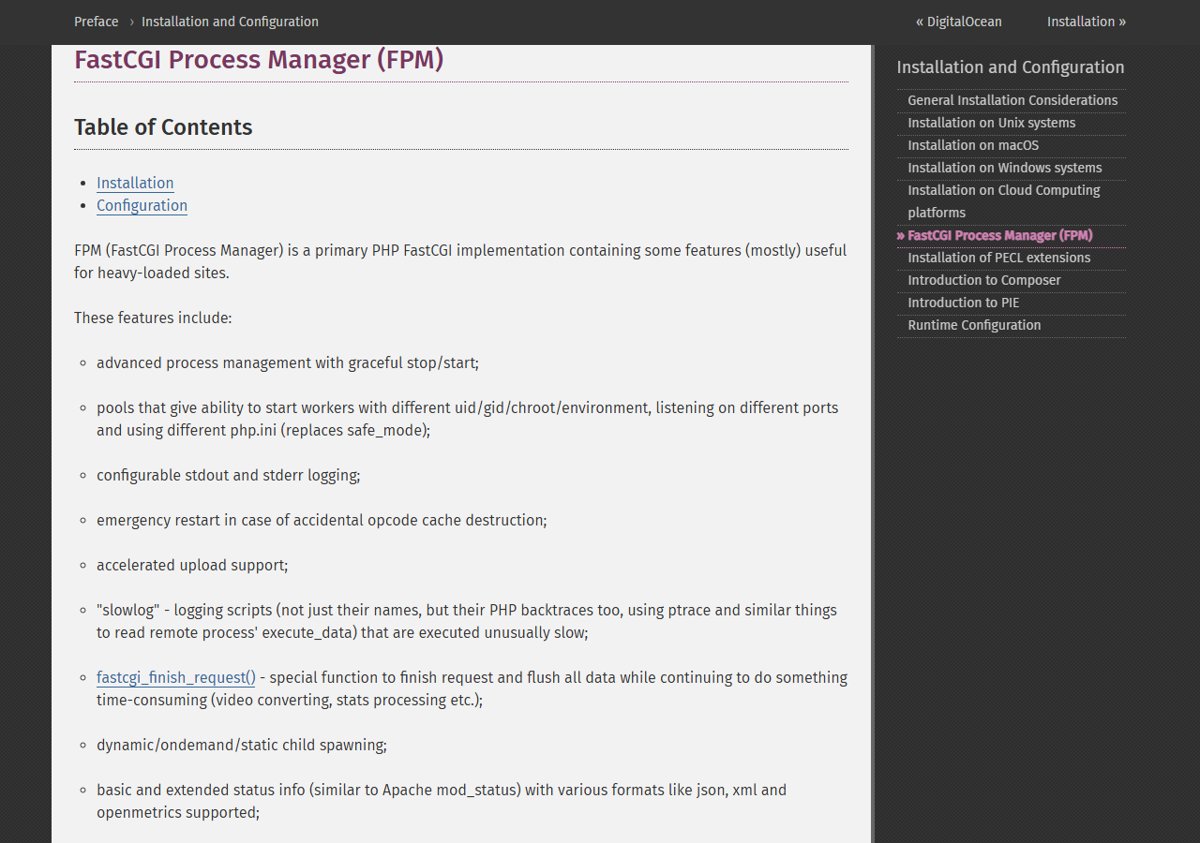
Running PHP workers keep the old code loaded until they restart. Restart whichever service serves PHP on this server.
| Ubuntu 24.04 setup | Restart command |
|---|---|
| PHP-FPM (Nginx or Apache proxy) | sudo systemctl restart php8.3-fpm |
| Apache with mod_php | sudo systemctl restart apache2 |
| Check the FPM service came back | systemctl status php8.3-fpm |
Use a full restart rather than a reload so every worker is replaced. Pool-level details and other distributions are in the guide to restart PHP-FPM after a security update.
Ubuntu 24.04 with PHP from a PPA or Docker
USN-8948-1 covers only the php8.3 packages from Ubuntu's own archive. Other PHP sources on a 24.04 host need their own route.
| Where your PHP comes from | What fixes PHP2Shell |
|---|---|
| Ubuntu archive php8.3 | 8.3.6-0ubuntu0.24.04.13 from USN-8948-1 |
| Third-party PPA (other PHP branches) | The PPA maintainer's update to an upstream fixed release: 8.5.12, 8.4.27, 8.3.36 or 8.2.35 |
| Docker image on an Ubuntu 24.04 host | A rebuilt image on a fixed PHP release; the host's apt upgrade does not touch the container |
| PHP compiled from source | Rebuild from the php.net 8.3.36 source or another fixed branch |
For containers, follow the steps to update PHP Docker images and redeploy every container.
Verify the PHP2Shell fix is live on Ubuntu 24.04
- Run
dpkg -l 'php8.3*'and confirm every listed package shows8.3.6-0ubuntu0.24.04.13. - Run
apt list --upgradableand confirm no php8.3 package is still listed. - Run
systemctl status php8.3-fpm(orapache2) and check the Active line shows a start time after the upgrade. - Load a temporary
phpinfo()page through the web server, confirm the PHP 8.3 version, then delete the file.
Ubuntu 24.04 PHP2Shell update problems
apt shows no php8.3 update
The package lists are stale, or the package is already at the fixed version.
- Run
sudo apt updateagain. - Run
apt policy php8.3-fpmand compare the Installed line with8.3.6-0ubuntu0.24.04.13. - If it already matches, the fix is installed; only the restart may be missing.
php -v still shows 8.3.6 after the update
Ubuntu keeps the 8.3.6 base version and only changes the package suffix.
- Check the package version with
apt policy php8.3-cliinstead. - Treat
8.3.6-0ubuntu0.24.04.13as patched.
The installed version comes from a PPA, not the Ubuntu archive
A third-party repository has a higher priority than Ubuntu's php8.3 packages.
- Run
apt policy php8.3-fpmand read which repository each version comes from. - Wait for the PPA maintainer's fixed build, or apply the temporary PHP2Shell mitigations until it arrives.
PHP2Shell on Ubuntu 24.04 FAQ
What is USN-8948-1?
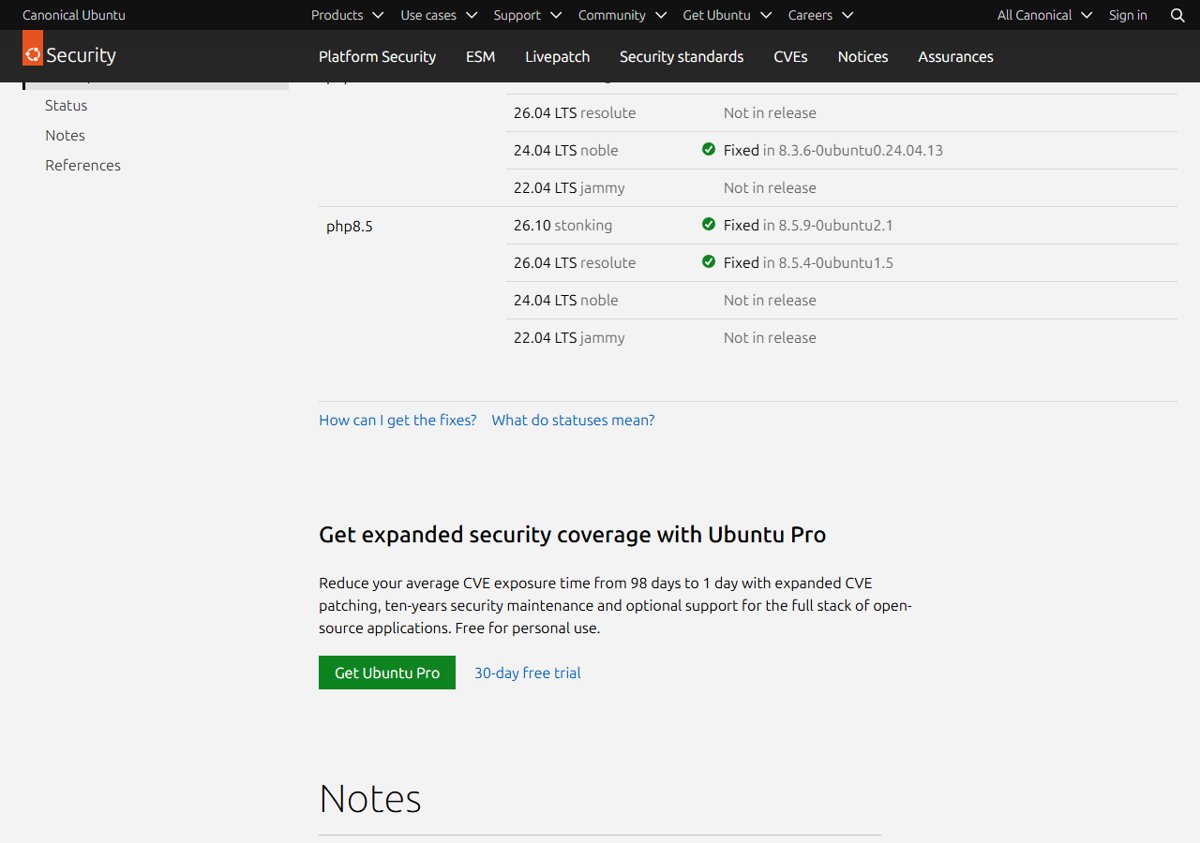
USN-8948-1 is Ubuntu's security notice for the PHP2Shell flaws, CVE-2026-109618 and CVE-2026-109619, published on 21 October 2026. It fixes PHP on Ubuntu 26.10, 26.04 LTS, 24.04 LTS and 22.04 LTS.
Which package version fixes PHP2Shell on Ubuntu 24.04?
Version 8.3.6-0ubuntu0.24.04.13 of the php8.3 packages fixes PHP2Shell on Ubuntu 24.04 LTS. It applies to libapache2-mod-php8.3, php8.3-cgi, php8.3-cli and php8.3-fpm.
Why does Ubuntu 24.04 not ship PHP 8.3.36?
Ubuntu keeps PHP 8.3.6 as the base for noble and backports the security fixes into it. The patched package carries the 0ubuntu0.24.04.13 suffix instead of a new upstream version number.
Is the Ubuntu 24.04 php8.3 security update enough on its own?
No. After installing it, restart PHP-FPM or Apache, because running workers keep the old code in memory until they restart. Containers and PPA builds also need their own fixed PHP.
Does php8.3 on Ubuntu noble fix CVE-2026-109618?
Yes. Ubuntu's CVE page lists php8.3 on 24.04 LTS noble as fixed in 8.3.6-0ubuntu0.24.04.13, and rates CVE-2026-109618 as Critical priority.
Do I need Ubuntu Pro for the PHP2Shell fix on Ubuntu 24.04?
No. USN-8948-1 lists the php8.3 fix for 24.04 LTS as a standard update. Ubuntu marks the fixes for older releases such as 14.04 to 20.04 as Ubuntu Pro updates instead.
Do I need to reboot Ubuntu 24.04 after the PHP update?
No reboot is needed for PHP itself. Restarting php8.3-fpm or apache2 loads the patched code into new workers. Reboot only if the same apt upgrade also installed a new kernel or other packages that ask for one.
Bottom line: patch PHP2Shell on Ubuntu 24.04 now
Upgrade the php8.3 packages to 8.3.6-0ubuntu0.24.04.13 and restart PHP-FPM or Apache today. Ubuntu rates the flaw Critical, the fix is a standard update, and the restart is what takes the vulnerable code out of memory.
If other servers run a different PHP branch, download the PHP2Shell patch for that branch and restart its workers the same way.

![HDMI port not working in Windows 11 [Easy fixing]](https://techdows.com/wp-content/uploads/2026/10/HDMI-Port-Not-Working-in-Windows-11-Easy-Fixing-600x338.jpg)