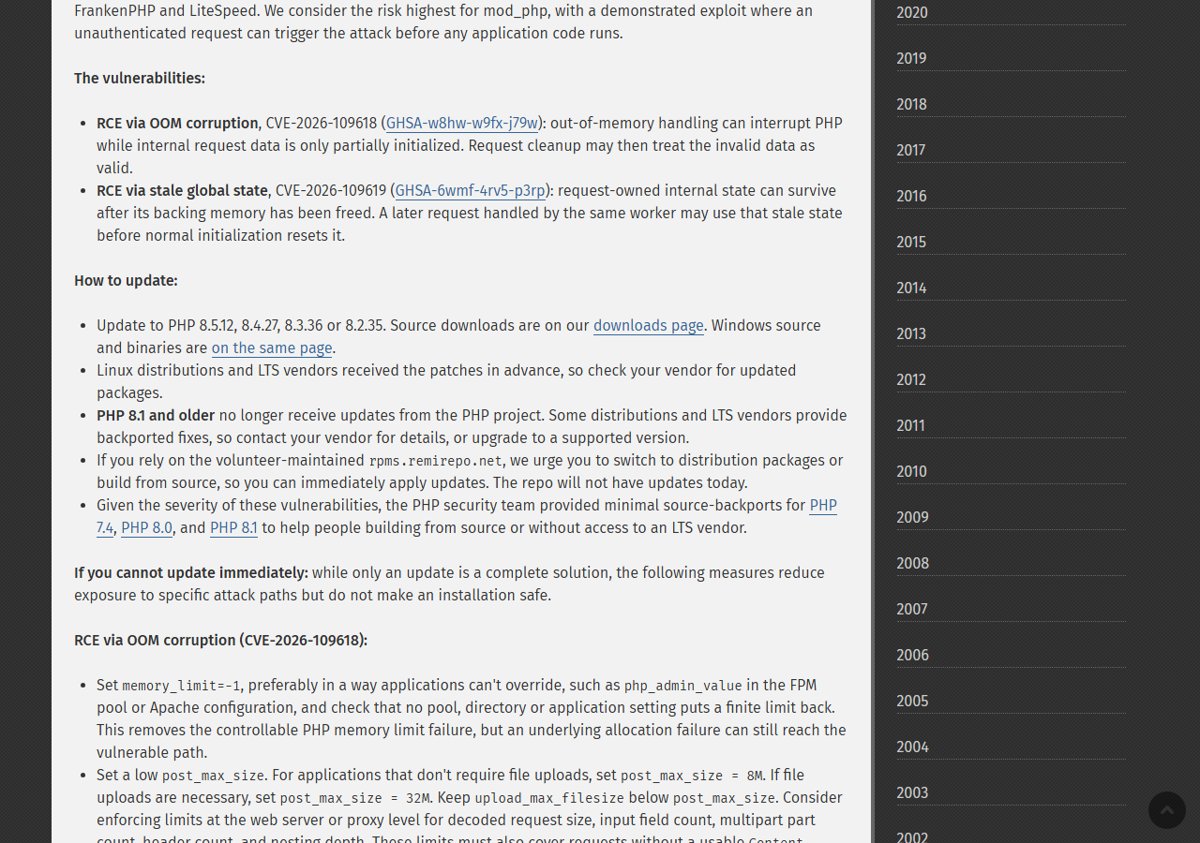
To update PHP now, move to PHP 8.5.12, 8.4.27, 8.3.36 or 8.2.35, the 21 October 2026 security releases that fix two critical remote code execution flaws.
This guide gives the fixed version for each branch, the update route for Windows, Linux, Docker and WordPress, the stopgap settings, and how to prove the new build is running.
How to update PHP: the fastest route
Every PHP installation that serves web requests is at risk until it runs a fixed build, so the order below matters more than the platform.
- Run
php -vand note your branch: 8.5, 8.4, 8.3 or 8.2. - Pick the fixed release for that branch from the table below.
- Install it through your distribution's packages, the php.net Windows ZIP, an updated Docker image or your host's PHP selector.
- Restart PHP-FPM, Apache or whatever process runs PHP, so every worker loads the new code.
- Run
php -vagain and load aphpinfo()page to confirm the web server reports the fixed version.
You can update PHP on each platform with the full Windows, Linux, XAMPP and cPanel steps when you need more than this outline.
Which fixed PHP version for your branch
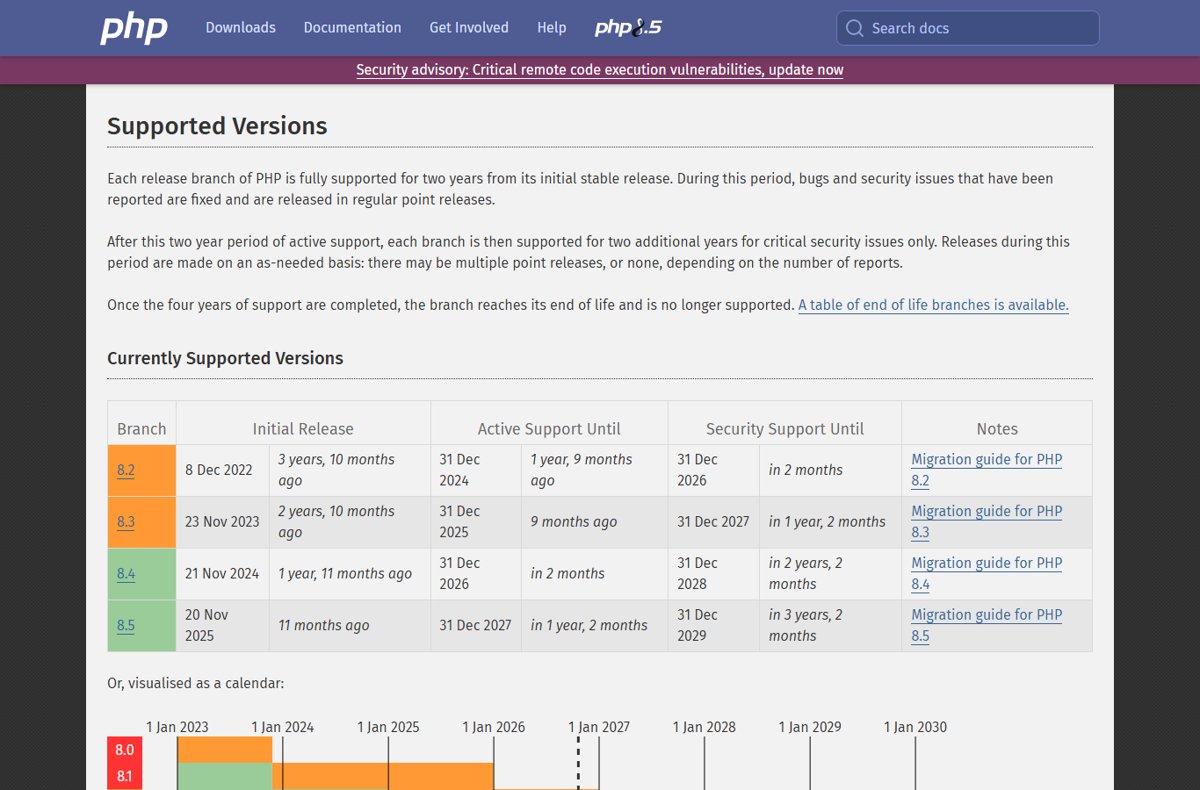
Each PHP branch gets two years of active support and two more years of security-only fixes. The dates below come from the php.net supported versions page.
| Your branch | Fixed version | Active support until | Security support until | Download and changes |
|---|---|---|---|---|
| PHP 8.5 | 8.5.12 | 31 Dec 2027 | 31 Dec 2029 | Get the PHP 8.5.12 Windows build and changelog |
| PHP 8.4 | 8.4.27 | 31 Dec 2026 | 31 Dec 2028 | Get the PHP 8.4.27 Windows zip and changelog |
| PHP 8.3 | 8.3.36 | Ended 31 Dec 2025 | 31 Dec 2027 | Both older branches share one 8.3.36 and 8.2.35 download page |
| PHP 8.2 | 8.2.35 | Ended 31 Dec 2024 | 31 Dec 2026 | Same page as 8.3.36; plan an upgrade before end of life |
| PHP 8.1 and older | No project release | Ended | Ended (8.1 on 31 Dec 2025) | Vendor backport or upgrade to a supported branch |
PHP 8.2 reaches end of life on 31 December 2026, so 8.2.35 buys you about two months. Moving to 8.4 or 8.5 gives you years of security fixes instead.
What is the PHP vulnerability? CVE-2026-109618 and CVE-2026-109619
PHP.net rated both flaws, nicknamed PHP2Shell, CVSS v4.0 9.2 and says they can allow unauthenticated remote code execution. The October 2026 PHP security release news story covers who is at risk and the release timeline.
| CVE | Advisory | What goes wrong | Fix in depth |
|---|---|---|---|
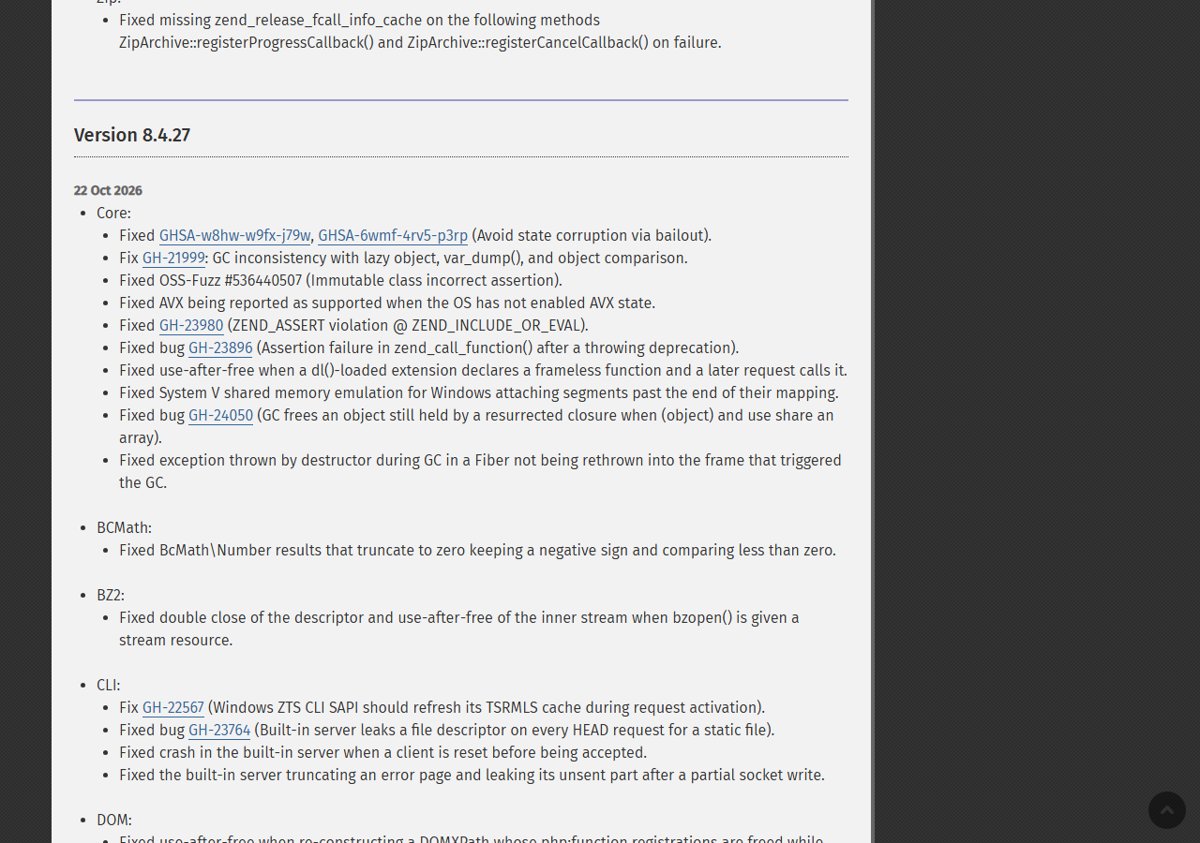
| CVE-2026-109618 | GHSA-w8hw-w9fx-j79w | Out-of-memory handling interrupts PHP while request data is only partly initialised, and cleanup then treats the invalid data as valid. | Which build patches it and where to download the CVE-2026-109618 fix |
| CVE-2026-109619 | GHSA-6wmf-4rv5-p3rp | Request-owned state survives after its memory is freed, and a later request on the same worker uses that stale state. | How the stale global state RCE works and who is exposed |
Is my site affected by the PHP RCE flaws?
Your site is affected if PHP serves web requests through PHP-FPM, Apache mod_php, php-cgi, FrankenPHP or LiteSpeed and runs a version below the fix for its branch. PHP.net rates mod_php highest, with a demonstrated exploit that fires before any application code runs.
- Run
php -vin a terminal and read the version on the first line. - Create
info.phpin the web root containing<?php phpinfo();and open it in a browser. - Read the version and Server API at the top, because the web server can use a different build from the command line.
- Compare the version with the fixed release for its branch: below it means vulnerable.
- Delete
info.phpwhen you are done, because it exposes server details.
To check your PHP version on XAMPP, Windows or Linux in more detail, the same comparison applies to every setup.
Where you run PHP and how to update it
| Where PHP runs | How to update | What to watch |
|---|---|---|
| Windows PC or server (ZIP install) | Replace the folder with the new php.net ZIP, or run winget upgrade PHP.PHP.8.5 (or the 8.4, 8.3, 8.2 ID) |
Keep TS or NTS and x64 or x86 the same as your current build; copy php.ini across |
| XAMPP, Laragon or WampServer | Update PHP in XAMPP by replacing its bundled PHP folder; update PHP in Laragon and WampServer by adding the new build and switching to it | Each bundle uses its own PHP copy, not a system install; restart Apache afterwards |
| Ubuntu or Debian | sudo apt update then sudo apt upgrade |
Distro packages keep their own version numbers; match them to the vendor's security notice |
| Docker (official php image) | Pull the updated tag and recreate containers to refresh PHP Docker images | A running container keeps its old PHP until it is recreated |
| Shared hosting or WordPress | Use the host's PHP selector to update PHP in cPanel, or ask the host | The host controls the PHP binaries |
| End-of-life 7.4, 8.0 or 8.1 | Vendor backport, php.net source backport, or upgrade to 8.4 or 8.5 | The PHP project ships no release; weigh the options for end-of-life PHP first |
If you use rpms.remirepo.net, PHP.net urges switching to distribution packages or building from source, because the repo did not have updates on release day.
PHP download instructions for Windows
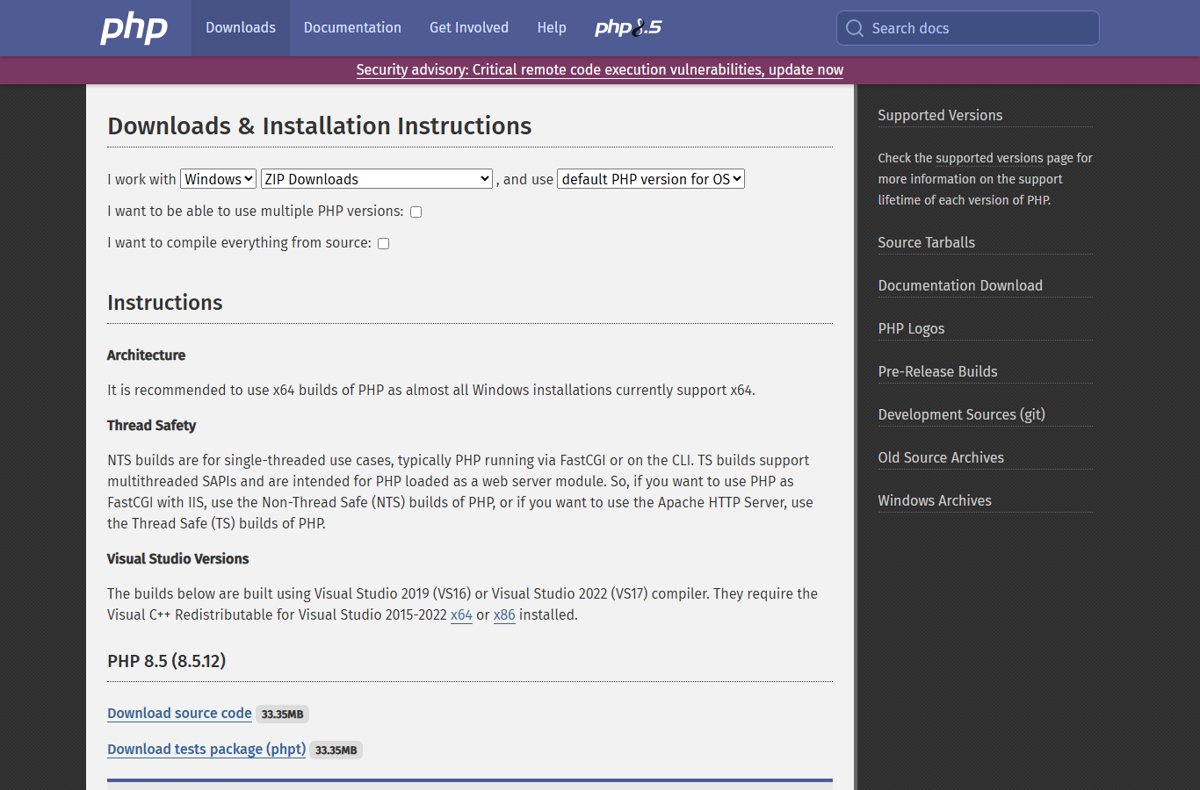
PHP.net hosts the Windows binaries for every fixed branch on its downloads page. Use the Thread Safe build for Apache and the Non-Thread Safe build for IIS with FastCGI or the command line, and prefer x64.
- Open https://www.php.net/downloads.php and select Windows.
- Choose your branch and download the Zip that matches your current architecture and thread-safety type.
- Stop the web server or service that runs PHP.
- Rename the current PHP folder, for example
C:\phptoC:\php-old. - Extract the new ZIP to the original folder path.
- Copy
php.iniand any third-party extension DLLs from the old folder. - Start the web server and run
php -vto confirm the new version.
The builds need the Visual C++ Redistributable for Visual Studio 2015-2022. A first-time install on a desktop starts with the PHP download for Windows 11 and Mac instead.
Update PHP on Ubuntu and Debian with apt
PHP.net says Linux distributions received the patches in advance, so the fix arrives as a normal package update. Ubuntu published it as USN-8948-1.
- Refresh the package lists with
sudo apt update. - List pending PHP updates with
apt list --upgradable. - Install them with
sudo apt upgrade. - Compare the installed package version with your vendor's security notice for both CVEs.
- Restart PHP-FPM and the web server.
PPA users and Debian releases without a notice yet need extra checks, so update PHP on Ubuntu and Debian with the per-release package versions in hand.
Update PHP in WordPress and XAMPP
WordPress cannot update PHP itself; the server or host does. WordPress recommends PHP 8.3 or greater.
- In WordPress, go to Tools > Site Health > Info and open Server to read the PHP version.
- Back up the site before you change anything.
- Switch to a fixed PHP version in your host's control panel, or ask the host to do it.
- Reload Site Health and confirm the new version under Server.
- For XAMPP, replace the bundle's own PHP folder with a fixed build or install the XAMPP release that ships it, then restart Apache from the control panel.
Plugin compatibility and host-specific steps decide how smooth this goes, so check your WordPress PHP version against the warnings Site Health shows.
Before the PHP fix is available: mitigations
PHP.net is explicit that only an update is a complete solution. These settings reduce exposure to specific attack paths but do not make an installation safe.
| CVE | Setting from php.net | What it blocks |
|---|---|---|
| CVE-2026-109618 | memory_limit=-1, set where applications cannot override it (for example php_admin_value in the FPM pool) |
The controllable memory-limit failure; an underlying allocation failure can still reach the bug |
| CVE-2026-109618 | post_max_size = 8M without uploads, 32M with uploads; keep upload_max_filesize below it |
Large request bodies that drive memory exhaustion |
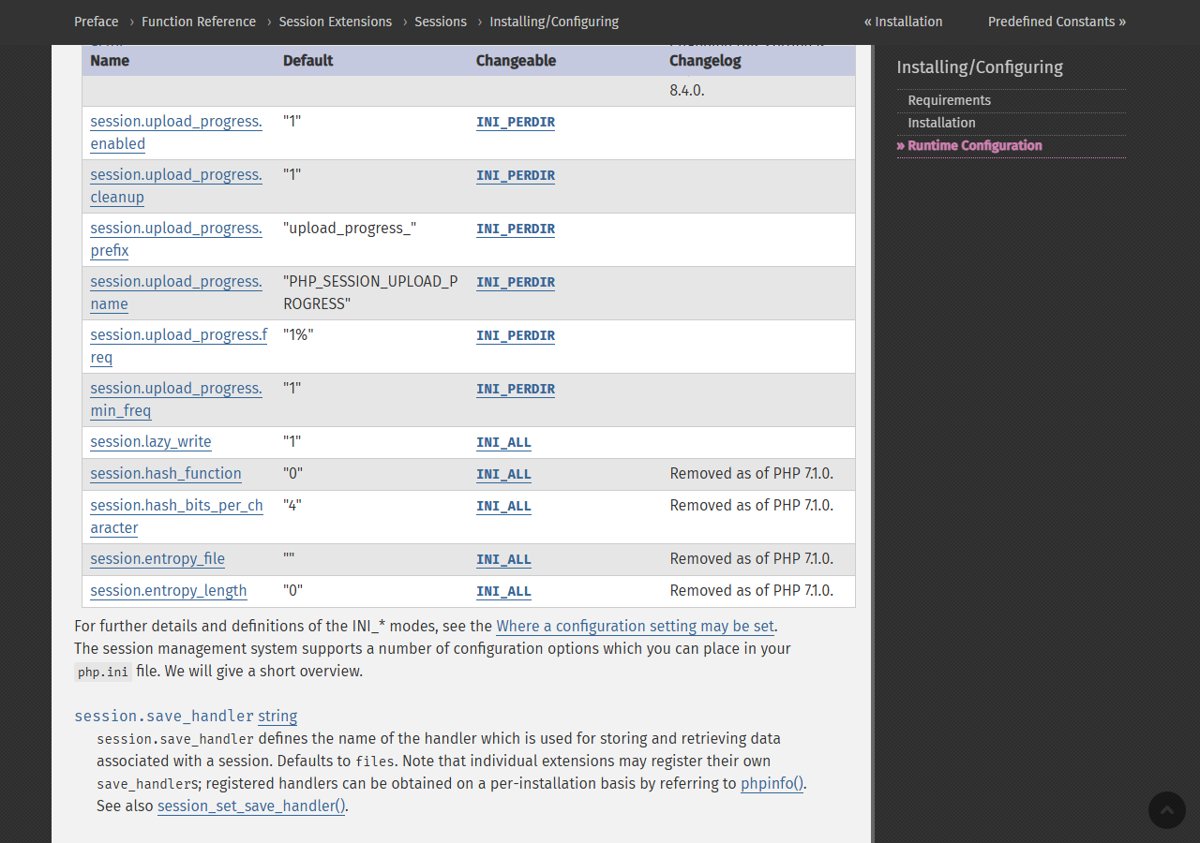
| CVE-2026-109619 | session.upload_progress.enabled=0 in php.ini or the FPM pool, then restart every worker |
The confirmed session paths, not other variants |
| CVE-2026-109619 (PHP 8.5) | fatal_error_backtraces=0, then restart every worker |
The confirmed fatal backtrace path only |
Do not rely on ini_set() or FPM .user.ini for these, and do not substitute RLIMIT_AS or RLIMIT_DATA. The full list of stopgap PHP mitigations covers the web server limits too.
Once the PHP fix is available: restart every worker
CVE-2026-109619 lives in state reused by later requests on the same worker, so a package update is not finished until every PHP process restarts.
sudo systemctl restart php8.4-fpmRestarts the PHP 8.4 FPM pool on Debian and Ubuntu; change the number to your branch. RHEL uses the php-fpm service, and mod_php servers restart Apache with sudo systemctl restart apache2.
You should see: The command returns with no error, and systemctl status php8.4-fpm shows a new start time.
Graceful and full restarts treat in-flight requests differently, so restart PHP-FPM after the update with the right command for your stack.
How to confirm you are protected
- Run
php -vand confirm the command line reports the fixed version for its branch. - Load a temporary
phpinfo()page and confirm the web server reports the same version. - On distribution packages, confirm the installed package matches the fixed version in your vendor's notice, since the upstream number may not appear.
- Delete the
phpinfo()file.
If the command line shows the new version but phpinfo() does not, a worker or the web server has not restarted yet.
PHP update checklist: check, update, restart, verify
| Stage | Action | Done when |
|---|---|---|
| Check | Run php -v and a phpinfo() page; note the branch and Server API |
You know the version for both the CLI and the web server |
| Update | Install 8.5.12, 8.4.27, 8.3.36 or 8.2.35, or your vendor's fixed package | The package manager or new folder shows the fixed build |
| Restart | Restart PHP-FPM, Apache or the container | Every worker has a new start time |
| Verify | Repeat php -v and phpinfo(), then delete the test file |
Both report the fixed version |
PHP update FAQ
How do I update PHP?
Install the fixed release for your branch (8.5.12, 8.4.27, 8.3.36 or 8.2.35) through your distribution's packages, the php.net Windows ZIP, an updated Docker image or your host's PHP selector. Then restart PHP-FPM or Apache and confirm the version with php -v.
How do I upgrade my PHP version to a new branch?
Install the newer branch alongside the old one, test your application against it using the php.net migration guide for that branch, then switch the web server to it. Moving from 8.2 to 8.4 or 8.5 gives years of security support instead of months.
How do I update PHP in WordPress?
WordPress cannot change PHP itself. Check the version under Tools > Site Health > Info > Server, back up the site, then switch PHP in your host's control panel or ask the host. WordPress recommends PHP 8.3 or greater.
How do I update the PHP version in XAMPP?
XAMPP ships its own copy of PHP. Install an XAMPP release that includes a fixed PHP build, or replace the bundle's PHP folder with a fixed build of the same type, keep your php.ini, and restart Apache from the XAMPP control panel.
How do I update PHP in Linux?
Use the distribution's package manager: sudo apt update and sudo apt upgrade on Ubuntu and Debian, or sudo dnf upgrade on RHEL and Fedora. Linux vendors received the PHP patches in advance, so check their security notice for the fixed package version.
Can I update PHP from the command line on Windows?
Yes. If PHP came from Winget, run winget upgrade PHP.PHP.8.5 (or the ID for your branch). Package feeds can lag behind php.net, so run php -v afterwards and fall back to the official ZIP if the version did not change.
Where is the PHP download for Windows 11 64-bit?
The official Windows builds are on php.net/downloads.php under Windows. Pick the x64 ZIP, choose Thread Safe for Apache or Non-Thread Safe for IIS and the command line, and install the Visual C++ 2015-2022 redistributable if it is missing.
Is PHP 8.3 still supported, and where do I download it?
Yes. PHP 8.3 receives security fixes until 31 December 2027, and 8.3.36 is the release that fixes both October 2026 RCE flaws. Download it from the php.net downloads page.
Bottom line: which PHP version should you run?
Update to 8.5.12 or 8.4.27 today and restart every PHP worker. Both branches have security support until 2028 or later, while 8.2 ends on 31 December 2026 and 8.1 and older get no PHP project releases at all.