Run sudo apt update and sudo apt upgrade, then restart PHP-FPM or Apache, to install Ubuntu's fixed PHP packages for CVE-2026-109618 and CVE-2026-109619.
This guide, part of our PHP update guide, covers the apt commands, the exact fixed package versions Ubuntu published in USN-8948-1, the Debian status, PPA installs, and how to confirm the patch is running.
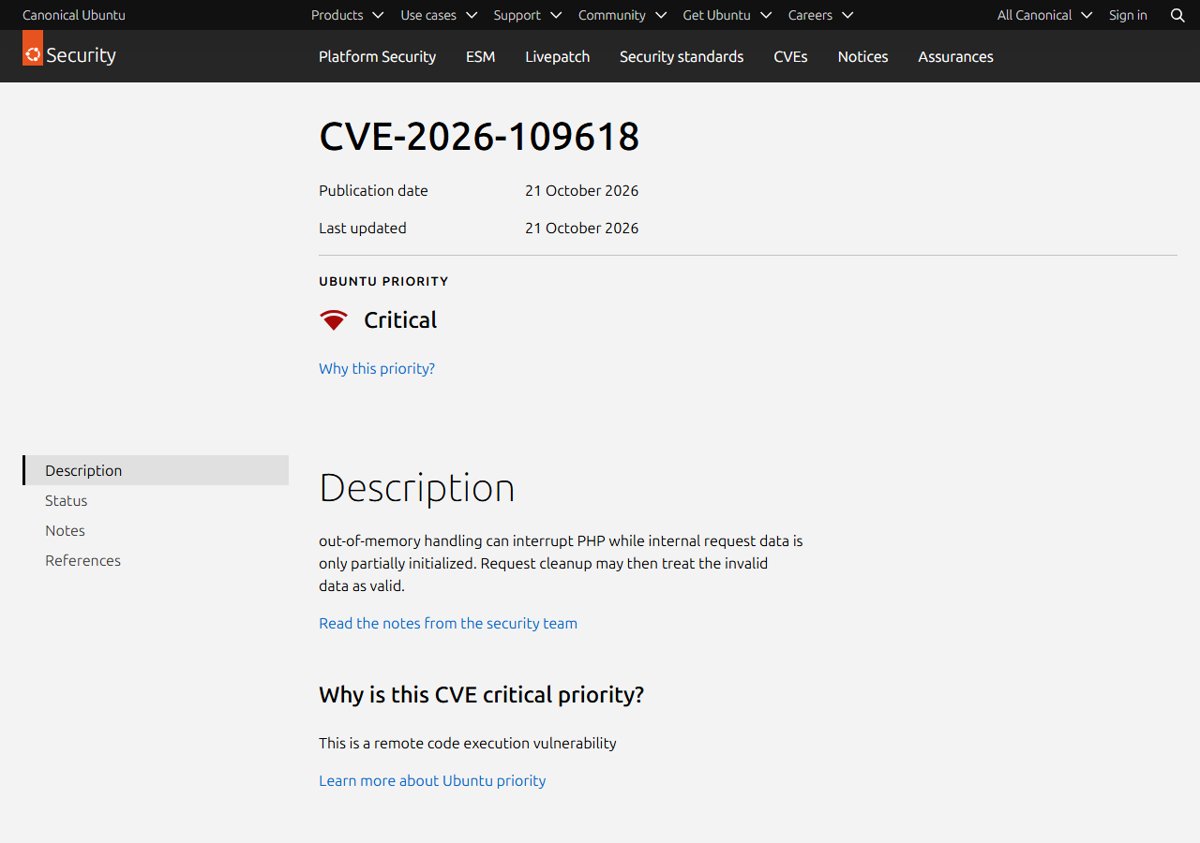
Update PHP on Ubuntu for CVE-2026-109618 in four commands
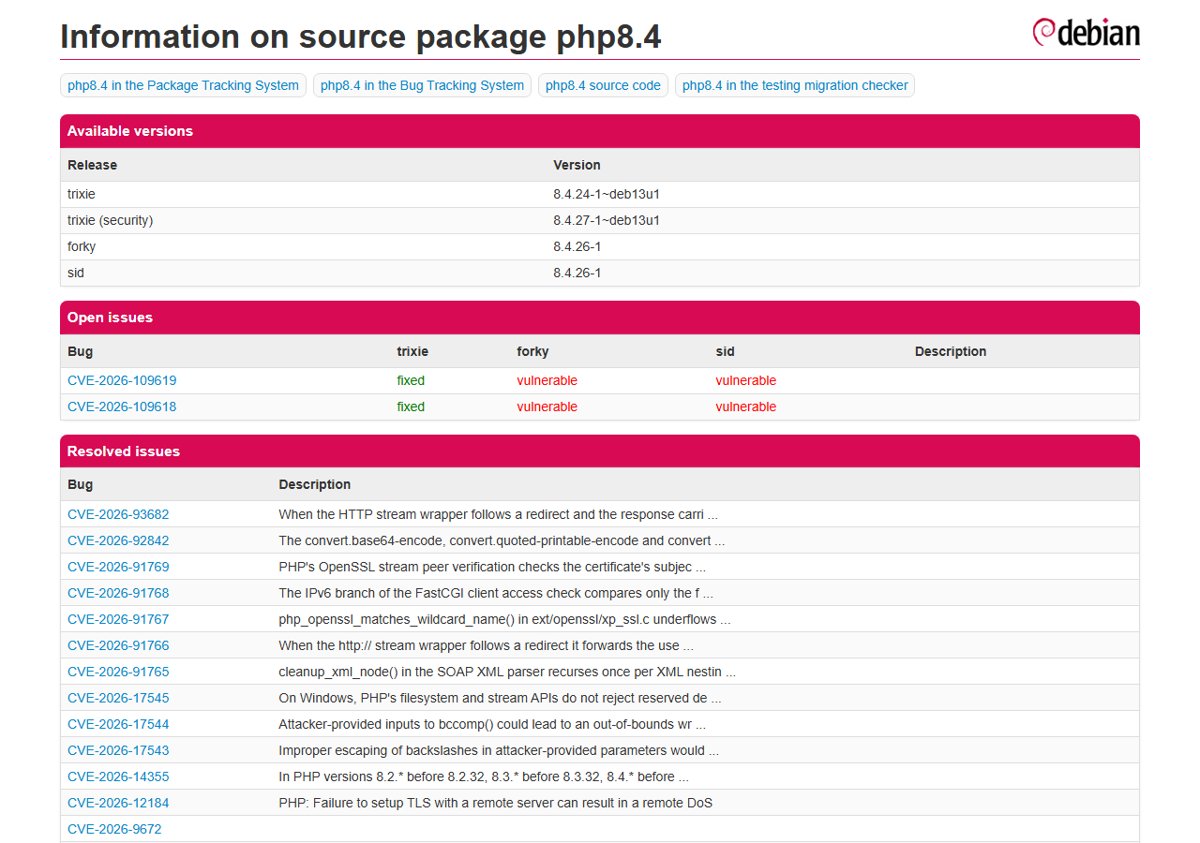
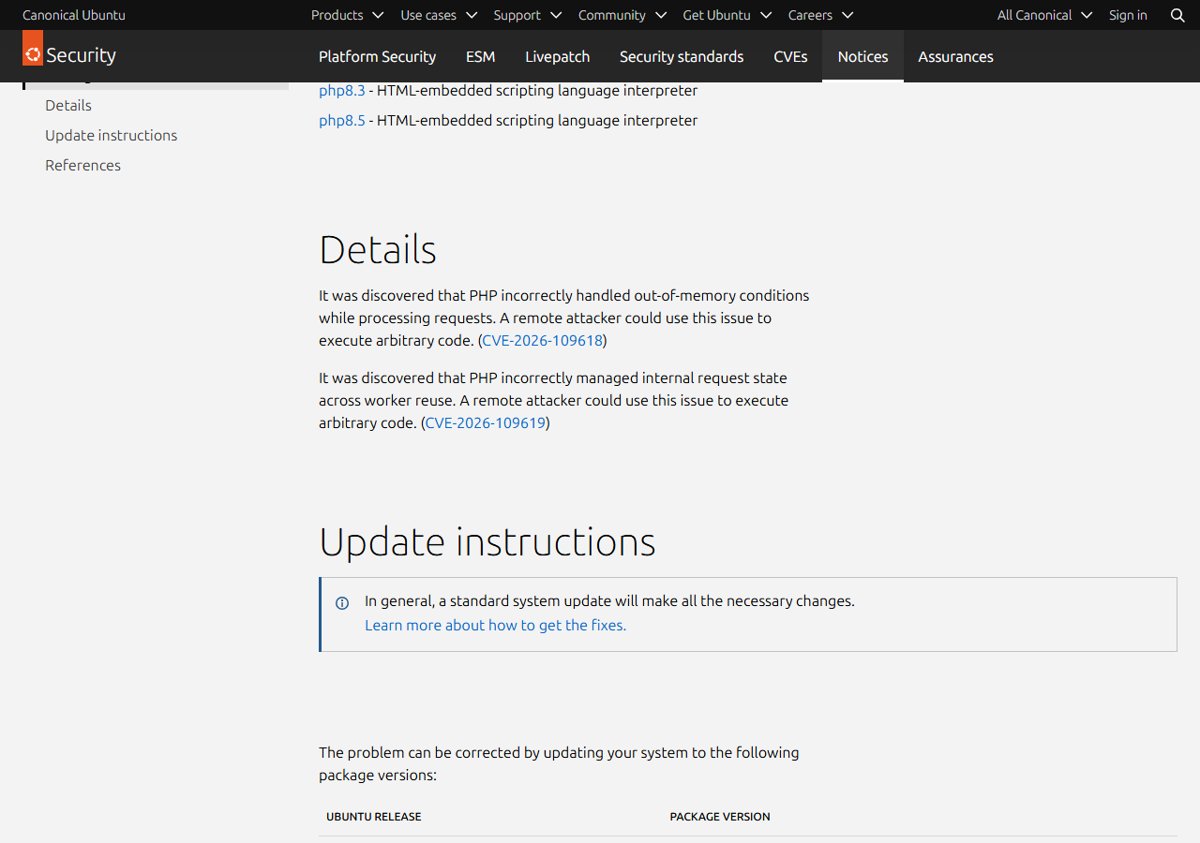
Ubuntu published USN-8948-1 on 21 October 2026 for both PHP remote code execution flaws. Ubuntu's notice says a standard system update makes all the necessary changes.
- Refresh the package lists with
sudo apt update. - Install every pending update, including PHP, with
sudo apt upgrade. - Restart PHP-FPM with
sudo systemctl restart php8.3-fpm, replacing 8.3 with your PHP branch. - Restart Apache with
sudo systemctl restart apache2if your site uses mod_php or Apache in front of PHP-FPM.
Running workers keep the old code in memory until they restart, so restarting PHP-FPM is part of the fix.
Check the installed PHP version on Ubuntu
Ubuntu and Debian keep their own version numbers. A patched Ubuntu 24.04 server still reports PHP 8.3.6, not 8.3.36, so the package version is what tells you whether the fix is in.
| Command | What it shows |
|---|---|
php -v |
The PHP branch the command-line binary runs, for example 8.3 |
dpkg -l 'php*' |
Every installed PHP package and its full Debian package version |
apt policy php8.3-fpm |
Installed version, candidate version and which repository each comes from |
apt list --upgradable |
PHP packages that have a newer version waiting to install |
Note the branch in the package names (php8.1, php8.3, php8.5). You need it for the restart commands and for the notice lookup below.
Check the Ubuntu and Debian security notices
PHP.net says Linux distributions received the patches in advance, so check your vendor for updated packages. Ubuntu rates CVE-2026-109618, the OOM corruption RCE, as Critical priority because it is a remote code execution flaw.
| Release | PHP source package | Fixed in (USN-8948-1) |
|---|---|---|
| Ubuntu 26.10 | php8.5 | 8.5.9-0ubuntu2.1 |
| Ubuntu 26.04 LTS | php8.5 | 8.5.4-0ubuntu1.5 |
| Ubuntu 24.04 LTS | php8.3 | 8.3.6-0ubuntu0.24.04.13 |
| Ubuntu 22.04 LTS | php8.1 | 8.1.2-1ubuntu2.28 |
| Ubuntu 20.04 LTS and older (php7.4, php7.2, php7.0, php5) | php7.x / php5 | Needs evaluation on Ubuntu's CVE page |
| Debian 12 bookworm | php8.2 | Listed as vulnerable on the Debian security tracker; no DSA or DLA yet |
The fixed versions apply to the libapache2-mod-php, php-cgi, php-cli and php-fpm binary packages of each branch. Ubuntu 22.04 users get a backported fix on PHP 8.1 even though php.net no longer updates that branch.
Debian had not issued an advisory for these two CVEs at the time of writing. Watch the php8.2 and php8.4 pages on security-tracker.debian.org and run the apt steps as soon as a DSA appears.
Update PHP packages with apt
Use this when you want only the PHP packages updated now, without pulling every other pending update onto a production server.
- Refresh the package lists with
sudo apt update. - List the PHP packages that have a fix waiting with
apt list --upgradable. - Upgrade only the installed PHP packages, for example
sudo apt install --only-upgrade php8.3-fpm php8.3-cli libapache2-mod-php8.3. - Answer Y when apt asks to continue.
- Run
apt policy php8.3-fpmand confirm the Installed line matches the fixed version in the table above.
On Debian, use the same commands once the security repository carries the fixed php8.2 or php8.4 package. Debian also offers the unattended-upgrades package to install security updates automatically.
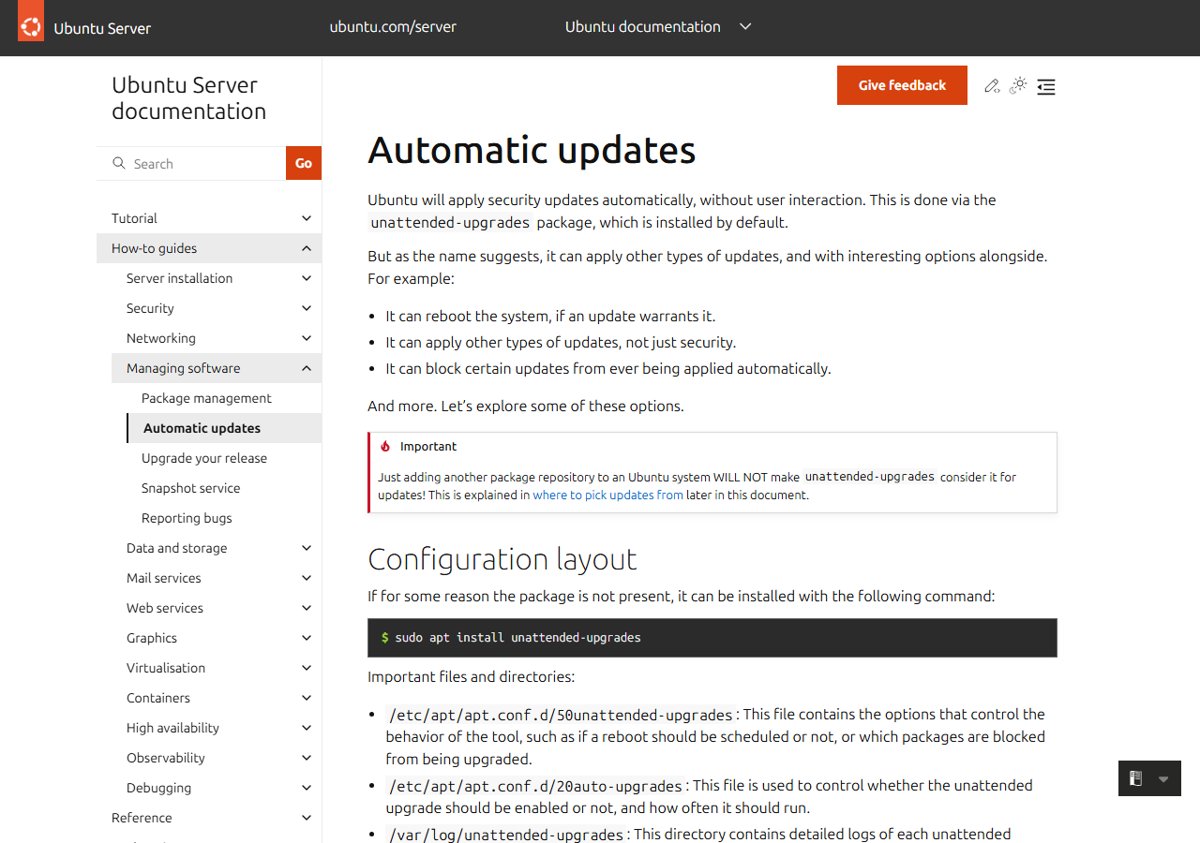
Does unattended-upgrades install the PHP fix automatically on Ubuntu?
Usually yes, but not instantly. Ubuntu installs unattended-upgrades by default, and it applies updates from the security pocket once per day.
| Situation | What happens |
|---|---|
| Ubuntu package from the -security pocket | Installed on the next daily unattended-upgrades run |
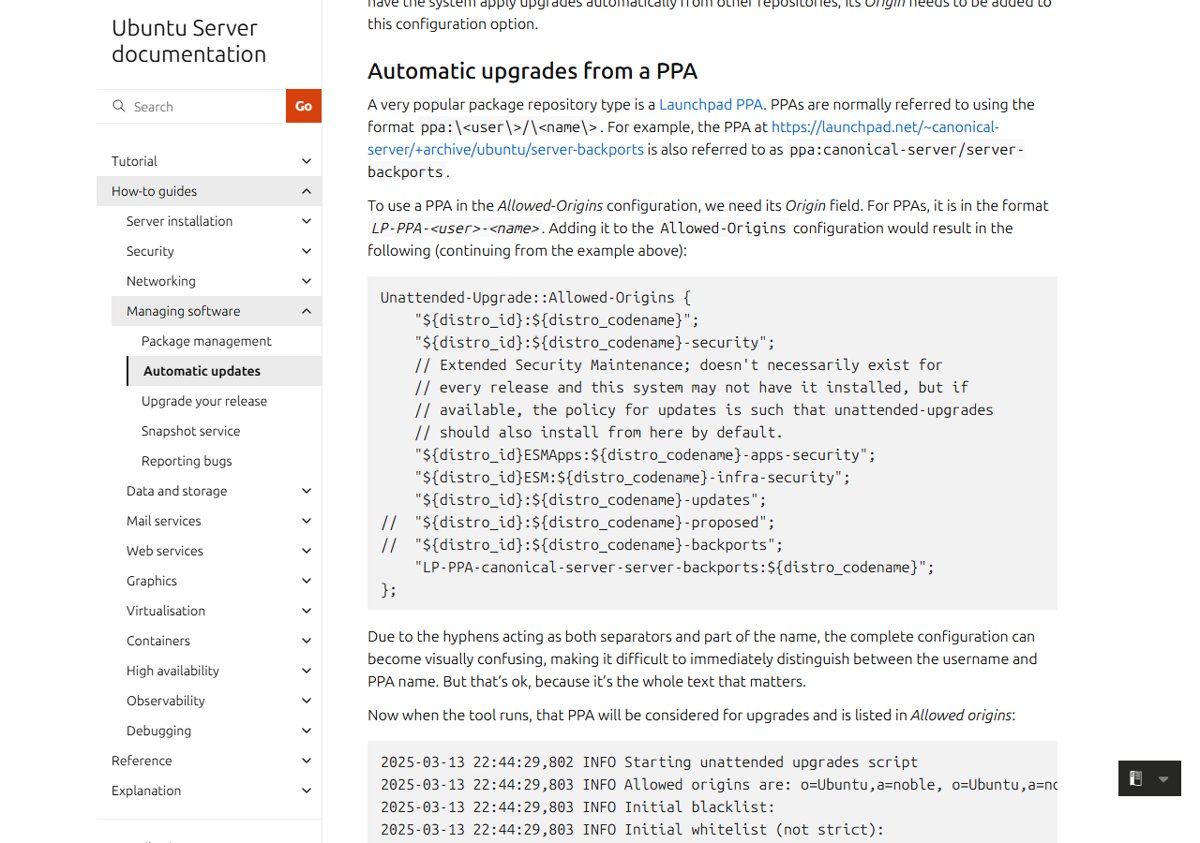
| PHP from a third-party PPA or other repository | Ignored unless that repository is added to Allowed-Origins in /etc/apt/apt.conf.d/50unattended-upgrades |
| Automatic updates switched off | APT::Periodic::Unattended-Upgrade is "0" in /etc/apt/apt.conf.d/20auto-upgrades |
| Need to see what ran | Read the logs in /var/log/unattended-upgrades |
For a critical RCE, do not wait for the timer. Run the apt commands by hand, then restart the PHP workers.
Ubuntu PHP from a third-party PPA
USN-8948-1 covers only Ubuntu's own php8.1, php8.3 and php8.5 packages. If you installed another branch, such as PHP 8.4 on Ubuntu 24.04, it came from a third-party PPA and that maintainer ships the fix on their own schedule.
- Run
apt policy php8.4-fpmwith your branch and read the repository URL under the version line. - If the URL is ppa.launchpadcontent.net or another non-Ubuntu source, the package is not covered by Ubuntu's notice.
- Run
sudo apt updateandapt list --upgradableto see whether the PPA has published a newer build. - Install it with
sudo apt install --only-upgradeand the package names, then restart PHP-FPM or Apache. - If no build is available, apply the temporary php.net measures until it arrives, or move the site to a branch your distribution patches.
PHP.net also warns that the volunteer-run rpms.remirepo.net will not have updates on release day. The same delay risk applies to any volunteer-maintained repository, so check before you assume you are covered.
Until the package lands, the temporary PHP mitigations reduce exposure but do not make the server safe.
Restart PHP-FPM and Apache on Ubuntu
CVE-2026-109619 lives in stale global state that survives across requests in the same worker, so every worker process has to be replaced with the patched binary.
| Your setup | Restart command |
|---|---|
| Nginx with PHP-FPM | sudo systemctl restart php8.3-fpm (use your branch number) |
| Apache with PHP-FPM | sudo systemctl restart php8.3-fpm and sudo systemctl restart apache2 |
| Apache with mod_php (libapache2-mod-php) | sudo systemctl restart apache2 |
| Several PHP branches installed | Restart each php8.x-fpm service that serves a site |
| CLI scripts and cron jobs only | No restart needed; the next run uses the new binary |
PHP.net rates the risk highest for mod_php, where a demonstrated exploit runs before any application code. Restart Apache first on those servers.
Verify the patched PHP version
- Run
dpkg -l 'php*'and compare each php8.x package with the fixed version for your release. - Run
systemctl status php8.3-fpmand check that the Active: active (running) since time is after the upgrade. - Run
systemctl status apache2on Apache servers and check the same start time. - Load a page of the site to confirm PHP still serves requests.
A php -v check alone is not proof of a patched PHP version. On Ubuntu it shows the base version such as 8.3.6, which is the same before and after the fix.
Ubuntu PHP update problems and fixes
apt says the PHP packages are already the newest version
The package lists are stale, or the PHP packages come from a repository with no fix yet.
- Run
sudo apt updateagain and check for errors. - Run
apt policywith the package name to see its source repository. - If it is a PPA or Debian with no DSA yet, apply the temporary mitigations and check again later.
The package is updated but the site still runs the old PHP
PHP-FPM or Apache was not restarted, so old workers are still in memory.
- Restart every php8.x-fpm service and Apache.
- Confirm the start time with
systemctl status.
Ubuntu 20.04 or older shows no fixed PHP package
Ubuntu's CVE page lists php7.4, php7.2, php7.0 and php5 as needing evaluation.
- Check the CVE-2026-109618 page on ubuntu.com for a status change.
- Plan a move to a release with a fixed branch, such as 24.04 LTS or 26.04 LTS.
Update PHP on Ubuntu and Debian FAQ
How do I update PHP on Ubuntu?
Run sudo apt update and sudo apt upgrade, then restart PHP-FPM and Apache. For CVE-2026-109618, Ubuntu's fixed packages are listed in USN-8948-1, for example 8.3.6-0ubuntu0.24.04.13 on Ubuntu 24.04 LTS.
How do I check the PHP version on Ubuntu?
Run php -v for the branch and dpkg -l 'php*' for the full package version. Only the package version shows whether the CVE-2026-109618 fix is installed, because Ubuntu keeps the base number such as 8.3.6.
Does Ubuntu update PHP to 8.3.36?
No. Ubuntu backports security fixes into its own version, so Ubuntu 24.04 LTS stays on 8.3.6 with a higher package revision. The fixed revision for these CVEs is 8.3.6-0ubuntu0.24.04.13.
Is Ubuntu 22.04 with PHP 8.1 fixed?
Yes. USN-8948-1 lists php8.1 version 8.1.2-1ubuntu2.28 as fixed on Ubuntu 22.04 LTS, even though php.net no longer releases updates for PHP 8.1.
Is there a Debian update for CVE-2026-109618?
Not yet at the time of writing. The Debian security tracker listed php8.2 in bookworm as vulnerable with no DSA. Check security-tracker.debian.org and install the update with apt once the advisory is out.
How do I update PHP in Linux on other distributions?
Use the distribution's package manager, apt on Debian and Ubuntu or dnf on Fedora and RHEL-based systems, then restart PHP-FPM or the web server. Check your vendor's security notice for the fixed package version.
Do I need to reboot Ubuntu after the PHP update?
No reboot is needed for PHP itself. Restart the php8.x-fpm service and Apache so every worker loads the patched code. A reboot also works but takes the server down for longer.
Will apt upgrade change my PHP configuration?
A security update within the same branch keeps your php.ini and FPM pool files. If apt asks about a changed configuration file, keep your installed version unless you know you need the new default.
Bottom line: update PHP on Ubuntu today
Run the apt update now on Ubuntu 22.04, 24.04, 26.04 and 26.10, then restart PHP-FPM and Apache. Ubuntu's fixed packages are already out, and both flaws allow unauthenticated remote code execution. Debian and PPA users should apply the php.net mitigations until their package arrives, while Windows and source installs need the PHP 8.5.12 or 8.4.27 upgrade from php.net.