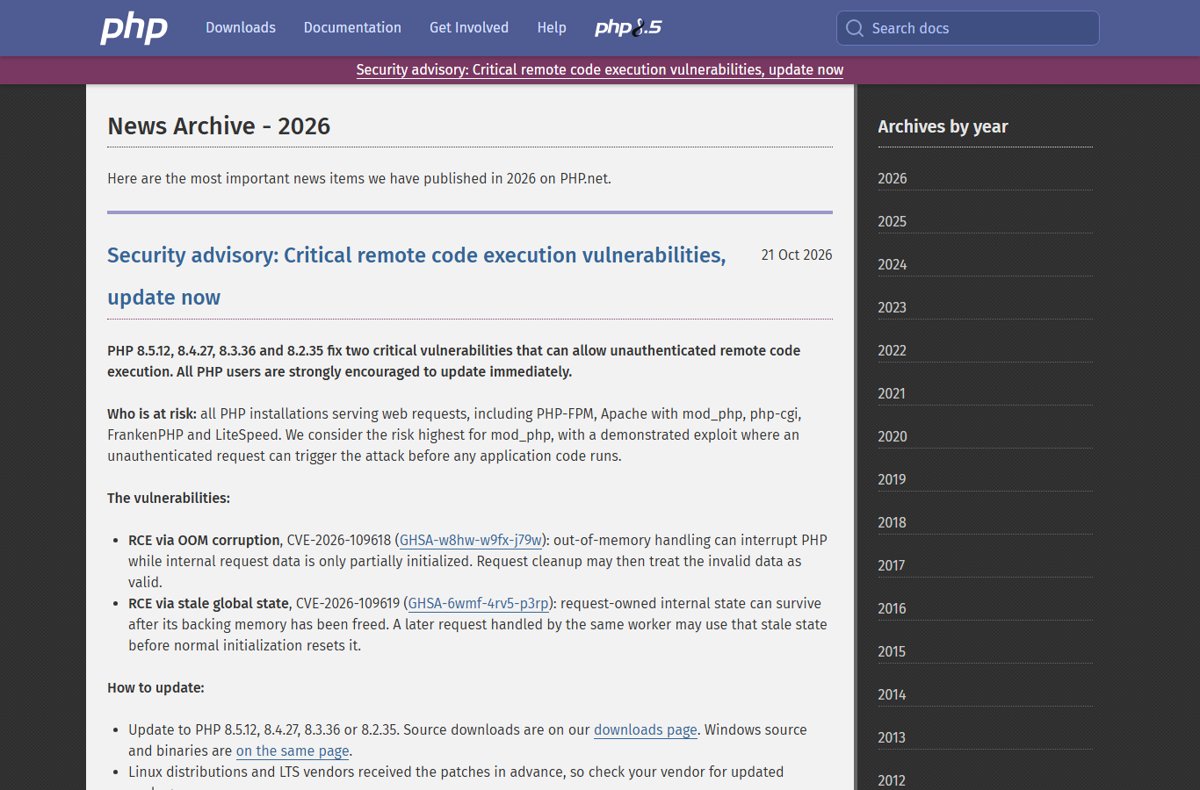
CVE-2026-109618 is fixed in PHP 8.5.12, 8.4.27, 8.3.36 and 8.2.35, released on 21 October 2026 and available from the official php.net downloads page or your Linux vendor's updated packages.
This guide, part of our PHP security update hub, maps each PHP branch to its fixed version, shows where to get the patch on Windows and Linux, covers PHP 8.1, 8.0 and 7.4, and explains how to confirm the fix is running.
Fastest way to get the CVE-2026-109618 fix
There is no separate hotfix file for CVE-2026-109618. The fix ships inside the new point release of each supported branch, so you install that release over your current one.
- Run
php -vand note your branch, for example 8.4 inPHP 8.4.26 (cli). - Pick the fixed release for that branch: 8.5.12, 8.4.27, 8.3.36 or 8.2.35.
- On Linux, install your distribution's updated PHP packages; on Windows, download the matching zip from
https://www.php.net/downloads.php. - Restart every PHP worker: PHP-FPM, Apache, IIS FastCGI or your application server.
- Run
php -vagain and load aphpinfo()page to confirm the web server reports the fixed version.
Docker images, hosting panels and XAMPP-style bundles have their own routes when you update PHP to 8.5.12, 8.4.27, 8.3.36 or 8.2.35 on other platforms.
CVE-2026-109618 fixed versions by PHP branch
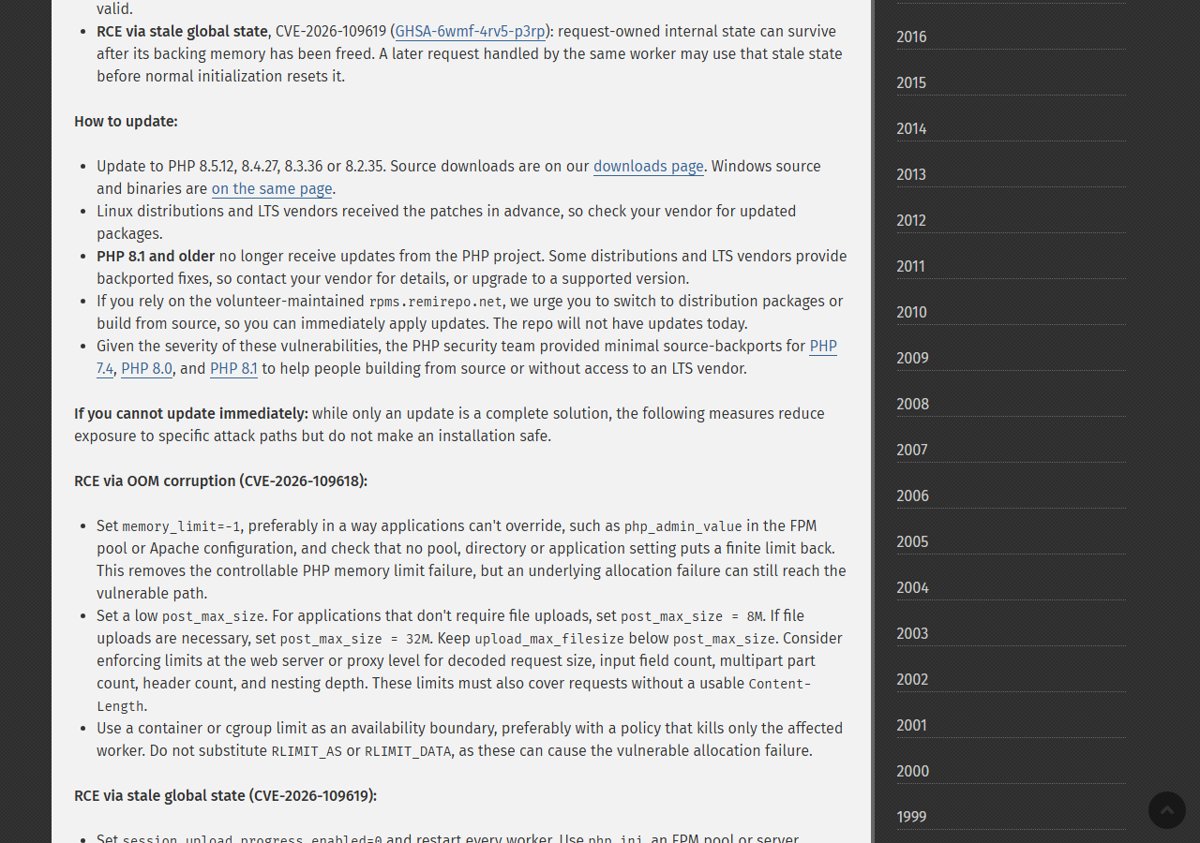
php.net lists four releases that fix CVE-2026-109618 (GHSA-w8hw-w9fx-j79w). Each one also fixes the companion flaw CVE-2026-109619, so one update closes both.
| PHP branch | Vulnerable | Fixed version | Security support until |
|---|---|---|---|
| PHP 8.5 | 8.5.11 and earlier | 8.5.12 | 31 Dec 2029 |
| PHP 8.4 | 8.4.26 and earlier | 8.4.27 | 31 Dec 2028 |
| PHP 8.3 | 8.3.35 and earlier | 8.3.36 | 31 Dec 2027 |
| PHP 8.2 | 8.2.34 and earlier | 8.2.35 | 31 Dec 2026 |
| PHP 8.1, 8.0, 7.4 | All releases | No release from the PHP project | End of life |
| PHP 8.6 | Release candidates only | Not for production use | Not released yet |
In the PHP 8 ChangeLog, the fix appears under Core as "Fixed GHSA-w8hw-w9fx-j79w, GHSA-6wmf-4rv5-p3rp (Avoid state corruption via bailout)" for each of the four releases.
What CVE-2026-109618 is and who needs the fix
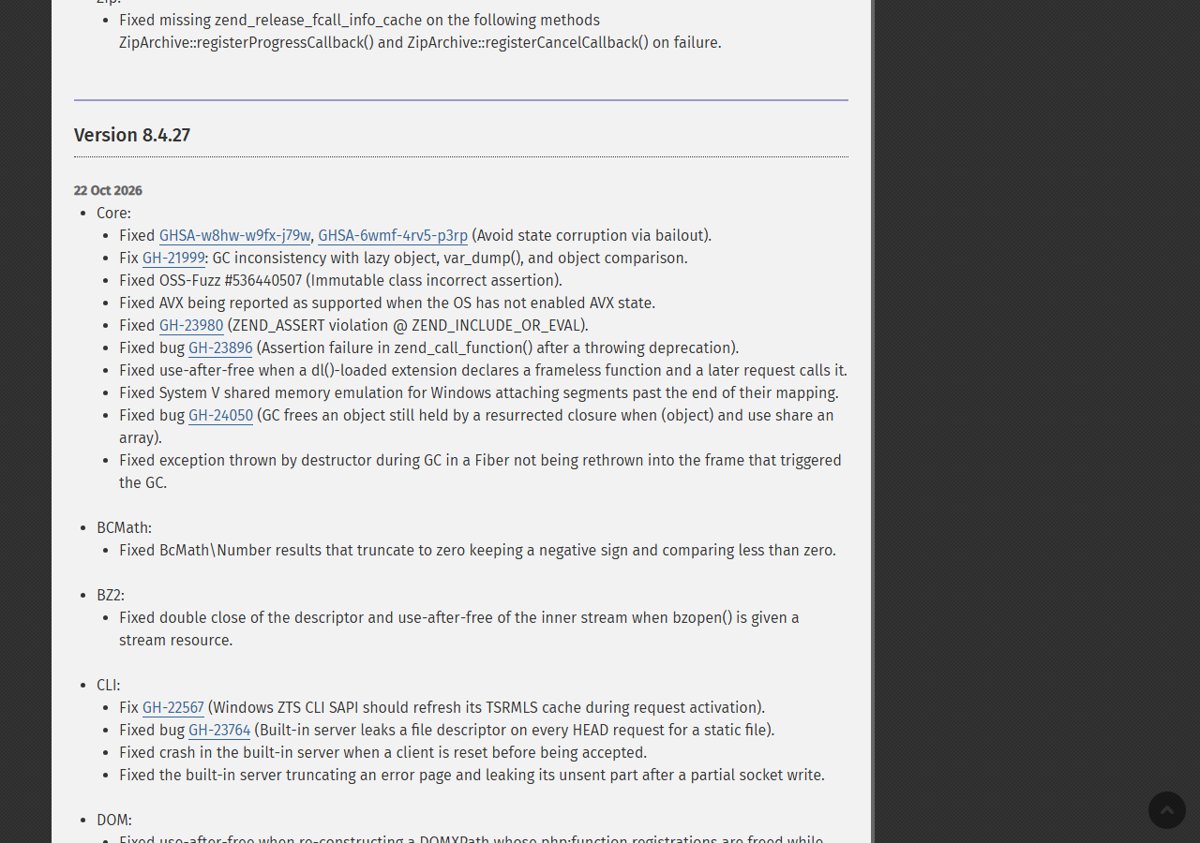
php.net describes CVE-2026-109618 as remote code execution via out-of-memory (OOM) corruption. Out-of-memory handling can interrupt PHP while internal request data is only partly initialized, and request cleanup may then treat that invalid data as valid.
The PHP security team rated both October flaws CVSS v4.0 9.2 in its advance notice, and both allow unauthenticated remote code execution.
| How PHP runs | Needs the CVE-2026-109618 fix? |
|---|---|
| Apache with mod_php | Yes, highest risk: php.net reports a demonstrated exploit that runs before any application code |
| PHP-FPM (Nginx, Apache proxy) | Yes |
| php-cgi | Yes |
| FrankenPHP | Yes |
| LiteSpeed | Yes |
| Any other setup serving web requests | Yes: php.net says all installations serving web requests are at risk |
The same releases also fix the CVE-2026-109619 stale global state bug from the PHP critical RCE security advisory of 21 October.
Download the CVE-2026-109618 patch for Windows
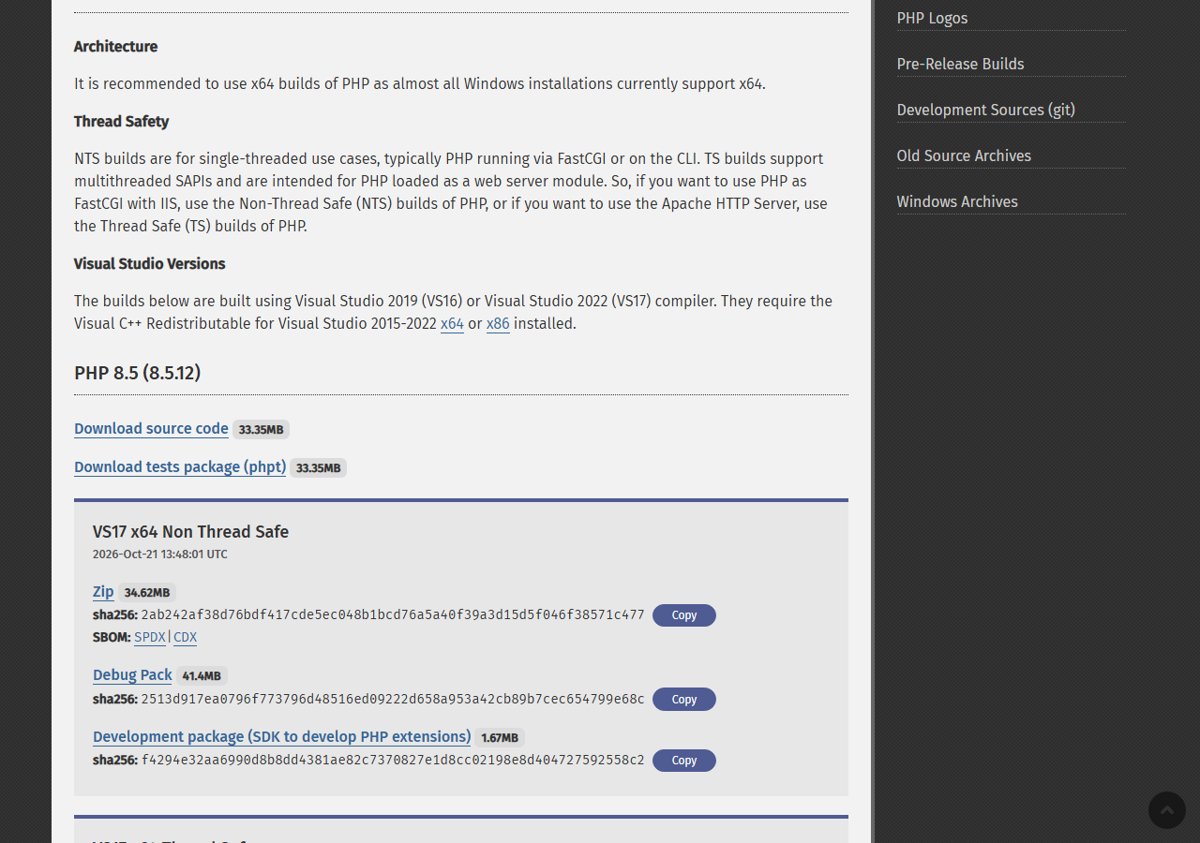
PHP for Windows is a zip, not an installer. The old address https://windows.php.net/download/ now redirects to the Windows view of the php.net downloads page.
- Open
https://www.php.net/downloads.phpin your browser. - Under I work with, select Windows, then ZIP Downloads, then your version (version 8.5, 8.4, 8.3 or 8.2).
- Check that the heading shows the fixed release, for example PHP 8.4 (8.4.27).
- Under VS17 x64 Thread Safe (Apache module) or VS17 x64 Non Thread Safe (IIS FastCGI or command line), select Zip.
- Compare the zip's SHA256 hash with the one printed under the link, using
Get-FileHash .\<zip name> -Algorithm SHA256in PowerShell. - Stop your web server, extract the zip over a copy of your PHP folder, keep your existing
php.ini, and start the server again.
Download the same Thread Safety type you already run, or Apache and extensions will fail to load. The Windows builds need the Visual C++ Redistributable for Visual Studio 2015-2022. Every file and hash is listed for the PHP 8.5.12 Windows download and the PHP 8.4.27 Windows download.
Download the CVE-2026-109618 fix for Linux
php.net says Linux distributions and LTS vendors received the patches in advance. Distribution packages usually keep their own version numbers, so check your vendor's security notice for the fixed package version rather than looking for 8.4.27 in the name. On Ubuntu, the apt steps for patched PHP packages list the fixed versions from USN-8948-1.
- Read your vendor's security notice for the PHP October 2026 fix and note the fixed package version.
- On Debian or Ubuntu, run
sudo apt updateand thensudo apt upgrade. - On RHEL, AlmaLinux, Rocky Linux or Fedora, run
sudo dnf upgrade. - Compare the installed PHP package version with the one in the vendor's notice.
- Restart PHP-FPM, Apache or any other PHP worker so the new code is loaded.
If you build from source, the 8.5.12, 8.4.27, 8.3.36 and 8.2.35 tarballs are on the php.net downloads page under the source option. If you use rpms.remirepo.net, php.net warns that the repo will not have updates on release day and urges a switch to distribution packages or a source build.
CVE-2026-109618 fix for PHP 8.1, 8.0 and 7.4
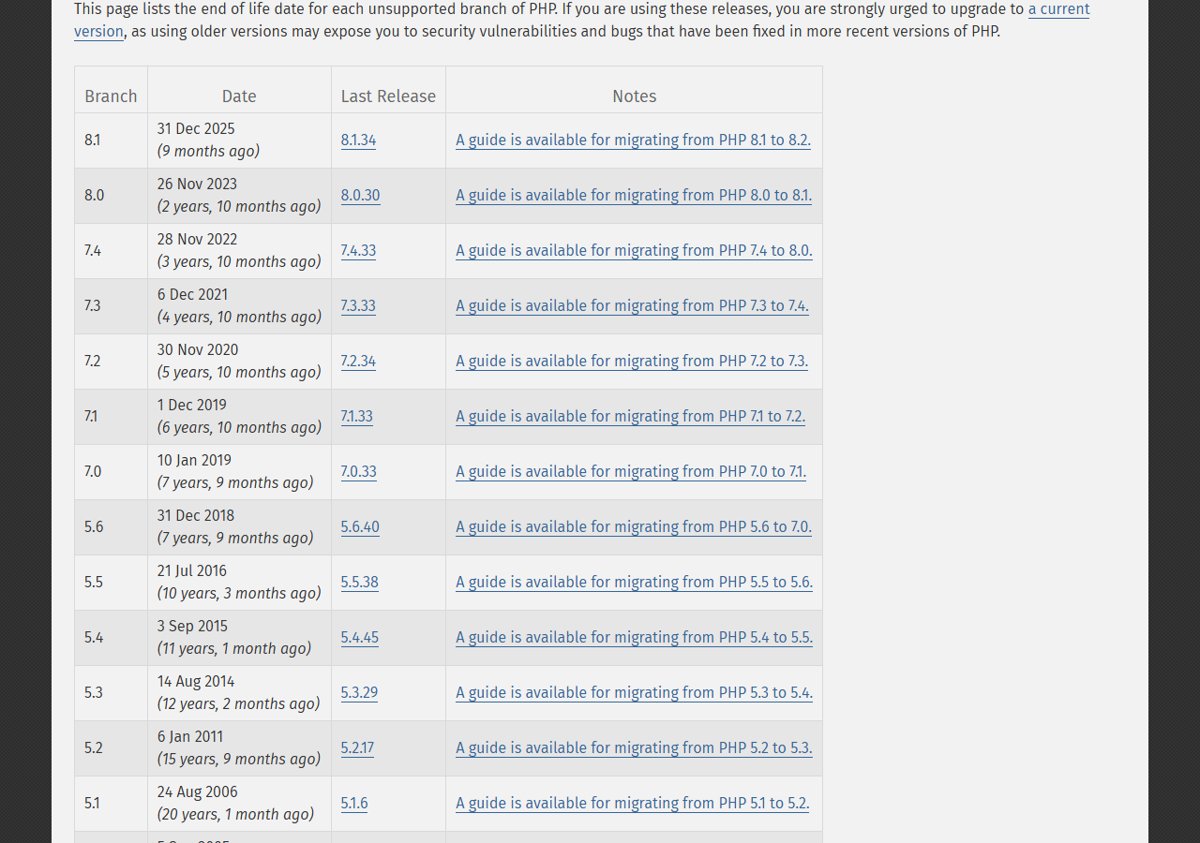
PHP 8.1 and older no longer receive releases from the PHP project, so no 8.1.x, 8.0.x or 7.4.x download fixes CVE-2026-109618.
| Your situation | Route to the fix | Notes |
|---|---|---|
| Distribution PHP 8.1, 8.0 or 7.4 on a supported OS release | Ask the distribution or LTS vendor for its backported package | php.net says some vendors provide backported fixes |
| You build PHP 7.4, 8.0 or 8.1 from source | Apply the minimal source backports from the PHP security team | php.net says these were provided for people building from source or without an LTS vendor |
| Code runs on PHP 8.2 or later | Upgrade to 8.2.35, 8.3.36, 8.4.27 or 8.5.12 | The only route with an official PHP release |
| Shared hosting with a PHP selector | Switch the site to a supported branch | Test the site after the switch |
Until you can upgrade, php.net's temporary PHP mitigations reduce exposure, but they are not a fix.
How to confirm the CVE-2026-109618 fix is installed
The command line and the web server can run different PHP binaries, so check both. WordPress owners can also read the PHP version in Site Health.
- Run
php -vand confirm the first line shows 8.5.12, 8.4.27, 8.3.36 or 8.2.35 or later. - Create
info.phpin your web root containing<?php phpinfo();and open it in a browser. - Check that the version at the top of the page matches the fixed release, and that Server API shows the SAPI you expect.
- Delete
info.phponce you have checked, because it exposes server details. - On Linux distribution packages, confirm the installed package version matches the vendor's security notice instead of the upstream number.
If php -v shows the new version but phpinfo() shows the old one, the web server is still running old workers or a different PHP install.
CVE-2026-109618 patch not showing after the update
phpinfo() still shows the old PHP version
The web server or PHP-FPM workers were not restarted, or the server loads a different PHP folder.
- Restart PHP-FPM, Apache or IIS completely, not just reload one site.
- Check the Loaded Configuration File path in
phpinfo()to see which PHP install the server uses. - Update that install, then restart again.
apt or dnf finds no PHP update
The package list is stale, or PHP comes from a third-party repository that has not published the fix.
- Run
sudo apt updateorsudo dnf makecacheand try the upgrade again. - Check which repository your PHP packages come from.
- If it is rpms.remirepo.net, follow php.net's advice and move to distribution packages or build from source.
php.net still lists the old Windows build
A cached copy of the downloads page is showing.
- Reload
https://www.php.net/downloads.phpwith Ctrl + F5. - Confirm the heading shows the fixed version before you download.
Apache fails to start after the Windows update
A Non Thread Safe zip replaced a Thread Safe install, or the reverse.
- Restore the backup copy of your PHP folder.
- Download the zip with the same Thread Safety type as before and extract it again.
CVE-2026-109618 FAQ
Which PHP version fixes CVE-2026-109618?
PHP 8.5.12, 8.4.27, 8.3.36 and 8.2.35 fix CVE-2026-109618. Install the release for the branch you already run. Each release also fixes CVE-2026-109619, the second critical remote code execution flaw disclosed on 21 October 2026.
Is there a separate CVE-2026-109618 patch file?
No. The fix is part of the new PHP point releases, not a standalone patch. On Windows you replace PHP with the new zip from php.net, and on Linux you install your vendor's updated packages. Only PHP 7.4, 8.0 and 8.1 got minimal source backports for people building from source.
Where do I download PHP 8.5.12 or 8.4.27?
Download them from the official php.net downloads page at https://www.php.net/downloads.php. Choose Windows for the zip builds or the source option for tarballs. Avoid mirrors and third-party download sites, and compare the SHA256 hash shown on php.net before you install.
Is PHP 8.1 affected by CVE-2026-109618?
php.net does not ship a fixed 8.1 release because PHP 8.1 and older no longer get updates from the PHP project. Ask your distribution or LTS vendor for a backported package, apply the minimal source backport if you build from source, or upgrade to a supported branch.
How serious is CVE-2026-109618?
It is critical. The PHP security team rated it CVSS v4.0 9.2 and says it can allow unauthenticated remote code execution. php.net considers the risk highest for Apache mod_php, where a demonstrated exploit runs before any application code.
Does the php.net security update fix both CVEs?
Yes. PHP 8.5.12, 8.4.27, 8.3.36 and 8.2.35 fix both CVE-2026-109618 (OOM corruption) and CVE-2026-109619 (stale global state). One update to the fixed release of your branch closes both flaws.
Do I need to restart anything after updating PHP?
Yes. Restart every PHP worker, including PHP-FPM, Apache, IIS FastCGI or your application server. Running workers keep the old code in memory until they restart, so the fix is not active until then.
Can I use mitigations instead of the CVE-2026-109618 fix?
Only as a stopgap. php.net says updating is the only complete solution. Settings such as memory_limit=-1 and a lower post_max_size reduce exposure to specific attack paths but do not make an installation safe.
Bottom line: should you install the CVE-2026-109618 fix today?
Yes. Install PHP 8.5.12, 8.4.27, 8.3.36 or 8.2.35, or your vendor's patched package, and restart every PHP worker today. php.net rates the flaw critical, it allows unauthenticated remote code execution on any PHP install serving web requests, and no mitigation is complete. PHP 8.2 users should also plan a move to 8.3 or later before 8.2 reaches end of life on 31 December 2026.