Download PHP 8.5.12 for Windows from the official php.net downloads page, where the x64 and x86 Thread Safe and Non Thread Safe zips went up on 21 October 2026.
PHP 8.5.12 is a security release that fixes two critical remote code execution flaws, CVE-2026-109618 and CVE-2026-109619, so every PHP 8.5 install serving web requests needs it now.
This guide lists every official Windows file with its SHA256 hash, the source tarballs, the install and upgrade steps, and the complete 8.5.12 changelog. For other branches, start from our PHP update guide.
PHP 8.5.12 download for Windows
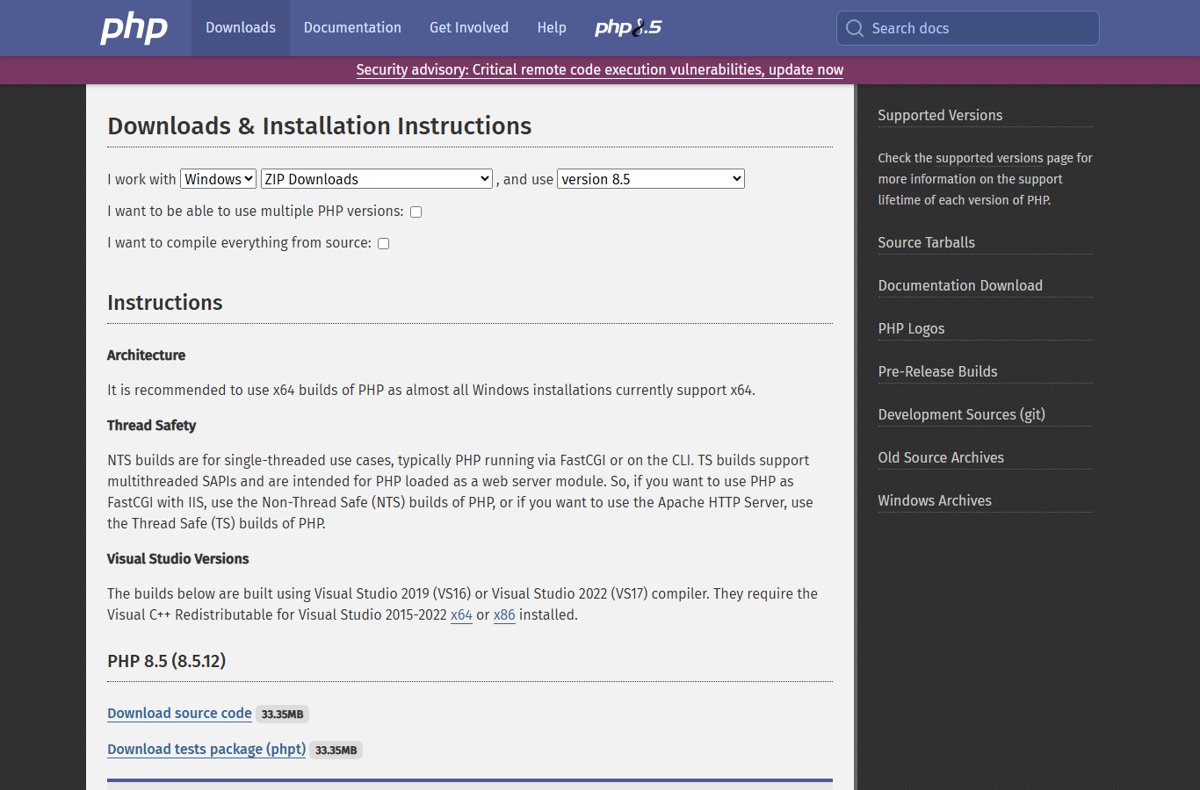
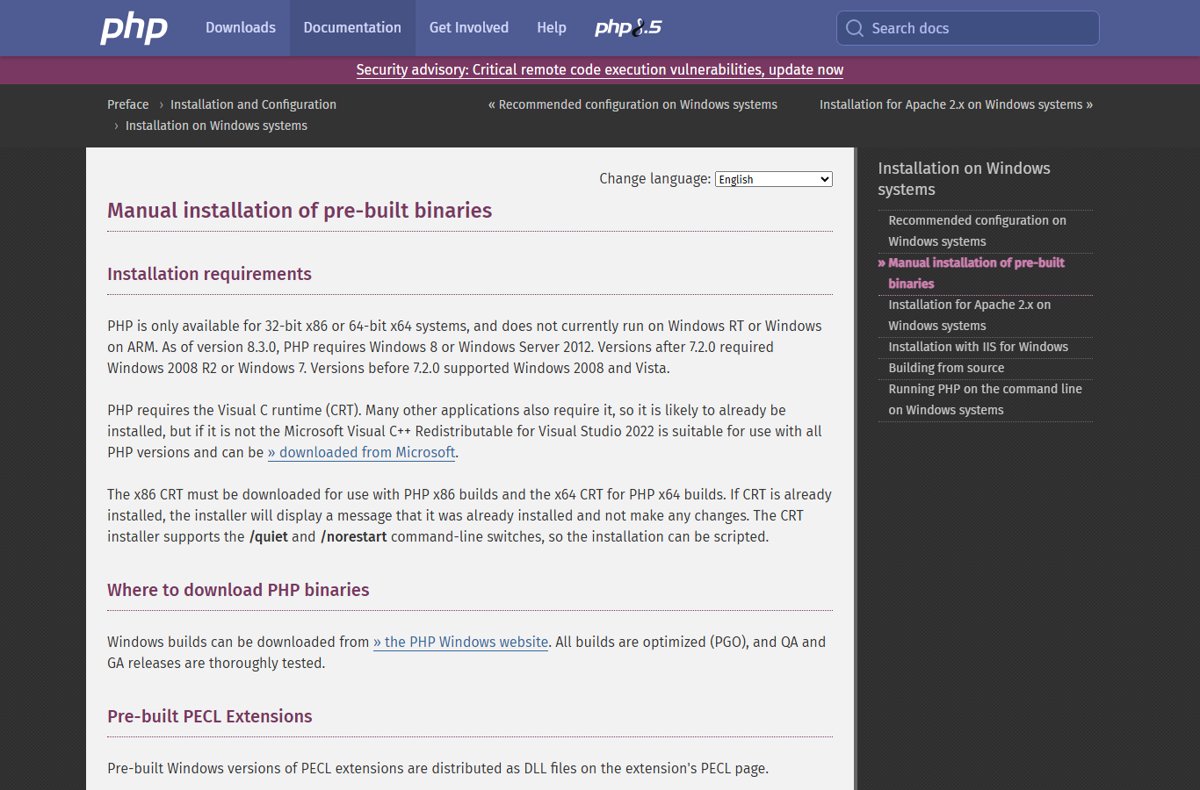
PHP 8.5.12 ships for Windows as zip archives built with Visual Studio 2022 (VS17). There is no installer: you extract the zip into a folder.
- Open the official downloads page at
https://www.php.net/downloads.phpin your browser. - Under I work with, pick Windows, then ZIP Downloads, then version 8.5.
- Confirm the heading reads PHP 8.5 (8.5.12) and the build date shows 2026-Oct-21.
- Under VS17 x64 Non Thread Safe or VS17 x64 Thread Safe, select Zip (the next section explains which one you need).
- Compare the downloaded file's SHA256 hash with the hash printed under the Zip link before you extract it.
The old address https://windows.php.net/download/ now redirects to the same php.net Windows downloads page. If you already use PHP on this PC, the existing PHP download guide for Windows and Mac covers first-time setup in more depth.
PHP 8.5.12 Windows zip files, sizes and SHA256 hashes
These are the four PHP 8.5.12 builds listed on php.net, each dated 2026-Oct-21 13:48:01 UTC. Each build also has a Debug Pack and a Development package (SDK for building extensions) that most users can skip.
| Build | Zip size | Zip SHA256 |
|---|---|---|
| VS17 x64 Non Thread Safe | 34.62MB | 2ab242af38d76bdf417cde5ec048b1bcd76a5a40f39a3d15d5f046f38571c477 |
| VS17 x64 Thread Safe | 34.76MB | 660f3ff6ccbdf60f9607ef54bdba85ee22a58d61fd3633b38a93d57fb7c3d184 |
| VS17 x86 Non Thread Safe | 31.12MB | d631c38d8540fa06800ffe358de8704ba2a9565f5179e28b9266de647dc79ed0 |
| VS17 x86 Thread Safe | 31.17MB | bb7b52a3af46b9ad80251b922812dec02c2c6bfb1e979858a15010f006ae6180 |
To check a hash in PowerShell, run Get-FileHash .\<zip name> -Algorithm SHA256 in the folder that holds the zip and compare the result with the table.
Thread Safe vs Non Thread Safe: which PHP build to download
php.net recommends the x64 builds, because almost all Windows installations support x64. The Thread Safe choice depends only on how your web server loads PHP.
| How you run PHP | Download this 8.5.12 build | Why |
|---|---|---|
| Apache HTTP Server loading PHP as a module (mod_php) | VS17 x64 Thread Safe | TS builds are for multithreaded SAPIs loaded as a web server module |
| IIS with FastCGI | VS17 x64 Non Thread Safe | php.net says to use NTS for FastCGI with IIS |
| Command line scripts, Composer, local tools | VS17 x64 Non Thread Safe | The PHP manual recommends NTS for command-line scripts |
| 32-bit Windows only | VS17 x86 build of the same type | x86 builds are for 32-bit systems |
| Windows on ARM | None | The PHP manual says PHP does not currently run on Windows RT or Windows on ARM |
Match the build to the one you already run when upgrading. Mixing a TS php.exe with NTS extension DLLs fails to load the extensions.
PHP 8.5.12 system requirements on Windows
| Requirement | What PHP 8.5.12 needs |
|---|---|
| Windows version | Windows 8 or Windows Server 2012 or later (required since PHP 8.3.0) |
| Architecture | 32-bit x86 or 64-bit x64; no Windows on ARM build |
| Runtime | Microsoft Visual C++ Redistributable for Visual Studio 2015-2022, x64 for x64 builds and x86 for x86 builds |
| Compiler of the official build | Visual Studio 2022 (VS17) |
| Support window | PHP 8.5 gets active support until 31 Dec 2027 and security fixes until 31 Dec 2029 |
Install PHP 8.5.12 on Windows
These steps upgrade an existing manual PHP install or set up a fresh one from the zip.
- Install the Microsoft Visual C++ Redistributable for Visual Studio 2015-2022 that matches your build (x64 or x86); the installer says so if it is already present.
- Stop your web server (Apache service, or the IIS site's application pool) so no PHP files are in use.
- Copy your current PHP folder, including
php.ini, to a backup location. - Extract the PHP 8.5.12 zip into your PHP folder, replacing the old files.
- Copy your backed-up
php.iniback into the PHP folder if the extract replaced or removed it. - Start the web server again so every worker loads the new PHP binaries.
php.net also lists a winget route for PHP 8.5 on Windows: winget install PHP.PHP.8.5 installs the Thread Safe build. Check the version it reports afterwards, because the winget catalog can lag the php.net release. On Linux or XAMPP, update PHP with your package manager or XAMPP instead of using the Windows zip.
How to check PHP 8.5.12 is installed
- Open Command Prompt or PowerShell in your PHP folder, or anywhere if PHP is on your PATH.
- Run
php -v. - Confirm the first line starts with PHP 8.5.12; it also shows (ZTS …) for a Thread Safe build or (NTS …) for a Non Thread Safe build.
- For the web server, create a page containing
<?php phpinfo();and open it in your browser. - Confirm the page header reads PHP Version 8.5.12, then delete the page.
If the command line shows 8.5.12 but the web page shows an older version, the web server is still loading another PHP folder or was not restarted.
PHP 8.5.12 source code download
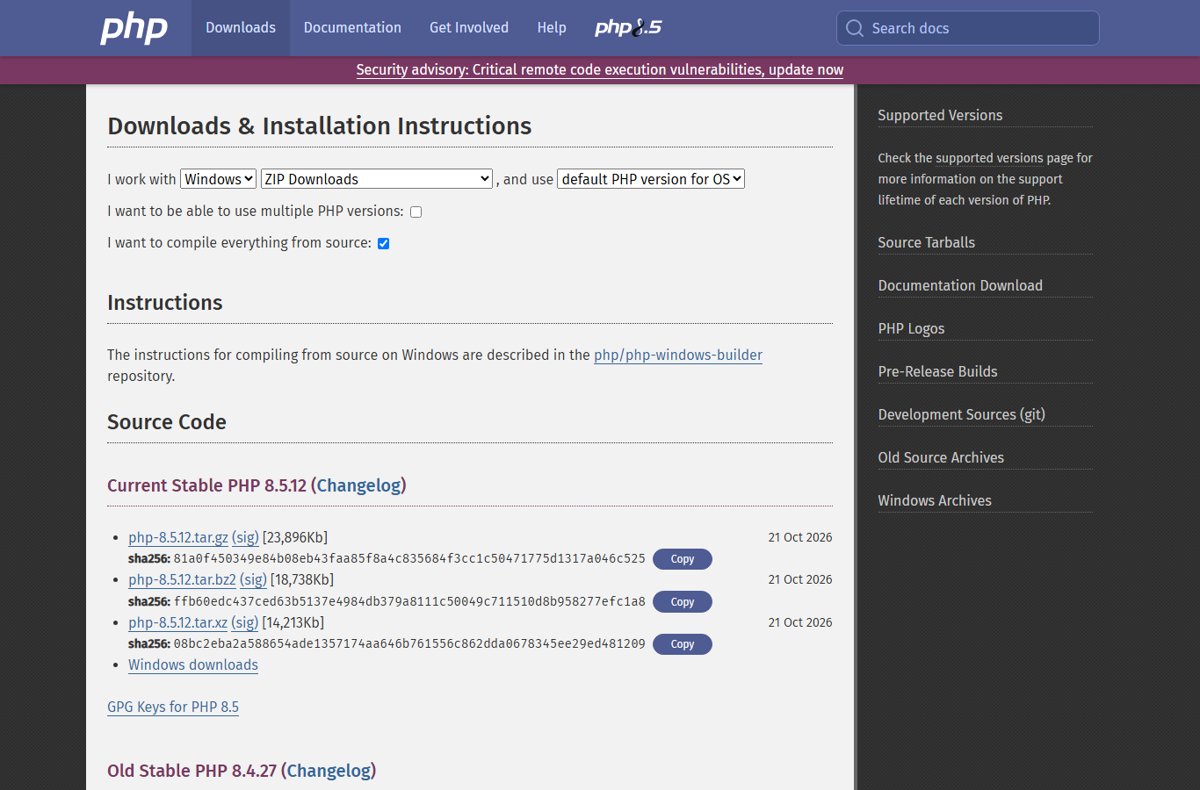
php.net publishes the PHP 8.5.12 source as three tarballs, all dated 21 Oct 2026, each with a GPG signature (sig) link beside it. The PHP project releases binaries only for Windows; Linux and macOS users get PHP from their distribution or package provider, or build it from this source.
| File | Size | SHA256 |
|---|---|---|
| php-8.5.12.tar.gz | 23,896Kb | 81a0f450349e84b08eb43faa85f8a4c835684f3cc1c50471775d1317a046c525 |
| php-8.5.12.tar.bz2 | 18,738Kb | ffb60edc437ced63b5137e4984db379a8111c50049c711510d8b958277efc1a8 |
| php-8.5.12.tar.xz | 14,213Kb | 08bc2eba2a588654ade1357174aa646b761556c862dda0678345ee29ed481209 |
The tarballs are on https://www.php.net/downloads.php?source=Y, under Current Stable PHP 8.5.12. On Linux, run sha256sum php-8.5.12.tar.xz and compare the output with the table.
What's new in PHP 8.5.12: security fixes
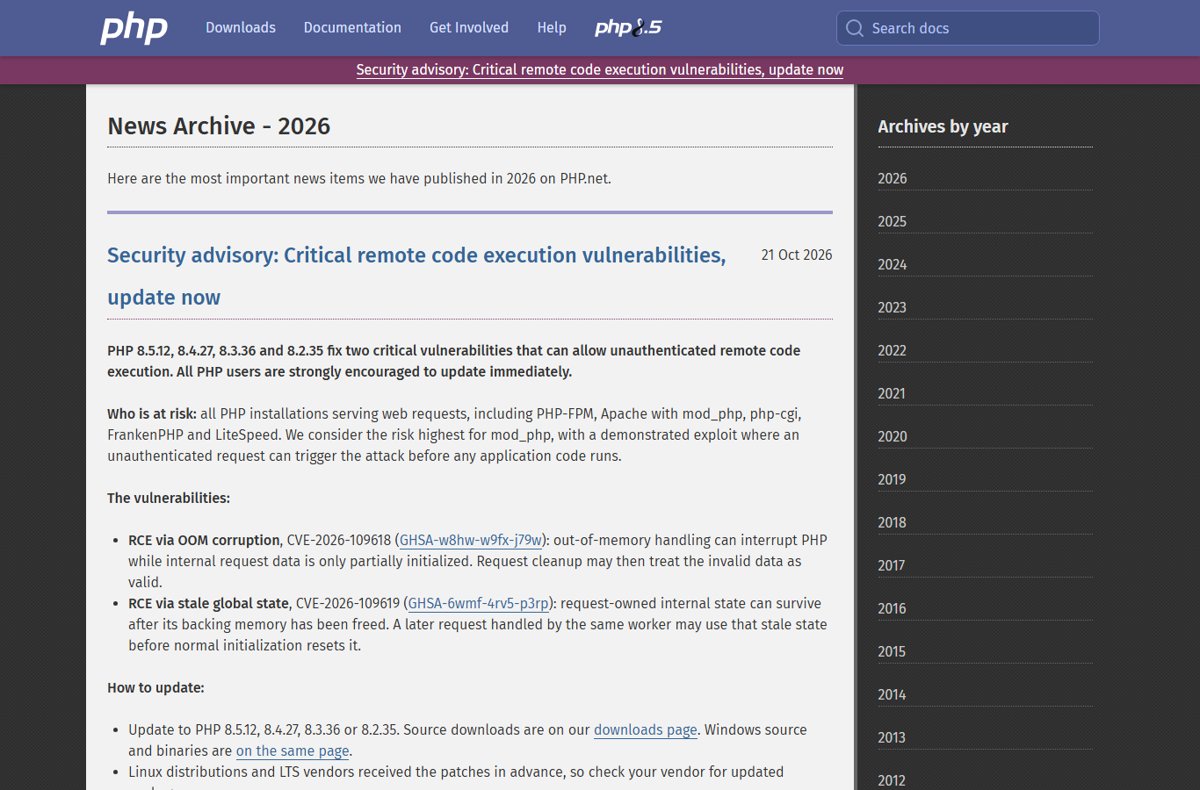
PHP 8.5.12 is a security release. php.net rates both flaws critical, and its advance notice gave each a CVSS v4.0 score of 9.2.
| CVE | Advisory | Type | What goes wrong |
|---|---|---|---|
| CVE-2026-109618 | GHSA-w8hw-w9fx-j79w | RCE via OOM corruption | Out-of-memory handling can interrupt PHP while internal request data is only partly initialised, and request cleanup may then treat the invalid data as valid |
| CVE-2026-109619 | GHSA-6wmf-4rv5-p3rp | RCE via stale global state | Request-owned internal state can survive after its memory is freed, and a later request on the same worker may use it before normal initialisation resets it |
php.net says every PHP installation serving web requests is at risk, including PHP-FPM, Apache with mod_php, php-cgi, FrankenPHP and LiteSpeed. The risk is highest for mod_php, where a demonstrated exploit lets an unauthenticated request trigger the attack before any application code runs.
php.net states there are no complete mitigations and updating is the only safe choice. If you cannot patch at once, php.net's partial mitigations for both CVEs reduce exposure but do not make an install safe.
Full PHP 8.5.12 changelog
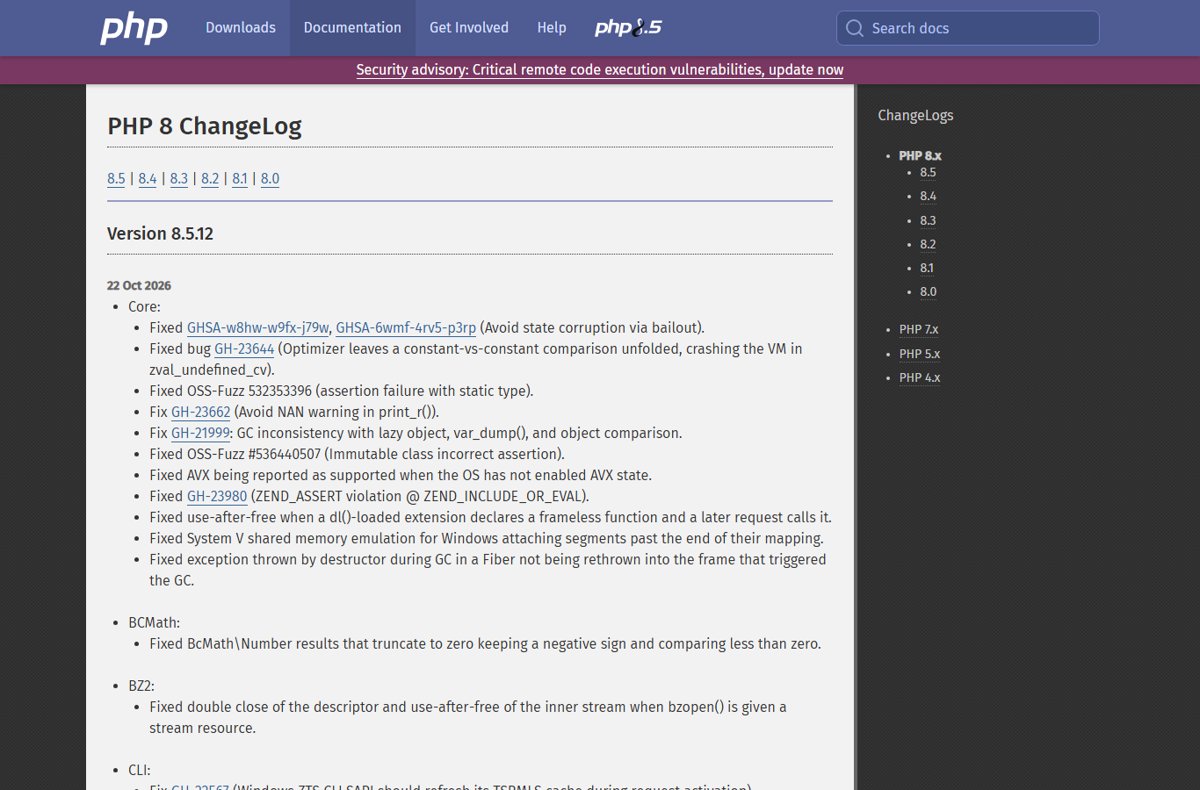
Beyond the two security fixes, the PHP 8.5.12 ChangeLog on php.net lists bug fixes across core and most bundled extensions. Grouped by extension, these are the changes.
| Extension | Changes in PHP 8.5.12 |
|---|---|
| Core | Fixed GHSA-w8hw-w9fx-j79w and GHSA-6wmf-4rv5-p3rp (state corruption via bailout); optimizer constant comparison crash (GH-23644); NAN warning in print_r() (GH-23662); GC inconsistency with lazy objects (GH-21999); AVX reported as supported when the OS has not enabled AVX state; ZEND_ASSERT violation in include/eval (GH-23980); use-after-free with dl()-loaded frameless functions; Windows System V shared memory emulation attaching past the mapping; destructor exceptions during GC inside a Fiber; two OSS-Fuzz assertion failures |
| BCMath | BcMath\Number results truncating to zero keeping a negative sign |
| BZ2 | Double close and use-after-free when bzopen() gets a stream resource |
| CLI | Windows ZTS CLI refreshing its TSRMLS cache (GH-22567); built-in server file descriptor leak on HEAD requests (GH-23764), crash on reset clients and truncated error pages |
| DOM | Use-after-free when re-constructing DOMXPath; getElementById() for SVG and MathML ids; attribute namespaces in parsed fragments; HTMLCollection::namedItem() failures (GH-23887); XPath context lost after php:function() callbacks |
| FFI | Crashes with callbacks from __call() trampolines and released array callables |
| FTP | Cryptic error on servers without TLS session resumption on data connections (GH-23619) |
| GD | Undefined behaviour with INT_MAX-sized GD2 chunks and malformed GIF LZW data |
| Intl | Cloned IntlDateFormatter, MessageFormatter and UConverter fixes; unconstructed Collator checks; grapheme_strstr(), grapheme_strpos() and grapheme_strrpos() match errors; IntlDateFormatter::parse() offset handling |
| Lexbor | Upstream patches fixing a heap buffer overflow in :lexbor-contains() parsing, decode replay overflows and several URL parsing and serialisation bugs |
| MBString | mb_strpos() reading past a truncated UTF-8 haystack (GH-23106); surrogates emitted in UTF-8 output |
| MySQLi / MySQLnd | Assertion after failed reconnection (GH-22854); field_count not reset on OK packet; leak when closing a statement on a killed connection |
| Opcache | Several tracing JIT wrong-result and crash bugs (GH-23693, GH-23628, GH-23679, GH-23991, GH-20890); optimizer folding -0.0 (GH-24063); heap overflow with FCCs and inlining; unsound escape analysis; file cache reuse crash |
| OpenSSL | Socket left non-blocking after a handshake timeout; feof() on TLS streams after close_notify on Windows |
| PCNTL | Queued signals dropped when an exception is pending or a handler throws; /proc/self paths after pcntl_fork() (GH-23986) |
| PDO and drivers | getColumnMeta() out-of-bounds read; bindColumn(), execute(), setFetchMode() and ATTR_STATEMENT_CLASS fixes; use-after-free from __toString() during execute(); persistent instance rollback (GH-23962); PDO_DBLIB segfault (GH-23741); PDO_Firebird empty BLOBs (GH-23758) |
| PGSQL | pg_lo_write() rejecting null bytes; removed pg_service() |
| Readline | Heap over-read with an empty cli.prompt |
| Reflection | skipLazyInitialization() with OPcache (GH-23842) |
| Session | session_start() continuing after a failed create_sid() under strict mode; exceptions from user create_sid() handlers |
| SimpleXML / SOAP / SQLite | SimpleXMLElement child freed while referenced; SOAP use-after-free (GH-22895) and WSDL leak; SQLite3::close() crash from a callback |
| Standard | sha1_file() on read failure; iptcembed() JPEG corruption; proc_open() descriptor leak and three Windows-only proc_open() defects; wordwrap() trailing break; quoted-printable lowercase hex; chown() in ZTS builds; persistent stream context shutdown |
| Tidy / Zlib | tidyNode use-after-free after reparse; inflate_init() dropping the preset dictionary for raw streams |
The authoritative list, with every bug number, is the Version 8.5.12 entry on https://www.php.net/ChangeLog-8.php. The same CVE fixes also ship in the PHP 8.4.27 download for Windows.
PHP 8.5.12 upgrade problems on Windows
php -v still shows PHP 8.5.11 or older
Another PHP folder comes first on PATH, or the zip went into a different folder.
- Run
where phpin Command Prompt to list every php.exe on PATH. - Extract the 8.5.12 zip into the folder listed first, or remove the stale folder from PATH.
- Open a new Command Prompt window and run
php -vagain.
phpinfo() page still shows the old version
The web server was not restarted, or it loads PHP from another folder.
- Restart the Apache service or recycle the IIS application pool.
- Check the Loaded Configuration File line in phpinfo() to see which folder the server uses.
- Upgrade that folder with the 8.5.12 zip and restart again.
Extensions fail to load after the upgrade
Third-party extension DLLs built for another PHP version or thread-safety type are still in the ext folder.
- Download the PHP 8.5 build of each third-party extension that matches your TS or NTS choice.
- Replace the old DLLs in the ext folder.
- Restart the web server and run
php -vto confirm no startup warnings appear.
PHP 8.5.12 download FAQ
When was PHP 8.5.12 released?
PHP 8.5.12 was released on 21 October 2026, alongside PHP 8.4.27, 8.3.36 and 8.2.35. The Windows builds on php.net are dated 2026-Oct-21 13:48:01 UTC, and the source tarballs carry the same 21 Oct 2026 date.
Is PHP 8.5.12 a security update?
Yes. PHP 8.5.12 fixes two critical vulnerabilities, CVE-2026-109618 and CVE-2026-109619, that can allow unauthenticated remote code execution. php.net strongly encourages every PHP 8.5 user to update immediately and says no complete mitigation exists.
Where do I download PHP 8.5.12 for Windows 64 bit?
Download it from https://www.php.net/downloads.php, choosing Windows, ZIP Downloads and version 8.5. Pick VS17 x64 Thread Safe for Apache with mod_php, or VS17 x64 Non Thread Safe for IIS FastCGI and command-line use.
Does PHP 8.5.12 have a Windows installer?
No. The official PHP 8.5.12 Windows builds are zip archives that you extract into a folder. php.net also lists winget, Chocolatey and Scoop routes, and its winget command for PHP 8.5 is winget install PHP.PHP.8.5, which installs the Thread Safe build.
Does PHP 8.5.12 work on Windows 11?
Yes. PHP 8.5.12 runs on Windows 8 and Windows Server 2012 or later, which includes Windows 10 and Windows 11 on x64 hardware. The PHP manual says PHP does not currently run on Windows on ARM.
Is PHP 8.5.12 the latest version of PHP?
PHP 8.5.12 is the current stable PHP release listed on php.net as of 21 October 2026. PHP 8.6.0 is still at the release-candidate stage, and php.net says not to use those test builds in production.
Which older PHP versions got the same fix?
PHP 8.4.27, 8.3.36 and 8.2.35 carry the same two security fixes. PHP 8.1 and older no longer get updates from the PHP project, although php.net provided minimal source backports for 7.4, 8.0 and 8.1.
Should you install PHP 8.5.12 now?
Install PHP 8.5.12 today on every PHP 8.5 system that serves web requests, and restart every worker afterwards. Both fixed flaws allow unauthenticated remote code execution, php.net rates them critical, and it says updating is the only complete fix.