Camera Roll and Saved Pictures are Windows 10 system folders inside your Pictures folder: Camera Roll holds photos and videos from the built-in camera, and Saved Pictures holds images you save from other apps.
This guide covers where both folders live, which apps write to them, how OneDrive changes their paths, whether you can delete or move them, and how to fix a missing Camera Roll.
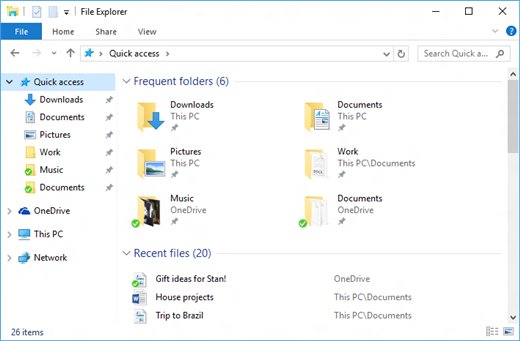
How to open the Camera Roll and Saved Pictures folders in Windows 10
- Press Windows + R to open the Run box.
- Type
%USERPROFILE%\Picturesand press Enter. - Double-click Camera Roll to see photos and videos from your webcam.
- Double-click Saved Pictures to see images saved from other apps.
You can also open File Explorer, select Pictures in the left pane, and open either folder from there, or browse both folders in the Microsoft Photos app.
What are the Camera Roll and Saved Pictures folders?
Microsoft lists both as predefined media locations that Windows provides for users and apps. Built-in apps store user-created and downloaded media in them.
| Detail | Camera Roll | Saved Pictures |
|---|---|---|
| What it holds | Photos and videos from the built-in camera or webcam | Pictures the user has saved from other apps |
| Default path | %USERPROFILE%\Pictures\Camera Roll |
%USERPROFILE%\Pictures\Saved Pictures |
| Known folder name | FOLDERID_CameraRoll | FOLDERID_SavedPictures |
| Introduced | Windows 8.1 | No legacy equivalent |
| Per user or shared | Per user | Per user |
| Main app that writes to it | Windows Camera app | Apps that save images to the Saved Pictures location |
The Saved Pictures folder is what this guide's title calls the Saved Photos folder. Windows shows it as Saved Pictures in File Explorer.
Camera Roll and Saved Pictures folder paths in Windows 10
Paste any of these paths into the File Explorer address bar or the Run box. The %USERPROFILE% variable expands to your own user folder, such as C:\Users\YourName.
| Folder | Default path | When you see it |
|---|---|---|
| Pictures | %USERPROFILE%\Pictures |
Always; parent of the folders below |
| Camera Roll | %USERPROFILE%\Pictures\Camera Roll |
After the Camera app or another camera app saves a capture |
| Saved Pictures | %USERPROFILE%\Pictures\Saved Pictures |
Defined for every user profile as a known folder |
| Screenshots | %USERPROFILE%\Pictures\Screenshots |
Screenshots saved by Windows |
| OneDrive Camera Roll | %USERPROFILE%\OneDrive\Pictures\Camera Roll |
When the Pictures folder is backed up to OneDrive |
Where the Windows Camera app saves photos and videos
Photos and videos captured with the built-in camera or webcam save to the Camera Roll folder by default. The Camera app can open that folder for you.
- Open the Camera app from the Start menu.
- Take a photo or record a video.
- Select the thumbnail in the bottom-right corner to view the capture.
- Select the ellipsis (three dots) in the top-right corner.
- Select Open Folder to jump to the folder where the file was saved.
Downloaded or copied images usually land outside Camera Roll, so it helps to know where saved images are stored on Windows.
Change where new photos and videos are saved in Windows 10
Windows decides which drive receives new camera captures through Storage settings. Use this to send new photos and videos to a second drive.
- Select Start > Settings > System > Storage.
- Select Change where new content is saved.
- Find New photos and videos will save to.
- Choose the drive you want from the drop-down list.
- Select Apply.
On Windows 11 the same option is under Advanced storage settings > Where new content is saved. If you pick an external drive, keep it connected, or the Camera app cannot save.
Camera Roll vs Saved Pictures vs Screenshots folders
| You are looking for | Open this folder | Why |
|---|---|---|
| A webcam photo or video | Camera Roll | The Camera app saves captures here by default |
| A scanned document or whiteboard from the Camera app | Camera Roll | Camera app scans appear in the camera roll |
| An image you saved from an app | Saved Pictures | Microsoft defines it as pictures saved from other apps |
| A screenshot | Screenshots | Windows uses Pictures\Screenshots as the default, unless screenshots auto-save to OneDrive |
| Phone photos backed up with OneDrive | OneDrive\Pictures\Camera Roll | OneDrive camera upload sends phone photos to the Camera Roll folder in OneDrive |
| A picture you cannot place | Pictures | Search the whole Pictures folder in File Explorer |
How OneDrive changes the Camera Roll folder location
OneDrive can back up your PC's Pictures folder. Windows then defines a separate OneDrive Camera Roll known folder, so the path you see depends on your backup settings.
| Setup | Where Camera Roll lives | What to know |
|---|---|---|
| No OneDrive backup | %USERPROFILE%\Pictures\Camera Roll |
Files stay on this PC only |
| Pictures backed up with OneDrive | %USERPROFILE%\OneDrive\Pictures\Camera Roll |
Files sync to OneDrive; over your storage limit, new Camera Roll files stop syncing |
| OneDrive camera upload on a phone | Camera Roll folder in OneDrive Pictures | Upload is one-way, so deleting the phone copy keeps the OneDrive copy |
| OneDrive Android with categorize off | Camera Roll folder in OneDrive | All backed-up device folders go into Camera Roll |
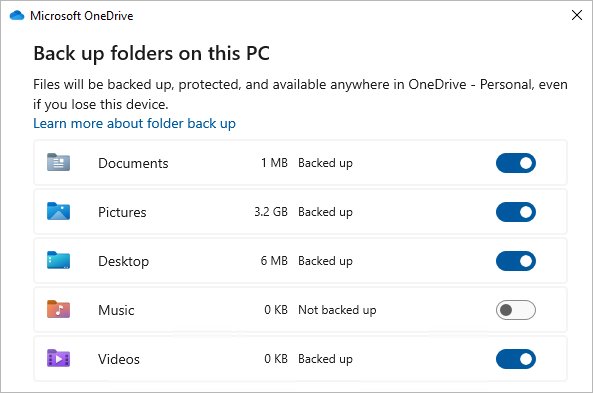
To manage PC backup, select the OneDrive cloud icon, select Help & Settings > Settings, open Sync and backup, and select Manage backup.
Can you delete the Camera Roll and Saved Pictures folders?
Keep both folders, even if they look empty; delete the files inside them if you want space back. The Camera app saves to Camera Roll and shows a missing camera roll error (0xA00F4275) without it, and Windows Store apps that request the Camera Roll folder recreate it automatically.
If you removed Camera Roll by mistake, the fix in the next section rebuilds it.
Fix a missing Camera Roll folder in Windows 10
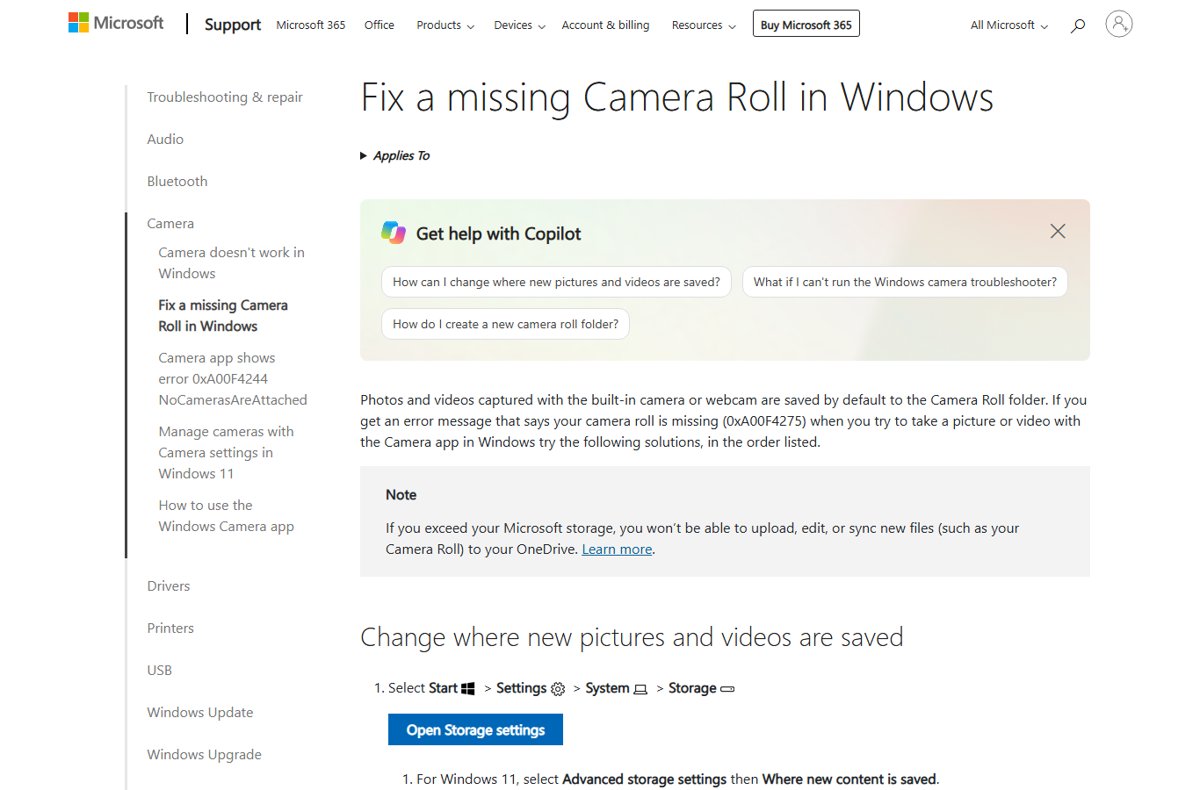
Camera app says your camera roll is missing (0xA00F4275)
The save location points to a drive that is missing, or Windows lost track of it.
- Select Start > Settings > System > Storage.
- Select Change where new content is saved.
- Under New photos and videos will save to, pick another location and select Apply.
- Change it back to This PC (C:) and select Apply again.
- Take a test photo in the Camera app.
Camera Roll folder deleted or not in Pictures
The folder was removed, so the Camera Roll library has nothing to save into.
- Open File Explorer and select This PC.
- Open your system drive, usually (C:).
- Under Home, select New folder and name it Camera Roll.
- Right-click the new folder and select Include in library > Camera Roll.
- Take a test photo in the Camera app.
Camera app cannot save to the Camera Roll folder
Your account does not have Write permission on the folder.
- In File Explorer, select Pictures.
- Right-click Camera Roll and select Properties.
- Open the Security tab and select your user name under Group or user names.
- Make sure Allow is selected next to Write.
Camera Roll and Saved Pictures folders FAQ
What is the Camera Roll folder in Windows 10?
Camera Roll is a per-user folder inside Pictures where the Windows Camera app saves photos and videos from the built-in camera or webcam. Its default path is %USERPROFILE%\Pictures\Camera Roll.
What is the Saved Pictures folder in Windows 10?
Saved Pictures is a per-user folder inside Pictures that holds images you save from other apps. It sits at %USERPROFILE%\Pictures\Saved Pictures and is often empty on a new profile.
Why is my Saved Pictures folder empty?
It only fills when an app saves images to that location. Images downloaded in a browser usually go to Downloads, and screenshots go to Pictures\Screenshots instead.
Where does the Windows 10 Camera app save photos?
The Camera app saves photos and videos to the Camera Roll folder by default. Select the ellipsis in the Camera app, then Open Folder, to see the exact folder for a capture.
Is it safe to delete the Camera Roll folder?
Deleting the folder is not recommended. The Camera app can show a missing camera roll error (0xA00F4275) without it. Delete the photos inside instead if you need space.
Why is my Camera Roll folder inside OneDrive?
Your Pictures folder is backed up with OneDrive. Windows then uses %USERPROFILE%\OneDrive\Pictures\Camera Roll, so captures sync to OneDrive as long as you have storage space left.
Can I move the Camera Roll to another drive?
Yes. Open Settings > System > Storage > Change where new content is saved, and pick another drive under New photos and videos will save to. Keep an external drive connected afterwards.




![Adjusting volume balance settings in Windows 11 and 10 [Easy steps]](https://techdows.com/wp-content/uploads/2026/10/Adjusting-Volume-Balance-Settings-in-Windows-11-and-10-500x338.jpg)