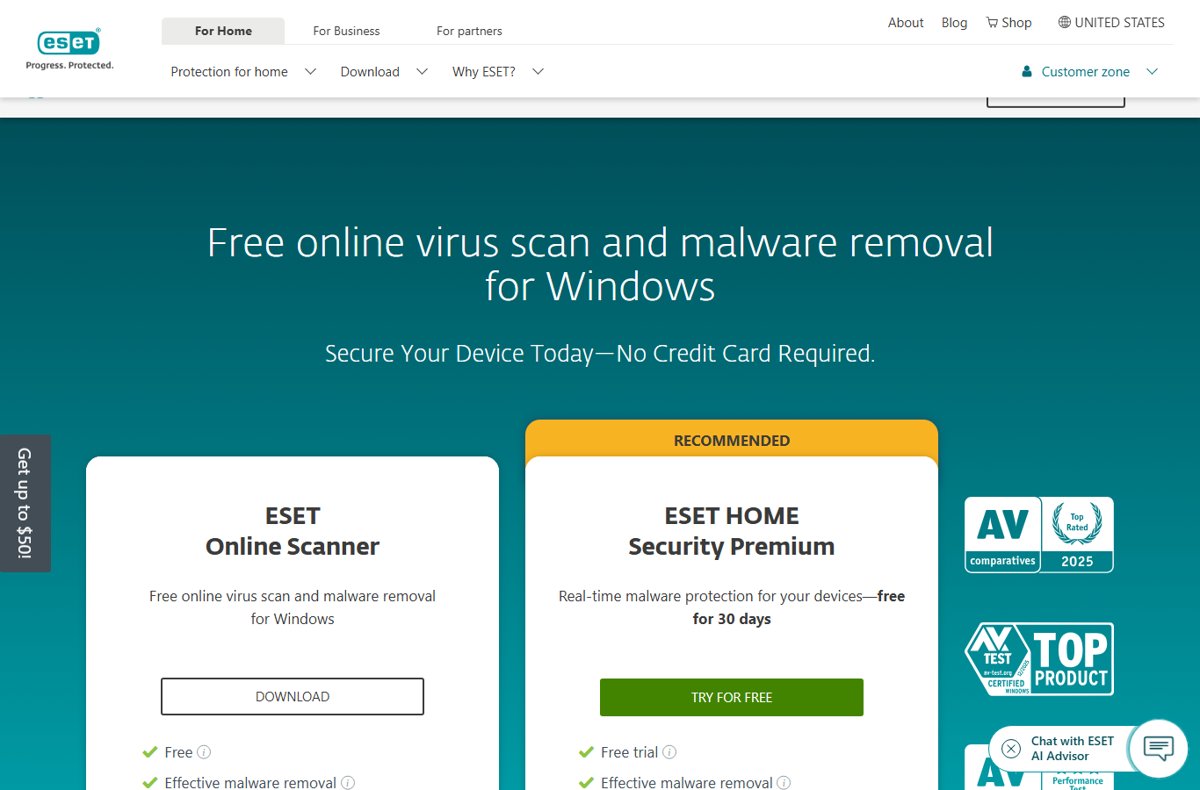
The best free online virus scanner and remover in 2026 is ESET Online Scanner, a free one-time scan for Windows that finds and removes malware without a subscription.
This roundup compares five free scanners from ESET, Microsoft, Malwarebytes, Bitdefender and Trend Micro, explains what each can and cannot remove, and covers the tools that dropped off the list.
Short on time? Here's the best free online virus scanner in 2026
Run ESET Online Scanner if you suspect an infection on a Windows PC and want a free scan that also removes what it finds. It needs no installation, runs a full system scan with a clear report, and quarantines detections so you can restore a file if it was flagged by mistake. Run Microsoft Safety Scanner afterwards for a second opinion.
None of these five tools is a website that cleans your PC from the browser. Each one is a small download that runs on your computer, because a web page cannot reach your files or remove malware.
Quick summary of the top 5 free online virus scanners
Match your situation to a row. Every option below is free and comes from the security vendor's own site.
| Scanner | Best for | Why |
|---|---|---|
| 1. ESET Online Scanner | A one-off deep scan of a Windows PC | No installation, removes and quarantines threats |
| 2. Microsoft Safety Scanner | A second opinion from Microsoft | Portable tool with Microsoft's latest definitions, expires after 10 days |
| 3. Malwarebytes Free | Cleaning up adware, spyware and leftover infections | On-demand scanner that removes existing infections |
| 4. Bitdefender Antivirus Free | Keeping a free scanner installed on Windows | Free with no time limit and real-time detection |
| 5. Trend Micro HouseCall | Scanning alongside your current antivirus | Works with existing security software, quick or full scan |
1. ESET Online Scanner: free detection and customizable scans
ESET Online Scanner is a free, one-time malware scanner for Windows. It is a scan for your computer, not an in-browser checker for a single file, URL or website. It does not give ongoing real-time protection.
- Open ESET's Online Scanner page on eset.com and select Download.
- Run the downloaded file. The scanner launches without a full installation.
- Start a full scan of your Windows PC and watch the progress bar.
- Review the detected items in the report when the scan finishes.
- Follow the prompts to quarantine or remove each item. Quarantined files can be restored if one was flagged in error.
ESET Online Scanner runs on Windows only. ESET points Mac and Android users to its paid security products instead.
2. Microsoft Safety Scanner: free malware removal tool for Windows
Microsoft Safety Scanner finds and removes malware from Windows computers and tries to reverse changes made by the threats it finds. It runs on Windows 11, Windows 10, Windows 8.1, Windows 8 and Windows 7, plus several Windows Server versions.
- Open the Microsoft Safety Scanner Download page on Microsoft Learn.
- Download the 64-bit or 32-bit version that matches your Windows.
- Open the downloaded file. It is portable, so note where you saved it.
- Select the type of scan you want and start it.
- Review the results on screen. Detailed results are in
%SYSTEMROOT%\debug\msert.log. - Delete the executable (
msert.exeby default) when you are done.
The scanner expires 10 days after download, so download a fresh copy before each scan. It only scans when you start it and does not replace Microsoft Defender Antivirus.
3. Malwarebytes Free: downloadable malware remover
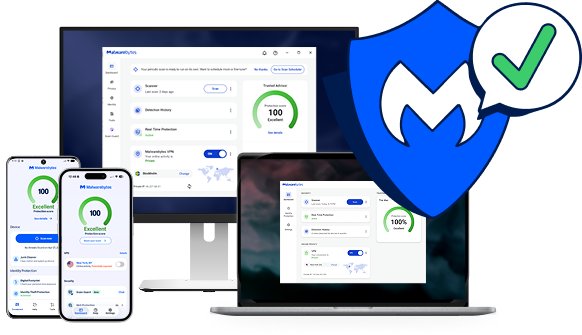
Malwarebytes Free is an on-demand scanner that finds and removes viruses, ransomware, spyware, adware and other infections already on your device. Malwarebytes sums up the split itself: the free version cleans up, the paid version keeps threats out.
- Open the Malwarebytes free download page on malwarebytes.com.
- Download and install Malwarebytes.
- Run a scan from the Malwarebytes dashboard.
- Review the detections when the scan completes.
- Quarantine the items it finds, then restart the PC if prompted.
The free version has no real-time protection, ransomware protection, phishing blocking or exploit protection. Those belong to Malwarebytes Premium Security.
4. Bitdefender Antivirus Free: free tools to protect Windows devices
Bitdefender's old Toolbox page now leads to Bitdefender Antivirus Free, a free Windows antivirus with no time limit. It scans for and removes existing viruses, then keeps running with real-time detection.
- Open Bitdefender's free antivirus page on bitdefender.com and select Download Antivirus Free.
- Open the downloaded file and start the installation.
- Create or sign in to a Bitdefender Central account when asked.
- Run a virus scan from the app and let it remove anything it finds.
The free edition is Windows only. It includes a basic Bitdefender VPN with 200 MB of traffic per device per day, but no full-system analysis or anti-tracking. Bitdefender also lists free scam-check and link-check tools beside it.
5. Trend Micro HouseCall: free online security scan
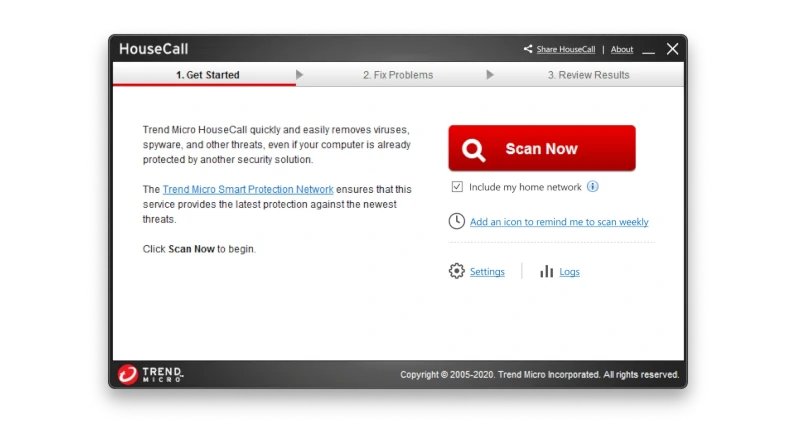
HouseCall is Trend Micro's free scanner that detects and fixes viruses, worms, spyware and other threats on Windows. It works alongside your existing antivirus, so you do not need to remove anything first.
- Open the HouseCall page on trendmicro.com and select Download for Windows.
- Run the downloaded file.
- Choose a quick scan, a full scan or a custom scan.
- Read the threat report when the scan ends.
- Remove the threats HouseCall lists to return the device to normal.
A quick scan of critical system files takes a few minutes. A full or custom scan can take several hours, depending on drive size and PC speed.
Norton Power Eraser: discontinued downloadable virus removal for Windows
Norton Power Eraser was a free downloadable virus scanner and removal tool for Windows, and some lists still rank it highly. Norton discontinued it on April 30, 2026.
| Question | Answer from Norton |
|---|---|
| Does Norton Power Eraser still work? | No. It stopped working and is no longer supported or updated |
| Is there a replacement? | No direct replacement |
| Where did its features go? | Into Norton's paid security apps with real-time protection |
| What to use instead for free | Any of the five scanners above |
Known vulnerabilities scanner vs online virus scanner
Some lists put a vulnerability scanner, such as the SafetyDetectives Known Vulnerabilities Scanner, at the top of a virus-scanner ranking. The two tools answer different questions.
| Online virus scanner | Known vulnerabilities scanner | |
|---|---|---|
| What it looks for | Malware already on the device | Weak spots, such as outdated software, that attackers could use |
| Removes malware | Yes, for the five tools above | No |
| When to use it | You suspect an infection | You want to reduce future risk |
| Replaces antivirus | No | No |
How to scan a single file for viruses online
The five scanners above check a whole PC. File-upload services such as VirusTotal, Hybrid Analysis, OPSWAT MetaDefender Cloud and Jotti's Malware Scan work the other way: you upload one individual file and get a verdict on that file only, with nothing removed from your PC.
On Windows, two free Microsoft options cover the same need without a third-party site.
| Option | How to use it | What you get |
|---|---|---|
| Scan with Microsoft Defender | Right-click the file in File Explorer and select Scan with Microsoft Defender | An instant local check with Defender's current definitions |
| Microsoft malware analysis portal | Open Submit a file for malware analysis on Microsoft Security Intelligence, choose Home customer, select Continue, sign in and upload the file | An immediate scan with Microsoft's latest detections, then an analyst's final determination |
| Submission history page | Sign in to the portal and open your submission history | Status of each file: Submitted, In progress or Closed |
Use the same portal to report a file you believe was flagged as malware by mistake. Microsoft accepts submissions only through the portal, not by email.
Quick comparison table
| Scanner | Removes malware | Installs | Real-time protection | Platforms | Limit |
|---|---|---|---|---|---|
| ESET Online Scanner | Yes, with quarantine | No, launches without installation | No | Windows | One-time scan |
| Microsoft Safety Scanner | Yes, and reverses changes | No, portable | No | Windows 11 to Windows 7, Windows Server | Expires after 10 days |
| Malwarebytes Free | Yes | Yes | No | Windows; Mac download offered | Scan only |
| Bitdefender Antivirus Free | Yes | Yes, with account | Yes | Windows | Basic features only |
| Trend Micro HouseCall | Yes | Download | No | Windows | Full scans can take hours |
How to choose the best free online scanner
Compare free scanners on the same ranking criteria: whether they remove malware, whether they install anything, whether they protect in real time, and which platforms they run on. Then match your need to a row.
| If you need | Choose | Reason |
|---|---|---|
| Nothing installed on the PC | ESET Online Scanner or Microsoft Safety Scanner | Both run without a full installation |
| A scan beside your current antivirus | Trend Micro HouseCall | Trend Micro says it works with existing antivirus |
| Ongoing free protection, not one scan | Bitdefender Antivirus Free | The only one here with real-time detection |
| Adware and potentially unwanted programs removed | Malwarebytes Free | Built to clean up infections already on the device |
| A second opinion after one scan | Microsoft Safety Scanner | Different engine and fresh definitions each download |
| A Mac | Malwarebytes, Avast One or Bitdefender Virus Scanner for Mac | The other four picks are Windows only |
Best free virus scanner for Mac
Four of the five picks above run only on Windows. These free options scan a Mac instead.
| Mac scanner | What the free version does | Where to get it |
|---|---|---|
| Avast One (Free Antivirus) | Blocks viruses, spyware and Trojans in real time and scans the entire Mac for hidden threats; adds Web Guard and Email Guard checks for scam links | avast.com; Wi-Fi intruder alerts and Ransomware Shield are premium |
| Bitdefender Virus Scanner for Mac | Lightweight on-demand scanner: quick scan, deep system scan, running apps or a custom location; finds Mac malware and Windows viruses, including inside archives, and quarantines threats | Mac App Store; macOS Yosemite (10.10) or later |
| Malwarebytes for Mac | Scans for and removes existing infections; real-time protection needs Malwarebytes Premium Security | malwarebytes.com |
Bitdefender updates its virus signatures every hour and refreshes them before each scan, which suits an occasional second-opinion scan. Avast One is the pick if you want the free scanner to keep running in the background.
Risks & disadvantages of using a free online scanner
| Risk | What to do about it |
|---|---|
| No real-time protection between scans | Keep Microsoft Defender Antivirus or another antivirus running |
| Out-of-date definitions in an old download | Download the scanner again before each scan; Microsoft Safety Scanner expires after 10 days |
| Fake "online scanner" sites that push malware | Download only from eset.com, microsoft.com, malwarebytes.com, bitdefender.com or trendmicro.com |
| False positives removing a needed file | Quarantine first instead of deleting, so the file can be restored |
| Upsell prompts for paid plans | Decline the trial if you only want the free scan |
| No file-upload or website checking | These tools scan your PC, not a single uploaded file or URL |
Top brands that didn't make the cut
| Tool | Why it is not in the top 5 |
|---|---|
| Norton Power Eraser | Discontinued on April 30, 2026 and no longer works |
| SafetyDetectives Known Vulnerabilities Scanner | Checks for vulnerabilities rather than removing malware |
| Microsoft Defender Antivirus (offline scan) | Already built into Windows, so it is not a separate scanner; use it first |
| Bitdefender's old Toolbox | Now redirects to Bitdefender Antivirus Free, which is listed above |
| Windows Malicious Software Removal Tool (MSRT) | Removes only specific prevalent malware families; Microsoft ships it monthly through Windows Update and recommends Microsoft Safety Scanner or Defender Offline for full removal |
| SUPERAntiSpyware | A dedicated spyware and malware remover; every pick above already removes spyware |
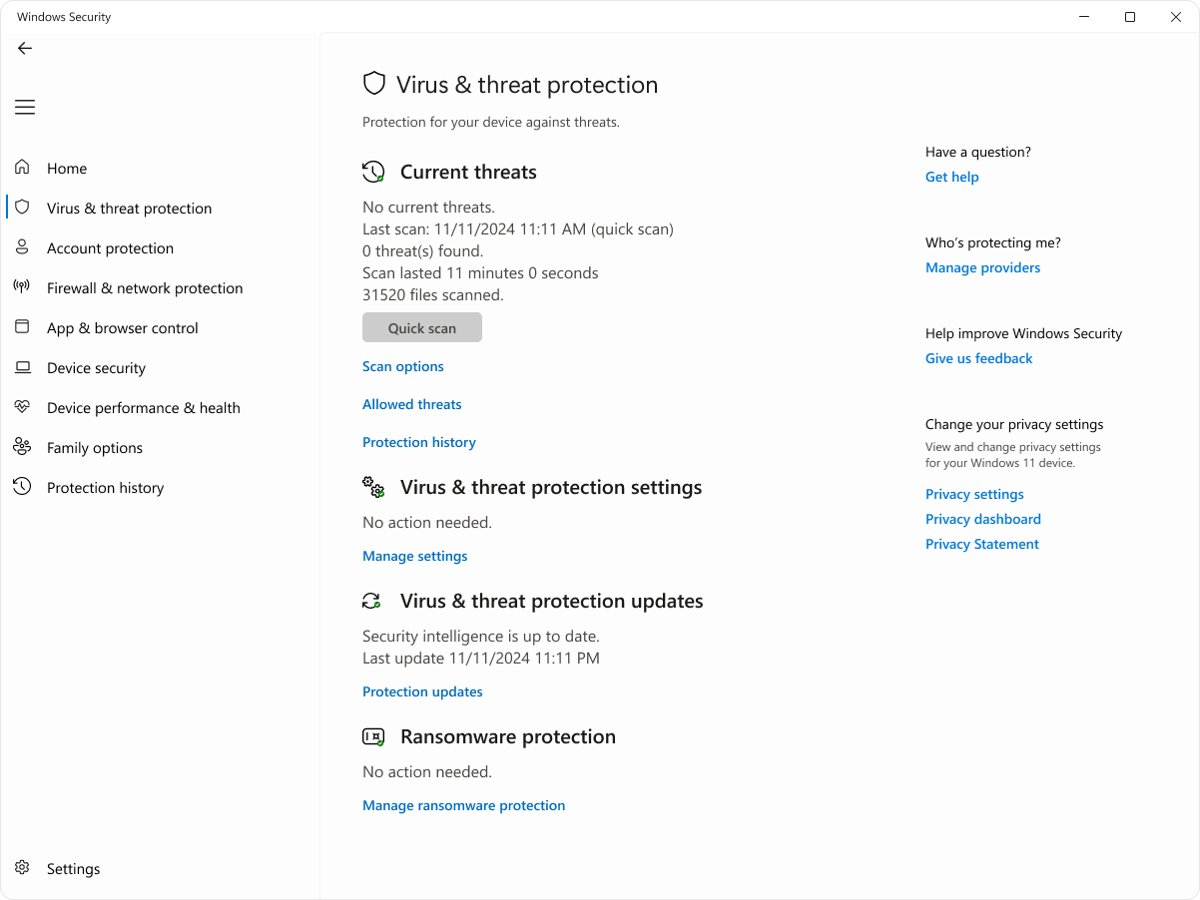
Before downloading anything, run a Microsoft Defender full scan from Windows Security > Virus & threat protection > Scan options. Choose Microsoft Defender Antivirus (offline scan) for malware that hides while Windows is running.
How to check a free virus scan removed the malware
- Restart the PC after the scanner removes or quarantines threats.
- Run a second scan with a different tool from the list, such as Microsoft Safety Scanner after ESET.
- Confirm the second scan reports no threats.
- Open Windows Security > Virus & threat protection > Protection history and check for new detections.
- Watch for the original symptoms, such as pop-ups or a changed browser homepage, over the next few days.
Free online virus scanner FAQ
What is a virus scanner?
A virus scanner is a program that checks the files and memory on a device for known malware and suspicious behaviour, then removes or quarantines what it finds. An on-demand scanner runs only when you start it, while antivirus software scans continuously in real time.
Why is a virus scanner so important?
A virus scanner finds malware that can steal passwords, encrypt files for ransom or turn a PC into part of a botnet. Many infections show no obvious symptoms, so a scan is often the only way to know a device is clean.
Why would you do a virus scan?
Run a virus scan when a PC slows down, shows unexpected pop-ups, changes its browser homepage or runs unfamiliar apps. A scan also makes sense after opening a suspicious attachment or download, and as a second opinion alongside your regular antivirus.
How do online scanners work?
An online scanner is a small program downloaded from the vendor's site that pulls current malware definitions and scans your PC on demand. It runs without full installation or a subscription, removes what it finds, and leaves no real-time protection behind.
What's the difference between online and offline scanners?
An online scanner runs inside Windows and fetches current definitions from the vendor. An offline scanner, such as Microsoft Defender Antivirus (offline scan), restarts the PC and scans outside Windows, which catches malware that hides while Windows is running.
Do online virus scanners really work?
Yes. Tools such as ESET Online Scanner and Microsoft Safety Scanner use the same detection technology as their vendors' paid products and can remove malware. They only work when you run them, so they do not block new infections.
Are there websites that can remove viruses from my computer?
No website can remove malware from your PC directly, because a web page cannot access your files. So-called online scanners are downloads from the vendor's site. A site claiming to clean your PC from the browser is a scam.
How do I know if I can trust a virus scanner?
Download scanners only from the security vendor's own website, such as eset.com, microsoft.com or malwarebytes.com. Avoid scanners advertised in pop-ups or fake virus alerts, because those are often malware themselves.
Can I scan a single file with an online virus scanner?
The five tools here scan your whole PC rather than an uploaded file. ESET states its scanner is not an in-browser file, URL or website checker. On Windows, right-click a file and select Scan with Microsoft Defender, or upload it to Microsoft's malware analysis portal.
Is there a free online virus scanner for Mac?
Yes. Malwarebytes for Mac, Avast One and Bitdefender Virus Scanner for Mac are free. ESET Online Scanner, Microsoft Safety Scanner, Bitdefender Antivirus Free and Trend Micro HouseCall run on Windows only.
Top free virus scanner picks for 2026: final verdict
Use ESET Online Scanner for a one-off cleanup, Microsoft Safety Scanner for a second opinion, and Bitdefender Antivirus Free if you want a free scanner that stays installed. ESET and Microsoft remove malware without installing anything permanent, Malwarebytes Free and HouseCall cover adware and side-by-side scanning, and Bitdefender is the only free pick here with real-time detection.

![Network adapter driver for Windows 11 [Download/Update]](https://techdows.com/wp-content/uploads/2026/10/Network-adapter-driver-for-Windows-11-DownloadUpdate-600x338.jpg)