Error code 405 Method Not Allowed means the server knows the request method but the target resource does not support it, so the cure is to send a method that URL accepts.
The Allow header on the 405 response names those methods, and every fix below starts from it — browser checks first, then the server rules, routes and platform settings that reject the verb.
The fastest way to clear a 405 Method Not Allowed error
A 405 response must carry an Allow header listing the methods the target resource currently supports. Reading it turns guesswork into one decision.
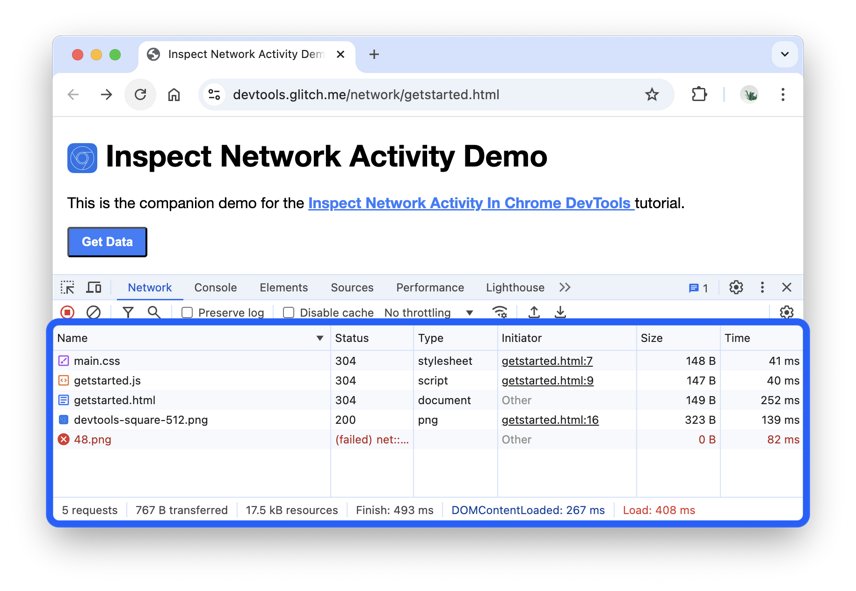
- Press Control + Shift + J on Windows, or Command + Option + J on a Mac, to open DevTools in Chrome or Edge.
- Select the Network tab, then repeat the click, form submit or API call that failed.
- Select the request whose Status column shows
405. - Open the Headers tab and read the request method under Request Headers.
- Read the Allow header under Response Headers — it lists every method that URL accepts, for example
Allow: GET, POST, HEAD. - Repeat the request using one of the listed methods, or change the address to the endpoint that accepts the method you need.
If the Allow header is empty, the resource allows no methods at all, which can happen temporarily. Wait and retry, or ask the site owner.
Which fix applies to you?
| Your situation | Start here | Why |
|---|---|---|
| You are reading a site somebody else runs | Quick fixes for visitors | You cannot edit server rules; the URL and the browser are the only levers you hold |
| You own the site and the error started after a deploy | Fast diagnosis | The access log names the method and the rule that rejected it |
| An HTML form fails the moment you submit it | Common causes, cause 1 | A wrong method or action attribute sends the verb to a URL that only serves pages |
| A JavaScript call from another origin fails | Common causes, cause 6 | The browser sends an OPTIONS preflight first, and that request is the one being refused |
| The site runs on a hosted builder or a managed platform | Fixes by platform | Server configuration is not yours to change, so the fix is a different endpoint |
| The error only appears on the live domain | Troubleshooting | A CDN or firewall rule sits in front of the origin and blocks the method |
What “405 Method Not Allowed” Means
405 is a client error status. The address is right; the verb attached to it is not.
| Point | What the HTTP specification says | What it means for you |
|---|---|---|
| Definition | The server knows the request method, but the target resource doesn't support this method | The URL exists — only the verb is refused |
| Status class | 4xx client error response | Something in the request must change, not the server's health |
| Allow header | The server must generate an Allow header in a 405 response with a list of methods the target resource currently supports | Read it first; it names the fix outright |
| Empty Allow value | Indicates the resource allows no request methods, which might occur temporarily | Retry later, or ask the owner what changed |
| File permissions | Improper server-side permissions on files or directories may cause a 405 when the request would otherwise succeed | Check ownership and permissions on the target path |
| Methods involved | GET, HEAD, POST, PUT, PATCH, DELETE, OPTIONS and TRACE are all separate methods | A URL can accept one and reject the rest |
Quick Fixes If You’re Just Visiting a Website
Run these in order. Each one rules out a cause, and none of them needs access to the server.
- Retype the address in the address bar and press Enter. That sends a plain GET request instead of resending the form data a page refresh would repeat.
- Check the URL for a typo, a stray path segment or a missing trailing slash, then load the site's own home page and navigate to the section from there.
- Clear the stored site data: select More in the top right of Chrome, choose Delete browsing data, pick a time range, tick Cookies and other site data, then select Delete data.
- Open the same page in a different browser, or on your phone over mobile data, to separate a local profile problem from a server-side one.
- Open DevTools and note the Status, the request method and the Allow header, so you have the exact detail to report.
- Contact the site owner through their published support address, and include the failing URL, the method you sent and the time of the attempt.
Clearing cache and cookies only helps when a stale form token or a cached redirect is sending the wrong verb. If the 405 survives a fresh browser, the cause is on the server.
Fast Diagnosis for Site Owners and Developers
Three readings settle almost every 405: what the browser sent, what the web server logged, and what the application logged.
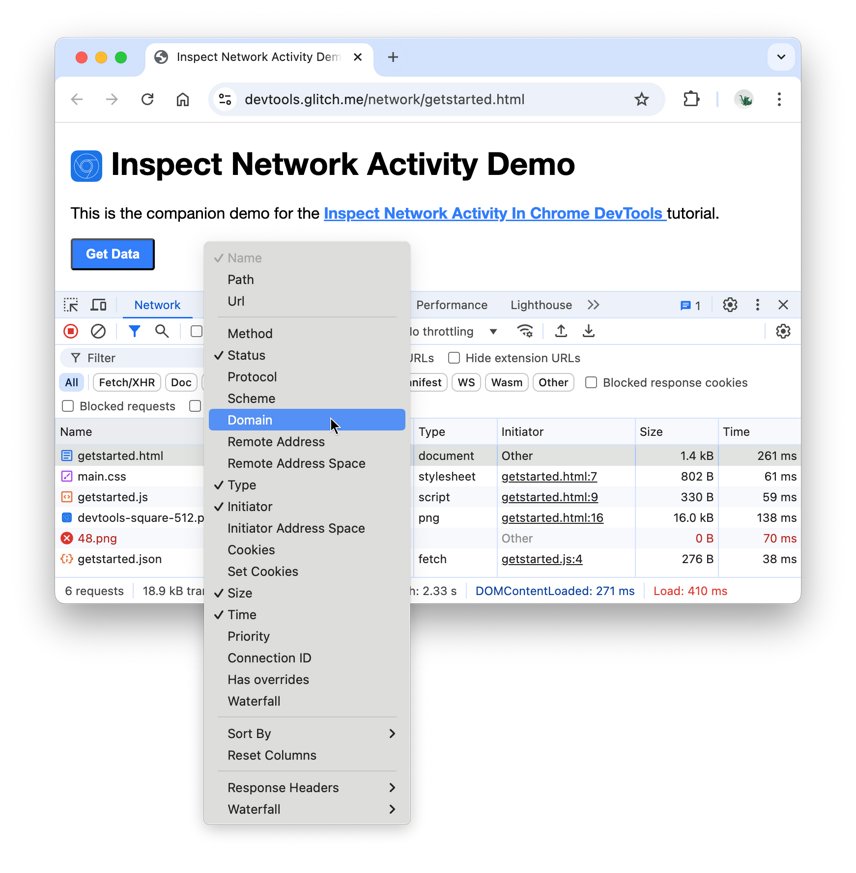
- Open DevTools, select the Network tab, then right-click the header of the requests table and turn on the Method column so every request shows its verb beside its status.
- Reproduce the failure and select the
405row, then compare Request Method in the Headers tab with the Allow header in the response. - Check whether an OPTIONS request appears immediately before the failing call — that is a CORS preflight, and it is a separate request with its own status.
- Open the web server access log and find the same timestamp. The logged method tells you whether the request reached the origin with the verb the browser sent.
- Open the application log for the same second. A route-level rejection appears there; a web-server rejection does not, because the request never reached the app.
- Note which layer produced the 405 — web server, proxy, firewall or application — and fix only that layer.
Send a test request and read the Allow header
A direct request takes the browser, the cache and the form markup out of the picture. PowerShell 7 ships the one cmdlet needed.
Invoke-WebRequest -Uri 'https://example.com/api/items' -Method Post -SkipHttpErrorCheck-Method sets the verb to test; its accepted values are Default, Get, Head, Post, Put, Delete, Trace, Options, Merge and Patch, and -CustomMethod covers anything outside that list. -SkipHttpErrorCheck makes the cmdlet return the error response instead of throwing a terminating error, so the status and headers are readable; it was introduced in PowerShell 7. Swap -Method Post for -Method Options to test a CORS preflight against the same URL.
You should see: StatusCode : 405 together with an Allow entry in the returned headers, such as Allow: GET, POST, HEAD. A missing Allow header on a 405 is itself a server bug worth fixing.
On older Windows PowerShell releases without -SkipHttpErrorCheck, wrap the call in a try/catch block and read StatusCode from the exception's response object instead. Any command-line HTTP client does the same job.
Common Causes and Fixes
Match the row to what the diagnosis showed. The confirmation column is what proves it before you change anything.
| Cause | How to confirm it | Fix |
|---|---|---|
| 1. The form uses the wrong method or action URL | DevTools shows a GET where a POST was intended, or a POST aimed at a plain page | Set method="post" on the <form> and point action at the handler URL. The method attribute accepts only post, get and dialog, and defaults to get |
| 2. The API endpoint does not allow that method | The Allow header lists other verbs than the one sent | Send a listed verb, or register the missing verb on that route in the application |
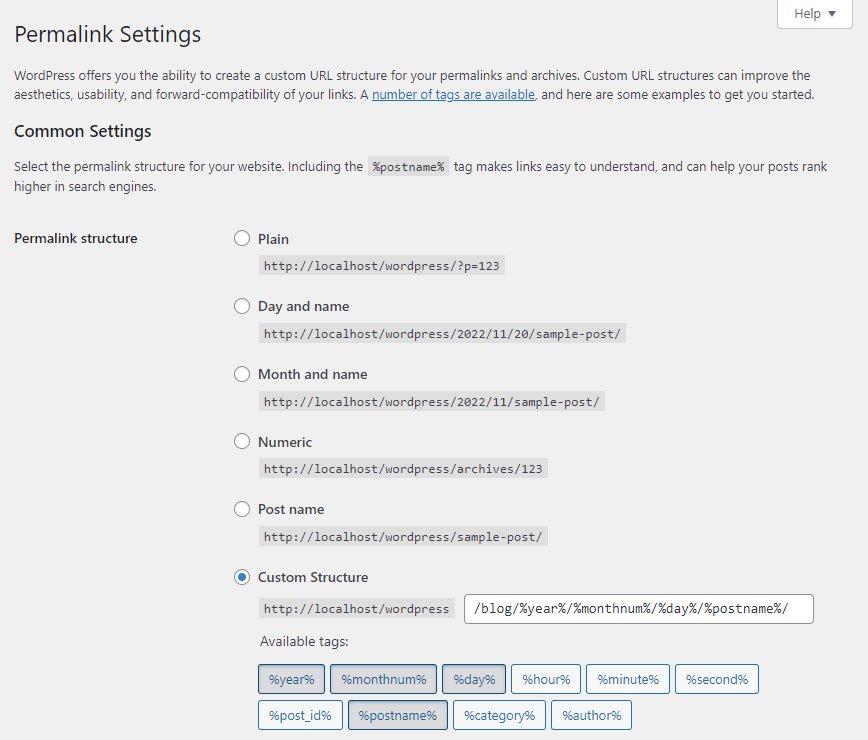
| 3. WordPress plugin, theme or permalink conflict | The error clears with plugins disabled | Rename wp-content/plugins to plugins.hold over FTP to deactivate everything, log in, rename it back, then re-enable plugins one at a time. Re-save Settings > Permalinks to rebuild the rewrite rules |
| 4. Nginx configuration blocks the method | A limit_except block sits in the matching location |
limit_except GET { ... } limits access to every method except GET and HEAD. Add the verb you need to the directive, or remove the block |
| 5. Apache .htaccess or VirtualHost rules block the method | A <Limit> or <LimitExcept> container wraps the path |
<Limit method ...> applies only to the named methods; <LimitExcept method ...> applies to all the others. Adjust the enclosed access rules, or replace them with Require directives |
| 6. The CORS preflight OPTIONS request fails | An OPTIONS request returns 405 just before the real call | Answer OPTIONS with Access-Control-Allow-Methods listing the real verb, Access-Control-Allow-Headers for any custom header, Access-Control-Allow-Origin for the calling origin, and Access-Control-Max-Age to cache the result |
| 7. A CDN, WAF or security plugin blocks the request | On Cloudflare, the Analytics page's Events tab shows a Block action for that path | Open the matching event, read the rule and the applied security product, then adjust or scope that rule to the endpoint |
| 8. A reverse proxy does not forward the method correctly | The origin log records GET while the client sent POST | Look for a redirect in the chain. An nginx error_page triggers an internal redirect with the request method changed to GET for every method other than GET and HEAD |
| 9. Framework routes are missing the method | The route table has the path but not the verb | Register the verb against that path in the router, then restart or redeploy the application so the route table reloads |
| 10. Static hosting does not support dynamic methods | The host serves files only and has no application runtime | Move the handler to an application server or a serverless function and point the form or fetch call at that endpoint |
Fixes by Platform
The layer that rejects the verb differs by stack. Find your row, then act on the layer named in it.
| Platform | Where the method is usually blocked | Do this |
|---|---|---|
| WordPress | Rewrite rules, a security plugin, or .htaccess rules added by a plugin |
Open Settings > Permalinks and save the screen again to rebuild the rewrite rules. If that fails, rename wp-content/plugins to plugins.hold, log in, rename it back and re-activate plugins one at a time until the 405 returns |
| Shopify, Wix, Squarespace and managed site builders | The platform's own web tier, which you cannot configure | Post to the builder's documented form endpoint or app API rather than a custom URL, and open a support ticket with the failing URL, the method and the timestamp |
| React, Vue, Angular and single-page apps | The CORS preflight, or a request aimed at the static host instead of the API host | Point the fetch call at the API origin, confirm the OPTIONS request returns a success status, and make sure the API answers with Access-Control-Allow-Methods |
| Node.js and Express | The router, where only one verb is registered for the path | Add the missing verb handler for that path, keep the path spelling identical to the client call, and restart the process |
| Laravel | The route file, where the path is bound to a different verb | Declare the route for the verb the client sends, clear the cached routes, and match the trailing slash behaviour of the incoming URL |
| Django | URL configuration and the view, which may accept only one method | Allow the verb on the view, confirm the URL pattern matches the request path exactly, and check that CSRF handling is not rewriting the POST into a redirect |
Static hosts and CDN-only setups have no application layer at all. A POST to them cannot be fixed with configuration; it needs a real endpoint.
How to check it worked
- Repeat the original action with the Network tab open and the Method column visible.
- Confirm the Status column now shows a success code such as
200or201, and that no405row appears. - Confirm no
Allowheader is present on the successful response — a server sends it on the 405, not on the fix. - For a cross-origin call, confirm the preceding OPTIONS request also succeeds; a failing preflight still blocks the real request.
- Re-run
Invoke-WebRequest -Uri '<your URL>' -Method Post -SkipHttpErrorCheckand read the returned StatusCode. - Check the web server access log for the same timestamp and confirm the correct method is recorded against a 2xx status.
Fix a 405 that survives the change
The 405 only appears on cross-origin requests from the browser
The browser sends an OPTIONS preflight before the real call, and the server refuses OPTIONS.
- Open the Network tab and find the OPTIONS row that precedes the failing request.
- Read its Status — a 405 there means the endpoint has no OPTIONS handler.
- Answer OPTIONS on that route with
Access-Control-Allow-Methodslisting the verb the client actually sends. - Add
Access-Control-Allow-Headersfor every custom header the client sets, andAccess-Control-Allow-Originfor the calling origin. - Set
Access-Control-Max-Ageso the browser caches the preflight result instead of repeating it. - Repeat the call and confirm both the OPTIONS request and the real request return success codes.
The response changed to 403 or 404 instead of 405
A different layer is now refusing the request, so the fix moved the failure rather than removing it.
- Treat 404 as a path problem: the server cannot find the requested resource, so compare the request path character by character with the route definition.
- Treat 403 as a permissions problem: the server understood the request and refused it, and re-authenticating makes no difference.
- Check file and directory permissions on the target path, since improper server-side permissions can also produce a 405 on a request that should succeed.
- Confirm the route change was deployed and the application process restarted.
- Re-run the test request and read the new status and response body together.
The error only occurs on the live site, never locally
A CDN, WAF or security plugin in front of the origin blocks the method before it reaches the application.
- On Cloudflare, open the Analytics page and select the Events tab.
- Find the event matching the failing path and time, then read the Action taken and the security product that applied it.
- Expand the event to see the IP address, user agent, host and path recorded against it.
- Scope or disable the matching rule for that endpoint only, never for the whole site.
- Purge the CDN cache for the path, then repeat the request and check Events again for a new entry.
The client sends POST but the server logs a GET
A redirect in the chain rewrote the method before the request reached the handler.
- Check the response chain in DevTools for a 3xx status between the request and the final response.
- Look for an nginx
error_pagedirective on the route: it causes an internal redirect with the request method changed to GET for every method other than GET and HEAD. - Remove the canonical redirect from the POST endpoint, or make the client post directly to the final URL.
- Match the scheme, host and trailing slash exactly so no redirect is triggered at all.
- Repeat the request and confirm the access log now records POST.
How to Prevent 405 Errors
- Send an Allow header on every 405 your application returns, listing the methods the resource supports. The specification requires it, and it saves the next person the whole diagnosis.
- Register an OPTIONS handler on every endpoint a browser calls cross-origin, before the first client ships.
- Post forms directly to the final URL, with the scheme, host and trailing slash already correct, so no redirect gets the chance to rewrite the method.
- Test each verb after every deploy with
Invoke-WebRequest -Method Post -SkipHttpErrorCheckagainst the real endpoint, not just the home page. - Review
limit_exceptblocks in nginx and<Limit>or<LimitExcept>containers in Apache whenever a route is added, and preferRequiredirectives in current Apache configurations. - Check the firewall's event log after any rule change, so a new rule that blocks a verb is caught the same day.
Quick Troubleshooting Checklist
| Check | How to run it | If it fails |
|---|---|---|
| Which verb was sent | DevTools Network tab, Method column | Fix the form's method attribute or the fetch call |
| Which verbs are allowed | The Allow header on the 405 response | Send a listed verb, or add the route |
| Is a preflight failing | Look for an OPTIONS row before the real request | Add an OPTIONS handler and the CORS response headers |
| Does the origin see the request | Web server access log at the same timestamp | A proxy, CDN or firewall is answering instead |
| Did a redirect change the method | Look for a 3xx before the final response | Post to the final URL directly |
| Is a web server rule blocking it | limit_except in nginx, <Limit> or <LimitExcept> in Apache |
Adjust the directive to include the verb |
| Is a firewall rule blocking it | Cloudflare Analytics > Events | Scope the rule to exclude that endpoint |
| Does the fix hold | Repeat the request and read the status | Return to the first row and work down again |
Frequently Asked Questions
What is a 405 error code?
405 Method Not Allowed is an HTTP client error status. It means the server knows the request method but the target resource does not support it. The server must return an Allow header listing the methods that resource does accept.
What does error 405 mean for a normal visitor?
The page or action you asked for exists, but the request was sent with the wrong HTTP verb. You cannot change server rules, so retype the URL, clear the site's cookies, try another browser, and report the failing address to the site owner.
Why does a 405 error occur?
Because a URL accepts some HTTP methods and refuses others. Common triggers are a form set to the wrong method, an API route registered for only one verb, an nginx or Apache rule limiting methods, a failed CORS preflight, or a firewall rule.
What is the difference between error 403 and error 405?
403 Forbidden means the server understood the request and refused it on permission grounds, and re-authenticating makes no difference. 405 means the resource simply does not support that method. A 403 is about who you are; a 405 is about which verb you sent.
How is error code 404 different from 405?
404 Not Found means the server cannot find the requested resource at all, so the path itself is wrong. 405 means the path is correct and only the method is refused. If a fix turns a 405 into a 404, the route path no longer matches.
What is error code 406 and how does it relate to 405?
406 Not Acceptable means the server could not produce a response matching the Accept, Accept-Encoding or Accept-Language headers in the request, and would not supply a default. It concerns the response format, while 405 concerns the request method.
How do I fix error code 405 on SteamVR?
Desktop applications number their own error codes independently of HTTP status codes, so a 405 inside SteamVR is only an HTTP status if the app says so. Check the vendor's own support page for that code, as you would for Edge's error code 6 on Mac or Chrome's update error 7.
Does clearing the browser cache fix a 405 error?
Sometimes. It helps when a stale cookie, a cached redirect or an expired form token makes the browser send the wrong verb. It cannot help when a server rule, a route definition or a firewall rule is refusing the method.
Can a 405 error be fixed from the browser alone?
Only if the cause is on your side, such as a mistyped URL or stale site data. When the Allow header shows the resource never accepts your verb, the change has to be made on the server or in the application's routes.
Is HTTP error 405 a client problem or a server problem?
405 belongs to the 4xx client error class, so the request is what must change. In practice the correction usually happens on the server, because the route, the form markup or the web server rule that rejects the verb is under the owner's control.
Why does a 405 appear only after a WordPress update?
An update can rewrite the rules or re-register a plugin's method restrictions. Re-save Settings > Permalinks to rebuild the rewrite rules, then disable plugins and re-enable them one at a time until the 405 returns.
How do I tell which layer returned the 405?
Compare the logs. If the web server access log records the request but the application log does not, the web server, proxy or firewall answered. If both record it, the application's route table is refusing the method. If neither records it, the request never left the browser, and the URL is the place to look.