You can legally download Office 2021, 2019 or 2016 free from Microsoft only if you already own a licence: sign in at account.microsoft.com with the Microsoft account linked to that licence and select Install.
This guide covers reinstalling from your account, redeeming a new product key, Windows and Mac installs, the Office Deployment Tool for volume licences, support end dates, and the free Microsoft options if you have no licence at all.
Method 1: Download Office 2021, 2019, or 2016 from your Microsoft account
This is the route for any one-time purchase of Office 2021, 2019 or 2016 that is already linked to a Microsoft account. It also reinstalls Office that is already linked to your account after a reset or on a new drive, and it needs no product key.
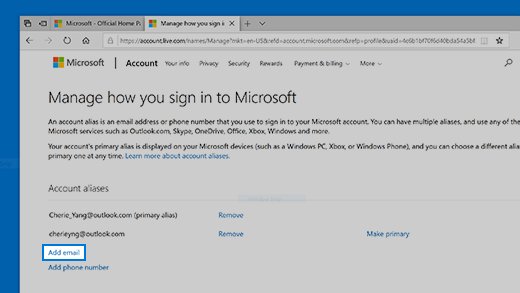
- Go to account.microsoft.com and sign in with the Microsoft account you used when you first redeemed or bought Office.
- On the Overview page, select Office apps, or open Services & subscriptions.
- Find your Office 2021, 2019 or 2016 product in the list.
- To change the language or switch between 64-bit and 32-bit, open the drop-down next to the product and pick your options.
- Select Install to download the installer.
- Run the downloaded file and follow the Windows or Mac steps below.
If the product is missing, you are probably signed in with a different Microsoft account. Microsoft keeps a separate help page for readers who forgot the account they use with Office.
Is Microsoft Office 2021, 2019, or 2016 free?
No. All three are one-time purchases that were sold with a licence. The download from Microsoft costs nothing, but Office will only activate when a valid licence is attached to your account or device.
In this case, a free download means Microsoft does not charge again for the installer of a product you already paid for. Phrases such as free Office 2021 key or free Office ISO do not describe any Microsoft offer.
| What you have | Is the download free? | Will Office activate? |
|---|---|---|
| A one-time purchase already linked to your Microsoft account | Yes, from account.microsoft.com | Yes |
| A new, unused retail product key | Yes, after you redeem the key | Yes |
| A Workplace Discount Program purchase | Yes, from your order history or account | Yes |
| A volume licence from an organization | Yes, through the Office Deployment Tool run by IT | Yes, with the organization's key or KMS |
| No licence at all | No legal download of these versions | No |
Can you still download Office 2021, 2019, and 2016?
Yes, if the product is linked to your account. Microsoft still documents the install and reinstall steps for all three versions, but two of them are already out of support.
| Version | Still downloadable from your account? | Support status |
|---|---|---|
| Office 2021 | Yes | Ends October 13, 2026 |
| Office 2019 | Yes | Ended October 14, 2025 |
| Office 2016 | Yes | Ended October 14, 2025 |
| Office LTSC 2021 (volume) | Through the Office Deployment Tool | Ends October 13, 2026 |
Which legal Office download route fits your licence?
| Your situation | Use this route | Why |
|---|---|---|
| Office was installed before and the account still shows it | Method 1: your Microsoft account | No key needed, fastest |
| You have a new boxed or emailed key | Method 2: redeem the key first | Links the licence to your account once |
| Your employer offers the Workplace Discount Program | Workplace Discount Program | Discounted, legitimate purchase |
| Your organization owns volume licences | Method 3: Office Deployment Tool, run by IT | Volume editions are not on account.microsoft.com |
| Office came on a work or school PC | Ask your IT department | The licence belongs to the organization |
| You have no licence | Office on the web or a Microsoft 365 trial | The only free Microsoft options |
Method 2: Redeem an Office product key first
A new retail Office product key is redeemed once to link Office to your Microsoft account. After that you never need the key again; every later install comes from your account.
- Go to microsoft365.com/setup (older Microsoft pages call it office.com/setup).
- Sign in with the Microsoft account you want Office linked to, or create one.
- Enter the 25-character product key from the card or purchase email.
- Follow the prompts to finish linking the product to your account.
- Continue to account.microsoft.com and select Install, as in Method 1.
Copy the key from the purchase email where you can. Microsoft lists look-alike characters such as B and 8, G and 6, and O and 0 as a common cause of invalid key errors.
Install Office on Windows
- Open the downloaded file: select Open file in Edge, Setup in Chrome, or Save File in Firefox.
- Select Yes when User Account Control asks whether to allow the app to make changes.
- Wait until You're all set! Office is installed now appears, then select Close.
- Open Word or Excel from the Start menu.
- Select Accept on the licence terms to activate Office.
- If the Microsoft Office Activation Wizard opens, follow its prompts and sign in with the same Microsoft account.
Office installs only on the system drive, usually C:. There is no option to install it on another drive.
Install Office on a Mac
- Open Finder, go to Downloads and double-click the Office installer package.
- Select Continue, review the licence agreement, select Continue again and then Agree.
- Choose the install type and select Continue, then select Install.
- To skip some apps, select Customize and clear the apps you do not want.
- Enter your Mac login password if asked and select Install Software, then Close.
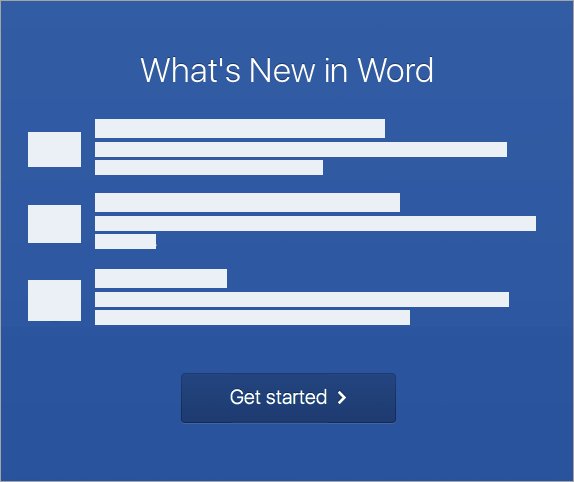
- Open Launchpad, start Microsoft Word and select Get Started in the What's New window to activate.
Office 2021 for Mac is supported on the three most recent versions of macOS. Professional 2021 is a PC-only edition, so it has no Mac installer.
Workplace Discount Program: a legitimate reduced-cost route
The Microsoft Workplace Discount Program, formerly the Home Use Program, lets employees buy Office at a discount when their employer takes part. It is a paid route, but it is the cheapest legitimate one for many people.
- Go to microsoft.com/home-use-program/order-history and enter your work email address.
- For Office Professional Plus, Visio Professional or Project Professional, check your work inbox, including junk mail, for a message with the product key.
- If no email arrives, sign in at account.microsoft.com/services with your personal Microsoft account, not your work email.
- Find the product and select Install.
- Keep the product key email: Workplace Discount Program Professional Plus, Visio and Project reinstalls need the key.
Organization-managed and volume-license editions
Volume-license editions such as Office LTSC Professional Plus 2021 are sold to organizations, not to individuals. They do not appear on a personal account.microsoft.com page.
| Edition | Who gets it | How it is installed |
|---|---|---|
| Office LTSC Professional Plus 2021 / Standard 2021 | Organizations with a volume licensing agreement | Office Deployment Tool or Configuration Manager |
| Office Professional Plus 2019 / Standard 2019 (volume) | Organizations with a volume licensing agreement | Office Deployment Tool |
| Office 2016 volume editions | Organizations with a volume licensing agreement | Windows Installer (MSI) packages |
| Office LTSC Standard for Mac 2021 | Volume licensed Mac customers | Volume License Serializer plus the Mac installer |
| Office on a work or school PC | Employees and students | Managed by the IT department |
Activation uses the organization's Multiple Activation Key (MAK) or a Key Management Service (KMS) host. A home user cannot activate these editions without that infrastructure or key.
Method 3: Download Office using the Office Deployment Tool
The Office Deployment Tool (ODT) is a free command-line tool from the Microsoft Download Center. It downloads volume-licensed Office 2019 and Office LTSC 2021 from the Office Content Delivery Network, and organizations activate the result with their own keys.
- Download the Office Deployment Tool from the Microsoft Download Center.
- Double-click the downloaded file to extract
setup.exeand a sampleconfiguration.xml. - Create a
configuration.xmlwith the Product ID, channel, language, 32-bit or 64-bit edition and your organization's key, or build it with the Office Customization Tool at config.office.com. - Open Command Prompt as administrator and change to the folder that holds
setup.exe. - Run
setup /download configuration.xmlto fetch the files, thensetup /configure configuration.xmlto install.
If you manage several PCs, a saved XML file lets you configure the Office Deployment Tool once and reuse it.
Download Office LTSC 2021 using ODT
In configuration.xml, set Channel="PerpetualVL2021" and a Product ID such as ProPlus2021Volume or Standard2021Volume. Put the organization's MAK, or the published generic key for KMS, in PIDKEY.
setup /download configuration.xmlRun from an elevated Command Prompt in the ODT folder. It downloads the Office LTSC 2021 files to the SourcePath set in the XML; the 32-bit and 64-bit editions must be downloaded separately.
You should see: The prompt returns when the download finishes, and the SourcePath holds an Office folder with a Data subfolder named after the build number.
Download Office 2019 using ODT
For volume-licensed Office 2019, set Channel="PerpetualVL2019" and a Product ID such as ProPlus2019Volume, Standard2019Volume, ProjectPro2019Volume or VisioPro2019Volume.
setup /configure configuration.xmlInstalls Office 2019 using the settings in the XML file, from the downloaded files or straight from the Office CDN when no local files exist. Add <RemoveMSI /> to remove older Windows Installer versions of Office first.
You should see: The prompt returns after installation, and the Office 2019 apps appear in the Start menu.
Why the Office Deployment Tool is not a free retail activation method
The ODT only downloads and installs files. It does not create a licence, so Office installed with it stays unactivated unless a valid volume key or KMS host activates it.
| Claim | What Microsoft documents |
|---|---|
| The ODT gives you free Office | The ODT is free; the Office licence is not |
| Any key in PIDKEY will work | PIDKEY takes the organization's MAK, or a generic key used only with a KMS host |
| Retail Office 2021 installs through the ODT | The documented Product IDs for these channels are volume editions |
| You can activate without a key | Unactivated Office shows Unlicensed Product and most features are disabled |
What about Office 2016?
Retail Office 2016 is reinstalled from your Microsoft account like the newer versions. Volume Office 2016 is different: it used Windows Installer (MSI) packages, not the ODT's Click-to-Run channels.
| Office 2016 detail | What to know |
|---|---|
| Retail Office 2016 download | account.microsoft.com, select Install |
| Default edition | 32-bit unless you select 64-bit before installing |
| Choosing individual apps | Not possible on Windows; all apps in the product install together |
| Mac via Workplace Discount Program | Only Office Home & Business 2016 for Mac |
| Support | Ended October 14, 2025, with no extended security updates |
Can you download an Office 2021 ISO?
Not from Microsoft. Microsoft's volume licensing documentation states that there are no full ISO downloads for the 2019, 2021 or 2024 versions of Office; the files come from the Office Content Delivery Network instead.
| What you want | Microsoft's route |
|---|---|
| An installer that works without a live connection | Office Deployment Tool with setup /download to a local folder |
| A retail reinstall | The installer from account.microsoft.com |
| A setup that keeps failing online | Microsoft's offline installer option, linked from its troubleshooting page |
| A file called Office 2021 ISO on another site | Not from Microsoft; avoid it |
32-bit vs. 64-bit Office: which should you download?
Microsoft recommends 64-bit for PCs with 4 GB of memory or more, unless an old add-in needs 32-bit. You cannot install both on one PC.
| Your case | Pick | Reason |
|---|---|---|
| Large Excel workbooks, Power Pivot or big data sets | 64-bit | Can use more memory |
| Less than 4 GB of RAM or 32-bit Windows | 32-bit | 64-bit will not suit the hardware |
| Old 32-bit COM add-ins or MAPI programs | 32-bit | They will not load in 64-bit Office |
| Windows on an ARM processor (Microsoft 365 guidance) | 32-bit | Microsoft lists 32-bit as the option there |
| None of the above on a 64-bit PC | 64-bit | Microsoft's recommendation for 4 GB or more |
Choose the edition from the drop-down next to Install on your account page before you download.
Can Office 2021, 2019, and 2016 run on Windows 11?
Yes, all three install on Windows 11. Microsoft supported each one there only until its own end-of-support date.
| Version | Windows 11 | Windows 10 | Supported until |
|---|---|---|---|
| Office 2021 / LTSC 2021 | Yes | Yes | October 2026 |
| Office 2019 | Yes | Yes | October 2025 |
| Office 2016 | Yes, as a Microsoft exception | Yes | October 2025 |
Office 2021 needs Windows 10 or later. Windows XP and Vista produce an error during setup.
What apps are included?
| Edition | Apps | Devices |
|---|---|---|
| Home & Student 2021 | Word, Excel, PowerPoint, OneNote | One PC or Mac |
| Home & Business 2021 | Word, Excel, PowerPoint, OneNote, Outlook | One PC or Mac |
| Professional 2021 | Word, Excel, PowerPoint, OneNote, Outlook, Publisher, Access | One PC only |
| Office LTSC Professional Plus 2021 (volume) | Access, Excel, OneNote, Outlook, PowerPoint, Publisher, Skype for Business, Word | Per organization licence |
Your account page installs the apps your edition includes. Office LTSC 2021 no longer includes the Teams client app.
Can you see the full Office product key?
No. For security reasons, Microsoft does not show the full product key inside Office or on your Microsoft account page, except for some Workplace Discount Program purchases.
Rely on the Microsoft account, not the key, to reinstall Office 2021, 2019 or 2016. Once a key is redeemed, the licence lives in the account. In Word, File > Account shows the account the product Belongs to, and that sign-in is all a reinstall needs.
How to check Office 2021, 2019, or 2016 is installed and activated
- Open Word from the Start menu on Windows or Launchpad on a Mac.
- Check the title bar: it should not say Unlicensed Product.
- Select File > Account and confirm the product name matches the version you bought.
- Confirm the account shown next to Belongs to is your Microsoft account.
How long will these Office versions receive support?
Office 2021 is also near end of support: its date is October 13, 2026, with no extension and no extended security updates. Office 2016 and Office 2019 already reached end of support.
| Version | End of support | Extended security updates |
|---|---|---|
| Office 2016 | October 14, 2025 | None |
| Office 2019 | October 14, 2025 | None |
| Office 2021 | October 13, 2026 | None |
| Office LTSC 2021 (Windows and Mac) | October 13, 2026 | None |
Office 2016 and Office 2019 stopped being supported for connecting to Microsoft 365 services such as Exchange Online and OneDrive in October 2023.
What happens when Office support ends?
The apps keep opening and your files stay usable. What stops is Microsoft's maintenance.
| After end of support | Status |
|---|---|
| Word, Excel and other apps | Continue to work |
| Security fixes for new vulnerabilities | Stop |
| Bug fixes and non-security updates | Stop |
| Microsoft technical support | Stops |
| Your documents | Still open in supported Office versions and Microsoft 365 |
Can you use Office without activation?
Not in any useful way. When activation fails, the title bar shows Unlicensed Product and most Office features are disabled until a valid licence activates it.
| Situation | Result |
|---|---|
| Installed but never activated | Unlicensed Product and most features disabled |
| Two Office versions installed | Activation conflicts; uninstall the one you do not use |
| Activated with your own licence | Full use |
| Activated with a blocked key | Activation fails or stops later |
Common installation problems with Office 2021, 2019, and 2016
"This product key has already been used"
The key was already redeemed, so the licence is linked to a Microsoft account.
- Sign in at account.microsoft.com with the account used to buy or redeem Office.
- Open Services & subscriptions and select Install.
- When an app asks for activation, sign in with that account instead of entering the key.
Unable to download Office 2021 from the account page
You are signed in with a different account, or the connection, proxy or firewall interrupts the download.
- Sign out and sign in with the account linked to Office.
- Restart the PC and try Install again.
- If online setup keeps failing, use the offline installer option Microsoft links from its install troubleshooting page.
32-bit and 64-bit conflict
Another Office product of the other edition is already installed, and both cannot coexist.
- Uninstall the Office edition you do not want.
- Restart the PC.
- Select the edition you want in the drop-down on your account page and select Install.
Office 2016 installs all included applications
Office 2016 does not support choosing individual apps during setup.
- Let setup install the full product.
- Remove Start menu shortcuts for the apps you do not use.
Use Microsoft's uninstall troubleshooter when removal fails
A damaged or partial install blocks both removal and reinstall.
- Restart the PC and try setup once more.
- Run Microsoft's Office uninstall troubleshooter from its install troubleshooting page.
- Restart again, then reinstall from account.microsoft.com.
Unsupported computers
Office 2021 needs Windows 10 or later, Office 2021 for Mac needs one of the three latest macOS versions, and Chromebooks cannot run desktop Office.
- Check the Windows or macOS version on the computer.
- Update the operating system if it is supported, or use Office on the web in a browser.
If the key says it is not valid
A typo, a region mismatch, or a key Microsoft's setup page does not accept, such as a Windows PC sticker or volume key.
- Copy the key from the purchase email instead of typing it.
- Redeem it in the country or region where it was bought.
- If the retailer did not activate the key at sale, return it to the store.
Be careful with cheap or “free” keys
Microsoft warns that a key sold separately from the software may be stolen or fraudulently obtained and later blocked; if it stops working, Microsoft's advice is to ask the seller for a refund.
Avoid unofficial Office downloads too. Microsoft distributes Office 2021, 2019 and 2016 only through your account page, the Office Content Delivery Network used by the ODT, and organization channels.
| Source | Legal and official? |
|---|---|
| account.microsoft.com and microsoft365.com/setup | Yes |
| Office Deployment Tool from the Microsoft Download Center | Yes, for volume licences |
| Workplace Discount Program order history | Yes |
| Download portals offering a cracked or pre-activated Office | No |
| Activator tools or generic keys for home use | No |
Free alternatives to downloading older Office versions
If you need Office at no cost and own no licence, Microsoft's free options are browser and trial based. They also avoid running a version that no longer gets security fixes.
| Option | What you get | Cost |
|---|---|---|
| Word, Excel and PowerPoint for the web | Browser apps with a free Microsoft account and 5 GB of OneDrive storage | Free |
| Microsoft 365 Family trial | Current desktop Office apps for one month | Free for one month, then renews unless cancelled |
For the current desktop installers, the Microsoft Office download options cover Microsoft 365 and offline setups, while the Office 2019 download page covers that paid edition.
Office 2021, 2019, and 2016 download FAQ
Is Office 2021 free?
No. Office 2021 is a one-time purchase. Microsoft lets you download it again for free only when a licence is already linked to your Microsoft account. Without a licence, the free options are Office on the web and a one-month Microsoft 365 trial.
How do I download Microsoft Office 2021?
Sign in at account.microsoft.com with the account linked to Office 2021, open Office apps or Services & subscriptions, and select Install. If you have a new key, redeem it at microsoft365.com/setup first.
How do I download Microsoft Office 2021 for free?
You can download it at no extra cost only if you already own it. Sign in at account.microsoft.com and select Install. Microsoft does not offer free Office 2021 licences; any site claiming otherwise is not a Microsoft source.
How do I install Office 2021 after downloading it?
On Windows, run the downloaded setup file, select Yes at User Account Control, wait for You're all set, then open Word and select Accept. On a Mac, open the package from Downloads and follow the installer prompts.
Where do I download Office 2021 Pro?
Professional 2021 downloads from account.microsoft.com like other retail editions. Office LTSC Professional Plus 2021 is a volume edition that organizations install with the Office Deployment Tool and activate with their own keys.
Should I use Office.com/setup to reinstall Office?
No. Office.com/setup, or microsoft365.com/setup, is for redeeming a new key once. To reinstall, sign in at account.microsoft.com with the linked Microsoft account and select Install.
What does “This product key has already been used” mean?
It means the key was already redeemed and Office is linked to a Microsoft account. Sign in with the account used to buy Office and install from Services & subscriptions; the message does not stop you from installing.
Can I use a generic Office activation key?
No. Generic volume license keys only work with an organization's Key Management Service host. They do not activate Office on a home PC, and they are not a free licence.
Can one one-time-purchase Office license be installed on multiple computers?
No. Home & Student 2021 and Home & Business 2021 are licensed for one PC or Mac, and Professional 2021 for one PC. A second computer needs a second licence.
Can I install 64-bit Office over 32-bit Office?
No. Uninstall the 32-bit edition first, restart, then choose 64-bit in the drop-down on your account page and install. Office editions of different bitness cannot be installed side by side.
Does the Office Deployment Tool activate Office for free?
No. The ODT only downloads and installs files. Activation still needs a valid volume key or KMS host from an organization with a volume licensing agreement.
Is it safe to install Office 2016 or Office 2019 now?
Both still install, but their support ended on October 14, 2025, so they get no security fixes. Office 2021 support ends on October 13, 2026.
Bottom line: should you still download Office 2021, 2019, or 2016?
Download Office 2021, 2019 or 2016 from account.microsoft.com only if you already own the licence, and plan to move to a supported Office version. That is the only free and legal route Microsoft offers for these versions. Office 2016 and 2019 are already out of support, and Office 2021 follows on October 13, 2026, so none of them will receive security fixes for long.