Microsoft is continuing its efforts to make Progressive Web Apps more native in Windows. The company wants to bridge the gap between native apps and PWAs. Edge Canary builds on Windows 10 May 2020 Update already showing what Redmond giant promised at Build 2020 about PWA features it is bringing to the new Microsoft Edge Chromium browser.
In Windows 10, Web Apps aren’t treated as Native, as the former doesn’t appear separately in Task Manager and Settings App.
In addition to these, PWAs lack Sharing support, title bar customization, App Shortcuts, Badges or Notifications Support, Run at OS logon, Native File system access and File, URI, and Protocol handling.
Microsoft is working to bring the above-said features to PWAs in the Edge browser. Some of these can already be seen in Edge Canary build running on Windows 10 May 2020 Update (version 2004).
Enable new PWA features in Edge in Windows 10
1.Launch Microsoft Edge Canary
2. Visit edge://flags/#edge-web app-identity-proxy
3. Select Enabled and restart the browser.
Note: Web App Identity Proxy flag has been around for a while, but only works on Windows 10 version 2004 in Edge Canary. The flag enabling makes PWAs to tightly integrate with Windows Shell.
Enables installed web apps to be created with modern Windows application identity for better integration with the Windows shell. – Windows
4. Visit Outlook or Mappslit in the address bar and click on + icon to install.
5. These web apps appear as separate apps in Settings App under Apps & Features offers, Advanced Options, in addition to Move and Uninstall.

Advanced Options displays app Specification, Permissions it acquired. You can Terminate or Reset or Uninstall a PWA from its advanced options page.
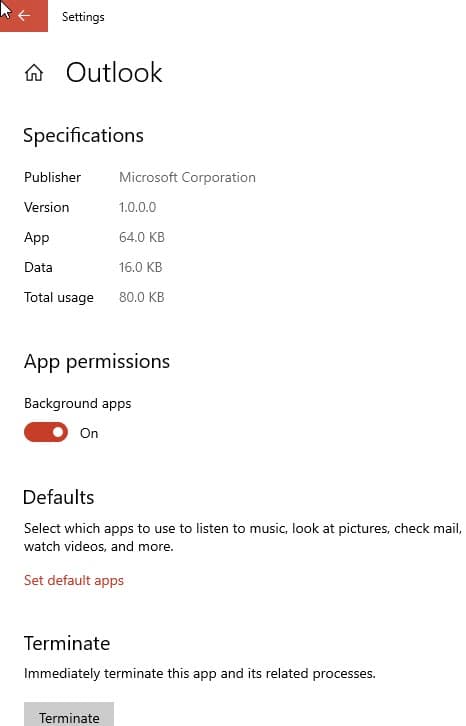
Progressive Web apps installation can be moved to another location on your hard drive. Use the “Move” option and select a Drive for that, currently, this is not working.

If you open Task Manager > Processes> Background Processes, you can notice Outlook and Mappslist running individually.

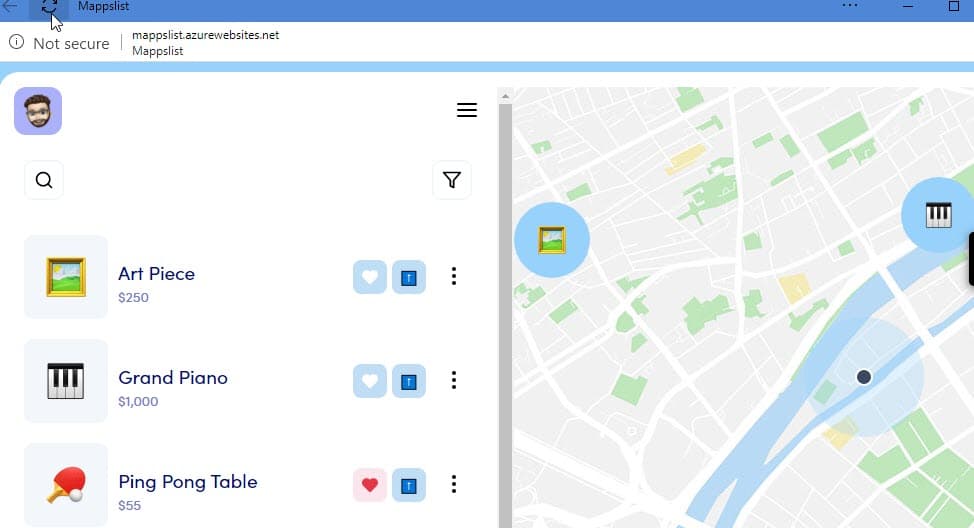
If you launch Mappslist App, you can notice it using the Custom title bar with the Refresh button.
We’ve talked about Chrome and edge PWAs getting App Shortcuts on Windows and Android already. You can test the feature with the “Desktop PWA app icon Shortcuts menu” flag enabled in Canary builds of Chrome and Edge.
You’ll find more information badges, Sharing UI and other features that the Edge team is working on, here.
Related articles:
Microsoft to make Edge Web Apps more native in Windows 10
Microsoft Edge Canary gets support for PWA Icons on the taskbar to show Shortcuts
Chrome adds Colored Tab Strips to PWAs
Microsoft to make PWAs Run Automatically on Windows Startup
Microsoft Edge Canary now automatically applies Website colors to App Title bar





