To sign in to Hotmail, open Outlook.com and enter your existing Hotmail email address and Microsoft account password. Hotmail is now part of Outlook, but your @hotmail.com, @hotmail.co.uk, @live.com, or @msn.com address continues to work. You do not need to create a new Outlook email address.
Official Hotmail sign-in page: Open your Hotmail inbox
How to sign in to your Hotmail account
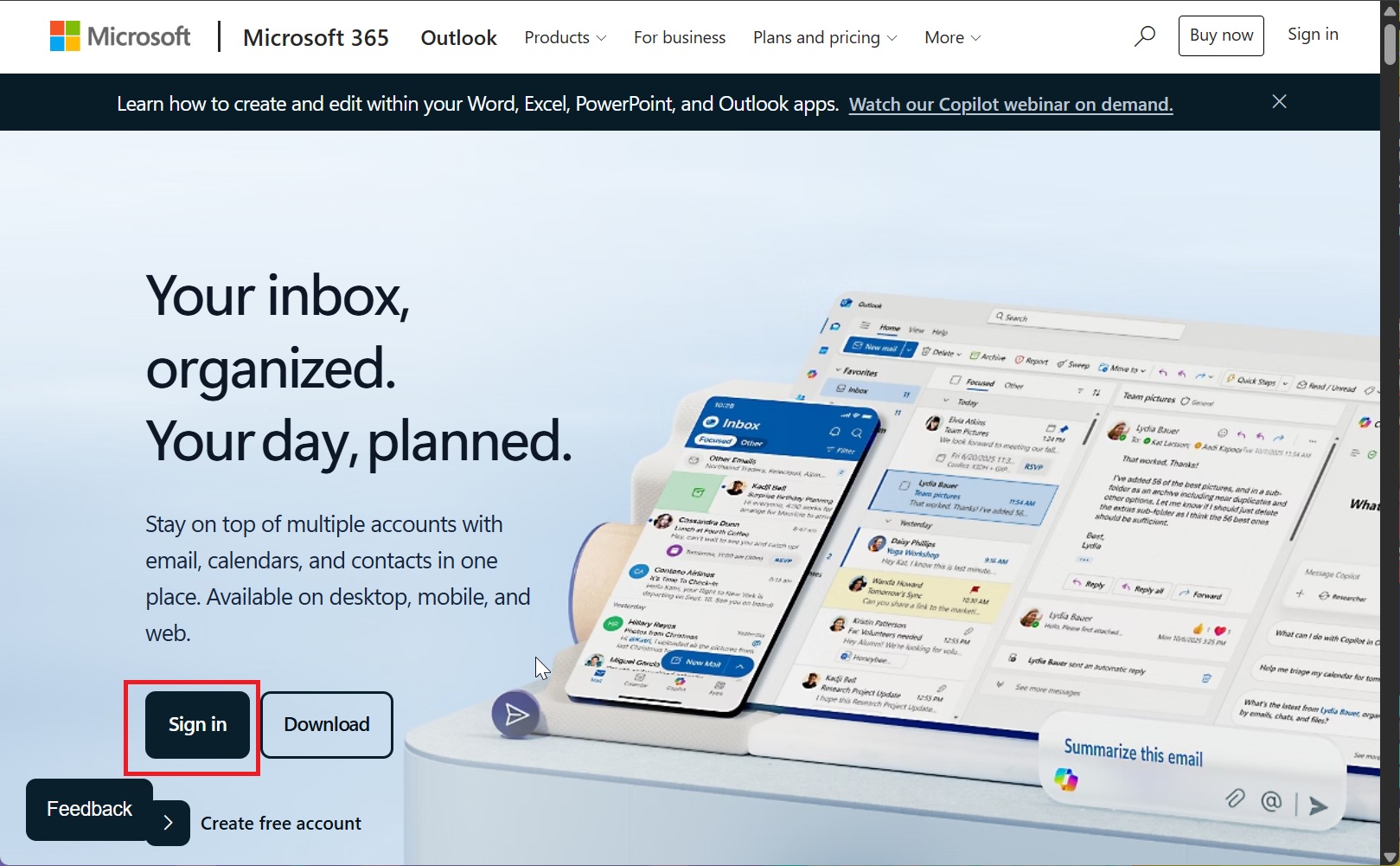
- Open Outlook.com in your web browser.
- Select Sign in.
- Enter your full Hotmail email address, including @hotmail.com.
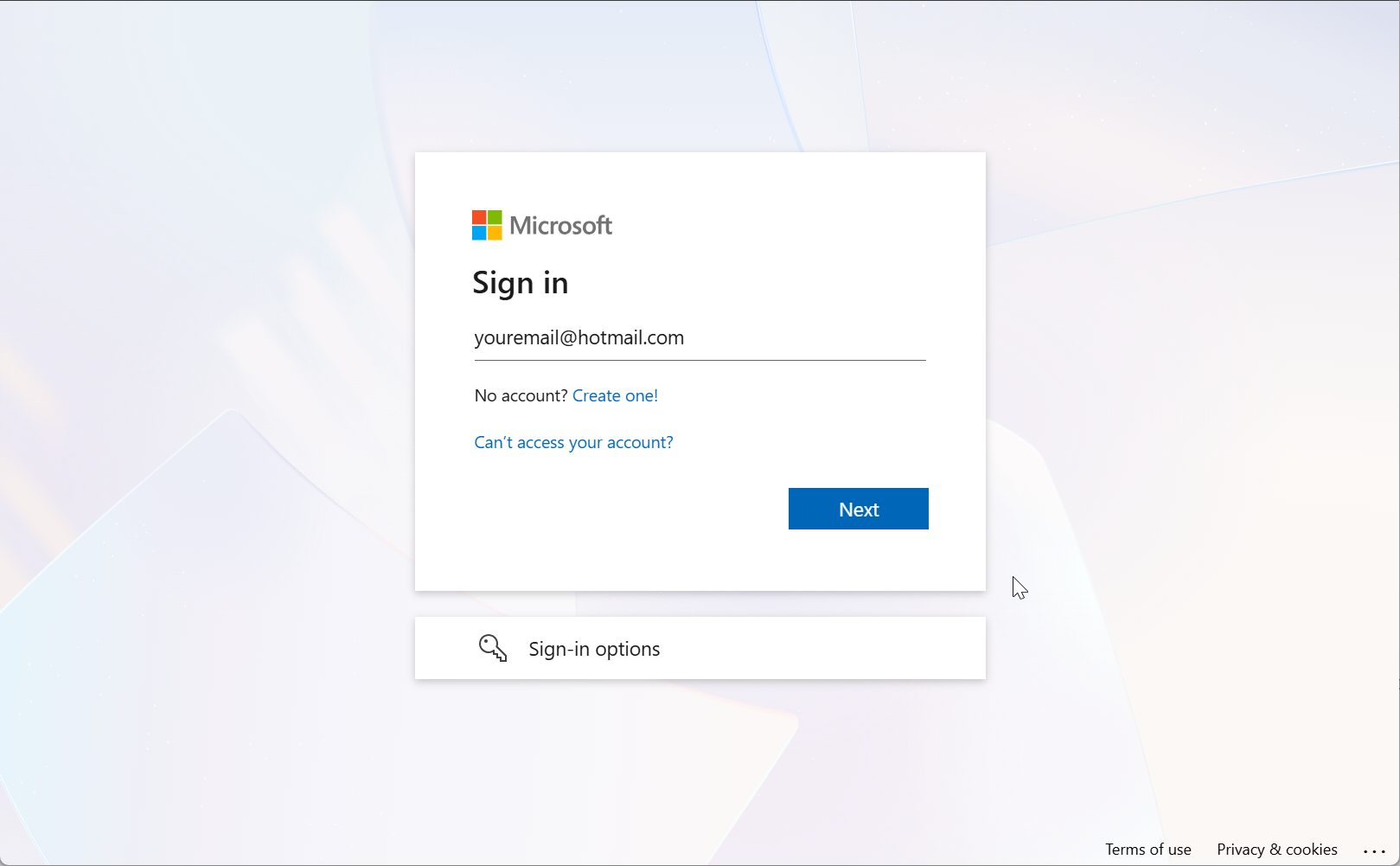
Type your Hotmail.com email to sign-in
- Select Next and enter your Microsoft account password.
- Complete any identity verification request that appears.
After signing in, Outlook will open your existing Hotmail inbox, folders, contacts, and calendar. Your Hotmail password is also your Microsoft account password, so changing it affects other Microsoft services connected to the same account, such as OneDrive, Xbox, Skype, or Microsoft 365.
If Outlook opens the wrong inbox, select your profile picture in the upper-right corner, sign out, and then sign in again with the correct Hotmail address.
Why does Hotmail open Outlook?
Microsoft replaced the original Hotmail website and interface with Outlook.com. The Hotmail name is no longer used for the webmail service itself, but Microsoft has not forced existing account holders to change their addresses.
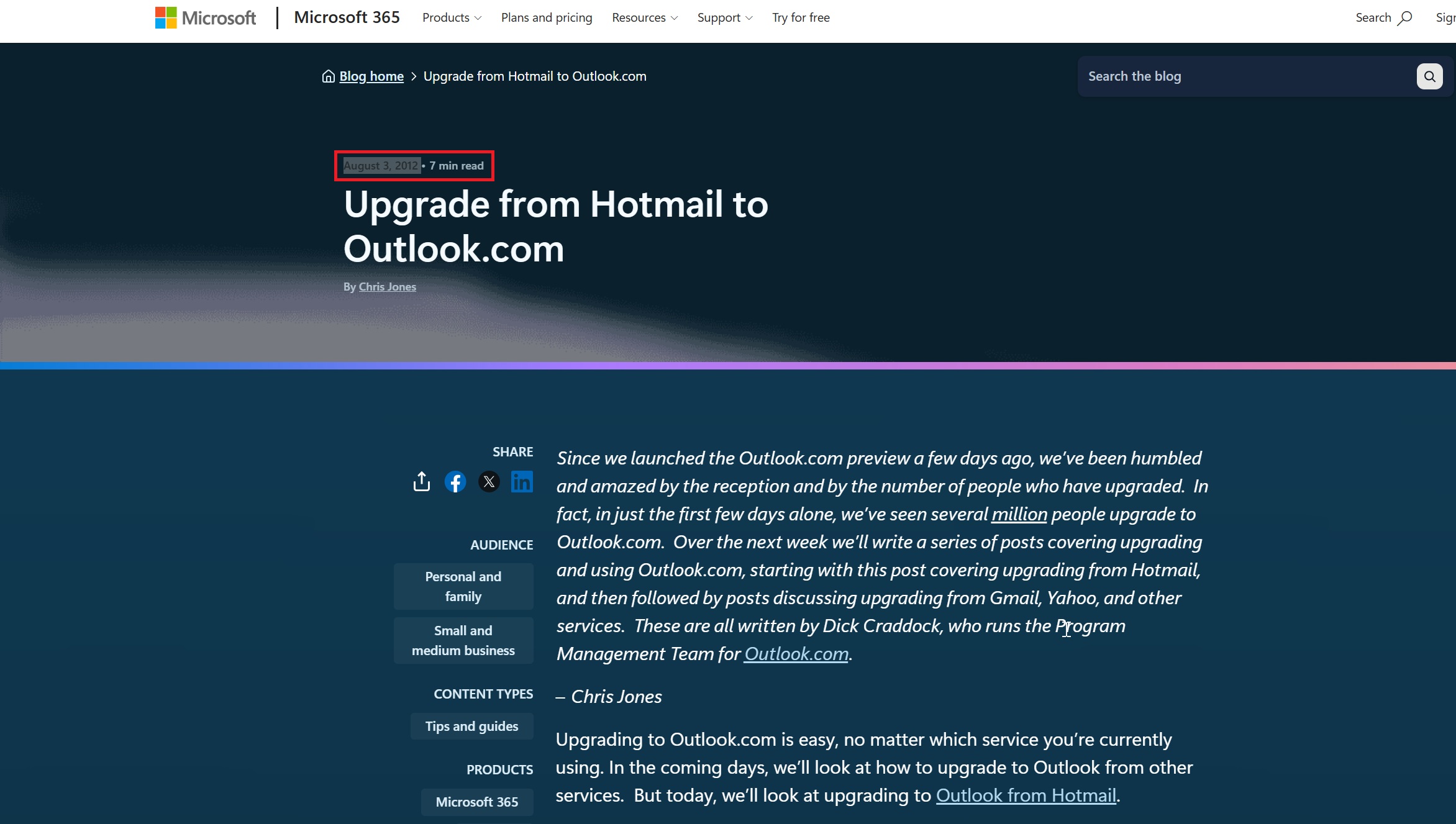
Hotmail rebranded to Outlook in 2012
This means an address such as [email protected] still receives email normally. You simply manage it through the Outlook website and apps.
You should be cautious of websites claiming that you need to download a separate “Hotmail sign-in app” or enter your password into a third-party login page. The official web address should belong to Microsoft and end in domains such as outlook.com, live.com, or microsoft.com.
Access Hotmail on Windows 11 or Windows 10
The fastest way to check Hotmail on a Windows PC is to use Outlook.com in Chrome, Microsoft Edge, Firefox, or another modern browser. You can also add the account to the new Outlook app included with Windows.
Add Hotmail to the new Outlook for Windows
- Open Outlook from the Windows Start menu.
- Select Add account.
- Enter your complete Hotmail email address.
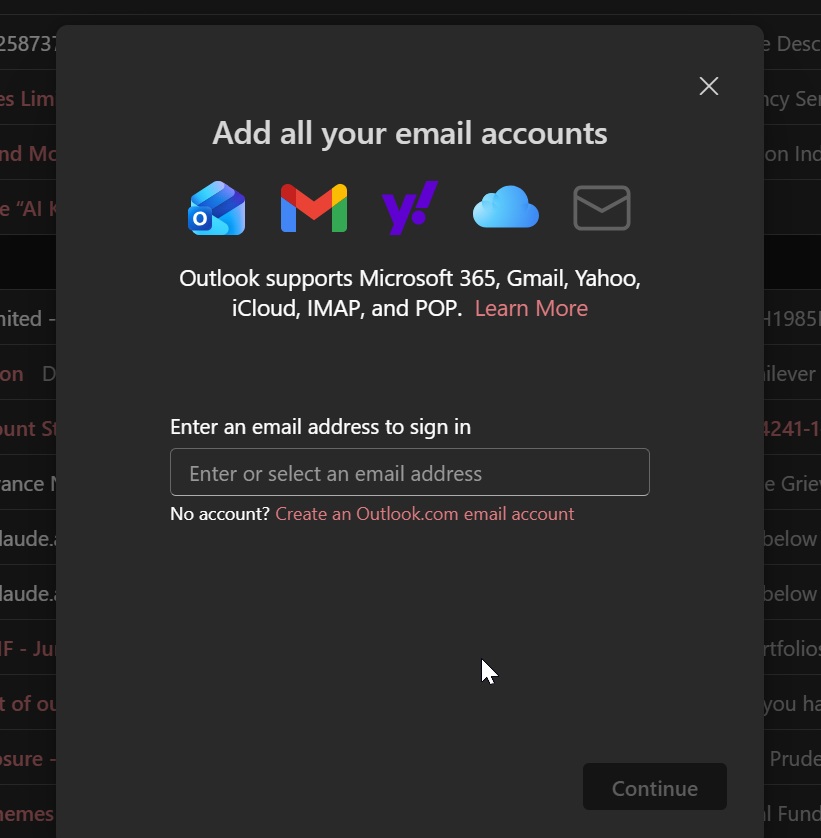
- Select Continue.
- Enter your password and approve any security request.
- Allow Outlook to finish syncing your inbox.
If Outlook already contains another email account, open its settings and look for Accounts > Your accounts > Add account. The wording may vary slightly depending on your Outlook version.
Important: The old Windows Mail and Calendar apps are no longer supported. Microsoft ended support on December 31, 2024, and those apps can no longer send or receive email. Use the new Outlook for Windows or Outlook.com instead.
Access Hotmail on Android, iPhone, or iPad
You can use Hotmail through the Microsoft Outlook mobile app, which is available for Android, iPhone, and iPad.
- Install the official Microsoft Outlook app from Google Play or Apple’s App Store.
- Open Outlook and select Add account.
- Enter your Hotmail address.
- Enter your Microsoft account password.
- Complete two-step verification if it is enabled.
You can also add Hotmail to Apple Mail, Gmail, or another email app. However, Outlook is usually the simplest option because Microsoft handles the account configuration automatically.
What to do if you cannot sign in to Hotmail
Most Hotmail sign-in failures involve a forgotten password, an old recovery phone number, repeated login attempts, or Microsoft asking for additional verification.
| Problem | What to do |
|---|---|
| You forgot your password | Select Forgot password? on the sign-in page and verify your identity using the available email, phone, or authentication method. |
| You forgot your Hotmail address | Use Microsoft’s username lookup tool with the recovery phone number or email address connected to your account. |
| Your correct password is rejected | Check the spelling of the full address, turn off Caps Lock, and use Microsoft’s Sign-in Helper instead of repeatedly attempting the same password. |
| A verification code does not arrive | Check your spam folder, confirm the displayed phone number or email address, and try another available verification method. |
| You no longer have the recovery number | Select I don’t have any of these when offered and follow Microsoft’s security information replacement or account recovery process. |
| Microsoft says the account is blocked | Follow the on-screen verification steps. Microsoft may temporarily block an account after unusual activity or too many unsuccessful sign-in attempts. |
| The inbox opens but old messages are missing | Check Archive, Deleted Items, Junk Email, inbox rules, forwarding settings, and whether the mailbox was inactive for an extended period. |
Reset a forgotten Hotmail password
- Open the Microsoft account sign-in page.
- Enter your Hotmail address.
- Select Forgot password?.
- Choose where Microsoft should send the security code.
- Enter the code and create a new password.
If none of the displayed recovery methods belong to you, use Microsoft’s Sign-in Helper. It will direct you to the correct recovery process based on the error you are receiving.
Recover Hotmail when you cannot access the phone number
If you still know your password but cannot access any listed verification method, select I don’t have any of these during verification. Microsoft may let you replace your security information, although account protections can delay access while the change is processed.
If you have also forgotten the password, you may need to complete Microsoft’s account recovery form. Provide as much accurate information as possible, including previous passwords, names of contacts, email subject lines, Skype details, or Microsoft purchases connected to the account.
Microsoft support representatives cannot manually bypass account security, send you a password, or change ownership of an account. The information submitted through the recovery process must be enough for Microsoft’s system to verify that the account belongs to you.
Can you recover an old Hotmail account?
You may be able to recover an old Hotmail account if it still exists and you can prove ownership. Start by entering the email address on the Microsoft account sign-in page.
If Microsoft says that the account does not exist, check the spelling and try any aliases, phone numbers, or Skype names that may have been connected to it.
Microsoft generally requires you to sign in to your Microsoft account at least once every two years to keep it active. There are exceptions, including some accounts with active subscriptions, purchases, balances, or other ongoing Microsoft services.
The Outlook.com mailbox has a separate inactivity rule. If you do not open the mailbox for at least one year, Microsoft may close the mailbox and delete its stored email, even when the wider Microsoft account still exists.
An account that has already been permanently deleted usually cannot be reopened. Microsoft may also prevent a deleted Microsoft-owned email address from being registered again, which means you may not be able to recreate the same Hotmail address.
How to sign in safely on a public or shared computer
Microsoft accounts now normally remain signed in unless you manually sign out or use private browsing. This is convenient on your own PC, but it can expose your inbox on a hotel, library, office, school, or shared family computer.
When the device does not belong to you:
- Open an Incognito, InPrivate, or other private browsing window.
- Sign in to Hotmail from Outlook.com.
- Do not allow the browser to save your password.
- Select your profile picture and choose Sign out when finished.
- Close every private browser window before leaving the computer.
If you accidentally remained signed in on another device, open your Microsoft account security settings from a trusted device, review recent activity, change the password if necessary, and use the option to sign out everywhere.
Frequently asked questions
What is the official Hotmail sign-in page?
The official sign-in page is Outlook.com. Microsoft now manages Hotmail through Outlook, so there is no separate modern Hotmail inbox website.
Can I still sign in with an @hotmail.com address?
Yes. Existing Hotmail addresses continue to work. Enter the complete address and your Microsoft account password on the Outlook.com sign-in page.
Do I need to change my Hotmail address to Outlook?
No. You can keep using your existing Hotmail address for sending email, receiving messages, signing in, and recovering your Microsoft account.
Why does hotmail.com redirect me to Outlook?
Hotmail was redesigned and moved to Outlook.com. The redirect is expected and does not mean your email address has changed.
Can I access a Hotmail.co.uk account?
Yes. Existing regional Hotmail domains, including @hotmail.co.uk, use the same Outlook.com sign-in system.
Why does Microsoft say I have tried to sign in too many times?
Microsoft may temporarily limit further attempts after repeated incorrect passwords or suspicious activity. Stop trying different passwords, wait before attempting again, and use the official password reset or Sign-in Helper process.
What if my verification code is being sent to an old phone?
Choose another verification method when available. If you cannot access any listed method, select I don’t have any of these and follow the process for replacing your account security information.
Can Microsoft support tell me my Hotmail password?
No. Microsoft support cannot view your password or manually bypass the account verification process. You must reset the password or prove ownership through Microsoft’s recovery tools.
Can I sign in to Hotmail without a password?
Yes, when you have configured a passwordless sign-in method such as Microsoft Authenticator, Windows Hello, a security key, or another supported verification method. You must set this up through your Microsoft account security settings.
Is Hotmail different from a work or school Outlook account?
Yes. Hotmail is a personal Microsoft account. An email address supplied by an employer, university, or school is normally a Microsoft work or school account and may use a different sign-in page managed by that organization.
Bottom line
Your Hotmail account has not been replaced or converted into a different email address. To open it, visit Outlook.com and sign in with the same Hotmail address and Microsoft account password you already use.
On Windows, use Outlook.com or the new Outlook app rather than the retired Windows Mail app. If you cannot get into the account, use Microsoft’s official password reset, Sign-in Helper, or recovery form instead of repeatedly guessing the password or entering your details on a third-party website.



How to Create an Outlook Email Account: A Step-by-Step Guide - Techdows
[…] both sign-ins work and the reply arrived, the account is fully active. Next time, the Hotmail and Outlook sign-in guide covers the sign-in page […]