You can download the Xbox app free for Windows 11 and Windows 10, either from xbox.com or straight from the Microsoft Store. Microsoft ships no macOS build, so Mac owners stream through a browser instead.
One Store package covers both Intel or AMD and Arm64 PCs. The app itself costs nothing, and Game Pass is the separate subscription.
This guide covers the file to take, installing from the Store or with winget, what Mac and iPhone owners get, and fixes for a stalled setup.
Check the Xbox app system requirements before you download
Microsoft states Windows 10 or Windows 11, version 22H2 or higher, on the download page. The Store listing itself refuses anything older than Windows 10 build 18362.
| Specification | Detail |
|---|---|
| Software | Xbox app |
| Developer | Microsoft Corporation |
| Latest version | Updated automatically through the Microsoft Store |
| Licence / price | Free; Game Pass is sold separately |
| Supported OS | Windows 11 and Windows 10, version 22H2 or higher |
| Store minimum build | Windows 10 build 18362 |
| Architecture | x64 and Arm64; no 32-bit package |
| Download size | 472.2 MB for the Store bundle, which carries both architectures |
| Web installer | XboxInstaller.exe, 13.4 MB |
| Offline installer | No, the package is fetched while setup runs |
| Package name | Microsoft.GamingApp |
| macOS | No app; xbox.com/play runs in a browser |
| Mobile | iPhone, iPad and Apple Vision Pro |
| Store category | Entertainment, rated 12+ |
| Official download source | xbox.com/apps/xbox-app-on-pc |
| Last verified | 2026-09-22 |
Which Xbox download do you need?
Windows PCs all take the same Store package, whatever the processor. Everything else on this list is a different product for a different device.
| Your device | Take this | Size |
|---|---|---|
| Windows 11 or Windows 10 PC with an Intel or AMD processor | Microsoft Store listing | 472.2 MB bundle |
| Windows 11 on a Snapdragon or other Arm64 laptop | The same Store listing | Arm64 is inside the same bundle |
| You would rather start from a downloaded file | XboxInstaller.exe | 13.4 MB |
| A Mac | Cloud gaming in a browser | Nothing to install |
| iPhone, iPad or Apple Vision Pro | App Store listing | 97 MB |
The 472.2 MB figure is the whole bundle; your PC pulls only the architecture it runs.
Download the Xbox app from Microsoft’s official pages
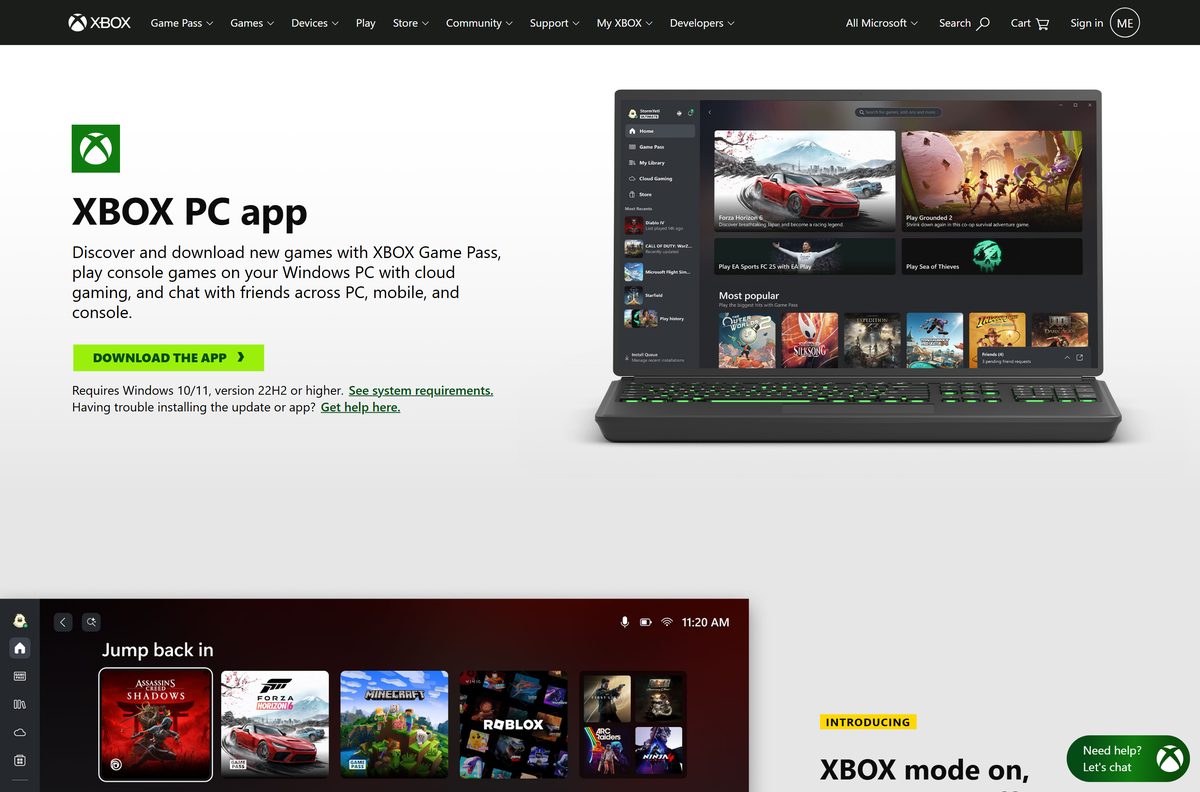
Two routes end at the same package: the button on xbox.com, and the Store listing.
- Xbox app page on xbox.com — carries the DOWNLOAD THE APP button
- Microsoft Store listing — 472.2 MB bundle · x64 and Arm64, free
- XboxInstaller.exe — 13.4 MB · web installer that pulls the Store package
- App Store listing for iPhone and iPad — 97 MB · iOS 15.1, iPadOS 15.1 or visionOS 1.0 and later
- Cloud gaming in a browser — the Mac, Chromebook and Linux route
Nothing else is official. A site selling an installer for this is reselling a free Microsoft package.
How to install the Xbox app on Windows 11 and 10
The 13.4 MB file from xbox.com is a web installer. It needs the connection open until the real package lands.
- Open xbox.com/apps/xbox-app-on-pc and select DOWNLOAD THE APP.
- Save XboxInstaller.exe , then double-click it.
- Approve the User Account Control prompt.
- Leave the window open while it fetches the package from the Microsoft Store.
- Open Xbox from the Start menu when setup finishes.
- Select Sign in and use the Microsoft account that holds your games.
- Open My library to see every title tied to that account.
- Select a game, then select Install to start the download.
Install the Xbox app from the Microsoft Store or with winget
Skipping the web installer saves a step on a PC that already signs in to the Store.
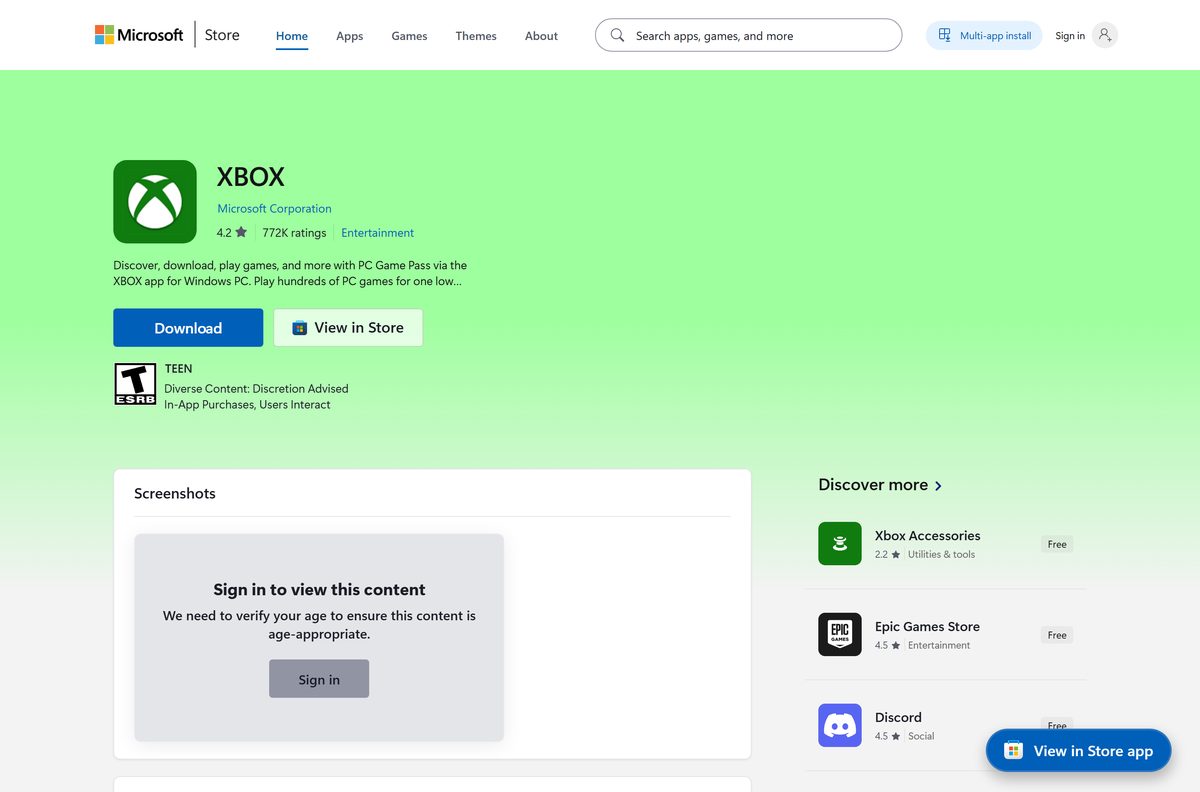
- Open Microsoft Store from the Start menu.
- Search for Xbox and open the listing from Microsoft Corporation.
- Select Get, and the download starts straight away.
- Prefer a command? Open Terminal and run winget install 9MV0B5HZVK9Z -s msstore .
- Add –accept-source-agreements to that command when you script it for a new PC.
- Open Xbox from the Start menu and sign in.
Which Xbox download do you need for your Mac?
There is no macOS package. Microsoft publishes this app for Windows, iPhone, iPad and Apple Vision Pro, and nothing else on Apple hardware.
| What you want on a Mac | Route | What it needs |
|---|---|---|
| Play Game Pass titles | xbox.com/play | Microsoft Edge, Google Chrome, or Safari |
| Play free-to-play games | xbox.com/play | A free Microsoft account in a supported region |
| Reach games installed on your console | Remote play | Microsoft lists the supported devices on that page |
| Install a native app | Microsoft Store listing | Windows only, so this route is closed |
| Use a phone or tablet beside the Mac | App Store listing | iOS 15.1, iPadOS 15.1 or visionOS 1.0 and later |
Is the Xbox app free?
The app and the account are free. The catalogue behind them is the paid part.
The Xbox app costs nothing, and the Microsoft Store lists it at $0.00. Game Pass is the subscription: Essential includes 5 hours of cloud playtime a month, Premium 10 hours and Ultimate 15 hours. Free-to-play titles need only a Microsoft account in a supported region. Games you already own on that account install without any subscription at all.
Any page charging for the installer, a licence key or an activator is not Microsoft. The Store listing is the price check that settles it.
Should you install the Xbox app or Xbox Game Bar?
Two separate packages ship with Windows 11 and do different jobs.
Install the app when you want to browse, buy and launch games; keep Game Bar for what happens while a game is running. Game Bar is the overlay you open with Win+G for capture, audio mixing and chat on top of a running game. The library, the Store tab and game installs live in the app. Neither replaces the other, and removing one leaves the other in place.
Techdows covers the overlay separately in Download Xbox Game Bar for PC, Windows 11 and Windows 10.
How to check your Xbox app version and update it
Updates arrive through the Microsoft Store, not through the app itself. The package version is the number that matters.
- Right-click Start and open Terminal.
- Run Get-AppxPackage Microsoft.GamingApp | Select-Object Name, Version .
- Note the version string it prints.
- Open Microsoft Store, then select Library.
- Select Get updates and wait for Xbox to finish.
- Run the same command again to confirm the number moved.
- Open Settings in the Store and turn on App updates so this happens on its own.
What the Xbox app can play and where those games come from
The library pulls from several places, which is why a game you never bought in the Store still appears.
| Source | What the app does | What it needs |
|---|---|---|
| Game Pass PC catalogue | Install and launch | A Game Pass plan that covers PC |
| Games bought from the Microsoft Store | Install and launch | The account that bought them |
| Free-to-play titles | Install and launch | A Microsoft account |
| Cloud gaming | Stream without installing | Premium or Ultimate cloud playtime |
| Games on your Xbox console | Remote play from the PC | Your console powered on or in standby |
| Games from other PC storefronts | Lists them in the aggregated library | The other launcher installed locally |
Fix the Xbox app not installing on Windows 11 or 10
Almost every failed install traces back to the Microsoft Store, because that is what delivers the package.
The download button does nothing, or setup stops part way
The web installer hands off to the Store, so a broken Store cache stops it dead.
- Press Win+R, type wsreset.exe and select OK.
- Wait for the blank window to close and the Store to open on its own.
- Open the Store listing and select Get from there instead.
- Sign in to the Store with the same Microsoft account you use for games.
The Store says the app is not available for your device
The PC is below Windows 10 build 18362, or short of version 22H2.
- Press Win+R, type winver and read the version line.
- Open Settings, then Windows Update, and install everything offered.
- Restart and run winver again to confirm the build moved.
- Retry the Store listing once the PC reports 22H2 or higher.
The app installs but games will not
The app package is intact while its install service or target drive is not.
- Open Settings, then Apps, then Installed apps.
- Select the three dots beside Xbox, then Advanced options.
- Select Repair, and try the game again before touching anything else.
- Select Reset if Repair changed nothing, then sign in again.
- Pick a drive with more free space than the game needs when the install prompt appears.
Sign-in fails or the library comes up empty
The app is signed in to a different Microsoft account from the one holding the games.
- Select your gamerpic, then Sign out.
- Sign back in with the account that bought the games.
- Check the same account on Xbox Support if the library is still short.
- Reinstall the package from the Store as a last step.
How to uninstall the Xbox app from Windows
Windows 11 ships this package pre-installed, so Uninstall is sometimes greyed out in Settings. PowerShell removes it either way.
- Open Settings, then Apps, then Installed apps.
- Search for Xbox, select the three dots and select Uninstall.
- Right-click Start and open Terminal (Admin) if that option is greyed out.
- Run Get-AppxPackage Microsoft.GamingApp | Remove-AppxPackage to remove it for your account.
- Run Get-AppxPackage -AllUsers Microsoft.GamingApp | Remove-AppxPackage -AllUsers to clear every account on the PC.
- Delete the game folders yourself, because removing the package leaves installed games behind.
- Reinstall from the Store listing whenever you want it back.
Xbox Game Bar is a separate package and survives all of this. Remove it on its own if you want the overlay gone too.
Which launcher should you use instead of the Xbox app?
Nothing else installs Game Pass titles. These cover the libraries the app cannot reach.
| Launcher | Best for | Official download |
|---|---|---|
| Steam | The largest PC catalogue and Proton on Linux | store.steampowered.com/about |
| Epic Games Launcher | Fortnite, Unreal titles and weekly giveaways | store.epicgames.com/download |
| GOG Galaxy | DRM-free copies and older catalogue titles | gog.com/galaxy |
| Battle.net | Blizzard and Activision games | download.battle.net |
| Microsoft Store | Buying the same PC games without the app | apps.microsoft.com |
Frequently asked questions
Is the Xbox app free?
Yes. The Microsoft Store lists it at $0.00, with no trial and no time limit. Game Pass is the paid subscription beside it, and games already on your account install without one.
What is the official Xbox app download page?
Two pages are official: xbox.com/apps/xbox-app-on-pc, which carries the DOWNLOAD THE APP button, and the Microsoft Store listing from Microsoft Corporation. Both deliver the same package.
Does the Xbox app work on Windows 11?
Yes. Microsoft lists Windows 10 and Windows 11, version 22H2 or higher, and Windows 11 ships the package pre-installed on most PCs. The Store listing refuses anything below Windows 10 build 18362.
How big is the Xbox app download?
The Store bundle is 472.2 MB, covering both the x64 and the Arm64 packages, and your PC pulls only the one it can run. The web installer is 13.4 MB.
Is there an Xbox app offline installer?
No. The 13.4 MB file from xbox.com is a web installer that fetches the package from the Microsoft Store while it runs. There is no standalone setup file to copy onto a machine without a connection.
Is there an Xbox app for Mac?
No. Microsoft publishes this app for Windows, iPhone, iPad and Apple Vision Pro only. Mac owners open xbox.com/play in Microsoft Edge, Google Chrome, or Safari and stream the same library instead.
Does the Xbox app run on Arm64 and is there a 32-bit build?
The Store bundle carries x64 and Arm64 packages, so Snapdragon laptops install it natively from the same listing. There is no 32-bit package at all.
Is the Xbox app safe to download?
Taken from the Store listing or the xbox.com button, the file is Microsoft’s own signed build. Installers offered anywhere else are repackaged copies, and no legitimate copy asks for payment.
What is the latest Xbox app version?
Microsoft publishes no version number on the Store listing, because the package updates automatically. Run Get-AppxPackage Microsoft.GamingApp | Select-Object Name, Version in Terminal to read the build sitting on your own PC.
Why will the Xbox app not install?
The usual causes are a broken Microsoft Store cache and a Windows build below 22H2. Run wsreset.exe, install every pending Windows update, then start the install from the Store listing rather than the web installer.
How do you uninstall the Xbox app with PowerShell?
Open Terminal as an administrator and run Get-AppxPackage Microsoft.GamingApp | Remove-AppxPackage . Add -AllUsers to both halves to clear every account. Installed game folders stay where they are.
Can you use the Xbox app in a browser?
The app itself is a Windows package, but xbox.com/play gives you the cloud library in a browser with no install. That route works on Mac, Chromebook and Linux as well as on Windows.
Can you download an older version of the Xbox app?
No. The Microsoft Store serves the current package only, with no archive of previous builds. Sites offering older copies are repackaging a free Microsoft app.