You can download Microsoft 365 for Windows 11, Windows 10 and Mac from your Microsoft account, and start with a 1-month free trial of Microsoft 365 Family. One installer puts Word, Excel, PowerPoint, Outlook and OneNote on your computer together.
Microsoft offers three routes. Subscribers install the desktop apps, anyone with a free Microsoft account can use the web versions, and IT admins deploy with the Office Deployment Tool.
This guide covers which download to pick, installing on a PC and a Mac, the offline installer, what each plan costs, and fixes for Microsoft 365 not installing.
Which Microsoft 365 download do you need?
Match your situation to a row. Every desktop route installs the same Word, Excel, PowerPoint, Outlook and OneNote apps, and your sign-in decides what unlocks.
| Your situation | Download | Size |
|---|---|---|
| Windows 11 or 10 PC with a Personal, Family or Premium plan | Install Microsoft 365 on a PC or Mac | 7.1 MB online setup |
| Windows PC on a slow or unreliable connection | Use the offline installer | Full .img disk image |
| Mac with Apple silicon or Intel | Microsoft 365 for Mac installer | Full .pkg package |
| No subscription yet | Microsoft 365 Family 1-month trial | Same installer after sign-up |
| No subscription and no plan to pay | Free Microsoft 365 for the web | Nothing to install |
| Many PCs in a business or school | Office Deployment Tool | 3.4 MB |
The 7.1 MB setup file is a bootstrapper. It downloads the apps during installation, so keep the PC online until it finishes.
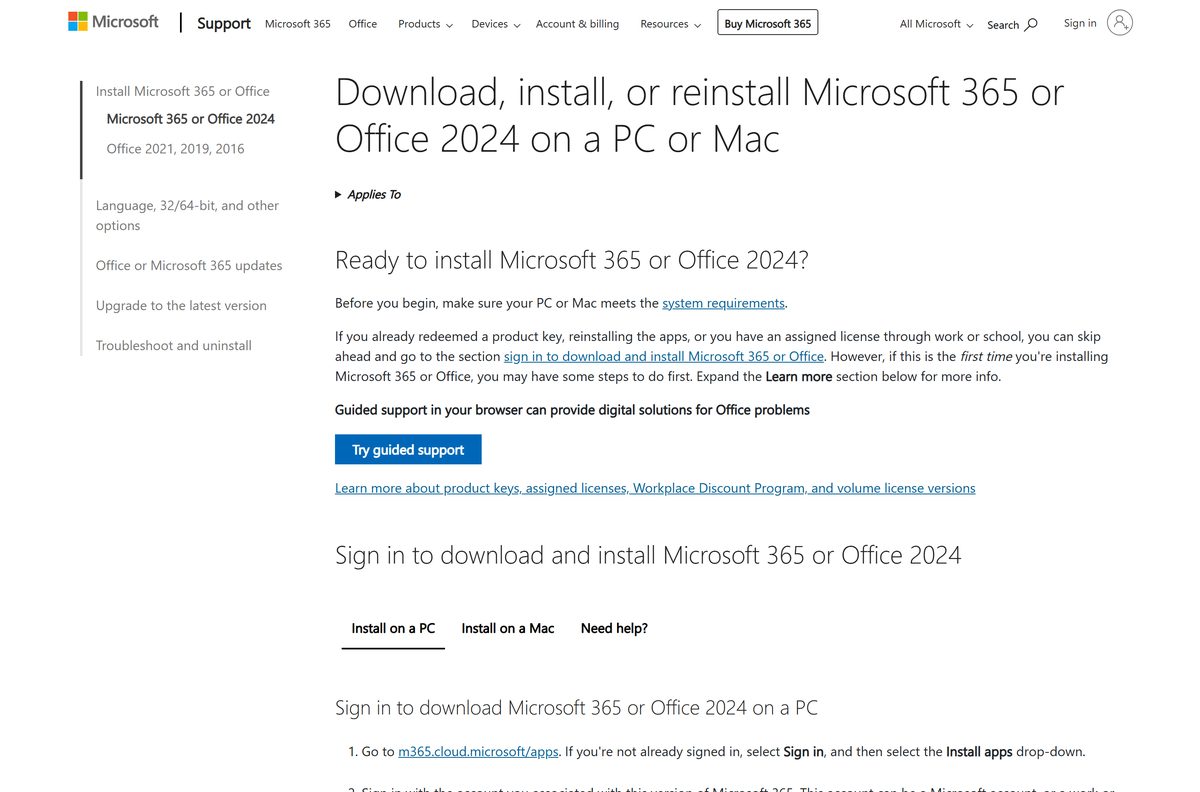
Check Microsoft 365 system requirements and specifications
Windows needs 4 GB of free disk space and a Mac needs 10 GB. A Microsoft account or a work or school account is required to license the apps.
| Field | Value |
|---|---|
| Software | Microsoft 365 (Word, Excel, PowerPoint, Outlook, OneNote) |
| Developer | Microsoft Corporation |
| Latest version | Windows: Version 2608 (Build 20326.20144), Current Channel. Mac: 16.112.4 (Build 26090911) |
| Released | 8 September 2026 (Windows), 10 September 2026 (Mac) |
| Licence | Subscription with a 1-month free trial; free web versions |
| Supported OS | Windows 11, Windows 10 (security updates only after Version 2608), the three most recent versions of macOS |
| Architecture | 64-bit by default, 32-bit optional on Windows; Apple silicon and Intel on Mac |
| Processor (Windows) | 1.6 GHz or faster, 2-core |
| Memory | 4 GB RAM (2 GB for 32-bit Windows) |
| Disk space | 4 GB on Windows, 10 GB on Mac (HFS+ or APFS) |
| Display | 1280 x 768 on Windows, 1280 x 800 on Mac |
| Download size | 7.1 MB Windows online setup; apps download during install |
| Offline installer | Yes, for Windows only |
| Official source | microsoft.com |
| Last verified | 2026-09-13 |
Microsoft lists the full home-plan requirements on its system requirements page.
Download Microsoft 365 from the official Microsoft links
Microsoft serves the setup files from officeapps.live.com and go.microsoft.com, and the sign-in pages from microsoft.com. Treat a copy from any other site as fake.
- Download and install Microsoft 365 (support page with sign-in) — Windows and Mac, needs your Microsoft account
- OfficeSetup for Windows (64-bit, English) — 7,413,856 bytes · online bootstrapper for Personal and Family plans
- Microsoft 365 for Mac installer package — macOS, Apple silicon and Intel
- Microsoft 365 offline installer instructions — Windows only
- Microsoft 365 Copilot app on the Microsoft Store — free
- Office Deployment Tool — 3.4 MB · for admins
Sign in with the account that holds your subscription before you run any of these files, or the apps open unlicensed.
How to install Microsoft 365 on Windows 11 and 10
The installer picks the 64-bit apps automatically. Choose 32-bit before you start only if an add-in you rely on needs it.
- Open m365.cloud.microsoft/apps in your browser and select Sign in.
- Sign in with the Microsoft account that holds your Microsoft 365 plan or trial.
- Select Install apps. On a work or school account, select Apps in the left pane first, then Install apps.
- Select Install to download the setup file.
- Select Run in Edge, Setup in Chrome, or Save File in Firefox.
- Select Yes at the User Account Control prompt.
- Keep the PC online until you see You’re all set! Office is installed now.
- Open Word from the Start menu and select Accept to activate the apps.
One subscription lets you stay signed in on up to five devices at the same time.
Install the free Microsoft 365 Copilot app from the Microsoft Store
The Microsoft 365 Copilot app is Microsoft’s free hub for your files and the web versions of Word, Excel and PowerPoint. It runs on x64 and Arm PCs with Windows 10 version 1903 or later.
- Open the Microsoft 365 Copilot listing on the Microsoft Store.
- Select Get or Install.
- Select Open when the download finishes.
- Select Sign in and use your Microsoft account.
- Pick a recent file, or select Create to start a new document.
Subscribers can launch the desktop Word, Excel and PowerPoint apps from the same hub once they are installed.
Download Microsoft 365 offline with the Office Deployment Tool
Microsoft 365 ships no MSI. Admins use the Office Deployment Tool (ODT), version 16.0.20326.20112, a 3.4 MB file named officedeploymenttool_20326-20112.exe.
Run the ODT file, extract it to C:\ODT, then save a configuration.xml file in that folder listing the products and languages you want.
cd C:\ODT
setup.exe /download configuration.xml
setup.exe /configure configuration.xml The first command downloads the installation files to the folder named in configuration.xml. The second installs Microsoft 365 from those files. Test the configuration on one PC before you roll it out. Get the tool from the Microsoft Download Center.
The ODT runs on Windows 10, Windows 11 and Windows Server 2016 through 2025.
Which Microsoft 365 download do you need for your Mac?
Apple silicon and Intel Macs use the same installer. Your macOS version decides whether you keep getting updates.
| Your Mac runs | What to do | Updates |
|---|---|---|
| macOS 14 Sonoma or later | Install the current Mac package | Yes, including security updates |
| macOS 12 Monterey or macOS 13 Ventura | Install, then plan a macOS upgrade | No further updates |
| macOS 11 Big Sur or older | Use free Microsoft 365 for the web | Web apps update themselves |
To install, open Downloads in Finder and double-click Microsoft Office installer.pkg. Select Continue, agree to the licence, enter your Mac password, then open Microsoft Word from Launchpad and select Get Started.
Is Microsoft 365 free?
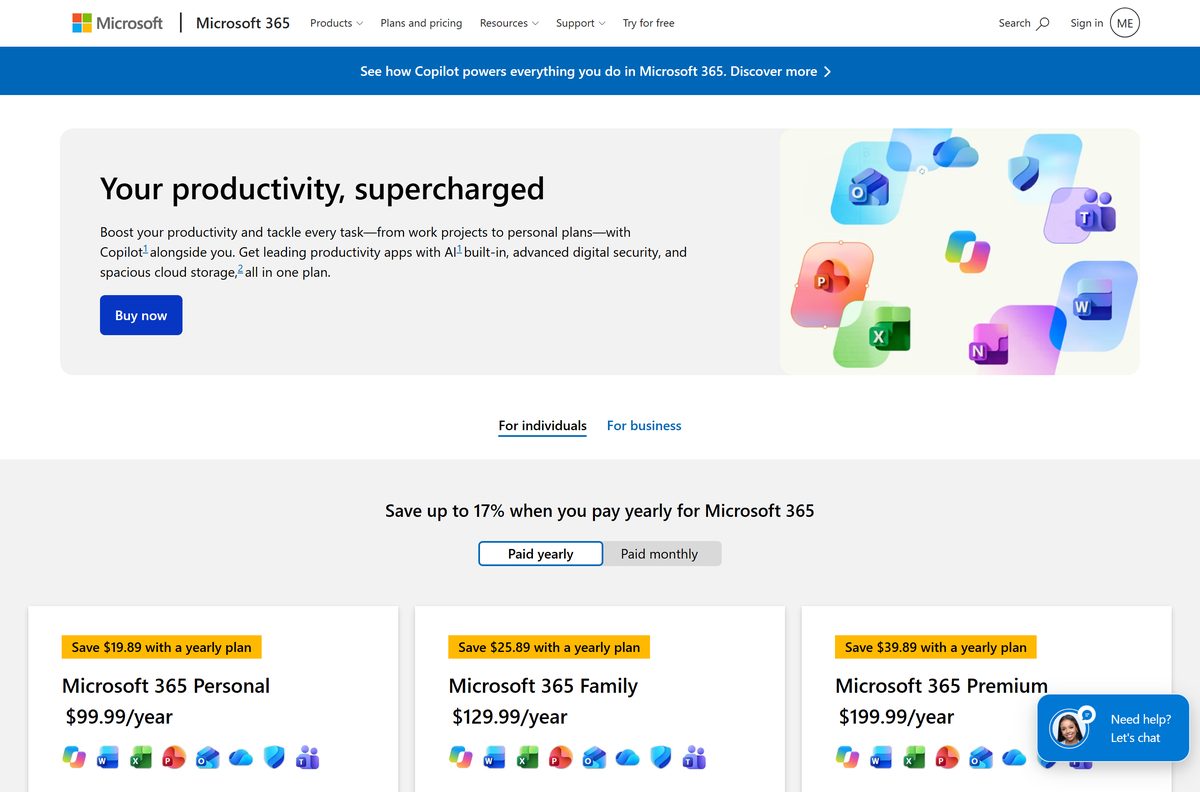
No. The desktop apps need a subscription, but the web versions are free. Microsoft 365 Personal costs $99.99 a year or $9.99 a month for one person. Microsoft 365 Family costs $129.99 a year or $12.99 a month for up to six people, and comes with a 1-month free trial that renews automatically unless you cancel it in your Microsoft account. Microsoft 365 Premium costs $199.99 a year or $19.99 a month. A free Microsoft account gets Word, Excel and PowerPoint for the web plus 5 GB of OneDrive storage. Any site selling a lifetime Microsoft 365 licence for a few dollars is not Microsoft.
Should you buy Microsoft 365 or Office Home 2024?
Choose Microsoft 365 if you use more than one computer or want cloud storage. Choose Office Home 2024 if you want to pay once for a single machine. Office Home 2024 costs $179.99 once and installs on one PC or Mac. Microsoft 365 Personal costs $99.99 a year, adds 1 TB of cloud storage and Copilot features, and keeps receiving new features. Office Home 2024 costs less than two years of Microsoft 365 Personal. Compare both on Microsoft’s plans page.
How to check your Microsoft 365 version and update it
Microsoft 365 updates itself in the background. Run these steps when you need a fix right away.
- Open Word or any other Microsoft 365 app on Windows.
- Select File, then Account.
- Read the version and build under About Word.
- Select Update Options, then Update Now.
- Close the apps when prompted and let the update finish.
- On a Mac, open Word and select Help > Check for Updates to run Microsoft AutoUpdate.
Microsoft lists every build on its Microsoft 365 Apps update history and Mac release notes.
Check whether your Windows or macOS version still gets Microsoft 365 updates
Windows 10 support ended on 14 October 2025, yet Microsoft 365 still installs on it.
| Operating system | Installs | What you get |
|---|---|---|
| Windows 11 | Yes | Feature, security and Copilot updates |
| Windows 10 | Yes | Stays on Version 2608 with security updates until 10 October 2028 |
| macOS 14 Sonoma or later | Yes | All updates |
| macOS 12 or 13 | Yes | Apps work, no updates |
| Older macOS | No | Use the web versions |
Microsoft explains the Windows 10 schedule on its Windows 10 end of support page.
Fix Microsoft 365 not installing on Windows 11 or 10
Setup stalls or fails partway
The online setup lost its connection while downloading the apps.
- Open the offline installer page and sign in.
- Choose Offline installer, pick your language and select Install.
- Double-click O365HomePremRetail.img in Downloads to mount it.
- Open the Office folder on the new drive.
- Double-click Setup64.exe, or Setup32.exe for 32-bit.
- Open Word while online and select Accept to activate.
Setup says a different bit version is already installed
32-bit and 64-bit Office apps cannot sit side by side on one PC.
- Uninstall the existing Office or Microsoft 365 apps completely.
- Restart the PC.
- Run the Microsoft 365 installer again and pick the version you need.
The apps install but say Unlicensed Product
The app is signed in with an account that has no active plan.
- Open Word and select File > Account.
- Select Sign out, then sign in again.
- Use the email address that started the trial or bought the subscription.
- Close and reopen Word to refresh the licence.
The Mac installer refuses to run
Current Microsoft 365 builds need macOS 12 Monterey or later.
- Select the Apple menu > About This Mac and read the macOS version.
- Update macOS in System Settings > General > Software Update.
- Run the installer again, or use the free web versions on an older Mac.
How to uninstall Microsoft 365
Uninstalling removes the apps only. Your files in OneDrive and your subscription stay put.
- Press the Windows key, type control panel and open Control Panel.
- Select Programs > Programs and Features.
- Select your Microsoft 365 product and select Uninstall.
- Follow the prompts, then restart the PC.
- On a Mac, Command-click every Microsoft 365 app in Applications and select Move to Trash.
- Delete the Microsoft Word, Excel, PowerPoint, Outlook and OneNote folders in ~/Library/Containers.
- Delete UBF8T346G9.ms, UBF8T346G9.Office and UBF8T346G9.OfficeOsfWebHost in ~/Library/Group Containers, then restart the Mac.
Microsoft also offers an uninstall troubleshooter for stubborn installs on its Windows uninstall page. Mac steps are on the Mac uninstall page.
Which free Microsoft 365 alternative should you use?
Start with the free web versions if you mostly edit Word, Excel and PowerPoint files. They open your documents without any format conversion.
| Option | Price | Best for |
|---|---|---|
| Microsoft 365 for the web | Free | Editing Office files in a browser with 5 GB of OneDrive |
| Office Home 2024 | $179.99 once | One PC or Mac, no subscription |
| LibreOffice | Free, open source | A full offline suite on Windows, Mac and Linux |
| Google Workspace | Free with a Google account | Real-time collaboration in the browser |
| Apple Pages, Numbers and Keynote | Free on Mac | Mac and iPhone users who rarely share Office files |
Frequently asked questions
Is Microsoft 365 free?
The desktop apps are not free. Microsoft 365 Personal costs $99.99 a year and Family costs $129.99 a year, with a 1-month free trial of Family. Word, Excel and PowerPoint for the web are free with a Microsoft account.
Is Microsoft 365 free with Windows 11?
No. Windows 11 users can get the free Microsoft 365 Copilot app from the Microsoft Store, which opens the web versions of Word, Excel and PowerPoint. The full desktop apps still need a Microsoft 365 subscription or a one-time Office purchase.
Where is the official Microsoft 365 download page?
Sign in at m365.cloud.microsoft/apps and select Install apps. Microsoft’s support page for downloading and installing Microsoft 365 links the same sign-in and covers both Windows and Mac.
How big is the Microsoft 365 download?
The Windows setup file is 7,413,856 bytes, about 7.1 MB. It is a bootstrapper that downloads the apps during installation, and Microsoft asks for 4 GB of free disk space on Windows and 10 GB on a Mac.
Is there a Microsoft 365 offline installer?
Yes, for Windows. Home plan subscribers can download an O365HomePremRetail.img disk image, mount it and run Setup64.exe or Setup32.exe. Business customers use the Office Deployment Tool. Activation still needs an internet connection.
Can you download Microsoft 365 on a Mac?
Yes. Microsoft 365 for Mac installs from a .pkg package on Apple silicon and Intel Macs. It supports the three most recent versions of macOS, and macOS 14 Sonoma or later is needed to keep receiving updates.
Does Microsoft 365 work on Windows 11?
Yes. Windows 11 is the fully supported system for Microsoft 365, with feature, security and Copilot updates. Windows 10 still installs it but stays on Version 2608 with security updates until 10 October 2028.
Should I install the 32-bit or 64-bit version of Microsoft 365?
Install 64-bit, which Microsoft sets as the default. Pick 32-bit only for a 32-bit Windows installation, a PC with less than 4 GB of RAM, or an add-in that requires it. Uninstall the other version first.
What is the latest Microsoft 365 version?
On Windows, the Current Channel is Version 2608 (Build 20326.20144), released 8 September 2026. On Mac, the latest release is 16.112.4 (Build 26090911), released 10 September 2026.
Is it safe to download Microsoft 365?
Yes, when the installer comes from your Microsoft account, microsoft.com, officeapps.live.com or the Microsoft Store. Avoid sites that offer Microsoft 365 free forever or sell cheap lifetime keys, because those files and licences do not come from Microsoft.
How many devices can I install Microsoft 365 on?
You can install Microsoft 365 on all your devices and stay signed in on up to five at the same time. Microsoft 365 Family shares that allowance with up to six people.
Why won’t Microsoft 365 install?
The online setup usually lost its connection, or a different bit version of Office is already on the PC. Use the offline installer, or uninstall the old Office apps, restart and run setup again.

Download Microsoft OneDrive for PC, Windows 11/10 & Mac (Free) - Techdows
[…] GB of cloud storage. You pay only for more space. Microsoft 365 Basic is $19.99 a year for 100 GB. Microsoft 365 Personal is $99.99 a year for 1 TB and adds the Word, Excel, PowerPoint and Outlook desktop apps. Microsoft […]
Got A New Computer How Do I Transfer Microsoft Office - Techdows
[…] you see the trial screen, your account has no Office product. Start the one-month Microsoft 365 Family trial, buy Microsoft 365, add it to an existing subscription or enter a new product […]
Download Microsoft PowerPoint for PC, Windows 11/10 & Mac - Techdows
[…] real-time collaboration, and 5 GB of cloud storage with a Microsoft account. The desktop app needs Microsoft 365 Personal at $99.99 a year, Family at $129.99 a year, Premium at $199.99 a year, or a one-time PowerPoint […]